 39ccdcf00d
* fix(plugins): stop reconciliation install loop, slow plugin list, and uninstall resurrection Three interacting bugs reported by a user (Discord/ericepe) on a fresh install: 1. The state reconciler retried failed auto-repairs on every HTTP request, pegging CPU and flooding logs with "Plugin not found in registry: github / youtube". Root cause: ``_run_startup_reconciliation`` reset ``_reconciliation_started`` to False on any unresolved inconsistency, so ``@app.before_request`` re-fired the entire pass on the next request. Fix: run reconciliation exactly once per process; cache per-plugin unrecoverable failures inside the reconciler so even an explicit re-trigger stays cheap; add a registry pre-check to skip the expensive GitHub fetch when we already know the plugin is missing; expose ``force=True`` on ``/plugins/state/reconcile`` so users can retry after fixing the underlying issue. 2. Uninstalling a plugin via the UI succeeded but the plugin reappeared. Root cause: a race between ``store_manager.uninstall_plugin`` (removes files) and ``cleanup_plugin_config`` (removes config entry) — if reconciliation fired in the gap it saw "config entry with no files" and reinstalled. Fix: reorder uninstall to clean config FIRST, drop a short-lived "recently uninstalled" tombstone on the store manager that the reconciler honors, and pass ``store_manager`` to the manual ``/plugins/state/reconcile`` endpoint (it was previously omitted, which silently disabled auto-repair entirely). 3. ``GET /plugins/installed`` was very slow on a Pi4 (UI hung on "connecting to display" for minutes, ~98% CPU). Root causes: per-request ``discover_plugins()`` + manifest re-read + four ``git`` subprocesses per plugin (``rev-parse``, ``--abbrev-ref``, ``config``, ``log``). Fix: mtime-gate ``discover_plugins()`` and drop the per-plugin manifest re-read in the endpoint; cache ``_get_local_git_info`` keyed on ``.git/HEAD`` mtime so subprocesses only run when the working copy actually moved; bump registry cache TTL from 5 to 15 minutes and fall back to stale cache on transient network failure. Tests: 16 reconciliation cases (including 5 new ones covering the unrecoverable cache, force-reconcile path, transient-failure handling, and recently-uninstalled tombstone) and 8 new store_manager cache tests covering tombstone TTL, git-info mtime cache hit/miss, and the registry stale-cache fallback. All 24 pass; the broader 288-test suite continues to pass with no new failures. Co-Authored-By: Claude Opus 4.6 (1M context) <noreply@anthropic.com> * perf(plugins): parallelize Plugin Store browse and extend metadata cache TTLs Follow-up to the previous commit addressing the Plugin Store browse path specifically. Most users install plugins via the store (ZIP extraction, no .git directory) so the git-info mtime cache from the previous commit was a no-op for them; their pain was coming from /plugins/store/list. Root cause. search_plugins() enriched each returned plugin with three serial GitHub fetches: _get_github_repo_info (repo API), _get_latest_commit_info (commits API), _fetch_manifest_from_github (raw.githubusercontent.com). Fifteen plugins × three requests × serial HTTP = 30–45 sequential round trips on every cold browse. On a Pi4 over WiFi that translated directly into the "connecting to display" hang users reported. The commit and manifest caches had a 5-minute TTL, so even a brief absence re-paid the full cost. Changes. - ``search_plugins``: fan out per-plugin enrichment through a ``ThreadPoolExecutor`` (max 10 workers, stays well under unauthenticated GitHub rate limits). Apply category/tag/query filters before enrichment so we never waste requests on plugins that will be filtered out. ``executor.map`` preserves input order, which the UI depends on. - ``commit_cache_timeout`` and ``manifest_cache_timeout``: 5 min → 30 min. Keeps the cache warm across a realistic session while still picking up upstream updates in a reasonable window. - ``_get_github_repo_info`` and ``_get_latest_commit_info``: stale-on-error fallback. On a network failure or a 403 we now prefer a previously- cached value over the zero-default, matching the pattern already in ``fetch_registry``. Flaky Pi WiFi no longer causes star counts to flip to 0 and commit info to disappear. Tests (5 new in test_store_manager_caches.py). - ``test_results_preserve_registry_order`` — the parallel map must still return plugins in input order. - ``test_filters_applied_before_enrichment`` — category/tag/query filters run first so we don't waste HTTP calls. - ``test_enrichment_runs_concurrently`` — peak-concurrency check plus a wall-time bound that would fail if the code regressed to serial. - ``test_repo_info_stale_on_network_error`` — repo info falls back to stale cache on RequestException. - ``test_commit_info_stale_on_network_error`` — commit info falls back to stale cache on RequestException. All 29 tests (16 reconciliation, 13 store_manager caches) pass. Co-Authored-By: Claude Opus 4.6 (1M context) <noreply@anthropic.com> * perf(plugins): drop redundant per-plugin manifest.json fetch in search_plugins Benchmarking the previous parallelization commit on a real Pi4 revealed that the 10x speedup I expected was only ~1.1x. Profiling showed two plugins (football-scoreboard, ledmatrix-flights) each spent 5 seconds inside _fetch_manifest_from_github — not on the initial HTTP call, but on the three retries in _http_get_with_retries with exponential backoff after transient DNS failures. Even with the thread pool, those 5-second tail latencies stayed in the wave and dominated wall time. The per-plugin manifest fetch in search_plugins is redundant anyway. The registry's plugins.json already carries ``description`` (it is generated from each plugin's manifest by update_registry.py at release time), and ``last_updated`` is filled in from the commit info that we already fetch in the same loop. Dropping the manifest fetch eliminates one of the three per-plugin HTTPS round trips entirely, which also eliminates the DNS-retry tail. The _fetch_manifest_from_github helper itself is preserved — it is still used by the install path. Tests unchanged (the search_plugins tests mock all three helpers and still pass); this drop only affects the hot-path call sequence. Co-Authored-By: Claude Opus 4.6 (1M context) <noreply@anthropic.com> * test: lock down install/update/uninstall invariants Regression guard for the caching and tombstone changes in this PR: - ``install_plugin`` must not be gated by the uninstall tombstone. The tombstone only exists to keep the state reconciler from resurrecting a freshly-uninstalled plugin; explicit user-initiated installs via the store UI go straight to ``install_plugin()`` and must never be blocked. Test: mark a plugin recently uninstalled, stub out the download, call ``install_plugin``, and assert the download step was reached. - ``get_plugin_info(force_refresh=True)`` must forward force_refresh through to both ``_get_latest_commit_info`` and ``_fetch_manifest_from_github``, so that install_plugin and update_plugin (both of which call get_plugin_info with force_refresh=True) continue to bypass the 30-min cache TTLs introduced inc03eb8db. Without this, bumping the commit cache TTL could cause users to install or update to a commit older than what GitHub actually has. Co-Authored-By: Claude Opus 4.6 (1M context) <noreply@anthropic.com> * fix(plugins): address review findings — transactional uninstall, registry error propagation, payload hardening Three real bugs surfaced by review, plus one nitpick. Each was verified against the current code before fixing. 1. fetch_registry silently swallowed network errors, breaking the reconciler (CONFIRMED BUG). The stale-cache fallback I added inc03eb8dbmade fetch_registry return {"plugins": []} on network failure when no cache existed — which is exactly the state on a fresh boot with flaky WiFi. The reconciler's _auto_repair_missing_plugin code assumed an exception meant "transient, don't mark unrecoverable" and expected to never see a silent empty-dict result. With the silent fallback in place on a fresh boot, it would see "no candidates in registry" and mark every config-referenced plugin permanently unrecoverable. Fix: add ``raise_on_failure: bool = False`` to fetch_registry. UI callers keep the stale-cache-fallback default. The reconciler's _auto_repair_missing_plugin now calls it with raise_on_failure=True so it can distinguish a genuine registry miss from a network error. 2. Uninstall was not transactional (CONFIRMED BUG). Two distinct failure modes silently left the system in an inconsistent state: (a) If ``cleanup_plugin_config`` raised, the code logged a warning and proceeded to delete files anyway, leaving an orphan install with no config entry. (b) If ``uninstall_plugin`` returned False or raised AFTER cleanup had already succeeded, the config was gone but the files were still on disk — another orphan state. Fix: introduce ``_do_transactional_uninstall`` shared by both the queue and direct paths. Flow: - snapshot plugin's entries in main config + secrets - cleanup_plugin_config; on failure, ABORT before touching files - uninstall_plugin; on failure, RESTORE the snapshot, then raise Both queue and direct endpoints now delegate to this helper and surface clean errors to the user instead of proceeding past failure. 3. /plugins/state/reconcile crashed on non-object JSON bodies (CONFIRMED BUG). The previous code did ``payload.get('force', False)`` after ``request.get_json(silent=True) or {}``. If a client sent a bare string or array as the JSON body, payload would be that string or list and .get() would raise AttributeError. Separately, ``bool("false")`` is True, so string-encoded booleans were mis-handled. Fix: guard ``isinstance(payload, dict)`` and route the value through the existing ``_coerce_to_bool`` helper. 4. Nitpick: use ``assert_called_once_with`` in test_force_reconcile_clears_unrecoverable_cache. The existing test worked in practice (we call reset_mock right before) but the stricter assertion catches any future regression where force=True might double-fire the install. Tests added (19 new, 48 total passing): - TestFetchRegistryRaiseOnFailure (4): flag propagates both RequestException and JSONDecodeError, wins over stale cache, and the default behavior is unchanged for existing callers. - test_real_store_manager_empty_registry_on_network_failure (1): the key regression test — uses the REAL PluginStoreManager (not a Mock) with ConnectionError at the HTTP helper layer, and verifies the reconciler does NOT poison _unrecoverable_missing_on_disk. - TestTransactionalUninstall (4): cleanup failure aborts before file removal; file removal failure (both False return and raise) restores the config snapshot; happy path still succeeds. - TestReconcileEndpointPayload (8): bare string / array / null JSON bodies, missing force key, boolean true/false, and string-encoded "true"/"false" all handled correctly. All 342 tests in the broader sweep still pass (2 pre-existing TestDottedKeyNormalization failures reproduce on main and are unrelated). Co-Authored-By: Claude Opus 4.6 (1M context) <noreply@anthropic.com> * style: address review nitpicks in store_manager + test Four small cleanups, each verified against current code: 1. ``_git_info_cache`` type annotation was ``Dict[str, tuple]`` — too loose. Tightened to ``Dict[str, Tuple[float, Dict[str, str]]]`` to match what ``_get_local_git_info`` actually stores (mtime + the sha/short_sha/branch/... dict it returns). Added ``Tuple`` to the typing imports. 2. The ``search_plugins`` early-return condition ``if len(filtered) == 1 or not fetch_commit_info and len(filtered) < 4`` parses correctly under Python's precedence (``and`` > ``or``) but is visually ambiguous. Added explicit parentheses to make the intent — "single plugin, OR small batch that doesn't need commit info" — obvious at a glance. Semantics unchanged. 3. Replaced a Unicode multiplication sign (×) with ASCII 'x' in the commit_cache_timeout comment. 4. Removed a dead ``concurrent_workers = []`` declaration from ``test_enrichment_runs_concurrently``. It was left over from an earlier sketch of the concurrency check — the final test uses only ``peak_lock`` and ``peak``. All 48 tests still pass. Co-Authored-By: Claude Opus 4.6 (1M context) <noreply@anthropic.com> * fix(plugins): address second review pass — cache correctness and rollback Verified each finding against the current code. All four inline issues were real bugs; nitpicks 5-7 were valid improvements. 1. _get_latest_commit_info overwrote a good cached value with None on all-branches-404 (CONFIRMED BUG). The final line of the branch loop unconditionally wrote ``self.commit_info_cache[cache_key] = (time.time(), None)``, which clobbered any previously-good entry on a single transient failure (e.g. an odd 5xx, a temporary DNS hiccup during the branches_to_try loop). Fix: if there's already a good prior value, bump its timestamp into the backoff window and return it instead. Only cache None when we never had a good value. 2. _get_local_git_info cache did not invalidate on fast-forward (CONFIRMED BUG). Caching on ``.git/HEAD`` mtime alone is wrong: a ``git pull`` that fast-forwards the current branch updates ``.git/refs/heads/<branch>`` (or packed-refs) but leaves HEAD's contents and mtime untouched. The cache would then serve a stale SHA indefinitely. Fix: introduce ``_git_cache_signature`` which reads HEAD contents, resolves ``ref: refs/heads/<name>`` to the corresponding loose ref file, and builds a signature tuple of (head_contents, head_mtime, resolved_ref_mtime, packed_refs_mtime). A fast-forward bumps the ref file's mtime, which invalidates the signature and re-runs git. 3. test_install_plugin_is_not_blocked_by_tombstone swallowed all exceptions (CONFIRMED BUG in test). ``try: self.sm.install_plugin("bar") except Exception: pass`` could hide a real regression in install_plugin that happens to raise. Fix: the test now writes a COMPLETE valid manifest stub (id, name, class_name, display_modes, entry_point) and stubs _install_dependencies, so install_plugin runs all the way through and returns True. The assertion is now ``assertTrue(result)`` with no exception handling. 4. Uninstall rollback missed unload/reload (CONFIRMED BUG). Previous flow: cleanup → unload (outside try/except) → uninstall → rollback config on failure. Problem: if ``unload_plugin`` raised, the exception propagated without restoring config. And if ``uninstall_plugin`` failed after a successful unload, the rollback restored config but left the plugin unloaded at runtime — inconsistent. Fix: record ``was_loaded`` before touching runtime state, wrap ``unload_plugin`` in the same try/except that covers ``uninstall_plugin``, and on any failure call a ``_rollback`` local that (a) restores the config snapshot and (b) calls ``load_plugin`` to reload the plugin if it was loaded before we touched it. 5. Nitpick: ``_unrecoverable_missing_on_disk: set`` → ``Set[str]``. Matches the existing ``Dict``/``List`` style in state_reconciliation.py. 6. Nitpick: stale-cache fallbacks in _get_github_repo_info and _get_latest_commit_info now bump the cached entry's timestamp by a 60s failure backoff. Without this, a cache entry whose TTL just expired would cause every subsequent request to re-hit the network until it came back, amplifying the failure. Introduced ``_record_cache_backoff`` helper and applied it consistently. 7. Nitpick: replaced the flaky wall-time assertion in test_enrichment_runs_concurrently with just the deterministic ``peak["count"] >= 2`` signal. ``peak["count"]`` can only exceed 1 if two workers were inside the critical section simultaneously, which is definitive proof of parallelism. The wall-time check was tight enough (<200ms) to occasionally fail on CI / low-power boxes. Tests (6 new, 54 total passing): - test_cache_invalidates_on_fast_forward_of_current_branch: builds a loose-ref layout under a temp .git/, verifies a first call populates the cache, a second call with unchanged state hits the cache, and a simulated fast-forward (overwriting ``.git/refs/heads/main`` with a new SHA and mtime) correctly re-runs git. - test_commit_info_preserves_good_cache_on_all_branches_404: seeds a good cached entry, mocks requests.get to always return 404, and verifies the cache still contains the good value afterwards. - test_repo_info_stale_bumps_timestamp_into_backoff: seeds an expired cache, triggers a ConnectionError, then verifies a second lookup does NOT re-hit the network (proves the timestamp bump happened). - test_repo_info_stale_on_403_also_backs_off: same for the 403 path. - test_file_removal_failure_reloads_previously_loaded_plugin: plugin starts loaded, uninstall_plugin returns False, asserts load_plugin was called during rollback. - test_unload_failure_restores_config_and_does_not_call_uninstall: unload_plugin raises, asserts uninstall_plugin was never called AND config was restored AND load_plugin was NOT called (runtime state never changed, so no reload needed). Broader test sweep: 348/348 pass (2 pre-existing TestDottedKeyNormalization failures reproduce on main, unrelated). Co-Authored-By: Claude Opus 4.6 (1M context) <noreply@anthropic.com> * fix(plugins): address third review pass — cache signatures, backoff, isolation All four findings verified as real issues against the current code. 1. _git_cache_signature was missing .git/config (CONFIRMED GAP). The cached ``result`` dict from _get_local_git_info includes ``remote_url``, which is read from ``.git/config``. But the cache signature only tracked HEAD + refs — so a config-only change (e.g. ``git remote set-url origin https://...``) would leave the stale URL cached indefinitely. This matters for the monorepo-migration detection in update_plugin. Fix: add ``config_contents`` and ``config_mtime`` to the signature tuple. Config reads use the same OSError-guarded pattern as the HEAD read. 2. fetch_registry stale fallback didn't bump registry_cache_time (CONFIRMED BUG). The other caches already had the failure-backoff pattern added in the previous review pass (via ``_record_cache_backoff``), but the registry cache's stale-fallback branches silently returned the cached payload without updating ``registry_cache_time``. Next request saw the same expired TTL, re-hit the network, failed again — amplifying the original transient failure. Fix: bump ``self.registry_cache_time`` forward by the existing ``self._failure_backoff_seconds`` (reused — no new constant needed) in both the RequestException and JSONDecodeError stale branches. Kept the ``raise_on_failure=True`` path untouched so the reconciler still gets the exception. 3. _make_client() in the uninstall/reconcile test helper leaked MagicMocks into the api_v3 singleton (CONFIRMED RISK). Every test call replaced api_v3.config_manager, .plugin_manager, .plugin_store_manager, etc. with MagicMocks and never restored them. If any later test in the same pytest run imported api_v3 expecting original state (or None), it would see the leftover mocks. Fix: _make_client now snapshots the original attributes (with a sentinel to distinguish "didn't exist" from "was None") and returns a cleanup callable. Both setUp methods call self.addCleanup(cleanup) so state is restored even if the test raises. On cleanup, sentinel entries trigger delattr rather than setattr to preserve the "attribute was never set" case. 4. Snapshot helpers used broad ``except Exception`` (CONFIRMED). _snapshot_plugin_config caught any exception from get_raw_file_content, which could hide programmer errors (TypeError, AttributeError) behind the "best-effort snapshot" fallback. The legitimate failure modes are filesystem errors (covered by OSError; FileNotFoundError is a subclass, IOError is an alias in Python 3) and ConfigError (what config_manager wraps all load failures in). Fix: narrow to ``(OSError, ConfigError)`` in both snapshot blocks. ConfigError was already imported at line 20 of api_v3.py. Tests added (4 new, 58 total passing): - test_cache_invalidates_on_git_config_change: builds a realistic loose-ref layout, writes .git/config with an "old" remote URL, exercises _get_local_git_info, then rewrites .git/config with a "new" remote URL + new mtime, calls again, and asserts the cache invalidated and returned the new URL. - test_stale_fallback_bumps_timestamp_into_backoff: seeds an expired registry cache, triggers ConnectionError, verifies first call serves stale, then asserts a second call makes ZERO new HTTP requests (proves registry_cache_time was bumped forward). - test_snapshot_survives_config_read_error: raises ConfigError from get_raw_file_content and asserts the uninstall still completes successfully — the narrow exception list still catches this case. - test_snapshot_does_not_swallow_programmer_errors: raises a TypeError from get_raw_file_content (not in the narrow list) and asserts it propagates up to a 500, AND that uninstall_plugin was never called (proves the exception was caught at the right level). Broader test sweep: 352/352 pass (2 pre-existing TestDottedKeyNormalization failures reproduce on main, unrelated). Co-Authored-By: Claude Opus 4.6 (1M context) <noreply@anthropic.com> --------- Co-authored-by: Chuck <chuck@example.com> Co-authored-by: Claude Opus 4.6 (1M context) <noreply@anthropic.com>
LEDMatrix
Welcome to LEDMatrix!
Welcome to the LEDMatrix Project! This open-source project enables you to run an information-rich display on a Raspberry Pi connected to an LED RGB Matrix panel. Whether you want to see your calendar, weather forecasts, sports scores, stock prices, or any other information at a glance, LEDMatrix brings it all together.
About This Project
LEDMatrix is a constantly evolving project that I'm building to create a customizable information display. The project is designed to be modular and extensible, with a plugin-based architecture that makes it easy to add new features and displays.
This project is open source and supports third-party plugin development. I believe that great projects get better when more people are involved, and I'm excited to see what the community can build together. Whether you want to contribute to the core project, develop your own plugins, or just use and enjoy LEDMatrix, you're welcome here!
A Note from the ChuckBuilds
I'm very new to all of this and am heavily relying on AI development tools to create this project. This means I'm learning as I go, and I'm grateful for your patience and feedback as the project continues to evolve and improve.
I'm trying to be open to constructive criticism and support, as long as it's a realistic ask and aligns with my priorities on this project. If you have ideas for improvements, find bugs, or want to add features to the base project, please don't hesitate to reach out on Discord or submit a pull request. Similarly, if you want to develop a plugin of your own, please do so! I'd love to see what you create.
Installing the LEDMatrix project on a pi video:

Setup video and feature walkthrough on Youtube (Outdated but still useful) :
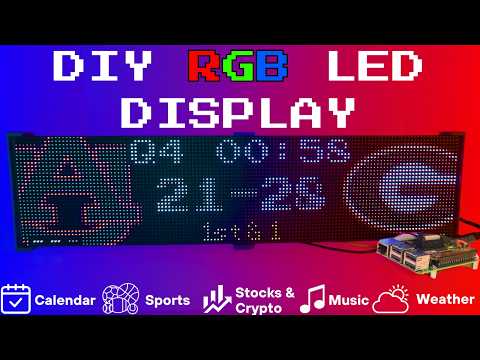
Connect with ChuckBuilds
- Show support on Youtube: https://www.youtube.com/@ChuckBuilds
- Check out the write-up on my website: https://www.chuck-builds.com/led-matrix/
- Stay in touch on Instagram: https://www.instagram.com/ChuckBuilds/
- Want to chat? Reach out on the LEDMatrix Discord: https://discord.com/invite/uW36dVAtcT
- Feeling Generous? Consider sponsoring this project or sending a donation (these AI credits aren't cheap!)
Special Thanks to:
- Hzeller for his groundwork on controlling an LED Matrix from the Raspberry Pi
- Cursor for making this project possible
- CodeRabbit for fixing my PR's
- Everyone involved in this project for their patience, input, and support
Core Features
Core Features
The following plugins are available inside of the LEDMatrix project. These modular, rotating Displays that can be individually enabled or disabled per the user's needs with some configuration around display durations, teams, stocks, weather, timezones, and more. Displays include:Time and Weather
-
Real-time clock display (2x 64x32 Displays 4mm Pixel Pitch)
-
Current Weather, Daily Weather, and Hourly Weather Forecasts (2x 64x32 Displays 4mm Pixel Pitch)
-
Google Calendar event display (2x 64x32 Displays 4mm Pixel Pitch)
Sports Information
The system supports live, recent, and upcoming game information for multiple sports leagues:
-
NHL (Hockey) (2x 64x32 Displays 4mm Pixel Pitch)
-
NBA (Basketball)
-
MLB (Baseball) (2x 64x32 Displays 4mm Pixel Pitch)
-
NFL (Football) (2x 96x48 Displays 2.5mm Pixel Pitch)
-
NCAA Football (2x 96x48 Displays 2.5mm Pixel Pitch)
-
NCAA Men's Basketball
-
NCAA Men's Baseball
-
Soccer (Premier League, La Liga, Bundesliga, Serie A, Ligue 1, Liga Portugal, Champions League, Europa League, MLS)
-
(Note, some of these sports seasons were not active during development and might need fine tuning when games are active)
Financial Information
- Near real-time stock & crypto price updates
- Stock news headlines
- Customizable stock & crypto watchlists (2x 64x32 Displays 4mm Pixel Pitch)
Entertainment
- Music playback information from multiple sources:
- Spotify integration
- YouTube Music integration
- Album art display
- Now playing information with scrolling text (2x 64x32 Displays 4mm Pixel Pitch)
Custom Display Features
-
Custom Text display (2x 64x32 Displays 4mm Pixel Pitch)
-
Youtube Subscriber Count Display (2x 64x32 Displays 4mm Pixel Pitch)
Hardware
Hardware Requirements
Hardware Requirements
| ⚠️ IMPORTANT |
|---|
| This project can be finnicky! RGB LED Matrix displays are not built the same or to a high-quality standard. We have seen many displays arrive dead or partially working in our discord. Please purchase from a reputable vendor. |
Raspberry Pi
- Raspberry Pi Zero's don't have enough processing power for this project and the Pi 5 is unsupported due to new GPIO output.
- Raspberry Pi 3B or 4 (NOT RPi 5!)
Amazon Affiliate Link – Raspberry Pi 4 4GB RAM Amazon Affiliate Link – Raspberry Pi 4 8GB RAM
RGB Matrix Bonnet / HAT
- Adafruit RGB Matrix Bonnet/HAT – supports one “chain” of horizontally connected displays
- Adafruit Triple LED Matrix Bonnet – supports up to 3 vertical “chains” of horizontally connected displays (use
regular-pi1as hardware mapping) - Electrodragon RGB HAT – supports up to 3 vertical “chains”
- Seengreat Matrix Adapter Board – single-chain LED Matrix (use
regularas hardware mapping)
LED Matrix Panels
(2x in a horizontal chain is recommended)
- Adafruit 64×32 – designed for 128×32 but works with dynamic scaling on many displays (pixel pitch is user preference)
- Waveshare 64×32 - Does not require E addressable pad
- Waveshare 96×48 – higher resolution, requires soldering the E addressable pad on the Adafruit RGB Bonnet to “8” OR toggling the DIP switch on the Adafruit Triple LED Matrix Bonnet (no soldering required!)
Amazon Affiliate Link – ChuckBuilds receives a small commission on purchases
Power Supply
- 5V 4A DC Power Supply (good for 2 -3 displays, depending on brightness and pixel density, you'll need higher amperage for more)
- 5V 10A DC Power Supply (good for 6-8 displays, depending on brightness and pixel density)
Optional but recommended mod for Adafruit RGB Matrix Bonnet
- By soldering a jumper between pins 4 and 18, you can run a specialized command for polling the matrix display. This provides better brightness, less flicker, and better color.
- If you do the mod, we will use the default config with led-gpio-mapping=adafruit-hat-pwm, otherwise just adjust your mapping in config.json to adafruit-hat
- More information available: https://github.com/hzeller/rpi-rgb-led-matrix/tree/master?tab=readme-ov-file
Possibly required depending on the display you are using.
- Some LED Matrix displays require an "E" addressable line to draw the display properly. The 64x32 Adafruit display does NOT require the E addressable line, however the 96x48 Waveshare display DOES require the "E" Addressable line.
- Various ways to enable this depending on your Bonnet / HAT.
Your display will look like it is "sort of" working but still messed up.
or
or
How to set addressable E line on various HATs:
-
Adafruit Single Chain HATs
or
-
Adafruit Triple Chain HAT
-
ElectroDragon RGB LED Matrix Panel Drive Board
2 Matrix display with Rpi connected to Adafruit Single Chain HAT.
Mount / Stand options
Mount/Stand
I 3D printed stands to keep the panels upright and snug. STL Files are included in the Repo but are also available at https://www.thingiverse.com/thing:5169867 Thanks to "Randomwire" for making these for the 4mm Pixel Pitch LED Matrix.
Special Thanks for Rmatze for making:
- 3mm Pixel Pitch RGB Stand for 32x64 Display : https://www.thingiverse.com/thing:7149818
- 4mm Pixel Pitch RGB Stand for 32x64 Display : https://www.thingiverse.com/thing:7165993
These are not required and you can probably rig up something basic with stuff you have around the house. I used these screws: https://amzn.to/4mFwNJp (Amazon Affiliate Link)
Installation Steps
Preparing the Raspberry Pi
Preparing the Raspberry Pi
| ⚠️ IMPORTANT |
|---|
| It is required to use the NEW Raspberry Pi Imager tool. If your tool doesn't look like my screenshots, be sure to update it. |
-
Create RPI Image on a Micro-SD card (I use whatever I have laying around, size is not too important but I would use 8gb or more) using Raspberry Pi Imager
-
Choose your Raspberry Pi (3B+ in my case)
- For Operating System (OS), choose "Other"
- Then choose Raspbian OS (64-bit) Lite (Trixie)
- For Storage, choose your micro-sd card
| ⚠️ IMPORTANT |
|---|
| Make sure it's the correct drive! Data will be erased! |
- Choose the hostname of the device. This will be often used to access the web-ui and will be the name of the device on your network. I recommend "ledpi".
- Choose your timezone and keyboard layout.
- Set your username and password. This is your "root" password and is important, make sure you remember it! We will use it to access the Raspberry Pi via SSH.
- (Optional) Choose your Wi-fi network and enter wifi password. This can be changed in the future. This is also optional if you are going to connect it via ethermet.
- Enable SSH and opt for "Use Password Authentication". You can use public key auth if you know how but for the sake of new folks, let's use the password that we chose in Step 9.
- Disable Raspberry Pi Connect. It's a VPN / Remote Connection tool built into Raspberry Pi, it seems like there might be a subscription? Not sure but I am not using it.
- Double check your settings then confirm by clicking "Write".
- Final warning to be SURE that you have the correct micro-sd card inserted and selected as all data on the drive will be erased.
You're done with preparing the Operating System. Once the Raspberry Pi Imager has finished writing to the micro-sd card it will let you know it is safe to eject. Eject the micro-sd card and plug it into the Raspberry Pi and turn it on.
System Setup & Installation
System Setup & Installation
Once your Raspberry Pi has turned on and connected to your wifi (check your router's dhcp leases) or just give it a few minutes after plugging it in. We will connect via ssh.
Secure Shell (SSH) is a way to connect to the device and execute commands. On Windows, I recommend using Powershell. On MacOS or Linux, I recommend using Terminal.
- SSH into your Raspberry Pi:
ssh ledpi@ledpi
The format "username@hostname" is coincidentally the same for this project (which is fine) but if you changed the username, hostname, or your router's DNS doesn't recognize the hostname you would use "username@ipaddress". You can skip the username and just enter "ssh hostname" or "ssh ipaddress" and it will prompt you for a username.
Quick Install (Recommended)
Paste this single command into SSH using Ctrl+Shift+V on Windows or Shift+Command+V on Mac.
Tip
Terminal can be funky about pasting with just Ctrl+V, by right click -> paste or using Ctrl+Shift+V you will be able to paste without additional unwanted characters.
curl -fsSL https://raw.githubusercontent.com/ChuckBuilds/LEDMatrix/main/scripts/install/one-shot-install.sh | bash
This one-shot installer will automatically:
- Check system prerequisites (network, disk space, sudo access)
- Install required system packages (git, python3, build tools, etc.)
- Clone or update the LEDMatrix repository
- Run the complete first-time installation script
The installation process typically takes 10-30 minutes depending on your internet connection and Pi model. All errors are reported explicitly with actionable fixes.
Note: The script is safe to run multiple times and will handle existing installations gracefully.
Manual Installation (Alternative)
If you prefer to install manually or the one-shot installer doesn't work for your setup:
- SSH into your Raspberry Pi:
ssh ledpi@ledpi
- Update repositories, upgrade Raspberry Pi OS, and install prerequisites:
sudo apt update && sudo apt upgrade -y
sudo apt install -y git python3-pip cython3 build-essential python3-dev python3-pillow scons
- Clone this repository:
git clone https://github.com/ChuckBuilds/LEDMatrix.git
cd LEDMatrix
- Run the first-time installation script:
chmod +x first_time_install.sh
sudo bash ./first_time_install.sh
This single script installs services, dependencies, configures permissions and sudoers, and validates the setup.
Configuration
Configuration
Configuration
Initial Setup
For most settings I recommend using the web interface: Edit the project via the web interface at http://[IP ADDRESS or HOSTNAME]:5000 or http://ledpi:5000 .
If you need to manually edit your config file, you can follow the steps below:
Manual Config.json editing
-
First-time setup: The previous "First_time_install.sh" script should've already copied the template to create your config.json:
-
Edit your configuration:
sudo nano config/config.json
Automatic Configuration Migration
The system automatically handles configuration updates:
- New installations: Creates
config.jsonfrom the template automatically - Existing installations: Automatically adds new configuration options with default values when the system starts
- Backup protection: Creates a backup of your current config before applying updates
- No conflicts: Your custom settings are preserved while new options are added
Everything is configured via config/config.json and config/config_secrets.json and are not tracked by Git to prevent conflicts during updates.
Running the Display
Recommended: Use Web UI Quick Actions
I recommend using the web-ui "Quick Actions" to control the Display.
Plugins
Plugin Store
See the Plugin Store documentation for detailed installation instructions.
The easiest way to discover and install plugins is through the Plugin Store in the LEDMatrix web interface:
- Open the web interface (
http://your-pi-ip:5000) - Navigate to the Plugin Manager tab
- Browse available plugins in the Plugin Store
- Click Install on any plugin you want
- Configure and enable plugins through the web UI
Installing 3rd-Party Plugins
You can also install plugins directly from GitHub repositories:
- Single Plugin: Install from any GitHub repository URL
- Registry/Monorepo: Install multiple plugins from a single repository
See the Plugin Store documentation for detailed installation instructions.
For plugin development, check out the Hello World Plugin repository as a starter template.
- Built-in Managers Deprecated: The built-in managers (hockey, football, stocks, etc.) are now deprecated and have been moved to the plugin system. You must install replacement plugins from the Plugin Store in the web interface instead. The plugin system provides the same functionality with better maintainability and extensibility.
Detailed Information
Display Settings from RGBLEDMatrix Library
Display Settings
If you are copying my exact setup, you can likely leave the defaults alone. However, if you have different hardware or want to customize the display behavior, these settings allow you to fine-tune the LED matrix configuration.
The display settings are located in config/config.json under the "display" key and are organized into three main sections: hardware, runtime, and display_durations.
Hardware Configuration (display.hardware)
These settings control the physical hardware configuration and how the matrix is driven.
Basic Panel Configuration
-
rows(integer, default: 32)- Number of LED rows (vertical pixels) in each panel
- Common values: 16, 32, 48, 64
- Must match your physical panel configuration
-
cols(integer, default: 64)- Number of LED columns (horizontal pixels) in each panel
- Common values: 32, 64, 96, 128
- Must match your physical panel configuration
-
chain_length(integer, default: 2)- Number of LED panels chained together horizontally
- If you have 2 panels side-by-side, set to 2
- If you have 4 panels in a row, set to 4
- Total display width =
cols × chain_length
-
parallel(integer, default: 1)- Number of parallel chains (panels stacked vertically)
- Use 1 for a single row of panels
- Use 2 if you have panels stacked in two rows
- Total display height =
rows × parallel
Brightness and Visual Settings
brightness(integer, 0-100, default: 90)- Display brightness level
- Lower values (0-50) are dimmer, higher values (50-100) are brighter
- Recommended: 70-90 for indoor use, 90-100 for bright environments
- Very high brightness may cause distortion or require more power
Hardware Mapping
hardware_mapping(string, default: "adafruit-hat-pwm")- Specifies which GPIO pin mapping to use for your hardware
"adafruit-hat-pwm": Use this for Adafruit RGB Matrix Bonnet/HAT WITH the jumper mod (PWM enabled). This is the recommended setting for Adafruit hardware with the PWM jumper soldered."adafruit-hat": Use this for Adafruit RGB Matrix Bonnet/HAT WITHOUT the jumper mod (no PWM). Remove-pwmfrom the value if you did not solder the jumper."regular": Standard GPIO pin mapping for direct GPIO connections (Generic)"regular-pi1": Standard GPIO pin mapping for Raspberry Pi 1 (older hardware or non-standard hat mapping)- Choose the option that matches your specific hardware setup, if aren't sure try them all.
PWM (Pulse Width Modulation) Settings
These settings affect color fidelity and smoothness of color transitions:
-
pwm_bits(integer, default: 9)- Number of bits used for PWM (affects color depth)
- Higher values (9-11) = more color levels, smoother gradients
- Lower values (7-8) = fewer color levels, but may improve stability on some hardware
- Range: 1-11, recommended: 9-10
-
pwm_dither_bits(integer, default: 1)- Additional dithering bits for smoother color transitions
- Helps reduce color banding in gradients
- Higher values (1-2) = smoother gradients but may impact performance
- Range: 0-2, recommended: 1
-
pwm_lsb_nanoseconds(integer, default: 130)- Least significant bit timing in nanoseconds
- Controls the base timing for PWM signals
- Lower values = faster PWM, higher values = slower PWM
- Typical range: 100-300 nanoseconds
- May need adjustment if you see flickering or color issues
Advanced Hardware Settings
-
scan_mode(integer, default: 0)- Panel scan mode (how rows are addressed)
- Common values: 0 (progressive), 1 (interlaced)
- Most panels use 0, but some require 1
- Check your panel datasheet if colors appear incorrect
-
limit_refresh_rate_hz(integer, default: 100)- Maximum refresh rate in Hz (frames per second)
- Caps the refresh rate for better stability
- Lower values (60-80) = more stable, less CPU usage
- Higher values (100-120) = smoother animations, more CPU usage
- Recommended: 80-100 for most setups
-
disable_hardware_pulsing(boolean, default: false)- Disables hardware pulsing (usually leave as false)
- Set to
trueonly if you experience timing issues - Most users should leave this as
false
-
inverse_colors(boolean, default: false)- Inverts all colors (red becomes cyan, etc.)
- Useful if your panel has inverted color channels
- Set to
trueonly if colors appear inverted
-
show_refresh_rate(boolean, default: false)- Displays the current refresh rate on the matrix (for debugging)
- Set to
trueto see FPS on the display - Useful for troubleshooting performance issues
Advanced Panel Configuration (Advanced Users Only)
These settings are typically only needed for non-standard panels or custom configurations:
-
led_rgb_sequence(string, default: "RGB")- Color channel order for your LED panel
- Common values: "RGB", "RBG", "GRB", "GBR", "BRG", "BGR"
- Most panels use "RGB", but some use "GRB" or other orders
- Check your panel datasheet if colors appear wrong
-
pixel_mapper_config(string, default: "")- Advanced pixel mapping configuration
- Used for custom panel layouts, rotations, or transformations
- Examples: "U-mapper", "Rotate:90", "Mirror:H"
- Leave empty unless you need custom mapping
- See rpi-rgb-led-matrix documentation for full options
-
row_address_type(integer, default: 0)- How rows are addressed on the panel
- Most panels use 0 (direct addressing)
- Some panels require 1 (AB addressing) or 2 (ABC addressing)
- Check your panel datasheet if display appears corrupted
-
multiplexing(integer, default: 0)- Panel multiplexing type
- 0 = no multiplexing (standard panels)
- Higher values for panels with different multiplexing schemes
- Check your panel datasheet for the correct value
Runtime Configuration (display.runtime)
These settings control runtime behavior and GPIO timing:
gpio_slowdown(integer, default: 3)- GPIO timing slowdown factor
- Critical setting: Must match your Raspberry Pi model for stability
- Raspberry Pi 3: Use 3
- Raspberry Pi 4: Use 4
- Raspberry Pi 5: Use 5 (or higher if needed)
- Raspberry Pi Zero/1: Use 1-2
- Incorrect values can cause display corruption, flickering, or system instability
- If you experience issues, try adjusting this value up or down by 1
Display Durations (display.display_durations)
Controls how long each display module stays visible in seconds before switching to the next one.
-
calendar(integer, default: 30)- Duration in seconds for the calendar display
- Increase for more time to read dates/events
- Decrease to cycle through other displays faster
-
Plugin-specific durations
- Each plugin can have its own duration setting
- Format:
"<plugin-id>": <seconds> - Example:
"hockey-scoreboard": 45shows hockey scores for 45 seconds - Example:
"weather": 20shows weather for 20 seconds - If a plugin doesn't have a duration here, it uses its default (usually 15 seconds)
- You can also set
display_durationin each plugin's individual configuration
Tips for Display Durations:
- Longer durations (30-60 seconds) = more time to read content, slower cycling
- Shorter durations (10-20 seconds) = faster cycling, less time per display
- Balance based on your preference and how much information each display shows
- For example, if you want more focus on stocks, increase the stock plugin's duration value
Display Format Settings
use_short_date_format(boolean, default: true)- Use short date format (e.g., "Jan 15") instead of long format (e.g., "January 15th")
- Set to
falsefor longer, more readable dates - Set to
trueto save space and show more information
Dynamic Duration Settings (display.dynamic_duration)
max_duration_seconds(integer, optional)- Maximum duration cap for plugins that use dynamic durations
- Some plugins can automatically adjust their display time based on content
- This setting limits how long they can extend (prevents one display from dominating)
- Example: If set to 60, a plugin can extend up to 60 seconds even if it requests longer
- Leave unset to use the default cap (typically 90 seconds)
Example Configuration
{
  "display": {
    "hardware": {
      "rows": 32,
      "cols": 64,
      "chain_length": 2,
      "parallel": 1,
      "brightness": 90,
      "hardware_mapping": "adafruit-hat-pwm",
      "scan_mode": 0,
      "pwm_bits": 9,
      "pwm_dither_bits": 1,
      "pwm_lsb_nanoseconds": 130,
      "disable_hardware_pulsing": false,
      "inverse_colors": false,
      "show_refresh_rate": false,
      "limit_refresh_rate_hz": 100
    },
    "runtime": {
      "gpio_slowdown": 4
    },
    "display_durations": {
      "calendar": 30,
      "hockey-scoreboard": 45,
      "weather": 20,
      "stocks": 25
    },
    "use_short_date_format": true,
    "dynamic_duration": {
      "max_duration_seconds": 60
    }
  }
}
Troubleshooting Display Settings
Display is blank or shows garbage:
- Check
rows,cols,chain_length, andparallelmatch your physical setup - Verify
hardware_mappingmatches your HAT/connection type - Try adjusting
gpio_slowdown - Ensure your display doesn't need the E-Addressable line
Colors are wrong or inverted:
- Check
led_rgb_sequence(try "GRB" if "RGB" doesn't work) - Try setting
inverse_colorstotrue - Verify
hardware_mappingis correct for your hardware
Display flickers or is unstable:
- Increase
gpio_slowdownby 1-2 - Lower
limit_refresh_rate_hzto 60-80 - Check power supply (LED matrices need adequate power)
Display is too dim or too bright:
- Adjust
brightness(0-100) - Very high brightness may require better power supply
Performance issues:
- Lower
limit_refresh_rate_hz - Reduce
pwm_bitsto 8 - Set
pwm_dither_bitsto 0
Manual SSH Commands (for reference)
The quick actions essentially just execute the following commands on the Pi.
From the project root directory (ex: /home/ledpi/LEDMatrix):
sudo python3 display_controller.py
This will start the display cycle but only stays active as long as your ssh session is active.
Convenience Scripts
Two convenience scripts are provided for easy service management:
start_display.sh- Starts the LED matrix display servicestop_display.sh- Stops the LED matrix display service
Make them executable with:
chmod +x start_display.sh stop_display.sh
Then use them to control the service:
sudo ./start_display.sh
sudo ./stop_display.sh
Service Installation Details
The first time install will handle this: The LEDMatrix can be installed as a systemd service to run automatically at boot and be managed easily. The service runs as root to ensure proper hardware timing access for the LED matrix.
Installing the Service (this is included in the first_time_install.sh)
- Make the install script executable:
chmod +x scripts/install/install_service.sh
- Run the install script with sudo:
sudo ./scripts/install/install_service.sh
The script will:
- Detect your user account and home directory
- Install the service file with the correct paths
- Enable the service to start on boot
- Start the service immediately
Managing the Service
The following commands are available to manage the service:
# Stop the display
sudo systemctl stop ledmatrix.service

# Start the display
sudo systemctl start ledmatrix.service

# Check service status
sudo systemctl status ledmatrix.service

# View logs
journalctl -u ledmatrix.service

# Disable autostart
sudo systemctl disable ledmatrix.service

# Enable autostart
sudo systemctl enable ledmatrix.service
Web Interface Installation Details
The first time install will handle this: The LEDMatrix system includes Web Interface that runs on port 5000 and provides real-time display preview, configuration management, and on-demand display controls.
Installing the Web Interface Service
The first-time installer (
first_time_install.sh) already installs the web service. The steps below only apply if you need to (re)install it manually.
- Make the install script executable:
chmod +x scripts/install/install_web_service.sh
- Run the install script with sudo:
sudo ./scripts/install/install_web_service.sh
The script will:
- Copy the web service file to
/etc/systemd/system/ - Enable the service to start on boot
- Start the service immediately
- Show the service status
Web Interface Configuration
The web interface can be configured to start automatically with the main display service:
- In
config/config.json, ensure the web interface autostart is enabled:
{
    "web_display_autostart": true
}
- The web interface will now start automatically when:
- The system boots
- The
web_display_autostartsetting istruein your config
Accessing the Web Interface
Once installed, you can access the web interface at:
http://your-pi-ip:5000
Managing the Web Interface Service
# Check service status
sudo systemctl status ledmatrix-web.service

# View logs
journalctl -u ledmatrix-web.service -f

# Stop the service
sudo systemctl stop ledmatrix-web.service

# Start the service
sudo systemctl start ledmatrix-web.service

# Disable autostart
sudo systemctl disable ledmatrix-web.service

# Enable autostart
sudo systemctl enable ledmatrix-web.service
Web Interface Features
- Real-time Display Preview: See what's currently displayed on the LED matrix
- Configuration Management: Edit settings through a web interface
- On-Demand Controls: Start specific displays (weather, stocks, sports) on demand
- Service Management: Start/stop the main display service
- System Controls: Restart, update code, and manage the system
- API Metrics: Monitor API usage and system performance
- Logs: View system logs in real-time
Troubleshooting Web Interface
Web Interface Not Accessible After Restart:
- Check if the web service is running:
sudo systemctl status ledmatrix-web.service - Verify the service is enabled:
sudo systemctl is-enabled ledmatrix-web.service - Check logs for errors:
journalctl -u ledmatrix-web.service -f - Ensure
web_display_autostartis set totrueinconfig/config.json
Port 5000 Not Accessible:
- Check if the service is running on the correct port
- Verify firewall settings allow access to port 5000
- Check if another service is using port 5000
Service Fails to Start:
- Check Python dependencies are installed
- Verify the virtual environment is set up correctly
- Check file permissions and ownership
If you've read this far — thanks!
License
LEDMatrix is licensed under the GNU General Public License v3.0 or later.
LEDMatrix builds on
rpi-rgb-led-matrix,
which is GPL-2.0-or-later. The "or later" clause makes it compatible
with GPL-3.0 distribution.
Plugin contributions in
ledmatrix-plugins
are also GPL-3.0-or-later unless individual plugins specify otherwise.
Contributing
See CONTRIBUTING.md for development setup, the PR flow, and how to add a plugin. Bug reports and feature requests go in the issue tracker. Security issues should be reported privately per SECURITY.md.