 ChuckandClaude Fable 5
d9683e28be
ChuckandClaude Fable 5
d9683e28be
* fix(web): implement delete_cached so the font catalog cache actually invalidates

api_v3.py's font upload/delete handlers import delete_cached from
web_interface.cache, but the function was never defined. The surrounding
except ImportError silently swallowed the failure, so the fonts_catalog
cache entry survived uploads/deletes and newly uploaded fonts did not
appear until the TTL expired or the service restarted.

Co-Authored-By: Claude Fable 5 <noreply@anthropic.com>
Claude-Session: https://claude.ai/code/session_01SXb4mKcAkVaxkeTb3YnAdr

* fix(web): remove dead weather/stocks partial routes that returned 500

The partial dispatcher still routed 'weather' and 'stocks' to loaders
rendering v3/partials/weather.html and stocks.html — templates that no
longer exist since weather and stocks became store plugins. Requesting
either partial raised TemplateNotFound, which the catch-all turned into
a 500. No template or JS references these partials (the only 'weather'
hit in the front end is a plugin-store category filter option), so the
branches and both loader functions are removed; unknown partials now
fall through to the existing 404 handler.

Co-Authored-By: Claude Fable 5 <noreply@anthropic.com>
Claude-Session: https://claude.ai/code/session_01SXb4mKcAkVaxkeTb3YnAdr

* fix(deps): align contradictory psutil/Flask-Limiter/freetype-py pins

requirements.txt's optional-install comment recommended psutil>=5.9,<6.0
while web_interface/requirements.txt hard-requires >=6.0,<7.0 — anyone
following the comment ends up with an unsatisfiable pair. The comment now
recommends the same range the web interface requires (all psutil APIs
used — Process, boot_time, cpu_percent, disk_usage, virtual_memory — are
stable in 6.x). Flask-Limiter gains the same <4.0 cap in both files and
freetype-py the same >=2.5.1 floor.

Co-Authored-By: Claude Fable 5 <noreply@anthropic.com>
Claude-Session: https://claude.ai/code/session_01SXb4mKcAkVaxkeTb3YnAdr

* fix(config): add template keys the code already reads

display.hardware gains pixel_mapper_config, row_address_type,
multiplexing and panel_type (read at display_manager.py with these exact
fallbacks — users on non-standard panels previously had no way to
discover them from the template). vegas_scroll gains
frame_based_scrolling and scroll_delay, the only two of its 27 keys the
template omitted (read in src/vegas_mode/config.py). plugin_system gains
development_mode, which the web UI reads and writes but the template
never declared.

Every added value is byte-identical to the code-side .get() fallback, so
ConfigManager._migrate_config() merging these keys into existing user
configs cannot change behavior on any installed device.

Co-Authored-By: Claude Fable 5 <noreply@anthropic.com>
Claude-Session: https://claude.ai/code/session_01SXb4mKcAkVaxkeTb3YnAdr

* fix(scripts): repair broken sys.path setup in utility scripts

clear_cache.py and download_nba_logos.py pointed sys.path at a 'src'
directory relative to the script's own folder (scripts/utils/src and
scripts/src — neither exists), so both crashed on import; they now insert
the project root and import via the src package like the other scripts.
debug_web_manual.py resolved 'project root' to scripts/debug/ instead of
two levels up. fix_nhl_cache.sh is removed: it used Python docstring
syntax in a bash script and invoked clear_nhl_cache.py, which does not
exist anywhere in the repo — it cannot ever have worked in its current
location.

Co-Authored-By: Claude Fable 5 <noreply@anthropic.com>
Claude-Session: https://claude.ai/code/session_01SXb4mKcAkVaxkeTb3YnAdr

* docs: correct stale file:line references and the loader-fallback contradiction

CLAUDE.md and .cursorrules disagreed about plugin-directory fallback
behavior; the code (SchemaManager.get_schema_path) probes plugins/
BEFORE plugin-repos/, and the main discovery path has no fallback at
all — both files now describe the real behavior, preferring symbol names
over line numbers so the references rot slower. REST_API_REFERENCE.md
pointed at app.py:144/:607 for mounts that live at :199/:799 and counted
92 routes where there are 94. PLUGIN_ARCHITECTURE_SPEC.md's historical
banner gains a note that its example imports
(src/plugin_system/base_classes/*_plugin.py) never shipped — the real
base classes are src.base_classes.sports.SportsCore and
src.base_classes.hockey.Hockey.

Co-Authored-By: Claude Fable 5 <noreply@anthropic.com>
Claude-Session: https://claude.ai/code/session_01SXb4mKcAkVaxkeTb3YnAdr

* docs: fix broken links, phantom script references, and stale CI description

Repairs every broken relative link in active docs (targets renamed or
archived long ago: PLUGIN_DEVELOPMENT.md -> PLUGIN_DEVELOPMENT_GUIDE.md,
API_REFERENCE.md -> REST_API_REFERENCE.md, PLUGIN_STORE_USER_GUIDE.md ->
PLUGIN_STORE_GUIDE.md, plugin_docs/ dir, TROUBLESHOOTING_QUICK_START.md,
and MIGRATION_GUIDE's README link that silently resolved to the docs
index instead of the project README). Replaces commands invoking scripts
that do not exist (scripts/update_stats.py, validate_registry.py,
check_updates.py, fix_permissions.sh) with the real tooling, and
rewrites HOW_TO_RUN_TESTS.md's CI section, which described a
security-audit workflow that was never committed and a pytest workflow
'queued to land' that landed long ago as test.yml.

Co-Authored-By: Claude Fable 5 <noreply@anthropic.com>
Claude-Session: https://claude.ai/code/session_01SXb4mKcAkVaxkeTb3YnAdr

* docs: complete the docs index and refresh the web interface file tree

docs/README.md's own policy says every page must be linked from the
index, yet five weren't — including the entire skin system
(SKIN_SYSTEM.md, CREATING_SKINS.md), ADAPTIVE_LAYOUT.md,
plugin-safety-harness.md and SPORTS_UNIFICATION.md. Each is now listed
in the section it belongs to, and PLUGIN_ARCHITECTURE_SPEC.md is marked
historical in the index (the doc itself already carries the banner).
web_interface/README.md's static/v3 tree showed only app.css/app.js;
it now reflects the actual contents.

Co-Authored-By: Claude Fable 5 <noreply@anthropic.com>
Claude-Session: https://claude.ai/code/session_01SXb4mKcAkVaxkeTb3YnAdr

* chore: remove dead modules confirmed unused in-repo and across all store plugins

- src/common/cli.py: imports a 'ledmatrix_common' package that exists
  nowhere (not in this repo, any requirements file, or the plugin
  monorepo), so it cannot ever have run; its README section claimed
  scripts/dev/* used it, which was also untrue.
- src/web_interface/logging_config.py: zero callers — the web app uses
  web_interface/logging_config.py (a different module), and nothing
  imports the src copy.
- handle_errors decorator in src/web_interface/error_handler.py: zero
  call sites (the module's response helpers stay — they are used).
- ConfigManager.get_clock_config(): reads a 'clock' config key that no
  longer exists anywhere; only caller was its own unit test.

Deliberately kept despite zero in-repo callers: DisplayError,
src/common/config_helper.py and display_helper.py — all documented as
plugin-facing API (docs/PLUGIN_ERROR_HANDLING.md, src/common/README.md),
and third-party plugins outside the official monorepo cannot be
enumerated. Verified against a fresh clone of ledmatrix-plugins (43
plugins): zero references to any removed symbol.

Co-Authored-By: Claude Fable 5 <noreply@anthropic.com>
Claude-Session: https://claude.ai/code/session_01SXb4mKcAkVaxkeTb3YnAdr

* chore: remove manager-era NBA test files and one-off debug scripts

The four test_nba_*.py files imported nba_managers, leaderboard_manager
and odds_manager — top-level modules deleted when sports displays became
plugins — inside try/except blocks that swallowed the ImportError, so
they passed while exercising nothing. test_nba_data_structure.py and
debug_nba_api.py (a diagnostic script living in test/) made live ESPN
API calls rather than testing repo code. None were enrolled in CI.

scripts/debug/direct_fix_imports.py and check_imports.py were one-shot
artifacts that edited/inspected a hardcoded ~/LEDMatrix/web_interface/
app.py to fix an import problem solved long ago; nothing references
them.

Co-Authored-By: Claude Fable 5 <noreply@anthropic.com>
Claude-Session: https://claude.ai/code/session_01SXb4mKcAkVaxkeTb3YnAdr

* chore: remove generate_report.py, which aggregates artifacts of CI jobs that do not exist

The script's only function is to merge JSON artifacts
(bandit/semgrep/pip-audit/safety/gitleaks results) produced by a
security-audit workflow that was never committed —
.github/workflows/ has no such jobs, so there is nothing for it to
aggregate and no way to run it usefully. Its siblings stay:
prove_security.py and audit_plugins.py both run standalone (verified),
and .codacy.yml stays because the Codacy service (README badge) reads it
server-side without a workflow file.

Co-Authored-By: Claude Fable 5 <noreply@anthropic.com>
Claude-Session: https://claude.ai/code/session_01SXb4mKcAkVaxkeTb3YnAdr

* fix(web): load the three widget scripts store plugins already declare

time-picker.js, file-upload-single.js and plugin-file-manager.js
register widgets that installed store plugins reference in their config
schemas (countdown uses x-widget: time-picker and file-upload-single;
of-the-day uses plugin-file-manager), but base.html never included the
scripts. plugin_config.html renders such fields as an empty container
that polls LEDMatrixWidgets.get(...) on a 50ms loop forever, so those
plugin config fields appeared permanently blank. The audit initially
flagged these files as dead code; the monorepo cross-check proved the
opposite — they were unreachable, not unused.

example-color-picker.js (the documented custom-widget example) gains an
explicit warning that including it in base.html would shadow the
built-in color-picker widget.

Co-Authored-By: Claude Fable 5 <noreply@anthropic.com>
Claude-Session: https://claude.ai/code/session_01SXb4mKcAkVaxkeTb3YnAdr

* chore: drop the legacy youtube block from the secrets template

No code reads a top-level youtube secrets key: the youtube-stats plugin
receives its API key namespaced under its own plugin id (declared via
x-secret in its config schema), like every other store plugin. The key
survives only in state_reconciliation.py's non-plugin-key exclusion set,
which stays — existing installs still carry the key in their generated
config_secrets.json, and the exclusion prevents it from being
misclassified as a plugin config. New installs simply stop being asked
for a YouTube API key they have nowhere to use.

Co-Authored-By: Claude Fable 5 <noreply@anthropic.com>
Claude-Session: https://claude.ai/code/session_01SXb4mKcAkVaxkeTb3YnAdr

* chore(deps): remove packages nothing imports, declare direct imports, move mypy to test deps

Removed from requirements.txt: python-socketio, python-engineio,
websockets, websocket-client — zero imports anywhere in this repo, and
the one store plugin that needs Socket.IO (ledmatrix-music) declares it
in its own requirements.txt, which the plugin store installs. Removed
the same quartet plus timezonefinder, geopy, google-auth-oauthlib,
google-auth-httplib2, google-api-python-client, unidecode, icalevents,
python-dateutil, flask-wtf and the werkzeug pin from
web_interface/requirements.txt — all leftovers from the deleted built-in
weather/calendar/music displays (flask-wtf was doubly dead: app.py
explicitly disables CSRF and sets csrf=None). scripts/
install_dependencies_apt.py, which mirrors these lists for the
first-time installer, drops the same packages.

Added: urllib3 (imported directly in four core modules), jinja2 and
markupsafe (imported directly in pages_v3.py) — previously reachable
only as transitives. mypy moves from runtime requirements to
requirements-test.txt.

Verified in a fresh venv: all four requirements files co-install, pip
check is clean, the full CI-enrolled suite (907 tests) and a Flask boot
smoke pass with the trimmed dependency set.

Co-Authored-By: Claude Fable 5 <noreply@anthropic.com>
Claude-Session: https://claude.ai/code/session_01SXb4mKcAkVaxkeTb3YnAdr

* refactor: single canonical DateTimeEncoder

src/cache_manager.py and src/cache/disk_cache.py each defined an
identical DateTimeEncoder (datetime -> ISO-8601). The disk_cache copy is
the only one actually used for serialization; cache_manager now
re-exports it instead of defining a twin, so the two can never silently
diverge. Import compatibility is preserved — from src.cache_manager
import DateTimeEncoder still works and is the same class object.

Co-Authored-By: Claude Fable 5 <noreply@anthropic.com>
Claude-Session: https://claude.ai/code/session_01SXb4mKcAkVaxkeTb3YnAdr

* docs(code): document deliberate duplicates instead of merging them

The audit surfaced several near-duplicate implementations that turned
out to be either deliberate forks or behaviorally different — merging
any of them would risk changing behavior on installed devices, so each
now carries an explicit comment stating the relationship:

- VisualDisplayManager: headless fork of DisplayManager; header now
  lists the ~15 mirrored methods and warns that DisplayManager changes
  must be mirrored.
- normalize_abbreviation: LogoDownloader's version (called directly by
  nine scoreboard plugins) replaces filesystem-unsafe characters;
  LogoHelper's strips spaces. Logo filenames on existing installs
  depend on both behaviors staying put.
- The two PluginTestBase classes: the shipped one is plugin-author
  API, the repo's own richer harness lives in test/plugins/ — now
  cross-referenced.

Also verified (no change needed): ConfigManager's backup/rollback
methods genuinely delegate to AtomicConfigManager, and SportsCore
already delegates _read_bdf_native_size to FontManager.

Co-Authored-By: Claude Fable 5 <noreply@anthropic.com>
Claude-Session: https://claude.ai/code/session_01SXb4mKcAkVaxkeTb3YnAdr

* docs: add a unified configuration reference

There was no single place documenting what lives in config.json —
display.* keys were scattered across README sections, vegas_scroll lived
in ADVANCED_FEATURES.md, and dim_schedule, display.double_sided,
sync.follower_position, plugin_system.development_mode and the four
newly-templated hardware keys were documented nowhere. CONFIG_REFERENCE.md
now lists every template key plus the code-read-only keys, each with
type, default, and the code location that reads it, and explains the
secrets file's plugin-id namespacing. Linked from the docs index.

Co-Authored-By: Claude Fable 5 <noreply@anthropic.com>
Claude-Session: https://claude.ai/code/session_01SXb4mKcAkVaxkeTb3YnAdr

* docs: bring the README's feature tour into the plugin era

The Core Features section still presented clock/weather/sports/stocks/
music displays as built into the project, when all of them are store
plugins installed from the ledmatrix-plugins monorepo — only
starlark-apps and web-ui-info ship in this repo. The intro now says so
(the showcase itself is unchanged; those are real displays available in
the store). The display_durations reference drops its built-in-calendar
example in favor of plugin-id keys, and the Configuration section links
the new CONFIG_REFERENCE.md.

Co-Authored-By: Claude Fable 5 <noreply@anthropic.com>
Claude-Session: https://claude.ai/code/session_01SXb4mKcAkVaxkeTb3YnAdr

* docs: archive the custom-icons status report, cross-link config docs, document assets/

PLUGIN_CUSTOM_ICONS_FEATURE.md was a 'What Was Implemented' status
report duplicating the actual guide (PLUGIN_CUSTOM_ICONS.md) — moved to
docs/archive/ per the docs index's own policy. The overlapping
plugin-config docs keep their content but PLUGIN_CONFIG_ARCHITECTURE.md
now states up front which doc is canonical for which purpose.

assets/README.md is new and load-bearing: assets/stocks, weather,
news_logos and broadcast_logos have zero references in this repo's code,
which makes them look deletable — but store plugins (ledmatrix-stocks,
ledmatrix-weather, news, odds-ticker) resolve those exact paths at
runtime against the install directory. The README records that evidence
so a future cleanup doesn't break installed plugins.

Co-Authored-By: Claude Fable 5 <noreply@anthropic.com>
Claude-Session: https://claude.ai/code/session_01SXb4mKcAkVaxkeTb3YnAdr

* test: add regression guards for the bug classes fixed in this PR

Three lightweight static checks, all enrolled in CI's unit-test
allowlist along with the new web-cache test:

- test_template_targets.py: every literal render_template() target must
  exist (would have caught the weather/stocks partial 500s at commit
  time).
- test_widget_scripts.py: every widget JS file must be script-included
  in base.html or explicitly allowlisted with a reason (would have
  caught the unloaded time-picker/file-upload-single/plugin-file-manager
  widgets), and allowlisted files must NOT be included (prevents the
  example widget from shadowing the real color-picker).
- test_doc_links.py: relative markdown links in active docs must
  resolve (docs/archive/ exempt).

Each guard was verified to fail against the pre-PR tree and pass now.

Co-Authored-By: Claude Fable 5 <noreply@anthropic.com>
Claude-Session: https://claude.ai/code/session_01SXb4mKcAkVaxkeTb3YnAdr

* fix(deps): restore the werkzeug version floor

Commit 1ec22db removed the werkzeug>=3.1.6,<4.0.0 pin along with the
genuinely-unused packages, but this one was a version floor on Flask's
transitive dependency, not a phantom: Flask 3.1.3 itself only requires
werkzeug>=3.1.0, so dropping the pin let fresh installs resolve
3.1.0-3.1.5. Restored with a comment explaining why it exists.

Co-Authored-By: Claude Fable 5 <noreply@anthropic.com>
Claude-Session: https://claude.ai/code/session_01SXb4mKcAkVaxkeTb3YnAdr

* fix(web): route pixel_mapper_config into display.hardware; guard time-picker registration

pixel_mapper_config was the only display.hardware key absent from both
the display_fields detection allowlist and the hardware write loop in
the settings save path. No form posts it today, but if one ever did the
key would fall through to the generic handler and land at the TOP level
of config.json — where state_reconciliation would mistake it for a
missing plugin id and loop auto-repair attempts (the failure class the
'github'/'youtube' exclusion comment documents). It now round-trips
into display.hardware like its siblings.

time-picker.js gains the same LEDMatrixWidgets-undefined guard its two
sibling widgets already have; correct today only via defer ordering.

Co-Authored-By: Claude Fable 5 <noreply@anthropic.com>
Claude-Session: https://claude.ai/code/session_01SXb4mKcAkVaxkeTb3YnAdr

* chore: align installer leftovers with the dependency cleanup

first_time_install.sh's fallback secrets heredoc (used only when the
template is missing) still wrote the legacy youtube block — now matches
the template (github only). install_dependencies_apt.py drops the
IMPORT_NAME_MAP entries for packages no longer in its install lists and
a stale google-api reference in a docstring.

Co-Authored-By: Claude Fable 5 <noreply@anthropic.com>
Claude-Session: https://claude.ai/code/session_01SXb4mKcAkVaxkeTb3YnAdr

* fix: address CodeRabbit review findings

Verified each finding against the code; fixes for the valid ones:

- install_dependencies_apt.py: the installer listed 'freetype', but the
  declared dependency is freetype-py — an apt miss would pip-install the
  wrong PyPI package. Now installs freetype-py with an import-name
  mapping (pre-existing bug, surfaced by the review).
- api_v3.py: pixel_mapper_config is validated as a string before being
  saved to display.hardware (JSON callers could previously store an
  object/list the matrix library can't use).
- .cursorrules: the Plugin Loading Process and File Organization
  sections still said discovery scans plugins/ — now consistent with the
  corrected overview (configured directory, default plugin-repos/).
- README.md: removed the stale '(except the core calendar)' claim — no
  core calendar exists in src/ — and qualified the plugin inventory
  (official plugins in the monorepo; third-party from their own repos).
- CONFIG_REFERENCE.md: hardware_mapping now shows the code fallback
  (adafruit-hat-pwm) alongside the template value.
- PLUGIN_REGISTRY_SETUP_GUIDE.md: check_plugin.py takes --plugin, not a
  positional id.
- scripts/fix_perms/fix_*.sh: exec bits set so the documented
  'sudo ./...' invocations work.
- Guard tests hardened: template guard now catches multi-line
  render_template() calls; widget guard parses actual <script> src
  values and fails if the widgets dir goes missing; type hints and
  docstrings added per repo coding guidelines.

Skipped with reasons (noted on the PR): limit_refresh_rate_hz 100-vs-90
is documented as intentional in CONFIG_REFERENCE.md; the psutil comment
already names the enforcing manifest; docs/archive/ findings are out of
scope per the docs policy (archive may rot).

Co-Authored-By: Claude Fable 5 <noreply@anthropic.com>
Claude-Session: https://claude.ai/code/session_01SXb4mKcAkVaxkeTb3YnAdr

* chore: remove Cursor IDE tooling, consolidate its guidance into CLAUDE.md

The maintainer no longer uses Cursor. .cursorrules, .cursorignore and the
.cursor/ tree (rules, plugin templates, a parallel 751-line plugins
guide) are removed; measurement showed near-zero literal overlap risk —
the canonical content already lives in docs/. Unique guidance worth
keeping moved before deletion:

- CLAUDE.md gains the dev workflow (dev_plugin_setup.sh, dev_server.py,
  run.py -e, check_plugin.py), the plugin-secrets namespacing contract,
  and the no-draw_image()/paste-onto-PIL pitfall.
- PLUGIN_DEVELOPMENT_GUIDE.md absorbs the plugin version-management
  rules (pre-push hook install, SKIP_TAG, version resolution order) that
  its own text previously linked out to .cursorrules for.
- The one completed plan doc (.cursor/plans/) is archived to
  docs/archive/ per the docs policy rather than deleted.

One of the deleted rule files (sports-managers.mdc) targeted
src/*_managers.py globs that have matched nothing since the plugin
migration.

Co-Authored-By: Claude Fable 5 <noreply@anthropic.com>
Claude-Session: https://claude.ai/code/session_01SXb4mKcAkVaxkeTb3YnAdr

* chore: second-pass cleanup — dead installer branch, broken script, orphaned JS, misfiled test deps

- first_time_install.sh: removed the pip fallback branch that installed
  from requirements_web_v2.txt — a file that has not existed since the
  v2 web interface was removed (the branch always printed its own
  'not found; skipping' warning).
- scripts/remove_plugin_backups.sh deleted: its PROJECT_ROOT resolved to
  the repo's PARENT directory, and its verify_submodules() checks for
  plugin submodules from an era before plugins moved to the store — it
  could never have worked from its current location.
- plugins_manager.js: removed three functions with zero call sites
  anywhere (addKeyValuePair, formatCommit, togglePasswordVisibility) —
  verified against all templates, all JS, and the dynamic window[name]
  dispatch sites, which resolve widget-registry keys only. Also replaced
  base.html's misleading 'Legacy ... during migration' label: the file
  is deliberately loaded last and provides the LIVE implementations of
  seven window.* plugin actions that shadow same-named definitions in
  app.js/app-shell.js.
- pytest/pytest-cov/pytest-mock moved from runtime requirements.txt to
  requirements-test.txt (CI already installs both files; the installer's
  line-by-line loop simply installs three fewer packages on devices; no
  store plugin declares pytest). HOW_TO_RUN_TESTS.md updated.
- scripts/add_defaults_to_schemas.py and analyze_plugin_schemas.py
  scanned the empty legacy plugins/ dir — now scan plugin-repos/.

Verified: fresh venv installs all four requirements files with pip check
clean and pytest available; bash -n on the installer; node --check on
the JS; widget/cache guard tests green.

Co-Authored-By: Claude Fable 5 <noreply@anthropic.com>
Claude-Session: https://claude.ai/code/session_01SXb4mKcAkVaxkeTb3YnAdr

* docs: correct semantically stale content across the user and developer guides

A second-pass content audit checked the guides' substantive claims
against the code (the first pass only fixed mechanical drift). Fixes:

- GETTING_STARTED: described booting a prebuilt SD image and seeing
  default clock/weather plugins — neither exists. Now documents the real
  install (Pi OS Lite + one-shot installer / first_time_install.sh) and
  that displays come from the Plugin Store. Duration and ordering
  instructions moved to the Rotation tab where the controls actually
  live.
- WEB_INTERFACE_GUIDE: three whole tabs were undocumented (Rotation,
  Backup & Restore, Tools) and the Display tab's Vegas Scroll section
  was unmentioned. Fonts overrides are per display element (not per
  plugin); Logs has an Auto-scroll checkbox (not a Pause button); the
  aspirational keyboard-shortcut list and no-JS claim removed.
- TROUBLESHOOTING: the hand-written service-file template (wrong user,
  wrong ExecStart, dropped the autostart gate) replaced with the real
  systemd/ units + install scripts; recovery steps no longer copy
  placeholder units verbatim; WiFi curl endpoint corrected to /api/v3/;
  cache-clearing advice now targets the real cache locations.
- ADVANCED_FEATURES: removed a false claim that CacheManager has no
  delete(); fixed two example snippets that raise TypeError
  (BackgroundDataService and get_config_file_mode signatures); fixed
  cache paths, a 5-minute TTL that is actually 1 hour, and the vegas
  table now links the complete 26-key reference.
- EMULATOR_SETUP_GUIDE: documented run.py flags that don't exist
  (--plugin/--test-plugins) removed in favor of dev_server.py and
  check_plugin.py; shipped emulator config values corrected (browser
  adapter default on :8888, not pygame).
- PLUGIN_QUICK_REFERENCE: drag-and-drop reordering is shipped, not
  'not yet supported'; discovery-fallback and registry-repo claims
  corrected. PLUGIN_API_REFERENCE: get_vegas_segment_width returns
  panels, not pixels. CONTRIBUTING: the repo uses flake8/mypy/bandit
  pre-commit hooks, not black/ruff, and tests need requirements-test.txt.
- SKIN_SYSTEM/DEVELOPER_QUICK_REFERENCE: stale module paths.

Co-Authored-By: Claude Fable 5 <noreply@anthropic.com>
Claude-Session: https://claude.ai/code/session_01SXb4mKcAkVaxkeTb3YnAdr

* fix: raise the two new dependency floors past their CVEs, silence a deliberate re-export

All three of these were introduced by this PR, which is what makes them
worth fixing here rather than deferring.

`urllib3` and `jinja2` were added to the requirements so that direct
imports stop relying on transitives — right call, but both floors were
set to the version that introduced the API rather than a version that is
safe to install. `urllib3>=1.26.0` sits below roughly ten CVEs including
a decompression-bomb safeguard bypass, and `jinja2>=3.1.0` below five
including two sandbox breakouts. Raised to 2.7.0 and 3.1.6, which is what
a working device already runs, so no install is disturbed. The comments
now say the floor is a security floor, since the next person to read
"imported directly" would otherwise reasonably lower it again.

This is the same reasoning the PR already applied to werkzeug; these two
just missed it.

The `DateTimeEncoder` import in cache_manager is unused on purpose — the
canonical class moved to src.cache.disk_cache and this re-export keeps
the documented import path working. flake8 cannot see intent, so it gets
an explicit `# noqa: F401` rather than being removed and quietly breaking
anything importing it from here. Verified the re-export still resolves to
the same object and still serialises datetimes.

Co-Authored-By: Claude Opus 5 (1M context) <noreply@anthropic.com>
Claude-Session: https://claude.ai/code/session_01Udr6MfaFLUPhX5Fgo67Jf5

* fix: address CodeRabbit re-review — installer robustness and doc lint

- install_dependencies_apt.py: an import-only check let Debian
  Bookworm's python3-freetype 2.3.0 satisfy the freetype-py>=2.5.1 pin.
  check_package_installed() now verifies the installed freetype-py
  version, and an apt install that lands below the minimum falls through
  to pip instead of counting as success.
- first_time_install.sh: the .web_deps_installed marker was created even
  when the smart installer failed, so re-runs skipped installation with
  dependencies missing. The marker is now created only on success.
- CONTRIBUTING.md: document installing the pre-commit CLI before
  'pre-commit install' (the requirements files don't provide it).
- Doc lint: fence language on the on-demand cache example (MD040),
  blockquote continuation in GETTING_STARTED (MD028), and the
  suppress_adapter_load_errors key removed from the emulator debug
  example to match the options table.

Skipped one finding with reason (noted on the PR): the per-plugin
display_duration field in PLUGIN_QUICK_REFERENCE's example is not
obsolete — BasePlugin.get_display_duration() reads it and
PLUGIN_CONFIG_CORE_PROPERTIES.md documents it as a core property;
display.display_durations is a per-mode override, not a replacement.

Co-Authored-By: Claude Fable 5 <noreply@anthropic.com>
Claude-Session: https://claude.ai/code/session_01SXb4mKcAkVaxkeTb3YnAdr

---------

Co-authored-by: Claude <noreply@anthropic.com>
LEDMatrix



Welcome to LEDMatrix!
Welcome to the LEDMatrix Project! This open-source project enables you to run an information-rich display on a Raspberry Pi connected to an LED RGB Matrix panel. Whether you want to see your calendar, weather forecasts, sports scores, stock prices, or any other information at a glance, LEDMatrix brings it all together.
About This Project
LEDMatrix is a constantly evolving project that I'm building to create a customizable information display. The project is designed to be modular and extensible, with a plugin-based architecture that makes it easy to add new features and displays.
This project is open source and supports third-party plugin development. I believe that great projects get better when more people are involved, and I'm excited to see what the community can build together. Whether you want to contribute to the core project, develop your own plugins, or just use and enjoy LEDMatrix, you're welcome here!
A Note from the ChuckBuilds
I'm very new to all of this and am heavily relying on AI development tools to create this project. This means I'm learning as I go, and I'm grateful for your patience and feedback as the project continues to evolve and improve.
I'm trying to be open to constructive criticism and support, as long as it's a realistic ask and aligns with my priorities on this project. If you have ideas for improvements, find bugs, or want to add features to the base project, please don't hesitate to reach out on Discord or submit a pull request. Similarly, if you want to develop a plugin of your own, please do so! I'd love to see what you create.
Installing the LEDMatrix project on a pi video:
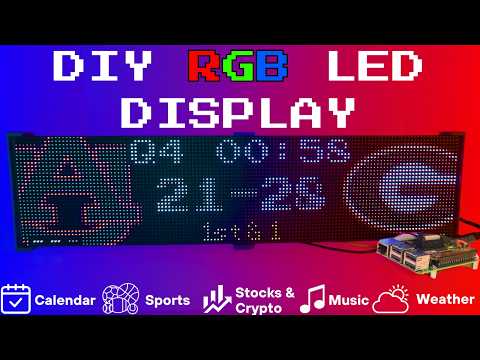
Setup video and feature walkthrough on Youtube (Outdated but still useful) :
Connect with ChuckBuilds
- Show support on Youtube: https://www.youtube.com/@ChuckBuilds
- Check out the write-up on my website: https://www.chuck-builds.com/led-matrix/
- Stay in touch on Instagram: https://www.instagram.com/ChuckBuilds/
- Want to chat? Reach out on the LEDMatrix Discord: https://discord.com/invite/uW36dVAtcT
- Feeling Generous? Consider sponsoring this project or sending a donation (these AI credits aren't cheap!)
Special Thanks to:
- Hzeller for his groundwork on controlling an LED Matrix from the Raspberry Pi
- Cursor for making this project possible
- CodeRabbit for fixing my PR's
- Everyone involved in this project for their patience, input, and support
Core Features
Core Features
LEDMatrix is a plugin platform: the displays below are plugins installed from the built-in Plugin Store (web interface → Plugins), where each can be individually enabled, ordered, and configured — display durations, teams, stocks, weather, timezones, and more. The core repo ships with just two bundled plugins (`starlark-apps` and `web-ui-info`); the official plugins live in the [ledmatrix-plugins](https://github.com/ChuckBuilds/ledmatrix-plugins) monorepo and install with one click, and third-party plugins can be installed from their own GitHub repositories. Displays available in the store include:Time and Weather
-
Real-time clock display (2x 64x32 Displays 4mm Pixel Pitch)
-
Current Weather, Daily Weather, and Hourly Weather Forecasts (2x 64x32 Displays 4mm Pixel Pitch)
-
Google Calendar event display (2x 64x32 Displays 4mm Pixel Pitch)
Sports Information
The system supports live, recent, and upcoming game information for multiple sports leagues:
-
NHL (Hockey) (2x 64x32 Displays 4mm Pixel Pitch)
-
NBA (Basketball)
-
MLB (Baseball) (2x 64x32 Displays 4mm Pixel Pitch)
-
NFL (Football) (2x 96x48 Displays 2.5mm Pixel Pitch)
-
NCAA Football (2x 96x48 Displays 2.5mm Pixel Pitch)
-
NCAA Men's Basketball
-
NCAA Men's Baseball
-
Soccer (Premier League, La Liga, Bundesliga, Serie A, Ligue 1, Liga Portugal, Champions League, Europa League, MLS)
-
(Note, some of these sports seasons were not active during development and might need fine tuning when games are active)
Financial Information
- Near real-time stock & crypto price updates
- Stock news headlines
- Customizable stock & crypto watchlists (2x 64x32 Displays 4mm Pixel Pitch)
Entertainment
- Music playback information from multiple sources:
- Spotify integration
- YouTube Music integration
- Album art display
- Now playing information with scrolling text (2x 64x32 Displays 4mm Pixel Pitch)
Custom Display Features
-
Custom Text display (2x 64x32 Displays 4mm Pixel Pitch)
-
Youtube Subscriber Count Display (2x 64x32 Displays 4mm Pixel Pitch)
Hardware
Hardware Requirements
Hardware Requirements
| ⚠️ IMPORTANT |
|---|
| This project can be finnicky! RGB LED Matrix displays are not built the same or to a high-quality standard. We have seen many displays arrive dead or partially working in our discord. Please purchase from a reputable vendor. |
Raspberry Pi
- Raspberry Pi Zero's don't have enough processing power for this project.
- Raspberry Pi 3B, 4, or 5
Amazon Affiliate Link – Raspberry Pi 4 4GB RAM
Amazon Affiliate Link – Raspberry Pi 4 8GB RAM
- Pi 5 users: the installer automatically detects Pi 5 and builds the
rpi-rgb-led-matrixlibrary with RP1 support. If you previously installed on a Pi 4 and migrated the SD card, or if you seemmaperrors in the logs, force a fresh library build:sudo RPI_RGB_FORCE_REBUILD=1 ./first_time_install.sh - Pi 5 config: leave
rp1_rioat0(PIO mode, default) and setgpio_slowdownto1or2. - 1GB models (Pi 3B / 3B+) and other low-memory boards: supported, but the
rpi-rgb-led-matrixC++ build needs more memory than the Pi has. The installer detects this automatically, compiles with fewer parallel jobs, and adds a temporary swapfile for the build which it removes afterwards. Expect that step to take 15-25 minutes instead of 2-5, and leave at least 3GB free on the SD card. If you manage swap yourself, opt out with--skip-swap. To pin the compiler down further, use--build-jobs 1.
- Pi 5 users: the installer automatically detects Pi 5 and builds the
RGB Matrix Bonnet / HAT
- Adafruit RGB Matrix Bonnet/HAT – supports one “chain” of horizontally connected displays
- Adafruit Triple LED Matrix Bonnet – supports up to 3 vertical “chains” of horizontally connected displays (use
regular-pi1as hardware mapping) - Electrodragon RGB HAT – supports up to 3 vertical “chains”
- Seengreat Matrix Adapter Board – single-chain LED Matrix (use
regularas hardware mapping)
LED Matrix Panels
(2x in a horizontal chain is recommended)
- Adafruit 64×32 – designed for 128×32 but works with dynamic scaling on many displays (pixel pitch is user preference)
- Waveshare 64×32 - Does not require E addressable pad
- Waveshare 96×48 – higher resolution, requires soldering the E addressable pad on the Adafruit RGB Bonnet to “8” OR toggling the DIP switch on the Adafruit Triple LED Matrix Bonnet (no soldering required!)
Amazon Affiliate Link – ChuckBuilds receives a small commission on purchases
Power Supply
- 5V 4A DC Power Supply (good for 2 -3 displays, depending on brightness and pixel density, you'll need higher amperage for more)
- 5V 10A DC Power Supply (good for 6-8 displays, depending on brightness and pixel density)
Optional but recommended mod for Adafruit RGB Matrix Bonnet
- By soldering a jumper between pins 4 and 18, you can run a specialized command for polling the matrix display. This provides better brightness, less flicker, and better color.
- If you do the mod, we will use the default config with led-gpio-mapping=adafruit-hat-pwm, otherwise just adjust your mapping in config.json to adafruit-hat
- More information available: https://github.com/hzeller/rpi-rgb-led-matrix/tree/master?tab=readme-ov-file
Possibly required depending on the display you are using.
- Some LED Matrix displays require an "E" addressable line to draw the display properly. The 64x32 Adafruit display does NOT require the E addressable line, however the 96x48 Waveshare display DOES require the "E" Addressable line.
- Various ways to enable this depending on your Bonnet / HAT.
Your display will look like it is "sort of" working but still messed up.
or
or
How to set addressable E line on various HATs:
-
Adafruit Single Chain HATs
or
-
Adafruit Triple Chain HAT
-
ElectroDragon RGB LED Matrix Panel Drive Board
2 Matrix display with Rpi connected to Adafruit Single Chain HAT.
Mount / Stand options
Mount/Stand
I 3D printed stands to keep the panels upright and snug. STL Files are included in the Repo but are also available at https://www.thingiverse.com/thing:5169867 Thanks to "Randomwire" for making these for the 4mm Pixel Pitch LED Matrix.
Special Thanks for Rmatze for making:
- 3mm Pixel Pitch RGB Stand for 32x64 Display : https://www.thingiverse.com/thing:7149818
- 4mm Pixel Pitch RGB Stand for 32x64 Display : https://www.thingiverse.com/thing:7165993
These are not required and you can probably rig up something basic with stuff you have around the house. I used these screws: https://amzn.to/4mFwNJp (Amazon Affiliate Link)
Installation Steps
Preparing the Raspberry Pi
Preparing the Raspberry Pi
| ⚠️ IMPORTANT |
|---|
| It is required to use the NEW Raspberry Pi Imager tool. If your tool doesn't look like my screenshots, be sure to update it. |
-
Create RPI Image on a Micro-SD card (I use whatever I have laying around, size is not too important but I would use 8gb or more) using Raspberry Pi Imager
-
Choose your Raspberry Pi (3B+ in my case)
- For Operating System (OS), choose "Other"
- Then choose Raspbian OS (64-bit) Lite (Trixie)
- For Storage, choose your micro-sd card
| ⚠️ IMPORTANT |
|---|
| Make sure it's the correct drive! Data will be erased! |
- Choose the hostname of the device. This will be often used to access the web-ui and will be the name of the device on your network. I recommend "ledpi".
- Choose your timezone and keyboard layout.
- Set your username and password. This is your "root" password and is important, make sure you remember it! We will use it to access the Raspberry Pi via SSH.
- (Optional) Choose your Wi-fi network and enter wifi password. This can be changed in the future. This is also optional if you are going to connect it via ethermet.
- Enable SSH and opt for "Use Password Authentication". You can use public key auth if you know how but for the sake of new folks, let's use the password that we chose in Step 9.
- Disable Raspberry Pi Connect. It's a VPN / Remote Connection tool built into Raspberry Pi, it seems like there might be a subscription? Not sure but I am not using it.
- Double check your settings then confirm by clicking "Write".
- Final warning to be SURE that you have the correct micro-sd card inserted and selected as all data on the drive will be erased.
You're done with preparing the Operating System. Once the Raspberry Pi Imager has finished writing to the micro-sd card it will let you know it is safe to eject. Eject the micro-sd card and plug it into the Raspberry Pi and turn it on.
System Setup & Installation
System Setup & Installation
Once your Raspberry Pi has turned on and connected to your wifi (check your router's dhcp leases) or just give it a few minutes after plugging it in. We will connect via ssh.
Secure Shell (SSH) is a way to connect to the device and execute commands. On Windows, I recommend using Powershell. On MacOS or Linux, I recommend using Terminal.
- SSH into your Raspberry Pi:
ssh ledpi@ledpi
The format "username@hostname" is coincidentally the same for this project (which is fine) but if you changed the username, hostname, or your router's DNS doesn't recognize the hostname you would use "username@ipaddress". You can skip the username and just enter "ssh hostname" or "ssh ipaddress" and it will prompt you for a username.
Quick Install (Recommended)
Paste this single command into SSH using Ctrl+Shift+V on Windows or Shift+Command+V on Mac.
Tip
Terminal can be funky about pasting with just Ctrl+V, by right click -> paste or using Ctrl+Shift+V you will be able to paste without additional unwanted characters.
curl -fsSL https://raw.githubusercontent.com/ChuckBuilds/LEDMatrix/main/scripts/install/one-shot-install.sh | bash
This one-shot installer will automatically:
- Check system prerequisites (network, disk space, memory, sudo access)
- Install required system packages (git, python3, build tools, etc.)
- Clone or update the LEDMatrix repository
- Run the complete first-time installation script
The installation process typically takes 10-30 minutes depending on your internet connection and Pi model. Pi 3B/3B+ and other 1GB boards land at the top of that range, because the C++ library is compiled serially to stay within available memory. All errors are reported explicitly with actionable fixes.
Note: The script is safe to run multiple times and will handle existing installations gracefully.
Manual Installation (Alternative)
If you prefer to install manually or the one-shot installer doesn't work for your setup:
- SSH into your Raspberry Pi:
ssh ledpi@ledpi
- Update repositories, upgrade Raspberry Pi OS, and install prerequisites:
sudo apt update && sudo apt upgrade -y
sudo apt install -y git python3-pip cython3 build-essential python3-dev python3-pillow scons
- Clone this repository:
git clone https://github.com/ChuckBuilds/LEDMatrix.git
cd LEDMatrix
- Run the first-time installation script:
chmod +x first_time_install.sh
sudo bash ./first_time_install.sh
This single script installs services, dependencies, configures permissions and sudoers, and validates the setup.
Configuration
Configuration
Configuration
Initial Setup
For a complete list of every key in config.json and
config_secrets.json, see
docs/CONFIG_REFERENCE.md.
For most settings I recommend using the web interface: Edit the project via the web interface at http://[IP ADDRESS or HOSTNAME]:5000 or http://ledpi:5000 .
If you need to manually edit your config file, you can follow the steps below:
Manual Config.json editing
-
First-time setup: The previous "First_time_install.sh" script should've already copied the template to create your config.json:
-
Edit your configuration:
sudo nano config/config.json
Automatic Configuration Migration
The system automatically handles configuration updates:
- New installations: Creates
config.jsonfrom the template automatically - Existing installations: Automatically adds new configuration options with default values when the system starts
- Backup protection: Creates a backup of your current config before applying updates
- No conflicts: Your custom settings are preserved while new options are added
Everything is configured via config/config.json and config/config_secrets.json and are not tracked by Git to prevent conflicts during updates.
Running the Display
Recommended: Use Web UI Quick Actions
I recommend using the web-ui "Quick Actions" to control the Display.
Plugins
Plugin Store
See the Plugin Store documentation for detailed installation instructions.
The easiest way to discover and install plugins is through the Plugin Store in the LEDMatrix web interface:
- Open the web interface (
http://your-pi-ip:5000) - Navigate to the Plugin Manager tab
- Browse available plugins in the Plugin Store
- Click Install on any plugin you want
- Configure and enable plugins through the web UI
Installing 3rd-Party Plugins
You can also install plugins directly from GitHub repositories:
- Single Plugin: Install from any GitHub repository URL
- Registry/Monorepo: Install multiple plugins from a single repository
See the Plugin Store documentation for detailed installation instructions.
For plugin development, check out the Hello World Plugin repository as a starter template.
Visual Skins for Scoreboards
Want a different look for a sports scoreboard without forking the plugin?
Skins restyle the live/recent/upcoming screens while the plugin keeps
handling data, scheduling, caching, and vegas mode. Install one with
git clone <skin repo> skins/<skin-id>, select it in the plugin's config,
and you're done — see docs/SKIN_SYSTEM.md (how it
works) and docs/CREATING_SKINS.md (build your own,
including a ready-made Claude Code prompt).
- Built-in Managers Deprecated: The built-in managers (hockey, football, stocks, etc.) are now deprecated and have been moved to the plugin system. You must install replacement plugins from the Plugin Store in the web interface instead. The plugin system provides the same functionality with better maintainability and extensibility.
Detailed Information
Display Settings from RGBLEDMatrix Library
Display Settings
If you are copying my exact setup, you can likely leave the defaults alone. However, if you have different hardware or want to customize the display behavior, these settings allow you to fine-tune the LED matrix configuration.
The display settings are located in config/config.json under the "display" key and are organized into three main sections: hardware, runtime, and display_durations.
Hardware Configuration (display.hardware)
These settings control the physical hardware configuration and how the matrix is driven.
Basic Panel Configuration
-
rows(integer, default: 32)- Number of LED rows (vertical pixels) in each panel
- Common values: 16, 32, 48, 64
- Must match your physical panel configuration
-
cols(integer, default: 64)- Number of LED columns (horizontal pixels) in each panel
- Common values: 32, 64, 96, 128
- Must match your physical panel configuration
-
chain_length(integer, default: 2)- Number of LED panels chained together horizontally
- If you have 2 panels side-by-side, set to 2
- If you have 4 panels in a row, set to 4
- Total display width =
cols × chain_length
-
parallel(integer, default: 1)- Number of parallel chains (panels stacked vertically)
- Use 1 for a single row of panels
- Use 2 if you have panels stacked in two rows
- Total display height =
rows × parallel
Brightness and Visual Settings
brightness(integer, 0-100, default: 90)- Display brightness level
- Lower values (0-50) are dimmer, higher values (50-100) are brighter
- Recommended: 70-90 for indoor use, 90-100 for bright environments
- Very high brightness may cause distortion or require more power
Hardware Mapping
hardware_mapping(string, default: "adafruit-hat-pwm")- Specifies which GPIO pin mapping to use for your hardware
"adafruit-hat-pwm": Use this for Adafruit RGB Matrix Bonnet/HAT WITH the jumper mod (PWM enabled). This is the recommended setting for Adafruit hardware with the PWM jumper soldered."adafruit-hat": Use this for Adafruit RGB Matrix Bonnet/HAT WITHOUT the jumper mod (no PWM). Remove-pwmfrom the value if you did not solder the jumper."regular": Standard GPIO pin mapping for direct GPIO connections (Generic)"regular-pi1": Standard GPIO pin mapping for Raspberry Pi 1 (older hardware or non-standard hat mapping)- Choose the option that matches your specific hardware setup, if aren't sure try them all.
PWM (Pulse Width Modulation) Settings
These settings affect color fidelity and smoothness of color transitions:
-
pwm_bits(integer, default: 9)- Number of bits used for PWM (affects color depth)
- Higher values (9-11) = more color levels, smoother gradients
- Lower values (7-8) = fewer color levels, but may improve stability on some hardware
- Range: 1-11, recommended: 9-10
-
pwm_dither_bits(integer, default: 1)- Additional dithering bits for smoother color transitions
- Helps reduce color banding in gradients
- Higher values (1-2) = smoother gradients but may impact performance
- Range: 0-2, recommended: 1
-
pwm_lsb_nanoseconds(integer, default: 130)- Least significant bit timing in nanoseconds
- Controls the base timing for PWM signals
- Lower values = faster PWM, higher values = slower PWM
- Typical range: 100-300 nanoseconds
- May need adjustment if you see flickering or color issues
Advanced Hardware Settings
-
scan_mode(integer, default: 0)- Panel scan mode (how rows are addressed)
- Common values: 0 (progressive), 1 (interlaced)
- Most panels use 0, but some require 1
- Check your panel datasheet if colors appear incorrect
-
limit_refresh_rate_hz(integer, default: 100)- Maximum refresh rate in Hz (frames per second)
- Caps the refresh rate for better stability
- Lower values (60-80) = more stable, less CPU usage
- Higher values (100-120) = smoother animations, more CPU usage
- Recommended: 80-100 for most setups
-
disable_hardware_pulsing(boolean, default: false)- Disables hardware pulsing (usually leave as false)
- Set to
trueonly if you experience timing issues - Most users should leave this as
false
-
inverse_colors(boolean, default: false)- Inverts all colors (red becomes cyan, etc.)
- Useful if your panel has inverted color channels
- Set to
trueonly if colors appear inverted
-
show_refresh_rate(boolean, default: false)- Displays the current refresh rate on the matrix (for debugging)
- Set to
trueto see FPS on the display - Useful for troubleshooting performance issues
Advanced Panel Configuration (Advanced Users Only)
These settings are typically only needed for non-standard panels or custom configurations:
-
led_rgb_sequence(string, default: "RGB")- Color channel order for your LED panel
- Common values: "RGB", "RBG", "GRB", "GBR", "BRG", "BGR"
- Most panels use "RGB", but some use "GRB" or other orders
- Check your panel datasheet if colors appear wrong
-
pixel_mapper_config(string, default: "")- Advanced pixel mapping configuration
- Used for custom panel layouts, rotations, or transformations
- Examples: "U-mapper", "Rotate:90", "Mirror:H"
- Leave empty unless you need custom mapping
- See rpi-rgb-led-matrix documentation for full options
-
row_address_type(integer, default: 0)- How rows are addressed on the panel
- Most panels use 0 (direct addressing)
- Some panels require 1 (AB addressing) or 2 (ABC addressing)
- Check your panel datasheet if display appears corrupted
-
multiplexing(integer, default: 0)- Panel multiplexing type
- 0 = no multiplexing (standard panels)
- Higher values for panels with different multiplexing schemes
- Check your panel datasheet for the correct value
Runtime Configuration (display.runtime)
These settings control runtime behavior and GPIO timing:
gpio_slowdown(integer, default: 3)- GPIO timing slowdown factor
- Critical setting: Must match your Raspberry Pi model for stability
- Raspberry Pi 3: Use 3
- Raspberry Pi 4: Use 4
- Raspberry Pi 5: Use 1–2 in PIO mode (
rp1_rio: 0, the default); start with1and increase if you see flickering - Raspberry Pi Zero/1: Use 1-2
- Incorrect values can cause display corruption, flickering, or system instability
- If you experience issues, try adjusting this value up or down by 1
Display Durations (display.display_durations)
Controls how long each installed plugin stays visible in seconds before switching to the next one, keyed by plugin id.
- Plugin-specific durations
- Each plugin can have its own duration setting
- Format:
"<plugin-id>": <seconds> - Example:
"hockey-scoreboard": 45shows hockey scores for 45 seconds - Example:
"weather": 20shows weather for 20 seconds - If a plugin doesn't have a duration here, it uses its default (usually 15 seconds)
- You can also set
display_durationin each plugin's individual configuration
Tips for Display Durations:
- Longer durations (30-60 seconds) = more time to read content, slower cycling
- Shorter durations (10-20 seconds) = faster cycling, less time per display
- Balance based on your preference and how much information each display shows
- For example, if you want more focus on stocks, increase the stock plugin's duration value
Display Format Settings
use_short_date_format(boolean, default: true)- Use short date format (e.g., "Jan 15") instead of long format (e.g., "January 15th")
- Set to
falsefor longer, more readable dates - Set to
trueto save space and show more information
Dynamic Duration Settings (display.dynamic_duration)
max_duration_seconds(integer, optional)- Maximum duration cap for plugins that use dynamic durations
- Some plugins can automatically adjust their display time based on content
- This setting limits how long they can extend (prevents one display from dominating)
- Example: If set to 60, a plugin can extend up to 60 seconds even if it requests longer
- Leave unset to use the default cap (typically 90 seconds)
Example Configuration
{
  "display": {
    "hardware": {
      "rows": 32,
      "cols": 64,
      "chain_length": 2,
      "parallel": 1,
      "brightness": 90,
      "hardware_mapping": "adafruit-hat-pwm",
      "scan_mode": 0,
      "pwm_bits": 9,
      "pwm_dither_bits": 1,
      "pwm_lsb_nanoseconds": 130,
      "disable_hardware_pulsing": false,
      "inverse_colors": false,
      "show_refresh_rate": false,
      "limit_refresh_rate_hz": 100
    },
    "runtime": {
      "gpio_slowdown": 4
    },
    "display_durations": {
      "calendar": 30,
      "hockey-scoreboard": 45,
      "weather": 20,
      "stocks": 25
    },
    "use_short_date_format": true,
    "dynamic_duration": {
      "max_duration_seconds": 60
    }
  }
}
Troubleshooting Display Settings
Display is blank or shows garbage:
- Check
rows,cols,chain_length, andparallelmatch your physical setup - Verify
hardware_mappingmatches your HAT/connection type - Try adjusting
gpio_slowdown - Ensure your display doesn't need the E-Addressable line
Colors are wrong or inverted:
- Check
led_rgb_sequence(try "GRB" if "RGB" doesn't work) - Try setting
inverse_colorstotrue - Verify
hardware_mappingis correct for your hardware
Display flickers or is unstable:
- Increase
gpio_slowdownby 1-2 - Lower
limit_refresh_rate_hzto 60-80 - Check power supply (LED matrices need adequate power)
Display is too dim or too bright:
- Adjust
brightness(0-100) - Very high brightness may require better power supply
Performance issues:
- Lower
limit_refresh_rate_hz - Reduce
pwm_bitsto 8 - Set
pwm_dither_bitsto 0
Manual SSH Commands (for reference)
The quick actions essentially just execute the following commands on the Pi.
From the project root directory (ex: /home/ledpi/LEDMatrix):
sudo python3 display_controller.py
This will start the display cycle but only stays active as long as your ssh session is active.
Convenience Scripts
Two convenience scripts are provided for easy service management:
start_display.sh- Starts the LED matrix display servicestop_display.sh- Stops the LED matrix display service
Make them executable with:
chmod +x start_display.sh stop_display.sh
Then use them to control the service:
sudo ./start_display.sh
sudo ./stop_display.sh
Service Installation Details
The first time install will handle this: The LEDMatrix can be installed as a systemd service to run automatically at boot and be managed easily. The service runs as root to ensure proper hardware timing access for the LED matrix.
Installing the Service (this is included in the first_time_install.sh)
- Make the install script executable:
chmod +x scripts/install/install_service.sh
- Run the install script with sudo:
sudo ./scripts/install/install_service.sh
The script will:
- Detect your user account and home directory
- Install the service file with the correct paths
- Enable the service to start on boot
- Start the service immediately
Managing the Service
The following commands are available to manage the service:
# Stop the display
sudo systemctl stop ledmatrix.service

# Start the display
sudo systemctl start ledmatrix.service

# Check service status
sudo systemctl status ledmatrix.service

# View logs
journalctl -u ledmatrix.service

# Disable autostart
sudo systemctl disable ledmatrix.service

# Enable autostart
sudo systemctl enable ledmatrix.service
Web Interface Installation Details
The first time install will handle this: The LEDMatrix system includes Web Interface that runs on port 5000 and provides real-time display preview, configuration management, and on-demand display controls.
Installing the Web Interface Service
The first-time installer (
first_time_install.sh) already installs the web service. The steps below only apply if you need to (re)install it manually.
- Make the install script executable:
chmod +x scripts/install/install_web_service.sh
- Run the install script with sudo:
sudo ./scripts/install/install_web_service.sh
The script will:
- Copy the web service file to
/etc/systemd/system/ - Enable the service to start on boot
- Start the service immediately
- Show the service status
Web Interface Configuration
The web interface can be configured to start automatically with the main display service:
- In
config/config.json, ensure the web interface autostart is enabled:
{
    "web_display_autostart": true
}
- The web interface will now start automatically when:
- The system boots
- The
web_display_autostartsetting istruein your config
Accessing the Web Interface
Once installed, you can access the web interface at:
http://your-pi-ip:5000
Managing the Web Interface Service
# Check service status
sudo systemctl status ledmatrix-web.service

# View logs
journalctl -u ledmatrix-web.service -f

# Stop the service
sudo systemctl stop ledmatrix-web.service

# Start the service
sudo systemctl start ledmatrix-web.service

# Disable autostart
sudo systemctl disable ledmatrix-web.service

# Enable autostart
sudo systemctl enable ledmatrix-web.service
Web Interface Features
- Real-time Display Preview: See what's currently displayed on the LED matrix
- Configuration Management: Edit settings through a web interface
- On-Demand Controls: Start specific displays (weather, stocks, sports) on demand
- Service Management: Start/stop the main display service
- System Controls: Restart, update code, and manage the system
- API Metrics: Monitor API usage and system performance
- Logs: View system logs in real-time
Troubleshooting Web Interface
Web Interface Not Accessible After Restart:
- Check if the web service is running:
sudo systemctl status ledmatrix-web.service - Verify the service is enabled:
sudo systemctl is-enabled ledmatrix-web.service - Check logs for errors:
journalctl -u ledmatrix-web.service -f - Ensure
web_display_autostartis set totrueinconfig/config.json
Port 5000 Not Accessible:
- Check if the service is running on the correct port
- Verify firewall settings allow access to port 5000
- Check if another service is using port 5000
Service Fails to Start:
- Check Python dependencies are installed
- Verify the virtual environment is set up correctly
- Check file permissions and ownership
If you've read this far — thanks!
License
LEDMatrix is licensed under the GNU General Public License v3.0 or later.
LEDMatrix builds on
rpi-rgb-led-matrix,
which is GPL-2.0-or-later. The "or later" clause makes it compatible
with GPL-3.0 distribution.
Plugin contributions in
ledmatrix-plugins
are also GPL-3.0-or-later unless individual plugins specify otherwise.
Contributing
See CONTRIBUTING.md for development setup, the PR flow, and how to add a plugin. Bug reports and feature requests go in the issue tracker. Security issues should be reported privately per SECURITY.md.