 ChuckandClaude Sonnet 5
c90129285c
ChuckandClaude Sonnet 5
c90129285c
* chore(web): remove dead legacy client-side plugin-config generator (~2,300 lines) Plugin config forms have been rendered server-side (plugin_config.html via GET /partials/plugin-config/<id>) since the HTMX migration; the old client-side generator survived as unreachable code. Verified dead by call graph, not by naming: showPluginConfigModal and showGithubTokenInstructions have zero callers anywhere in templates or JS, and everything removed here is reachable only from those two roots. Removed: - plugins_manager.js: showPluginConfigModal, generatePluginConfigForm, generateFormFromSchema, generateFieldHtml, generateSimpleConfigForm, handlePluginConfigSubmit, the modal's JSON-editor view (initJsonEditor, switchPluginConfigView, syncFormToJson/JsonToForm, saveConfigFromJsonEditor, resetPluginConfigToDefaults, displayValidationErrors, closePluginConfigModal, savePluginConfiguration, currentPluginConfigState), their exclusive helpers (getSchemaPropertyType, escapeCssSelector, dotToNested, collectBooleanFields, normalizeFormDataForConfig, flattenConfig, loadCustomHtmlWidget), the orphaned-modal cleanup block, the modal's listener wiring, and the never-invoked showGithubTokenInstructions/closeInstructionsModal pair. - plugins.html: the #plugin-config-modal markup those functions drove. - base.html: the deprecated pluginConfigData() component and the window.PluginConfigHelpers shim (only ever called by pluginConfigData). Deliberately kept, verified still live: - renderArrayObjectItem, getSchemaProperty, escapeHtml/escapeAttribute (window-exposed for the top-level array-of-objects handlers the server-rendered form uses), toggleNestedSection, addKeyValuePair/ addArrayObjectItem families, executePluginAction, and window.currentPluginConfig = null init (file-upload.js and executePluginAction read it, optional-chained). - app()'s internal generateConfigForm/generateSimpleConfigForm methods in base.html: unreachable now but embedded in the live Alpine component; excising methods from a live object is deferred to keep this change zero-risk. Validation: every deletion seam inspected line-by-line; Jinja parse of both templates passes; repo-wide sweep confirms zero remaining references to any deleted function or element id (deleted ranges contained no Jinja tags). Co-Authored-By: Claude Sonnet 5 <noreply@anthropic.com> Claude-Session: https://claude.ai/code/session_01KEZK1P1Q1fu5pcuVrkrCFZ * feat(web): mobile navigation drawer + responsive CSS gap fixes Phones previously got the desktop layout squeezed: ~12 system tabs plus one tab per installed plugin wrapped into many rows of small pill buttons, and the header's settings-search and system-stats widgets were dropped entirely (hidden below their breakpoints, never relocated). - Off-canvas nav drawer below md: the existing nav markup (system tab row + #plugin-tabs-row, including dynamically injected plugin tabs) is wrapped in a #site-nav container that CSS repositions into a slide-in drawer on small screens. Same DOM nodes, same @click handlers, nothing duplicated. Tabs become full-width rows with 44px+ touch targets. A hamburger button (md:hidden) in the header and a backdrop toggle the new mobileNavOpen Alpine state (added to both app() definitions, mirroring activeTab). Clicking any tab, a search result, or the backdrop closes the drawer. At md+ hard CSS guards make all drawer styles inert - desktop renders exactly as before. - Header widgets relocated, not hidden: placeHeaderWidgets() in app.js moves the #settings-search-wrap and #system-stats nodes (same elements, listeners intact - both are looked up by id from SSE/search code, so they must never be duplicated) into the drawer below md and back into the header above it, via a matchMedia listener. - Fixed 13 breakpoint utility classes that templates referenced but app.css never defined (sm:block, sm:grid-cols-2, sm:text-sm, md:block, md:w-auto, lg:block, lg:flex, lg:w-64, xl:grid-cols-2/3, 2xl:grid-cols-2/3/4). This was a live bug: 'hidden sm:block' on the search box and 'hidden lg:flex' on the stats meant BOTH were invisible at every screen width. Audit method (repeatable): diff classes used in templates vs defined in app.css. - Mobile modal sizing: one global rule caps .modal-content at 95vw/90vh with internal scroll below 640px - covers every modal without per-template changes. - Horizontal-scroll affordance: pure-CSS edge-fade shadows on .overflow-x-auto containers (scrolling-shadows technique), plus larger in-table touch targets below md. Validation: breakpoint used-vs-defined audit now returns zero gaps; Jinja parse of base.html passes; all changes to desktop behavior are additive (new utilities) or scoped inside max-width media queries. Co-Authored-By: Claude Sonnet 5 <noreply@anthropic.com> Claude-Session: https://claude.ai/code/session_01KEZK1P1Q1fu5pcuVrkrCFZ * feat(web): x-advanced schema flag groups plugin config fields under a collapsed Advanced Settings section Plugin config pages show every schema property at equal visual priority, which overwhelms first-time users. Plugin authors can now add "x-advanced": true to any flat (non-object) property in config_schema.json to move it into one collapsed "Advanced Settings (N)" section rendered after the basic fields - progressive disclosure with zero loss of control. Implementation: the main render loop in plugin_config.html splits ordered properties into basic/advanced tiers; the advanced group reuses the exact .nested-section/.nested-content/toggleSection() shell that nested object sections already use, so the settings search's expand-on-match behavior works on advanced fields with no JS changes. Object-type properties ignore the flag (they already render as their own collapsible sections). No backend change needed: jsonschema ignores unknown x-* keywords exactly as it does for x-widget/x-propertyOrder. Documented in docs/widget-guide.md alongside the other x-* extensions. Validation (rendered with real Jinja, not just parsed): - synthetic schema with 2 advanced fields: basic fields render before the section, advanced inside the collapsed shell, count badge correct, x-advanced on an object property correctly ignored - schema without any x-advanced: output is identical to the pre-change template (whitespace-normalized diff against git HEAD's version) Co-Authored-By: Claude Sonnet 5 <noreply@anthropic.com> Claude-Session: https://claude.ai/code/session_01KEZK1P1Q1fu5pcuVrkrCFZ * feat(web): Display Settings basic/advanced split + live total-resolution readout The Hardware Configuration card showed ~17 fields at equal priority; a new user only needs 7 of them to get a correctly-sized, correctly-colored image (rows, cols, chain_length, parallel, brightness, hardware_mapping, led_rgb_sequence). The other 10 (multiplexing, panel_type, row_address_type, gpio_slowdown, rp1_rio, scan_mode, pwm_bits, pwm_dither_bits, pwm_lsb_nanoseconds, limit_refresh_rate_hz) now live in a collapsed "Advanced Hardware Settings" section using the same nested-section shell as plugin config forms, so toggleSection() and settings-search auto-expand work unchanged. led_rgb_sequence moved up beside brightness/hardware_mapping (2-col grid became 3-col). No field was removed or renamed; the form still posts the same names to /api/v3/config/main. Also adds a live "Your display: W x H pixels" readout under the four sizing fields (width = cols x chain_length, height = rows x parallel - the exact math the chain-length tooltip describes in prose), recomputed client-side on every input event, no round-trip. Deviation from plan, deliberate: disable_hardware_pulsing / inverse_colors / show_refresh_rate stay in their separate "Display Options" card rather than moving across cards - relocating fields between form sections risks regressions for no decluttering gain in the card users complained about. Validation (real Jinja render): all 17 hardware fields present exactly once, basic fields render before the advanced section and the 10 advanced fields inside it, div count balanced (71/71), readout + recompute script present. Co-Authored-By: Claude Sonnet 5 <noreply@anthropic.com> Claude-Session: https://claude.ai/code/session_01KEZK1P1Q1fu5pcuVrkrCFZ * feat(web): plugin install auto-enables + persistent restart nudge Getting a plugin onto the display used to take three disconnected manual steps: install from the store, flip its enable toggle, then restart the display service - with no in-UI hint that steps 2 and 3 were needed (only docs/GETTING_STARTED.md mentions it). - installPlugin() now enables the plugin immediately on successful install (owner-confirmed behavior change: always auto-enable, no opt-out; users who don't want it running toggle it off as before), then shows a persistent toast ("... restart the display to show it") with an inline "Restart Now" button wired to the existing restartDisplay() - the same function the three existing Restart Display buttons call. - notification.js: show() accepts optional { actionLabel, onAction } to render one inline action button per toast. Callbacks are stored per notification id and cleaned up on dismiss; a new triggerAction() public method runs the callback and dismisses. The global showNotification() shorthand now forwards a full options object as its second argument (legacy type-string calls unchanged). Scope note: applies to the plugin store's install path (window.installPlugin). The custom-registry install path keeps its existing behavior. Co-Authored-By: Claude Sonnet 5 <noreply@anthropic.com> Claude-Session: https://claude.ai/code/session_01KEZK1P1Q1fu5pcuVrkrCFZ * feat(web): dismissible Getting Started checklist on Overview New users land on a dense multi-tab dashboard with no suggested order of operations (the only guided flow is the WiFi captive portal). This adds a non-gating checklist card at the top of Overview with five steps, each a deep link that switches to the right tab (and closes the mobile nav drawer): 1. Set panel size -> Display tab (done: rows/cols/chain_length > 0) 2. Set timezone/location -> General tab (done: differs from template defaults America/New_York / Tampa) 3. Install a plugin -> Plugins tab (done: /api/v3/plugins/installed non-empty) 4. Enable a plugin -> Plugins tab (done: any installed plugin enabled) 5. Configure it -> Plugins tab (done: first enabled plugin has >=1 saved value differing from its schema defaults) Steps 1-2 are computed server-side in Jinja from main_config (already in the partial's context); 3-5 client-side from existing endpoints. No new backend state: dismissal persists in localStorage (mirroring the reconciliation banner's sessionStorage pattern one section up); deep links use the same _x_dataStack app-data access as settings-search.js. Disclosed heuristic limit: values left at legitimate defaults (a user actually in Tampa) read as "not done". Validation: real Jinja render across 3 config variants confirms the server-side done-flags flip correctly; div balance intact; /plugins/config response shape (config dict directly in .data) verified against api_v3.py. Co-Authored-By: Claude Sonnet 5 <noreply@anthropic.com> Claude-Session: https://claude.ai/code/session_01KEZK1P1Q1fu5pcuVrkrCFZ * feat(display): drag-and-drop plugin rotation order for the primary display mode The primary rotation's order was invisible and unconfigurable: modes are registered in parallel-load COMPLETION order, so rotation order actually varied between restarts. Only the niche Vegas Scroll mode had a working order UI. This adds real, persisted ordering end to end: Backend: - config.template.json: new display.plugin_rotation_order (default [], fully backward compatible). - display_controller.py: _apply_plugin_rotation_order() rebuilds available_modes grouped by plugin per the configured list (each plugin's modes keep their declared order; unlisted plugins follow in existing relative order; empty config = exact no-op). Applied at startup after parallel load and after live enable/disable reconcile (before the existing _resync_mode_index_after_change, which preserves the current mode). Mirrors vegas_mode get_ordered_plugins() semantics. - api_v3.py save_main_config: accepts plugin_rotation_order as a JSON array (same parse/guard pattern as vegas_plugin_order). Frontend: - New shared widget static/v3/js/widgets/plugin-order-list.js: the Vegas section's drag-and-drop list factored out verbatim (native HTML5 drag events, saved-order-first rendering, hidden-input JSON sync), parameterized by container/order-input/optional exclude-checkbox/badge. - display.html: Vegas section now calls the shared module; its ~130-line inline copy of the same logic is deleted. - durations.html: new "Rotation Order" card above the durations grid using the same module, posting plugin_rotation_order with the existing form. Deviation from plan, deliberate: durations stay as their own mode-keyed grid rather than inline in the drag rows - verified display_durations keys are MODE names (display_controller.py resolves duration per mode_key), not plugin ids, and one plugin can own several modes, so the planned 1:1 inline pairing was wrong. Validation: py_compile on both Python files; _apply_plugin_rotation_order unit-tested standalone (configured order applied, empty-config no-op, unknown ids skipped - 3/3); both templates render with balanced divs, the hidden input carries the saved order, and the old inline implementation is confirmed gone; config.template.json parses. Co-Authored-By: Claude Sonnet 5 <noreply@anthropic.com> Claude-Session: https://claude.ai/code/session_01KEZK1P1Q1fu5pcuVrkrCFZ * feat(web): serve the interface at / — /v3 kept as a legacy alias The user-visible URL no longer carries the interface version: the pages blueprint is now registered un-prefixed (primary) AND at /v3 (second registration, name='pages_v3_legacy'), so: - http://<device>/ serves the interface directly (the old @app.route('/') redirect is removed — the blueprint's own index takes its place) - every existing /v3/... bookmark and all the hardcoded /v3/partials/... fetches in templates/JS keep working verbatim through the alias mount — zero template/JS churn, zero broken links - url_for('pages_v3.*') resolves against the primary registration, so all server-side redirects (captive portal detection endpoints) now emit un-prefixed URLs - the AP-mode captive-portal allowlist learned the un-prefixed page paths (/setup, /partials/, /settings/, /plugin-ui/) so setup-mode requests don't redirect-loop - /api/v3 and the templates/v3, static/v3 directories are deliberately untouched (internal, invisible to users; owner-confirmed scope) Validation: dual registration mechanics tested against real Flask (test client): /, /v3, /v3/ redirect, partials and /setup reachable on both mounts, url_for yields un-prefixed paths; py_compile passes. Co-Authored-By: Claude Sonnet 5 <noreply@anthropic.com> Claude-Session: https://claude.ai/code/session_01KEZK1P1Q1fu5pcuVrkrCFZ * perf(web): stream the preview PNG raw instead of PIL decode + re-encode display_preview_generator() opened each changed snapshot with PIL and re-encoded it to PNG just to base64 it — but /tmp/led_matrix_preview.png already IS a PNG, written atomically by the display service (tmp file + os.replace in display_manager.py), so a partially-written file can never be observed. Read the bytes and base64 them directly: identical payload (front-end consumes data:image/png;base64 — verified in base.html), one full image decode+encode per frame less on the same Pi that's driving the matrix. The existing mtime skip and viewer-marker throttling are unchanged (they already covered the "skip unchanged frames" concern). Co-Authored-By: Claude Sonnet 5 <noreply@anthropic.com> Claude-Session: https://claude.ai/code/session_01KEZK1P1Q1fu5pcuVrkrCFZ * perf(web): gzip response compression via flask-compress The interface ships a ~5,000-line HTML shell and >20k lines of JS uncompressed; on phone/WiFi that dominates load time. Flask-Compress gzips/brotlis compressible responses transparently. - Optional dependency, same graceful pattern as flask-limiter: missing package = uncompressed responses, no crash. - SSE safety verified empirically against the real package (1.24): an actual streamed text/event-stream response comes back with no Content-Encoding while a large HTML response gzips — the display preview / stats / logs streams are unaffected. - Added flask-compress>=1.14 to web_interface/requirements.txt. Co-Authored-By: Claude Sonnet 5 <noreply@anthropic.com> Claude-Session: https://claude.ai/code/session_01KEZK1P1Q1fu5pcuVrkrCFZ * perf(web): gate verbose console logging behind the existing pluginDebug switch plugins_manager.js, base.html's inline scripts, and app.js emitted 198 console.log calls in production - including per-interaction [DEBUG] dumps - costing main-thread time and drowning real errors in noise. - New window.debugLog() gate defined in base.html's first inline script (before any other script runs): forwards to console.log only when localStorage.pluginDebug === 'true' - the SAME switch plugins_manager.js already used for its _PLUGIN_DEBUG_EARLY logs, so existing debug workflow docs stay valid. Exposed as window.LEDMATRIX_DEBUG for other scripts. - Mechanically rewrote console.log( -> debugLog( in plugins_manager.js (127), base.html (64), app.js (7). Verified no occurrences lived inside string literals before rewriting; console.error/console.warn untouched. - app.js's no-Alpine showNotification fallback restored to console.info - it's a user-facing last resort, not debug output. Both load paths are safe: the gate is the first inline <script> in <head>, and every rewritten file loads deferred after it. Co-Authored-By: Claude Sonnet 5 <noreply@anthropic.com> Claude-Session: https://claude.ai/code/session_01KEZK1P1Q1fu5pcuVrkrCFZ * perf(web): vendor CDN assets locally — LAN-speed loads, fully offline-capable Font Awesome, CodeMirror, and htmx were fetched from cdnjs/unpkg on every fresh page load, adding third-party round-trips on a device that often lives on a local network (and htmx was local-only in AP mode, meaning two different loading behaviors to reason about). - Vendored pinned copies under static/v3/vendor/: Font Awesome 6.0.0 (css/all.min.css + the 8 webfonts it references relatively) and CodeMirror 5.65.2 (core, javascript mode, closebrackets/matchbrackets addons, base + monokai css) - ~1.1 MB total, exact versions the CDN tags pinned. - htmx + sse + json-enc extensions now load from the existing local copies (verified 1.9.10, matching the CDN pin) on EVERY network, not just AP mode; the pinned CDN copies remain as a one-shot rescue fallback, mirroring the pattern Alpine already used. The convoluted isAPMode source-flipping logic collapses away. - Dropped the CDN preconnect/dns-prefetch hints (no longer on the critical path). - Fixed a latent bug while relinking CodeMirror: the loader requested mode/json/json.min.js, which does not exist on cdnjs (HTTP 404 verified) - it 404'd on every JSON-editor open. JSON highlighting comes from the javascript mode; the phantom entry is removed. Co-Authored-By: Claude Sonnet 5 <noreply@anthropic.com> Claude-Session: https://claude.ai/code/session_01KEZK1P1Q1fu5pcuVrkrCFZ * perf(web): extract 3,850 lines of inline JS from base.html to cacheable static files base.html shipped ~4,200 lines of inline JavaScript inside the HTML document, re-downloaded and re-parsed on every page load (gzip helps the transfer, but inline scripts can never be browser-cached). The four largest blocks - none containing any Jinja syntax, verified by scanning every inline block for {{ }} / {% %} - now live as static files served with the app's existing mtime-versioned immutable caching: - js/htmx-config.js (246 lines): HTMX swap/script-execution config, toggleSection helpers - js/app-early.js (346 lines): early helpers + the app() stub that must precede Alpine init - js/app-shell.js (2,997 lines): SSE wiring + the full Alpine app() implementation and tab logic - js/custom-feeds-helpers.js (262 lines): custom-feeds table helpers Each replacement <script src> is CLASSIC (no defer/async) at the exact position of the inline block it replaces - identical execution timing and DOM visibility to inline scripts, so relative ordering with the deferred scripts and with each other is unchanged. base.html drops from ~4,940 to 1,079 lines. Validation: extraction proven lossless by programmatically reassembling the four files back into the template and comparing against git HEAD - byte-for-byte identical. Jinja parse passes; script open/close tags balanced (53/53, after excluding a literal "<script>" inside an HTML comment). Co-Authored-By: Claude Sonnet 5 <noreply@anthropic.com> Claude-Session: https://claude.ai/code/session_01KEZK1P1Q1fu5pcuVrkrCFZ * fix(web): size the live preview from the PNG's real dimensions, not config The initial SSE render sized the preview image (and both overlay canvases) from the server-reported config dimensions (cols x chain_length, rows x parallel), while the scale slider's re-render path sized from img.naturalWidth/naturalHeight. Whenever the snapshot PNG's actual size disagrees with the config (stale config, display service not restarted after a hardware change), the initial render stretched the image at a fractional ratio - blurry despite image-rendering: pixelated - and touching the scale slider "fixed" it. Reported live on the devpi test rig. Both paths now size from the loaded image's natural dimensions inside img.onload (which also removes a transient wrong-size flash between src assignment and load). The meta label now reports the true snapshot size. The preview card also gets overflow-x-auto so on narrow screens a wide preview scrolls at its exact pixel-perfect size instead of being squeezed into the viewport (fractional downscaling of pixel art also reads as blur). Co-Authored-By: Claude Sonnet 5 <noreply@anthropic.com> Claude-Session: https://claude.ai/code/session_01KEZK1P1Q1fu5pcuVrkrCFZ * feat(web): fold Display Options into the advanced dropdown; Vegas above Double-Sided Owner-requested layout refinement of the Display Settings tab: - The "Display Options" card (disable_hardware_pulsing, inverse_colors, show_refresh_rate, use_short_date_format, Dynamic Duration) moves inside the collapsed advanced section, now titled "Advanced Hardware & Display Options (15)". Hidden form fields still submit with the form, and settings search still auto-expands the section on match, so nothing is lost - the tab just leads with the essentials. - The "Vegas Scroll Mode" section moves above "Double-Sided Display". New section order: Hardware (+ advanced dropdown) > Vegas Scroll > Double-Sided > Multi-Display Sync. Validation (real Jinja render): all 23 field names present exactly once, divs balanced (70/70), the five Display Options fields render inside the advanced section's bounds, and section markers confirm the new order. Co-Authored-By: Claude Sonnet 5 <noreply@anthropic.com> Claude-Session: https://claude.ai/code/session_01KEZK1P1Q1fu5pcuVrkrCFZ * feat(web): Getting Started items are manually checkable; card auto-hides when complete Two gaps reported from live testing on the devpi rig: 1. The timezone/location step never showed done for a user whose real timezone IS the shipped default (America/New_York) - the heuristic can only detect difference-from-default, not "user saved this". Clicking an item's checkbox now toggles it done manually (persisted per browser in localStorage), so any heuristic false-negative is one tap to clear. Clicking the item text still deep-links to its tab. 2. The card now hides itself automatically once every step is done (auto-detected or manually checked) - previously it stayed until the X was clicked. Co-Authored-By: Claude Sonnet 5 <noreply@anthropic.com> Claude-Session: https://claude.ai/code/session_01KEZK1P1Q1fu5pcuVrkrCFZ * chore(web): CI cleanup — declare debugLog global, fix entity-unescape order, drop v3 from UI branding - Add debugLog to the /* global */ headers of the six JS files that call it (defined in base.html's first inline script) — resolves the wall of "'debugLog' is not defined" ESLint errors failing the Codacy check. - Fix the two js/double-escaping CodeQL alerts in app-shell.js: the entity-unescape chains decoded & before </>, so a value containing a pre-escaped "&lt;" wrongly double-decoded to "<". & now decodes last (standard order). Pre-existing bug, made visible when the inline scripts moved into scannable .js files. - Page title / header drop the "- v3" suffix, matching the de-versioned user-facing URL. The remaining 7 CodeQL alerts are pre-existing patterns newly visible to scanning (CodeQL doesn't see inline template JS): 4 github.com/htmx.org URL-substring checks (the htmx ones match error-message text, not URLs — false positives in context) and 1 innerHTML XSS-through-DOM in the GitHub install flow. Triage/fix deferred to a focused follow-up rather than expanding this PR. Co-Authored-By: Claude Sonnet 5 <noreply@anthropic.com> Claude-Session: https://claude.ai/code/session_01KEZK1P1Q1fu5pcuVrkrCFZ * fix(web): add the missing nav tab for the Rotation & Durations page The durations partial (/partials/durations) has existed as a route with no nav tab and no content panel referencing it - an orphaned page. That made the new rotation-order UI unreachable through the interface (caught by the owner testing on the rig; my endpoint-level tests fetched the partial by URL and never noticed the missing entry point). - New "Rotation" tab (fa-rotate icon, verified present in the vendored FA 6.0.0 css) between Display and Backup & Restore, wired exactly like the other tabs (#durations-content + hx-get + loadtab; loadTabContent() is fully generic, so no JS changes needed). - Page heading updated from "Display Durations" to "Rotation & Durations" to match its content since the rotation-order card landed. Co-Authored-By: Claude Sonnet 5 <noreply@anthropic.com> Claude-Session: https://claude.ai/code/session_01KEZK1P1Q1fu5pcuVrkrCFZ * fix(web): Rotation & Durations page lists every enabled plugin's screens The durations grid looped over display.display_durations, which nothing has ever populated (verified {} on a real production install) - so the page rendered no duration fields at all. Worse, its inputs posted bare mode names, which save_main_config's endswith('_duration') filter silently dropped: the page was broken in both directions, unnoticed because it was also unreachable (previous commit). - pages_v3._load_durations_partial now builds one entry per display mode of every ENABLED plugin via plugin_manager.get_plugin_display_modes() (falling back to the plugin id), overlaid with saved values, defaulting to the display controller's 30s. Grouped per plugin, sorted by name. Saved keys not owned by any enabled plugin stay visible under "Other saved entries" instead of vanishing. - durations.html renders the grouped inputs, named duration__<mode_key> (mode keys are arbitrary, so they can't use the *_duration suffix convention), with an explanatory empty state when no plugins are enabled. - api_v3.save_main_config accepts the new duration__<mode> fields and writes them into display.display_durations under the bare mode key - exactly what the display controller reads (display_durations.get(mode_key, 30)). Validation: py_compile both blueprints; Jinja render with 3 groups asserts grouped inputs, saved-value overlay, stale-entry group, empty state, and div balance. Co-Authored-By: Claude Sonnet 5 <noreply@anthropic.com> Claude-Session: https://claude.ai/code/session_01KEZK1P1Q1fu5pcuVrkrCFZ * feat(web): restart-pending banner, unsaved-changes guard, installable web app Three usability improvements from live testing feedback: - Restart-pending banner: every successful POST to /api/v3/config/main (display hardware, rotation/durations, general settings) now raises a persistent banner - "Configuration saved, restart the display to apply" - with a Restart Now button that posts restart_display_service directly. Backed by sessionStorage so it survives tab switches and reloads until restarted or dismissed. Plugin config saves are deliberately excluded: they apply live via the display process's config watcher. - Unsaved-changes guard: plugin config panels are Alpine x-if templates, so navigating away destroys the panel and revisiting re-fetches it - edits were silently discarded. Forms now mark themselves dirty on input (cleared on successful submit), a capture-phase click handler confirms before a lossy tab switch, and beforeunload guards full page unloads. System tabs (x-show, persistent DOM) are exempt - no false prompts. - Installable web app: manifest.json (standalone display, dark theme) + generated LED-grid icons (192/512 maskable + 180 apple-touch), linked from base.html. "Add to Home Screen" now yields an app-like fullscreen experience; no service worker, so zero behavioral risk. Co-Authored-By: Claude Sonnet 5 <noreply@anthropic.com> Claude-Session: https://claude.ai/code/session_01KEZK1P1Q1fu5pcuVrkrCFZ * test(web): smoke tests + static-analysis audits for the web UI Guardrails so this branch's fix classes can't regress silently: - test_web_smoke.py (24 tests): boots the pages blueprint with the same dual registration app.py uses and asserts every page/partial returns 200 with its load-bearing markers (nav wiring, getting-started card, advanced section, rotation order card, per-mode duration inputs), the /v3 legacy alias serves everything, all critical static assets (incl. vendored fontawesome/codemirror, PWA manifest/icons) are served, durations group per plugin with the leftover bucket, and the advanced-hardware section really contains the tuning fields. Would have caught this session's unreachable-durations-page and orphaned-tab bugs instantly. - test_web_static_audit.py (3 tests): (1) every responsive utility class referenced in templates is actually defined in app.css - the silently-no-op class bug that left the header search box invisible at every width; (2) every url_for('static', ...) reference points to a real file; (3) any JS file calling the debugLog global declares it in a /* global */ header. All 40 web tests pass (24 + 3 new, 13 existing) under pytest + Flask. Co-Authored-By: Claude Sonnet 5 <noreply@anthropic.com> Claude-Session: https://claude.ai/code/session_01KEZK1P1Q1fu5pcuVrkrCFZ * feat(web): floating live preview + per-plugin "Preview on display", drawer a11y Preview-while-configuring: - Floating mini preview (fixed, bottom-right) available on every tab except Overview, fed from the same SSE display stream by updateDisplayPreview - no new connections. Collapses to a round toggle button; open/closed state persists in localStorage; hides on Overview where the full preview lives. - "Preview on display" button on every plugin config page header: runs that plugin on the real display for 60 seconds via the existing /display/on-demand/start API and opens the floating preview, closing the configure -> see-the-result loop. Drawer/nav accessibility: - aria-current="page" tracks the active tab (system + dynamic plugin tabs, matched via their Alpine @click expression), updated from the activeTab watcher so search deep-links and checklist navigation are covered too. - Escape closes the mobile drawer and returns focus to the hamburger; opening the drawer moves focus to its first tab. Validation: all 40 web tests pass; Jinja parse + div balance on both touched templates. Co-Authored-By: Claude Sonnet 5 <noreply@anthropic.com> Claude-Session: https://claude.ai/code/session_01KEZK1P1Q1fu5pcuVrkrCFZ * fix(web): resolve Codacy findings — DOM building over innerHTML, Map callbacks, misc lint Verified each of the 27 reported findings against current code; all fixed except one rule class skipped with reason below. - app-early.js: plugin tab buttons are now built with createElement/ createTextNode instead of innerHTML template strings (icon class and name come from plugin manifests - semi-trusted input; the old code escaped the name but interpolated the icon class). Both construction sites. Also the forEach arrow no longer returns tab.remove()'s value. - plugin-order-list.js: rows, empty state, and error state all built with DOM APIs - the file no longer contains innerHTML at all (the now-unneeded escapeHtml/escapeAttr helpers are removed); MODE_LABELS is a Map so the vegas-mode lookup can't hit prototype properties. - notification.js: actionCallbacks is a Map (get/set/delete) instead of a plain object - resolves the object-injection-sink and dynamic-delete findings; triggerAction also type-checks the callback. - htmx-config.js: unused catch binding dropped; var -> const in the afterSettle handler; the swapped-<script> re-execution reads/writes textContent instead of innerHTML; the diagnostic form payload uses a null-prototype object so a field named __proto__ can't pollute. - custom-feeds-helpers.js DELETED (with its script tag): all three of its functions (addCustomFeedRow, removeCustomFeedRow, handleCustomFeedLogoUpload) are shadowed by the deferred widgets/custom-feeds.js window assignments, which always win at call time - the copies were dead even when they lived inline in base.html. This also resolves the unused-function and unused-variable findings there. Skipped: 4x "Non-serializable expression must be wrapped with $(...)" in app-early.js - that rule targets code crossing a browser-automation serialization boundary (e.g. page.evaluate); these are ordinary arrow functions in plain browser code with no such boundary. Validation: all 40 web tests pass (incl. the static-asset reference audit, which confirms no template still points at the deleted file); Jinja parse OK. Co-Authored-By: Claude Sonnet 5 <noreply@anthropic.com> Claude-Session: https://claude.ai/code/session_01KEZK1P1Q1fu5pcuVrkrCFZ * feat(web): update flow installs changed Python dependencies automatically The in-app updater (Update Now banner -> git_pull action) stashed, pulled, and purged plugins - but never touched Python dependencies. Any release adding a package (e.g. this branch's flask-compress, which lives in web_interface/requirements.txt) silently required an SSH session and a manual pip install that most users will never do. - git_pull now records HEAD before pulling; after a successful pull it diffs old..new and, if requirements.txt or web_interface/requirements.txt changed, installs exactly those via _pip_install_requirements - the same vetted root-visible sudo path the Tools-tab buttons use (with its existing graceful fallback when the sudo wrapper isn't configured). Results are appended to the update toast; a failure points the user at the Tools-tab button instead of failing the whole update. - install_base_requirements (Tools tab) now also installs web_interface/requirements.txt - previously it only covered the root file, so web-only dependencies were unreachable from the UI entirely. No install happens when the pull was already-up-to-date or when no requirements file changed, so routine updates stay fast. Co-Authored-By: Claude Sonnet 5 <noreply@anthropic.com> Claude-Session: https://claude.ai/code/session_01KEZK1P1Q1fu5pcuVrkrCFZ * fix(web): address CodeRabbit review — validation, a11y, perf, and privacy fixes Verified each finding against current code. Fixed: - api_v3: plugin_rotation_order is now strictly validated (JSON list of strings, 400 with a descriptive message otherwise) and popped from the payload before any further handling. - display_controller: _apply_plugin_rotation_order defensively ignores a non-list value (keeps the existing rotation, logs a warning) and drops non-string entries; new logs carry the [DisplayController] prefix. Unit-tested both defensive paths. - app.py: snapshot-read handler narrowed to OSError with debug logging; flask-compress ImportError now emits one structured warning with the install remedy. - htmx-config: the response-error logger prints form FIELD NAMES only - values (API keys, passwords) never reach the console. - plugin-order-list: saved order/exclusions normalized with Array.isArray (a saved "null" previously crashed .forEach); each row gained keyboard/touch-accessible move-up/move-down buttons (HTML5 drag events don't fire on most mobile browsers) that reorder and syncInputs() immediately alongside native drag. - app-shell: window.installedPlugins setter always takes the new list (same-ID metadata/enabled updates were silently dropped); tab rebuild stays gated on ID changes. LED dot renderer reads the frame with ONE getImageData call instead of one per pixel (~9,200/frame at 192x48). - plugins_manager: togglePlugin returns its request promise resolving the API outcome; the install flow now shows the "installed and enabled" toast (with Restart Now) only after enablement succeeds, and a warning without a restart offer when it fails. - a11y: hamburger aria-label flips Open/Close with drawer state; both Advanced-section toggle buttons declare aria-controls/aria-expanded and the shared toggleSection() keeps aria-expanded in sync; move buttons have per-plugin aria-labels. - Rotation/Vegas order-list bootstraps cap their retries (~5s) and show a reload hint instead of spinning forever; Alpine app-state lookups prefer [x-data="app()"] with a generic fallback. Skipped, with reasons: - executePluginAction arg order: caller (plugin_config.html) already passes (actionId, index, pluginId) matching the signature exactly. - generateFieldHtml XSS, entity-unescape blocks, dotToNested pollution, and "app.loadInstalledPlugins" in app-shell: all inside the legacy client-side config cluster whose entry points are shadowed by plugins_manager.js / replaced by server-rendered forms (zero live callers, verified) - queued for wholesale deletion in the follow-up rather than patching dead code. - custom-feeds-helpers.js findings (3): file was deleted in a prior commit. - console.error/warn override removal and afterSwap script re-execution removal: deliberate pre-existing workarounds every partial's inline init currently depends on; reworking them safely needs isolated testing (follow-up), and the error suppression is already double-gated (insertBefore AND htmx match). - "move durations bootstrap into a bundle": inline partial-scoped init is the established pattern for HTMX partials in this codebase. Validation: all 40 web tests pass; py_compile on all touched Python; all touched templates parse; rotation-order defensive paths unit-tested. Co-Authored-By: Claude Sonnet 5 <noreply@anthropic.com> Claude-Session: https://claude.ai/code/session_01KEZK1P1Q1fu5pcuVrkrCFZ * chore(web): fix remaining real Codacy findings (2 of 6) - htmx-config.js: two more unused catch bindings dropped (optional catch binding), matching the earlier fix. - app-early.js: second forEach arrow (the stub updatePluginTabs copy) braced so the callback no longer returns tab.remove()'s value. The other 4 findings ("Non-serializable expression must be wrapped with $(...)") are deliberately NOT "fixed": that rule belongs to a browser-automation (WebdriverIO-style) lint context and is misfiring on ordinary arrow-function constants. Converting them to function declarations would look compliant but BREAK the code - all four arrows intentionally capture the enclosing Alpine component's `this` for the stub-to-full enhancement logic. The right remedy is disabling that pattern for this repo in Codacy's Code Patterns settings (or dismissing the four findings), not a code change. Co-Authored-By: Claude Sonnet 5 <noreply@anthropic.com> Claude-Session: https://claude.ai/code/session_01KEZK1P1Q1fu5pcuVrkrCFZ * fix(web): floating preview shows a frame immediately on open + is resizable The floating preview opened empty and stayed empty until the display next CHANGED - the SSE stream only pushes frames on change, and the panel only consumed frames while already open, so the connection's initial frame (sent while the panel was closed) was dropped. Reported from mobile testing as "the button doesn't work". - updateDisplayPreview now caches the latest frame globally regardless of panel state; opening the panel populates the image from that cache instantly, then live frames take over. - Resizable: a size button cycles 192/256/384/512px presets (persisted per browser; works on touch), and desktop additionally gets a native drag handle (CSS resize: both). The image is fluid within the panel; on phones the panel is capped to the viewport width. The size icon (fa-up-right-and-down-left-from-center) is verified present in the vendored FA 6.0.0. Co-Authored-By: Claude Sonnet 5 <noreply@anthropic.com> Claude-Session: https://claude.ai/code/session_01KEZK1P1Q1fu5pcuVrkrCFZ * fix(web): stop duration fields leaking into config root; isolate per-file dependency installs; fix test fixture leak Verified each finding against current code. - api_v3 save_main_config: both duration blocks (*_duration suffix fields and the newer duration__<mode> fields) only READ from `data`, never removed the keys. The generic "remaining keys" merge later in the same function has no skip-list entry for either pattern, so every duration field was ALSO written a second time as a bogus top-level config key (e.g. "clock_duration": 30 and "duration__mlb_live": 42 sitting at config root, alongside the correct nested display.display_durations.<key>). Confirmed by tracing the full function. Fixed by popping each handled key from `data` (same pattern already used for plugin_rotation_order) and validating strictly: a non-integer duration now returns 400 with a message naming the offending field/mode instead of silently logging and moving on (for the *_duration fields, which previously had zero validation at all). - api_v3 dependency-install loops (git_pull's post-update sync and install_base_requirements): _pip_install_requirements can raise subprocess.TimeoutExpired or OSError (confirmed: install_requirements_file in permission_utils.py never catches either internally, despite its docstring's "never raises on non-zero exit" only covering return codes). Both loops previously let one file's exception either abort the whole try block (skipping the second requirements file entirely) or propagate uncaught. Each file's install is now in its own try/except, so a timeout or OSError on one file is recorded as a labeled failure and the loop continues to the next file. - test_web_smoke.py: the `client` fixture mutated the module-level pages_v3 Blueprint singleton's config_manager/plugin_manager directly with no teardown - since pages_v3 is shared across the whole pytest process (test_web_settings_ui.py touches the same attributes), this fixture's mocks could leak into whichever test ran next. Now saves the originals, yields the client, and restores them in a finally block. Validation: py_compile passes; all 40 web tests pass with the now-generator fixture. Co-Authored-By: Claude Sonnet 5 <noreply@anthropic.com> Claude-Session: https://claude.ai/code/session_01KEZK1P1Q1fu5pcuVrkrCFZ * fix(web): repair garbled Advanced Hardware section description An earlier sed-based text update concatenated the old and new copies of this description instead of replacing one with the other, leaving a duplicated sentence with the — entity broken into ".mdash;" (visible as literal "mdash;" text on the page). Restored to one clean sentence. Other findings from this review were already fixed in a prior commit (installedPlugins setter) or are confirmed dead code with zero live callers (executePluginAction/dotToNested/entity-unescape/generateFieldHtml, all reachable only from the two unused savePluginConfig copies in app-shell.js - grepped every template, no references) - same legacy cluster flagged in earlier review passes, still queued for a dedicated deletion follow-up rather than patched in place here. Co-Authored-By: Claude Sonnet 5 <noreply@anthropic.com> Claude-Session: https://claude.ai/code/session_01KEZK1P1Q1fu5pcuVrkrCFZ * fix(web): remove redundant htmx:afterSwap script re-execution (was double-executing every partial's inline script) Re-verified this CodeRabbit finding, previously deferred as "needs isolated testing" - traced it to a confirmed, active bug rather than a style concern: htmx 1.9.10's own config defaults to allowScriptTags: true (confirmed in the vendored htmx.min.js, which itself contains the same clone-and-reinsert <script> mechanism internally). This means htmx ALREADY re-executes every <script> tag in swapped content by default, exactly like a browser navigating to a new page. The custom htmx:afterSwap listener in htmx-config.js did the identical clone-and-reinsert a SECOND time on top of htmx's own handling - so every inline <script> block in every HTMX-loaded partial (overview, display, durations, plugin config, etc. - most partials have one) executed twice per load. Confirmed safe to delete outright, not just narrow: grepped every hand-written JS file for a manual `dispatchEvent(... 'htmx:afterSwap' ...)` that might have relied on this handler for a non-htmx code path (e.g. the direct-fetch fallbacks like loadOverviewDirect) - none exists, so nothing depended on this listener specifically; htmx's native handling covers every real htmx-driven swap on its own. Left in place, unchanged: the console.error/console.warn global override a few lines up in the same file, which suppresses known-noisy HTMX-timing-race messages. That one is a legitimate anti-pattern too (broad substring matching can mask unrelated errors) but redesigning it needs care to preserve real diagnostics while still hiding the specific harmless races it targets - a scoped follow-up, not a same-day deletion like this confirmed-duplicate handler. Validation: all 27 fast web tests pass; JS brace/paren balance sanity checked (no local Node/browser available in this sandbox to execute the file directly - verify manually in-browser before merge). Co-Authored-By: Claude Sonnet 5 <noreply@anthropic.com> Claude-Session: https://claude.ai/code/session_01KEZK1P1Q1fu5pcuVrkrCFZ * chore(display): add missing [DisplayController] prefix to the reconcile-complete log Re-verifying the full CodeRabbit findings list against current code surfaced one still-open item: the nitpick asked for the prefix on BOTH rotation-related log lines, but only "Applied plugin rotation order" got it in the earlier pass - "Plugin reconcile complete" was missed. No message/argument/level change, matching the finding's own scope. Co-Authored-By: Claude Sonnet 5 <noreply@anthropic.com> Claude-Session: https://claude.ai/code/session_01KEZK1P1Q1fu5pcuVrkrCFZ * fix(web): repair dead /v3/logs link on the display hardware-error banner The "Logs tab" link in the display-settings simulation-mode banner was a real <a href> to /v3/logs, but no such route has ever existed (log content is loaded client-side via activeTab, not a dedicated page route) - the link 404'd regardless of the /v3 prefix change. Switch it to the same activeTab-switching pattern the real nav uses. * fix(web): raise display Rows field max from 64 to 128 Cols already allowed up to 128; Rows was capped at 64, which rejects valid larger panel configurations (e.g. 128-row tile chains). No server-side schema enforces a rows max, so this was purely an overly-strict HTML input attribute. * fix(web): remove redundant htmx.org substring check flagged by CodeQL CodeQL flags .includes('htmx.org') as "incomplete URL substring sanitization" - a false positive here, since this string is only ever matched against console.error/warn message text to decide whether to suppress a known-harmless HTMX timing-race log line, not used for any URL-trust/redirect decision. The check was also redundant: 'htmx' is already a substring of 'htmx.org', so the plain .includes('htmx') check right next to it already covers every case the removed check did. * fix(web): restore htmx script re-execution timing that Alpine x-data depends on Removing the custom htmx:afterSwap script-reexecution handler (in a prior commit, as a "duplicate execution" cleanup) broke every partial whose Alpine x-data component function is defined by an inline <script> in that same partial (e.g. wifi.html's wifiSetup()) - confirmed live via browser console: "Alpine Expression Error: wifiSetup is not defined" on every field in the WiFi tab. Root cause: htmx's own native script execution runs during its "settle" phase (~20ms after swap, per htmx's own defaultSettleDelay), but Alpine's MutationObserver evaluates x-data on newly-inserted elements synchronously, right as the swap lands - before settle. So the inline <script> defining wifiSetup() was still un-run when Alpine tried to call it, and Alpine does not retry a failed x-data evaluation later once the function does become defined. Fix: re-execute swapped <script> tags ourselves on htmx:afterSwap (which fires synchronously, before settle, beating Alpine's observer), and disable htmx's own native script re-execution (htmx.config.allowScriptTags = false) so the same script doesn't also run a second time during settle - restoring correct timing without reintroducing the original double-execution bug. Also in this commit: - fix XSS: unescaped repoUrl in a title attribute in renderSavedRepositories - replace .includes('github.com') substring checks with real URL hostname validation (CodeQL: incomplete URL substring sanitization) * fix(web): wait for async plugin install to finish before auto-enabling it Confirmed live: installing hockey-scoreboard logged "installation queued" (success) immediately followed by "enabling it failed" with a 404 "Plugin not found" from /api/v3/plugins/toggle. /api/v3/plugins/install runs the actual clone + plugin-manager discovery asynchronously via an operation queue when one is configured - the response installPlugin() was checking only means the operation was queued, not that the plugin is installed yet. Calling togglePlugin() right after that response 404s because plugin_manager hasn't discovered the new plugin. Fix: reuse the same operation-polling mechanism uninstallPlugin() already has (generalized pollOperationStatus() to take onComplete/onFailed/onTimeout callbacks instead of hardcoding uninstall behavior) so installPlugin() waits for the operation to actually complete before enabling it. Falls back to enabling immediately when no operation_id is returned (direct/synchronous install path, no queue configured). * fix(web): resolve remaining valid findings from latest review pass - custom-feeds.js: fix asset-upload contract mismatch (field name "file" -> "files", response read from top-level "uploaded_files" not "data.files") - same bug already fixed in this file on a separate branch/PR (#420), which this branch never received since they're independent PRs off main - custom-feeds.js: add aria-label to the two icon-only "remove feed" buttons - custom-feeds.js: move file-input reset into .finally() so a failed upload doesn't leave the input stuck holding the file, blocking retry of the same file - app-shell.js: fix executePluginAction(pluginId, actionId) parameter order/count mismatch vs. its callers' (actionId, index, pluginId) - currently masked by plugins_manager.js's correct version overwriting this one at load time (classic vs. deferred script order), but worth fixing outright since it's an isolated, self-contained reassignment (not inside the Alpine app() object literal) and removes a latent footgun - overview.html: align Alpine-state resolution with settings-search.js's two-tier getAppData() (also check appEl.__x.$data, not just _x_dataStack) Verified already addressed by earlier passes (no change needed): plugin_rotation_order validation, DisplayController log prefixes, togglePlugin returning its promise for install-flow chaining, installedPlugins setter always updating state, mobile-nav aria-label, toggleSection aria-expanded sync, PluginOrderList bounded init retries (both display.html and durations.html), plugin-order-list.js Array.isArray validation, batched getImageData in the LED-dot preview renderer, app.py exception narrowing/ logging, form-submission log redaction. Confirmed dead code, skipped (unreachable - zero template/JS callers, verified via full-repo grep): dotToNested prototype-pollution hardening, generateFieldHtml HTML-injection hardening, and the HTML-entity-unescape block in JSON parsing - all three live only inside app-shell.js's two legacy savePluginConfig implementations (one Alpine-method, one standalone), neither of which any template or script calls. The real, live plugin-config path is server-rendered via GET /partials/plugin-config/<id>. Explicitly NOT reverted: the htmx:afterSwap script-execution listener. An earlier finding batch asked to remove it as "duplicate" htmx behavior; that was tried and reverted this session after live testing on hardware proved it broke every partial whose Alpine x-data depends on an inline <script> in the same partial (confirmed: WiFi tab hard-failed with "wifiSetup is not defined"). Removing it again would reintroduce that regression. --------- Co-authored-by: Claude Sonnet 5 <noreply@anthropic.com>
LEDMatrix



Welcome to LEDMatrix!
Welcome to the LEDMatrix Project! This open-source project enables you to run an information-rich display on a Raspberry Pi connected to an LED RGB Matrix panel. Whether you want to see your calendar, weather forecasts, sports scores, stock prices, or any other information at a glance, LEDMatrix brings it all together.
About This Project
LEDMatrix is a constantly evolving project that I'm building to create a customizable information display. The project is designed to be modular and extensible, with a plugin-based architecture that makes it easy to add new features and displays.
This project is open source and supports third-party plugin development. I believe that great projects get better when more people are involved, and I'm excited to see what the community can build together. Whether you want to contribute to the core project, develop your own plugins, or just use and enjoy LEDMatrix, you're welcome here!
A Note from the ChuckBuilds
I'm very new to all of this and am heavily relying on AI development tools to create this project. This means I'm learning as I go, and I'm grateful for your patience and feedback as the project continues to evolve and improve.
I'm trying to be open to constructive criticism and support, as long as it's a realistic ask and aligns with my priorities on this project. If you have ideas for improvements, find bugs, or want to add features to the base project, please don't hesitate to reach out on Discord or submit a pull request. Similarly, if you want to develop a plugin of your own, please do so! I'd love to see what you create.
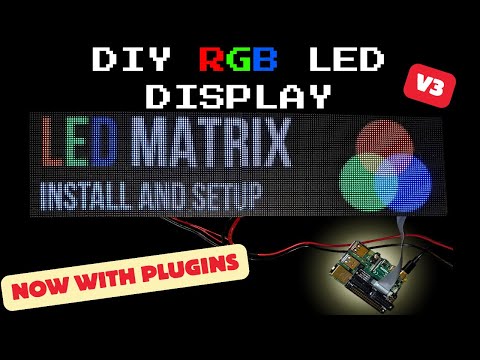
Installing the LEDMatrix project on a pi video:
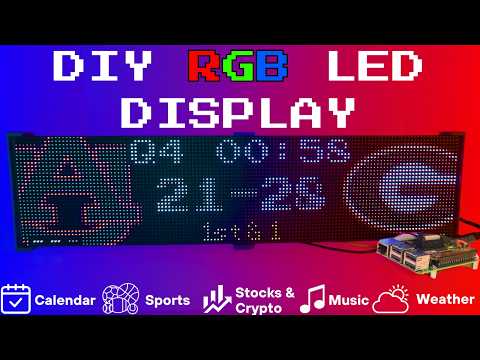
Setup video and feature walkthrough on Youtube (Outdated but still useful) :
Connect with ChuckBuilds
- Show support on Youtube: https://www.youtube.com/@ChuckBuilds
- Check out the write-up on my website: https://www.chuck-builds.com/led-matrix/
- Stay in touch on Instagram: https://www.instagram.com/ChuckBuilds/
- Want to chat? Reach out on the LEDMatrix Discord: https://discord.com/invite/uW36dVAtcT
- Feeling Generous? Consider sponsoring this project or sending a donation (these AI credits aren't cheap!)
Special Thanks to:
- Hzeller for his groundwork on controlling an LED Matrix from the Raspberry Pi
- Cursor for making this project possible
- CodeRabbit for fixing my PR's
- Everyone involved in this project for their patience, input, and support
Core Features
Core Features
The following plugins are available inside of the LEDMatrix project. These modular, rotating Displays that can be individually enabled or disabled per the user's needs with some configuration around display durations, teams, stocks, weather, timezones, and more. Displays include:Time and Weather
-
Real-time clock display (2x 64x32 Displays 4mm Pixel Pitch)
-
Current Weather, Daily Weather, and Hourly Weather Forecasts (2x 64x32 Displays 4mm Pixel Pitch)
-
Google Calendar event display (2x 64x32 Displays 4mm Pixel Pitch)
Sports Information
The system supports live, recent, and upcoming game information for multiple sports leagues:
-
NHL (Hockey) (2x 64x32 Displays 4mm Pixel Pitch)
-
NBA (Basketball)
-
MLB (Baseball) (2x 64x32 Displays 4mm Pixel Pitch)
-
NFL (Football) (2x 96x48 Displays 2.5mm Pixel Pitch)
-
NCAA Football (2x 96x48 Displays 2.5mm Pixel Pitch)
-
NCAA Men's Basketball
-
NCAA Men's Baseball
-
Soccer (Premier League, La Liga, Bundesliga, Serie A, Ligue 1, Liga Portugal, Champions League, Europa League, MLS)
-
(Note, some of these sports seasons were not active during development and might need fine tuning when games are active)
Financial Information
- Near real-time stock & crypto price updates
- Stock news headlines
- Customizable stock & crypto watchlists (2x 64x32 Displays 4mm Pixel Pitch)
Entertainment
- Music playback information from multiple sources:
- Spotify integration
- YouTube Music integration
- Album art display
- Now playing information with scrolling text (2x 64x32 Displays 4mm Pixel Pitch)
Custom Display Features
-
Custom Text display (2x 64x32 Displays 4mm Pixel Pitch)
-
Youtube Subscriber Count Display (2x 64x32 Displays 4mm Pixel Pitch)
Hardware
Hardware Requirements
Hardware Requirements
| ⚠️ IMPORTANT |
|---|
| This project can be finnicky! RGB LED Matrix displays are not built the same or to a high-quality standard. We have seen many displays arrive dead or partially working in our discord. Please purchase from a reputable vendor. |
Raspberry Pi
- Raspberry Pi Zero's don't have enough processing power for this project.
- Raspberry Pi 3B, 4, or 5
Amazon Affiliate Link – Raspberry Pi 4 4GB RAM
Amazon Affiliate Link – Raspberry Pi 4 8GB RAM
- Pi 5 users: the installer automatically detects Pi 5 and builds the
rpi-rgb-led-matrixlibrary with RP1 support. If you previously installed on a Pi 4 and migrated the SD card, or if you seemmaperrors in the logs, force a fresh library build:sudo RPI_RGB_FORCE_REBUILD=1 ./first_time_install.sh - Pi 5 config: leave
rp1_rioat0(PIO mode, default) and setgpio_slowdownto1or2.
- Pi 5 users: the installer automatically detects Pi 5 and builds the
RGB Matrix Bonnet / HAT
- Adafruit RGB Matrix Bonnet/HAT – supports one “chain” of horizontally connected displays
- Adafruit Triple LED Matrix Bonnet – supports up to 3 vertical “chains” of horizontally connected displays (use
regular-pi1as hardware mapping) - Electrodragon RGB HAT – supports up to 3 vertical “chains”
- Seengreat Matrix Adapter Board – single-chain LED Matrix (use
regularas hardware mapping)
LED Matrix Panels
(2x in a horizontal chain is recommended)
- Adafruit 64×32 – designed for 128×32 but works with dynamic scaling on many displays (pixel pitch is user preference)
- Waveshare 64×32 - Does not require E addressable pad
- Waveshare 96×48 – higher resolution, requires soldering the E addressable pad on the Adafruit RGB Bonnet to “8” OR toggling the DIP switch on the Adafruit Triple LED Matrix Bonnet (no soldering required!)
Amazon Affiliate Link – ChuckBuilds receives a small commission on purchases
Power Supply
- 5V 4A DC Power Supply (good for 2 -3 displays, depending on brightness and pixel density, you'll need higher amperage for more)
- 5V 10A DC Power Supply (good for 6-8 displays, depending on brightness and pixel density)
Optional but recommended mod for Adafruit RGB Matrix Bonnet
- By soldering a jumper between pins 4 and 18, you can run a specialized command for polling the matrix display. This provides better brightness, less flicker, and better color.
- If you do the mod, we will use the default config with led-gpio-mapping=adafruit-hat-pwm, otherwise just adjust your mapping in config.json to adafruit-hat
- More information available: https://github.com/hzeller/rpi-rgb-led-matrix/tree/master?tab=readme-ov-file
Possibly required depending on the display you are using.
- Some LED Matrix displays require an "E" addressable line to draw the display properly. The 64x32 Adafruit display does NOT require the E addressable line, however the 96x48 Waveshare display DOES require the "E" Addressable line.
- Various ways to enable this depending on your Bonnet / HAT.
Your display will look like it is "sort of" working but still messed up.
or
or
How to set addressable E line on various HATs:
-
Adafruit Single Chain HATs
or
-
Adafruit Triple Chain HAT
-
ElectroDragon RGB LED Matrix Panel Drive Board
2 Matrix display with Rpi connected to Adafruit Single Chain HAT.
Mount / Stand options
Mount/Stand
I 3D printed stands to keep the panels upright and snug. STL Files are included in the Repo but are also available at https://www.thingiverse.com/thing:5169867 Thanks to "Randomwire" for making these for the 4mm Pixel Pitch LED Matrix.
Special Thanks for Rmatze for making:
- 3mm Pixel Pitch RGB Stand for 32x64 Display : https://www.thingiverse.com/thing:7149818
- 4mm Pixel Pitch RGB Stand for 32x64 Display : https://www.thingiverse.com/thing:7165993
These are not required and you can probably rig up something basic with stuff you have around the house. I used these screws: https://amzn.to/4mFwNJp (Amazon Affiliate Link)
Installation Steps
Preparing the Raspberry Pi
Preparing the Raspberry Pi
| ⚠️ IMPORTANT |
|---|
| It is required to use the NEW Raspberry Pi Imager tool. If your tool doesn't look like my screenshots, be sure to update it. |
-
Create RPI Image on a Micro-SD card (I use whatever I have laying around, size is not too important but I would use 8gb or more) using Raspberry Pi Imager
-
Choose your Raspberry Pi (3B+ in my case)
- For Operating System (OS), choose "Other"
- Then choose Raspbian OS (64-bit) Lite (Trixie)
- For Storage, choose your micro-sd card
| ⚠️ IMPORTANT |
|---|
| Make sure it's the correct drive! Data will be erased! |
- Choose the hostname of the device. This will be often used to access the web-ui and will be the name of the device on your network. I recommend "ledpi".
- Choose your timezone and keyboard layout.
- Set your username and password. This is your "root" password and is important, make sure you remember it! We will use it to access the Raspberry Pi via SSH.
- (Optional) Choose your Wi-fi network and enter wifi password. This can be changed in the future. This is also optional if you are going to connect it via ethermet.
- Enable SSH and opt for "Use Password Authentication". You can use public key auth if you know how but for the sake of new folks, let's use the password that we chose in Step 9.
- Disable Raspberry Pi Connect. It's a VPN / Remote Connection tool built into Raspberry Pi, it seems like there might be a subscription? Not sure but I am not using it.
- Double check your settings then confirm by clicking "Write".
- Final warning to be SURE that you have the correct micro-sd card inserted and selected as all data on the drive will be erased.
You're done with preparing the Operating System. Once the Raspberry Pi Imager has finished writing to the micro-sd card it will let you know it is safe to eject. Eject the micro-sd card and plug it into the Raspberry Pi and turn it on.
System Setup & Installation
System Setup & Installation
Once your Raspberry Pi has turned on and connected to your wifi (check your router's dhcp leases) or just give it a few minutes after plugging it in. We will connect via ssh.
Secure Shell (SSH) is a way to connect to the device and execute commands. On Windows, I recommend using Powershell. On MacOS or Linux, I recommend using Terminal.
- SSH into your Raspberry Pi:
ssh ledpi@ledpi
The format "username@hostname" is coincidentally the same for this project (which is fine) but if you changed the username, hostname, or your router's DNS doesn't recognize the hostname you would use "username@ipaddress". You can skip the username and just enter "ssh hostname" or "ssh ipaddress" and it will prompt you for a username.
Quick Install (Recommended)
Paste this single command into SSH using Ctrl+Shift+V on Windows or Shift+Command+V on Mac.
Tip
Terminal can be funky about pasting with just Ctrl+V, by right click -> paste or using Ctrl+Shift+V you will be able to paste without additional unwanted characters.
curl -fsSL https://raw.githubusercontent.com/ChuckBuilds/LEDMatrix/main/scripts/install/one-shot-install.sh | bash
This one-shot installer will automatically:
- Check system prerequisites (network, disk space, sudo access)
- Install required system packages (git, python3, build tools, etc.)
- Clone or update the LEDMatrix repository
- Run the complete first-time installation script
The installation process typically takes 10-30 minutes depending on your internet connection and Pi model. All errors are reported explicitly with actionable fixes.
Note: The script is safe to run multiple times and will handle existing installations gracefully.
Manual Installation (Alternative)
If you prefer to install manually or the one-shot installer doesn't work for your setup:
- SSH into your Raspberry Pi:
ssh ledpi@ledpi
- Update repositories, upgrade Raspberry Pi OS, and install prerequisites:
sudo apt update && sudo apt upgrade -y
sudo apt install -y git python3-pip cython3 build-essential python3-dev python3-pillow scons
- Clone this repository:
git clone https://github.com/ChuckBuilds/LEDMatrix.git
cd LEDMatrix
- Run the first-time installation script:
chmod +x first_time_install.sh
sudo bash ./first_time_install.sh
This single script installs services, dependencies, configures permissions and sudoers, and validates the setup.
Configuration
Configuration
Configuration
Initial Setup
For most settings I recommend using the web interface: Edit the project via the web interface at http://[IP ADDRESS or HOSTNAME]:5000 or http://ledpi:5000 .
If you need to manually edit your config file, you can follow the steps below:
Manual Config.json editing
-
First-time setup: The previous "First_time_install.sh" script should've already copied the template to create your config.json:
-
Edit your configuration:
sudo nano config/config.json
Automatic Configuration Migration
The system automatically handles configuration updates:
- New installations: Creates
config.jsonfrom the template automatically - Existing installations: Automatically adds new configuration options with default values when the system starts
- Backup protection: Creates a backup of your current config before applying updates
- No conflicts: Your custom settings are preserved while new options are added
Everything is configured via config/config.json and config/config_secrets.json and are not tracked by Git to prevent conflicts during updates.
Running the Display
Recommended: Use Web UI Quick Actions
I recommend using the web-ui "Quick Actions" to control the Display.
Plugins
Plugin Store
See the Plugin Store documentation for detailed installation instructions.
The easiest way to discover and install plugins is through the Plugin Store in the LEDMatrix web interface:
- Open the web interface (
http://your-pi-ip:5000) - Navigate to the Plugin Manager tab
- Browse available plugins in the Plugin Store
- Click Install on any plugin you want
- Configure and enable plugins through the web UI
Installing 3rd-Party Plugins
You can also install plugins directly from GitHub repositories:
- Single Plugin: Install from any GitHub repository URL
- Registry/Monorepo: Install multiple plugins from a single repository
See the Plugin Store documentation for detailed installation instructions.
For plugin development, check out the Hello World Plugin repository as a starter template.
- Built-in Managers Deprecated: The built-in managers (hockey, football, stocks, etc.) are now deprecated and have been moved to the plugin system. You must install replacement plugins from the Plugin Store in the web interface instead. The plugin system provides the same functionality with better maintainability and extensibility.
Detailed Information
Display Settings from RGBLEDMatrix Library
Display Settings
If you are copying my exact setup, you can likely leave the defaults alone. However, if you have different hardware or want to customize the display behavior, these settings allow you to fine-tune the LED matrix configuration.
The display settings are located in config/config.json under the "display" key and are organized into three main sections: hardware, runtime, and display_durations.
Hardware Configuration (display.hardware)
These settings control the physical hardware configuration and how the matrix is driven.
Basic Panel Configuration
-
rows(integer, default: 32)- Number of LED rows (vertical pixels) in each panel
- Common values: 16, 32, 48, 64
- Must match your physical panel configuration
-
cols(integer, default: 64)- Number of LED columns (horizontal pixels) in each panel
- Common values: 32, 64, 96, 128
- Must match your physical panel configuration
-
chain_length(integer, default: 2)- Number of LED panels chained together horizontally
- If you have 2 panels side-by-side, set to 2
- If you have 4 panels in a row, set to 4
- Total display width =
cols × chain_length
-
parallel(integer, default: 1)- Number of parallel chains (panels stacked vertically)
- Use 1 for a single row of panels
- Use 2 if you have panels stacked in two rows
- Total display height =
rows × parallel
Brightness and Visual Settings
brightness(integer, 0-100, default: 90)- Display brightness level
- Lower values (0-50) are dimmer, higher values (50-100) are brighter
- Recommended: 70-90 for indoor use, 90-100 for bright environments
- Very high brightness may cause distortion or require more power
Hardware Mapping
hardware_mapping(string, default: "adafruit-hat-pwm")- Specifies which GPIO pin mapping to use for your hardware
"adafruit-hat-pwm": Use this for Adafruit RGB Matrix Bonnet/HAT WITH the jumper mod (PWM enabled). This is the recommended setting for Adafruit hardware with the PWM jumper soldered."adafruit-hat": Use this for Adafruit RGB Matrix Bonnet/HAT WITHOUT the jumper mod (no PWM). Remove-pwmfrom the value if you did not solder the jumper."regular": Standard GPIO pin mapping for direct GPIO connections (Generic)"regular-pi1": Standard GPIO pin mapping for Raspberry Pi 1 (older hardware or non-standard hat mapping)- Choose the option that matches your specific hardware setup, if aren't sure try them all.
PWM (Pulse Width Modulation) Settings
These settings affect color fidelity and smoothness of color transitions:
-
pwm_bits(integer, default: 9)- Number of bits used for PWM (affects color depth)
- Higher values (9-11) = more color levels, smoother gradients
- Lower values (7-8) = fewer color levels, but may improve stability on some hardware
- Range: 1-11, recommended: 9-10
-
pwm_dither_bits(integer, default: 1)- Additional dithering bits for smoother color transitions
- Helps reduce color banding in gradients
- Higher values (1-2) = smoother gradients but may impact performance
- Range: 0-2, recommended: 1
-
pwm_lsb_nanoseconds(integer, default: 130)- Least significant bit timing in nanoseconds
- Controls the base timing for PWM signals
- Lower values = faster PWM, higher values = slower PWM
- Typical range: 100-300 nanoseconds
- May need adjustment if you see flickering or color issues
Advanced Hardware Settings
-
scan_mode(integer, default: 0)- Panel scan mode (how rows are addressed)
- Common values: 0 (progressive), 1 (interlaced)
- Most panels use 0, but some require 1
- Check your panel datasheet if colors appear incorrect
-
limit_refresh_rate_hz(integer, default: 100)- Maximum refresh rate in Hz (frames per second)
- Caps the refresh rate for better stability
- Lower values (60-80) = more stable, less CPU usage
- Higher values (100-120) = smoother animations, more CPU usage
- Recommended: 80-100 for most setups
-
disable_hardware_pulsing(boolean, default: false)- Disables hardware pulsing (usually leave as false)
- Set to
trueonly if you experience timing issues - Most users should leave this as
false
-
inverse_colors(boolean, default: false)- Inverts all colors (red becomes cyan, etc.)
- Useful if your panel has inverted color channels
- Set to
trueonly if colors appear inverted
-
show_refresh_rate(boolean, default: false)- Displays the current refresh rate on the matrix (for debugging)
- Set to
trueto see FPS on the display - Useful for troubleshooting performance issues
Advanced Panel Configuration (Advanced Users Only)
These settings are typically only needed for non-standard panels or custom configurations:
-
led_rgb_sequence(string, default: "RGB")- Color channel order for your LED panel
- Common values: "RGB", "RBG", "GRB", "GBR", "BRG", "BGR"
- Most panels use "RGB", but some use "GRB" or other orders
- Check your panel datasheet if colors appear wrong
-
pixel_mapper_config(string, default: "")- Advanced pixel mapping configuration
- Used for custom panel layouts, rotations, or transformations
- Examples: "U-mapper", "Rotate:90", "Mirror:H"
- Leave empty unless you need custom mapping
- See rpi-rgb-led-matrix documentation for full options
-
row_address_type(integer, default: 0)- How rows are addressed on the panel
- Most panels use 0 (direct addressing)
- Some panels require 1 (AB addressing) or 2 (ABC addressing)
- Check your panel datasheet if display appears corrupted
-
multiplexing(integer, default: 0)- Panel multiplexing type
- 0 = no multiplexing (standard panels)
- Higher values for panels with different multiplexing schemes
- Check your panel datasheet for the correct value
Runtime Configuration (display.runtime)
These settings control runtime behavior and GPIO timing:
gpio_slowdown(integer, default: 3)- GPIO timing slowdown factor
- Critical setting: Must match your Raspberry Pi model for stability
- Raspberry Pi 3: Use 3
- Raspberry Pi 4: Use 4
- Raspberry Pi 5: Use 1–2 in PIO mode (
rp1_rio: 0, the default); start with1and increase if you see flickering - Raspberry Pi Zero/1: Use 1-2
- Incorrect values can cause display corruption, flickering, or system instability
- If you experience issues, try adjusting this value up or down by 1
Display Durations (display.display_durations)
Controls how long each display module stays visible in seconds before switching to the next one.
-
calendar(integer, default: 30)- Duration in seconds for the calendar display
- Increase for more time to read dates/events
- Decrease to cycle through other displays faster
-
Plugin-specific durations
- Each plugin can have its own duration setting
- Format:
"<plugin-id>": <seconds> - Example:
"hockey-scoreboard": 45shows hockey scores for 45 seconds - Example:
"weather": 20shows weather for 20 seconds - If a plugin doesn't have a duration here, it uses its default (usually 15 seconds)
- You can also set
display_durationin each plugin's individual configuration
Tips for Display Durations:
- Longer durations (30-60 seconds) = more time to read content, slower cycling
- Shorter durations (10-20 seconds) = faster cycling, less time per display
- Balance based on your preference and how much information each display shows
- For example, if you want more focus on stocks, increase the stock plugin's duration value
Display Format Settings
use_short_date_format(boolean, default: true)- Use short date format (e.g., "Jan 15") instead of long format (e.g., "January 15th")
- Set to
falsefor longer, more readable dates - Set to
trueto save space and show more information
Dynamic Duration Settings (display.dynamic_duration)
max_duration_seconds(integer, optional)- Maximum duration cap for plugins that use dynamic durations
- Some plugins can automatically adjust their display time based on content
- This setting limits how long they can extend (prevents one display from dominating)
- Example: If set to 60, a plugin can extend up to 60 seconds even if it requests longer
- Leave unset to use the default cap (typically 90 seconds)
Example Configuration
{
  "display": {
    "hardware": {
      "rows": 32,
      "cols": 64,
      "chain_length": 2,
      "parallel": 1,
      "brightness": 90,
      "hardware_mapping": "adafruit-hat-pwm",
      "scan_mode": 0,
      "pwm_bits": 9,
      "pwm_dither_bits": 1,
      "pwm_lsb_nanoseconds": 130,
      "disable_hardware_pulsing": false,
      "inverse_colors": false,
      "show_refresh_rate": false,
      "limit_refresh_rate_hz": 100
    },
    "runtime": {
      "gpio_slowdown": 4
    },
    "display_durations": {
      "calendar": 30,
      "hockey-scoreboard": 45,
      "weather": 20,
      "stocks": 25
    },
    "use_short_date_format": true,
    "dynamic_duration": {
      "max_duration_seconds": 60
    }
  }
}
Troubleshooting Display Settings
Display is blank or shows garbage:
- Check
rows,cols,chain_length, andparallelmatch your physical setup - Verify
hardware_mappingmatches your HAT/connection type - Try adjusting
gpio_slowdown - Ensure your display doesn't need the E-Addressable line
Colors are wrong or inverted:
- Check
led_rgb_sequence(try "GRB" if "RGB" doesn't work) - Try setting
inverse_colorstotrue - Verify
hardware_mappingis correct for your hardware
Display flickers or is unstable:
- Increase
gpio_slowdownby 1-2 - Lower
limit_refresh_rate_hzto 60-80 - Check power supply (LED matrices need adequate power)
Display is too dim or too bright:
- Adjust
brightness(0-100) - Very high brightness may require better power supply
Performance issues:
- Lower
limit_refresh_rate_hz - Reduce
pwm_bitsto 8 - Set
pwm_dither_bitsto 0
Manual SSH Commands (for reference)
The quick actions essentially just execute the following commands on the Pi.
From the project root directory (ex: /home/ledpi/LEDMatrix):
sudo python3 display_controller.py
This will start the display cycle but only stays active as long as your ssh session is active.
Convenience Scripts
Two convenience scripts are provided for easy service management:
start_display.sh- Starts the LED matrix display servicestop_display.sh- Stops the LED matrix display service
Make them executable with:
chmod +x start_display.sh stop_display.sh
Then use them to control the service:
sudo ./start_display.sh
sudo ./stop_display.sh
Service Installation Details
The first time install will handle this: The LEDMatrix can be installed as a systemd service to run automatically at boot and be managed easily. The service runs as root to ensure proper hardware timing access for the LED matrix.
Installing the Service (this is included in the first_time_install.sh)
- Make the install script executable:
chmod +x scripts/install/install_service.sh
- Run the install script with sudo:
sudo ./scripts/install/install_service.sh
The script will:
- Detect your user account and home directory
- Install the service file with the correct paths
- Enable the service to start on boot
- Start the service immediately
Managing the Service
The following commands are available to manage the service:
# Stop the display
sudo systemctl stop ledmatrix.service

# Start the display
sudo systemctl start ledmatrix.service

# Check service status
sudo systemctl status ledmatrix.service

# View logs
journalctl -u ledmatrix.service

# Disable autostart
sudo systemctl disable ledmatrix.service

# Enable autostart
sudo systemctl enable ledmatrix.service
Web Interface Installation Details
The first time install will handle this: The LEDMatrix system includes Web Interface that runs on port 5000 and provides real-time display preview, configuration management, and on-demand display controls.
Installing the Web Interface Service
The first-time installer (
first_time_install.sh) already installs the web service. The steps below only apply if you need to (re)install it manually.
- Make the install script executable:
chmod +x scripts/install/install_web_service.sh
- Run the install script with sudo:
sudo ./scripts/install/install_web_service.sh
The script will:
- Copy the web service file to
/etc/systemd/system/ - Enable the service to start on boot
- Start the service immediately
- Show the service status
Web Interface Configuration
The web interface can be configured to start automatically with the main display service:
- In
config/config.json, ensure the web interface autostart is enabled:
{
    "web_display_autostart": true
}
- The web interface will now start automatically when:
- The system boots
- The
web_display_autostartsetting istruein your config
Accessing the Web Interface
Once installed, you can access the web interface at:
http://your-pi-ip:5000
Managing the Web Interface Service
# Check service status
sudo systemctl status ledmatrix-web.service

# View logs
journalctl -u ledmatrix-web.service -f

# Stop the service
sudo systemctl stop ledmatrix-web.service

# Start the service
sudo systemctl start ledmatrix-web.service

# Disable autostart
sudo systemctl disable ledmatrix-web.service

# Enable autostart
sudo systemctl enable ledmatrix-web.service
Web Interface Features
- Real-time Display Preview: See what's currently displayed on the LED matrix
- Configuration Management: Edit settings through a web interface
- On-Demand Controls: Start specific displays (weather, stocks, sports) on demand
- Service Management: Start/stop the main display service
- System Controls: Restart, update code, and manage the system
- API Metrics: Monitor API usage and system performance
- Logs: View system logs in real-time
Troubleshooting Web Interface
Web Interface Not Accessible After Restart:
- Check if the web service is running:
sudo systemctl status ledmatrix-web.service - Verify the service is enabled:
sudo systemctl is-enabled ledmatrix-web.service - Check logs for errors:
journalctl -u ledmatrix-web.service -f - Ensure
web_display_autostartis set totrueinconfig/config.json
Port 5000 Not Accessible:
- Check if the service is running on the correct port
- Verify firewall settings allow access to port 5000
- Check if another service is using port 5000
Service Fails to Start:
- Check Python dependencies are installed
- Verify the virtual environment is set up correctly
- Check file permissions and ownership
If you've read this far — thanks!
License
LEDMatrix is licensed under the GNU General Public License v3.0 or later.
LEDMatrix builds on
rpi-rgb-led-matrix,
which is GPL-2.0-or-later. The "or later" clause makes it compatible
with GPL-3.0 distribution.
Plugin contributions in
ledmatrix-plugins
are also GPL-3.0-or-later unless individual plugins specify otherwise.
Contributing
See CONTRIBUTING.md for development setup, the PR flow, and how to add a plugin. Bug reports and feature requests go in the issue tracker. Security issues should be reported privately per SECURITY.md.