mirror of
https://github.com/ChuckBuilds/LEDMatrix.git
synced 2026-10-04 14:25:08 +00:00
 ChuckandClaude Opus 5
116abb0daa
ChuckandClaude Opus 5
116abb0daa
* fix(sports): share the ESPN rejected-range memo with the background service

BackgroundDataService always sent a season range first and, on a 400,
fell back to chunks without recording the rejection, so every background
season fetch spent a doomed request and live scoreboards learned nothing
from it (or it from them). The worker now consults and sets the same
6-hour memo fetch_espn_scoreboard() uses: a known rejection goes straight
to month/day chunks, and if every chunk fails the range is asked once for
a real error without re-spending the chunks.

Co-Authored-By: Claude Opus 5 <noreply@anthropic.com>

* fix(web): keep plugin asset and action routes inside their directories

POST /plugins/assets/upload, GET /plugins/assets/list and POST
/plugins/assets/delete joined the request's plugin_id onto assets/plugins
unchecked, so '../../config' created, wrote, listed and deleted outside
it. #561 guarded only the route that serves the files. All three now go
through path_safety.resolve_under and answer 400 for anything but a
plain name, and delete only unlinks a metadata path that resolves into
that plugin's uploads directory.

PluginManager.get_plugin_directory refuses ids that are not one plain
path segment, so /plugins/action (which runs a manifest script from the
returned directory) and every other caller get the guard; the action
route also rejects such ids up front, covering its no-manager fallback.

Co-Authored-By: Claude Opus 5 <noreply@anthropic.com>

* fix(web): report a no-op plugin update as already up to date

update_plugin() returns True both for a real update and for "nothing to
do" (a ZIP-installed monorepo plugin already at the registry version, a
bundled plugin). With no git commit to compare, POST /plugins/update
called every such success "updated successfully", so Check & Update All
counted most official plugins as updated on every run.

The route now reads what changed off the plugin itself (commit, else
manifest version, else last_updated) and returns data.update_status
(updated / up_to_date / local_only). The update-all toast is summarised
by PluginInstallManager.summarizeUpdateResults from that status, falling
back to the message for older servers.

Co-Authored-By: Claude Opus 5 <noreply@anthropic.com>

* fix(sports): scoreboard scroll speed no longer follows target_fps

sports_scroll computed the crisp speed ladder against the global
target_fps whenever limit_refresh_rate_hz was the 100 Hz default. Since
frame-locked presentation (#545) the helper steps a fixed number of whole
pixels per presented frame and the panel presents at its real refresh, so
the General tab's "Scroll Frame Rate" became a speed multiplier: 60 ran a
50 px/s scoreboard at 100 px/s, 200 ran it at 25 px/s.

The ladder now uses the display manager's refresh_hz, then
display.hardware.limit_refresh_rate_hz, then the default. target_fps is
not consulted. Docstrings now say scroll_delay is ignored for pacing (no
behaviour change there) and describe the fixed-step model.

Tests: replace the tests that pinned target_fps as the ladder refresh and
described time-based stepping; assert speed independence from target_fps
(unit and end-to-end presented px/s against the real helper), that the
fixed per-frame step is applied, and that scroll_delay does not change
speed.

Co-Authored-By: Claude Opus 5 <noreply@anthropic.com>

* fix(web): escape registry and upload values in plugin manager inline handlers

The store, saved-repository and custom-registry buttons built
onclick='...(${JSON.stringify(id)})...'. JSON.stringify leaves ' alone,
so a custom registry entry whose id contained ' closed the attribute and
added its own handler. One helper, jsStringAttr(), now HTML-escapes the
JSON literal for every one of those handlers, and the store View button
opens only http(s) repo links.

The live window.updateImageList (plugins_manager.js loads last, so its
copy wins over the file-upload widget's) wrote the uploaded file's
original name, path and ids into markup raw; they are escaped now.

Co-Authored-By: Claude Opus 5 <noreply@anthropic.com>

* docs(changelog): note plugin asset, action and inline handler guards

Co-Authored-By: Claude Opus 5 <noreply@anthropic.com>

* fix(update): let the root pip wrapper install web_interface/requirements.txt

Update Code, the automatic update's health check and Install Base
Requirements install web_interface/requirements.txt through
safe_pip_install.sh, which only allowed the root requirements.txt. The
first commit changing that file would fail its dependency install, and
the automatic updater rolls back any update whose dependencies did not
install -- on every device, for every newer commit.

The wrapper now lists both core requirement files. Only their folders
are resolved, so a requirements.txt symlinked out of the project is
compared by its target and refused (previously the root file's own
symlink target was what got allowed). The updater's file list is a
named constant, and a test runs the real wrapper (pip stubbed) on
every file Update Code and the rollback install.

Co-Authored-By: Claude Opus 5 <noreply@anthropic.com>

* fix(web): do not retry plugin requests that got an HTTP answer

PluginAPI.request wrapped everything that was not a structured error as
NETWORK_ERROR: a proxy's 502 HTML page (response.json() throws) and a
JSON error without error_code included. Check & Update All retries
NETWORK_ERROR, so those updates were re-sent five more times with
backoff, contrary to the #587 contract that an HTTP error response is
the server's answer.

NETWORK_ERROR now means only that fetch() rejected. Any HTTP response
without an error_code, or with a body that is not JSON, is API_ERROR
with the HTTP status attached. Tested against the shipped api_client.js.

Co-Authored-By: Claude Opus 5 <noreply@anthropic.com>

* fix(scroll): restart the stats window when an idle gap is dropped by size

#582 dropped an idle gap from the frame stats two ways: the reset_scroll()
sentinel, which also restarts the 5s window timer, and a size guard for
scrollers that never call reset_scroll(), which did not. On that path the
first real frame after the gap found the boundary overdue and logged a
stats line for a one-frame window. Both paths now share one seeding helper.

Co-Authored-By: Claude Opus 5 <noreply@anthropic.com>

* fix(update): leave plugins alone when update_core's own rollback fails

update_core returns rollback_failed directly when a partial pull or an
update whose health check never started cannot be rolled back. run()
only held plugins back for 'verifying', so those devices still got new
plugin versions and a display restart on top of a core in an unknown
state -- the opposite of what the health-check path does, and of the
3.4.0 changelog (plugins are left alone if the rollback fails).

Co-Authored-By: Claude Opus 5 <noreply@anthropic.com>

* docs(api): make the REST reference match the api_v3 package

Every documented request body, query parameter and response shape was
re-checked against the handlers in web_interface/blueprints/api_v3/.
Fixes calls that failed as documented (repo_url, action_id/params,
files/image_id, font_file+font_family, ?font=, cache key,
auto_enable_ap_mode, plugin limit keys), removes the font-override
endpoints dropped in #566, corrects response shapes (plugins/config,
plugins/schema, health, metrics, operation history, github-status,
fonts/catalog, cache/list, logs, wifi, on-demand, SSE streams), and adds
the 26 routes it omitted (backup, system auto-update/git, wifi radio,
starlark editor, MQTT bridge, status endpoints, skins).

Documents the merge semantics of partial JSON saves to /config/main and
/plugins/config and the dim-schedule POST accepting GET's days shape,
which land in the same change set. Replaces app.py line numbers and the
removed api_v3.py path with file and function names.

Co-Authored-By: Claude Opus 5 <noreply@anthropic.com>

* fix(web): remove the General-tab plugin system toggles that did nothing

plugin_system.auto_discover, auto_load_enabled and development_mode had
General-tab toggles whose help tips promised dormant plugins and verbose
logging, but nothing reads them: every enabled plugin is discovered and
loaded regardless. Remove the three toggles.

The keys stay tolerated in stored configs. The save handler now stores
a flag only when a client sends it; treating a missing key as an
unchecked box would otherwise rewrite all three to false on every
General-tab save, which still posts plugins_directory.

Co-Authored-By: Claude Opus 5 <noreply@anthropic.com>

* refactor(scroll): remove dead code left by #523/#570

- Drop the optional scipy.ndimage import and HAS_SCIPY; nothing read
  them since the numpy blend replaced the scipy path.
- Drop ScrollHelper._last_integer_position and frame_time_target, which
  were written but never read.
- Keep target_fps and set_target_fps() but document them as
  informational: nothing paces off them, yet ledmatrix-elections'
  test_scroll_pacing.py reads helper.target_fps back and third-party
  plugins may call the setter.
- Fix stale comments: fixed_pixels_per_frame's "use scroll_delay to
  throttle", set_sub_pixel_scrolling's "default: True", and
  set_frame_based_scrolling's claim that it steps.

The plugins monorepo was grepped for every removed name; none is used.

Co-Authored-By: Claude Opus 5 <noreply@anthropic.com>

* docs(fonts): point plugins at plugin_manager.font_manager; drop removed overrides UI

FONT_MANAGER.md told plugins to read display_manager.font_manager, which
does not exist, so a plugin following it failed to load with
AttributeError. The shared FontManager lives on the PluginManager and
BasePlugin._get_font_manager() returns it (with a fallback for harnesses).

Also removes the Fonts-tab override workflow and element-override panels
that #566 deleted, from FONT_MANAGER.md and WEB_INTERFACE_GUIDE.md.

Co-Authored-By: Claude Opus 5 <noreply@anthropic.com>

* docs(store): search via /plugins/store/list?query=; send Content-Type on registry curls

/plugins/store/search does not exist (404) and the list endpoint reads
query, not q. The registry guide's curl examples omitted the JSON
Content-Type, so the handlers saw an empty body and answered 400.

Co-Authored-By: Claude Opus 5 <noreply@anthropic.com>

* fix(config): use the shared core-key list in the last three private copies

StartupValidator warned "Plugin 'auto_update' is enabled but not found" on
every display start with auto-update or a dim schedule on; the reserved
plugin-id check missed auto_update, sync, location and the rest; and
ConfigManager's (uncalled) orphan cleanup would have deleted display,
schedule and auto_update. All three now read src/core_config_keys.py, which
also gains CORE_SECRETS_KEYS for the github/youtube secrets sections.

Co-Authored-By: Claude Opus 5 <noreply@anthropic.com>

* fix(web): partial JSON saves to /config/main change only what they send

A JSON body with one field reset every checkbox in the sections it touched:
the MQTT bridge's brightness slider turned off disable_hardware_pulsing,
inverse_colors, show_refresh_rate and use_short_date_format, and a
timezone-only save turned off web-UI autostart and weekly auto-updates.
Missing-means-unchecked now applies only to form posts: form-encoded bodies
and the v3 forms, which mark themselves with a hidden __form_section input.

Also on the config routes:
- vegas_min/max_cycle_duration no longer match the generic *_duration rule,
  so they stop landing in display_durations and a blank one no longer
  rejects the whole Display save;
- saving from the Raw JSON editor calls start_setup_if_needed like the
  General form, so enabling auto-update there finishes its setup;
- the schedule and dim-schedule POSTs accept the per-day days.<day> shape
  their GETs return, as well as the flat form keys.

Co-Authored-By: Claude Opus 5 <noreply@anthropic.com>

* fix(scripts): install plugin dependencies from the configured plugins directory

install_plugin_dependencies.sh scanned only plugins/, but the Plugin
Store installs into plugin_system.plugins_directory (default
plugin-repos), so the documented "Recommended" fix found 0 plugins on
every store install. It now reads plugins_directory from
config/config.json (relative to the project root or absolute, default
plugin-repos) and also scans plugins/ for dev symlinks, installing a
plugin reached through both only once.

With set -e alone, `pip ... | tee` took tee's exit status, so a failed
pip install was reported as success; set -o pipefail.

Co-Authored-By: Claude Opus 5 <noreply@anthropic.com>

* docs: replace stale API names, line numbers and the api_v3.py path

- ADVANCED_FEATURES: StreamManager methods that exist
  (get_next_segment, take_next_group, refresh, advance_cycle, ...), and the
  real on-demand status envelope ({status, data: {state, service}})
- app.py:199 / :144 / :607-619 line citations and
  web_interface/blueprints/api_v3.py (now a package) replaced with file and
  function names in ADVANCED_FEATURES, CONFIG_DEBUGGING,
  PLUGIN_ARCHITECTURE_SPEC, PLUGIN_QUICK_REFERENCE,
  PLUGIN_CONFIGURATION_TABS, TROUBLESHOOTING and web_interface/README
- CONFIG_DEBUGGING: partial /config/main saves change only sent keys; use
  /config/raw/main to replace the file; describe where validation runs
- TROUBLESHOOTING: clear_cache.py needs --clear-all (no args only prints
  usage)

Co-Authored-By: Claude Opus 5 <noreply@anthropic.com>

* fix(scripts): verify the web interface that actually ships, on port 5000

verify_installation.sh failed every healthy install: it required the
long-removed web_interface_v2.py and looked for a listener on port 5001,
while the web interface binds 5000 (web_interface/start.py). It now
checks the files ledmatrix-web.service runs (start_web_conditionally.py,
web_interface/start.py, app.py) and port 5000. verify_web_ui.sh had the
same 5001 port in its listen check, HTTP probe and printed URLs.

Port matches are anchored so :50001 no longer counts as :5000.

Co-Authored-By: Claude Opus 5 <noreply@anthropic.com>

* docs(plugins): one display-size contract: display_manager.width/height

CLAUDE.md (#580) says to read display_manager.width/height because
matrix is None when hardware init fails; the development guide, the
safety-harness doc and two DisplayManager docstrings still recommended
matrix.width/height. The bundled starlark-apps plugin read matrix.width
unguarded, so its magnify recommendation and frame scaling raised in
fallback mode (e.g. after the Pi 5 hardware refusal).

Co-Authored-By: Claude Opus 5 <noreply@anthropic.com>

* fix(install): make install_service.sh --help print usage instead of installing

install_service.sh parsed no arguments, so `sudo ./scripts/install/
install_service.sh --help` (presented as harmless in MIGRATION_GUIDE.md)
rewrote ledmatrix.service, ledmatrix-web.service and both update-verify
units and enabled/started them. It now handles -h/--help (usage, exit 0,
no changes) and rejects any other argument with exit 2 before doing
anything. Running it with no arguments, as first_time_install.sh does,
is unchanged.

Co-Authored-By: Claude Opus 5 <noreply@anthropic.com>

* docs(scroll): describe the fixed-step model and document frame_hold

Since #545 a crisp speed from scroll_config.configure() makes the helper
advance a fixed whole-pixel step per presented frame with no clock, and the
display manager's frame hold is part of the speed. The docs still described
the removed wall-clock model:

- scroll_config's module and configure() docstrings said speed is applied
  in time-based mode and that omitting the hold "falls back to fractional
  pixels"; omitting it actually runs the scroll frame_hold times too fast.
- SCROLL_PERFORMANCE.md said ScrollHelper accumulates elapsed time in both
  modes, and read a 20 ms stats median as missed refreshes although that
  is a healthy 50 px/s (hold 2) scroll. It now explains the fixed step,
  the hold-dependent healthy median, that target_fps plays no part, and
  that a hand-added scroll_pixels_per_second loses to a schema-default pair.
- PLUGIN_API_REFERENCE.md documented set_scrolling_state(is_scrolling)
  without frame_hold; it now documents the parameter (core 3.4.0) with a
  configure() + set_scrolling_state example.
- update_scroll_position/set_scroll_speed and set_scrolling_state
  docstrings say the same.

Co-Authored-By: Claude Opus 5 <noreply@anthropic.com>

* docs(config): mark target_fps legacy; describe what Vegas scroll_delay does

- General tab "Scroll Frame Rate" (target_fps) is labelled legacy: after
  the sports_scroll fix nothing in core scrolling reads it. The field and
  its API validation stay so saved configs and plugins that read
  global_config['target_fps'] keep working. CONFIG_REFERENCE says the same.
- Vegas frame_based_scrolling/scroll_delay were described as frame-count
  stepping at ~50 FPS. Neither steps nor sets a frame rate: frame-based
  mode converts the speed to px per scroll_delay, clamps it to 0.1-5, and
  still advances by elapsed time, so the applied speed is
  clamp(scroll_speed * scroll_delay, 0.1, 5) / scroll_delay px/s. The
  config comments, render_pipeline comment and CONFIG_REFERENCE rows now
  say so. No behaviour change.

Co-Authored-By: Claude Opus 5 <noreply@anthropic.com>

* docs(deps): describe how plugin dependencies are really installed

The guides said the web service runs as root, that installs pick --user
from os.geteuid(), and quoted a warning and a
PluginManager._install_plugin_dependencies() method that don't exist. The
web unit runs as the installing user; store installs go through
install_requirements_file() and sudo safe_pip_install.sh (root), with a
user-level fallback that says so, and load-time installs run in the
display service's own (root) interpreter.

Manual paths now use the configured plugins directory (plugin-repos/ by
default) instead of plugins/, which store installs no longer use, and
install_plugin_dependencies.sh is described as scanning that directory.

Co-Authored-By: Claude Opus 5 <noreply@anthropic.com>

* fix(update): count local changes one way for the preflight and the pull

The automatic update's preflight ignored mode-only changes and anything
whose status line contained plugins/ or plugin-repos/, then promised
"Automatic updates will not stash your changes". perform_core_update
used plain git status (modes count) and ignored only 'plugins/', then
ran 'git stash push -- :!plugins', which nothing ever pops. So an edit
to a bundled plugin under plugin-repos/, or the installer's chmods on
tracked scripts, passed the preflight and was stashed away for good.

- auto_update.local_changes() is the one predicate both use:
  core.fileMode=false, porcelain -z, and plugins/ and plugin-repos/
  excluded by leading folder rather than substring (a core file under
  web_interface/static/v3/js/plugins/ now counts).
- Update Code's explicit stash leaves out both plugin folders; the
  pull's --autostash carries their edits and mode changes across and
  reapplies them.
- The automatic updater calls perform_core_update(stash_local_changes=
  False), which refuses instead of stashing edits that appeared after
  the preflight; update_core reports that as 'blocked'.

Co-Authored-By: Claude Opus 5 <noreply@anthropic.com>

* fix(scripts): diagnostics follow the web autostart default and api_v3 package

#556 made a missing web_display_autostart mean "start" (only an explicit
false/off keeps the web interface down), but the diagnostics still said
otherwise: diagnose_web_ui.sh reported a missing key as "defaults to
false", diagnose_web_interface.sh said the web interface "will not start
unless this is set to true" and recommended enabling it, and
debug_web_manual.py printed False. Troubleshooting a down web UI pointed
users at a non-cause.

Both shell scripts now evaluate the setting with the launcher's own
autostart_enabled() (inline fallback if it cannot be imported) and report
on / off / not set (on) / unparseable config; debug_web_manual.py uses
the same function. They also check web_interface/blueprints/api_v3/
__init__.py: api_v3.py became a package in #553, so every healthy
checkout was reported as missing a file.

Co-Authored-By: Claude Opus 5 <noreply@anthropic.com>

* docs(install): what install_service.sh installs; verify script port; no sudo for --help

install_service.sh installs and starts ledmatrix, ledmatrix-web and the
update-verify units, not only ledmatrix.service (systemd/README.md,
README.md). MIGRATION_GUIDE presented 'sudo install_service.sh --help'
as a harmless check; it now shows --help without sudo and warns what a
real run does. SSH_UNAVAILABLE_AFTER_INSTALL: verify_installation.sh
checks the web interface on port 5000.

Co-Authored-By: Claude Opus 5 <noreply@anthropic.com>

* docs(changelog): note update-all, plugin system settings and script fixes

Co-Authored-By: Claude Opus 5 <noreply@anthropic.com>

* fix(display): size the preview after orientation and pixel mappers

display_geometry.physical_size claimed to give DisplayManager's answer but
only computed cols*chain x rows*parallel. RGBMatrix.width/height are measured
after the library's pixel mappers, so a Rotate:90 / orientation 90 chain
previewed 128x32 for a 32x128 panel and a U-mapper chain of four 256x32 for
128x64.

Model the built-in mappers' size effect as the pinned lib/pixel-mapper.cc
does (Rotate, U-mapper, V-mapper, StackToRow, Remap; Mirror and unknown
names leave it alone), and move the orientation composition here so
DisplayManager and the preview share it. The module docstring no longer
claims the sync handshake uses it; that imports only DEFAULT_CHAIN_LENGTH.

Audit finding F18.

Co-Authored-By: Claude Opus 5 <noreply@anthropic.com>

* fix(display): refuse settings the rgbmatrix library aborts on, on every board

The library answers several settings with a NULL matrix or abort() rather
than an error, so the display service crash-looped (Restart=on-failure)
instead of reaching fallback mode: rows above 64, chain_length above 255
(uint8_t binding setter, documented as "no upper limit"), a misspelled
hardware_mapping, and parallel 2-3 on a single-output mapping, reachable
from the Display form on the default adafruit-hat(-pwm) mapping. #586 only
guarded the Pi 5 subset.

- src/matrix_support.py holds the rules for every board (Options::Validate
  ranges, binding integer types, mapping names and outputs from
  lib/hardware-mapping.c) plus the Pi 5 ones, and is the one source of the
  API's numeric ranges.
- DisplayManager checks them before building options and raises
  MatrixSettingsRefused, so a hand-edited config falls back with a logged,
  reported reason. Emulator mode only warns.
- The config API refuses them with a 400 naming the setting; combinations
  are checked against stored values but reported only when the request
  sets a field involved.
- The hardware status file gains "cause" (settings/library/forced). The
  fallback log and Display banner give the Pi 5 rebuild hint only for a
  library failure instead of rebuild + gpio_slowdown advice for every
  failure; one Pi 5 slowdown recommendation (1-3, start at 1).
- The Display form offers classic/classic-pi1 and orientation 90/270 and
  renders any other stored mapping selected with a warning, so an
  unrelated save no longer rewrites them; the API accepts 90/270.

Audit findings F03, F16, F19, F21.

Co-Authored-By: Claude Opus 5 <noreply@anthropic.com>

* docs(display): library limits, template defaults and Pi 5 slowdown

- rows 8-64, chain_length 1-255, parallel limited by the mapping's outputs,
  classic/classic-pi1 mappings and orientation 90/270 documented.
- Defaults are the config.template.json values: config migration adds
  missing keys from the template, so the listed "code defaults" never
  applied.
- One Raspberry Pi 5 gpio_slowdown recommendation: 1-3 in PIO mode,
  starting at 1.
- Troubleshooting describes the refused-settings fallback, and CHANGELOG
  corrects the Unreleased "no upper limit" entry.

Audit findings F19, F20, F21.

Co-Authored-By: Claude Opus 5 <noreply@anthropic.com>

* fix(scripts): scroll_speeds.py opens the panel with the service's options

--measure and --demo built RGBMatrixOptions from a private copy of the
display service's builder that had drifted: gpio_slowdown came from
display.hardware (default 2) instead of display.runtime (default 3), and
rp1_rio, panel_type, disable_hardware_pulsing, inverse_colors,
pixel_mapper_config and orientation were skipped, with different defaults
(hardware_mapping "regular", pwm_bits 11). A panel needing a high slowdown
was measured -- or garbled -- in a setup the service never drives.

The option filling in DisplayManager._setup_matrix moves, unchanged, into
DisplayManager.apply_matrix_options(options, config), which _setup_matrix
calls and the script reuses (overriding only limit_refresh_rate_hz for
--measure). The script now loads the whole config rather than the hardware
block. Tests pin the script's options to the service's attribute for
attribute.

Co-Authored-By: Claude Opus 5 <noreply@anthropic.com>

* fix(scripts): scroll_speeds.py recommends keys the resolver honours

The ladder ended by telling users to set
display_options.scroll_pixels_per_second. scroll_config ranks that key
below the scroll_speed + scroll_delay pair, deliberately, and several
plugin schemas default the pair into config, so the advised key was
silently ignored (a schema-default 1/0.02 pair plus an advised 66 still
resolved to 50 px/s).

The advice is now the pair that selects the crisp speed exactly
(pixels_per_frame every frame_hold/refresh seconds), explains that the
pair outranks scroll_pixels_per_second, and gives the scoreboards'
per-league scroll_settings.scroll_speed (px/s) form. Tests resolve the
printed pair over a schema-default pair and check it lands on the
advertised speed and hold.

Co-Authored-By: Claude Opus 5 <noreply@anthropic.com>

* docs: withdraw the target_fps claim for sports_scroll; fix the Vegas speed formula

- SPORTS_UNIFICATION.md still presented honouring global target_fps as
  sports_scroll's added behaviour and its one user-visible gain; note that
  it was withdrawn because it had become a speed multiplier.
- ADVANCED_FEATURES.md gave Vegas scrolling as
  (scroll_speed / target_fps) * elapsed; the real rule is scroll_speed px/s
  by elapsed time, through a 0.1-5 px per scroll_delay clamp when
  frame_based_scrolling is on.

Co-Authored-By: Claude Opus 5 <noreply@anthropic.com>

* docs(changelog): scroll model fixes

Co-Authored-By: Claude Opus 5 <noreply@anthropic.com>

* fix(dev): link-github links plugins from the ledmatrix-plugins monorepo

link-github <name> cloned https://github.com/ChuckBuilds/ledmatrix-<name>.git,
and those per-plugin repositories no longer exist: official plugins are
directories in the ledmatrix-plugins monorepo. It now clones (or pulls) the
monorepo once into the dev directory, finds plugins/<name>,
plugins/ledmatrix-<name> or the plugin whose manifest id is <name>, and
links it under its manifest id. With an explicit repo URL it still links a
single-repository plugin as before.

dev_plugins.json: github_user is honoured again (monorepo owner, e.g. a
fork), plus plugins_repo and plugins_branch; github_pattern, which was
documented but never read, is dropped and warned about. Ships
dev_plugins.json.example and git-ignores dev_plugins.json, both of which
the guide promised. Reading JSON falls back to python3 when jq is missing
(get_plugin_id silently returned nothing without jq).

update/status/list find the git checkout above a monorepo plugin
directory (its .git is not in the plugin dir), and update pulls a shared
checkout once. status no longer exits 1 when nothing is broken.

Docs: PLUGIN_DEVELOPMENT_GUIDE (quick start, link-github, configuration,
workflow, store integration, hello-world link, submission), and the
nonexistent scripts/git-hooks/pre-push-plugin-version and
scripts/bump_plugin_version.py replaced with the real rule: bump the
manifest version and run update_registry.py. scripts/dev/README.md and
CLAUDE.md updated to match.

Co-Authored-By: Claude Opus 5 <noreply@anthropic.com>

* docs(scripts): monorepo workspace layout; fix_perms and install READMEs

MULTI_ROOT_WORKSPACE_SETUP described one sibling repository per plugin;
setup_plugin_repos.py links ../ledmatrix-plugins/plugins/* into
plugin-repos/ and update_plugin_repos.py pulls only the monorepo, and the
workspace file opens LEDMatrix plus ../ledmatrix-plugins.

scripts/fix_perms/README.md listed cache directories
fix_cache_permissions.sh never touches and a 'ledmatrix' service user
that doesn't exist (also in scripts/install/README.md); adds
safe_pip_install.sh. install/README: install_service.sh installs the web
and update-verify units too.

Co-Authored-By: Claude Opus 5 <noreply@anthropic.com>

* fix(update): keep the rollback's pip retries inside the unit time limit

The health check reinstalled the previous requirements by trying the
next bash path after any failure, including a 600 s pip timeout. Two
files, two paths: up to 40 minutes of pip alone, while systemd stops
ledmatrix-update-verify.service at TimeoutStartSec=30min -- killing the
rollback half-way and leaving the update 'verifying' until the web UI
calls it lost.

- Like permission_utils.install_requirements_file, only a sudo refusal
  moves on to the next bash; a pip that ran and failed or timed out is
  not repeated. The refusal wording is one list
  (permission_utils.SUDO_REFUSAL_PHRASES), mirrored in the stdlib-only
  verifier and pinned equal by a test.
- All reinstalls in one rollback share a 600 s budget.
- WORST_CASE_SECONDS adds up every timeout on the longest path (27.5
  min); a test holds it under the unit's TimeoutStartSec and that under
  the web UI's VERIFY_LOST_SECONDS.

Co-Authored-By: Claude Opus 5 <noreply@anthropic.com>

* fix(plugins): prepare plugin configs one way for load, saves, GET, hot reload and dev tools

Plugin config was prepared differently depending on how it arrived:

- JSON POST /plugins/config built a partial body on schema defaults, so
  {"enabled": true} reset every other setting of the plugin. It now merges
  onto the stored section first, as the form path already did.
- Legacy-boolean normalization (#588) ran only at load: GET /plugins/config
  returned the raw boolean, posting it back failed validation, and hot
  reload handed plugins the raw section (a legacy dynamic_duration: true
  came back as a boolean). schema_manager.prepare_plugin_config (normalize,
  then defaults) is now used by PluginManager.load_plugin, both save paths,
  GET, the save notifications and DisplayController's hot-reload callback.
- The JSON save's filter kept only enabled/display_duration/live_priority
  and dropped a submitted skin, skin_options or vegas_* tuning key. There
  is now one core-owned per-plugin list, schema_manager.CORE_PLUGIN_PROPERTIES,
  used by validation and by the save filter; PluginManager's
  CORE_OWNED_CONFIG_KEYS is its vegas subset.
- Plugin sections posted to /config/main were stored verbatim, including
  values /plugins/config rejects. They now go through the same preparation
  (_prepare_plugin_config_for_save, extracted from save_plugin_config), and
  a failing section rejects the whole save before anything is written.
- dev_server read only top-level defaults and let a schema enabled:false
  win; build_full_config shallow-merged overrides, dropping sibling
  defaults; the harness extracted defaults differently from the device.
  loading.build_config now uses the device's extraction and preparation,
  and dev_server, check_plugin, render_plugin and the harness all use it.

Co-Authored-By: Claude Opus 5 <noreply@anthropic.com>

* docs(mqtt-bridge): brightness changes apply live and touch nothing else

The display service's hot reload applies a saved brightness within a few
seconds, and /config/main no longer resets other display settings on a
brightness-only JSON body.

Co-Authored-By: Claude Opus 5 <noreply@anthropic.com>

* docs(changelog): automatic update hardening

Co-Authored-By: Claude Opus 5 <noreply@anthropic.com>

* docs(config): rewrite PLUGIN_CONFIG_ARCHITECTURE for the v3 web UI

It described web_interface_v2.py and index_v2.html (both gone), client-side
form generation, one POST per field with {key, value}, and 'no nested
objects'. The v3 UI renders plugin forms server-side from the schema
(pages_v3 partial + plugin_config.html macros, nested sections and
x-widgets), posts the whole form once, and save_plugin_config() merges onto
the stored section, validates, splits x-secret fields and notifies the
plugin.

Co-Authored-By: Claude Opus 5 <noreply@anthropic.com>

* docs(mqtt): brightness saves apply via hot reload and leave other settings alone

The bridge README said brightness is applied on the display's next
restart; the display controller's config hot reload applies it within
seconds. It also now states that the bridge's partial JSON save changes
only brightness (the /config/main merge fix in this change set).

Co-Authored-By: Claude Opus 5 <noreply@anthropic.com>

* fix(update): don't log pip's output from the health check's reinstall

pip can echo a private index URL with embedded credentials;
permission_utils redacts it, the stdlib-only verifier cannot, so it
logs the exit code only.

Co-Authored-By: Claude Opus 5 <noreply@anthropic.com>

* docs(config): mark the plugin_system toggles as unused legacy keys

auto_discover, auto_load_enabled and development_mode are read by
nothing and leave the General tab in this change set (F40). CONFIG_REFERENCE
said they were read by the plugin loader; PLUGIN_CONFIGURATION_GUIDE and
the REST reference listed them as live settings.

Co-Authored-By: Claude Opus 5 <noreply@anthropic.com>

* docs(changelog): docs and developer tools group

Co-Authored-By: Claude Opus 5 <noreply@anthropic.com>

* fix(web): legacy plugin-system toggles no longer count as a General save

auto_discover, auto_load_enabled and development_mode have left the General
form, so a post carrying only one of them is not a general-settings save and
must not treat web_display_autostart and auto_update as unchecked. The
plugin_system block itself is left as on main for the branch that reworks it.

Co-Authored-By: Claude Opus 5 <noreply@anthropic.com>

* docs(changelog): config-save and plugin-config preparation fixes

Co-Authored-By: Claude Opus 5 <noreply@anthropic.com>

* docs(claude): re-check matrix_support.py rules when the library submodule is bumped

Co-Authored-By: Claude Opus 5 <noreply@anthropic.com>

* fix: address Codacy findings on the core audit PR

- plugin_manager.prepare_plugin_config: when the fallback legacy-boolean
  pass also fails, log a warning instead of a bare except/pass.
- api_client.js: request() refuses any endpoint that is not a plain path
  under /api/v3 ("//host", backslashes, ".." or "." segments, whitespace,
  control characters) with INVALID_ENDPOINT before calling fetch(), and
  plugin ids are URL-encoded wherever they are put into a URL (also in the
  app-shell batch load).
- test_update_all.js: pins both against the shipped client.

Co-Authored-By: Claude Opus 5 <noreply@anthropic.com>

* fix(web): check endpoint control characters without a control-character regex

Codacy (ESLint no-control-regex, Biome noControlCharactersInRegex) flags
the \x00-\x1f range in checkEndpoint's regex. Test the char codes
instead; the endpoints refused are unchanged.

Co-Authored-By: Claude Opus 5 <noreply@anthropic.com>

* test(auto-update): make the seed script executable on disk, not only in the index

On Linux Repo.publish() commits with -a, which recorded scripts/run.sh
as 100644 upstream because the seed file was never chmod +x. The pull
then brought in the same mode the installer chmod had made locally, so
installer_chmod saw no mode change left to check. The updater was fine:
with the upstream commit at 100755 the --autostash carries the device's
chmod across. Verified under Linux (WSL, git 2.43): the old helper fails
exactly as CI did, the fixed one passes all 63 tests in the file.

Co-Authored-By: Claude Opus 5 <noreply@anthropic.com>

---------

Co-authored-by: Claude Opus 5 <noreply@anthropic.com>
1002 lines
47 KiB
Markdown
1002 lines
47 KiB
Markdown
# LEDMatrix
|
||
[](LICENSE)
|
||
[](https://discord.gg/RdrC37rEag)
|
||
[](https://github.com/ChuckBuilds/ledmatrix)
|
||
[](https://app.codacy.com/gh/ChuckBuilds/LEDMatrix/dashboard?utm_source=gh&utm_medium=referral&utm_content=&utm_campaign=Badge_grade)
|
||
|
||
|
||
## Welcome to LEDMatrix!
|
||
Welcome to the LEDMatrix Project! This open-source project enables you to run an information-rich display on a Raspberry Pi connected to an LED RGB Matrix panel. Whether you want to see your calendar, weather forecasts, sports scores, stock prices, or any other information at a glance, LEDMatrix brings it all together.
|
||
|
||
### About This Project
|
||
|
||
LEDMatrix is a constantly evolving project that I'm building to create a customizable information display. The project is designed to be modular and extensible, with a plugin-based architecture that makes it easy to add new features and displays.
|
||
|
||
**This project is open source and supports third-party plugin development.** I believe that great projects get better when more people are involved, and I'm excited to see what the community can build together. Whether you want to contribute to the core project, develop your own plugins, or just use and enjoy LEDMatrix, you're welcome here!
|
||
|
||
### A Note from the ChuckBuilds
|
||
I'm very new to all of this and am *heavily* relying on AI development tools to create this project. This means I'm learning as I go, and I'm grateful for your patience and feedback as the project continues to evolve and improve.
|
||
|
||
I'm trying to be open to constructive criticism and support, as long as it's a realistic ask and aligns with my priorities on this project. If you have ideas for improvements, find bugs, or want to add features to the base project, please don't hesitate to reach out on Discord or submit a pull request. Similarly, if you want to develop a plugin of your own, please do so! I'd love to see what you create.
|
||
|
||
|
||
### Installing the LEDMatrix project on a pi video:
|
||
[](https://www.youtube.com/watch?v=bkT0f1tZI0Y)
|
||
|
||
### Setup video and feature walkthrough on Youtube (Outdated but still useful) :
|
||
[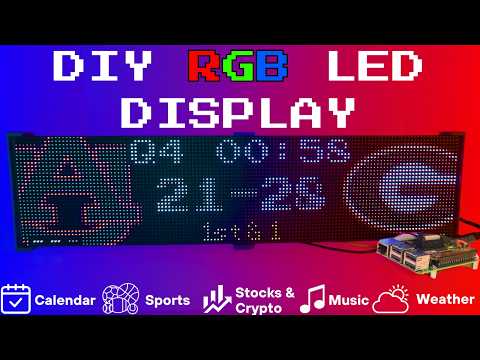](https://www.youtube.com/watch?v=_HaqfJy1Y54)
|
||
|
||
|
||
-----------------------------------------------------------------------------------
|
||
### Connect with ChuckBuilds
|
||
|
||
- Show support on Youtube: https://www.youtube.com/@ChuckBuilds
|
||
- Check out the write-up on my website: https://www.chuck-builds.com/led-matrix/
|
||
- Stay in touch on Instagram: https://www.instagram.com/ChuckBuilds/
|
||
- Want to chat? Reach out on the LEDMatrix Discord: [https://discord.com/invite/uW36dVAtcT](https://discord.gg/dfFwsasa6W)
|
||
- Feeling Generous? Consider sponsoring this project or sending a donation (these AI credits aren't cheap!)
|
||
|
||
-----------------------------------------------------------------------------------
|
||
|
||
### Special Thanks to:
|
||
- [Hzeller](https://github.com/hzeller/rpi-rgb-led-matrix) for his groundwork on controlling an LED Matrix from the Raspberry Pi
|
||
- [Cursor](https://cursor.com/home) for making this project possible
|
||
- [CodeRabbit](https://github.com/coderabbitai) for fixing my PR's
|
||
- Everyone involved in this project for their patience, input, and support
|
||
|
||
-----------------------------------------------------------------------------------
|
||
|
||
## Core Features
|
||
|
||
<details>
|
||
<summary>Core Features</summary>
|
||
LEDMatrix is a plugin platform: the displays below are plugins installed
|
||
from the built-in Plugin Store (web interface → Plugins), where each can be
|
||
individually enabled, ordered, and configured — display durations, teams,
|
||
stocks, weather, timezones, and more. The core repo ships with just two
|
||
bundled plugins (`starlark-apps` and `web-ui-info`); the official plugins
|
||
live in the [ledmatrix-plugins](https://github.com/ChuckBuilds/ledmatrix-plugins)
|
||
monorepo and install with one click, and third-party plugins can be
|
||
installed from their own GitHub repositories. Displays available in the
|
||
store include:
|
||
|
||
### Time and Weather
|
||
- Real-time clock display (2x 64x32 Displays 4mm Pixel Pitch)
|
||

|
||
|
||
|
||
- Current Weather, Daily Weather, and Hourly Weather Forecasts (2x 64x32 Displays 4mm Pixel Pitch)
|
||

|
||

|
||

|
||
|
||
|
||
- Google Calendar event display (2x 64x32 Displays 4mm Pixel Pitch)
|
||

|
||
|
||
|
||
|
||
### Sports Information
|
||
The system supports live, recent, and upcoming game information for multiple sports leagues:
|
||
- NHL (Hockey) (2x 64x32 Displays 4mm Pixel Pitch)
|
||

|
||

|
||

|
||
|
||
- NBA (Basketball)
|
||
- MLB (Baseball) (2x 64x32 Displays 4mm Pixel Pitch)
|
||

|
||
|
||
- NFL (Football) (2x 96x48 Displays 2.5mm Pixel Pitch)
|
||
<img width="2109" height="541" alt="image" src="https://github.com/user-attachments/assets/d10212c9-0d45-4f87-b61d-0a33afb9f160" />
|
||
- NCAA Football (2x 96x48 Displays 2.5mm Pixel Pitch)
|
||
<img width="2417" height="610" alt="image" src="https://github.com/user-attachments/assets/9be92869-ee29-4809-9337-69977f228e23" />
|
||
|
||
- NCAA Men's Basketball
|
||
- NCAA Men's Baseball
|
||
- Soccer (Premier League, La Liga, Bundesliga, Serie A, Ligue 1, Liga Portugal, Champions League, Europa League, MLS)
|
||
- (Note, some of these sports seasons were not active during development and might need fine tuning when games are active)
|
||
|
||
|
||
### Financial Information
|
||
- Near real-time stock & crypto price updates
|
||
- Stock news headlines
|
||
- Customizable stock & crypto watchlists (2x 64x32 Displays 4mm Pixel Pitch)
|
||

|
||

|
||
|
||
|
||
|
||
### Entertainment
|
||
- Music playback information from multiple sources:
|
||
- Spotify integration
|
||
- YouTube Music integration
|
||
- Album art display
|
||
- Now playing information with scrolling text (2x 64x32 Displays 4mm Pixel Pitch)
|
||

|
||

|
||
|
||
|
||
|
||
### Custom Display Features
|
||
- Custom Text display (2x 64x32 Displays 4mm Pixel Pitch)
|
||

|
||
|
||
- Youtube Subscriber Count Display (2x 64x32 Displays 4mm Pixel Pitch)
|
||

|
||
|
||
</details>
|
||
|
||
-----------------------------------------------------------------------------------
|
||
## Hardware
|
||
|
||
<details>
|
||
<summary>Hardware Requirements</summary>
|
||
|
||
## Hardware Requirements
|
||
|
||
| ⚠️ IMPORTANT |
|
||
| :--- |
|
||
| This project can be finnicky! RGB LED Matrix displays are not built the same or to a high-quality standard. We have seen many displays arrive dead or partially working in our discord. Please purchase from a reputable vendor. |
|
||
|
||
### Raspberry Pi
|
||
- Raspberry Pi Zero's don't have enough processing power for this project.
|
||
- **Raspberry Pi 3B, 4, or 5**
|
||
[Amazon Affiliate Link – Raspberry Pi 4 4GB RAM](https://amzn.to/4dJixuX)
|
||
[Amazon Affiliate Link – Raspberry Pi 4 8GB RAM](https://amzn.to/4qbqY7F)
|
||
- **Pi 5 users**: the installer automatically detects Pi 5 and builds the `rpi-rgb-led-matrix` library with RP1 support. If you previously installed on a Pi 4 and migrated the SD card, or if you see `mmap` errors in the logs, force a fresh library build:
|
||
```bash
|
||
sudo RPI_RGB_FORCE_REBUILD=1 ./first_time_install.sh
|
||
```
|
||
- Pi 5 config: leave `rp1_rio` at `0` (PIO mode, default) and start `gpio_slowdown` at `1`, raising it a step at a time if the image flickers or shows garbage (see `gpio_slowdown` under Display Settings).
|
||
- **1GB models (Pi 3B / 3B+) and other low-memory boards**: supported, but the `rpi-rgb-led-matrix` C++ build needs more memory than the Pi has. The installer detects this automatically, compiles with fewer parallel jobs, and adds a temporary swapfile for the build which it removes afterwards. Expect that step to take 15-25 minutes instead of 2-5, and leave at least **3GB free** on the SD card. If you manage swap yourself, opt out with `--skip-swap`. To pin the compiler down further, use `--build-jobs 1`.
|
||
|
||
|
||
### RGB Matrix Bonnet / HAT
|
||
- [Adafruit RGB Matrix Bonnet/HAT](https://www.adafruit.com/product/3211) – supports one “chain” of horizontally connected displays
|
||
- [Adafruit Triple LED Matrix Bonnet](https://www.adafruit.com/product/6358) – supports up to 3 vertical “chains” of horizontally connected displays *(use `regular-pi1` as hardware mapping)*
|
||
- [Electrodragon RGB HAT](https://www.electrodragon.com/product/rgb-matrix-panel-drive-board-raspberry-pi/) – supports up to 3 vertical “chains”
|
||
- [Seengreat Matrix Adapter Board](https://amzn.to/3KsnT3j) – single-chain LED Matrix *(use `regular` as hardware mapping)*
|
||
|
||
### LED Matrix Panels
|
||
(2x in a horizontal chain is recommended)
|
||
- [Adafruit 64×32](https://www.adafruit.com/product/2278) – designed for 128×32 but works with dynamic scaling on many displays (pixel pitch is user preference)
|
||
**Warning: Lately the Waveshare Panels have had different variations - only some are compatible with this project. I hope to identify what is different to fix it but so far there is a decent chance you get a mis-matched set of panels if you don't buy them all at once! **
|
||
- [Waveshare 64×32](https://amzn.to/3Kw55jK) - Does not require E addressable pad
|
||
- [Waveshare 96×48](https://amzn.to/4bydNcv) – higher resolution, requires soldering the **E addressable pad** on the [Adafruit RGB Bonnet](https://www.adafruit.com/product/3211) to “8” **OR** toggling the DIP switch on the Adafruit Triple LED Matrix Bonnet *(no soldering required!)*
|
||
- There are some Panels on Aliexpress that have worked fine for me, shop around! I think Adafruit is probably the "safest" but they do have some limitation on resolution and layout.
|
||
> Amazon Affiliate Links – ChuckBuilds receives a small commission on purchases
|
||
|
||
### Power Supply
|
||
- [5V 4A DC Power Supply](https://www.adafruit.com/product/658) (good for 2 -3 displays, depending on brightness and pixel density, you'll need higher amperage for more)
|
||
- [5V 10A DC Power Supply](https://amzn.to/3IKlYqe) (good for 6-8 displays, depending on brightness and pixel density)
|
||
|
||
## Optional but recommended mod for Adafruit RGB Matrix Bonnet
|
||
- By soldering a jumper between pins 4 and 18, you can run a specialized command for polling the matrix display. This provides better brightness, less flicker, and better color.
|
||
- If you do the mod, we will use the default config with led-gpio-mapping=adafruit-hat-pwm, otherwise just adjust your mapping in config.json to adafruit-hat
|
||
- More information available: https://github.com/hzeller/rpi-rgb-led-matrix/tree/master?tab=readme-ov-file
|
||

|
||
|
||
## Possibly required depending on the display you are using.
|
||
- Some LED Matrix displays require an "E" addressable line to draw the display properly. The [64x32 Adafruit display](https://www.adafruit.com/product/2278) does NOT require the E addressable line, however the [96x48 Waveshare display](https://amzn.to/4pQdezE) DOES require the "E" Addressable line.
|
||
- Various ways to enable this depending on your Bonnet / HAT.
|
||
|
||
Your display will look like it is "sort of" working but still messed up.
|
||
<img width="841" height="355" alt="image" src="https://github.com/user-attachments/assets/7b8cfa98-270c-4c41-9cdc-146535eec32f" />
|
||
or
|
||
<img width="924" height="316" alt="image" src="https://github.com/user-attachments/assets/fda59057-faca-401b-8d55-f0e360cadbdf" />
|
||
or
|
||
<img width="1363" height="703" alt="image" src="https://github.com/user-attachments/assets/0e833721-1690-4446-a6a9-7c48eed7a633" />
|
||
|
||
How to set addressable E line on various HATs:
|
||
|
||
- Adafruit Single Chain HATs
|
||
<img width="719" height="958" alt="IMG_5228" src="https://github.com/user-attachments/assets/b30e839c-6fc9-4129-a99c-0f4eaf62c89d" />
|
||
or
|
||
<img width="349" height="302" alt="image" src="https://github.com/user-attachments/assets/2175fa40-98a8-4da7-bcd3-d6b1714e33d2" />
|
||
|
||
- Adafruit Triple Chain HAT
|
||

|
||
|
||
- ElectroDragon RGB LED Matrix Panel Drive Board
|
||

|
||
|
||
|
||
|
||
|
||
|
||
2 Matrix display with Rpi connected to Adafruit Single Chain HAT.
|
||

|
||
|
||
|
||
</details>
|
||
|
||
<details>
|
||
|
||
<summary>Mount / Stand options</summary>
|
||
|
||
|
||
## Mount/Stand
|
||
I 3D printed stands to keep the panels upright and snug. STL Files are included in the Repo but are also available at https://www.thingiverse.com/thing:5169867 Thanks to "Randomwire" for making these for the 4mm Pixel Pitch LED Matrix.
|
||
|
||
Special Thanks for Rmatze for making:
|
||
- 3mm Pixel Pitch RGB Stand for 32x64 Display : https://www.thingiverse.com/thing:7149818
|
||
- 4mm Pixel Pitch RGB Stand for 32x64 Display : https://www.thingiverse.com/thing:7165993
|
||
|
||
These are not required and you can probably rig up something basic with stuff you have around the house. I used these screws: https://amzn.to/4mFwNJp (Amazon Affiliate Link)
|
||
|
||
</details>
|
||
|
||
-----------------------------------------------------------------------------------
|
||
## Installation Steps
|
||
|
||
<details>
|
||
|
||
<summary>Preparing the Raspberry Pi</summary>
|
||
|
||
# Preparing the Raspberry Pi
|
||
|
||
| ⚠️ IMPORTANT |
|
||
| :--- |
|
||
| It is required to use the **NEW** Raspberry Pi Imager tool. If your tool doesn't look like my screenshots, be sure to update it. |
|
||
|
||
1. Create RPI Image on a Micro-SD card (I use whatever I have laying around, size is not too important but I would use 8gb or more) using [Raspberry Pi Imager](https://www.raspberrypi.com/software/)
|
||
|
||
2. Choose your Raspberry Pi (3B+ in my case)
|
||
|
||
<img width="512" height="361" alt="Step 1 rpi" src="https://github.com/user-attachments/assets/4d42961c-97f3-46d6-8e3f-b4ac04615ec7" />
|
||
|
||
3. For Operating System (OS), choose "Other"
|
||
|
||
<img width="512" height="361" alt="Step 2 Other " src="https://github.com/user-attachments/assets/166a22e8-8067-48df-9f80-50c91f573356" />
|
||
|
||
5. Then choose Raspbian OS (64-bit) Lite (Trixie)
|
||
|
||
<img width="512" height="361" alt="Step 4 Trixie Lite 64" src="https://github.com/user-attachments/assets/3b8590ce-b810-4dfe-9253-26e0d4f8ed1e" />
|
||
|
||
6. For Storage, choose your micro-sd card
|
||
|
||
| ⚠️ IMPORTANT |
|
||
| :--- |
|
||
| Make sure it's the correct drive! Data will be erased! |
|
||
|
||
<img width="512" height="361" alt="Step 5 Select storage" src="https://github.com/user-attachments/assets/d2840c6b-2a07-45a4-bfd4-2a73ee790e87" />
|
||
|
||
7. Choose the hostname of the device. This will be often used to access the web-ui and will be the name of the device on your network. I recommend "ledpi".
|
||
|
||
<img width="512" height="361" alt="Step 6 name storage" src="https://github.com/user-attachments/assets/e782ef1e-49c6-4483-9791-96f34c27235d" />
|
||
|
||
8. Choose your timezone and keyboard layout.
|
||
|
||
<img width="512" height="361" alt="Step 7 Choose Timezone" src="https://github.com/user-attachments/assets/6cf38b5a-ec72-42af-93b8-e6f5b0874fa6" />
|
||
|
||
9. Set your username and password. This is your "root" password and is important, make sure you remember it! We will use it to access the Raspberry Pi via SSH.
|
||
|
||
<img width="512" height="361" alt="Step 8 set password for root" src="https://github.com/user-attachments/assets/5a3f9eb2-b2fd-4db3-8c51-490fff091fd4" />
|
||
|
||
10. (Optional) Choose your Wi-fi network and enter wifi password. This can be changed in the future. This is also optional if you are going to connect it via ethermet.
|
||
|
||
<img width="512" height="361" alt="Step 9 choose network" src="https://github.com/user-attachments/assets/0ac9c69b-d29c-454f-a6ed-ffdaa778729d" />
|
||
|
||
11. Enable SSH and opt for "Use Password Authentication". You can use public key auth if you know how but for the sake of new folks, let's use the password that we chose in Step 9.
|
||
|
||
<img width="512" height="361" alt="Step 10 enable Ssh and choose password authentication" src="https://github.com/user-attachments/assets/a2df9994-8be5-4785-9f4c-a2888edb5c78" />
|
||
|
||
12. Disable Raspberry Pi Connect. It's a VPN / Remote Connection tool built into Raspberry Pi, it seems like there might be a subscription? Not sure but I am not using it.
|
||
|
||
<img width="512" height="361" alt="step 11 disable RPI connect" src="https://github.com/user-attachments/assets/63808069-b620-49db-a102-76e2b75ad055" />
|
||
|
||
13. Double check your settings then confirm by clicking "Write".
|
||
|
||
<img width="512" height="361" alt="step 12 write to disk" src="https://github.com/user-attachments/assets/77a0d193-2953-4c52-971c-3069f55ac70e" />
|
||
|
||
14. Final warning to be SURE that you have the correct micro-sd card inserted and selected as all data on the drive will be erased.
|
||
|
||
<img width="512" height="361" alt="Step 13 be very sure you are using the right drive" src="https://github.com/user-attachments/assets/9a46447e-3be6-4838-9114-27415869a3c6" />
|
||
|
||
You're done with preparing the Operating System. Once the Raspberry Pi Imager has finished writing to the micro-sd card it will let you know it is safe to eject. Eject the micro-sd card and plug it into the Raspberry Pi and turn it on.
|
||
</details>
|
||
|
||
<details>
|
||
|
||
<summary>System Setup & Installation</summary>
|
||
|
||
# System Setup & Installation
|
||
|
||
Once your Raspberry Pi has turned on and connected to your wifi (check your router's dhcp leases) or just give it a few minutes after plugging it in. We will connect via ssh.
|
||
|
||
Secure Shell (SSH) is a way to connect to the device and execute commands. On Windows, I recommend using Powershell. On MacOS or Linux, I recommend using Terminal.
|
||
|
||
1. SSH into your Raspberry Pi:
|
||
```bash
|
||
ssh ledpi@ledpi
|
||
```
|
||
The format "username@hostname" is coincidentally the same for this project (which is fine) but if you changed the username, hostname, or your router's DNS doesn't recognize the hostname you would use "username@ipaddress". You can skip the username and just enter "ssh hostname" or "ssh ipaddress" and it will prompt you for a username.
|
||
|
||
## Quick Install (Recommended)
|
||
|
||
Paste this single command into SSH using <kbd>Ctrl</kbd>+<kbd>Shift</kbd>+<kbd>V</kbd> on Windows or <kbd>Shift</kbd>+<kbd>Command</kbd>+<kbd>V</kbd> on Mac.
|
||
|
||
> [!TIP]
|
||
> Terminal can be funky about pasting with just <kbd>Ctrl</kbd>+<kbd>V</kbd>, by right click -> paste or using <kbd>Ctrl</kbd>+<kbd>Shift</kbd>+<kbd>V</kbd> you will be able to paste without additional unwanted characters.
|
||
|
||
```bash
|
||
curl -fsSL https://raw.githubusercontent.com/ChuckBuilds/LEDMatrix/main/scripts/install/one-shot-install.sh | bash
|
||
```
|
||
|
||
This one-shot installer will automatically:
|
||
- Check system prerequisites (network, disk space, memory, sudo access)
|
||
- Install required system packages (git, python3, build tools, etc.)
|
||
- Clone or update the LEDMatrix repository
|
||
- Run the complete first-time installation script
|
||
|
||
The installation process typically takes 10-30 minutes depending on your internet connection and Pi model. Pi 3B/3B+ and other 1GB boards land at the top of that range, because the C++ library is compiled serially to stay within available memory. All errors are reported explicitly with actionable fixes.
|
||
|
||
**Note:** The script is safe to run multiple times and will handle existing installations gracefully.
|
||
|
||
|
||
|
||
|
||
<details>
|
||
<summary>Manual Installation (Alternative)</summary>
|
||
|
||
If you prefer to install manually or the one-shot installer doesn't work for your setup:
|
||
|
||
1. SSH into your Raspberry Pi:
|
||
```bash
|
||
ssh ledpi@ledpi
|
||
```
|
||
|
||
2. Update repositories, upgrade Raspberry Pi OS, and install prerequisites:
|
||
```bash
|
||
sudo apt update && sudo apt upgrade -y
|
||
sudo apt install -y git python3-pip cython3 build-essential python3-dev python3-pillow scons
|
||
```
|
||
|
||
3. Clone this repository:
|
||
```bash
|
||
git clone https://github.com/ChuckBuilds/LEDMatrix.git
|
||
cd LEDMatrix
|
||
```
|
||
|
||
4. Run the first-time installation script:
|
||
```bash
|
||
chmod +x first_time_install.sh
|
||
sudo bash ./first_time_install.sh
|
||
```
|
||
|
||
This single script installs services, dependencies, configures permissions and sudoers, and validates the setup.
|
||
|
||
It finishes by asking whether to reboot. If you run it non-interactively — piped, over a script, or with `-y` — there is no one to ask, so **it reboots immediately without prompting**. Pass `--no-reboot-prompt` to install without rebooting:
|
||
|
||
```bash
|
||
sudo bash ./first_time_install.sh -y --no-reboot-prompt
|
||
```
|
||
|
||
</details>
|
||
|
||
</details>
|
||
|
||
|
||
## Configuration
|
||
|
||
<details>
|
||
|
||
<summary>Configuration</summary>
|
||
|
||
## Configuration
|
||
|
||
### Initial Setup
|
||
|
||
For a complete list of every key in `config.json` and
|
||
`config_secrets.json`, see
|
||
[docs/CONFIG_REFERENCE.md](docs/CONFIG_REFERENCE.md).
|
||
|
||
For most settings I recommend using the web interface:
|
||
Edit the project via the web interface at http://[IP ADDRESS or HOSTNAME]:5000 or http://ledpi:5000 .
|
||
|
||
If you need to manually edit your config file, you can follow the steps below:
|
||
<details>
|
||
<summary>Manual Config.json editing </summary>
|
||
|
||
1. **First-time setup**:
|
||
The previous "First_time_install.sh" script should've already copied the template to create your config.json:
|
||
|
||
2. **Edit your configuration**:
|
||
```bash
|
||
sudo nano config/config.json
|
||
```
|
||
</details>
|
||
|
||
|
||
### Automatic Configuration Migration
|
||
|
||
The system automatically handles configuration updates:
|
||
- **New installations**: Creates `config.json` from the template automatically
|
||
- **Existing installations**: Automatically adds new configuration options with default values when the system starts
|
||
- **Backup protection**: Creates a backup of your current config before applying updates
|
||
- **No conflicts**: Your custom settings are preserved while new options are added
|
||
|
||
Everything is configured via `config/config.json` and `config/config_secrets.json` and are not tracked by Git to prevent conflicts during updates.
|
||
|
||
</details>
|
||
|
||
|
||
## Running the Display
|
||
|
||
<details>
|
||
<summary>Recommended: Use Web UI Quick Actions</summary>
|
||
|
||
I recommend using the web-ui "Quick Actions" to control the Display.
|
||
|
||
<img width="2009" height="201" alt="image" src="https://github.com/user-attachments/assets/49e4db32-05f7-43b4-b7dd-7be7aa28994c" />
|
||
|
||
</details>
|
||
|
||
|
||
## Plugins
|
||
|
||
<details>
|
||
LEDMatrix uses a plugin-based architecture where all display functionality is implemented as plugins. All managers that were previously built into the core system are now available as plugins through the Plugin Store.
|
||
|
||
### Plugin Store
|
||
See the [Plugin Store documentation](https://github.com/ChuckBuilds/ledmatrix-plugins) for detailed installation instructions.
|
||
|
||
The easiest way to discover and install plugins is through the **Plugin Store** in the LEDMatrix web interface:
|
||
|
||
1. Open the web interface (`http://your-pi-ip:5000`)
|
||
2. Navigate to the **Plugin Manager** tab
|
||
3. Browse available plugins in the Plugin Store
|
||
4. Click **Install** on any plugin you want
|
||
5. Configure and enable plugins through the web UI
|
||
|
||
### Installing 3rd-Party Plugins
|
||
|
||
You can also install plugins directly from GitHub repositories:
|
||
|
||
- **Single Plugin**: Install from any GitHub repository URL
|
||
- **Registry/Monorepo**: Install multiple plugins from a single repository
|
||
|
||
See the [Plugin Store documentation](https://github.com/ChuckBuilds/ledmatrix-plugins) for detailed installation instructions.
|
||
|
||
For plugin development, check out the [Hello World Plugin](https://github.com/ChuckBuilds/ledmatrix-hello-world) repository as a starter template.
|
||
|
||
### Visual Skins for Scoreboards
|
||
|
||
**Not supported yet.** Skins are meant to restyle a sports scoreboard's
|
||
live/recent/upcoming screens without forking the plugin, but the current
|
||
scoreboard plugins don't render them: a selected skin has no effect. The web
|
||
UI doesn't offer skin install or selection for that reason. The skin system
|
||
and its docs stay in place for when scoreboards adopt it; see
|
||
[docs/SKIN_SYSTEM.md](docs/SKIN_SYSTEM.md) for why.
|
||
|
||
2. **Built-in Managers Deprecated**: The built-in managers (hockey, football, stocks, etc.) are now deprecated and have been moved to the plugin system. **You must install replacement plugins from the Plugin Store** in the web interface instead. The plugin system provides the same functionality with better maintainability and extensibility.
|
||
</details>
|
||
|
||
## Detailed Information
|
||
|
||
<details>
|
||
|
||
<summary>Display Settings from RGBLEDMatrix Library</summary>
|
||
|
||
## Display Settings
|
||
|
||
If you are copying my exact setup, you can likely leave the defaults alone. However, if you have different hardware or want to customize the display behavior, these settings allow you to fine-tune the LED matrix configuration.
|
||
|
||
The display settings are located in `config/config.json` under the `"display"` key and are organized into three main sections: `hardware`, `runtime`, and `display_durations`.
|
||
|
||
The defaults below are the values in `config/config.template.json`. They are what applies when you haven't set a key: on every load, LEDMatrix adds any key your `config.json` lacks from the template, so `DisplayManager`'s own fallbacks are never reached on a normal install.
|
||
|
||
The web UI and the config API refuse values the rgbmatrix library can't start with. If one is written into `config.json` by hand anyway, the display logs which setting it is (`Failed to initialize RGB Matrix` in `sudo journalctl -u ledmatrix`), runs in fallback mode, and the Display tab shows the message.
|
||
|
||
### Hardware Configuration (`display.hardware`)
|
||
|
||
These settings control the physical hardware configuration and how the matrix is driven.
|
||
|
||
#### Basic Panel Configuration
|
||
|
||
- **`rows`** (integer, default: 32)
|
||
- Number of LED rows (vertical pixels) in each panel
|
||
- Common values: 16, 32, 48, 64
|
||
- An even number from 8 to 64, the most the rgbmatrix library drives per panel
|
||
- Must match your physical panel configuration
|
||
|
||
- **`cols`** (integer, default: 64)
|
||
- Number of LED columns (horizontal pixels) in each panel
|
||
- Common values: 32, 64, 96, 128
|
||
- At least 16, with no upper limit
|
||
- Must match your physical panel configuration
|
||
|
||
- **`chain_length`** (integer, default: 2)
|
||
- Number of LED panels chained together horizontally
|
||
- 1 to 255 (the library's Python binding stores it in one byte); longer chains lower the refresh rate
|
||
- If you have 2 panels side-by-side, set to 2
|
||
- If you have 4 panels in a row, set to 4
|
||
- Total display width = `cols × chain_length`
|
||
|
||
- **`parallel`** (integer, default: 1)
|
||
- Number of parallel chains (panels stacked vertically)
|
||
- Use 1 for a single row of panels
|
||
- Use 2 if you have panels stacked in two rows
|
||
- 1–3, and no more than your `hardware_mapping` has outputs: `regular` and `classic` have 3 (e.g. the Adafruit Triple LED Matrix Bonnet); `adafruit-hat`, `adafruit-hat-pwm`, `regular-pi1` and `classic-pi1` have 1. The library stops the display service outright on a mismatch, so it is refused
|
||
- Total display height = `rows × parallel`
|
||
|
||
#### Brightness and Visual Settings
|
||
|
||
- **`brightness`** (integer, 1-100, default: 90)
|
||
- Display brightness level
|
||
- Lower values (1-50) are dimmer, higher values (50-100) are brighter
|
||
- Recommended: 70-90 for indoor use, 90-100 for bright environments
|
||
- Very high brightness may cause distortion or require more power
|
||
|
||
#### Hardware Mapping
|
||
|
||
- **`hardware_mapping`** (string, default: "adafruit-hat")
|
||
- Specifies which GPIO pin mapping to use for your hardware
|
||
- **`"adafruit-hat-pwm"`**: Use this for Adafruit RGB Matrix Bonnet/HAT WITH the jumper mod (PWM enabled). This is the recommended setting for Adafruit hardware with the PWM jumper soldered.
|
||
- **`"adafruit-hat"`**: Use this for Adafruit RGB Matrix Bonnet/HAT WITHOUT the jumper mod (no PWM). Remove `-pwm` from the value if you did not solder the jumper.
|
||
- **`"regular"`**: Standard GPIO pin mapping for direct GPIO connections (Generic). Also the right choice for the Adafruit Triple LED Matrix Bonnet
|
||
- **`"regular-pi1"`**: Standard GPIO pin mapping for Raspberry Pi 1 (older hardware or non-standard hat mapping)
|
||
- **`"classic"`** / **`"classic-pi1"`**: the library's original pin-outs, for old adapter boards wired to them. Not used by current HATs
|
||
- Any other name is refused. `compute-module` is only compiled in when the library is built with `ENABLE_WIDE_GPIO_COMPUTE_MODULE`, which the installer doesn't do. On a Raspberry Pi 5, `classic-pi1` isn't supported
|
||
- Choose the option that matches your specific hardware setup, if aren't sure try them all.
|
||
- Hardware pulsing (see `disable_hardware_pulsing`) needs the panel's OE line on GPIO 18, which `adafruit-hat-pwm` and `regular` provide and `adafruit-hat` does not
|
||
|
||
#### PWM (Pulse Width Modulation) Settings
|
||
|
||
These settings affect color fidelity and smoothness of color transitions:
|
||
|
||
- **`pwm_bits`** (integer, 1-11, default: 9)
|
||
- Color depth per channel: how many brightness levels each LED gets
|
||
- Higher values (9-11) = more color levels, smoother gradients, lower refresh rate
|
||
- Lower values (7-8) = the subtlest shades are dropped for a higher refresh rate; `1` gives 8 colors
|
||
- Recommended: 9-10
|
||
|
||
- **`pwm_dither_bits`** (integer, 0-2, default: 1)
|
||
- Time-dithers the lowest color bits: their brightness comes from showing them on only some frames
|
||
- Raises the refresh rate; the cost is that dark shades can shimmer slightly
|
||
- `0` = steadiest dim colors, `2` = fastest
|
||
- The rgbmatrix library accepts only 0-2; a higher value stops the display starting
|
||
|
||
- **`pwm_lsb_nanoseconds`** (integer, 50-3000, default: 130)
|
||
- On-time of the least significant color bit; each higher bit doubles it
|
||
- Lower values = higher refresh rate, but can cost color accuracy or add ghosting on some panels
|
||
- Higher values = less ghosting (faint trails behind bright text on black), lower refresh rate
|
||
- Typical range: 100-300 nanoseconds
|
||
|
||
#### Advanced Hardware Settings
|
||
|
||
- **`scan_mode`** (integer, 0-1, default: 0)
|
||
- Order the rows are refreshed in: `0` = progressive, `1` = interlaced
|
||
- Interlaced can look a little smoother when the refresh rate is very low, but usually shows a comb effect on anything moving
|
||
- Leave at `0` unless you are tuning a slow setup
|
||
|
||
- **`limit_refresh_rate_hz`** (integer, default: 100)
|
||
- Caps the panel refresh rate in Hz; `0` = no cap
|
||
- A steady cap reduces flicker caused by other activity on the Pi, and in camera recordings
|
||
- Scroll speeds are worked out against this value (against 100 Hz when it is `0`), so a cap the panel can actually hold keeps scrolling even
|
||
- Recommended: 80-120. `sudo python3 scripts/scroll_speeds.py --measure` reports the rate your panel really achieves
|
||
|
||
- **`disable_hardware_pulsing`** (boolean, default: false)
|
||
- `false` = the Pi's hardware PWM times each brightness pulse; `true` = software timing
|
||
- Leave `false` where possible. Software timing is less exact, so a row, or the whole panel, can briefly flash brighter
|
||
- Hardware pulsing needs the panel's OE line on GPIO 18 (`adafruit-hat-pwm`, `regular`, the Adafruit Triple LED Matrix Bonnet). With `adafruit-hat` the library uses software timing anyway
|
||
- It also needs the Pi's onboard sound driver (`snd_bcm2835`) disabled, which `first_time_install.sh` does. Set `true` only if you need the Pi's own audio
|
||
|
||
- **`inverse_colors`** (boolean, default: false)
|
||
- Inverts all colors (red becomes cyan, etc.)
|
||
- Useful if your panel has inverted color channels
|
||
- Set to `true` only if colors appear inverted
|
||
|
||
- **`show_refresh_rate`** (boolean, default: false)
|
||
- Prints the live refresh rate to the console; nothing is drawn on the panel
|
||
- Readable when you stop the service and run `sudo python3 run.py` in a terminal; under the service the output is buffered
|
||
- `sudo python3 scripts/scroll_speeds.py --measure` is an easier way to see the real refresh rate
|
||
|
||
#### Advanced Panel Configuration (Advanced Users Only)
|
||
|
||
These settings are typically only needed for non-standard panels or custom configurations:
|
||
|
||
- **`led_rgb_sequence`** (string, default: "RGB")
|
||
- Color channel order for your LED panel
|
||
- Common values: "RGB", "RBG", "GRB", "GBR", "BRG", "BGR"
|
||
- Most panels use "RGB", but some use "GRB" or other orders
|
||
- If red shows as blue, try "BGR" (the Waveshare 96x48 V2 needs it)
|
||
- Check your panel datasheet if colors appear wrong
|
||
|
||
- **`pixel_mapper_config`** (string, default: "")
|
||
- Advanced pixel mapping configuration
|
||
- Used for custom panel layouts, rotations, or transformations
|
||
- Examples: "U-mapper", "Rotate:90", "Mirror:H"
|
||
- Leave empty unless you need custom mapping
|
||
- See rpi-rgb-led-matrix documentation for full options
|
||
|
||
- **`orientation`** (string, default: "normal")
|
||
- Rotates the rendered image to match how the panel is physically mounted
|
||
- Set to `"180"` (or use the "Upside Down" option in the web UI's Display
|
||
settings) if the panel is mounted upside down — useful for optimizing
|
||
where the Raspberry Pi and wiring sit relative to the mounting location
|
||
- `"90"` and `"270"` are for a panel mounted on its side; they swap the
|
||
display's width and height
|
||
- Applied independently of `pixel_mapper_config` (appended as a trailing
|
||
`Rotate:<degrees>` mapper), so custom mapper configs keep working alongside it
|
||
|
||
- **`row_address_type`** (integer, default: 0)
|
||
- How rows are addressed on the panel
|
||
- Most panels use 0 (direct addressing)
|
||
- 1 = AB-addressed, 2 = direct row select, 3 = ABC-addressed,
|
||
4 = ABC shift + DE direct (SM5266), 5 = SM5368 / B707 row shift register
|
||
- ABC panels (no E line, e.g. many 128x64 FM6124 panels) use 3
|
||
- Panels with SM5368 row drivers use 5 with `led_rgb_sequence` `"BGR"` —
|
||
e.g. the Waveshare 96x48 V2 (back silkscreen `24S-A1`; the V1, `24S-A2.1`,
|
||
uses the defaults). This is what Waveshare's `96X48_1_24_SM5368` panel
|
||
type sets in their library fork.
|
||
- SM5368 row drivers are timing-sensitive: if rows jump up and down or the
|
||
bottom row shows a copy of other rows, raise `gpio_slowdown`. On a Pi 4
|
||
with an Adafruit Triple LED Matrix Bonnet, 4 left rows jumping; 6–8 gave a
|
||
stable image.
|
||
- On a Raspberry Pi 5 the rgbmatrix library currently supports only 0 and 2
|
||
(and `parallel` 1-3). Anything else would crash the display service, so on
|
||
a Pi 5 the web UI offers only 0 and 2, the config API refuses the others,
|
||
and if one is set in `config.json` anyway the display logs why and runs in
|
||
fallback mode
|
||
- Check your panel datasheet if display appears corrupted
|
||
|
||
- **`multiplexing`** (integer, 0-22, default: 0)
|
||
- How pixels are wired on outdoor/specialty panels (P10, P8, P4 and P3 outdoor modules and similar) whose LEDs aren't laid out in straight rows
|
||
- `0` = direct (standard indoor panels)
|
||
- `1` Stripe, `2` Checkered, `3` Spiral, `4` ZStripe, `5` ZnMirrorZStripe,
|
||
`6` Coreman, `7` Kaler2Scan, `8` ZStripeUneven, `9` P10-128x4-Z,
|
||
`10` QiangLiQ8, `11` InversedZStripe, `12`–`14` P10Outdoor1R1G1B v1–v3,
|
||
`15` P10CoremanMapper, `16` P8Outdoor1R1G1B, `17` FlippedStripe,
|
||
`18` P10-32x16-HalfScan, `19` P10-32x16-QuarterScan, `20` P3Outdoor-64x64,
|
||
`21` DoubleZMultiplex, `22` P4Outdoor-80x40
|
||
- If the image is scrambled in a repeating pattern, try the value named after your panel first
|
||
|
||
- **`panel_type`** (string, default: `""`)
|
||
- Sends a start-up initialization sequence to driver chips that need one
|
||
- `""` = Standard (no initialization) — right for most panels, including FM6124 / FM6124D / FM6124DJ
|
||
- `"FM6126A"` or `"FM6127"` for panels with those chips; try `"FM6126A"` if the panel stays dark or lights only the first pixel on Standard
|
||
|
||
### Runtime Configuration (`display.runtime`)
|
||
|
||
These settings control runtime behavior and GPIO timing:
|
||
|
||
- **`gpio_slowdown`** (integer, default: 3)
|
||
- GPIO timing slowdown factor (0-10): slows GPIO writes so the panel electronics keep up. Higher is more reliable but lowers the refresh rate
|
||
- **Critical setting**: depends on your Raspberry Pi model and your panel
|
||
- **Raspberry Pi Zero/1**: 0-1
|
||
- **Raspberry Pi 2/3**: 1-3
|
||
- **Raspberry Pi 4**: 2-4 (the config template ships 3)
|
||
- **Raspberry Pi 5**: 1–3 in PIO mode (`rp1_rio: 0`, the default). Start at `1` (the library treats `0` as `1` there) and raise it a step at a time if the image flickers or shows garbage — chained panels are the likeliest to need it
|
||
- Panels on `row_address_type` 5 (SM5368 row drivers) can need 6-8 on a Pi 4
|
||
- Too low: garbage, flicker or rows jumping. Too high: a lower refresh rate
|
||
- If you experience issues, try adjusting this value up or down by 1
|
||
|
||
- **`rp1_rio`** (integer, 0 or 1, default: 0) — Raspberry Pi 5 only
|
||
- Which driver the Pi 5's RP1 chip uses: `0` = PIO (default, less CPU), `1` = RIO (registered I/O, can reach a higher refresh rate)
|
||
- In RIO mode the effect of `gpio_slowdown` is inverted: higher values may be faster
|
||
- Ignored on a Pi 0-4, and applied only if the installed rgbmatrix library supports it
|
||
|
||
### Display Durations (`display.display_durations`)
|
||
|
||
Controls how long each installed plugin stays visible in seconds before switching to the next one, keyed by plugin id.
|
||
|
||
- **Plugin-specific durations**
|
||
- Each plugin can have its own duration setting
|
||
- Format: `"<plugin-id>": <seconds>`
|
||
- Example: `"hockey-scoreboard": 45` shows hockey scores for 45 seconds
|
||
- Example: `"weather": 20` shows weather for 20 seconds
|
||
- If a plugin doesn't have a duration here, it uses its default (usually 15 seconds)
|
||
- You can also set `display_duration` in each plugin's individual configuration
|
||
|
||
**Tips for Display Durations:**
|
||
- Longer durations (30-60 seconds) = more time to read content, slower cycling
|
||
- Shorter durations (10-20 seconds) = faster cycling, less time per display
|
||
- Balance based on your preference and how much information each display shows
|
||
- For example, if you want more focus on stocks, increase the stock plugin's duration value
|
||
|
||
### Display Format Settings
|
||
|
||
- **`use_short_date_format`** (boolean, default: true)
|
||
- Use short date format (e.g., "Jan 15") instead of long format (e.g., "January 15th")
|
||
- Set to `false` for longer, more readable dates
|
||
- Set to `true` to save space and show more information
|
||
|
||
### Dynamic Duration Settings (`display.dynamic_duration`)
|
||
|
||
- **`max_duration_seconds`** (integer, optional)
|
||
- Maximum duration cap for plugins that use dynamic durations
|
||
- Some plugins can automatically adjust their display time based on content
|
||
- This setting limits how long they can extend (prevents one display from dominating)
|
||
- Example: If set to 60, a plugin can extend up to 60 seconds even if it requests longer
|
||
- Leave unset to use the default cap (180 seconds; the web UI accepts 30-1800)
|
||
|
||
### Example Configuration
|
||
|
||
```json
|
||
{
|
||
"display": {
|
||
"hardware": {
|
||
"rows": 32,
|
||
"cols": 64,
|
||
"chain_length": 2,
|
||
"parallel": 1,
|
||
"brightness": 90,
|
||
"hardware_mapping": "adafruit-hat-pwm",
|
||
"scan_mode": 0,
|
||
"pwm_bits": 9,
|
||
"pwm_dither_bits": 1,
|
||
"pwm_lsb_nanoseconds": 130,
|
||
"disable_hardware_pulsing": false,
|
||
"inverse_colors": false,
|
||
"show_refresh_rate": false,
|
||
"limit_refresh_rate_hz": 100
|
||
},
|
||
"runtime": {
|
||
"gpio_slowdown": 4
|
||
},
|
||
"display_durations": {
|
||
"calendar": 30,
|
||
"hockey-scoreboard": 45,
|
||
"weather": 20,
|
||
"stocks": 25
|
||
},
|
||
"use_short_date_format": true,
|
||
"dynamic_duration": {
|
||
"max_duration_seconds": 60
|
||
}
|
||
}
|
||
}
|
||
```
|
||
|
||
### Troubleshooting Display Settings
|
||
|
||
**Display is blank or shows garbage:**
|
||
- Check `rows`, `cols`, `chain_length`, and `parallel` match your physical setup
|
||
- Verify `hardware_mapping` matches your HAT/connection type
|
||
- Try adjusting `gpio_slowdown`
|
||
- Ensure your display doesn't need the E-Addressable line
|
||
- If it went blank right after a settings change, the Display tab shows a "simulation mode" banner, and `sudo journalctl -u ledmatrix` shows `Failed to initialize RGB Matrix` followed by the reason. When LEDMatrix refused the settings (for example more than 64 `rows`, `parallel` 2 on an `adafruit-hat` mapping, a misspelled `hardware_mapping`, or on a Raspberry Pi 5 a `row_address_type` other than 0 or 2), the message names each one: change them, save, and restart the display service. Otherwise the library itself failed, and its own message just before names the problem
|
||
- A repeating scramble points at `row_address_type` or `multiplexing`; a panel that stays dark, at `panel_type`
|
||
|
||
**Rows jump up and down, or the bottom row repeats other rows:**
|
||
- Raise `gpio_slowdown` a step at a time (SM5368 panels on `row_address_type` 5 can need 6-8 on a Pi 4)
|
||
|
||
**A row or the whole panel briefly flashes brighter:**
|
||
- Set `disable_hardware_pulsing` to `false` (needs the OE line on GPIO 18; see `hardware_mapping`)
|
||
|
||
**Colors are wrong or inverted:**
|
||
- Check `led_rgb_sequence` (try "GRB" if "RGB" doesn't work)
|
||
- Try setting `inverse_colors` to `true`
|
||
- Verify `hardware_mapping` is correct for your hardware
|
||
|
||
**Display flickers or is unstable:**
|
||
- Increase `gpio_slowdown` by 1-2
|
||
- Lower `limit_refresh_rate_hz` to 60-80
|
||
- Check power supply (LED matrices need adequate power)
|
||
|
||
**Display is too dim or too bright:**
|
||
- Adjust `brightness` (0-100)
|
||
- Very high brightness may require better power supply
|
||
|
||
**Performance issues:**
|
||
- Lower `limit_refresh_rate_hz`
|
||
- Reduce `pwm_bits` to 8
|
||
- Set `pwm_dither_bits` to 0
|
||
</details>
|
||
|
||
<details>
|
||
<summary>Manual SSH Commands (for reference)</summary>
|
||
|
||
The quick actions essentially just execute the following commands on the Pi.
|
||
|
||
From the project root directory (ex: /home/ledpi/LEDMatrix):
|
||
|
||
```bash
|
||
sudo python3 display_controller.py
|
||
```
|
||
|
||
This will start the display cycle but only stays active as long as your ssh session is active.
|
||
|
||
### Convenience Scripts
|
||
|
||
Two convenience scripts are provided for easy service management:
|
||
|
||
- `start_display.sh` - Starts the LED matrix display service
|
||
- `stop_display.sh` - Stops the LED matrix display service
|
||
|
||
Make them executable with:
|
||
```bash
|
||
chmod +x start_display.sh stop_display.sh
|
||
```
|
||
|
||
Then use them to control the service:
|
||
```bash
|
||
sudo ./start_display.sh
|
||
sudo ./stop_display.sh
|
||
```
|
||
|
||
</details>
|
||
|
||
<details>
|
||
<summary>Service Installation Details</summary>
|
||
|
||
The first time install will handle this:
|
||
The LEDMatrix can be installed as a systemd service to run automatically at boot and be managed easily. The service runs as root to ensure proper hardware timing access for the LED matrix.
|
||
|
||
### Installing the Service (this is included in the first_time_install.sh)
|
||
|
||
1. Make the install script executable:
|
||
```bash
|
||
chmod +x scripts/install/install_service.sh
|
||
```
|
||
|
||
2. Run the install script with sudo:
|
||
```bash
|
||
sudo ./scripts/install/install_service.sh
|
||
```
|
||
|
||
The script will:
|
||
- Detect your user account and home directory
|
||
- Install `ledmatrix.service` (display, runs as root), `ledmatrix-web.service`
|
||
(web interface, runs as your user) and the `ledmatrix-update-verify` units,
|
||
with the correct paths
|
||
- Enable them to start on boot
|
||
- Start them immediately
|
||
|
||
### Managing the Service
|
||
|
||
The following commands are available to manage the service:
|
||
|
||
```bash
|
||
# Stop the display
|
||
sudo systemctl stop ledmatrix.service
|
||
|
||
# Start the display
|
||
sudo systemctl start ledmatrix.service
|
||
|
||
# Check service status
|
||
sudo systemctl status ledmatrix.service
|
||
|
||
# View logs
|
||
journalctl -u ledmatrix.service
|
||
|
||
# Disable autostart
|
||
sudo systemctl disable ledmatrix.service
|
||
|
||
# Enable autostart
|
||
sudo systemctl enable ledmatrix.service
|
||
```
|
||
|
||
</details>
|
||
|
||
<details>
|
||
<summary>Web Interface Installation Details</summary>
|
||
|
||
The first time install will handle this:
|
||
The LEDMatrix system includes Web Interface that runs on port 5000 and provides real-time display preview, configuration management, and on-demand display controls.
|
||
|
||
### Installing the Web Interface Service
|
||
|
||
> The first-time installer (`first_time_install.sh`) already installs the
|
||
> web service. The steps below only apply if you need to (re)install it
|
||
> manually.
|
||
|
||
1. Make the install script executable:
|
||
```bash
|
||
chmod +x scripts/install/install_web_service.sh
|
||
```
|
||
|
||
2. Run the install script with sudo:
|
||
```bash
|
||
sudo ./scripts/install/install_web_service.sh
|
||
```
|
||
|
||
The script will:
|
||
- Copy the web service file to `/etc/systemd/system/`
|
||
- Enable the service to start on boot
|
||
- Start the service immediately
|
||
- Show the service status
|
||
|
||
### Web Interface Configuration
|
||
|
||
The web interface can be configured to start automatically with the main display service:
|
||
|
||
1. In `config/config.json`, ensure the web interface autostart is enabled:
|
||
```json
|
||
{
|
||
"web_display_autostart": true
|
||
}
|
||
```
|
||
|
||
2. The web interface will now start automatically when:
|
||
- The system boots
|
||
- The `web_display_autostart` setting is `true` in your config
|
||
|
||
### Accessing the Web Interface
|
||
|
||
Once installed, you can access the web interface at:
|
||
```
|
||
http://your-pi-ip:5000
|
||
```
|
||
|
||
### Managing the Web Interface Service
|
||
|
||
```bash
|
||
# Check service status
|
||
sudo systemctl status ledmatrix-web.service
|
||
|
||
# View logs
|
||
journalctl -u ledmatrix-web.service -f
|
||
|
||
# Stop the service
|
||
sudo systemctl stop ledmatrix-web.service
|
||
|
||
# Start the service
|
||
sudo systemctl start ledmatrix-web.service
|
||
|
||
# Disable autostart
|
||
sudo systemctl disable ledmatrix-web.service
|
||
|
||
# Enable autostart
|
||
sudo systemctl enable ledmatrix-web.service
|
||
```
|
||
|
||
### Web Interface Features
|
||
|
||
- **Real-time Display Preview**: See what's currently displayed on the LED matrix
|
||
- **Configuration Management**: Edit settings through a web interface
|
||
- **On-Demand Controls**: Start specific displays (weather, stocks, sports) on demand
|
||
- **Service Management**: Start/stop the main display service
|
||
- **System Controls**: Restart, update code, and manage the system
|
||
- **API Metrics**: Monitor API usage and system performance
|
||
- **Logs**: View system logs in real-time
|
||
|
||
### Troubleshooting Web Interface
|
||
|
||
**Web Interface Not Accessible After Restart:**
|
||
1. Check if the web service is running: `sudo systemctl status ledmatrix-web.service`
|
||
2. Verify the service is enabled: `sudo systemctl is-enabled ledmatrix-web.service`
|
||
3. Check logs for errors: `journalctl -u ledmatrix-web.service -f`
|
||
4. Ensure `web_display_autostart` is set to `true` in `config/config.json`
|
||
|
||
**Port 5000 Not Accessible:**
|
||
1. Check if the service is running on the correct port
|
||
2. Verify firewall settings allow access to port 5000
|
||
3. Check if another service is using port 5000
|
||
|
||
**Service Fails to Start:**
|
||
1. Check Python dependencies are installed
|
||
2. Verify the virtual environment is set up correctly
|
||
3. Check file permissions and ownership
|
||
|
||
</details>
|
||
|
||
|
||
### If you've read this far — thanks!
|
||
|
||
-----------------------------------------------------------------------------------
|
||
|
||
## License
|
||
|
||
LEDMatrix is licensed under the
|
||
[GNU General Public License v3.0 or later](LICENSE).
|
||
|
||
LEDMatrix builds on
|
||
[`rpi-rgb-led-matrix`](https://github.com/hzeller/rpi-rgb-led-matrix),
|
||
which is GPL-2.0-or-later. The "or later" clause makes it compatible
|
||
with GPL-3.0 distribution.
|
||
|
||
Plugin contributions in
|
||
[`ledmatrix-plugins`](https://github.com/ChuckBuilds/ledmatrix-plugins)
|
||
are also GPL-3.0-or-later unless individual plugins specify otherwise.
|
||
|
||
## Contributing
|
||
|
||
See [CONTRIBUTING.md](CONTRIBUTING.md) for development setup, the PR
|
||
flow, and how to add a plugin. Bug reports and feature requests go in
|
||
the [issue tracker](https://github.com/ChuckBuilds/LEDMatrix/issues).
|
||
Security issues should be reported privately per
|
||
[SECURITY.md](SECURITY.md).
|