 ChuckandClaude Opus 5
69d408b321
ChuckandClaude Opus 5
69d408b321
* fix(sports): rebuild un-shared faces through the pinned layout engine

unshare_element_fonts re-instantiates a duplicate font face so two
elements can be told apart by id(). It did so through bare
ImageFont.truetype, which takes PIL's default layout engine rather than
the one src/common/font_layout.py pins. Raqm and Basic disagree on
fractional advances -- that disagreement is the reason the pin exists,
having broken golden images across machines -- so a rebuilt face could
measure differently from the shared face it replaced, on any host where
Raqm is installed.

These were the only two call sites in src/ bypassing the pin.

The guard asserts that the rebuild goes through the pinned loader rather
than comparing engine values: where Raqm is absent, bare truetype returns
BASIC anyway, so an engine comparison passes whether or not the pin is
honoured. The first draft of this test did exactly that and passed with
the bug reintroduced.

Co-Authored-By: Claude Opus 5 <noreply@anthropic.com>

* refactor(web): drop the two dead client-side config-form renderers

generateConfigForm and generateSimpleConfigForm (580 lines) were defined
on the Alpine component and never called: server-side Jinja replaced them,
as pages_v3.py:641 records. Nothing in any template invokes them -- there
is no x-html in the templates and no bracket access on the component.

They carried their own x-widget dispatch, which made them an active trap:
the next person adding a widget would reasonably think both renderers
needed updating.

plugins/config_manager.js (PluginConfigManager, 133 lines) goes for the
same reason -- loaded on every page from base.html, referenced only by
itself and by an archived doc.

Kept, having checked them: widgets/example-color-picker.js is the worked
example docs/widget-guide.md points plugin authors at, and
widgets/plugin-loader.js is the client half of a documented feature
(manifest-declared plugin widgets) whose server route is missing --
soccer-scoreboard already ships a widgets/custom-leagues.js that this
loader is meant to fetch. That is an unfinished feature to complete, not
dead code to delete.

Co-Authored-By: Claude Opus 5 <noreply@anthropic.com>

* feat(web): serve plugin-declared widgets, and actually ask for them

LEDMatrixWidgets.loadPluginWidget has always fetched
/static/plugin-widgets/<plugin>/<widget>.js, and docs/widget-guide.md has
always documented that path, but nothing served it. soccer-scoreboard has
shipped a 17KB widgets/custom-leagues.js since August that could never
load. Both halves were missing, not just the route:

- serve_plugin_widget serves the script from the plugin's widgets/
  directory as text/javascript. The manifest is the allowlist -- only a
  widget the plugin declares is reachable -- so installing a plugin does
  not publish everything it ships. Path handling mirrors the sibling
  serve_plugin_web_ui: allowlist regexes, os.path.basename, resolve() +
  relative_to() containment, and the ledmatrix- prefix fallback. The
  declared script name is guarded too, since it comes from the plugin
  rather than the request.

- The config form never requested one. Its x-widget dispatch is a
  hardcoded list of core widget names, so a plugin's own widget fell
  through to a plain text input. An unrecognised x-widget on a string
  field now asks ensureWidget() for it. The text input stays as the
  fallback and is removed only once the widget has actually rendered, so
  a missing or broken widget costs the user an editor rather than their
  configured value on the next save.

- manifest_schema.json gains "widgets", so the declaration is validated
  rather than merely tolerated by additionalProperties.

Verified in a browser against the real partial: a declared widget loads,
registers and renders, and its field posts exactly one value; a field
whose widget 404s keeps its text input and still posts its value.

Not addressed: loadPluginWidgetsFromManifest still has no caller. The
per-field ensureWidget path is lazier and is what the form now uses, so
that bulk helper is dead weight -- worth removing, but left alone here
rather than inventing a call site for it.

Known limitation, documented: only string-typed fields take this path.
object/array/boolean/number fields and enums are dispatched by the
template's own branches, which still only know core widgets.

Co-Authored-By: Claude Opus 5 <noreply@anthropic.com>

* fix(element-style): a wrong-size BDF now keeps its font, not its size

BDF fonts are fixed-size bitmap strikes: FreeType accepts only the pixel
size baked into the file and raises for anything else. 32 of the 35
shipped fonts are BDF, so a size picked in the web UI usually is not a
valid strike -- and load_font caught that failure with its generic
"unloadable font" handler, which substitutes PressStart2P. Asking for
5x7.bdf at size 10 therefore rendered a completely different typeface,
silently.

It now falls back to the file's own native size instead, which is what
SportsCore._load_custom_font_from_element_config has always done. The
native size is read via FontManager._read_bdf_native_size rather than a
fourth copy of that parser, matching how core.py already delegates.

Also here, because they are the same code path:

- native_bdf_size() is exposed for the web UI, which needs to know when a
  size field can take effect at all. None means "free choice".
- ElementStyle.font_size now reports the size actually realised rather
  than the one requested. Callers lay out from it, and reserving space
  for a size nothing was drawn at is how this surfaces.
- The module font cache is a bounded LRU (256) instead of an unbounded
  dict. The display process runs for weeks and every config save can add
  a (font, size) pair; every other hot cache in the codebase is bounded
  this way.

Untouched configs are unaffected: the shipped classic fonts are the three
TTFs, so nothing was hitting the substitution path by default.

Co-Authored-By: Claude Opus 5 <noreply@anthropic.com>

* feat(element-style): per-mode style and offset overrides

Lets one element be styled differently per situation -- a scoreboard's
live / upcoming / recent cards, weather's current / hourly / daily
screens -- under customization.modes.<mode>.

The mode is bound at construction rather than passed per call. That is
what makes this cheap to adopt: SportsUpcoming and SportsRecent are
already separate instances with distinct SKIN_MODE values, so binding
once makes every existing style()/offset_value() call site mode-aware
without editing any of them. A per-call mode argument exists for the rare
host that renders more than one mode.

The two layers answer different questions, deliberately:

- The base layer keeps the existing "differs from the schema default"
  rule, because the save flow writes the full default object into
  config.json whether or not the user touched it.
- A mode layer is pure override -- its fields default to None, so
  presence is intent. Nothing writes into it unasked, so there is nothing
  for the stricter rule to protect against.

None therefore means inherit, and has to stay distinct from 0: a mode
y_offset of 0 means "sit at the base position", not "no preference".
This is the same distinction scroll_card.switch_* draws with "inherit".

A malformed mode value falls back to the resolved base value rather than
to the caller's default -- caught by the degradation tests, which is what
they are for: resolving the mode first let one bad string in a mode block
silently discard a good base offset.

With no modes block, and for every existing caller, resolution is
unchanged.

Co-Authored-By: Claude Opus 5 <noreply@anthropic.com>

* feat(element-style): declare per-mode overrides in config_schema.json

A plugin adds "x-style-modes": ["live", "upcoming", "recent"] alongside
its x-style-elements declaration and gets a customization.modes.<mode>
group per mode, with every field of every declared element repeated as an
override.

Those override fields are typed nullable and default to null, which is
the whole trick. The save flow writes schema defaults into config.json
wholesale, so giving a mode field the base element's default would make
every mode a frozen copy of the base the first time a user pressed Save,
and the base would stop reaching them. Null means inherit. The mutation
test for this is explicit: with concrete defaults, a base font_size of 14
resolves as 10 with user_forced set.

min/max from the declaration carry into the mode blocks, so an
out-of-range override is rejected by validation rather than clamped
silently at render time.

Also: the emitted font field now carries "x-widget": "font-selector". The
widget already shipped and the config form already allowlisted it -- the
hint was simply never emitted, so the field rendered as a bare text box
that the user had to type a font filename into.

Verified through the real SchemaManager path -- load_schema, defaults
extraction, merge_with_defaults, validation, then resolution -- rather
than against a hand-built dict, since the thing at risk is what that
pipeline does to a null.

Co-Authored-By: Claude Opus 5 <noreply@anthropic.com>

* fix(web): render the config form from the schema the save route validates

The form read config_schema.json with a raw json.load while
api_v3.save_plugin_config went through SchemaManager. Those are not the
same schema: SchemaManager applies expand_style_elements, which turns a
compact customization.x-style-elements declaration into the per-element
blocks the form knows how to render.

Without it, that customization object has an x-style-elements key and no
"properties", so the template's object branch matched nothing and the
section rendered as empty space -- while saving still validated against
the expanded shape. of-the-day ships the compact form, so its
customization section has been invisible in the web UI.

pages_v3 gains a schema_manager the way it already has config_manager and
plugin_manager. use_cache=False matches the save route, so an edited
schema is not served stale during plugin development. The raw read stays
as a fallback for callers that register this blueprint without one.

Checked before making the change: load_schema does nothing here except
read, validate and expand -- inject_skin_selector is a separate method it
does not call -- so this is not a behaviour change for schemas without
the declaration.

The test pair renders the same compact schema with and without a
SchemaManager, so it documents exactly what was broken as well as what is
fixed.

Co-Authored-By: Claude Opus 5 <noreply@anthropic.com>

* feat(web): style-editor widget -- a row per element instead of 65 accordions

Rendered element by element, a realistic scoreboard's customization block
is 65 nested sections, and reaching one per-mode font size takes five
levels of expanding. The widget collapses that to one compact row per
element -- font, size, colour, X, Y -- with a tab per declared mode.

It emits ordinary inputs under the same dotted names the generic renderer
would produce, so the save/validate/merge pipeline is untouched: no hidden
JSON blob and no new server-side parsing. It is driven entirely by the
schema block it is handed, so fields added to the schema later appear
without editing the widget. If it fails to load or throws, the generic
nested rendering it replaces is left in place.

Fixing two things the save path got wrong for nullable fields, found by
posting what the widget actually emits:

- The indexed-array recombiner (text_color.0/.1/.2 -> one list) compared
  the declared type to the string 'array', so a per-mode colour, typed
  ["array", "null"], was never reassembled and failed validation on save.
  _parse_form_value_with_schema had the same comparison.
- A blank nullable field became [] rather than None, which then failed the
  minItems the colour array declares. Null is the inherit sentinel, so it
  has to survive.

And two things the widget itself got wrong, found by looking at it:

- An unset base control fell back to the select's first option, so an
  untouched scoreboard claimed every element used 10x20.bdf -- and the
  size box then locked itself to that bitmap font's fixed size. Base
  controls now show the schema default; mode controls stay blank, because
  blank there means inherit.
- Elements arrived alphabetised (Detail and Odds above Score). Flask's
  JSON provider sorts keys, so declaration order has to be stated
  explicitly; expand_style_elements now emits x-propertyOrder, which the
  generic renderer already honoured too.

Size is disabled and shown as fixed for a bitmap font, using the
scalable/native_size the font catalog now reports.

Co-Authored-By: Claude Opus 5 <noreply@anthropic.com>

* feat(element-style): visibility, alignment and scale per element

Completes the customization vocabulary: hide an element, align it, and
resize a logo, alongside the font/size/colour/offset that already existed.
All three per mode.

They resolve to "change nothing" until the user asks for something -- True,
None and 1.0 -- rather than to whatever the schema declares. That is the
same invariant the font fields keep: a caller that honours them still
renders an untouched config exactly as it did before they existed. A
schema default therefore does not count as a choice, which matters because
the save flow writes that default into config either way.

scale sits in the layout block with the offsets rather than in the element
block, because it is geometry: a logo has a scale and no font. The widget's
columns come from the schema, so a logo row shows visibility, offsets and
scale and no empty font cell.

Two bugs found by the tests rather than by reading:

- A nullable enum needs null in its enum list, not just in its type. The
  mode copy of `align` defaulted to null and then failed its own schema, so
  a plugin declaring any enum field with modes could not save at all. Six
  tests failed on this before any of them reached what they were testing.
- defaults_from_schema only ever extracted font/font_size/text_color, so
  the schema defaults for the new fields were invisible to the resolver and
  a declared default read as a user choice.

Widget: the table scrolls horizontally and pins the element-name column.
Nine columns do not fit the config panel, and clipping them hid the offsets
entirely while scrolling them made every row anonymous.

Co-Authored-By: Claude Opus 5 <noreply@anthropic.com>

* feat(element-style): resolve elements under the names plugins actually use

Two naming conventions collided as the scoreboards grew. Counted across
the published schemas: the style block names elements with a _text suffix
(score_text, status_text, detail_text), while the layout block mostly uses
the bare noun (score, date, time, odds) -- except status_text, which kept
the suffix in seven plugins and lost it in two. records vs record splits
seven to two the same way.

A lookup now tries the exact name first and then the spellings that mean
the same thing. Exact-first is what makes this inert for any config that
already matches; the aliases only decide cases that resolved to nothing
before.

This is also what makes migrating to the compact declaration form safe.
That form uses one key for both blocks, so a scoreboard adopting it asks
for layout.score_text while its users have layout.score saved -- without
the aliases, every offset they had dialled in would silently become 0.

Applies to the style block, the layout block, the schema defaults and the
per-mode overrides, since the drift shows up in all four.

Not attempting to canonicalise on write: renaming keys in config.json
would break the plugins still reading the old spelling from their own
bundled code, and the drift costs a dict miss rather than correctness.

Co-Authored-By: Claude Opus 5 <noreply@anthropic.com>

* feat(plugins): BasePlugin.styles -- per-element styling every plugin inherits

Adopting the element-style system meant repeating three things in every
plugin: a guarded import, finding its own config_schema.json, and
rebuilding the resolver when on_config_change swapped the config dict.
This is those three things once, on the class all 45 plugins already
inherit from.

    title = self.styles.style('title_text',
                              classic_font='PressStart2P-Regular.ttf',
                              classic_size=8, classic_color=(255, 255, 255))

The classic_* arguments are the adoption contract: with nothing configured
they come back verbatim, so a plugin that switches to this renders exactly
as before until a user changes something.

A plugin with one instance per display mode sets STYLE_MODE on the class
and every existing lookup becomes mode-aware without a call site changing
-- which is the point of binding the mode to the resolver rather than
passing it per call. styles_for() covers a plugin that renders several
modes from one instance.

Schema discovery reads the concrete class's own module rather than this
file, because this file lives in src/plugin_system where no plugin schema
exists -- the same trap SportsCore._config_schema_path documents. The
first mutation test for that passed anyway: an installed plugin's module
directory and its entry under plugins_dir are the same path, so the test
could not tell the two apart. The case where they diverge is a plugin
symlinked in for development, and the test now forces that shape.

Getting discovery wrong is silent rather than loud: with no schema the
resolver has no defaults to compare against, so every configured value
reads as a deliberate override and the plugin quietly stops honouring its
own shipped styling.

Co-Authored-By: Claude Opus 5 <noreply@anthropic.com>

* feat(element-style): adopt hand-written customization blocks, and widen the font list

Nineteen plugins spell their style elements out longhand instead of
declaring them -- football's block is 701 lines for seven elements -- and
predate this system entirely. Core now recognises that shape, so they pick
up the row-per-element editor and the real font picker on a core update
rather than on a plugin release. Checked against every published schema:
21 plugins adopt, and the defaults of each still validate against the
schema generated for it.

Detection requires *every* field in a block to be one this system
understands. A looser "has at least one style field" rule sweeps in
baseball's `count`, which carries a text_color beside geometry that means
nothing here. That distinction took three attempts to test: the first two
assertions passed under both rules, because an over-eager rule leaves a
fontless block looking untouched and only surfaces as an extra row in the
editor.

The hardcoded font enum is replaced rather than extended. Football lists
five of the thirty-five installed fonts, which is why a font a user
uploads can never appear in one. It is not a curated safe set -- it omits
some twenty other faces that fit the declared size cap just as well -- it
is the fonts that happened to exist when it was written.

Widening it does need a guard, though, and not the one the schema already
has: a bitmap font ignores font_size and renders at its size baked into
the file, so `maximum: 16` cannot stop a 27px face. The picker now filters
out fixed-size fonts taller than the element's own declared ceiling, which
drops exactly the four that would overflow a 32px panel and keeps the
other thirty.

Per-mode overrides stay opt-in: core cannot invent a plugin's display
modes, so `x-style-modes` remains the one line that unlocks them. Their
layout half covers every positionable element rather than only those with
a style block -- the two namespaces do not line up in a hand-written
schema, and football positions six things (logos, timeouts, possession)
that have no style block at all.

Co-Authored-By: Claude Opus 5 <noreply@anthropic.com>

* refactor(web): remove the two Fonts-tab panels that reported invented data

"Element Font Overrides" let a user configure an override, showed a
success toast, and changed nothing. All three endpoints behind it were
stubs -- GET returned a hardcoded {}, POST and DELETE returned success
without calling anything -- each marked "This would integrate with the
actual font system".

Wiring them to FontManager would not have fixed it. The machinery there is
real (_load_overrides/_save_overrides persist config/font_overrides.json,
resolve_font applies them, and the countdown plugin genuinely consumes
it), but the panel's element dropdown offered eleven invented keys --
nfl.live.score, clock.time, weather.current -- that no plugin has ever
read. An override saved against one of those would have persisted
correctly and still done nothing.

"Detected Manager Fonts" goes for the same reason. It claimed to show
"fonts currently in use by managers (auto-detected)"; its own comment said
"we'll simulate this", and it listed every font in the catalog with a
hardcoded usage_count of 1 -- the panel beside it, with fabricated
numbers attached.

Per-element font choice now lives in each plugin's own config editor,
against the elements that plugin actually has, and covers size, colour,
offsets, visibility, alignment and scale rather than family and size.

Kept: the font library (upload, preview, delete), which works, and
/fonts/tokens, which is a stub but genuinely feeds the preview's size
dropdown. FontManager's override methods are untouched -- countdown uses
them.

Verified in a browser with the tab's JS running: no console errors, 35
fonts listed, upload and preview intact. Removing the panel meant unwiring
it from populateFontSelects too, which would otherwise have bailed out
early on the missing select and left the preview dropdown empty.

Co-Authored-By: Claude Opus 5 <noreply@anthropic.com>

* refactor(sports): one reader for element colours and layout offsets

There were two copies of the per-element colour read and three of the
layout-offset read. They had already drifted -- the scroll-card renderer
carries a comment about having ignored offsets its own schema advertised
-- and each new capability had to be added to all of them or silently work
in some places and not others.

All of them now go through src.element_style, which is what carries the
alias handling and the per-mode lookup. That lands immediately for the
nine plugins importing these modules: a scoreboard asking for `score_text`
offsets finds the `layout.score` its users configured, and a Live instance
resolves its own colours through SKIN_MODE without any call site passing a
mode.

_normalize_color learned "#RRGGBB" in the process. The scoreboards' own
readers have always accepted it, so the shared one had to, or consolidating
would have quietly dropped a form users' configs may hold. _coerce_offset
picked up the non-finite guard the scroll-card reader had and the other two
did not.

_get_layout_offset is promoted onto SportsCoreSharedMixin. Each plugin
still carries its own copy in its bundled sports.py, which wins by MRO --
so adopting this is a deletion in the plugin, and until that deletion
nothing changes for it.

Note for whoever runs the suite next: test_display_dirty_tracking.py is
order-dependent. Fifteen of its tests failed in one full run and passed in
the next with no change in between, and pass in isolation. Pre-existing,
unrelated to this, but it makes a full-run diff untrustworthy until it is
fixed.

Co-Authored-By: Claude Opus 5 <noreply@anthropic.com>

* docs(changelog): record the element-style work under Unreleased

This file's own preamble asks for it: a plugin may delete its bundled
fallback copy of a core module only when its manifest floors on the first
release that shipped that module, which requires the additions to be
recorded here against a version.

Names a plugin can now import and floor on -- the stateless layout_offset
and element_color readers, alias_keys, native_bdf_size, the resolver's mode
binding, BasePlugin.styles, and the promoted
SportsCoreSharedMixin._get_layout_offset -- plus the schema and web-UI
changes, the four fixes and the three removals.

Co-Authored-By: Claude Opus 5 <noreply@anthropic.com>

* fix(fonts): log the BDF native-size read failure instead of swallowing it

The bdf-native-size lookup in get_fonts_catalog() caught any exception
and silently discarded it. Every other guarded read added in this PR
(the manifest parse in _declared_widget_script, the SchemaManager
fallback in _load_plugin_config_partial) logs before falling through
to the same degraded behavior. This one didn't, which is the shape a
silent-exception-swallow lint rule flags. Behavior is unchanged --
native_size still comes back None -- but a corrupt or unreadable BDF
file now leaves a trace.

Verified: font-related tests (140) and the full suite still pass,
with only the 2 pre-existing Europe/Kiev/Asia/Calcutta tzdata-alias
failures already present on origin/main.

Co-Authored-By: Claude Opus 5 <noreply@anthropic.com>

* fix: address CodeRabbit findings on the style-editor/font-selector PR

- Fix _load_font_sized double-wrapping the (font, size) tuple on the
  missing-font path, which handed callers a tuple instead of a font.
- Fix _set_nested_value skipping an explicit None when the key already
  existed, which silently kept stale overrides when a user cleared a
  nullable per-mode field or blanked all channels of an indexed color.
- Preserve BDF scalable/native_size metadata through fetchFontCatalog's
  catalog-format mapping so maxFixedSize filtering actually applies.
- Stop caching an empty array on a failed font-catalog fetch so a later
  call can retry instead of being stuck with the failed result.
- Keep a saved font selected in the style editor even when it no longer
  fits a newly declared maxFixedSize, instead of silently deselecting it.
- Don't drop in-progress user edits to fallback fields when a plugin
  widget finishes loading asynchronously and takes over the form.
- Tighten the removed font-override endpoint test to assert 405, not
  just != 200.

Co-Authored-By: Claude Opus 5 <noreply@anthropic.com>

* fix(web): a partial save no longer switches off checkboxes it never showed

An HTML checkbox posts nothing when unchecked, so the save route walked the
schema and forced every boolean missing from the form to False. That is right
for the rendered form and wrong for every other caller: a script, the MQTT
bridge or a curl against the documented endpoint never rendered a checkbox, and
reading its silence as "all off" turns a one-field save into a mass disable.

Found on hardware. Posting four customization.* keys to a live device switched
off nfl.enabled, ncaa_fb.enabled and every display-mode toggle in one request.

The form now reports the top-level sections it drew (__rendered_section), and
inside those an absent checkbox still means unchecked -- including a section
whose only fields are checkboxes that are all off, which no heuristic could
recover. A post with no marker only touches objects it actually posted a field
from. Meta fields are dropped before form keys are treated as config paths,
because unknown keys are otherwise written straight into config.json.

Co-Authored-By: Claude Opus 5 <noreply@anthropic.com>

* feat(sports): resolve element colour by name, and honour visible/align/scale

Two of the three gaps this framework shipped with.

Colour by name. A draw resolved its colour by comparing the *identity* of the
font object it was handed, which cannot tell two elements apart when they share
a face -- so those draws went out white. Every bitmap font is in that case,
because a freetype.Face cannot be re-instantiated to un-share it, which is how
an element rendered in any of the 32 shipped BDF fonts silently lost a colour
its picker had offered all along. _draw_text_with_outline now takes
element="score_text" and reads the colour by name; the identity path remains
for un-annotated callers, but narrows before giving up -- one configured colour
among the sharers is the only thing the user can have meant.

Visible, align and scale. The resolver has understood these since the
framework landed and nothing consumed them: an element could be marked hidden
in the web UI and still render. Adds the stateless readers, the mixin
accessors, and a scale parameter on the one shared logo-sizing seam (keyed into
the cache, so two elements scaled differently cannot be served each other's
image). Naming an element in a draw also honours its visibility.

Untouched configs are unaffected: every new parameter defaults to today's
behaviour, and all ten affected plugins render pixel-identically to main across
every harness size.

Co-Authored-By: Claude Opus 5 <noreply@anthropic.com>

* docs(plugins): how to declare styleable elements; harden the widget's lookups

The plugin-author guide for the compact x-style-elements declaration -- what
each key does, how to read values back without breaking the "user-forced only
when it differs from the default" rule, and why a hand-written block needs no
changes to be adopted.

Also clears the static-analysis findings on style-editor.js. Every lookup in
that file is keyed by something out of a schema or a saved config, so a key of
__proto__ or constructor would walk the prototype chain and hand back a
function instead of a schema; reads now go through an own-property helper. The
panel registry became a list, and the flagged vars moved to their function
roots.

Co-Authored-By: Claude Opus 5 <noreply@anthropic.com>

* fix(web): clear the remaining static-analysis findings

Five, all on lines this branch touched.

The Python one is not a new defect: _set_missing_booleans_to_false's first
parameter was always named `config`, which shadows the `config` submodule
imported for its side effects at the bottom of this module. Editing the
signature simply put the existing warning on a changed line. The parameter is
the plugin's config dict, so `plugin_config` is what it should have been called
anyway; callers pass it positionally and are unaffected.

The JavaScript ones are the object-injection rule firing on reads keyed by
data. own() now goes through a property descriptor, so the one unavoidable
data-keyed read is no longer a computed member access; at() consumes its path
instead of indexing it; and the column set is a Map, which has no prototype to
pollute and needs no guarded reads at all.

Verified the widget still renders identically against football's real schema:
29 element rows, all four mode tabs, values populated, no console errors.

Co-Authored-By: Claude Opus 5 <noreply@anthropic.com>

* fix(web): drop the hasOwnProperty alias the descriptor read made redundant

own() now reads through Object.getOwnPropertyDescriptor, so the alias it used to call has no remaining reference.

Co-Authored-By: Claude Opus 5 <noreply@anthropic.com>

---------

Co-authored-by: Claude Opus 5 <noreply@anthropic.com>
LEDMatrix



Welcome to LEDMatrix!
Welcome to the LEDMatrix Project! This open-source project enables you to run an information-rich display on a Raspberry Pi connected to an LED RGB Matrix panel. Whether you want to see your calendar, weather forecasts, sports scores, stock prices, or any other information at a glance, LEDMatrix brings it all together.
About This Project
LEDMatrix is a constantly evolving project that I'm building to create a customizable information display. The project is designed to be modular and extensible, with a plugin-based architecture that makes it easy to add new features and displays.
This project is open source and supports third-party plugin development. I believe that great projects get better when more people are involved, and I'm excited to see what the community can build together. Whether you want to contribute to the core project, develop your own plugins, or just use and enjoy LEDMatrix, you're welcome here!
A Note from the ChuckBuilds
I'm very new to all of this and am heavily relying on AI development tools to create this project. This means I'm learning as I go, and I'm grateful for your patience and feedback as the project continues to evolve and improve.
I'm trying to be open to constructive criticism and support, as long as it's a realistic ask and aligns with my priorities on this project. If you have ideas for improvements, find bugs, or want to add features to the base project, please don't hesitate to reach out on Discord or submit a pull request. Similarly, if you want to develop a plugin of your own, please do so! I'd love to see what you create.
Installing the LEDMatrix project on a pi video:
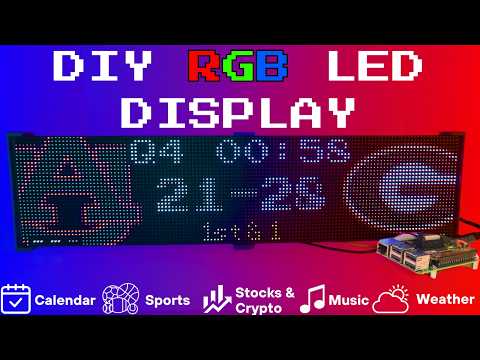
Setup video and feature walkthrough on Youtube (Outdated but still useful) :
Connect with ChuckBuilds
- Show support on Youtube: https://www.youtube.com/@ChuckBuilds
- Check out the write-up on my website: https://www.chuck-builds.com/led-matrix/
- Stay in touch on Instagram: https://www.instagram.com/ChuckBuilds/
- Want to chat? Reach out on the LEDMatrix Discord: https://discord.com/invite/uW36dVAtcT
- Feeling Generous? Consider sponsoring this project or sending a donation (these AI credits aren't cheap!)
Special Thanks to:
- Hzeller for his groundwork on controlling an LED Matrix from the Raspberry Pi
- Cursor for making this project possible
- CodeRabbit for fixing my PR's
- Everyone involved in this project for their patience, input, and support
Core Features
Core Features
LEDMatrix is a plugin platform: the displays below are plugins installed from the built-in Plugin Store (web interface → Plugins), where each can be individually enabled, ordered, and configured — display durations, teams, stocks, weather, timezones, and more. The core repo ships with just two bundled plugins (`starlark-apps` and `web-ui-info`); the official plugins live in the [ledmatrix-plugins](https://github.com/ChuckBuilds/ledmatrix-plugins) monorepo and install with one click, and third-party plugins can be installed from their own GitHub repositories. Displays available in the store include:Time and Weather
-
Real-time clock display (2x 64x32 Displays 4mm Pixel Pitch)
-
Current Weather, Daily Weather, and Hourly Weather Forecasts (2x 64x32 Displays 4mm Pixel Pitch)
-
Google Calendar event display (2x 64x32 Displays 4mm Pixel Pitch)
Sports Information
The system supports live, recent, and upcoming game information for multiple sports leagues:
-
NHL (Hockey) (2x 64x32 Displays 4mm Pixel Pitch)
-
NBA (Basketball)
-
MLB (Baseball) (2x 64x32 Displays 4mm Pixel Pitch)
-
NFL (Football) (2x 96x48 Displays 2.5mm Pixel Pitch)
-
NCAA Football (2x 96x48 Displays 2.5mm Pixel Pitch)
-
NCAA Men's Basketball
-
NCAA Men's Baseball
-
Soccer (Premier League, La Liga, Bundesliga, Serie A, Ligue 1, Liga Portugal, Champions League, Europa League, MLS)
-
(Note, some of these sports seasons were not active during development and might need fine tuning when games are active)
Financial Information
- Near real-time stock & crypto price updates
- Stock news headlines
- Customizable stock & crypto watchlists (2x 64x32 Displays 4mm Pixel Pitch)
Entertainment
- Music playback information from multiple sources:
- Spotify integration
- YouTube Music integration
- Album art display
- Now playing information with scrolling text (2x 64x32 Displays 4mm Pixel Pitch)
Custom Display Features
-
Custom Text display (2x 64x32 Displays 4mm Pixel Pitch)
-
Youtube Subscriber Count Display (2x 64x32 Displays 4mm Pixel Pitch)
Hardware
Hardware Requirements
Hardware Requirements
| ⚠️ IMPORTANT |
|---|
| This project can be finnicky! RGB LED Matrix displays are not built the same or to a high-quality standard. We have seen many displays arrive dead or partially working in our discord. Please purchase from a reputable vendor. |
Raspberry Pi
- Raspberry Pi Zero's don't have enough processing power for this project.
- Raspberry Pi 3B, 4, or 5
Amazon Affiliate Link – Raspberry Pi 4 4GB RAM
Amazon Affiliate Link – Raspberry Pi 4 8GB RAM
- Pi 5 users: the installer automatically detects Pi 5 and builds the
rpi-rgb-led-matrixlibrary with RP1 support. If you previously installed on a Pi 4 and migrated the SD card, or if you seemmaperrors in the logs, force a fresh library build:sudo RPI_RGB_FORCE_REBUILD=1 ./first_time_install.sh - Pi 5 config: leave
rp1_rioat0(PIO mode, default) and setgpio_slowdownto1or2. - 1GB models (Pi 3B / 3B+) and other low-memory boards: supported, but the
rpi-rgb-led-matrixC++ build needs more memory than the Pi has. The installer detects this automatically, compiles with fewer parallel jobs, and adds a temporary swapfile for the build which it removes afterwards. Expect that step to take 15-25 minutes instead of 2-5, and leave at least 3GB free on the SD card. If you manage swap yourself, opt out with--skip-swap. To pin the compiler down further, use--build-jobs 1.
- Pi 5 users: the installer automatically detects Pi 5 and builds the
RGB Matrix Bonnet / HAT
- Adafruit RGB Matrix Bonnet/HAT – supports one “chain” of horizontally connected displays
- Adafruit Triple LED Matrix Bonnet – supports up to 3 vertical “chains” of horizontally connected displays (use
regular-pi1as hardware mapping) - Electrodragon RGB HAT – supports up to 3 vertical “chains”
- Seengreat Matrix Adapter Board – single-chain LED Matrix (use
regularas hardware mapping)
LED Matrix Panels
(2x in a horizontal chain is recommended)
- Adafruit 64×32 – designed for 128×32 but works with dynamic scaling on many displays (pixel pitch is user preference) **Warning: Lately the Waveshare Panels have had different variations - only some are compatible with this project. I hope to identify what is different to fix it but so far there is a decent chance you get a mis-matched set of panels if you don't buy them all at once! **
- Waveshare 64×32 - Does not require E addressable pad
- Waveshare 96×48 – higher resolution, requires soldering the E addressable pad on the Adafruit RGB Bonnet to “8” OR toggling the DIP switch on the Adafruit Triple LED Matrix Bonnet (no soldering required!)
- There are some Panels on Aliexpress that have worked fine for me, shop around! I think Adafruit is probably the "safest" but they do have some limitation on resolution and layout.
Amazon Affiliate Links – ChuckBuilds receives a small commission on purchases
Power Supply
- 5V 4A DC Power Supply (good for 2 -3 displays, depending on brightness and pixel density, you'll need higher amperage for more)
- 5V 10A DC Power Supply (good for 6-8 displays, depending on brightness and pixel density)
Optional but recommended mod for Adafruit RGB Matrix Bonnet
- By soldering a jumper between pins 4 and 18, you can run a specialized command for polling the matrix display. This provides better brightness, less flicker, and better color.
- If you do the mod, we will use the default config with led-gpio-mapping=adafruit-hat-pwm, otherwise just adjust your mapping in config.json to adafruit-hat
- More information available: https://github.com/hzeller/rpi-rgb-led-matrix/tree/master?tab=readme-ov-file
Possibly required depending on the display you are using.
- Some LED Matrix displays require an "E" addressable line to draw the display properly. The 64x32 Adafruit display does NOT require the E addressable line, however the 96x48 Waveshare display DOES require the "E" Addressable line.
- Various ways to enable this depending on your Bonnet / HAT.
Your display will look like it is "sort of" working but still messed up.
or
or
How to set addressable E line on various HATs:
-
Adafruit Single Chain HATs
or
-
Adafruit Triple Chain HAT
-
ElectroDragon RGB LED Matrix Panel Drive Board
2 Matrix display with Rpi connected to Adafruit Single Chain HAT.
Mount / Stand options
Mount/Stand
I 3D printed stands to keep the panels upright and snug. STL Files are included in the Repo but are also available at https://www.thingiverse.com/thing:5169867 Thanks to "Randomwire" for making these for the 4mm Pixel Pitch LED Matrix.
Special Thanks for Rmatze for making:
- 3mm Pixel Pitch RGB Stand for 32x64 Display : https://www.thingiverse.com/thing:7149818
- 4mm Pixel Pitch RGB Stand for 32x64 Display : https://www.thingiverse.com/thing:7165993
These are not required and you can probably rig up something basic with stuff you have around the house. I used these screws: https://amzn.to/4mFwNJp (Amazon Affiliate Link)
Installation Steps
Preparing the Raspberry Pi
Preparing the Raspberry Pi
| ⚠️ IMPORTANT |
|---|
| It is required to use the NEW Raspberry Pi Imager tool. If your tool doesn't look like my screenshots, be sure to update it. |
-
Create RPI Image on a Micro-SD card (I use whatever I have laying around, size is not too important but I would use 8gb or more) using Raspberry Pi Imager
-
Choose your Raspberry Pi (3B+ in my case)
- For Operating System (OS), choose "Other"
- Then choose Raspbian OS (64-bit) Lite (Trixie)
- For Storage, choose your micro-sd card
| ⚠️ IMPORTANT |
|---|
| Make sure it's the correct drive! Data will be erased! |
- Choose the hostname of the device. This will be often used to access the web-ui and will be the name of the device on your network. I recommend "ledpi".
- Choose your timezone and keyboard layout.
- Set your username and password. This is your "root" password and is important, make sure you remember it! We will use it to access the Raspberry Pi via SSH.
- (Optional) Choose your Wi-fi network and enter wifi password. This can be changed in the future. This is also optional if you are going to connect it via ethermet.
- Enable SSH and opt for "Use Password Authentication". You can use public key auth if you know how but for the sake of new folks, let's use the password that we chose in Step 9.
- Disable Raspberry Pi Connect. It's a VPN / Remote Connection tool built into Raspberry Pi, it seems like there might be a subscription? Not sure but I am not using it.
- Double check your settings then confirm by clicking "Write".
- Final warning to be SURE that you have the correct micro-sd card inserted and selected as all data on the drive will be erased.
You're done with preparing the Operating System. Once the Raspberry Pi Imager has finished writing to the micro-sd card it will let you know it is safe to eject. Eject the micro-sd card and plug it into the Raspberry Pi and turn it on.
System Setup & Installation
System Setup & Installation
Once your Raspberry Pi has turned on and connected to your wifi (check your router's dhcp leases) or just give it a few minutes after plugging it in. We will connect via ssh.
Secure Shell (SSH) is a way to connect to the device and execute commands. On Windows, I recommend using Powershell. On MacOS or Linux, I recommend using Terminal.
- SSH into your Raspberry Pi:
ssh ledpi@ledpi
The format "username@hostname" is coincidentally the same for this project (which is fine) but if you changed the username, hostname, or your router's DNS doesn't recognize the hostname you would use "username@ipaddress". You can skip the username and just enter "ssh hostname" or "ssh ipaddress" and it will prompt you for a username.
Quick Install (Recommended)
Paste this single command into SSH using Ctrl+Shift+V on Windows or Shift+Command+V on Mac.
Tip
Terminal can be funky about pasting with just Ctrl+V, by right click -> paste or using Ctrl+Shift+V you will be able to paste without additional unwanted characters.
curl -fsSL https://raw.githubusercontent.com/ChuckBuilds/LEDMatrix/main/scripts/install/one-shot-install.sh | bash
This one-shot installer will automatically:
- Check system prerequisites (network, disk space, memory, sudo access)
- Install required system packages (git, python3, build tools, etc.)
- Clone or update the LEDMatrix repository
- Run the complete first-time installation script
The installation process typically takes 10-30 minutes depending on your internet connection and Pi model. Pi 3B/3B+ and other 1GB boards land at the top of that range, because the C++ library is compiled serially to stay within available memory. All errors are reported explicitly with actionable fixes.
Note: The script is safe to run multiple times and will handle existing installations gracefully.
Manual Installation (Alternative)
If you prefer to install manually or the one-shot installer doesn't work for your setup:
- SSH into your Raspberry Pi:
ssh ledpi@ledpi
- Update repositories, upgrade Raspberry Pi OS, and install prerequisites:
sudo apt update && sudo apt upgrade -y
sudo apt install -y git python3-pip cython3 build-essential python3-dev python3-pillow scons
- Clone this repository:
git clone https://github.com/ChuckBuilds/LEDMatrix.git
cd LEDMatrix
- Run the first-time installation script:
chmod +x first_time_install.sh
sudo bash ./first_time_install.sh
This single script installs services, dependencies, configures permissions and sudoers, and validates the setup.
It finishes by asking whether to reboot. If you run it non-interactively — piped, over a script, or with -y — there is no one to ask, so it reboots immediately without prompting. Pass --no-reboot-prompt to install without rebooting:
sudo bash ./first_time_install.sh -y --no-reboot-prompt
Configuration
Configuration
Configuration
Initial Setup
For a complete list of every key in config.json and
config_secrets.json, see
docs/CONFIG_REFERENCE.md.
For most settings I recommend using the web interface: Edit the project via the web interface at http://[IP ADDRESS or HOSTNAME]:5000 or http://ledpi:5000 .
If you need to manually edit your config file, you can follow the steps below:
Manual Config.json editing
-
First-time setup: The previous "First_time_install.sh" script should've already copied the template to create your config.json:
-
Edit your configuration:
sudo nano config/config.json
Automatic Configuration Migration
The system automatically handles configuration updates:
- New installations: Creates
config.jsonfrom the template automatically - Existing installations: Automatically adds new configuration options with default values when the system starts
- Backup protection: Creates a backup of your current config before applying updates
- No conflicts: Your custom settings are preserved while new options are added
Everything is configured via config/config.json and config/config_secrets.json and are not tracked by Git to prevent conflicts during updates.
Running the Display
Recommended: Use Web UI Quick Actions
I recommend using the web-ui "Quick Actions" to control the Display.
Plugins
Plugin Store
See the Plugin Store documentation for detailed installation instructions.
The easiest way to discover and install plugins is through the Plugin Store in the LEDMatrix web interface:
- Open the web interface (
http://your-pi-ip:5000) - Navigate to the Plugin Manager tab
- Browse available plugins in the Plugin Store
- Click Install on any plugin you want
- Configure and enable plugins through the web UI
Installing 3rd-Party Plugins
You can also install plugins directly from GitHub repositories:
- Single Plugin: Install from any GitHub repository URL
- Registry/Monorepo: Install multiple plugins from a single repository
See the Plugin Store documentation for detailed installation instructions.
For plugin development, check out the Hello World Plugin repository as a starter template.
Visual Skins for Scoreboards
Want a different look for a sports scoreboard without forking the plugin?
Skins restyle the live/recent/upcoming screens while the plugin keeps
handling data, scheduling, caching, and vegas mode. Install one with
git clone <skin repo> skins/<skin-id>, select it in the plugin's config,
and you're done — see docs/SKIN_SYSTEM.md (how it
works) and docs/CREATING_SKINS.md (build your own,
including a ready-made Claude Code prompt).
- Built-in Managers Deprecated: The built-in managers (hockey, football, stocks, etc.) are now deprecated and have been moved to the plugin system. You must install replacement plugins from the Plugin Store in the web interface instead. The plugin system provides the same functionality with better maintainability and extensibility.
Detailed Information
Display Settings from RGBLEDMatrix Library
Display Settings
If you are copying my exact setup, you can likely leave the defaults alone. However, if you have different hardware or want to customize the display behavior, these settings allow you to fine-tune the LED matrix configuration.
The display settings are located in config/config.json under the "display" key and are organized into three main sections: hardware, runtime, and display_durations.
Hardware Configuration (display.hardware)
These settings control the physical hardware configuration and how the matrix is driven.
Basic Panel Configuration
-
rows(integer, default: 32)- Number of LED rows (vertical pixels) in each panel
- Common values: 16, 32, 48, 64
- Must match your physical panel configuration
-
cols(integer, default: 64)- Number of LED columns (horizontal pixels) in each panel
- Common values: 32, 64, 96, 128
- Must match your physical panel configuration
-
chain_length(integer, default: 2)- Number of LED panels chained together horizontally
- If you have 2 panels side-by-side, set to 2
- If you have 4 panels in a row, set to 4
- Total display width =
cols × chain_length
-
parallel(integer, default: 1)- Number of parallel chains (panels stacked vertically)
- Use 1 for a single row of panels
- Use 2 if you have panels stacked in two rows
- Total display height =
rows × parallel
Brightness and Visual Settings
brightness(integer, 0-100, default: 90)- Display brightness level
- Lower values (0-50) are dimmer, higher values (50-100) are brighter
- Recommended: 70-90 for indoor use, 90-100 for bright environments
- Very high brightness may cause distortion or require more power
Hardware Mapping
hardware_mapping(string, default: "adafruit-hat-pwm")- Specifies which GPIO pin mapping to use for your hardware
"adafruit-hat-pwm": Use this for Adafruit RGB Matrix Bonnet/HAT WITH the jumper mod (PWM enabled). This is the recommended setting for Adafruit hardware with the PWM jumper soldered."adafruit-hat": Use this for Adafruit RGB Matrix Bonnet/HAT WITHOUT the jumper mod (no PWM). Remove-pwmfrom the value if you did not solder the jumper."regular": Standard GPIO pin mapping for direct GPIO connections (Generic)"regular-pi1": Standard GPIO pin mapping for Raspberry Pi 1 (older hardware or non-standard hat mapping)- Choose the option that matches your specific hardware setup, if aren't sure try them all.
PWM (Pulse Width Modulation) Settings
These settings affect color fidelity and smoothness of color transitions:
-
pwm_bits(integer, default: 9)- Number of bits used for PWM (affects color depth)
- Higher values (9-11) = more color levels, smoother gradients
- Lower values (7-8) = fewer color levels, but may improve stability on some hardware
- Range: 1-11, recommended: 9-10
-
pwm_dither_bits(integer, default: 1)- Additional dithering bits for smoother color transitions
- Helps reduce color banding in gradients
- Higher values (1-2) = smoother gradients but may impact performance
- Range: 0-2, recommended: 1
-
pwm_lsb_nanoseconds(integer, default: 130)- Least significant bit timing in nanoseconds
- Controls the base timing for PWM signals
- Lower values = faster PWM, higher values = slower PWM
- Typical range: 100-300 nanoseconds
- May need adjustment if you see flickering or color issues
Advanced Hardware Settings
-
scan_mode(integer, default: 0)- Panel scan mode (how rows are addressed)
- Common values: 0 (progressive), 1 (interlaced)
- Most panels use 0, but some require 1
- Check your panel datasheet if colors appear incorrect
-
limit_refresh_rate_hz(integer, default: 100)- Maximum refresh rate in Hz (frames per second)
- Caps the refresh rate for better stability
- Lower values (60-80) = more stable, less CPU usage
- Higher values (100-120) = smoother animations, more CPU usage
- Recommended: 80-100 for most setups
-
disable_hardware_pulsing(boolean, default: false)- Disables hardware pulsing (usually leave as false)
- Set to
trueonly if you experience timing issues - Most users should leave this as
false
-
inverse_colors(boolean, default: false)- Inverts all colors (red becomes cyan, etc.)
- Useful if your panel has inverted color channels
- Set to
trueonly if colors appear inverted
-
show_refresh_rate(boolean, default: false)- Displays the current refresh rate on the matrix (for debugging)
- Set to
trueto see FPS on the display - Useful for troubleshooting performance issues
Advanced Panel Configuration (Advanced Users Only)
These settings are typically only needed for non-standard panels or custom configurations:
-
led_rgb_sequence(string, default: "RGB")- Color channel order for your LED panel
- Common values: "RGB", "RBG", "GRB", "GBR", "BRG", "BGR"
- Most panels use "RGB", but some use "GRB" or other orders
- Check your panel datasheet if colors appear wrong
-
pixel_mapper_config(string, default: "")- Advanced pixel mapping configuration
- Used for custom panel layouts, rotations, or transformations
- Examples: "U-mapper", "Rotate:90", "Mirror:H"
- Leave empty unless you need custom mapping
- See rpi-rgb-led-matrix documentation for full options
-
orientation(string, default: "normal")- Rotates the rendered image to match how the panel is physically mounted
- Set to
"180"(or use the "Upside Down" option in the web UI's Display settings) if the panel is mounted upside down — useful for optimizing where the Raspberry Pi and wiring sit relative to the mounting location - Applied independently of
pixel_mapper_config(appended as a trailingRotate:180mapper), so custom mapper configs keep working alongside it
-
row_address_type(integer, default: 0)- How rows are addressed on the panel
- Most panels use 0 (direct addressing)
- Some panels require 1 (AB addressing) or 2 (ABC addressing)
- Check your panel datasheet if display appears corrupted
-
multiplexing(integer, default: 0)- Panel multiplexing type
- 0 = no multiplexing (standard panels)
- Higher values for panels with different multiplexing schemes
- Check your panel datasheet for the correct value
Runtime Configuration (display.runtime)
These settings control runtime behavior and GPIO timing:
gpio_slowdown(integer, default: 3)- GPIO timing slowdown factor
- Critical setting: Must match your Raspberry Pi model for stability
- Raspberry Pi 3: Use 3
- Raspberry Pi 4: Use 4
- Raspberry Pi 5: Use 1–2 in PIO mode (
rp1_rio: 0, the default); start with1and increase if you see flickering - Raspberry Pi Zero/1: Use 1-2
- Incorrect values can cause display corruption, flickering, or system instability
- If you experience issues, try adjusting this value up or down by 1
Display Durations (display.display_durations)
Controls how long each installed plugin stays visible in seconds before switching to the next one, keyed by plugin id.
- Plugin-specific durations
- Each plugin can have its own duration setting
- Format:
"<plugin-id>": <seconds> - Example:
"hockey-scoreboard": 45shows hockey scores for 45 seconds - Example:
"weather": 20shows weather for 20 seconds - If a plugin doesn't have a duration here, it uses its default (usually 15 seconds)
- You can also set
display_durationin each plugin's individual configuration
Tips for Display Durations:
- Longer durations (30-60 seconds) = more time to read content, slower cycling
- Shorter durations (10-20 seconds) = faster cycling, less time per display
- Balance based on your preference and how much information each display shows
- For example, if you want more focus on stocks, increase the stock plugin's duration value
Display Format Settings
use_short_date_format(boolean, default: true)- Use short date format (e.g., "Jan 15") instead of long format (e.g., "January 15th")
- Set to
falsefor longer, more readable dates - Set to
trueto save space and show more information
Dynamic Duration Settings (display.dynamic_duration)
max_duration_seconds(integer, optional)- Maximum duration cap for plugins that use dynamic durations
- Some plugins can automatically adjust their display time based on content
- This setting limits how long they can extend (prevents one display from dominating)
- Example: If set to 60, a plugin can extend up to 60 seconds even if it requests longer
- Leave unset to use the default cap (typically 90 seconds)
Example Configuration
{
  "display": {
    "hardware": {
      "rows": 32,
      "cols": 64,
      "chain_length": 2,
      "parallel": 1,
      "brightness": 90,
      "hardware_mapping": "adafruit-hat-pwm",
      "scan_mode": 0,
      "pwm_bits": 9,
      "pwm_dither_bits": 1,
      "pwm_lsb_nanoseconds": 130,
      "disable_hardware_pulsing": false,
      "inverse_colors": false,
      "show_refresh_rate": false,
      "limit_refresh_rate_hz": 100
    },
    "runtime": {
      "gpio_slowdown": 4
    },
    "display_durations": {
      "calendar": 30,
      "hockey-scoreboard": 45,
      "weather": 20,
      "stocks": 25
    },
    "use_short_date_format": true,
    "dynamic_duration": {
      "max_duration_seconds": 60
    }
  }
}
Troubleshooting Display Settings
Display is blank or shows garbage:
- Check
rows,cols,chain_length, andparallelmatch your physical setup - Verify
hardware_mappingmatches your HAT/connection type - Try adjusting
gpio_slowdown - Ensure your display doesn't need the E-Addressable line
Colors are wrong or inverted:
- Check
led_rgb_sequence(try "GRB" if "RGB" doesn't work) - Try setting
inverse_colorstotrue - Verify
hardware_mappingis correct for your hardware
Display flickers or is unstable:
- Increase
gpio_slowdownby 1-2 - Lower
limit_refresh_rate_hzto 60-80 - Check power supply (LED matrices need adequate power)
Display is too dim or too bright:
- Adjust
brightness(0-100) - Very high brightness may require better power supply
Performance issues:
- Lower
limit_refresh_rate_hz - Reduce
pwm_bitsto 8 - Set
pwm_dither_bitsto 0
Manual SSH Commands (for reference)
The quick actions essentially just execute the following commands on the Pi.
From the project root directory (ex: /home/ledpi/LEDMatrix):
sudo python3 display_controller.py
This will start the display cycle but only stays active as long as your ssh session is active.
Convenience Scripts
Two convenience scripts are provided for easy service management:
start_display.sh- Starts the LED matrix display servicestop_display.sh- Stops the LED matrix display service
Make them executable with:
chmod +x start_display.sh stop_display.sh
Then use them to control the service:
sudo ./start_display.sh
sudo ./stop_display.sh
Service Installation Details
The first time install will handle this: The LEDMatrix can be installed as a systemd service to run automatically at boot and be managed easily. The service runs as root to ensure proper hardware timing access for the LED matrix.
Installing the Service (this is included in the first_time_install.sh)
- Make the install script executable:
chmod +x scripts/install/install_service.sh
- Run the install script with sudo:
sudo ./scripts/install/install_service.sh
The script will:
- Detect your user account and home directory
- Install the service file with the correct paths
- Enable the service to start on boot
- Start the service immediately
Managing the Service
The following commands are available to manage the service:
# Stop the display
sudo systemctl stop ledmatrix.service

# Start the display
sudo systemctl start ledmatrix.service

# Check service status
sudo systemctl status ledmatrix.service

# View logs
journalctl -u ledmatrix.service

# Disable autostart
sudo systemctl disable ledmatrix.service

# Enable autostart
sudo systemctl enable ledmatrix.service
Web Interface Installation Details
The first time install will handle this: The LEDMatrix system includes Web Interface that runs on port 5000 and provides real-time display preview, configuration management, and on-demand display controls.
Installing the Web Interface Service
The first-time installer (
first_time_install.sh) already installs the web service. The steps below only apply if you need to (re)install it manually.
- Make the install script executable:
chmod +x scripts/install/install_web_service.sh
- Run the install script with sudo:
sudo ./scripts/install/install_web_service.sh
The script will:
- Copy the web service file to
/etc/systemd/system/ - Enable the service to start on boot
- Start the service immediately
- Show the service status
Web Interface Configuration
The web interface can be configured to start automatically with the main display service:
- In
config/config.json, ensure the web interface autostart is enabled:
{
    "web_display_autostart": true
}
- The web interface will now start automatically when:
- The system boots
- The
web_display_autostartsetting istruein your config
Accessing the Web Interface
Once installed, you can access the web interface at:
http://your-pi-ip:5000
Managing the Web Interface Service
# Check service status
sudo systemctl status ledmatrix-web.service

# View logs
journalctl -u ledmatrix-web.service -f

# Stop the service
sudo systemctl stop ledmatrix-web.service

# Start the service
sudo systemctl start ledmatrix-web.service

# Disable autostart
sudo systemctl disable ledmatrix-web.service

# Enable autostart
sudo systemctl enable ledmatrix-web.service
Web Interface Features
- Real-time Display Preview: See what's currently displayed on the LED matrix
- Configuration Management: Edit settings through a web interface
- On-Demand Controls: Start specific displays (weather, stocks, sports) on demand
- Service Management: Start/stop the main display service
- System Controls: Restart, update code, and manage the system
- API Metrics: Monitor API usage and system performance
- Logs: View system logs in real-time
Troubleshooting Web Interface
Web Interface Not Accessible After Restart:
- Check if the web service is running:
sudo systemctl status ledmatrix-web.service - Verify the service is enabled:
sudo systemctl is-enabled ledmatrix-web.service - Check logs for errors:
journalctl -u ledmatrix-web.service -f - Ensure
web_display_autostartis set totrueinconfig/config.json
Port 5000 Not Accessible:
- Check if the service is running on the correct port
- Verify firewall settings allow access to port 5000
- Check if another service is using port 5000
Service Fails to Start:
- Check Python dependencies are installed
- Verify the virtual environment is set up correctly
- Check file permissions and ownership
If you've read this far — thanks!
License
LEDMatrix is licensed under the GNU General Public License v3.0 or later.
LEDMatrix builds on
rpi-rgb-led-matrix,
which is GPL-2.0-or-later. The "or later" clause makes it compatible
with GPL-3.0 distribution.
Plugin contributions in
ledmatrix-plugins
are also GPL-3.0-or-later unless individual plugins specify otherwise.
Contributing
See CONTRIBUTING.md for development setup, the PR flow, and how to add a plugin. Bug reports and feature requests go in the issue tracker. Security issues should be reported privately per SECURITY.md.