 ChuckandClaude Sonnet 5
21825cbfbc
ChuckandClaude Sonnet 5
21825cbfbc
* fix(fonts): resolve asset paths against the install root, not the cwd

FontManager built its catalog from cwd-relative paths ('assets/fonts'),
so any process started outside the install root — the plugin safety
harness on CI being the recurring case — found no fonts and silently
degraded every plugin to PIL's default face. Several plugins grew
per-plugin workarounds for exactly this (countdown, text-display,
tide-display in the plugins monorepo).

Catalog population now falls back to the install root derived from this
module's location when the cwd-relative path is missing; behavior when
running from the install root is unchanged. Verified: resolve_font
returns the real FreeType face from a foreign cwd, and the full unit
suites (266 tests) pass.

Co-Authored-By: Claude Fable 5 <noreply@anthropic.com>
Claude-Session: https://claude.ai/code/session_01FgbA8SMutQQpXkMG8LMmC4

* docs: seed CHANGELOG.md with the module-availability release discipline

The plugins monorepo's sunset rule ('delete a bundled fallback copy only
when the manifest floors on the first core release shipping the module')
needs core module additions recorded against version numbers. Seeds the
changelog at 3.1.0 and documents the discipline.

Co-Authored-By: Claude Fable 5 <noreply@anthropic.com>
Claude-Session: https://claude.ai/code/session_01FgbA8SMutQQpXkMG8LMmC4

* ci: enroll the core unit suites in a dedicated job

The existing workflow ran only the three plugin-harness suites; the
skin-system, font-manager, data-source, extractor, scroll-helper,
adaptive-layout, and loader-compat suites (266 tests) existed but never
ran in CI, so a refactor of src/base_classes or src/common could regress
them silently. Also enrolls the new sports characterization and
element-style suites landing in this branch.

Co-Authored-By: Claude Fable 5 <noreply@anthropic.com>
Claude-Session: https://claude.ai/code/session_01FgbA8SMutQQpXkMG8LMmC4

* feat: ship src/element_style — the per-element style resolver plugins already expect

Three plugins (of-the-day, ledmatrix-music, football-scoreboard) import
src.element_style behind guarded try/except with classic fallbacks, but
the module never existed in core, so the richer per-element styling UI
those code paths implement has been dormant. This lands it:

- ElementStyleResolver.style() resolves per-element font/size/color with
  the key semantic the consumers encode: a config value counts as
  user-forced only when it differs from the schema default (the web UI
  bakes defaults into config.json on save), and untouched configs
  resolve to exactly the caller's classic values — byte-identical
  rendering, proven by of-the-day's committed goldens passing unchanged.
- defaults_from_schema_file parses both declaration forms (the compact
  x-style-elements map and hand-written customization blocks).
- expand_style_elements() expands x-style-elements into full config
  blocks; schema_manager.load_schema() applies it (guarded, no-op for
  schemas without the declaration) so the config form and defaults
  merging see the expanded UI.
- Fonts resolve cwd-independently with (path, size) caching; .bdf loads
  via freetype like FontManager; nothing in the module raises out of
  style().

Verified: 31 new unit tests; of-the-day's previously-skipped 9-test
spec suite now runs and passes; football's resolver tests pass (27);
music's 38 plugin tests pass; schema-manager suites pass (43).

Co-Authored-By: Claude Fable 5 <noreply@anthropic.com>
Claude-Session: https://claude.ai/code/session_01FgbA8SMutQQpXkMG8LMmC4

* test: characterization suite for src/base_classes/sports.py ahead of unification

Pins current behavior before the planned merge of the nine drifted
plugin copies back into this ancestor: the _extract_game_details_common
key contract per sport (reusing GUARANTEED_KEYS from the skin tests),
update() flows for upcoming/recent/live against cache-seeded fixtures
under frozen time, rendering smoke per mode class, and guard rails on
the skin-system seam.

Five surprising behaviors are pinned AS-IS and flagged in comments so
the merge changes them knowingly or not at all: is_upcoming also
matching status.type.name; hockey dropping events whose competitors
lack 'statistics'; baseball reading the event-level status for innings;
no past-date filter in upcoming; and favorites-only mode with an empty
favorites list showing nothing.

Co-Authored-By: Claude Fable 5 <noreply@anthropic.com>
Claude-Session: https://claude.ai/code/session_01FgbA8SMutQQpXkMG8LMmC4

* ci: restrict the test workflow's GITHUB_TOKEN to contents:read

CodeQL flagged the new unit-tests job for running with the default
unrestricted token; the pre-existing job had the same exposure. Both
jobs only check out the repo and run pytest, so a workflow-level
contents:read is sufficient.

Co-Authored-By: Claude Fable 5 <noreply@anthropic.com>
Claude-Session: https://claude.ai/code/session_01FgbA8SMutQQpXkMG8LMmC4

* refactor(sports): convert sports.py into a package (pure move)

Phase B1a of docs/SPORTS_UNIFICATION.md. src/base_classes/sports.py
becomes a package so the upcoming capability modules have a home and
diffs show their blast radius:

  sports/__init__.py   re-exports the public API
  sports/core.py       SportsCore
  sports/modes.py      SportsUpcoming / SportsRecent / SportsLive

No logic change: the 1515 class-body lines are byte-identical to the
original (verified by concatenating the two modules and diffing against
HEAD). Only module docstrings and the redistributed import blocks are
new. MRO and __abstractmethods__ are unchanged, and every existing
import site — including 'from src.base_classes.sports import SportsCore'
in the sport subclasses, the skin tests, and the characterization
suite — resolves through the package __init__.

One test edit was required: the characterization suite monkeypatched
'src.base_classes.sports.get_background_service', which is no longer a
module attribute on a package. Retargeted to
'src.base_classes.sports.core.get_background_service' — the module whose
globals SportsCore.__init__ actually resolves, so the patch is effective
exactly as before. No test logic or assertion changed.

Also adds docs/SPORTS_UNIFICATION.md: the architecture for the whole
B1-B5 sequence — how upgradability (guarded imports, capability probing,
frozen view-model keys, the sunset rule), reusability (promote only what
all nine copies share), and modularity (capabilities as opt-in mixins
rather than config branches, variants as named strategies, sport-unique
code as declared override points) are kept as three separate mechanisms.

Verified: characterization + skin 94 passed; the 10-file unit suite 338
passed; test/plugins 60 passed — all identical to pre-change counts.

Co-Authored-By: Claude Opus 5 <noreply@anthropic.com>
Claude-Session: https://claude.ai/code/session_01FgbA8SMutQQpXkMG8LMmC4

* feat(sports): promote the nine universal methods into the base classes

Phase B1b of docs/SPORTS_UNIFICATION.md. Every method here is present in
all nine bundled plugin sports.py copies and absent from core, so this is
reuse of code the fleet already agreed on — not new behavior. The
promotions are inert until B5: the plugins' own overrides still run.

SportsCore: cleanup, _get_layout_offset, _load_custom_font_from_element_config
SportsUpcoming: _select_games_for_display
SportsRecent: _get_zero_clock_duration, _clear_zero_clock_tracking,
              _select_recent_games_for_display
SportsLive: _is_game_really_over, _detect_stale_games

Where the copies disagreed, the canonical form was chosen on evidence and
the genuine per-sport differences became seams rather than branches:

- _favorite_key(game, side) -- NRL matches favorites on team id because its
  abbreviations are ambiguous (NEW is both Newcastle Knights and New
  Zealand Warriors). Default is the abbreviation; NRL overrides. Core never
  learns the string nrl.
- FINAL_PERIOD / CLOCK_COUNTS_DOWN -- hockey ends in P3, and soccer/afl/nrl
  clocks count UP, so 0:00 means kickoff, not expiry.
- _config_schema_path() / _font_root() -- plugin-supplied locations, never
  derived from this module's __file__.

BEHAVIOR CHANGE (baseball, ufc): the rejected variant coerced a missing or
non-str clock to the literal 0:00 and then declared the game over at
period >= 4. MLB has no game clock and period is the inning, so live games
were being evicted from the 5th inning onward; UFC likewise. The promoted
variant skips the clock check when the clock is unusable -- it fails safe
(keeps showing the game) instead of failing destructive.

Also fixes a regression from the package move in e591cec: the bodies were
byte-identical but __file__ gained a directory, so _resolve_project_path's
parents[2] silently began resolving to <root>/src instead of the repo root.
Both it and _font_root now derive from a single _INSTALL_ROOT constant, so
a future move needs one line changed rather than two hand-counted depths.
Tests assert the resolved values, not the index.

The font loader takes baseball's body (BDF memo cache + native-strike
retry) under hockey's Optional signature -- the older lineage is the
correct one here, and basketball's positional str default breaks on an
explicit None. It resolves through _font_root rather than the cwd, so it
does not reintroduce the bug just fixed for FontManager, and delegates to
FontManager for the alias table and BDF header parse instead of shipping
second copies. cleanup gained the two new font caches and still leaves
background_service alone -- it is a process-wide singleton.

Verified: 111 new tests (48 core + 59 modes + 4 install-root regression);
characterization + skin suites still exactly 94, unchanged.

Co-Authored-By: Claude Opus 5 <noreply@anthropic.com>
Claude-Session: https://claude.ai/code/session_01FgbA8SMutQQpXkMG8LMmC4

* fix(sports): stop dropping hockey and baseball events on optional feed keys

Both bugs were pinned AS-IS by the B0 characterization suite so this
phase could change them knowingly. Both fixes are adoptions of code the
corresponding plugins already ship, not new inventions.

Hockey: the extractor read competitor["statistics"] unguarded, so a
competitor arriving without that array raised KeyError inside the
generator and the WHOLE event was discarded -- valid scores and status
included. Shot/save counts now default to 0, which is already what the
suite expects for an empty statistics array.

Baseball: for live games the extractor read game_event["status"], the
event TOP-LEVEL status, to get the inning. Real ESPN events duplicate
status there, but MiLB events (synthesized from the MLB Stats API into
an ESPN-like shape) populate only the competition-level one, so the
lookup raised a bare KeyError and dropped the event. It now reads the
competition-level status that _extract_game_details_common has already
validated, so it cannot be missing at that point.

The two characterization tests that pinned the old behaviour are
rewritten to assert the fix rather than deleted, so the suite still
documents the edge case -- and still totals 94.

CHANGELOG records these plus the live-clock change from aaabc61 under
Changed/Fixed, since all three are user-visible. The two new promotion
suites join the CI unit job (449 tests).

Verified: unit job 449 passed, plugin-safety job 60 passed, and the
hockey (16) and baseball (24) plugin harnesses render clean at every
panel size.

Co-Authored-By: Claude Opus 5 <noreply@anthropic.com>
Claude-Session: https://claude.ai/code/session_01FgbA8SMutQQpXkMG8LMmC4

* fix(sports): harden the live game-over check and font/log init

Follow-up review findings on the promoted base-class methods.

_is_game_really_over:
- `period` present-but-None raised TypeError on `None >= FINAL_PERIOD`,
  taking down the whole live-update pass (_detect_stale_games has no
  try/except). Same failure shape as the null `period_text` already fixed.
- An expired clock spelled "00:00" normalizes to "0000", which matched
  none of the hand-listed literals, so a finished game with a two-digit
  minute clock stayed on the scoreboard forever. Compare numerically.

SportsCore:
- _load_fonts kept the cwd-relative "assets/fonts/..." literals the
  _font_root() seam exists to remove, so every scoreboard font degraded
  to PIL's default face outside the install root.
- _should_log read self._last_warning_time unguarded while only an
  unrelated method initialized it lazily; the first warning of a run
  raised AttributeError. Initialize it in __init__.

Also documents that game_update_timestamps is written by subclasses, not
by the base class, so the staleness branch is inert until B5 adoption.

14 new tests. Gates: 463 core unit, 60 plugin safety.

Co-Authored-By: Claude Opus 5 <noreply@anthropic.com>
Claude-Session: https://claude.ai/code/session_01FgbA8SMutQQpXkMG8LMmC4

* feat(sports): opt-in celebration and rotation capabilities

Phase B2 of the sports unification. Both features exist in only some of
the nine scoreboards, so they ship as capabilities the plugin composes,
never as `if self.<feature>_enabled` branches inside the base classes: a
sport that does not opt in has none of this code in its MRO.

CelebrationMixin (afl, nrl, soccer, football)
The two lineages spelled this differently -- _check_for_goal /
celebrate_opponent_goals vs _check_for_score / celebrate_opponent_scores
-- but the bodies were identical apart from three things, each now a
seam rather than a branch:
  - wording -> score_phrase() / win_phrase() hooks
  - follow-up suppression -> COALESCE_SCORING_SEQUENCE, on for football
    where a touchdown lands as +6 then +1, off where two increments are
    two real goals
  - team identity -> _favorite_key, so nrl matches on team id without
    core learning why its abbreviations are ambiguous
Both config spellings are read, so a plugin adopting the mixin keeps
working with the keys already in its published schema.

Rotation strategies
The three "dialects" turned out to be one algorithm (SWRR) in two
shapes: an incremental picker holding state across calls, and a
precomputed per-cycle list. They agree within a cycle and differ only at
the boundary, so core ships both behind a name registry rather than
declaring a winner. weight_for is supplied by the host, so rotation.py
never learns what a favorite is; an unknown name degrades to "simple"
because it arrives from user config.

Each strategy is checked against a verbatim transcription of the plugin
code it replaces, over every live-game shape up to four games -- the
differential B5 will delete the bundled copies on the strength of.

185 new tests. Gates: 648 core unit, 60 plugin safety.

Co-Authored-By: Claude Opus 5 <noreply@anthropic.com>
Claude-Session: https://claude.ai/code/session_01FgbA8SMutQQpXkMG8LMmC4

* feat(scroll): upstream the scroll orchestration layer; release 3.2.0

Phases B3 and B4.

B3 -- src/common/sports_scroll.py is deliberately NOT a superset of the
ten plugin scroll_display.py copies. A method-level comparison of the
eight that share a shape (f1 and ufc are genuine forks) found a sharp
split, and the module is drawn along it:

  promoted   orchestration -- get_all_vegas_content_items is identical
             in all eight; clear_all, get_scroll_info,
             get_dynamic_duration, is_complete and display_frame are
             96-100% similar
  promoted   settings -- one algorithm; the copies differ only in which
             league keys they walk, so the ladder is data
             (SCROLL_LEAGUE_KEYS) rather than a body per sport
  NOT        content -- prepare_scroll_content has 8 distinct bodies
             across 8 plugins (145 lines, 53% similar at worst) and
             _load_separator_icons 7 (6% at worst)

Same name, different job: prepare_scroll_content draws *this sport's*
game card. Merging those eight bodies would be exactly the mistake the
promotion rule exists to prevent, so the base raises NotImplementedError
rather than rendering something plausible -- a base that rendered
something would let a plugin ship a silently blank scroll.

The one behavior added over the plugin copies is native
global_config['target_fps'] support. The bundled copies hardcode ~100
FPS via scroll_delay and never consult the global target; Part A
threaded it through each copy by hand, and this makes that threading
legacy compatibility rather than the mechanism.

66 tests, including three against the real ScrollHelper rather than a
double -- a suite built entirely on MagicMock would sail straight past a
rename in the helper.

B4 -- bump src/__init__.py to 3.2.0 and close the CHANGELOG's Unreleased
section against it. This is the number the sunset rule keys on: the
first core release shipping the unified sports library, and therefore
the floor a plugin sets ledmatrix_min_version to before deleting its
bundled copies. The version bump and the changelog release heading move
together on purpose -- separating them would leave a commit whose
changelog announces 3.2.0 while the code still reports 3.1.0.

Nothing here changes what an existing plugin loads; adoption is B5.

Gates: 714 core unit, 66 plugin safety.

Co-Authored-By: Claude Opus 5 <noreply@anthropic.com>
Claude-Session: https://claude.ai/code/session_01FgbA8SMutQQpXkMG8LMmC4

* fix(sports): per-type warning cooldowns and font-load logging

Follow-ups from the second review pass, both on already-fixed findings:

_should_log accepted a warning_type and ignored it, sharing one
timestamp across every kind of warning -- so an API-error warning
silenced an unrelated cache warning for the next minute, and whichever
fired first won. Cooldowns are now keyed by type. Nothing in core calls
this method, so no behavior regressed; _last_warning_time is kept in
step for subclasses that read it directly.

_load_fonts logged through the module-level logger, dropping the manager
context, and had no return type hint. It now uses self.logger (set well
before _load_fonts runs) and names the directory it searched -- the bare
"Fonts not found" sent people hunting for a font-format problem when the
actual cause is an install missing assets/fonts.

Gates: 717 core unit, 66 plugin safety.

Co-Authored-By: Claude Opus 5 <noreply@anthropic.com>
Claude-Session: https://claude.ai/code/session_01FgbA8SMutQQpXkMG8LMmC4

* docs: record the validated hockey scroll-display pilot for B5

B5 cannot ship until this PR merges and 3.2.0 exists -- a plugin cannot
floor ledmatrix_min_version at a release that does not exist, and an
unguarded src.common.sports_scroll import would break every user on
3.1.0.

The pilot has been validated ahead of that gate: hockey's
scroll_display.py adopted against a core carrying 3.2.0 goes from 691 to
289 lines with all 16 harness renders byte-for-byte identical.

Co-Authored-By: Claude Opus 5 <noreply@anthropic.com>
Claude-Session: https://claude.ai/code/session_01FgbA8SMutQQpXkMG8LMmC4

* fix(sports): harden the B2/B3 capabilities against bad config and subclasses

Review pass on the phase B2-B4 changes. Every fix here is the same shape
as the crashes this PR already fixed in the hockey and baseball
extractors: a config or feed value that is present-but-wrong reaching
arithmetic or a comparison on a path with no guard.

celebrations:
- celebration_duration is coerced and floored at init. It is compared
  numerically in display() *outside* any try block, so a string from a
  hand-edited config propagated a TypeError straight out; zero or
  negative armed a celebration that could never render.
- A render failure now disarms instead of staying armed. It previously
  retried the same broken render on every frame for the rest of the
  window -- a traceback per frame, and no scorebug either.
- prune_score_baselines() for the live set. Only _check_for_win removed
  entries, so a game that left the live list any other way leaked its
  baseline and the dict grew all season.
- display() reuses has_active_celebration() rather than repeating its
  window comparison, and log lines carry a [Celebrations] prefix.

rotation:
- MAX_WEIGHT ceiling. A cycle is sum(weights) long and each step scans
  every game, so an unbounded weight from a misread config spins the
  display thread -- on a Pi that stalls rendering outright.
- register_rotation_strategy rejects a non-subclass factory at
  registration instead of failing frames later inside schedule().
- schedule() previews through type(self), so a subclass overriding
  next_game is previewed with its own ordering -- which is what the
  method promises.

sports_scroll:
- scroll_speed / scroll_delay coerced. dict.get(key, default) only helps
  when the key is absent; present-but-null reached the multiplication
  inside __init__ and the display failed to construct at all.
- update_scroll_position and get_visible_portion moved inside the try.
  They ran outside it, so a raise there reached the plugin's frame loop
  despite the comment promising none can.
- prepare_and_display guards the subclass call, so one sport's bad
  payload cannot take down the shared orchestration for the others.
- _current_game_type spells "nothing active" as "" in both classes; the
  manager said None while the display said "".

Not taken: the report that baseball's favorite-team debug path still
reads event-level status. Verified against current code -- there are no
remaining game_event["status"] reads in that file; it was fixed in
2486bdb and the finding is stale.

Gates: 747 core unit, 66 plugin safety.

Co-Authored-By: Claude Opus 5 <noreply@anthropic.com>
Claude-Session: https://claude.ai/code/session_01FgbA8SMutQQpXkMG8LMmC4

* fix(baseball): don't drop favourite MiLB games on the diagnostic path

The competition-level status fallback fixed the inning lookup, but the
favourite-team debug block a few lines above still read the event top-level
game_event["status"]. MiLB events (synthesized from the MLB Stats API into an
ESPN-like shape) populate only the competition-level status, so the identical
event that extracted fine for a non-favourite raised KeyError and returned
None once the team was a favourite.

Worst possible shape for the bug: it only hit the games the user cared most
about, and only on the path meant to help diagnose them. The existing
regression test missed it because it never passes favourites, so
is_favorite_game was False and the block never ran.

Uses the validated competition-level `status`, which
_extract_game_details_common guarantees is present by that point. Adds a
favourites-passing companion test; confirmed it reproduces the KeyError
without the fix.

Co-Authored-By: Claude Sonnet 5 <noreply@anthropic.com>
Claude-Session: https://claude.ai/code/session_01KEZK1P1Q1fu5pcuVrkrCFZ

* docs(sports): type-hint game_update_timestamps to match its sibling

Addresses the last remaining sub-point on the modes.py review thread. The
design finding itself is already handled: the base class documents that it
only reads game_update_timestamps and that a subclass's update() owns writing
"last_seen" (and afl/etc. do, so stale-game eviction works in practice). The
one concrete gap was the missing annotation -- _zero_clock_timestamps is typed
Dict[str, float] while this nested map had none. Now Dict[str, Dict[str, float]].

Co-Authored-By: Claude Sonnet 5 <noreply@anthropic.com>
Claude-Session: https://claude.ai/code/session_01KEZK1P1Q1fu5pcuVrkrCFZ

* Address CodeRabbit review: font-name traversal + offline test guard

Two Minor findings from CodeRabbit's first review of this PR.

- resolve_font_path: reject relative font names carrying path components.
  font_name comes from plugin config, which the web UI writes; a value like
  "../../config/config.json" escaped assets/fonts/ after os.path.join and let
  a config probe arbitrary paths for existence (disclosure unlikely, since
  Pillow/freetype reject non-font files, but the probe is real). Relative
  names must now be bare filenames (os.path.basename(name) == name); absolute
  paths keep their existing isfile() gate. Test confirms the traversal
  resolved the real config.json before the guard.

- build_manager fixture: patch requests.Session.get BEFORE constructing the
  manager. Construction creates both SportsCore.session and the
  ESPNDataSource.session; the old code only replaced manager.session after
  the fact, leaving data_source.session real and able to reach the network on
  an accidental fetch. Patching the class makes every session built in the
  fixture offline.

Co-Authored-By: Claude Sonnet 5 <noreply@anthropic.com>
Claude-Session: https://claude.ai/code/session_01KEZK1P1Q1fu5pcuVrkrCFZ

* test(celebrations): make the expiry tests actually test expiry

CodeRabbit (Major) on the merge re-review: celebration_duration is clamped to
a 1.0s floor, so the two expiry tests that configured 0 and expected instant
expiration never actually hit the expiry branch. They passed only because
_draw_celebration_layout raises in the harness (no real fonts) and its
exception branch clears the celebration the same way -- so they were really
re-testing the render-failure path, not expiry.

Now use a valid 1s duration, backdate started_at past the window, and mock
_draw_celebration_layout with assert_not_called() so an expired celebration
provably does NOT render. Verified discriminating: both fail if
has_active_celebration is forced to never expire.

Production code unchanged -- the expiry logic was already correct; only the
tests were mismodelling it.

Co-Authored-By: Claude Sonnet 5 <noreply@anthropic.com>
Claude-Session: https://claude.ai/code/session_01KEZK1P1Q1fu5pcuVrkrCFZ

---------

Co-authored-by: Claude <noreply@anthropic.com>
LEDMatrix



Welcome to LEDMatrix!
Welcome to the LEDMatrix Project! This open-source project enables you to run an information-rich display on a Raspberry Pi connected to an LED RGB Matrix panel. Whether you want to see your calendar, weather forecasts, sports scores, stock prices, or any other information at a glance, LEDMatrix brings it all together.
About This Project
LEDMatrix is a constantly evolving project that I'm building to create a customizable information display. The project is designed to be modular and extensible, with a plugin-based architecture that makes it easy to add new features and displays.
This project is open source and supports third-party plugin development. I believe that great projects get better when more people are involved, and I'm excited to see what the community can build together. Whether you want to contribute to the core project, develop your own plugins, or just use and enjoy LEDMatrix, you're welcome here!
A Note from the ChuckBuilds
I'm very new to all of this and am heavily relying on AI development tools to create this project. This means I'm learning as I go, and I'm grateful for your patience and feedback as the project continues to evolve and improve.
I'm trying to be open to constructive criticism and support, as long as it's a realistic ask and aligns with my priorities on this project. If you have ideas for improvements, find bugs, or want to add features to the base project, please don't hesitate to reach out on Discord or submit a pull request. Similarly, if you want to develop a plugin of your own, please do so! I'd love to see what you create.
Installing the LEDMatrix project on a pi video:
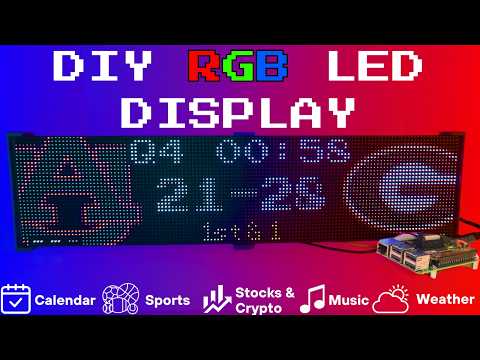
Setup video and feature walkthrough on Youtube (Outdated but still useful) :
Connect with ChuckBuilds
- Show support on Youtube: https://www.youtube.com/@ChuckBuilds
- Check out the write-up on my website: https://www.chuck-builds.com/led-matrix/
- Stay in touch on Instagram: https://www.instagram.com/ChuckBuilds/
- Want to chat? Reach out on the LEDMatrix Discord: https://discord.com/invite/uW36dVAtcT
- Feeling Generous? Consider sponsoring this project or sending a donation (these AI credits aren't cheap!)
Special Thanks to:
- Hzeller for his groundwork on controlling an LED Matrix from the Raspberry Pi
- Cursor for making this project possible
- CodeRabbit for fixing my PR's
- Everyone involved in this project for their patience, input, and support
Core Features
Core Features
The following plugins are available inside of the LEDMatrix project. These modular, rotating Displays that can be individually enabled or disabled per the user's needs with some configuration around display durations, teams, stocks, weather, timezones, and more. Displays include:Time and Weather
-
Real-time clock display (2x 64x32 Displays 4mm Pixel Pitch)
-
Current Weather, Daily Weather, and Hourly Weather Forecasts (2x 64x32 Displays 4mm Pixel Pitch)
-
Google Calendar event display (2x 64x32 Displays 4mm Pixel Pitch)
Sports Information
The system supports live, recent, and upcoming game information for multiple sports leagues:
-
NHL (Hockey) (2x 64x32 Displays 4mm Pixel Pitch)
-
NBA (Basketball)
-
MLB (Baseball) (2x 64x32 Displays 4mm Pixel Pitch)
-
NFL (Football) (2x 96x48 Displays 2.5mm Pixel Pitch)
-
NCAA Football (2x 96x48 Displays 2.5mm Pixel Pitch)
-
NCAA Men's Basketball
-
NCAA Men's Baseball
-
Soccer (Premier League, La Liga, Bundesliga, Serie A, Ligue 1, Liga Portugal, Champions League, Europa League, MLS)
-
(Note, some of these sports seasons were not active during development and might need fine tuning when games are active)
Financial Information
- Near real-time stock & crypto price updates
- Stock news headlines
- Customizable stock & crypto watchlists (2x 64x32 Displays 4mm Pixel Pitch)
Entertainment
- Music playback information from multiple sources:
- Spotify integration
- YouTube Music integration
- Album art display
- Now playing information with scrolling text (2x 64x32 Displays 4mm Pixel Pitch)
Custom Display Features
-
Custom Text display (2x 64x32 Displays 4mm Pixel Pitch)
-
Youtube Subscriber Count Display (2x 64x32 Displays 4mm Pixel Pitch)
Hardware
Hardware Requirements
Hardware Requirements
| ⚠️ IMPORTANT |
|---|
| This project can be finnicky! RGB LED Matrix displays are not built the same or to a high-quality standard. We have seen many displays arrive dead or partially working in our discord. Please purchase from a reputable vendor. |
Raspberry Pi
- Raspberry Pi Zero's don't have enough processing power for this project.
- Raspberry Pi 3B, 4, or 5
Amazon Affiliate Link – Raspberry Pi 4 4GB RAM
Amazon Affiliate Link – Raspberry Pi 4 8GB RAM
- Pi 5 users: the installer automatically detects Pi 5 and builds the
rpi-rgb-led-matrixlibrary with RP1 support. If you previously installed on a Pi 4 and migrated the SD card, or if you seemmaperrors in the logs, force a fresh library build:sudo RPI_RGB_FORCE_REBUILD=1 ./first_time_install.sh - Pi 5 config: leave
rp1_rioat0(PIO mode, default) and setgpio_slowdownto1or2.
- Pi 5 users: the installer automatically detects Pi 5 and builds the
RGB Matrix Bonnet / HAT
- Adafruit RGB Matrix Bonnet/HAT – supports one “chain” of horizontally connected displays
- Adafruit Triple LED Matrix Bonnet – supports up to 3 vertical “chains” of horizontally connected displays (use
regular-pi1as hardware mapping) - Electrodragon RGB HAT – supports up to 3 vertical “chains”
- Seengreat Matrix Adapter Board – single-chain LED Matrix (use
regularas hardware mapping)
LED Matrix Panels
(2x in a horizontal chain is recommended)
- Adafruit 64×32 – designed for 128×32 but works with dynamic scaling on many displays (pixel pitch is user preference)
- Waveshare 64×32 - Does not require E addressable pad
- Waveshare 96×48 – higher resolution, requires soldering the E addressable pad on the Adafruit RGB Bonnet to “8” OR toggling the DIP switch on the Adafruit Triple LED Matrix Bonnet (no soldering required!)
Amazon Affiliate Link – ChuckBuilds receives a small commission on purchases
Power Supply
- 5V 4A DC Power Supply (good for 2 -3 displays, depending on brightness and pixel density, you'll need higher amperage for more)
- 5V 10A DC Power Supply (good for 6-8 displays, depending on brightness and pixel density)
Optional but recommended mod for Adafruit RGB Matrix Bonnet
- By soldering a jumper between pins 4 and 18, you can run a specialized command for polling the matrix display. This provides better brightness, less flicker, and better color.
- If you do the mod, we will use the default config with led-gpio-mapping=adafruit-hat-pwm, otherwise just adjust your mapping in config.json to adafruit-hat
- More information available: https://github.com/hzeller/rpi-rgb-led-matrix/tree/master?tab=readme-ov-file
Possibly required depending on the display you are using.
- Some LED Matrix displays require an "E" addressable line to draw the display properly. The 64x32 Adafruit display does NOT require the E addressable line, however the 96x48 Waveshare display DOES require the "E" Addressable line.
- Various ways to enable this depending on your Bonnet / HAT.
Your display will look like it is "sort of" working but still messed up.
or
or
How to set addressable E line on various HATs:
-
Adafruit Single Chain HATs
or
-
Adafruit Triple Chain HAT
-
ElectroDragon RGB LED Matrix Panel Drive Board
2 Matrix display with Rpi connected to Adafruit Single Chain HAT.
Mount / Stand options
Mount/Stand
I 3D printed stands to keep the panels upright and snug. STL Files are included in the Repo but are also available at https://www.thingiverse.com/thing:5169867 Thanks to "Randomwire" for making these for the 4mm Pixel Pitch LED Matrix.
Special Thanks for Rmatze for making:
- 3mm Pixel Pitch RGB Stand for 32x64 Display : https://www.thingiverse.com/thing:7149818
- 4mm Pixel Pitch RGB Stand for 32x64 Display : https://www.thingiverse.com/thing:7165993
These are not required and you can probably rig up something basic with stuff you have around the house. I used these screws: https://amzn.to/4mFwNJp (Amazon Affiliate Link)
Installation Steps
Preparing the Raspberry Pi
Preparing the Raspberry Pi
| ⚠️ IMPORTANT |
|---|
| It is required to use the NEW Raspberry Pi Imager tool. If your tool doesn't look like my screenshots, be sure to update it. |
-
Create RPI Image on a Micro-SD card (I use whatever I have laying around, size is not too important but I would use 8gb or more) using Raspberry Pi Imager
-
Choose your Raspberry Pi (3B+ in my case)
- For Operating System (OS), choose "Other"
- Then choose Raspbian OS (64-bit) Lite (Trixie)
- For Storage, choose your micro-sd card
| ⚠️ IMPORTANT |
|---|
| Make sure it's the correct drive! Data will be erased! |
- Choose the hostname of the device. This will be often used to access the web-ui and will be the name of the device on your network. I recommend "ledpi".
- Choose your timezone and keyboard layout.
- Set your username and password. This is your "root" password and is important, make sure you remember it! We will use it to access the Raspberry Pi via SSH.
- (Optional) Choose your Wi-fi network and enter wifi password. This can be changed in the future. This is also optional if you are going to connect it via ethermet.
- Enable SSH and opt for "Use Password Authentication". You can use public key auth if you know how but for the sake of new folks, let's use the password that we chose in Step 9.
- Disable Raspberry Pi Connect. It's a VPN / Remote Connection tool built into Raspberry Pi, it seems like there might be a subscription? Not sure but I am not using it.
- Double check your settings then confirm by clicking "Write".
- Final warning to be SURE that you have the correct micro-sd card inserted and selected as all data on the drive will be erased.
You're done with preparing the Operating System. Once the Raspberry Pi Imager has finished writing to the micro-sd card it will let you know it is safe to eject. Eject the micro-sd card and plug it into the Raspberry Pi and turn it on.
System Setup & Installation
System Setup & Installation
Once your Raspberry Pi has turned on and connected to your wifi (check your router's dhcp leases) or just give it a few minutes after plugging it in. We will connect via ssh.
Secure Shell (SSH) is a way to connect to the device and execute commands. On Windows, I recommend using Powershell. On MacOS or Linux, I recommend using Terminal.
- SSH into your Raspberry Pi:
ssh ledpi@ledpi
The format "username@hostname" is coincidentally the same for this project (which is fine) but if you changed the username, hostname, or your router's DNS doesn't recognize the hostname you would use "username@ipaddress". You can skip the username and just enter "ssh hostname" or "ssh ipaddress" and it will prompt you for a username.
Quick Install (Recommended)
Paste this single command into SSH using Ctrl+Shift+V on Windows or Shift+Command+V on Mac.
Tip
Terminal can be funky about pasting with just Ctrl+V, by right click -> paste or using Ctrl+Shift+V you will be able to paste without additional unwanted characters.
curl -fsSL https://raw.githubusercontent.com/ChuckBuilds/LEDMatrix/main/scripts/install/one-shot-install.sh | bash
This one-shot installer will automatically:
- Check system prerequisites (network, disk space, sudo access)
- Install required system packages (git, python3, build tools, etc.)
- Clone or update the LEDMatrix repository
- Run the complete first-time installation script
The installation process typically takes 10-30 minutes depending on your internet connection and Pi model. All errors are reported explicitly with actionable fixes.
Note: The script is safe to run multiple times and will handle existing installations gracefully.
Manual Installation (Alternative)
If you prefer to install manually or the one-shot installer doesn't work for your setup:
- SSH into your Raspberry Pi:
ssh ledpi@ledpi
- Update repositories, upgrade Raspberry Pi OS, and install prerequisites:
sudo apt update && sudo apt upgrade -y
sudo apt install -y git python3-pip cython3 build-essential python3-dev python3-pillow scons
- Clone this repository:
git clone https://github.com/ChuckBuilds/LEDMatrix.git
cd LEDMatrix
- Run the first-time installation script:
chmod +x first_time_install.sh
sudo bash ./first_time_install.sh
This single script installs services, dependencies, configures permissions and sudoers, and validates the setup.
Configuration
Configuration
Configuration
Initial Setup
For most settings I recommend using the web interface: Edit the project via the web interface at http://[IP ADDRESS or HOSTNAME]:5000 or http://ledpi:5000 .
If you need to manually edit your config file, you can follow the steps below:
Manual Config.json editing
-
First-time setup: The previous "First_time_install.sh" script should've already copied the template to create your config.json:
-
Edit your configuration:
sudo nano config/config.json
Automatic Configuration Migration
The system automatically handles configuration updates:
- New installations: Creates
config.jsonfrom the template automatically - Existing installations: Automatically adds new configuration options with default values when the system starts
- Backup protection: Creates a backup of your current config before applying updates
- No conflicts: Your custom settings are preserved while new options are added
Everything is configured via config/config.json and config/config_secrets.json and are not tracked by Git to prevent conflicts during updates.
Running the Display
Recommended: Use Web UI Quick Actions
I recommend using the web-ui "Quick Actions" to control the Display.
Plugins
Plugin Store
See the Plugin Store documentation for detailed installation instructions.
The easiest way to discover and install plugins is through the Plugin Store in the LEDMatrix web interface:
- Open the web interface (
http://your-pi-ip:5000) - Navigate to the Plugin Manager tab
- Browse available plugins in the Plugin Store
- Click Install on any plugin you want
- Configure and enable plugins through the web UI
Installing 3rd-Party Plugins
You can also install plugins directly from GitHub repositories:
- Single Plugin: Install from any GitHub repository URL
- Registry/Monorepo: Install multiple plugins from a single repository
See the Plugin Store documentation for detailed installation instructions.
For plugin development, check out the Hello World Plugin repository as a starter template.
Visual Skins for Scoreboards
Want a different look for a sports scoreboard without forking the plugin?
Skins restyle the live/recent/upcoming screens while the plugin keeps
handling data, scheduling, caching, and vegas mode. Install one with
git clone <skin repo> skins/<skin-id>, select it in the plugin's config,
and you're done — see docs/SKIN_SYSTEM.md (how it
works) and docs/CREATING_SKINS.md (build your own,
including a ready-made Claude Code prompt).
- Built-in Managers Deprecated: The built-in managers (hockey, football, stocks, etc.) are now deprecated and have been moved to the plugin system. You must install replacement plugins from the Plugin Store in the web interface instead. The plugin system provides the same functionality with better maintainability and extensibility.
Detailed Information
Display Settings from RGBLEDMatrix Library
Display Settings
If you are copying my exact setup, you can likely leave the defaults alone. However, if you have different hardware or want to customize the display behavior, these settings allow you to fine-tune the LED matrix configuration.
The display settings are located in config/config.json under the "display" key and are organized into three main sections: hardware, runtime, and display_durations.
Hardware Configuration (display.hardware)
These settings control the physical hardware configuration and how the matrix is driven.
Basic Panel Configuration
-
rows(integer, default: 32)- Number of LED rows (vertical pixels) in each panel
- Common values: 16, 32, 48, 64
- Must match your physical panel configuration
-
cols(integer, default: 64)- Number of LED columns (horizontal pixels) in each panel
- Common values: 32, 64, 96, 128
- Must match your physical panel configuration
-
chain_length(integer, default: 2)- Number of LED panels chained together horizontally
- If you have 2 panels side-by-side, set to 2
- If you have 4 panels in a row, set to 4
- Total display width =
cols × chain_length
-
parallel(integer, default: 1)- Number of parallel chains (panels stacked vertically)
- Use 1 for a single row of panels
- Use 2 if you have panels stacked in two rows
- Total display height =
rows × parallel
Brightness and Visual Settings
brightness(integer, 0-100, default: 90)- Display brightness level
- Lower values (0-50) are dimmer, higher values (50-100) are brighter
- Recommended: 70-90 for indoor use, 90-100 for bright environments
- Very high brightness may cause distortion or require more power
Hardware Mapping
hardware_mapping(string, default: "adafruit-hat-pwm")- Specifies which GPIO pin mapping to use for your hardware
"adafruit-hat-pwm": Use this for Adafruit RGB Matrix Bonnet/HAT WITH the jumper mod (PWM enabled). This is the recommended setting for Adafruit hardware with the PWM jumper soldered."adafruit-hat": Use this for Adafruit RGB Matrix Bonnet/HAT WITHOUT the jumper mod (no PWM). Remove-pwmfrom the value if you did not solder the jumper."regular": Standard GPIO pin mapping for direct GPIO connections (Generic)"regular-pi1": Standard GPIO pin mapping for Raspberry Pi 1 (older hardware or non-standard hat mapping)- Choose the option that matches your specific hardware setup, if aren't sure try them all.
PWM (Pulse Width Modulation) Settings
These settings affect color fidelity and smoothness of color transitions:
-
pwm_bits(integer, default: 9)- Number of bits used for PWM (affects color depth)
- Higher values (9-11) = more color levels, smoother gradients
- Lower values (7-8) = fewer color levels, but may improve stability on some hardware
- Range: 1-11, recommended: 9-10
-
pwm_dither_bits(integer, default: 1)- Additional dithering bits for smoother color transitions
- Helps reduce color banding in gradients
- Higher values (1-2) = smoother gradients but may impact performance
- Range: 0-2, recommended: 1
-
pwm_lsb_nanoseconds(integer, default: 130)- Least significant bit timing in nanoseconds
- Controls the base timing for PWM signals
- Lower values = faster PWM, higher values = slower PWM
- Typical range: 100-300 nanoseconds
- May need adjustment if you see flickering or color issues
Advanced Hardware Settings
-
scan_mode(integer, default: 0)- Panel scan mode (how rows are addressed)
- Common values: 0 (progressive), 1 (interlaced)
- Most panels use 0, but some require 1
- Check your panel datasheet if colors appear incorrect
-
limit_refresh_rate_hz(integer, default: 100)- Maximum refresh rate in Hz (frames per second)
- Caps the refresh rate for better stability
- Lower values (60-80) = more stable, less CPU usage
- Higher values (100-120) = smoother animations, more CPU usage
- Recommended: 80-100 for most setups
-
disable_hardware_pulsing(boolean, default: false)- Disables hardware pulsing (usually leave as false)
- Set to
trueonly if you experience timing issues - Most users should leave this as
false
-
inverse_colors(boolean, default: false)- Inverts all colors (red becomes cyan, etc.)
- Useful if your panel has inverted color channels
- Set to
trueonly if colors appear inverted
-
show_refresh_rate(boolean, default: false)- Displays the current refresh rate on the matrix (for debugging)
- Set to
trueto see FPS on the display - Useful for troubleshooting performance issues
Advanced Panel Configuration (Advanced Users Only)
These settings are typically only needed for non-standard panels or custom configurations:
-
led_rgb_sequence(string, default: "RGB")- Color channel order for your LED panel
- Common values: "RGB", "RBG", "GRB", "GBR", "BRG", "BGR"
- Most panels use "RGB", but some use "GRB" or other orders
- Check your panel datasheet if colors appear wrong
-
pixel_mapper_config(string, default: "")- Advanced pixel mapping configuration
- Used for custom panel layouts, rotations, or transformations
- Examples: "U-mapper", "Rotate:90", "Mirror:H"
- Leave empty unless you need custom mapping
- See rpi-rgb-led-matrix documentation for full options
-
row_address_type(integer, default: 0)- How rows are addressed on the panel
- Most panels use 0 (direct addressing)
- Some panels require 1 (AB addressing) or 2 (ABC addressing)
- Check your panel datasheet if display appears corrupted
-
multiplexing(integer, default: 0)- Panel multiplexing type
- 0 = no multiplexing (standard panels)
- Higher values for panels with different multiplexing schemes
- Check your panel datasheet for the correct value
Runtime Configuration (display.runtime)
These settings control runtime behavior and GPIO timing:
gpio_slowdown(integer, default: 3)- GPIO timing slowdown factor
- Critical setting: Must match your Raspberry Pi model for stability
- Raspberry Pi 3: Use 3
- Raspberry Pi 4: Use 4
- Raspberry Pi 5: Use 1–2 in PIO mode (
rp1_rio: 0, the default); start with1and increase if you see flickering - Raspberry Pi Zero/1: Use 1-2
- Incorrect values can cause display corruption, flickering, or system instability
- If you experience issues, try adjusting this value up or down by 1
Display Durations (display.display_durations)
Controls how long each display module stays visible in seconds before switching to the next one.
-
calendar(integer, default: 30)- Duration in seconds for the calendar display
- Increase for more time to read dates/events
- Decrease to cycle through other displays faster
-
Plugin-specific durations
- Each plugin can have its own duration setting
- Format:
"<plugin-id>": <seconds> - Example:
"hockey-scoreboard": 45shows hockey scores for 45 seconds - Example:
"weather": 20shows weather for 20 seconds - If a plugin doesn't have a duration here, it uses its default (usually 15 seconds)
- You can also set
display_durationin each plugin's individual configuration
Tips for Display Durations:
- Longer durations (30-60 seconds) = more time to read content, slower cycling
- Shorter durations (10-20 seconds) = faster cycling, less time per display
- Balance based on your preference and how much information each display shows
- For example, if you want more focus on stocks, increase the stock plugin's duration value
Display Format Settings
use_short_date_format(boolean, default: true)- Use short date format (e.g., "Jan 15") instead of long format (e.g., "January 15th")
- Set to
falsefor longer, more readable dates - Set to
trueto save space and show more information
Dynamic Duration Settings (display.dynamic_duration)
max_duration_seconds(integer, optional)- Maximum duration cap for plugins that use dynamic durations
- Some plugins can automatically adjust their display time based on content
- This setting limits how long they can extend (prevents one display from dominating)
- Example: If set to 60, a plugin can extend up to 60 seconds even if it requests longer
- Leave unset to use the default cap (typically 90 seconds)
Example Configuration
{
  "display": {
    "hardware": {
      "rows": 32,
      "cols": 64,
      "chain_length": 2,
      "parallel": 1,
      "brightness": 90,
      "hardware_mapping": "adafruit-hat-pwm",
      "scan_mode": 0,
      "pwm_bits": 9,
      "pwm_dither_bits": 1,
      "pwm_lsb_nanoseconds": 130,
      "disable_hardware_pulsing": false,
      "inverse_colors": false,
      "show_refresh_rate": false,
      "limit_refresh_rate_hz": 100
    },
    "runtime": {
      "gpio_slowdown": 4
    },
    "display_durations": {
      "calendar": 30,
      "hockey-scoreboard": 45,
      "weather": 20,
      "stocks": 25
    },
    "use_short_date_format": true,
    "dynamic_duration": {
      "max_duration_seconds": 60
    }
  }
}
Troubleshooting Display Settings
Display is blank or shows garbage:
- Check
rows,cols,chain_length, andparallelmatch your physical setup - Verify
hardware_mappingmatches your HAT/connection type - Try adjusting
gpio_slowdown - Ensure your display doesn't need the E-Addressable line
Colors are wrong or inverted:
- Check
led_rgb_sequence(try "GRB" if "RGB" doesn't work) - Try setting
inverse_colorstotrue - Verify
hardware_mappingis correct for your hardware
Display flickers or is unstable:
- Increase
gpio_slowdownby 1-2 - Lower
limit_refresh_rate_hzto 60-80 - Check power supply (LED matrices need adequate power)
Display is too dim or too bright:
- Adjust
brightness(0-100) - Very high brightness may require better power supply
Performance issues:
- Lower
limit_refresh_rate_hz - Reduce
pwm_bitsto 8 - Set
pwm_dither_bitsto 0
Manual SSH Commands (for reference)
The quick actions essentially just execute the following commands on the Pi.
From the project root directory (ex: /home/ledpi/LEDMatrix):
sudo python3 display_controller.py
This will start the display cycle but only stays active as long as your ssh session is active.
Convenience Scripts
Two convenience scripts are provided for easy service management:
start_display.sh- Starts the LED matrix display servicestop_display.sh- Stops the LED matrix display service
Make them executable with:
chmod +x start_display.sh stop_display.sh
Then use them to control the service:
sudo ./start_display.sh
sudo ./stop_display.sh
Service Installation Details
The first time install will handle this: The LEDMatrix can be installed as a systemd service to run automatically at boot and be managed easily. The service runs as root to ensure proper hardware timing access for the LED matrix.
Installing the Service (this is included in the first_time_install.sh)
- Make the install script executable:
chmod +x scripts/install/install_service.sh
- Run the install script with sudo:
sudo ./scripts/install/install_service.sh
The script will:
- Detect your user account and home directory
- Install the service file with the correct paths
- Enable the service to start on boot
- Start the service immediately
Managing the Service
The following commands are available to manage the service:
# Stop the display
sudo systemctl stop ledmatrix.service

# Start the display
sudo systemctl start ledmatrix.service

# Check service status
sudo systemctl status ledmatrix.service

# View logs
journalctl -u ledmatrix.service

# Disable autostart
sudo systemctl disable ledmatrix.service

# Enable autostart
sudo systemctl enable ledmatrix.service
Web Interface Installation Details
The first time install will handle this: The LEDMatrix system includes Web Interface that runs on port 5000 and provides real-time display preview, configuration management, and on-demand display controls.
Installing the Web Interface Service
The first-time installer (
first_time_install.sh) already installs the web service. The steps below only apply if you need to (re)install it manually.
- Make the install script executable:
chmod +x scripts/install/install_web_service.sh
- Run the install script with sudo:
sudo ./scripts/install/install_web_service.sh
The script will:
- Copy the web service file to
/etc/systemd/system/ - Enable the service to start on boot
- Start the service immediately
- Show the service status
Web Interface Configuration
The web interface can be configured to start automatically with the main display service:
- In
config/config.json, ensure the web interface autostart is enabled:
{
    "web_display_autostart": true
}
- The web interface will now start automatically when:
- The system boots
- The
web_display_autostartsetting istruein your config
Accessing the Web Interface
Once installed, you can access the web interface at:
http://your-pi-ip:5000
Managing the Web Interface Service
# Check service status
sudo systemctl status ledmatrix-web.service

# View logs
journalctl -u ledmatrix-web.service -f

# Stop the service
sudo systemctl stop ledmatrix-web.service

# Start the service
sudo systemctl start ledmatrix-web.service

# Disable autostart
sudo systemctl disable ledmatrix-web.service

# Enable autostart
sudo systemctl enable ledmatrix-web.service
Web Interface Features
- Real-time Display Preview: See what's currently displayed on the LED matrix
- Configuration Management: Edit settings through a web interface
- On-Demand Controls: Start specific displays (weather, stocks, sports) on demand
- Service Management: Start/stop the main display service
- System Controls: Restart, update code, and manage the system
- API Metrics: Monitor API usage and system performance
- Logs: View system logs in real-time
Troubleshooting Web Interface
Web Interface Not Accessible After Restart:
- Check if the web service is running:
sudo systemctl status ledmatrix-web.service - Verify the service is enabled:
sudo systemctl is-enabled ledmatrix-web.service - Check logs for errors:
journalctl -u ledmatrix-web.service -f - Ensure
web_display_autostartis set totrueinconfig/config.json
Port 5000 Not Accessible:
- Check if the service is running on the correct port
- Verify firewall settings allow access to port 5000
- Check if another service is using port 5000
Service Fails to Start:
- Check Python dependencies are installed
- Verify the virtual environment is set up correctly
- Check file permissions and ownership
If you've read this far — thanks!
License
LEDMatrix is licensed under the GNU General Public License v3.0 or later.
LEDMatrix builds on
rpi-rgb-led-matrix,
which is GPL-2.0-or-later. The "or later" clause makes it compatible
with GPL-3.0 distribution.
Plugin contributions in
ledmatrix-plugins
are also GPL-3.0-or-later unless individual plugins specify otherwise.
Contributing
See CONTRIBUTING.md for development setup, the PR flow, and how to add a plugin. Bug reports and feature requests go in the issue tracker. Security issues should be reported privately per SECURITY.md.