 ChuckandChuck
0f4dbb6c1a
ChuckandChuck
0f4dbb6c1a
* fix(plugins): Remove compatible_versions requirement from single plugin install
Remove compatible_versions from required fields in install_from_url method
to match install_plugin behavior. This allows installing plugins from URLs
without manifest version requirements, consistent with store plugin installation.
* fix(7-segment-clock): Update submodule with separator and spacing fixes
* fix(plugins): Add onchange handlers to existing custom feed inputs
- Add onchange handlers to key and value inputs for existing patternProperties fields
- Fixes bug where editing existing custom RSS feeds didn't save changes
- Ensures hidden JSON input field is updated when users edit feed entries
- Affects all plugins using patternProperties (custom_feeds, feed_logo_map, etc.)
* Add array-of-objects widget support to web UI
- Add support for rendering arrays of objects in web UI (for custom_feeds)
- Implement add/remove/update functions for array-of-objects widgets
- Support file-upload widgets within array items
- Update form data handling to support array JSON data fields
* Update plugins_manager.js cache-busting version
Update version parameter to force browser to load new JavaScript with array-of-objects widget support.
* Fix: Move array-of-objects detection before file-upload/checkbox checks
Move the array-of-objects widget detection to the top of the array handler so it's checked before file-upload and checkbox-group widgets. This ensures custom_feeds is properly detected as an array of objects.
* Update cache-busting version for array-of-objects fix
* Remove duplicate array-of-objects check
* Update cache version again
* Add array-of-objects widget support to server-side template
Add detection and rendering for array-of-objects in the Jinja2 template (plugin_config.html).
This enables the custom_feeds widget to display properly with name, URL, enabled checkbox, and logo upload fields.
The widget is detected by checking if prop.items.type == 'object' && prop.items.properties,
and is rendered before the file-upload widget check.
* Use window. prefix for array-of-objects JavaScript functions
Explicitly use window.addArrayObjectItem, window.removeArrayObjectItem, etc.
in the template to ensure the functions are accessible from inline event handlers.
Also add safety checks to prevent errors if functions aren't loaded yet.
* Fix syntax error: Missing indentation for html += in array else block
The html += statement was outside the else block, causing a syntax error.
Fixed by properly indenting it inside the else block.
* Update cache version for syntax fix
* Add debug logging to diagnose addArrayObjectItem availability
* Fix: Wrap array-of-objects functions in window check and move outside IIFE
Ensure functions are available globally by wrapping them in a window check
and ensuring they're defined outside any IIFE scope. Also fix internal
function calls to use window.updateArrayObjectData for consistency.
* Update cache version for array-of-objects fix
* Move array-of-objects functions outside IIFE to make them globally available
The functions were inside the IIFE scope, making them inaccessible from
inline event handlers. Moving them outside the IIFE ensures they're
available on window when the script loads.
* Update cache version for IIFE fix
* Fix: Add array-of-objects functions after IIFE ends
The functions were removed from inside the IIFE but never added after it.
Also removed orphaned code that was causing syntax errors.
* Update cache version for array-of-objects fix
* Fix: Remove all orphaned code and properly add array-of-objects functions after IIFE
* Add array-of-objects functions after IIFE ends
These functions must be outside the IIFE to be accessible from inline
event handlers in the server-rendered template.
* Update cache version for syntax fix
* Fix syntax error: Add missing closing brace for else block
* Update cache version for syntax fix
* Replace complex array-of-objects widget with simple table interface
- Replace nested array-of-objects widget with clean table interface
- Table shows: Name, URL, Logo (with upload), Enabled checkbox, Delete button
- Fix file-upload widget detection order to prevent breaking static-image plugin
- Add simple JavaScript functions for add/remove rows and logo upload
- Much more intuitive and easier to use
* Add simple table interface for custom feeds
- Replace complex array-of-objects widget with clean table
- Table columns: Name, URL, Logo (upload), Enabled checkbox, Delete
- Use dot notation for form field names (feeds.custom_feeds.0.name)
- Add JavaScript functions for add/remove rows and logo upload
- Fix file-upload detection order to prevent breaking static-image plugin
* Fix custom feeds table issues
- Fix JavaScript error in removeCustomFeedRow (get tbody before removing row)
- Improve array conversion logic to handle nested paths like feeds.custom_feeds
- Add better error handling and debug logging for array conversion
- Ensure dicts with numeric keys are properly converted to arrays before validation
* Add fallback fix for feeds.custom_feeds dict-to-array conversion
- Add explicit fallback conversion for feeds.custom_feeds if fix_array_structures misses it
- This ensures the dict with numeric keys is converted to an array before validation
- Logo field is already optional in schema (not in required array)
* feat(web): Add checkbox-group widget support for plugin config arrays
Add server-side rendering support for checkbox-group widget in plugin
configuration forms. This allows plugins to use checkboxes for multi-select
array fields instead of comma-separated text inputs.
The implementation:
- Checks for x-widget: 'checkbox-group' in schema
- Renders checkboxes for each enum item in items.enum
- Supports custom labels via x-options.labels
- Works with any plugin that follows the pattern
Already used by:
- ledmatrix-news plugin (enabled_feeds)
- odds-ticker plugin (enabled_leagues)
* feat(install): Add one-shot installation script
- Create comprehensive one-shot installer with robust error handling
- Includes network checks, disk space validation, and retry logic
- Handles existing installations gracefully (idempotent)
- Updates README with quick install command prominently featured
- Manual installation instructions moved to collapsible section
The script provides explicit error messages and never fails silently.
All prerequisites are validated before starting installation.
* fix: Remove accidental plugins/7-segment-clock submodule entry
Remove uninitialized submodule 'plugins/7-segment-clock' that was
accidentally included. This submodule is not related to the one-shot
installer feature and should not be part of this PR.
- Remove submodule entry from .gitmodules
- Remove submodule from git index
- Clean up submodule configuration
* fix(array-objects): Fix schema lookup, reindexing, and disable file upload
Address PR review feedback for array-of-objects helpers:
1. Schema resolution: Use getSchemaProperty() instead of manual traversal
- Fixes nested array-of-objects schema lookup (e.g., news.custom_feeds)
- Now properly descends through .properties for nested objects
2. Reindexing: Replace brittle regex with targeted patterns
- Only replace index in bracket notation [0], [1], etc. for names
- Only replace _item_<digits> pattern for IDs (not arbitrary digits)
- Use specific function parameter patterns for onclick handlers
- Prevents corruption of fieldId, pluginId, or other numeric values
3. File upload: Disable widget until properly implemented
- Hide/disable upload button with clear message
- Show existing logos if present but disable upload functionality
- Prevents silent failures when users attempt to upload files
- Added TODO comments for future implementation
Also fixes exit code handling in one-shot-install.sh to properly capture
first_time_install.sh exit status before error trap fires.
* fix(security): Fix XSS vulnerability in handleCustomFeedLogoUpload
Replace innerHTML usage with safe DOM manipulation using createElement
and setAttribute to prevent XSS when injecting uploadedFile.path and
uploadedFile.id values.
- Clear logoCell using textContent instead of innerHTML
- Create all DOM elements using document.createElement
- Set uploadedFile.path and uploadedFile.id via setAttribute (automatically escaped)
- Properly structure DOM tree by appending elements in order
- Prevents malicious HTML/script injection through file path or ID values
* fix: Update upload button onclick when reindexing custom feed rows
Fix removeCustomFeedRow to update button onclick handlers that reference
file input IDs with _logo_<index> when rows are reindexed after deletion.
Previously, after deleting a row, the upload button's onclick still referenced
the old file input ID, causing the upload functionality to fail.
Now properly updates:
- getElementById('..._logo_<num>') patterns in onclick handlers
- Other _logo_<num> patterns in button onclick strings
- Function parameter indices in onclick handlers
This ensures upload buttons continue to work correctly after row deletion.
* fix: Make custom feeds table widget-specific instead of generic fallback
Replace generic array-of-objects check with widget-specific check for
'custom-feeds' widget to prevent hardcoded schema from breaking other
plugins with different array-of-objects structures.
Changes:
- Check for x-widget == 'custom-feeds' before rendering custom feeds table
- Add schema validation to ensure required fields (name, url) exist
- Show warning message if schema doesn't match expected structure
- Fall back to generic array input for other array-of-objects schemas
- Add comments for future generic array-of-objects support
This ensures the hardcoded custom feeds table (name, url, logo, enabled)
only renders when explicitly requested via widget type, preventing
breakage for other plugins with different array-of-objects schemas.
* fix: Add image/gif to custom feed logo upload accept attribute
Update file input accept attributes for custom feed logo uploads to include
image/gif, making it consistent with the file-upload widget which also
allows GIF images.
Updated in three places:
- Template file input (plugin_config.html)
- JavaScript addCustomFeedRow function (base.html)
- Dynamic file input creation in handleCustomFeedLogoUpload (base.html)
All custom feed logo upload inputs now accept: image/png, image/jpeg,
image/bmp, image/gif
* fix: Add hidden input for enabled checkbox to ensure false is submitted
Add hidden input with value='false' before enabled checkbox in custom feeds
table to ensure an explicit false value is sent when checkbox is unchecked.
Pattern implemented:
- Hidden input: name='enabled', value='false' (always submitted)
- Checkbox: name='enabled', value='true' (only submitted when checked)
- When unchecked: only hidden input submits (false)
- When checked: both submit, checkbox value (true) overwrites hidden
Updated in two places:
- Template checkbox in plugin_config.html (existing rows)
- JavaScript addCustomFeedRow function in base.html (new rows)
Backend verification:
- Backend (api_v3.py) handles string boolean values and converts properly
- JavaScript form processing explicitly checks element.checked, independent of this pattern
- Standard form submission uses last value when multiple values share same name
* fix: Expose renderArrayObjectItem to window for addArrayObjectItem
Fix scope issue where renderArrayObjectItem is defined inside IIFE but
window.addArrayObjectItem is defined outside, causing the function check
to always fail and fallback to degraded HTML rendering.
Problem:
- renderArrayObjectItem (line 2469) is inside IIFE (lines 796-6417)
- window.addArrayObjectItem (line 6422) is outside IIFE
- Check 'typeof renderArrayObjectItem === function' at line 6454 always fails
- Fallback code lacks file upload widgets, URL input types, descriptions, styling
Solution:
- Expose renderArrayObjectItem to window object before IIFE closes
- Function maintains closure access to escapeHtml and other IIFE-scoped functions
- Newly added items now have full functionality matching initially rendered items
* fix: Reorder array type checks to match template order
Fix inconsistent rendering where JavaScript and Jinja template had opposite
ordering for array type checks, causing schemas with both x-widget: file-upload
AND items.type: object (like static-image) to render differently.
Problem:
- Template checks file-upload FIRST (to avoid breaking static-image plugin)
- JavaScript checked array-of-objects FIRST
- Server-rendered forms showed file-upload widget correctly
- JS-rendered forms incorrectly displayed array-of-objects table widget
Solution:
- Reorder JavaScript checks to match template order:
1. Check file-upload widget FIRST
2. Check checkbox-group widget
3. Check custom-feeds widget
4. Check array-of-objects as fallback
5. Regular array input (comma-separated)
This ensures consistent rendering between server-rendered and JS-rendered forms
for schemas that have both x-widget: file-upload AND items.type: object.
* fix: Handle None value for feeds config to prevent TypeError
Fix crash when plugin_config['feeds'] exists but is None, causing
TypeError when checking 'custom_feeds' in feeds_config.
Problem:
- When plugin_config['feeds'] exists but is None, dict.get('feeds', {})
returns None (not the default {}) because dict.get() only uses default
when key doesn't exist, not when value is None
- Line 3642's 'custom_feeds' in feeds_config raises TypeError because
None is not iterable
- This can crash the API endpoint if a plugin config has feeds: null
Solution:
- Change plugin_config.get('feeds', {}) to plugin_config.get('feeds') or {}
to ensure feeds_config is always a dict (never None)
- Add feeds_config check before 'in' operator for extra safety
This ensures the code gracefully handles feeds: null in plugin configuration.
* fix: Add default value for AVAILABLE_SPACE to prevent TypeError
Fix crash when df produces unexpected output that results in empty
AVAILABLE_SPACE variable, causing 'integer expression expected' error.
Problem:
- df may produce unexpected output format (different locale, unusual
filesystem name spanning lines, or non-standard df implementation)
- While '|| echo "0"' handles pipeline failures, it doesn't trigger if
awk succeeds but produces no output (empty string)
- When AVAILABLE_SPACE is empty, comparison [ "$AVAILABLE_SPACE" -lt 500 ]
fails with 'integer expression expected' error
- With set -e, this causes script to exit unexpectedly
Solution:
- Add AVAILABLE_SPACE=${AVAILABLE_SPACE:-0} before comparison to ensure
variable always has a numeric value (defaults to 0 if empty)
- This gracefully handles edge cases where df/awk produces unexpected output
* fix: Wrap debug console.log in debug flag check
Fix unconditional debug logging that outputs internal implementation
details to browser console for all users.
Problem:
- console.log('[ARRAY-OBJECTS] Functions defined on window:', ...)
executes unconditionally when page loads
- Outputs debug information about function availability to all users
- Appears to be development/debugging code inadvertently included
- Noisy console output in production
Solution:
- Wrap console.log statement in _PLUGIN_DEBUG_EARLY check to only
output when pluginDebug localStorage flag is enabled
- Matches pattern used elsewhere in the file for debug logging
- Debug info now only visible when explicitly enabled via
localStorage.setItem('pluginDebug', 'true')
* fix: Expose getSchemaProperty, disable upload widget, handle bracket notation arrays
Multiple fixes for array-of-objects and form processing:
1. Expose getSchemaProperty to window (plugins_manager.js):
- getSchemaProperty was defined inside IIFE but needed by global functions
- Added window.getSchemaProperty = getSchemaProperty before IIFE closes
- Updated window.addArrayObjectItem to use window.getSchemaProperty
- Fixes ReferenceError when dynamically adding array items
2. Disable upload widget for custom feeds (plugin_config.html):
- File input and Upload button were still active but should be disabled
- Removed onchange/onclick handlers, added disabled and aria-disabled
- Added visible disabled styling and tooltip
- Existing logos continue to display but uploads are prevented
- Matches PR objectives to disable upload until fully implemented
3. Handle bracket notation array fields (api_v3.py):
- checkbox-group uses name="field_name[]" which sends multiple values
- request.form.to_dict() collapses duplicate keys (only keeps last value)
- Added handling to detect fields ending with "[]" before to_dict()
- Use request.form.getlist() to get all values, combine as comma-separated
- Processed before existing array index field handling
- Fixes checkbox-group losing all but last selected value
* fix: Remove duplicate submit handler to prevent double POSTs
Remove document-level submit listener that conflicts with handlePluginConfigSubmit,
causing duplicate form submissions with divergent payloads.
Problem:
- handlePluginConfigSubmit correctly parses JSON from _data fields and maps to
flatConfig[baseKey] for patternProperties and array-of-objects
- Document-level listener (line 5368) builds its own config without understanding
_data convention and posts independently via savePluginConfiguration
- Every submit now sends two POSTs with divergent payloads:
- First POST: Correct structure with parsed _data fields
- Second POST: Incorrect structure with raw _data fields, missing structure
- Arrays-of-objects and patternProperties saved incorrectly in second request
Solution:
- Remove document-level submit listener for #plugin-config-form
- Rely solely on handlePluginConfigSubmit which is already attached to the form
- handlePluginConfigSubmit properly handles all form-to-config conversion including:
- _data field parsing (JSON from hidden fields)
- Type-aware conversion using schema
- Dot notation to nested object conversion
- PatternProperties and array-of-objects support
Note: savePluginConfiguration function remains for use by JSON editor saves
* fix: Use indexed names for checkbox-group to work with existing parser
Change checkbox-group widget to use indexed field names instead of bracket
notation, so the existing indexed field parser correctly handles multiple
selected values.
Problem:
- checkbox-group uses name="{{ full_key }}[]" which requires bracket
notation handling in backend
- While bracket notation handler exists, using indexed names is more robust
and leverages existing well-tested indexed field parser
- Indexed field parser already handles fields like "field_name.0",
"field_name.1" correctly
Solution:
- Template: Change name="{{ full_key }}[]" to name="{{ full_key }}.{{
loop.index0 }}"
- JavaScript: Update checkbox-group rendering to use name="."
- Backend indexed field parser (lines 3364-3388) already handles this pattern:
- Detects fields ending with numeric indices (e.g., ".0", ".1")
- Groups them by base_path and sorts by index
- Combines into array correctly
This ensures checkbox-group values are properly preserved when multiple
options are selected, working with the existing schema-based parsing system.
* fix: Set values from item data in fallback array-of-objects rendering
Fix fallback code path for rendering array-of-objects items to properly
set input values from existing item data, matching behavior of proper
renderArrayObjectItem function.
Problem:
- Fallback code at lines 3078-3091 and 6471-6486 creates input elements
without setting values from existing item data
- Text inputs have no value attribute set
- Checkboxes have no checked attribute computed from item properties
- Users would see empty form fields instead of existing configuration data
- Proper renderArrayObjectItem function correctly sets values (line 2556)
Solution:
- Extract propValue from item data: item[propKey] with schema default fallback
- For text inputs: Set value attribute with HTML-escaped propValue
- For checkboxes: Set checked attribute based on propValue truthiness
- Add inline HTML escaping for XSS prevention (since fallback code may
run outside IIFE scope where escapeHtml function may not be available)
This ensures fallback rendering displays existing data correctly when
window.renderArrayObjectItem is not available.
* fix: Remove extra closing brace breaking if/else chain
Remove stray closing brace at line 3127 that was breaking the if/else chain
before the 'else if (prop.enum)' branch, causing 'Unexpected token else'
syntax error.
Problem:
- Extra '}' at line 3127 closed the prop.type === 'array' block prematurely
- This broke the if/else chain, causing syntax error when parser reached
'else if (prop.enum)' at line 3128
- Structure was: } else if (array) { ... } } } else if (enum) - extra brace
Solution:
- Removed the extra closing brace at line 3127
- Structure now correctly: } else if (array) { ... } } else if (enum)
- Verified with Node.js syntax checker - no errors
* fix: Remove local logger assignments to prevent UnboundLocalError
Remove all local logger assignments inside save_plugin_config function that
were shadowing the module-level logger, causing UnboundLocalError when nested
helpers like normalize_config_values() or debug checks reference logger before
those assignments run.
Problem:
- Module-level logger exists at line 13: logger = logging.getLogger(__name__)
- Multiple local assignments inside save_plugin_config (lines 3361, 3401, 3421,
3540, 3660, 3977, 4093, 4118) make logger a local variable for entire function
- Python treats logger as local for entire function scope when any assignment
exists, causing UnboundLocalError if logger is used before assignments
- Nested helpers like normalize_config_values() or debug checks that reference
logger before local assignments would fail
Solution:
- Removed all local logger = logging.getLogger(__name__) assignments in
save_plugin_config function
- Use module-level logger directly throughout the function
- Removed redundant import logging statements that were only used for logger
- This ensures logger is always available and references the module-level logger
All logger references now use the module-level logger without shadowing.
* fix: Fix checkbox-group serialization and array-of-objects key leakage
Multiple fixes for array-of-objects and checkbox-group widgets:
1. Fix checkbox-group serialization (JS and template):
- Changed from indexed names (categories.0, categories.1) to _data pattern
- Added updateCheckboxGroupData() function to sync selected values
- Hidden input stores JSON array of selected enum values
- Checkboxes use data-checkbox-group and data-option-value attributes
- Fixes issue where config.categories became {0: true, 1: true} instead of ['nfl', 'nba']
- Now correctly serializes to array using existing _data handling logic
2. Prevent array-of-objects per-item key leakage:
- Added skip pattern in handlePluginConfigSubmit for _item_<n>_ names
- Removed name attributes from per-item inputs in renderArrayObjectItem
- Per-item inputs now rely solely on hidden _data field
- Prevents feeds_item_0_name from leaking into flatConfig
3. Add type coercion to updateArrayObjectData:
- Consults itemsSchema.properties[propKey].type for coercion
- Handles integer and number types correctly
- Preserves string values as-is
- Ensures numeric fields in array items are stored as numbers
4. Ensure currentPluginConfig is always available:
- Updated addArrayObjectItem to check window.currentPluginConfig first
- Added error logging if schema not available
- Prevents ReferenceError when global helpers need schema
This ensures checkbox-group arrays serialize correctly and array-of-objects
per-item fields don't leak extra keys into the configuration.
* fix: Make _data field matching more specific to prevent false positives
Fix overly broad condition that matched any field containing '_data',
causing false positives and inconsistent key transformation.
Problem:
- Condition 'key.endsWith('_data') || key.includes('_data')' matches any
field containing '_data' anywhere (e.g., 'meta_data_field', 'custom_data_config')
- key.replace(/_data$/, '') only removes '_data' from end, making logic inconsistent
- Fields with '_data' in middle get matched but key isn't transformed
- If their value happens to be valid JSON, it gets incorrectly parsed
Solution:
- Remove 'key.includes('_data')' clause
- Only check 'key.endsWith('_data')' to match actual _data suffix pattern
- Ensures consistent matching: only fields ending with '_data' are treated
as JSON data fields, and only those get the suffix removed
- Prevents false positives on fields like 'meta_data_field' that happen to
contain '_data' in their name
* fix: Add HTML escaping to prevent XSS in fallback code and checkbox-group
Add proper HTML escaping for schema-derived values to prevent XSS vulnerabilities
in fallback rendering code and checkbox-group widget.
Problem:
- Fallback code in generateFieldHtml (line 3094) doesn't escape propLabel
when building HTML strings, while main renderArrayObjectItem uses escapeHtml()
- Checkbox-group widget (lines 3012-3025) doesn't escape option or label values
- While risk is limited (values come from plugin schemas), malicious plugin
schemas or untrusted schema sources could inject XSS
- Inconsistent with main renderArrayObjectItem which properly escapes
Solution:
- Added escapeHtml() calls for propLabel in fallback array-of-objects rendering
(both locations: generateFieldHtml and addArrayObjectItem fallback)
- Added escapeHtml() calls for option values in checkbox-group widget:
- checkboxId (contains option)
- data-option-value attribute
- value attribute
- label text in span
- Ensures consistent XSS protection across all rendering paths
This prevents potential XSS if plugin schemas contain malicious HTML/script
content in enum values or property titles.
* fix: Recreate one-shot install script with APT permission and non-interactive fixes
Recreate one-shot install script that was deleted, with fixes for:
1. APT permission denied errors on /tmp
2. Non-interactive mode support
Fixes:
1. Fix /tmp permissions before running first_time_install.sh:
- chmod 1777 /tmp to ensure APT can write temp files
- Set TMPDIR=/tmp explicitly
- Preserve TMPDIR when using sudo -E
2. Enable non-interactive mode:
- Pass -y flag or LEDMATRIX_ASSUME_YES=1 to first_time_install.sh
- Prevents read prompt failure at line 242 when run via curl | bash
3. Better error handling:
- Temporarily disable errexit to capture exit code
- Re-enable errexit after capturing
- Added fix_tmp_permissions() function
This resolves the 'Permission denied' errors for APT temp files and the
interactive prompt failure when running via pipe.
* fix: Pass both -y flag and env var to first_time_install.sh for non-interactive mode
Ensure first_time_install.sh runs in non-interactive mode by passing both:
1. The -y command-line flag
2. The LEDMATRIX_ASSUME_YES=1 environment variable
This is necessary because first_time_install.sh re-executes itself with sudo
if not running as root (line 131), and we need to ensure the non-interactive
flag is preserved through the re-execution.
Also added debug_install.sh diagnostic script to help troubleshoot
installation failures on the Pi.
* fix: Improve /tmp permission handling and non-interactive mode detection
Improve handling of /tmp permissions and non-interactive mode:
1. /tmp permissions fix:
- Check current permissions before attempting to fix
- Display warning when fixing incorrect permissions (2775 -> 1777)
- Verify /tmp has permissions 1777 (sticky bit + world writable)
2. Non-interactive mode detection:
- Redirect stdin from /dev/null when running via sudo to prevent
read commands from hanging when stdin is not a TTY
- Add better error message in first_time_install.sh when non-interactive
mode is detected but ASSUME_YES is not set
- Check if stdin is a TTY before attempting interactive read
This fixes the issues identified in diagnostic output:
- /tmp permissions 2775 causing APT write failures
- read -p failing when stdin is not a TTY (curl | bash)
Fixes installation failures when running one-shot install via curl | bash.
* refactor: Simplify /tmp permission handling - only fix if actually wrong
Simplify /tmp permission handling:
- Only check and fix /tmp permissions if they're actually incorrect (not preemptively)
- Remove redundant fix_tmp_permissions() call from prerequisites check
- Keep the fix inline where first_time_install.sh is executed
- When running manually, /tmp usually has correct permissions (1777) so no fix needed
This makes the script less aggressive and avoids unnecessary permission changes
when running manually, while still fixing the issue in automated scenarios.
* fix: Remove user confirmation prompts in install_wifi_monitor.sh for non-interactive mode
Make install_wifi_monitor.sh respect non-interactive mode:
1. Package installation prompt (line 48):
- Check for ASSUME_YES or LEDMATRIX_ASSUME_YES environment variable
- If set, automatically install required packages without prompting
- If stdin is not a TTY (non-interactive), also auto-install packages
- Only prompt user in true interactive mode (TTY available)
2. Continue installation prompt (line 145):
- Already checks for ASSUME_YES, but now also checks LEDMATRIX_ASSUME_YES
- Skip prompt if stdin is not a TTY
- Proceed automatically in non-interactive mode
This fixes installation failures at step 8.5 when running via one-shot
installer or with -y flag, as the script was hanging on user prompts.
* fix: Explicitly pass ASSUME_YES to install_wifi_monitor.sh and simplify package installation
Fix WiFi monitor installation failing at step 8.5:
1. Explicitly pass ASSUME_YES environment variable when calling
install_wifi_monitor.sh from first_time_install.sh to ensure
non-interactive mode is respected
2. Simplify package installation logic in install_wifi_monitor.sh:
- Use apt directly when running as root (from first_time_install.sh)
- Use sudo when running as regular user (direct script execution)
- Always install packages automatically in non-interactive mode
- Only prompt in true interactive mode (TTY available and ASSUME_YES not set)
This ensures packages are installed automatically when running via
one-shot installer or with -y flag, preventing installation failures
at step 8.5.
* refactor: Remove all prompts from install_wifi_monitor.sh - install packages automatically
Simplify WiFi monitor installation by removing all user prompts:
1. Package installation: Always install required packages automatically
- No prompt for missing packages (hostapd, dnsmasq, network-manager)
- Just install them if missing
2. Network connection warning: Remove prompt to continue
- Just display informational message and proceed
- WiFi monitor will handle AP mode automatically if no network
3. Remove ASSUME_YES environment variable passing from first_time_install.sh
- No longer needed since script has no prompts
This makes the installation completely non-interactive and simpler,
preventing any hangs or failures at step 8.5.
* fix: Address multiple issues in debug script, array rendering, and custom feeds
1. debug_install.sh: Make log path dynamic instead of hardcoded
- Compute project root from script location
- Use dynamic LOG_DIR instead of hardcoded /home/ledpi/LEDMatrix/logs/
- Works from any clone location and user
2. plugins_manager.js renderArrayObjectItem: Fix XSS and metadata issues
- HTML-escape logoValue.path in img src attribute (XSS prevention)
- Add data-file-data attribute to preserve file metadata for serialization
- Add data-prop-key attribute for proper property tracking
- Use schema-driven remove button label (x-removeLabel) with fallback to 'Remove item'
3. base.html addCustomFeedRow: Fix duplicate enabled field and hardcoded pluginId
- Remove duplicate hidden input for enabled field (checkbox alone is sufficient)
- Add pluginId parameter to function signature
- Pass pluginId to handleCustomFeedLogoUpload instead of hardcoded 'ledmatrix-news'
- Update caller in plugin_config.html to pass plugin_id
These fixes improve security (XSS prevention), functionality (metadata
preservation), and maintainability (no hardcoded values).
* fix: Make install_wifi_monitor.sh more resilient to failures
Make install_wifi_monitor.sh handle errors more gracefully:
1. Remove unnecessary sudo when running as root:
- Check EUID before using sudo for systemctl commands
- Use systemctl directly when running as root
- Use sudo only when running as regular user
2. Add error handling for package installation:
- Continue even if apt update fails (just warn)
- Continue even if apt install fails (warn and provide manual install command)
- Allow installation to continue even if packages fail
3. Make service operations more resilient:
- Remove sudo when running as root
- Allow service start to fail without exiting script
- Print warning if service fails to start
- Service will still be enabled and may start on reboot
Note: Script still uses 'set -e' but errors in critical paths are handled
with || operators to prevent exit. This prevents the script from exiting
with code 1 when called from first_time_install.sh, allowing the
installation to continue even if some WiFi-related operations fail.
* fix: Make WiFi monitor installation failure non-fatal in first_time_install.sh
Make the WiFi monitor service installation optional/non-fatal:
1. Capture exit code from install_wifi_monitor.sh but don't fail installation
2. Continue installation even if WiFi monitor installation fails
3. Provide clear messages about the failure but allow installation to proceed
4. Check for service file creation and provide helpful messages
WiFi monitor is optional functionality - the main LED Matrix installation
should succeed even if WiFi monitor setup fails (e.g., package installation
issues, service start failures, etc.). Users can install it later if needed.
This prevents the entire installation from failing at step 8.5 due to
WiFi monitor installation issues.
* fix: Use JSON encoding for bracket-notation arrays and add sentinel for clearing
Fix bracket-notation array handling to prevent data loss:
1. Use JSON encoding instead of comma-join (lines 3358-3359):
- Comma-join breaks if option values contain commas
- Switch to json.dumps() to encode array values as JSON strings
- _parse_form_value_with_schema() already handles JSON arrays correctly
- Preserves values with commas, special characters, etc.
2. Add sentinel hidden input for clearing arrays:
- Add hidden input with name="field[]" value="" in checkbox-group template
- Ensures field is always submitted, even when all checkboxes unchecked
- Backend filters out sentinel empty strings to detect empty array
- Allows users to clear array to [] by unchecking all options
3. Update backend to handle sentinel:
- Filter out sentinel empty strings from bracket notation values
- Empty array (all unchecked) is represented as "[]" JSON string
- Properly handles both sentinel-only (empty array) and sentinel+values cases
This fixes data loss when:
- Option values contain commas (comma-join corruption)
- All checkboxes are unchecked (field omitted from form, can't clear to [])
* fix: Harden upload flow - HTTP status check, path normalization, property assignment
Fix three security and reliability issues in upload flow:
1. Check HTTP status before calling response.json():
- Prevents JSON parsing errors on non-2xx responses
- Properly handles error responses with status codes
- Returns error text if available for better debugging
- Prevents masking of HTTP errors
2. Normalize uploadedFile.path before using in img src:
- Remove leading slashes with replace(/^\/+/, '')
- Add single leading slash for image src
- Prevents //host/odd paths that could cause security issues
- Ensures consistent path format
3. Replace string-based handlers with property assignment:
- Replace setAttribute('onchange', ...) with addEventListener('change', ...)
- Replace setAttribute('onclick', ...) with addEventListener('click', ...)
- Refactor addCustomFeedRow to use DOM manipulation instead of innerHTML
- Prevents injection vulnerabilities from string interpolation
- Uses property assignment (img.src, input.name, input.value) instead of setAttribute where appropriate
These changes improve security by eliminating XSS injection surfaces
and improve reliability by properly handling HTTP errors and path formats.
* fix: Add bracket notation to checkbox-group input names
The backend expects checkbox groups to submit with bracket notation
(request.form.getlist("<field>[]")), but the templates were rendering
checkboxes without the "[]" suffix in the name attribute.
Changes:
1. Add name="{{ full_key }}[]" to checkbox inputs in plugin_config.html
2. Add name="${fullKey}[]" to checkbox inputs in plugins_manager.js
This ensures:
- Checked checkboxes submit their values with the bracket notation
- Backend can use request.form.getlist("<field>[]") to collect all values
- Sentinel hidden input (already using bracket notation) works correctly
- Backend bracket_array_fields logic receives and processes the array values
The sentinel hidden input ensures the field is always submitted (even
when all checkboxes are unchecked), allowing the backend to detect and
set empty arrays correctly.
* fix: Swap order of enabled checkbox and hidden input in custom-feeds
The hidden input with value="false" was rendered before the checkbox,
causing request.form.to_dict() to use the hidden input's value instead
of the checkbox's "true" value when checked.
Fix by rendering the checkbox first, then the hidden fallback input.
This ensures that when the checkbox is checked, its "true" value
overwrites the hidden input's "false" value in request.form.to_dict().
The hidden input still serves as a fallback to ensure "false" is
submitted when the checkbox is unchecked (since unchecked checkboxes
don't submit a value).
* fix: Enable upload buttons for existing custom feed rows in template
The template was rendering disabled upload buttons for existing custom
feed rows with the message "Logo upload for custom feeds is not yet
implemented", while the JavaScript addCustomFeedRow function creates
working upload buttons for newly added rows. This created confusing UX
where users saw disabled buttons on existing feeds but working buttons
on newly added feeds.
Since handleCustomFeedLogoUpload is fully implemented and functional,
enable the upload buttons in the template to match the JavaScript
behavior:
1. Remove disabled and aria-disabled attributes from file input
2. Remove disabled, aria-disabled, misleading title, and update button
styling to match working buttons (remove cursor-not-allowed and
opacity-50, add hover:bg-gray-300)
3. Add onchange handler to file input calling handleCustomFeedLogoUpload
4. Add onclick handler to button to trigger file input click
This ensures consistent UX across existing and newly added custom feed
rows, with all upload buttons functional.
* fix: Expose escapeHtml to window object for use by global functions
The escapeHtml function is defined inside the IIFE (at line 5445) but is
called at line 6508 from within window.addArrayObjectItem, which is
defined outside the IIFE (starting at line 6465). Since escapeHtml is
not exposed to the window object (unlike renderArrayObjectItem and
getSchemaProperty which are exposed at lines 6457-6458), the fallback
code path throws a ReferenceError: escapeHtml is not defined when
window.renderArrayObjectItem is unavailable.
Fix by exposing escapeHtml to the window object alongside
renderArrayObjectItem and getSchemaProperty, ensuring the fallback code
in window.addArrayObjectItem can safely call escapeHtml when the primary
rendering function fails to load.
This prevents users from being unable to add new items to array-of-objects
fields when the primary rendering function is unavailable.
* fix: Escape single quotes in checkbox-group JSON value attribute
The hidden input for checkbox-group uses a single-quoted value attribute
with {{ array_value|tojson|safe }}, but the tojson filter doesn't escape
single quotes for HTML attributes. While JSON uses double quotes for
strings, if array_value contains strings with single quotes (like
"Tom's Choice"), the resulting HTML value='["Tom's Choice"]' could
have parsing issues in some browsers when the single quote appears inside
the JSON string content.
The JavaScript equivalent at line 3037 correctly escapes single quotes
with .replace(/'/g, "'"), but the Jinja2 template lacked this
escaping.
Fix by applying the replace filter to escape single quotes:
{{ (array_value|tojson|safe)|replace("'", "'") }}
This ensures consistent behavior between server-side template rendering
and client-side JavaScript rendering, and prevents potential HTML attribute
parsing issues.
* fix: Move hidden input before checkbox for enabled field in custom-feeds
The hidden input and checkbox share the same name, causing duplicate form
values. When request.form.to_dict() processes multiple fields with the same
name, it uses the LAST value.
The previous fix (a315693b) had the checkbox first and hidden input second,
which meant the hidden input's "false" value would override the checkbox's
"true" value when checked.
Fix by moving the hidden input BEFORE the checkbox, so:
- When checkbox is checked: checkbox value ("true") overrides hidden ("false")
- When checkbox is unchecked: hidden input value ("false") is used (checkbox
doesn't submit a value)
This ensures the correct boolean value is submitted in both cases.
* fix: Use dataset-driven indices for custom feed row reindexing
After removeCustomFeedRow() reindexes data-index/id/name, the existing
file-input change handlers still used stale closure indices, causing
querySelector to fail and preventing logo uploads from working.
Fix by using dataset-driven indices instead of closure-captured values:
1. In addCustomFeedRow:
- Store index in fileInput.dataset.index
- Read index from e.target.dataset.index in event handler
- Use fileInput.click() directly instead of getElementById
2. In removeCustomFeedRow:
- Update dataset.index for all inputs during reindexing
- Remove onclick/onchange attribute rewriting (handlers use addEventListener)
- Simplify ID updating to handle both _logo_<n> and _logo_preview_<n>
3. In handleCustomFeedLogoUpload:
- Store index in fileInput.dataset.index
- Read index from e.target.dataset.index in event handler
- Use fileInput.click() directly
- Set pathInput.value to imageSrc (normalized path)
- Reset event.target.value to allow re-uploading the same file
This ensures event handlers always use the current index from the DOM,
preventing stale closure issues after row removal and reindexing.
* fix: Reset file input value to allow re-uploading same file
Add event.target.value = '' after successful upload to allow re-uploading
the same file (change event won't fire otherwise if the same file is
selected again).
* fix: Add proper attribute escaping for renderArrayObjectItem
The renderArrayObjectItem function was vulnerable because escapeHtml does
not properly escape attribute contexts (quotes). This could lead to XSS
if user-provided data contains quotes or other special characters in
attribute values.
Changes:
1. Create escapeAttribute function for proper attribute escaping
- Escapes quotes, ampersands, and other special characters
- Handles null/undefined values safely
2. Update renderArrayObjectItem to use escapeAttribute for all attribute values:
- id attributes (itemId, propKey)
- data-* attributes (data-prop-key, data-file-data)
- value attributes (input values)
- placeholder attributes
- title attributes
- src attributes (img src)
- onclick/onchange handler parameters (fieldId)
3. Safely encode JSON in data-file-data attribute:
- Use base64 encoding (btoa) instead of manual quote escaping
- Decode with atob when reading the attribute
- This safely handles all characters including quotes, newlines, etc.
4. Remove hardcoded 'ledmatrix-news' pluginId fallback:
- Change fallback from 'ledmatrix-news' to null
- Prevents surprising defaults when uploads are enabled later
- Requires explicit pluginId configuration
This ensures all attribute values are properly escaped and prevents
XSS vulnerabilities from unescaped quotes or special characters.
* fix: Expose escapeAttribute to window object
The escapeAttribute function was not exposed to the window object, which
could cause issues if other code needs to use it. Expose it alongside
escapeHtml for consistency.
---------
Co-authored-by: Chuck <chuck@example.com>
LEDMatrix
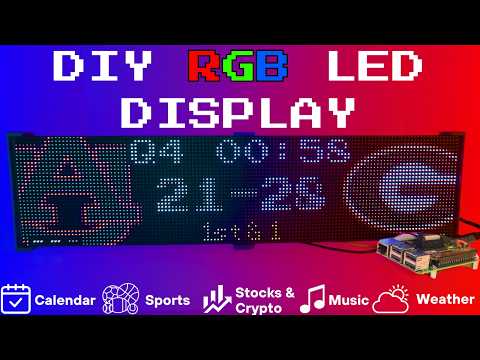
Setup video and feature walkthrough on Youtube (Outdated but still useful) :
Connect with ChuckBuilds
- Show support on Youtube: https://www.youtube.com/@ChuckBuilds
- Check out the write-up on my website: https://www.chuck-builds.com/led-matrix/
- Stay in touch on Instagram: https://www.instagram.com/ChuckBuilds/
- Want to chat? Reach out on the ChuckBuilds Discord: https://discord.com/invite/uW36dVAtcT
- Feeling Generous? Buy Me a Coffee : https://buymeacoffee.com/chuckbuilds
Special Thanks to:
- Hzeller @ GitHub for his groundwork on controlling an LED Matrix from the Raspberry Pi
- Basmilius @ GitHub for his free and extensive weather icons
- nvstly @ GitHub for their Stock and Crypto Icons
- ESPN for their sports API
- Yahoo Finance for their Stock API
- OpenWeatherMap for their Free Weather API
- Randomwire @ https://www.thingiverse.com/thing:5169867 for their 4mm Pixel Pitch LED Matrix Stand
Core Features
Core Features
The following plugins are available inside of the LEDMatrix project. These modular, rotating Displays that can be individually enabled or disabled per the user's needs with some configuration around display durations, teams, stocks, weather, timezones, and more. Displays include:Time and Weather
-
Real-time clock display (2x 64x32 Displays 4mm Pixel Pitch)
-
Current Weather, Daily Weather, and Hourly Weather Forecasts (2x 64x32 Displays 4mm Pixel Pitch)
-
Google Calendar event display (2x 64x32 Displays 4mm Pixel Pitch)
Sports Information
The system supports live, recent, and upcoming game information for multiple sports leagues:
-
NHL (Hockey) (2x 64x32 Displays 4mm Pixel Pitch)
-
NBA (Basketball)
-
MLB (Baseball) (2x 64x32 Displays 4mm Pixel Pitch)
-
NFL (Football) (2x 96x48 Displays 2.5mm Pixel Pitch)
-
NCAA Football (2x 96x48 Displays 2.5mm Pixel Pitch)
-
NCAA Men's Basketball
-
NCAA Men's Baseball
-
Soccer (Premier League, La Liga, Bundesliga, Serie A, Ligue 1, Liga Portugal, Champions League, Europa League, MLS)
-
(Note, some of these sports seasons were not active during development and might need fine tuning when games are active)
Financial Information
- Near real-time stock & crypto price updates
- Stock news headlines
- Customizable stock & crypto watchlists (2x 64x32 Displays 4mm Pixel Pitch)
Entertainment
- Music playback information from multiple sources:
- Spotify integration
- YouTube Music integration
- Album art display
- Now playing information with scrolling text (2x 64x32 Displays 4mm Pixel Pitch)
Custom Display Features
-
Custom Text display (2x 64x32 Displays 4mm Pixel Pitch)
-
Youtube Subscriber Count Display (2x 64x32 Displays 4mm Pixel Pitch)
Hardware
Hardware Requirements
## Hardware RequirementsRaspberry Pi
- Raspberry Pi 3B or 4 (NOT RPi 5!)
Amazon Affiliate Link – Raspberry Pi 4 4GB RAM Amazon Affiliate Link – Raspberry Pi 4 8GB RAM
RGB Matrix Bonnet / HAT
- Adafruit RGB Matrix Bonnet/HAT – supports one “chain” of horizontally connected displays
- Adafruit Triple LED Matrix Bonnet – supports up to 3 vertical “chains” of horizontally connected displays (use
regular-pi1as hardware mapping) - Electrodragon RGB HAT – supports up to 3 vertical “chains”
- Seengreat Matrix Adapter Board – single-chain LED Matrix (use
regularas hardware mapping)
LED Matrix Panels
(2x in a horizontal chain is recommended)
- Adafruit 64×32 – designed for 128×32 but works with dynamic scaling on many displays (pixel pitch is user preference)
- Waveshare 64×32 - Does not require E addressable pad
- Waveshare 92×46 – higher resolution, requires soldering the E addressable pad on the Adafruit RGB Bonnet to “8” OR toggling the DIP switch on the Adafruit Triple LED Matrix Bonnet (no soldering required!)
Amazon Affiliate Link – ChuckBuilds receives a small commission on purchases
Power Supply
- 5V 4A DC Power Supply (good for 2 -3 displays, depending on brightness and pixel density, you'll need higher amperage for more)
- 5V 10A DC Power Supply (good for 6-8 displays, depending on brightness and pixel density)
Optional but recommended mod for Adafruit RGB Matrix Bonnet
- By soldering a jumper between pins 4 and 18, you can run a specialized command for polling the matrix display. This provides better brightness, less flicker, and better color.
- If you do the mod, we will use the default config with led-gpio-mapping=adafruit-hat-pwm, otherwise just adjust your mapping in config.json to adafruit-hat
- More information available: https://github.com/hzeller/rpi-rgb-led-matrix/tree/master?tab=readme-ov-file
Possibly required depending on the display you are using.
- Some LED Matrix displays require an "E" addressable line to draw the display properly. The 64x32 Adafruit display does NOT require the E addressable line, however the 92x46 Waveshare display DOES require the "E" Addressable line.
- Various ways to enable this depending on your Bonnet / HAT.
Your display will look like it is "sort of" working but still messed up.
or
or
How to set addressable E line on various HATs:
-
Adafruit Single Chain HATs
or
-
Adafruit Triple Chain HAT
-
ElectroDragon RGB LED Matrix Panel Drive Board
2 Matrix display with Rpi connected to Adafruit Single Chain HAT.
Mount / Stand options
Mount/Stand
I 3D printed stands to keep the panels upright and snug. STL Files are included in the Repo but are also available at https://www.thingiverse.com/thing:5169867 Thanks to "Randomwire" for making these for the 4mm Pixel Pitch LED Matrix.
Special Thanks for Rmatze for making:
- 3mm Pixel Pitch RGB Stand for 32x64 Display : https://www.thingiverse.com/thing:7149818
- 4mm Pixel Pitch RGB Stand for 32x64 Display : https://www.thingiverse.com/thing:7165993
These are not required and you can probably rig up something basic with stuff you have around the house. I used these screws: https://amzn.to/4mFwNJp (Amazon Affiliate Link)
Installation Steps
Preparing the Raspberry Pi
Preparing the Raspberry Pi
- Create RPI Image on a Micro-SD card (I use 16gb because I have it, size is not too important but I would use 8gb or more) using Raspberry Pi Imager
- Choose your Raspberry Pi (3B+ in my case)
- For Operating System (OS), choose "Other", then choose Raspbian OS (64-bit) Lite
- For Storage, choose your micro-sd card
- Press Next then Edit Settings
- Inside the OS Customization Settings, choose a name for your device. I use "ledpi". Choose a password, enter your WiFi information, and set your timezone.
- Under the Services Tab, make sure that SSH is enabled. I recommend using password authentication for ease of use - it is the password you just chose above.
- Then Click "Save" and Agree to Overwrite the Micro-SD card.
System Setup & Installation
System Setup & Installation
Quick Install (Recommended)
SSH into your Raspberry Pi and paste this single command:
curl -fsSL https://raw.githubusercontent.com/ChuckBuilds/LEDMatrix/main/scripts/install/one-shot-install.sh | bash
This one-shot installer will automatically:
- Check system prerequisites (network, disk space, sudo access)
- Install required system packages (git, python3, build tools, etc.)
- Clone or update the LEDMatrix repository
- Run the complete first-time installation script
The installation process typically takes 10-30 minutes depending on your internet connection and Pi model. All errors are reported explicitly with actionable fixes.
Note: The script is safe to run multiple times and will handle existing installations gracefully.
Manual Installation (Alternative)
If you prefer to install manually or the one-shot installer doesn't work for your setup:
- SSH into your Raspberry Pi:
ssh ledpi@ledpi
- Update repositories, upgrade Raspberry Pi OS, and install prerequisites:
sudo apt update && sudo apt upgrade -y
sudo apt install -y git python3-pip cython3 build-essential python3-dev python3-pillow scons
- Clone this repository:
git clone https://github.com/ChuckBuilds/LEDMatrix.git
cd LEDMatrix
- Run the first-time installation script:
chmod +x first_time_install.sh
sudo bash ./first_time_install.sh
This single script installs services, dependencies, configures permissions and sudoers, and validates the setup.
Configuration
Configuration
Configuration
Initial Setup
Edit the project via the web interface at http://ledpi:5000 or for manual control:
-
First-time setup: The previous "First_time_install.sh" script should've already copied the template to create your config.json:
-
Edit your configuration:
sudo nano config/config.json
or
- Having Issues?: Run the First Time Script again:
sudo ./first_time_install.sh
Automatic Configuration Migration
The system automatically handles configuration updates:
- New installations: Creates
config.jsonfrom the template automatically - Existing installations: Automatically adds new configuration options with default values when the system starts
- Backup protection: Creates a backup of your current config before applying updates
- No conflicts: Your custom settings are preserved while new options are added
Everything is configured via config/config.json and config/config_secrets.json. The config.json file is not tracked by Git to prevent conflicts during updates.
Running the Display
From the project root directory:
sudo python3 display_controller.py
This will start the display cycle but only stays active as long as your ssh session is active.
Run on Startup Automatically with Systemd Service Installation
Run on Startup Automatically with Systemd Service Installation
The first time install will handle this: The LEDMatrix can be installed as a systemd service to run automatically at boot and be managed easily. The service runs as root to ensure proper hardware timing access for the LED matrix.
Installing the Service (this is included in the first_time_install.sh)
- Run the install script with sudo:
sudo ./scripts/install/install_service.sh
The script will:
- Detect your user account and home directory
- Install the service file with the correct paths
- Enable the service to start on boot
- Start the service immediately
Managing the Service
# Stop the display
sudo systemctl stop ledmatrix.service

# Start the display
sudo systemctl start ledmatrix.service

# Check service status
sudo systemctl status ledmatrix.service

# View logs
journalctl -u ledmatrix.service

# Disable autostart
sudo systemctl disable ledmatrix.service

# Enable autostart
sudo systemctl enable ledmatrix.service
Convenience Scripts
Convenience Scripts
Two convenience scripts are provided for easy service management:
start_display.sh- Starts the LED matrix display servicestop_display.sh- Stops the LED matrix display service
Make them executable with:
chmod +x start_display.sh stop_display.sh
Then use them to control the service:
sudo ./start_display.sh
sudo ./stop_display.sh
Web Interface Installation
The first time install will handle this: The LEDMatrix system includes Web Interface that runs on port 5000 and provides real-time display preview, configuration management, and on-demand display controls.
Installing the Web Interface Service
- Make the install script executable:
chmod +x install_web_service.sh
- Run the install script with sudo:
sudo ./install_web_service.sh
The script will:
- Copy the web service file to
/etc/systemd/system/ - Enable the service to start on boot
- Start the service immediately
- Show the service status
Web Interface Configuration
The web interface can be configured to start automatically with the main display service:
- In
config/config.json, ensure the web interface autostart is enabled:
{
    "web_display_autostart": true
}
- The web interface will now start automatically when:
- The system boots
- The
web_display_autostartsetting istruein your config
Accessing the Web Interface
Once installed, you can access the web interface at:
http://your-pi-ip:5000
Managing the Web Interface Service
# Check service status
sudo systemctl status ledmatrix-web.service

# View logs
journalctl -u ledmatrix-web.service -f

# Stop the service
sudo systemctl stop ledmatrix-web.service

# Start the service
sudo systemctl start ledmatrix-web.service

# Disable autostart
sudo systemctl disable ledmatrix-web.service

# Enable autostart
sudo systemctl enable ledmatrix-web.service
Web Interface Features
- Real-time Display Preview: See what's currently displayed on the LED matrix
- Configuration Management: Edit settings through a web interface
- On-Demand Controls: Start specific displays (weather, stocks, sports) on demand
- Service Management: Start/stop the main display service
- System Controls: Restart, update code, and manage the system
- API Metrics: Monitor API usage and system performance
- Logs: View system logs in real-time
Troubleshooting Web Interface
Web Interface Not Accessible After Restart:
- Check if the web service is running:
sudo systemctl status ledmatrix-web.service - Verify the service is enabled:
sudo systemctl is-enabled ledmatrix-web.service - Check logs for errors:
journalctl -u ledmatrix-web.service -f - Ensure
web_display_autostartis set totrueinconfig/config.json
Port 5000 Not Accessible:
- Check if the service is running on the correct port
- Verify firewall settings allow access to port 5000
- Check if another service is using port 5000
Service Fails to Start:
- Check Python dependencies are installed
- Verify the virtual environment is set up correctly
- Check file permissions and ownership
Plugins
Plugin Store
The easiest way to discover and install plugins is through the Plugin Store in the LEDMatrix web interface:
- Open the web interface (
http://your-pi-ip:5000) - Navigate to the Plugin Manager tab
- Browse available plugins in the Plugin Store
- Click Install on any plugin you want
- Configure and enable plugins through the web UI
Installing 3rd-Party Plugins
You can also install plugins directly from GitHub repositories:
- Single Plugin: Install from any GitHub repository URL
- Registry/Monorepo: Install multiple plugins from a single repository
See the Plugin Store documentation for detailed installation instructions.
For plugin development, check out the Hello World Plugin repository as a starter template.
⚠️ Breaking Changes
Important for users upgrading from older versions:
-
Script Path Reorganization: Installation scripts have been moved to
scripts/install/:./install_service.sh→./scripts/install/install_service.sh./install_web_service.sh→./scripts/install/install_web_service.sh./configure_web_sudo.sh→./scripts/install/configure_web_sudo.sh
If you have automation, cron jobs, or custom tooling that references these scripts, you must update them to use the new paths. See the Migration Guide for complete details.
-
Built-in Managers Deprecated: The built-in managers (hockey, football, stocks, etc.) are now deprecated and have been moved to the plugin system. You must install replacement plugins from the Plugin Store in the web interface instead. The plugin system provides the same functionality with better maintainability and extensibility.
Information
Display Settings from RGBLEDMatrix Library
Display Settings
If you are copying my setup, you can likely leave this alone.
- hardware: Configures how the matrix is driven.
- rows, cols, chain_length: Physical panel configuration.
- brightness: Display brightness (0–100).
- hardware_mapping: Use "adafruit-hat-pwm" for Adafruit bonnet WITH the jumper mod. Remove -pwm if you did not solder the jumper.
- pwm_bits, pwm_dither_bits, pwm_lsb_nanoseconds: Affect color fidelity.
- limit_refresh_rate_hz: Cap refresh rate for better stability.
- runtime:
- gpio_slowdown: Tweak this depending on your Pi model. Match it to the generation (e.g., Pi 3 → 3, Pi 4 -> 4).
- display_durations:
- Control how long each display module stays visible in seconds. For example, if you want more focus on stocks, increase that value.
Modules
- Each module (weather, stocks, crypto, calendar, etc.) has enabled, update_interval, and often display_format settings.
- Sports modules also support test_mode, live_update_interval, and favorite_teams.
- Logos are loaded from the logo_dir path under assets/sports/...