Compare commits
| Author | SHA1 | Date | |
|---|---|---|---|
 ChuckandClaude Opus 4.6 ChuckandClaude Opus 4.6
|
b374bfa8c6 | ||
|
ChuckandClaude Opus 4.6
|
49287bdd1a | ||
|
ChuckandClaude Opus 4.6
|
1d31465df0 | ||
|
ChuckandClaude Opus 4.6
|
2a7a318cf7 | ||
|
|
efe6b1fe23 | ||
|
|
5ea2acd897 | ||
|
|
68a0fe1182 | ||
|
|
7afc2c0670 | ||
|
|
ee4149dc49 | ||
|
|
5ddf8b1aea | ||
|
|
35df06b8e1 | ||
|
|
77e9eba294 | ||
|
|
6eccb74415 | ||
|
|
2c2fca2219 | ||
|
|
640a4c1706 | ||
|
|
81a022dbe8 | ||
|
|
48ff624a85 | ||
|
|
31ed854d4e | ||
|
|
442638dd2c | ||
|
|
8391832c90 | ||
|
|
c8737d1a6c | ||
|
|
28a374485f | ||
|
|
fa92bfbdd8 | ||
|
|
f3e7c639ba | ||
|
|
f718305886 | ||
|
|
f0dc094cd6 | ||
|
|
178dfb0c2a | ||
|
|
76c5bf5781 | ||
|
|
feee1dffde | ||
|
|
f05c357d57 | ||
|
|
fe5c1d0d5e | ||
|
|
3e50fa5b1d | ||
|
|
8ae82321ce | ||
|
|
eb143c44fa | ||
|
|
275fed402e | ||
|
|
38a9c1ed1b | ||
|
|
23f0176c18 | ||
|
|
9465fcda6e | ||
|
|
976c10c4ac | ||
|
|
b92ff3dfbd | ||
|
|
4c4efd614a | ||
|
|
14b6a0c6a3 | ||
|
ChuckandGitHub
|
c2763d6447 | ||
|
|
1f0de9b354 | ||
|
|
ed90654bf2 | ||
|
|
302235a357 | ||
|
|
636d0e181c | ||
|
|
963c4d3b91 | ||
|
|
22c495ea7c | ||
|
|
5b0ad5ab71 | ||
|
|
bc8568604a | ||
|
|
878f339fb3 | ||
|
|
51616f1bc4 | ||
|
|
82370a0253 | ||
|
|
3975940cff | ||
|
|
158e07c82b | ||
|
|
9a72adbde1 | ||
|
|
9d3bc55c18 | ||
|
|
df3cf9bb56 | ||
|
|
448a15c1e6 | ||
|
|
b99be88cec | ||
|
|
4a9fc2df3a | ||
|
|
d207e7c6dd | ||
|
|
7e98fa9bd8 | ||
|
|
0d5510d8f7 | ||
|
|
18fecd3cda | ||
|
|
1c3269c0f3 | ||
|
|
ea61331d46 | ||
|
|
8fb2800495 | ||
|
|
8912501604 | ||
|
|
68c4259370 | ||
|
|
7f5c7399fb | ||
|
|
14c50f316e | ||
|
|
ddd300a117 | ||
|
|
7524747e44 | ||
|
|
10d70d911a | ||
|
|
a8c85dd015 | ||
|
ChuckandGitHub
|
0203c5c1b5 | ||
|
|
384ed096ff | ||
|
ChuckandGitHub
|
f9de9fa29e |
@@ -40,3 +40,10 @@ htmlcov/
|
|||||||
# See docs/MULTI_ROOT_WORKSPACE_SETUP.md for details
|
# See docs/MULTI_ROOT_WORKSPACE_SETUP.md for details
|
||||||
plugins/*
|
plugins/*
|
||||||
!plugins/.gitkeep
|
!plugins/.gitkeep
|
||||||
|
|
||||||
|
# Binary files and backups
|
||||||
|
bin/pixlet/
|
||||||
|
config/backups/
|
||||||
|
|
||||||
|
# Starlark apps runtime storage (installed .star files and cached renders)
|
||||||
|
/starlark-apps/
|
||||||
|
|||||||
@@ -1,66 +1,3 @@
|
|||||||
[submodule "plugins/odds-ticker"]
|
|
||||||
path = plugins/odds-ticker
|
|
||||||
url = https://github.com/ChuckBuilds/ledmatrix-odds-ticker.git
|
|
||||||
[submodule "plugins/clock-simple"]
|
|
||||||
path = plugins/clock-simple
|
|
||||||
url = https://github.com/ChuckBuilds/ledmatrix-clock-simple.git
|
|
||||||
[submodule "plugins/text-display"]
|
|
||||||
path = plugins/text-display
|
|
||||||
url = https://github.com/ChuckBuilds/ledmatrix-text-display.git
|
|
||||||
[submodule "rpi-rgb-led-matrix-master"]
|
[submodule "rpi-rgb-led-matrix-master"]
|
||||||
path = rpi-rgb-led-matrix-master
|
path = rpi-rgb-led-matrix-master
|
||||||
url = https://github.com/hzeller/rpi-rgb-led-matrix.git
|
url = https://github.com/hzeller/rpi-rgb-led-matrix.git
|
||||||
[submodule "plugins/basketball-scoreboard"]
|
|
||||||
path = plugins/basketball-scoreboard
|
|
||||||
url = https://github.com/ChuckBuilds/ledmatrix-basketball-scoreboard.git
|
|
||||||
[submodule "plugins/soccer-scoreboard"]
|
|
||||||
path = plugins/soccer-scoreboard
|
|
||||||
url = https://github.com/ChuckBuilds/ledmatrix-soccer-scoreboard.git
|
|
||||||
[submodule "plugins/calendar"]
|
|
||||||
path = plugins/calendar
|
|
||||||
url = https://github.com/ChuckBuilds/ledmatrix-calendar.git
|
|
||||||
[submodule "plugins/mqtt-notifications"]
|
|
||||||
path = plugins/mqtt-notifications
|
|
||||||
url = https://github.com/ChuckBuilds/ledmatrix-mqtt-notifications.git
|
|
||||||
[submodule "plugins/olympics-countdown"]
|
|
||||||
path = plugins/olympics-countdown
|
|
||||||
url = https://github.com/ChuckBuilds/ledmatrix-olympics-countdown.git
|
|
||||||
[submodule "plugins/ledmatrix-stocks"]
|
|
||||||
path = plugins/ledmatrix-stocks
|
|
||||||
url = https://github.com/ChuckBuilds/ledmatrix-stocks.git
|
|
||||||
[submodule "plugins/ledmatrix-music"]
|
|
||||||
path = plugins/ledmatrix-music
|
|
||||||
url = https://github.com/ChuckBuilds/ledmatrix-music.git
|
|
||||||
[submodule "plugins/static-image"]
|
|
||||||
path = plugins/static-image
|
|
||||||
url = https://github.com/ChuckBuilds/ledmatrix-static-image.git
|
|
||||||
[submodule "plugins/football-scoreboard"]
|
|
||||||
path = plugins/football-scoreboard
|
|
||||||
url = https://github.com/ChuckBuilds/ledmatrix-football-scoreboard.git
|
|
||||||
[submodule "plugins/hockey-scoreboard"]
|
|
||||||
path = plugins/hockey-scoreboard
|
|
||||||
url = https://github.com/ChuckBuilds/ledmatrix-hockey-scoreboard.git
|
|
||||||
[submodule "plugins/baseball-scoreboard"]
|
|
||||||
path = plugins/baseball-scoreboard
|
|
||||||
url = https://github.com/ChuckBuilds/ledmatrix-baseball-scoreboard.git
|
|
||||||
[submodule "plugins/christmas-countdown"]
|
|
||||||
path = plugins/christmas-countdown
|
|
||||||
url = https://github.com/ChuckBuilds/ledmatrix-christmas-countdown.git
|
|
||||||
[submodule "plugins/ledmatrix-flights"]
|
|
||||||
path = plugins/ledmatrix-flights
|
|
||||||
url = https://github.com/ChuckBuilds/ledmatrix-flights.git
|
|
||||||
[submodule "plugins/ledmatrix-leaderboard"]
|
|
||||||
path = plugins/ledmatrix-leaderboard
|
|
||||||
url = https://github.com/ChuckBuilds/ledmatrix-leaderboard.git
|
|
||||||
[submodule "plugins/ledmatrix-weather"]
|
|
||||||
path = plugins/ledmatrix-weather
|
|
||||||
url = https://github.com/ChuckBuilds/ledmatrix-weather.git
|
|
||||||
[submodule "plugins/ledmatrix-news"]
|
|
||||||
path = plugins/ledmatrix-news
|
|
||||||
url = https://github.com/ChuckBuilds/ledmatrix-news.git
|
|
||||||
[submodule "plugins/ledmatrix-of-the-day"]
|
|
||||||
path = plugins/ledmatrix-of-the-day
|
|
||||||
url = https://github.com/ChuckBuilds/ledmatrix-of-the-day.git
|
|
||||||
[submodule "plugins/youtube-stats"]
|
|
||||||
path = plugins/youtube-stats
|
|
||||||
url = https://github.com/ChuckBuilds/ledmatrix-youtube-stats.git
|
|
||||||
|
|||||||
@@ -0,0 +1,64 @@
|
|||||||
|
# Pre-commit hooks for LEDMatrix
|
||||||
|
# Install: pip install pre-commit && pre-commit install
|
||||||
|
# Run manually: pre-commit run --all-files
|
||||||
|
|
||||||
|
repos:
|
||||||
|
- repo: https://github.com/pre-commit/pre-commit-hooks
|
||||||
|
rev: v4.5.0
|
||||||
|
hooks:
|
||||||
|
- id: trailing-whitespace
|
||||||
|
- id: end-of-file-fixer
|
||||||
|
- id: check-yaml
|
||||||
|
- id: check-json
|
||||||
|
- id: check-added-large-files
|
||||||
|
args: ['--maxkb=1000']
|
||||||
|
- id: check-merge-conflict
|
||||||
|
|
||||||
|
- repo: https://github.com/PyCQA/flake8
|
||||||
|
rev: 7.0.0
|
||||||
|
hooks:
|
||||||
|
- id: flake8
|
||||||
|
args: ['--select=E9,F63,F7,F82,B', '--ignore=E501']
|
||||||
|
additional_dependencies: [flake8-bugbear]
|
||||||
|
|
||||||
|
- repo: local
|
||||||
|
hooks:
|
||||||
|
- id: no-bare-except
|
||||||
|
name: Check for bare except clauses
|
||||||
|
entry: bash -c 'if grep -rn "except:\s*pass" src/; then echo "Found bare except:pass - please handle exceptions properly"; exit 1; fi'
|
||||||
|
language: system
|
||||||
|
types: [python]
|
||||||
|
pass_filenames: false
|
||||||
|
|
||||||
|
- id: no-hardcoded-paths
|
||||||
|
name: Check for hardcoded user paths
|
||||||
|
entry: bash -c 'if grep -rn "/home/chuck/" src/; then echo "Found hardcoded user paths - please use relative paths or config"; exit 1; fi'
|
||||||
|
language: system
|
||||||
|
types: [python]
|
||||||
|
pass_filenames: false
|
||||||
|
|
||||||
|
- repo: https://github.com/pre-commit/mirrors-mypy
|
||||||
|
rev: v1.8.0
|
||||||
|
hooks:
|
||||||
|
- id: mypy
|
||||||
|
additional_dependencies: [types-requests, types-pytz]
|
||||||
|
args: [--ignore-missing-imports, --no-error-summary]
|
||||||
|
pass_filenames: false
|
||||||
|
files: ^src/
|
||||||
|
|
||||||
|
- repo: https://github.com/PyCQA/bandit
|
||||||
|
rev: 1.8.3
|
||||||
|
hooks:
|
||||||
|
- id: bandit
|
||||||
|
args:
|
||||||
|
- '-r'
|
||||||
|
- '-ll'
|
||||||
|
- '-c'
|
||||||
|
- 'bandit.yaml'
|
||||||
|
- '-x'
|
||||||
|
- './tests,./test,./venv,./.venv,./scripts/prove_security.py,./rpi-rgb-led-matrix-master'
|
||||||
|
|
||||||
|
- repo: https://github.com/gitleaks/gitleaks
|
||||||
|
rev: v8.24.3
|
||||||
|
hooks:
|
||||||
|
- id: gitleaks
|
||||||
@@ -0,0 +1,31 @@
|
|||||||
|
# LEDMatrix
|
||||||
|
|
||||||
|
## Project Structure
|
||||||
|
- `src/plugin_system/` — Plugin loader, manager, store manager, base plugin class
|
||||||
|
- `web_interface/` — Flask web UI (blueprints, templates, static JS)
|
||||||
|
- `config/config.json` — User plugin configuration (persists across plugin reinstalls)
|
||||||
|
- `plugins/` — Installed plugins directory (gitignored)
|
||||||
|
- `plugin-repos/` — Development symlinks to monorepo plugin dirs
|
||||||
|
|
||||||
|
## Plugin System
|
||||||
|
- Plugins inherit from `BasePlugin` in `src/plugin_system/base_plugin.py`
|
||||||
|
- Required abstract methods: `update()`, `display(force_clear=False)`
|
||||||
|
- Each plugin needs: `manifest.json`, `config_schema.json`, `manager.py`, `requirements.txt`
|
||||||
|
- Plugin instantiation args: `plugin_id, config, display_manager, cache_manager, plugin_manager`
|
||||||
|
- Config schemas use JSON Schema Draft-7
|
||||||
|
- Display dimensions: always read dynamically from `self.display_manager.matrix.width/height`
|
||||||
|
|
||||||
|
## Plugin Store Architecture
|
||||||
|
- Official plugins live in the `ledmatrix-plugins` monorepo (not individual repos)
|
||||||
|
- Plugin repo naming convention: `ledmatrix-<plugin-id>` (e.g., `ledmatrix-football-scoreboard`)
|
||||||
|
- `plugins.json` registry at `https://raw.githubusercontent.com/ChuckBuilds/ledmatrix-plugins/main/plugins.json`
|
||||||
|
- Store manager (`src/plugin_system/store_manager.py`) handles install/update/uninstall
|
||||||
|
- Monorepo plugins are installed via ZIP extraction (no `.git` directory)
|
||||||
|
- Update detection for monorepo plugins uses version comparison (manifest version vs registry latest_version)
|
||||||
|
- Plugin configs stored in `config/config.json`, NOT in plugin directories — safe across reinstalls
|
||||||
|
- Third-party plugins can use their own repo URL with empty `plugin_path`
|
||||||
|
|
||||||
|
## Common Pitfalls
|
||||||
|
- paho-mqtt 2.x needs `callback_api_version=mqtt.CallbackAPIVersion.VERSION1` for v1 compat
|
||||||
|
- BasePlugin uses `get_logger()` from `src.logging_config`, not standard `logging.getLogger()`
|
||||||
|
- When modifying a plugin in the monorepo, you MUST bump `version` in its `manifest.json` and run `python update_registry.py` — otherwise users won't receive the update
|
||||||
@@ -4,89 +4,9 @@
|
|||||||
"path": ".",
|
"path": ".",
|
||||||
"name": "LEDMatrix (Main)"
|
"name": "LEDMatrix (Main)"
|
||||||
},
|
},
|
||||||
{
|
|
||||||
"path": "../ledmatrix-odds-ticker",
|
|
||||||
"name": "Odds Ticker"
|
|
||||||
},
|
|
||||||
{
|
|
||||||
"path": "../ledmatrix-clock-simple",
|
|
||||||
"name": "Clock Simple"
|
|
||||||
},
|
|
||||||
{
|
|
||||||
"path": "../ledmatrix-text-display",
|
|
||||||
"name": "Text Display"
|
|
||||||
},
|
|
||||||
{
|
|
||||||
"path": "../ledmatrix-basketball-scoreboard",
|
|
||||||
"name": "Basketball Scoreboard"
|
|
||||||
},
|
|
||||||
{
|
|
||||||
"path": "../ledmatrix-soccer-scoreboard",
|
|
||||||
"name": "Soccer Scoreboard"
|
|
||||||
},
|
|
||||||
{
|
|
||||||
"path": "../ledmatrix-calendar",
|
|
||||||
"name": "Calendar"
|
|
||||||
},
|
|
||||||
{
|
|
||||||
"path": "../ledmatrix-olympics-countdown",
|
|
||||||
"name": "Olympics Countdown"
|
|
||||||
},
|
|
||||||
{
|
|
||||||
"path": "../ledmatrix-stocks",
|
|
||||||
"name": "Stocks"
|
|
||||||
},
|
|
||||||
{
|
|
||||||
"path": "../ledmatrix-music",
|
|
||||||
"name": "Music"
|
|
||||||
},
|
|
||||||
{
|
|
||||||
"path": "../ledmatrix-static-image",
|
|
||||||
"name": "Static Image"
|
|
||||||
},
|
|
||||||
{
|
|
||||||
"path": "../ledmatrix-football-scoreboard",
|
|
||||||
"name": "Football Scoreboard"
|
|
||||||
},
|
|
||||||
{
|
|
||||||
"path": "../ledmatrix-hockey-scoreboard",
|
|
||||||
"name": "Hockey Scoreboard"
|
|
||||||
},
|
|
||||||
{
|
|
||||||
"path": "../ledmatrix-baseball-scoreboard",
|
|
||||||
"name": "Baseball Scoreboard"
|
|
||||||
},
|
|
||||||
{
|
|
||||||
"path": "../ledmatrix-christmas-countdown",
|
|
||||||
"name": "Christmas Countdown"
|
|
||||||
},
|
|
||||||
{
|
|
||||||
"path": "../ledmatrix-flights",
|
|
||||||
"name": "Flights"
|
|
||||||
},
|
|
||||||
{
|
|
||||||
"path": "../ledmatrix-leaderboard",
|
|
||||||
"name": "Leaderboard"
|
|
||||||
},
|
|
||||||
{
|
|
||||||
"path": "../ledmatrix-weather",
|
|
||||||
"name": "Weather"
|
|
||||||
},
|
|
||||||
{
|
|
||||||
"path": "../ledmatrix-news",
|
|
||||||
"name": "News"
|
|
||||||
},
|
|
||||||
{
|
|
||||||
"path": "../ledmatrix-of-the-day",
|
|
||||||
"name": "Of The Day"
|
|
||||||
},
|
|
||||||
{
|
|
||||||
"path": "../ledmatrix-youtube-stats",
|
|
||||||
"name": "YouTube Stats"
|
|
||||||
},
|
|
||||||
{
|
{
|
||||||
"path": "../ledmatrix-plugins",
|
"path": "../ledmatrix-plugins",
|
||||||
"name": "Plugin Registry"
|
"name": "Plugins (Monorepo)"
|
||||||
}
|
}
|
||||||
],
|
],
|
||||||
"settings": {
|
"settings": {
|
||||||
|
|||||||
@@ -14,8 +14,12 @@ I'm very new to all of this and am *heavily* relying on AI development tools to
|
|||||||
I'm trying to be open to constructive criticism and support, as long as it's a realistic ask and aligns with my priorities on this project. If you have ideas for improvements, find bugs, or want to add features to the base project, please don't hesitate to reach out on Discord or submit a pull request. Similarly, if you want to develop a plugin of your own, please do so! I'd love to see what you create.
|
I'm trying to be open to constructive criticism and support, as long as it's a realistic ask and aligns with my priorities on this project. If you have ideas for improvements, find bugs, or want to add features to the base project, please don't hesitate to reach out on Discord or submit a pull request. Similarly, if you want to develop a plugin of your own, please do so! I'd love to see what you create.
|
||||||
|
|
||||||
|
|
||||||
|
### Installing the LEDMatrix project on a pi video:
|
||||||
|
[](https://www.youtube.com/watch?v=bkT0f1tZI0Y)
|
||||||
|
|
||||||
### Setup video and feature walkthrough on Youtube (Outdated but still useful) :
|
### Setup video and feature walkthrough on Youtube (Outdated but still useful) :
|
||||||
[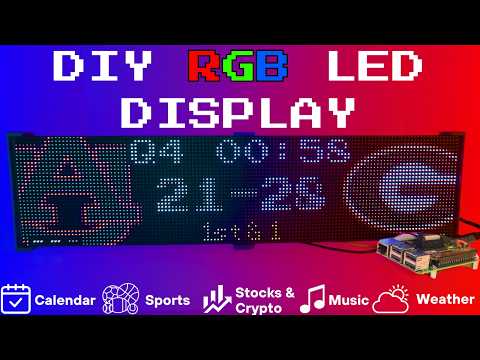](https://www.youtube.com/watch?v=_HaqfJy1Y54)
|
[](https://www.youtube.com/watch?v=_HaqfJy1Y54)
|
||||||
|
|
||||||
|
|
||||||
-----------------------------------------------------------------------------------
|
-----------------------------------------------------------------------------------
|
||||||
### Connect with ChuckBuilds
|
### Connect with ChuckBuilds
|
||||||
@@ -23,7 +27,7 @@ I'm trying to be open to constructive criticism and support, as long as it's a r
|
|||||||
- Show support on Youtube: https://www.youtube.com/@ChuckBuilds
|
- Show support on Youtube: https://www.youtube.com/@ChuckBuilds
|
||||||
- Check out the write-up on my website: https://www.chuck-builds.com/led-matrix/
|
- Check out the write-up on my website: https://www.chuck-builds.com/led-matrix/
|
||||||
- Stay in touch on Instagram: https://www.instagram.com/ChuckBuilds/
|
- Stay in touch on Instagram: https://www.instagram.com/ChuckBuilds/
|
||||||
- Want to chat? Reach out on the ChuckBuilds Discord: https://discord.com/invite/uW36dVAtcT
|
- Want to chat? Reach out on the LEDMatrix Discord: [https://discord.com/invite/uW36dVAtcT](https://discord.gg/dfFwsasa6W)
|
||||||
- Feeling Generous? Consider sponsoring this project or sending a donation (these AI credits aren't cheap!)
|
- Feeling Generous? Consider sponsoring this project or sending a donation (these AI credits aren't cheap!)
|
||||||
|
|
||||||
-----------------------------------------------------------------------------------
|
-----------------------------------------------------------------------------------
|
||||||
@@ -138,7 +142,7 @@ The system supports live, recent, and upcoming game information for multiple spo
|
|||||||
(2x in a horizontal chain is recommended)
|
(2x in a horizontal chain is recommended)
|
||||||
- [Adafruit 64×32](https://www.adafruit.com/product/2278) – designed for 128×32 but works with dynamic scaling on many displays (pixel pitch is user preference)
|
- [Adafruit 64×32](https://www.adafruit.com/product/2278) – designed for 128×32 but works with dynamic scaling on many displays (pixel pitch is user preference)
|
||||||
- [Waveshare 64×32](https://amzn.to/3Kw55jK) - Does not require E addressable pad
|
- [Waveshare 64×32](https://amzn.to/3Kw55jK) - Does not require E addressable pad
|
||||||
- [Waveshare 92×46](https://amzn.to/4bydNcv) – higher resolution, requires soldering the **E addressable pad** on the [Adafruit RGB Bonnet](https://www.adafruit.com/product/3211) to “8” **OR** toggling the DIP switch on the Adafruit Triple LED Matrix Bonnet *(no soldering required!)*
|
- [Waveshare 96×48](https://amzn.to/4bydNcv) – higher resolution, requires soldering the **E addressable pad** on the [Adafruit RGB Bonnet](https://www.adafruit.com/product/3211) to “8” **OR** toggling the DIP switch on the Adafruit Triple LED Matrix Bonnet *(no soldering required!)*
|
||||||
> Amazon Affiliate Link – ChuckBuilds receives a small commission on purchases
|
> Amazon Affiliate Link – ChuckBuilds receives a small commission on purchases
|
||||||
|
|
||||||
### Power Supply
|
### Power Supply
|
||||||
@@ -152,7 +156,7 @@ The system supports live, recent, and upcoming game information for multiple spo
|
|||||||

|

|
||||||
|
|
||||||
## Possibly required depending on the display you are using.
|
## Possibly required depending on the display you are using.
|
||||||
- Some LED Matrix displays require an "E" addressable line to draw the display properly. The [64x32 Adafruit display](https://www.adafruit.com/product/2278) does NOT require the E addressable line, however the [92x46 Waveshare display](https://amzn.to/4pQdezE) DOES require the "E" Addressable line.
|
- Some LED Matrix displays require an "E" addressable line to draw the display properly. The [64x32 Adafruit display](https://www.adafruit.com/product/2278) does NOT require the E addressable line, however the [96x48 Waveshare display](https://amzn.to/4pQdezE) DOES require the "E" Addressable line.
|
||||||
- Various ways to enable this depending on your Bonnet / HAT.
|
- Various ways to enable this depending on your Bonnet / HAT.
|
||||||
|
|
||||||
Your display will look like it is "sort of" working but still messed up.
|
Your display will look like it is "sort of" working but still messed up.
|
||||||
@@ -778,14 +782,18 @@ The LEDMatrix system includes Web Interface that runs on port 5000 and provides
|
|||||||
|
|
||||||
### Installing the Web Interface Service
|
### Installing the Web Interface Service
|
||||||
|
|
||||||
|
> The first-time installer (`first_time_install.sh`) already installs the
|
||||||
|
> web service. The steps below only apply if you need to (re)install it
|
||||||
|
> manually.
|
||||||
|
|
||||||
1. Make the install script executable:
|
1. Make the install script executable:
|
||||||
```bash
|
```bash
|
||||||
chmod +x install_web_service.sh
|
chmod +x scripts/install/install_web_service.sh
|
||||||
```
|
```
|
||||||
|
|
||||||
2. Run the install script with sudo:
|
2. Run the install script with sudo:
|
||||||
```bash
|
```bash
|
||||||
sudo ./install_web_service.sh
|
sudo ./scripts/install/install_web_service.sh
|
||||||
```
|
```
|
||||||
|
|
||||||
The script will:
|
The script will:
|
||||||
|
|||||||
@@ -0,0 +1,42 @@
|
|||||||
|
The identity of the designer(s) of the original ASCII repertoire and
|
||||||
|
the later Latin-1 extension of the misc-fixed BDF fonts appears to
|
||||||
|
have been lost in history. (It is likely that many of these 7-bit
|
||||||
|
ASCII fonts were created in the early or mid 1980s as part of MIT's
|
||||||
|
Project Athena, or at its industrial partner, DEC.)
|
||||||
|
|
||||||
|
In 1997, Markus Kuhn at the University of Cambridge Computer
|
||||||
|
Laboratory initiated and headed a project to extend the misc-fixed BDF
|
||||||
|
fonts to as large a subset of Unicode/ISO 10646 as is feasible for
|
||||||
|
each of the available font sizes, as part of a wider effort to
|
||||||
|
encourage users of POSIX systems to migrate from ISO 8859 to UTF-8.
|
||||||
|
|
||||||
|
Robert Brady <rwb197@ecs.soton.ac.uk> and Birger Langkjer
|
||||||
|
<birger.langkjer@image.dk> contributed thousands of glyphs and made
|
||||||
|
very substantial contributions and improvements on almost all fonts.
|
||||||
|
Constantine Stathopoulos <cstath@irismedia.gr> contributed all the
|
||||||
|
Greek characters. Markus Kuhn <http://www.cl.cam.ac.uk/~mgk25/> did
|
||||||
|
most 6x13 glyphs and the italic fonts and provided many more glyphs,
|
||||||
|
coordination, and quality assurance for the other fonts. Mark Leisher
|
||||||
|
<mleisher@crl.nmsu.edu> contributed to 6x13 Armenian, Georgian, the
|
||||||
|
first version of Latin Extended Block A and some Cyrillic. Serge V.
|
||||||
|
Vakulenko <vak@crox.net.kiae.su> donated the original Cyrillic glyphs
|
||||||
|
from his 6x13 ISO 8859-5 font. Nozomi Ytow <nozomi@biol.tsukuba.ac.jp>
|
||||||
|
contributed 6x13 halfwidth Katakana. Henning Brunzel
|
||||||
|
<hbrunzel@meta-systems.de> contributed glyphs to 10x20.bdf. Theppitak
|
||||||
|
Karoonboonyanan <thep@linux.thai.net> contributed Thai for 7x13,
|
||||||
|
7x13B, 7x13O, 7x14, 7x14B, 8x13, 8x13B, 8x13O, 9x15, 9x15B, and 10x20.
|
||||||
|
Karl Koehler <koehler@or.uni-bonn.de> contributed Arabic to 9x15,
|
||||||
|
9x15B, and 10x20 and Roozbeh Pournader <roozbeh@sharif.ac.ir> and
|
||||||
|
Behdad Esfahbod revised and extended Arabic in 10x20. Raphael Finkel
|
||||||
|
<raphael@cs.uky.edu> revised Hebrew/Yiddish in 10x20. Jungshik Shin
|
||||||
|
<jshin@pantheon.yale.edu> prepared 18x18ko.bdf. Won-kyu Park
|
||||||
|
<wkpark@chem.skku.ac.kr> prepared the Hangul glyphs used in 12x13ja.
|
||||||
|
Janne V. Kujala <jvk@iki.fi> contributed 4x6. Daniel Yacob
|
||||||
|
<perl@geez.org> revised some Ethiopic glyphs. Ted Zlatanov
|
||||||
|
<tzz@lifelogs.com> did some 7x14. Mikael Öhman <micketeer@gmail.com>
|
||||||
|
worked on 6x12.
|
||||||
|
|
||||||
|
The fonts are still maintained by Markus Kuhn and the original
|
||||||
|
distribution can be found at:
|
||||||
|
|
||||||
|
http://www.cl.cam.ac.uk/~mgk25/ucs-fonts.html
|
||||||
@@ -0,0 +1,369 @@
|
|||||||
|
|
||||||
|
Unicode versions of the X11 "misc-fixed-*" fonts
|
||||||
|
------------------------------------------------
|
||||||
|
|
||||||
|
Markus Kuhn <http://www.cl.cam.ac.uk/~mgk25/> -- 2008-04-21
|
||||||
|
|
||||||
|
|
||||||
|
This package contains the X Window System bitmap fonts
|
||||||
|
|
||||||
|
-Misc-Fixed-*-*-*--*-*-*-*-C-*-ISO10646-1
|
||||||
|
|
||||||
|
These are Unicode (ISO 10646-1) extensions of the classic ISO 8859-1
|
||||||
|
X11 terminal fonts that are widely used with many X11 applications
|
||||||
|
such as xterm, emacs, etc.
|
||||||
|
|
||||||
|
COVERAGE
|
||||||
|
--------
|
||||||
|
|
||||||
|
None of these fonts covers Unicode completely. Complete coverage
|
||||||
|
simply would not make much sense here. Unicode 5.1 contains over
|
||||||
|
100000 characters, and the large majority of them are
|
||||||
|
Chinese/Japanese/Korean Han ideographs (~70000) and Korean Hangul
|
||||||
|
Syllables (~11000) that cannot adequately be displayed in the small
|
||||||
|
pixel sizes of the fixed fonts. Similarly, Arabic characters are
|
||||||
|
difficult to fit nicely together with European characters into the
|
||||||
|
fixed character cells and X11 lacks the ligature substitution
|
||||||
|
mechanisms required for using Indic scripts.
|
||||||
|
|
||||||
|
Therefore these fonts primarily attempt to cover Unicode subsets that
|
||||||
|
fit together with European scripts. This includes the Latin, Greek,
|
||||||
|
Cyrillic, Armenian, Georgian, and Hebrew scripts, plus a lot of
|
||||||
|
linguistic, technical and mathematical symbols. Some of the fixed
|
||||||
|
fonts now also cover Arabic, Thai, Ethiopian, halfwidth Katakana, and
|
||||||
|
some other non-European scripts.
|
||||||
|
|
||||||
|
We have defined 3 different target character repertoires (ISO 10646-1
|
||||||
|
subsets) that the various fonts were checked against for minimal
|
||||||
|
guaranteed coverage:
|
||||||
|
|
||||||
|
TARGET1 617 characters
|
||||||
|
Covers all characters of ISO 8859 part 1-5,7-10,13-16,
|
||||||
|
CEN MES-1, ISO 6937, Microsoft CP1251/CP1252, DEC VT100
|
||||||
|
graphics symbols, and the replacement and default
|
||||||
|
character. It is intended for small bold, italic, and
|
||||||
|
proportional fonts, for which adding block graphics
|
||||||
|
characters would make little sense. This repertoire
|
||||||
|
covers the following ISO 10646-1:2000 collections
|
||||||
|
completely: 1-3, 8, 12.
|
||||||
|
|
||||||
|
TARGET2 886 characters
|
||||||
|
Adds to TARGET1 the characters of the Adobe/Microsoft
|
||||||
|
Windows Glyph List 4 (WGL4), plus a selected set of
|
||||||
|
mathematical characters (covering most of ISO 31-11
|
||||||
|
high-school level math symbols) and some combining
|
||||||
|
characters. It is intended to be covered by all normal
|
||||||
|
"fixed" fonts and covers all European IBM, Microsoft, and
|
||||||
|
Macintosh character sets. This repertoire covers the
|
||||||
|
following ISO 10646-1:2000 (including Amd 1:2002)
|
||||||
|
collections completely: 1-3, 8, 12, 33, 45.
|
||||||
|
|
||||||
|
TARGET3 3282 characters
|
||||||
|
|
||||||
|
Adds to TARGET2 all characters of all European scripts
|
||||||
|
(Latin, Greek, Cyrillic, Armenian, Georgian), all
|
||||||
|
phonetic alphabet symbols, many mathematical symbols
|
||||||
|
(including all those available in LaTeX), all typographic
|
||||||
|
punctuation, all box-drawing characters, control code
|
||||||
|
pictures, graphical shapes and some more that you would
|
||||||
|
expect in a very comprehensive Unicode 4.0 font for
|
||||||
|
European users. It is intended for some of the more
|
||||||
|
useful and more widely used normal "fixed" fonts. This
|
||||||
|
repertoire is, with two exceptions, a superset of all
|
||||||
|
graphical characters in CEN MES-3A and covers the
|
||||||
|
following ISO 10646-1:2000 (including Amd 1:2002)
|
||||||
|
collections completely: 1-12, 27, 30-31, 32 (only
|
||||||
|
graphical characters), 33-42, 44-47, 63, 65, 70 (only
|
||||||
|
graphical characters).
|
||||||
|
|
||||||
|
[The two MES-3A characters deliberately omitted are the
|
||||||
|
angle bracket characters U+2329 and U+232A. ISO and CEN
|
||||||
|
appears to have included these into collection 40 and
|
||||||
|
MES-3A by accident, because there they are the only
|
||||||
|
characters in the Unicode EastAsianWidth "wide" class.]
|
||||||
|
|
||||||
|
CURRENT STATUS:
|
||||||
|
|
||||||
|
6x13.bdf 8x13.bdf 9x15.bdf 9x18.bdf 10x20.bdf:
|
||||||
|
|
||||||
|
Complete (TARGET3 reached and checked)
|
||||||
|
|
||||||
|
5x7.bdf 5x8.bdf 6x9.bdf 6x10.bdf 6x12.bdf 7x13.bdf 7x14.bdf clR6x12.bdf:
|
||||||
|
|
||||||
|
Complete (TARGET2 reached and checked)
|
||||||
|
|
||||||
|
6x13B.bdf 7x13B.bdf 7x14B.bdf 8x13B.bdf 9x15B.bdf 9x18B.bdf:
|
||||||
|
|
||||||
|
Complete (TARGET1 reached and checked)
|
||||||
|
|
||||||
|
6x13O.bdf 7x13O.bdf 8x13O.bdf
|
||||||
|
|
||||||
|
Complete (TARGET1 minus Hebrew and block graphics)
|
||||||
|
|
||||||
|
[None of the above fonts contains any character that has in Unicode
|
||||||
|
the East Asian Width Property "W" or "F" assigned. This way, the
|
||||||
|
desired combination of "half-width" and "full-width" glyphs can be
|
||||||
|
achieved easily. Most font mechanisms display a character that is not
|
||||||
|
covered in a font by using a glyph from another font that appears
|
||||||
|
later in a priority list, which can be arranged to be a "full-width"
|
||||||
|
font.]
|
||||||
|
|
||||||
|
The supplement package
|
||||||
|
|
||||||
|
http://www.cl.cam.ac.uk/~mgk25/download/ucs-fonts-asian.tar.gz
|
||||||
|
|
||||||
|
contains the following additional square fonts with Han characters for
|
||||||
|
East Asian users:
|
||||||
|
|
||||||
|
12x13ja.bdf:
|
||||||
|
|
||||||
|
Covers TARGET2, JIS X 0208, Hangul, and a few more. This font is
|
||||||
|
primarily intended to provide Japanese full-width Hiragana,
|
||||||
|
Katakana, and Kanji for applications that take the remaining
|
||||||
|
("halfwidth") characters from 6x13.bdf. The Greek lowercase
|
||||||
|
characters in it are still a bit ugly and will need some work.
|
||||||
|
|
||||||
|
18x18ja.bdf:
|
||||||
|
|
||||||
|
Covers all JIS X 0208, JIS X 0212, GB 2312-80, KS X 1001:1992,
|
||||||
|
ISO 8859-1,2,3,4,5,7,9,10,15, CP437, CP850 and CP1252 characters,
|
||||||
|
plus a few more, where priority was given to Japanese han style
|
||||||
|
variants. This font should have everything needed to cover the
|
||||||
|
full ISO-2022-JP-2 (RFC 1554) repertoire. This font is primarily
|
||||||
|
intended to provide Japanese full-width Hiragana, Katakana, and
|
||||||
|
Kanji for applications that take the remaining ("halfwidth")
|
||||||
|
characters from 9x18.bdf.
|
||||||
|
|
||||||
|
18x18ko.bdf:
|
||||||
|
|
||||||
|
Covers the same repertoire as 18x18ja plus full coverage of all
|
||||||
|
Hangul syllables and priority was given to Hanja glyphs in the
|
||||||
|
unified CJK area as they are used for writing Korean.
|
||||||
|
|
||||||
|
The 9x18 and 6x12 fonts are recommended for use with overstriking
|
||||||
|
combining characters.
|
||||||
|
|
||||||
|
Bug reports, suggestions for improvement, and especially contributed
|
||||||
|
extensions are very welcome!
|
||||||
|
|
||||||
|
INSTALLATION
|
||||||
|
------------
|
||||||
|
|
||||||
|
You install the fonts under Unix roughly like this (details depending
|
||||||
|
on your system of course):
|
||||||
|
|
||||||
|
System-wide installation (root access required):
|
||||||
|
|
||||||
|
cd submission/
|
||||||
|
make
|
||||||
|
su
|
||||||
|
mv -b *.pcf.gz /usr/lib/X11/fonts/misc/
|
||||||
|
cd /usr/lib/X11/fonts/misc/
|
||||||
|
mkfontdir
|
||||||
|
xset fp rehash
|
||||||
|
|
||||||
|
Alternative: Installation in your private user directory:
|
||||||
|
|
||||||
|
cd submission/
|
||||||
|
make
|
||||||
|
mkdir -p ~/local/lib/X11/fonts/
|
||||||
|
mv *.pcf.gz ~/local/lib/X11/fonts/
|
||||||
|
cd ~/local/lib/X11/fonts/
|
||||||
|
mkfontdir
|
||||||
|
xset +fp ~/local/lib/X11/fonts (put this last line also in ~/.xinitrc)
|
||||||
|
|
||||||
|
Now you can have a look at say the 6x13 font with the command
|
||||||
|
|
||||||
|
xfd -fn '-misc-fixed-medium-r-semicondensed--13-120-75-75-c-60-iso10646-1'
|
||||||
|
|
||||||
|
If you want to have short names for the Unicode fonts, you can also
|
||||||
|
append the fonts.alias file to that in the directory where you install
|
||||||
|
the fonts, call "mkfontdir" and "xset fp rehash" again, and then you
|
||||||
|
can also write
|
||||||
|
|
||||||
|
xfd -fn 6x13U
|
||||||
|
|
||||||
|
Note: If you use an old version of xfontsel, you might notice that it
|
||||||
|
treats every font that contains characters >0x00ff as a Japanese JIS
|
||||||
|
font and therefore selects inappropriate sample characters for display
|
||||||
|
of ISO 10646-1 fonts. An updated xfontsel version with this bug fixed
|
||||||
|
comes with XFree86 4.0 / X11R6.8 or newer.
|
||||||
|
|
||||||
|
If you use the Exceed X server on Microsoft Windows, then you will
|
||||||
|
have to convert the BDF files into Microsoft FON files using the
|
||||||
|
"Compile Fonts" function of Exceed xconfig. See the file exceed.txt
|
||||||
|
for more information.
|
||||||
|
|
||||||
|
There is one significant efficiency problem that X11R6 has with the
|
||||||
|
sparsely populated ISO10646-1 fonts. X11 transmits and allocates 12
|
||||||
|
bytes with the XFontStruct data structure for the difference between
|
||||||
|
the lowest and the highest code value found in a font, no matter
|
||||||
|
whether the code positions in between are used for characters or not.
|
||||||
|
Even a tiny font that contains only two glyphs at positions 0x0000 and
|
||||||
|
0xfffd causes 12 bytes * 65534 codes = 786 kbytes to be requested and
|
||||||
|
stored by the client. Since all the ISO10646-1 BDF files provided in
|
||||||
|
this package contain characters in the U+00xx (ASCII) and U+ffxx
|
||||||
|
(ligatures, etc.) range, all of them would result in 786 kbyte large
|
||||||
|
XCharStruct arrays in the per_char array of the corresponding
|
||||||
|
XFontStruct (even for CharCell fonts!) when loaded by an X client.
|
||||||
|
Until this problem is fixed by extending the X11 font protocol and
|
||||||
|
implementation, non-CJK ISO10646-1 fonts that lack the (anyway not
|
||||||
|
very interesting) characters above U+31FF seem to be the best
|
||||||
|
compromise. The bdftruncate.pl program in this package can be used to
|
||||||
|
deactivate any glyphs above a threshold code value in BDF files. This
|
||||||
|
way, we get relatively memory-economic ISO10646-1 fonts that cause
|
||||||
|
"only" 150 kbyte large XCharStruct arrays to be allocated. The
|
||||||
|
deactivated glyphs are still present in the BDF files, but with an
|
||||||
|
encoding value of -1 that causes them to be ignored.
|
||||||
|
|
||||||
|
The ISO10646-1 fonts can not only be used directly by Unicode aware
|
||||||
|
software, they can also be used to create any 8-bit font. The
|
||||||
|
ucs2any.pl Perl script converts a ISO10646-1 BDF font into a BDF font
|
||||||
|
file with some different encoding. For instance the command
|
||||||
|
|
||||||
|
perl ucs2any.pl 6x13.bdf MAPPINGS/8859-7.TXT ISO8859-7
|
||||||
|
|
||||||
|
will generate the file 6x13-ISO8859-7.bdf according to the 8859-7.TXT
|
||||||
|
Latin/Greek mapping table, which available from
|
||||||
|
<ftp://ftp.unicode.org/Public/MAPPINGS/>. [The shell script
|
||||||
|
./map_fonts automatically generates a subdirectory derived-fonts/ with
|
||||||
|
many *.bdf and *.pcf.gz 8-bit versions of all the
|
||||||
|
-misc-fixed-*-iso10646-1 fonts.]
|
||||||
|
|
||||||
|
When you do a "make" in the submission/ subdirectory as suggested in
|
||||||
|
the installation instructions above, this will generate exactly the
|
||||||
|
set of fonts that have been submitted to the XFree86 project for
|
||||||
|
inclusion into XFree86 4.0. These consists of all the ISO10646-1 fonts
|
||||||
|
processed with "bdftruncate.pl U+3200" plus a selected set of derived
|
||||||
|
8-bit fonts generated with ucs2any.pl.
|
||||||
|
|
||||||
|
Every font comes with a *.repertoire-utf8 file that lists all the
|
||||||
|
characters in this font.
|
||||||
|
|
||||||
|
|
||||||
|
CONTRIBUTING
|
||||||
|
------------
|
||||||
|
|
||||||
|
If you want to help me in extending or improving the fonts, or if you
|
||||||
|
want to start your own ISO 10646-1 font project, you will have to edit
|
||||||
|
BDF font files. This is most comfortably done with the gbdfed font
|
||||||
|
editor (version 1.3 or higher), which is available from
|
||||||
|
|
||||||
|
http://crl.nmsu.edu/~mleisher/gbdfed.html
|
||||||
|
|
||||||
|
Once you are familiar with gbdfed, you will notice that it is no
|
||||||
|
problem to design up to 100 nice characters per hour (even more if
|
||||||
|
only placing accents is involved).
|
||||||
|
|
||||||
|
Information about other X11 font tools and Unicode fonts for X11 in
|
||||||
|
general can be found on
|
||||||
|
|
||||||
|
http://www.cl.cam.ac.uk/~mgk25/ucs-fonts.html
|
||||||
|
|
||||||
|
The latest version of this package is available from
|
||||||
|
|
||||||
|
http://www.cl.cam.ac.uk/~mgk25/download/ucs-fonts.tar.gz
|
||||||
|
|
||||||
|
If you want to contribute, then get the very latest version of this
|
||||||
|
package, check which glyphs are still missing or inappropriate for
|
||||||
|
your needs, and send me whatever you had the time to add and fix. Just
|
||||||
|
email me the extended BDF-files back, or even better, send me a patch
|
||||||
|
file of what you changed. The best way of preparing a patch file is
|
||||||
|
|
||||||
|
./touch_id newfile.bdf
|
||||||
|
diff -d -u -F STARTCHAR oldfile.bdf newfile.bdf >file.diff
|
||||||
|
|
||||||
|
which ensures that the patch file preserves information about which
|
||||||
|
exact version you worked on and what character each "hunk" changes.
|
||||||
|
|
||||||
|
I will try to update this packet on a daily basis. By sending me
|
||||||
|
extensions to these fonts, you agree that the resulting improved font
|
||||||
|
files will remain in the public domain for everyone's free use. Always
|
||||||
|
make sure to load the very latest version of the package immediately
|
||||||
|
before your start, and send me your results as soon as you are done,
|
||||||
|
in order to avoid revision overlaps with other contributors.
|
||||||
|
|
||||||
|
Please try to be careful with the glyphs you generate:
|
||||||
|
|
||||||
|
- Always look first at existing similar characters in order to
|
||||||
|
preserve a consistent look and feel for the entire font and
|
||||||
|
within the font family. For block graphics characters and geometric
|
||||||
|
symbols, take care of correct alignment.
|
||||||
|
|
||||||
|
- Read issues.txt, which contains some design hints for certain
|
||||||
|
characters.
|
||||||
|
|
||||||
|
- All characters of CharCell (C) fonts must strictly fit into
|
||||||
|
the pixel matrix and absolutely no out-of-box ink is allowed.
|
||||||
|
|
||||||
|
- The character cells will be displayed directly next to each other,
|
||||||
|
without any additional pixels in between. Therefore, always make
|
||||||
|
sure that at least the rightmost pixel column remains white, as
|
||||||
|
otherwise letters will stick together, except of course for
|
||||||
|
characters -- like Arabic or block graphics -- that are supposed to
|
||||||
|
stick together.
|
||||||
|
|
||||||
|
- Place accents as low as possible on the Latin characters.
|
||||||
|
|
||||||
|
- Try to keep the shape of accents consistent among each other and
|
||||||
|
with the combining characters in the U+03xx range.
|
||||||
|
|
||||||
|
- Use gbdfed only to edit the BDF file directly and do not import
|
||||||
|
the font that you want to edit from the X server. Use gbdfed 1.3
|
||||||
|
or higher.
|
||||||
|
|
||||||
|
- The glyph names should be the Adobe names for Unicode characters
|
||||||
|
defined at
|
||||||
|
|
||||||
|
http://www.adobe.com/devnet/opentype/archives/glyph.html
|
||||||
|
|
||||||
|
which gbdfed can set automatically. To make the Edit/Rename Glyphs/
|
||||||
|
Adobe Names function work, you have to download the file
|
||||||
|
|
||||||
|
http://www.adobe.com/devnet/opentype/archives/glyphlist.txt
|
||||||
|
|
||||||
|
and configure its location either in Edit/Preferences/Editing Options/
|
||||||
|
Adobe Glyph List, or as "adobe_name_file" in "~/.gbdfed".
|
||||||
|
|
||||||
|
- Be careful to not change the FONTBOUNDINGBOX box accidentally in
|
||||||
|
a patch.
|
||||||
|
|
||||||
|
You should have a copy of the ISO 10646 standard
|
||||||
|
|
||||||
|
ISO/IEC 10646:2003, Information technology -- Universal
|
||||||
|
Multiple-Octet Coded Character Set (UCS),
|
||||||
|
International Organization for Standardization, Geneva, 2003.
|
||||||
|
http://standards.iso.org/ittf/PubliclyAvailableStandards/
|
||||||
|
|
||||||
|
and/or the Unicode 5.0 book:
|
||||||
|
|
||||||
|
The Unicode Consortium: The Unicode Standard, Version 5.0,
|
||||||
|
Reading, MA, Addison-Wesley, 2006,
|
||||||
|
ISBN 9780321480910.
|
||||||
|
http://www.amazon.com/exec/obidos/ASIN/0321480910/mgk25
|
||||||
|
|
||||||
|
All these fonts are from time to time resubmitted to the X.Org
|
||||||
|
project, XFree86 (they have been in there since XFree86 4.0), and to
|
||||||
|
other X server developers for inclusion into their normal X11
|
||||||
|
distributions.
|
||||||
|
|
||||||
|
Starting with XFree86 4.0, xterm has included UTF-8 support. This
|
||||||
|
version is also available from
|
||||||
|
|
||||||
|
http://dickey.his.com/xterm/xterm.html
|
||||||
|
|
||||||
|
Please make the developer of your favourite software aware of the
|
||||||
|
UTF-8 definition in RFC 2279 and of the existence of this font
|
||||||
|
collection. For more information on how to use UTF-8, please check out
|
||||||
|
|
||||||
|
http://www.cl.cam.ac.uk/~mgk25/unicode.html
|
||||||
|
ftp://ftp.ilog.fr/pub/Users/haible/utf8/Unicode-HOWTO.html
|
||||||
|
|
||||||
|
where you will also find information on joining the
|
||||||
|
linux-utf8@nl.linux.org mailing list.
|
||||||
|
|
||||||
|
A number of UTF-8 example text files can be found in the examples/
|
||||||
|
subdirectory or on
|
||||||
|
|
||||||
|
http://www.cl.cam.ac.uk/~mgk25/ucs/examples/
|
||||||
|
|
||||||
@@ -0,0 +1,72 @@
|
|||||||
|
## Provided fonts
|
||||||
|
These are BDF fonts, a simple bitmap font-format that can be created
|
||||||
|
by many font tools. Given that these are bitmap fonts, they will look good on
|
||||||
|
very low resolution screens such as the LED displays.
|
||||||
|
|
||||||
|
Fonts in this directory (except tom-thumb.bdf) are public domain (see the [README](./README)) and
|
||||||
|
help you to get started with the font support in the API or the `text-util`
|
||||||
|
from the utils/ directory.
|
||||||
|
|
||||||
|
Tom-Thumb.bdf is included in this directory under [MIT license](http://vt100.tarunz.org/LICENSE). Tom-thumb.bdf was created by [@robey](http://twitter.com/robey) and originally published at https://robey.lag.net/2010/01/23/tiny-monospace-font.html
|
||||||
|
|
||||||
|
The texgyre-27.bdf font was created using the [otf2bdf] tool from the TeX Gyre font.
|
||||||
|
```bash
|
||||||
|
otf2bdf -v -o texgyre-27.bdf -r 72 -p 27 texgyreadventor-regular.otf
|
||||||
|
```
|
||||||
|
|
||||||
|
## Create your own
|
||||||
|
|
||||||
|
Fonts are in a human-readable and editable `*.bdf` format, but unless you
|
||||||
|
like reading and writing pixels in hex, generating them is probably easier :)
|
||||||
|
|
||||||
|
You can use any font-editor to generate a BDF font or use the conversion
|
||||||
|
tool [otf2bdf] to create one from some other font format.
|
||||||
|
|
||||||
|
Here is an example how you could create a 30-pixel high BDF font from some
|
||||||
|
TrueType font:
|
||||||
|
|
||||||
|
```bash
|
||||||
|
otf2bdf -v -o myfont.bdf -r 72 -p 30 /path/to/font-Bold.ttf
|
||||||
|
```
|
||||||
|
|
||||||
|
## Getting otf2bdf
|
||||||
|
|
||||||
|
Installing the tool should be fairly straightforward.
|
||||||
|
|
||||||
|
```bash
|
||||||
|
sudo apt-get install otf2bdf
|
||||||
|
```
|
||||||
|
|
||||||
|
## Compiling otf2bdf
|
||||||
|
|
||||||
|
If you like to compile otf2bdf, you might notice that the configure script
|
||||||
|
uses some old way of getting the freetype configuration. There does not seem
|
||||||
|
to be much activity on the mature code, so let's patch that first:
|
||||||
|
|
||||||
|
```bash
|
||||||
|
sudo apt-get install -y libfreetype6-dev pkg-config autoconf
|
||||||
|
git clone https://github.com/jirutka/otf2bdf.git # check it out
|
||||||
|
cd otf2bdf
|
||||||
|
patch -p1 <<"EOF"
|
||||||
|
--- a/configure.in
|
||||||
|
+++ b/configure.in
|
||||||
|
@@ -5,8 +5,8 @@ AC_INIT(otf2bdf.c)
|
||||||
|
AC_PROG_CC
|
||||||
|
|
||||||
|
OLDLIBS=$LIBS
|
||||||
|
-LIBS="$LIBS `freetype-config --libs`"
|
||||||
|
-CPPFLAGS="$CPPFLAGS `freetype-config --cflags`"
|
||||||
|
+LIBS="$LIBS `pkg-config freetype2 --libs`"
|
||||||
|
+CPPFLAGS="$CPPFLAGS `pkg-config freetype2 --cflags`"
|
||||||
|
AC_CHECK_LIB(freetype, FT_Init_FreeType, LIBS="$LIBS -lfreetype",[
|
||||||
|
AC_MSG_ERROR([Can't find Freetype library! Compile FreeType first.])])
|
||||||
|
AC_SUBST(LIBS)
|
||||||
|
EOF
|
||||||
|
|
||||||
|
autoconf # rebuild configure script
|
||||||
|
./configure # run configure
|
||||||
|
make # build the software
|
||||||
|
sudo make install # install it
|
||||||
|
```
|
||||||
|
|
||||||
|
[otf2bdf]: https://github.com/jirutka/otf2bdf
|
||||||

|
After Width: | Height: | Size: 476 B |

|
After Width: | Height: | Size: 459 B |

|
After Width: | Height: | Size: 545 B |

|
After Width: | Height: | Size: 496 B |

|
After Width: | Height: | Size: 561 B |

|
After Width: | Height: | Size: 538 B |

|
After Width: | Height: | Size: 521 B |
@@ -43,6 +43,50 @@
|
|||||||
}
|
}
|
||||||
}
|
}
|
||||||
},
|
},
|
||||||
|
"dim_schedule": {
|
||||||
|
"enabled": false,
|
||||||
|
"dim_brightness": 30,
|
||||||
|
"mode": "global",
|
||||||
|
"start_time": "20:00",
|
||||||
|
"end_time": "07:00",
|
||||||
|
"days": {
|
||||||
|
"monday": {
|
||||||
|
"enabled": true,
|
||||||
|
"start_time": "20:00",
|
||||||
|
"end_time": "07:00"
|
||||||
|
},
|
||||||
|
"tuesday": {
|
||||||
|
"enabled": true,
|
||||||
|
"start_time": "20:00",
|
||||||
|
"end_time": "07:00"
|
||||||
|
},
|
||||||
|
"wednesday": {
|
||||||
|
"enabled": true,
|
||||||
|
"start_time": "20:00",
|
||||||
|
"end_time": "07:00"
|
||||||
|
},
|
||||||
|
"thursday": {
|
||||||
|
"enabled": true,
|
||||||
|
"start_time": "20:00",
|
||||||
|
"end_time": "07:00"
|
||||||
|
},
|
||||||
|
"friday": {
|
||||||
|
"enabled": true,
|
||||||
|
"start_time": "20:00",
|
||||||
|
"end_time": "07:00"
|
||||||
|
},
|
||||||
|
"saturday": {
|
||||||
|
"enabled": true,
|
||||||
|
"start_time": "20:00",
|
||||||
|
"end_time": "07:00"
|
||||||
|
},
|
||||||
|
"sunday": {
|
||||||
|
"enabled": true,
|
||||||
|
"start_time": "20:00",
|
||||||
|
"end_time": "07:00"
|
||||||
|
}
|
||||||
|
}
|
||||||
|
},
|
||||||
"timezone": "America/Chicago",
|
"timezone": "America/Chicago",
|
||||||
"location": {
|
"location": {
|
||||||
"city": "Dallas",
|
"city": "Dallas",
|
||||||
@@ -64,15 +108,23 @@
|
|||||||
"disable_hardware_pulsing": false,
|
"disable_hardware_pulsing": false,
|
||||||
"inverse_colors": false,
|
"inverse_colors": false,
|
||||||
"show_refresh_rate": false,
|
"show_refresh_rate": false,
|
||||||
|
"led_rgb_sequence": "RGB",
|
||||||
"limit_refresh_rate_hz": 100
|
"limit_refresh_rate_hz": 100
|
||||||
},
|
},
|
||||||
"runtime": {
|
"runtime": {
|
||||||
"gpio_slowdown": 3
|
"gpio_slowdown": 3
|
||||||
},
|
},
|
||||||
"display_durations": {
|
"display_durations": {},
|
||||||
"calendar": 30
|
"use_short_date_format": true,
|
||||||
},
|
"vegas_scroll": {
|
||||||
"use_short_date_format": true
|
"enabled": false,
|
||||||
|
"scroll_speed": 50,
|
||||||
|
"separator_width": 32,
|
||||||
|
"plugin_order": [],
|
||||||
|
"excluded_plugins": [],
|
||||||
|
"target_fps": 125,
|
||||||
|
"buffer_ahead": 2
|
||||||
|
}
|
||||||
},
|
},
|
||||||
"plugin_system": {
|
"plugin_system": {
|
||||||
"plugins_directory": "plugin-repos",
|
"plugins_directory": "plugin-repos",
|
||||||
|
|||||||
@@ -1,5 +1,5 @@
|
|||||||
{
|
{
|
||||||
"weather": {
|
"ledmatrix-weather": {
|
||||||
"api_key": "YOUR_OPENWEATHERMAP_API_KEY"
|
"api_key": "YOUR_OPENWEATHERMAP_API_KEY"
|
||||||
},
|
},
|
||||||
"youtube": {
|
"youtube": {
|
||||||
|
|||||||
@@ -0,0 +1,306 @@
|
|||||||
|
# Configuration Debugging Guide
|
||||||
|
|
||||||
|
This guide helps troubleshoot configuration issues in LEDMatrix.
|
||||||
|
|
||||||
|
## Configuration Files
|
||||||
|
|
||||||
|
### Main Files
|
||||||
|
|
||||||
|
| File | Purpose |
|
||||||
|
|------|---------|
|
||||||
|
| `config/config.json` | Main configuration |
|
||||||
|
| `config/config_secrets.json` | API keys and sensitive data |
|
||||||
|
| `config/config.template.json` | Template for new installations |
|
||||||
|
|
||||||
|
### Plugin Configuration
|
||||||
|
|
||||||
|
Each plugin's configuration is a top-level key in `config.json`:
|
||||||
|
|
||||||
|
```json
|
||||||
|
{
|
||||||
|
"football-scoreboard": {
|
||||||
|
"enabled": true,
|
||||||
|
"display_duration": 30,
|
||||||
|
"nfl": {
|
||||||
|
"enabled": true,
|
||||||
|
"live_priority": false
|
||||||
|
}
|
||||||
|
},
|
||||||
|
"odds-ticker": {
|
||||||
|
"enabled": true,
|
||||||
|
"display_duration": 15
|
||||||
|
}
|
||||||
|
}
|
||||||
|
```
|
||||||
|
|
||||||
|
## Schema Validation
|
||||||
|
|
||||||
|
Plugins define their configuration schema in `config_schema.json`. This enables:
|
||||||
|
- Automatic default value population
|
||||||
|
- Configuration validation
|
||||||
|
- Web UI form generation
|
||||||
|
|
||||||
|
### Missing Schema Warning
|
||||||
|
|
||||||
|
If a plugin doesn't have `config_schema.json`, you'll see:
|
||||||
|
|
||||||
|
```
|
||||||
|
WARNING - Plugin 'my-plugin' has no config_schema.json - configuration will not be validated.
|
||||||
|
```
|
||||||
|
|
||||||
|
**Fix**: Add a `config_schema.json` to your plugin directory.
|
||||||
|
|
||||||
|
### Schema Example
|
||||||
|
|
||||||
|
```json
|
||||||
|
{
|
||||||
|
"$schema": "http://json-schema.org/draft-07/schema#",
|
||||||
|
"type": "object",
|
||||||
|
"properties": {
|
||||||
|
"enabled": {
|
||||||
|
"type": "boolean",
|
||||||
|
"default": true,
|
||||||
|
"description": "Enable or disable this plugin"
|
||||||
|
},
|
||||||
|
"display_duration": {
|
||||||
|
"type": "number",
|
||||||
|
"default": 15,
|
||||||
|
"minimum": 1,
|
||||||
|
"description": "How long to display in seconds"
|
||||||
|
},
|
||||||
|
"api_key": {
|
||||||
|
"type": "string",
|
||||||
|
"description": "API key for data access"
|
||||||
|
}
|
||||||
|
},
|
||||||
|
"required": ["api_key"]
|
||||||
|
}
|
||||||
|
```
|
||||||
|
|
||||||
|
## Common Configuration Issues
|
||||||
|
|
||||||
|
### 1. Type Mismatches
|
||||||
|
|
||||||
|
**Problem**: String value where number expected
|
||||||
|
|
||||||
|
```json
|
||||||
|
{
|
||||||
|
"display_duration": "30" // Wrong: string
|
||||||
|
}
|
||||||
|
```
|
||||||
|
|
||||||
|
**Fix**: Use correct types
|
||||||
|
|
||||||
|
```json
|
||||||
|
{
|
||||||
|
"display_duration": 30 // Correct: number
|
||||||
|
}
|
||||||
|
```
|
||||||
|
|
||||||
|
**Logged Warning**:
|
||||||
|
```
|
||||||
|
WARNING - Config display_duration has invalid string value '30', using default 15.0
|
||||||
|
```
|
||||||
|
|
||||||
|
### 2. Missing Required Fields
|
||||||
|
|
||||||
|
**Problem**: Required field not in config
|
||||||
|
|
||||||
|
```json
|
||||||
|
{
|
||||||
|
"football-scoreboard": {
|
||||||
|
"enabled": true
|
||||||
|
// Missing api_key which is required
|
||||||
|
}
|
||||||
|
}
|
||||||
|
```
|
||||||
|
|
||||||
|
**Logged Error**:
|
||||||
|
```
|
||||||
|
ERROR - Plugin football-scoreboard configuration validation failed: 'api_key' is a required property
|
||||||
|
```
|
||||||
|
|
||||||
|
### 3. Invalid Nested Objects
|
||||||
|
|
||||||
|
**Problem**: Wrong structure for nested config
|
||||||
|
|
||||||
|
```json
|
||||||
|
{
|
||||||
|
"football-scoreboard": {
|
||||||
|
"nfl": "enabled" // Wrong: should be object
|
||||||
|
}
|
||||||
|
}
|
||||||
|
```
|
||||||
|
|
||||||
|
**Fix**: Use correct structure
|
||||||
|
|
||||||
|
```json
|
||||||
|
{
|
||||||
|
"football-scoreboard": {
|
||||||
|
"nfl": {
|
||||||
|
"enabled": true
|
||||||
|
}
|
||||||
|
}
|
||||||
|
}
|
||||||
|
```
|
||||||
|
|
||||||
|
### 4. Invalid JSON Syntax
|
||||||
|
|
||||||
|
**Problem**: Malformed JSON
|
||||||
|
|
||||||
|
```json
|
||||||
|
{
|
||||||
|
"plugin": {
|
||||||
|
"enabled": true, // Trailing comma
|
||||||
|
}
|
||||||
|
}
|
||||||
|
```
|
||||||
|
|
||||||
|
**Fix**: Remove trailing commas, ensure valid JSON
|
||||||
|
|
||||||
|
```json
|
||||||
|
{
|
||||||
|
"plugin": {
|
||||||
|
"enabled": true
|
||||||
|
}
|
||||||
|
}
|
||||||
|
```
|
||||||
|
|
||||||
|
**Tip**: Validate JSON at https://jsonlint.com/
|
||||||
|
|
||||||
|
## Debugging Configuration Loading
|
||||||
|
|
||||||
|
### Enable Debug Logging
|
||||||
|
|
||||||
|
Set environment variable:
|
||||||
|
```bash
|
||||||
|
export LEDMATRIX_DEBUG=1
|
||||||
|
python run.py
|
||||||
|
```
|
||||||
|
|
||||||
|
### Check Merged Configuration
|
||||||
|
|
||||||
|
The configuration is merged with schema defaults. To see the final merged config:
|
||||||
|
|
||||||
|
1. Enable debug logging
|
||||||
|
2. Look for log entries like:
|
||||||
|
```
|
||||||
|
DEBUG - Merged config with schema defaults for football-scoreboard
|
||||||
|
```
|
||||||
|
|
||||||
|
### Configuration Load Order
|
||||||
|
|
||||||
|
1. Load `config.json`
|
||||||
|
2. Load `config_secrets.json`
|
||||||
|
3. Merge secrets into main config
|
||||||
|
4. For each plugin:
|
||||||
|
- Load plugin's `config_schema.json`
|
||||||
|
- Extract default values from schema
|
||||||
|
- Merge user config with defaults
|
||||||
|
- Validate merged config against schema
|
||||||
|
|
||||||
|
## Web Interface Issues
|
||||||
|
|
||||||
|
### Changes Not Saving
|
||||||
|
|
||||||
|
1. Check file permissions on `config/` directory
|
||||||
|
2. Check disk space
|
||||||
|
3. Look for errors in browser console
|
||||||
|
4. Check server logs for save errors
|
||||||
|
|
||||||
|
### Form Fields Not Appearing
|
||||||
|
|
||||||
|
1. Plugin may not have `config_schema.json`
|
||||||
|
2. Schema may have syntax errors
|
||||||
|
3. Check browser console for JavaScript errors
|
||||||
|
|
||||||
|
### Checkboxes Not Working
|
||||||
|
|
||||||
|
Boolean values from checkboxes should be actual booleans, not strings:
|
||||||
|
|
||||||
|
```json
|
||||||
|
{
|
||||||
|
"enabled": true, // Correct
|
||||||
|
"enabled": "true" // Wrong
|
||||||
|
}
|
||||||
|
```
|
||||||
|
|
||||||
|
## Config Key Collision Detection
|
||||||
|
|
||||||
|
LEDMatrix detects potential config key conflicts:
|
||||||
|
|
||||||
|
### Reserved Keys
|
||||||
|
|
||||||
|
These plugin IDs will trigger a warning:
|
||||||
|
- `display`, `schedule`, `timezone`, `plugin_system`
|
||||||
|
- `display_modes`, `system`, `hardware`, `debug`
|
||||||
|
- `log_level`, `emulator`, `web_interface`
|
||||||
|
|
||||||
|
**Warning**:
|
||||||
|
```
|
||||||
|
WARNING - Plugin ID 'display' conflicts with reserved config key.
|
||||||
|
```
|
||||||
|
|
||||||
|
### Case Collisions
|
||||||
|
|
||||||
|
Plugin IDs that differ only in case:
|
||||||
|
```
|
||||||
|
WARNING - Plugin ID 'Football-Scoreboard' may conflict with 'football-scoreboard' on case-insensitive file systems.
|
||||||
|
```
|
||||||
|
|
||||||
|
## Checking Configuration via API
|
||||||
|
|
||||||
|
```bash
|
||||||
|
# Get current config
|
||||||
|
curl http://localhost:5000/api/v3/config
|
||||||
|
|
||||||
|
# Get specific plugin config
|
||||||
|
curl http://localhost:5000/api/v3/config/plugin/football-scoreboard
|
||||||
|
|
||||||
|
# Validate config without saving
|
||||||
|
curl -X POST http://localhost:5000/api/v3/config/validate \
|
||||||
|
-H "Content-Type: application/json" \
|
||||||
|
-d '{"football-scoreboard": {"enabled": true}}'
|
||||||
|
```
|
||||||
|
|
||||||
|
## Backup and Recovery
|
||||||
|
|
||||||
|
### Manual Backup
|
||||||
|
|
||||||
|
```bash
|
||||||
|
cp config/config.json config/config.backup.json
|
||||||
|
```
|
||||||
|
|
||||||
|
### Automatic Backups
|
||||||
|
|
||||||
|
LEDMatrix creates backups before saves:
|
||||||
|
- Location: `config/backups/`
|
||||||
|
- Format: `config_YYYYMMDD_HHMMSS.json`
|
||||||
|
|
||||||
|
### Recovery
|
||||||
|
|
||||||
|
```bash
|
||||||
|
# List backups
|
||||||
|
ls -la config/backups/
|
||||||
|
|
||||||
|
# Restore from backup
|
||||||
|
cp config/backups/config_20240115_120000.json config/config.json
|
||||||
|
```
|
||||||
|
|
||||||
|
## Troubleshooting Checklist
|
||||||
|
|
||||||
|
- [ ] JSON syntax is valid (no trailing commas, quotes correct)
|
||||||
|
- [ ] Data types match schema (numbers are numbers, not strings)
|
||||||
|
- [ ] Required fields are present
|
||||||
|
- [ ] Nested objects have correct structure
|
||||||
|
- [ ] File permissions allow read/write
|
||||||
|
- [ ] No reserved config key collisions
|
||||||
|
- [ ] Plugin has `config_schema.json` for validation
|
||||||
|
|
||||||
|
## Getting Help
|
||||||
|
|
||||||
|
1. Check logs: `tail -f logs/ledmatrix.log`
|
||||||
|
2. Enable debug: `LEDMATRIX_DEBUG=1`
|
||||||
|
3. Check error dashboard: `/api/v3/errors/summary`
|
||||||
|
4. Validate JSON: https://jsonlint.com/
|
||||||
|
5. File an issue: https://github.com/ChuckBuilds/LEDMatrix/issues
|
||||||
@@ -141,19 +141,27 @@ stage('Checkout') {
|
|||||||
|
|
||||||
---
|
---
|
||||||
|
|
||||||
## Plugin Submodules
|
## Plugins
|
||||||
|
|
||||||
Plugin submodules are located in the `plugins/` directory and are managed similarly:
|
Plugins are **not** git submodules of this repository. The plugins
|
||||||
|
directory (configured by `plugin_system.plugins_directory` in
|
||||||
|
`config/config.json`, default `plugin-repos/`) is populated at install
|
||||||
|
time by the plugin loader as users install plugins from the Plugin Store
|
||||||
|
or from a GitHub URL via the web interface. Plugin source lives in a
|
||||||
|
separate repository:
|
||||||
|
[ChuckBuilds/ledmatrix-plugins](https://github.com/ChuckBuilds/ledmatrix-plugins).
|
||||||
|
|
||||||
**Initialize all plugin submodules:**
|
To work on a plugin locally without going through the Plugin Store, clone
|
||||||
```bash
|
that repo and symlink (or copy) the plugin directory into your configured
|
||||||
git submodule update --init --recursive plugins/
|
plugins directory — by default `plugin-repos/<plugin-id>/`. The plugin
|
||||||
```
|
loader will pick it up on the next display restart. The directory name
|
||||||
|
must match the plugin's `id` in `manifest.json`.
|
||||||
|
|
||||||
**Initialize a specific plugin:**
|
For more information, see:
|
||||||
```bash
|
|
||||||
git submodule update --init --recursive plugins/hockey-scoreboard
|
|
||||||
```
|
|
||||||
|
|
||||||
For more information about plugins, see the [Plugin Development Guide](.cursor/plugins_guide.md) and [Plugin Architecture Specification](docs/PLUGIN_ARCHITECTURE_SPEC.md).
|
|
||||||
|
|
||||||
|
- [PLUGIN_DEVELOPMENT_GUIDE.md](PLUGIN_DEVELOPMENT_GUIDE.md) — end-to-end
|
||||||
|
plugin development workflow
|
||||||
|
- [PLUGIN_ARCHITECTURE_SPEC.md](PLUGIN_ARCHITECTURE_SPEC.md) — plugin system
|
||||||
|
specification
|
||||||
|
- [DEV_PREVIEW.md](DEV_PREVIEW.md) — preview plugins on a desktop without a
|
||||||
|
Pi
|
||||||
|
|||||||
@@ -0,0 +1,166 @@
|
|||||||
|
# Dev Preview & Visual Testing
|
||||||
|
|
||||||
|
Tools for rapid plugin development without deploying to the RPi.
|
||||||
|
|
||||||
|
## Dev Preview Server
|
||||||
|
|
||||||
|
Interactive web UI for tweaking plugin configs and seeing the rendered display in real time.
|
||||||
|
|
||||||
|
### Quick Start
|
||||||
|
|
||||||
|
```bash
|
||||||
|
python scripts/dev_server.py
|
||||||
|
# Opens at http://localhost:5001
|
||||||
|
```
|
||||||
|
|
||||||
|
### Options
|
||||||
|
|
||||||
|
```bash
|
||||||
|
python scripts/dev_server.py --port 8080 # Custom port
|
||||||
|
python scripts/dev_server.py --extra-dir /path/to/custom-plugin # 3rd party plugins
|
||||||
|
python scripts/dev_server.py --debug # Flask debug mode
|
||||||
|
```
|
||||||
|
|
||||||
|
### Workflow
|
||||||
|
|
||||||
|
1. Select a plugin from the dropdown (auto-discovers from `plugins/` and `plugin-repos/`)
|
||||||
|
2. The config form auto-generates from the plugin's `config_schema.json`
|
||||||
|
3. Tweak any config value — the display preview updates automatically
|
||||||
|
4. Toggle "Auto" off for plugins with slow `update()` calls, then click "Render" manually
|
||||||
|
5. Use the zoom slider to scale the tiny display (128x32) up for detailed inspection
|
||||||
|
6. Toggle the grid overlay to see individual pixel boundaries
|
||||||
|
|
||||||
|
### Mock Data for API-dependent Plugins
|
||||||
|
|
||||||
|
Many plugins fetch data from APIs (sports scores, weather, stocks). To render these locally, expand "Mock Data" and paste a JSON object with cache keys the plugin expects.
|
||||||
|
|
||||||
|
To find the cache keys a plugin uses, search its `manager.py` for `self.cache_manager.set(` calls.
|
||||||
|
|
||||||
|
Example for a sports plugin:
|
||||||
|
```json
|
||||||
|
{
|
||||||
|
"football_scores": {
|
||||||
|
"games": [
|
||||||
|
{"home": "Eagles", "away": "Chiefs", "home_score": 24, "away_score": 21, "status": "Final"}
|
||||||
|
]
|
||||||
|
}
|
||||||
|
}
|
||||||
|
```
|
||||||
|
|
||||||
|
---
|
||||||
|
|
||||||
|
## CLI Render Script
|
||||||
|
|
||||||
|
Render any plugin to a PNG image from the command line. Useful for AI-assisted development and scripted workflows.
|
||||||
|
|
||||||
|
### Usage
|
||||||
|
|
||||||
|
```bash
|
||||||
|
# Basic — renders with default config
|
||||||
|
python scripts/render_plugin.py --plugin hello-world --output /tmp/hello.png
|
||||||
|
|
||||||
|
# Custom config
|
||||||
|
python scripts/render_plugin.py --plugin clock-simple \
|
||||||
|
--config '{"timezone":"America/New_York","time_format":"12h"}' \
|
||||||
|
--output /tmp/clock.png
|
||||||
|
|
||||||
|
# Different display dimensions
|
||||||
|
python scripts/render_plugin.py --plugin hello-world --width 64 --height 32 --output /tmp/small.png
|
||||||
|
|
||||||
|
# 3rd party plugin from a custom directory
|
||||||
|
python scripts/render_plugin.py --plugin my-plugin --plugin-dir /path/to/repo --output /tmp/my.png
|
||||||
|
|
||||||
|
# With mock API data
|
||||||
|
python scripts/render_plugin.py --plugin football-scoreboard \
|
||||||
|
--mock-data /tmp/mock_scores.json \
|
||||||
|
--output /tmp/football.png
|
||||||
|
```
|
||||||
|
|
||||||
|
### Using with Claude Code / AI
|
||||||
|
|
||||||
|
Claude can run the render script, then read the output PNG (Claude is multimodal and can see images). This enables a visual feedback loop:
|
||||||
|
|
||||||
|
```bash
|
||||||
|
Claude → bash: python scripts/render_plugin.py --plugin hello-world --output /tmp/render.png
|
||||||
|
Claude → Read /tmp/render.png ← Claude sees the actual rendered display
|
||||||
|
Claude → (makes code changes based on what it sees)
|
||||||
|
Claude → bash: python scripts/render_plugin.py --plugin hello-world --output /tmp/render2.png
|
||||||
|
Claude → Read /tmp/render2.png ← verifies the visual change
|
||||||
|
```
|
||||||
|
|
||||||
|
---
|
||||||
|
|
||||||
|
## VisualTestDisplayManager (for test suites)
|
||||||
|
|
||||||
|
A display manager that renders real pixels for use in pytest, without requiring hardware.
|
||||||
|
|
||||||
|
### Basic Usage
|
||||||
|
|
||||||
|
```python
|
||||||
|
from src.plugin_system.testing import VisualTestDisplayManager, MockCacheManager, MockPluginManager
|
||||||
|
|
||||||
|
def test_my_plugin_renders_title():
|
||||||
|
display = VisualTestDisplayManager(width=128, height=32)
|
||||||
|
cache = MockCacheManager()
|
||||||
|
pm = MockPluginManager()
|
||||||
|
|
||||||
|
plugin = MyPlugin(
|
||||||
|
plugin_id='my-plugin',
|
||||||
|
config={'enabled': True, 'title': 'Hello'},
|
||||||
|
display_manager=display,
|
||||||
|
cache_manager=cache,
|
||||||
|
plugin_manager=pm
|
||||||
|
)
|
||||||
|
|
||||||
|
plugin.update()
|
||||||
|
plugin.display(force_clear=True)
|
||||||
|
|
||||||
|
# Verify pixels were drawn (not just that methods were called)
|
||||||
|
pixels = list(display.image.getdata())
|
||||||
|
assert any(p != (0, 0, 0) for p in pixels), "Display should not be blank"
|
||||||
|
|
||||||
|
# Save snapshot for manual inspection
|
||||||
|
display.save_snapshot('/tmp/test_my_plugin.png')
|
||||||
|
```
|
||||||
|
|
||||||
|
### Pytest Fixture
|
||||||
|
|
||||||
|
A `visual_display_manager` fixture is available in plugin tests:
|
||||||
|
|
||||||
|
```python
|
||||||
|
def test_rendering(visual_display_manager):
|
||||||
|
visual_display_manager.draw_text("Test", x=10, y=10, color=(255, 255, 255))
|
||||||
|
assert visual_display_manager.width == 128
|
||||||
|
pixels = list(visual_display_manager.image.getdata())
|
||||||
|
assert any(p != (0, 0, 0) for p in pixels)
|
||||||
|
```
|
||||||
|
|
||||||
|
### Key Differences from MockDisplayManager
|
||||||
|
|
||||||
|
| Feature | MockDisplayManager | VisualTestDisplayManager |
|
||||||
|
|---------|-------------------|--------------------------|
|
||||||
|
| Renders pixels | No (logs calls only) | Yes (real PIL rendering) |
|
||||||
|
| Loads fonts | No | Yes (same fonts as production) |
|
||||||
|
| Save to PNG | No | Yes (`save_snapshot()`) |
|
||||||
|
| Call tracking | Yes | Yes (backwards compatible) |
|
||||||
|
| Use case | Unit tests (method call assertions) | Visual tests, dev preview |
|
||||||
|
|
||||||
|
---
|
||||||
|
|
||||||
|
## Plugin Test Runner
|
||||||
|
|
||||||
|
The test runner auto-detects `plugin-repos/` for monorepo development:
|
||||||
|
|
||||||
|
```bash
|
||||||
|
# Auto-detect (tries plugins/ then plugin-repos/)
|
||||||
|
python scripts/run_plugin_tests.py
|
||||||
|
|
||||||
|
# Test specific plugin
|
||||||
|
python scripts/run_plugin_tests.py --plugin clock-simple
|
||||||
|
|
||||||
|
# Explicit directory
|
||||||
|
python scripts/run_plugin_tests.py --plugins-dir plugin-repos/
|
||||||
|
|
||||||
|
# With coverage
|
||||||
|
python scripts/run_plugin_tests.py --coverage --verbose
|
||||||
|
```
|
||||||
@@ -32,10 +32,15 @@ The LEDMatrix emulator allows you to run and test LEDMatrix displays on your com
|
|||||||
### 1. Clone the Repository
|
### 1. Clone the Repository
|
||||||
|
|
||||||
```bash
|
```bash
|
||||||
git clone https://github.com/your-username/LEDMatrix.git
|
git clone --recurse-submodules https://github.com/ChuckBuilds/LEDMatrix.git
|
||||||
cd LEDMatrix
|
cd LEDMatrix
|
||||||
```
|
```
|
||||||
|
|
||||||
|
> The emulator does **not** require building the
|
||||||
|
> `rpi-rgb-led-matrix-master` submodule (it uses `RGBMatrixEmulator`
|
||||||
|
> instead), so `--recurse-submodules` is optional here. Run it anyway if
|
||||||
|
> you also want to test the real-hardware code path.
|
||||||
|
|
||||||
### 2. Install Emulator Dependencies
|
### 2. Install Emulator Dependencies
|
||||||
|
|
||||||
Install the emulator-specific requirements:
|
Install the emulator-specific requirements:
|
||||||
@@ -58,12 +63,13 @@ pip install -r requirements.txt
|
|||||||
|
|
||||||
### 1. Emulator Configuration File
|
### 1. Emulator Configuration File
|
||||||
|
|
||||||
The emulator uses `emulator_config.json` for configuration. Here's the default configuration:
|
The emulator uses `emulator_config.json` for configuration. Here's the
|
||||||
|
default configuration as it ships in the repo:
|
||||||
|
|
||||||
```json
|
```json
|
||||||
{
|
{
|
||||||
"pixel_outline": 0,
|
"pixel_outline": 0,
|
||||||
"pixel_size": 16,
|
"pixel_size": 5,
|
||||||
"pixel_style": "square",
|
"pixel_style": "square",
|
||||||
"pixel_glow": 6,
|
"pixel_glow": 6,
|
||||||
"display_adapter": "pygame",
|
"display_adapter": "pygame",
|
||||||
@@ -90,7 +96,7 @@ The emulator uses `emulator_config.json` for configuration. Here's the default c
|
|||||||
| Option | Description | Default | Values |
|
| Option | Description | Default | Values |
|
||||||
|--------|-------------|---------|--------|
|
|--------|-------------|---------|--------|
|
||||||
| `pixel_outline` | Pixel border thickness | 0 | 0-5 |
|
| `pixel_outline` | Pixel border thickness | 0 | 0-5 |
|
||||||
| `pixel_size` | Size of each pixel | 16 | 8-64 |
|
| `pixel_size` | Size of each pixel | 5 | 1-64 (8–16 is typical for testing) |
|
||||||
| `pixel_style` | Pixel shape | "square" | "square", "circle" |
|
| `pixel_style` | Pixel shape | "square" | "square", "circle" |
|
||||||
| `pixel_glow` | Glow effect intensity | 6 | 0-20 |
|
| `pixel_glow` | Glow effect intensity | 6 | 0-20 |
|
||||||
| `display_adapter` | Display backend | "pygame" | "pygame", "browser" |
|
| `display_adapter` | Display backend | "pygame" | "pygame", "browser" |
|
||||||
|
|||||||
@@ -0,0 +1,331 @@
|
|||||||
|
# Getting Started with LEDMatrix
|
||||||
|
|
||||||
|
## Welcome
|
||||||
|
|
||||||
|
This guide will help you set up your LEDMatrix display for the first time and get it running in under 30 minutes.
|
||||||
|
|
||||||
|
---
|
||||||
|
|
||||||
|
## Prerequisites
|
||||||
|
|
||||||
|
**Hardware:**
|
||||||
|
- Raspberry Pi (3, 4, or 5 recommended)
|
||||||
|
- RGB LED Matrix panel (32x64 or 64x64)
|
||||||
|
- Adafruit RGB Matrix HAT or similar
|
||||||
|
- Power supply (5V, 4A minimum recommended)
|
||||||
|
- MicroSD card (16GB minimum)
|
||||||
|
|
||||||
|
**Network:**
|
||||||
|
- WiFi network (or Ethernet cable)
|
||||||
|
- Computer with web browser on same network
|
||||||
|
|
||||||
|
---
|
||||||
|
|
||||||
|
## Quick Start (5 Minutes)
|
||||||
|
|
||||||
|
### 1. First Boot
|
||||||
|
|
||||||
|
1. Insert the MicroSD card with LEDMatrix installed
|
||||||
|
2. Connect the LED matrix to your Raspberry Pi
|
||||||
|
3. Plug in the power supply
|
||||||
|
4. Wait for the Pi to boot (about 60 seconds)
|
||||||
|
|
||||||
|
**Expected Behavior:**
|
||||||
|
- LED matrix will light up
|
||||||
|
- Display will show default plugins (clock, weather, etc.)
|
||||||
|
- Pi creates WiFi network "LEDMatrix-Setup" if not connected
|
||||||
|
|
||||||
|
### 2. Connect to WiFi
|
||||||
|
|
||||||
|
**If you see "LEDMatrix-Setup" WiFi network:**
|
||||||
|
1. Connect your device to "LEDMatrix-Setup" (open network, no password)
|
||||||
|
2. Open browser to: `http://192.168.4.1:5000`
|
||||||
|
3. Navigate to the WiFi tab
|
||||||
|
4. Click "Scan" to find your WiFi network
|
||||||
|
5. Select your network, enter password
|
||||||
|
6. Click "Connect"
|
||||||
|
7. Wait for connection (LED matrix will show confirmation)
|
||||||
|
|
||||||
|
**If already connected to WiFi:**
|
||||||
|
1. Find your Pi's IP address (check your router, or run `hostname -I` on the Pi)
|
||||||
|
2. Open browser to: `http://your-pi-ip:5000`
|
||||||
|
|
||||||
|
### 3. Access the Web Interface
|
||||||
|
|
||||||
|
Once connected, access the web interface:
|
||||||
|
|
||||||
|
```
|
||||||
|
http://your-pi-ip:5000
|
||||||
|
```
|
||||||
|
|
||||||
|
You should see:
|
||||||
|
- Overview tab with system stats
|
||||||
|
- Live display preview
|
||||||
|
- Quick action buttons
|
||||||
|
|
||||||
|
---
|
||||||
|
|
||||||
|
## Initial Configuration (15 Minutes)
|
||||||
|
|
||||||
|
### Step 1: Configure Display Hardware
|
||||||
|
|
||||||
|
1. Open the **Display** tab
|
||||||
|
2. Set your matrix configuration:
|
||||||
|
- **Rows**: 32 or 64 (match your hardware)
|
||||||
|
- **Columns**: 64 or 96 (match your hardware)
|
||||||
|
- **Chain Length**: Number of panels chained horizontally
|
||||||
|
- **Hardware Mapping**: usually `adafruit-hat-pwm` (with the PWM jumper
|
||||||
|
mod) or `adafruit-hat` (without). See the root README for the full list.
|
||||||
|
- **Brightness**: 70–90 is fine for indoor use
|
||||||
|
3. Click **Save**
|
||||||
|
4. From the **Overview** tab, click **Restart Display Service** to apply
|
||||||
|
|
||||||
|
**Tip:** if the display shows garbage or nothing, the most common culprits
|
||||||
|
are an incorrect `hardware_mapping`, a `gpio_slowdown` value that doesn't
|
||||||
|
match your Pi model, or panels needing the E-line mod. See
|
||||||
|
[TROUBLESHOOTING.md](TROUBLESHOOTING.md).
|
||||||
|
|
||||||
|
### Step 2: Set Timezone and Location
|
||||||
|
|
||||||
|
1. Open the **General** tab
|
||||||
|
2. Set your timezone (e.g., `America/New_York`) and location
|
||||||
|
3. Click **Save**
|
||||||
|
|
||||||
|
Correct timezone ensures accurate time display, and location is used by
|
||||||
|
weather and other location-aware plugins.
|
||||||
|
|
||||||
|
### Step 3: Install Plugins
|
||||||
|
|
||||||
|
1. Open the **Plugin Manager** tab
|
||||||
|
2. Scroll to the **Plugin Store** section to browse available plugins
|
||||||
|
3. Click **Install** on the plugins you want
|
||||||
|
4. Wait for installation to finish — installed plugins appear in the
|
||||||
|
**Installed Plugins** section above and get their own tab in the second
|
||||||
|
nav row
|
||||||
|
5. Toggle the plugin to enabled
|
||||||
|
6. From **Overview**, click **Restart Display Service**
|
||||||
|
|
||||||
|
You can also install community plugins straight from a GitHub URL using the
|
||||||
|
**Install from GitHub** section further down the same tab — see
|
||||||
|
[PLUGIN_STORE_GUIDE.md](PLUGIN_STORE_GUIDE.md) for details.
|
||||||
|
|
||||||
|
### Step 4: Configure Plugins
|
||||||
|
|
||||||
|
1. Each installed plugin gets its own tab in the second navigation row
|
||||||
|
2. Open that plugin's tab to edit its settings (favorite teams, API keys,
|
||||||
|
update intervals, display duration, etc.)
|
||||||
|
3. Click **Save**
|
||||||
|
4. Restart the display service from **Overview** so the new settings take
|
||||||
|
effect
|
||||||
|
|
||||||
|
**Example: Weather Plugin**
|
||||||
|
- Set your location (city, state, country)
|
||||||
|
- Add an API key from OpenWeatherMap (free signup) to
|
||||||
|
`config/config_secrets.json` or directly in the plugin's config screen
|
||||||
|
- Set the update interval (300 seconds is reasonable)
|
||||||
|
|
||||||
|
---
|
||||||
|
|
||||||
|
## Testing Your Display
|
||||||
|
|
||||||
|
### Run a single plugin on demand
|
||||||
|
|
||||||
|
The fastest way to verify a plugin works without waiting for the rotation:
|
||||||
|
|
||||||
|
1. Open the plugin's tab (second nav row)
|
||||||
|
2. Scroll to **On-Demand Controls**
|
||||||
|
3. Click **Run On-Demand** — the plugin runs immediately even if disabled
|
||||||
|
4. Click **Stop On-Demand** to return to the normal rotation
|
||||||
|
|
||||||
|
### Check the live preview and logs
|
||||||
|
|
||||||
|
- The **Overview** tab shows a **Live Display Preview** that mirrors what's
|
||||||
|
on the matrix in real time — handy for debugging without looking at the
|
||||||
|
panel.
|
||||||
|
- The **Logs** tab streams the display and web service logs. Look for
|
||||||
|
`ERROR` lines if something isn't working; normal operation just shows
|
||||||
|
`INFO` messages about plugin rotation.
|
||||||
|
|
||||||
|
---
|
||||||
|
|
||||||
|
## Common First-Time Issues
|
||||||
|
|
||||||
|
### Display Not Showing Anything
|
||||||
|
|
||||||
|
**Check:**
|
||||||
|
1. Power supply connected and adequate (5V, 4A minimum)
|
||||||
|
2. LED matrix connected to the bonnet/HAT correctly
|
||||||
|
3. Display service running: `sudo systemctl status ledmatrix`
|
||||||
|
4. Hardware configuration matches your matrix (rows/cols/chain length)
|
||||||
|
|
||||||
|
**Fix:**
|
||||||
|
1. Restart from the **Overview** tab → **Restart Display Service**
|
||||||
|
2. Or via SSH: `sudo systemctl restart ledmatrix`
|
||||||
|
|
||||||
|
### Web Interface Won't Load
|
||||||
|
|
||||||
|
**Check:**
|
||||||
|
1. Pi is connected to network: `ping your-pi-ip`
|
||||||
|
2. Web service running: `sudo systemctl status ledmatrix-web`
|
||||||
|
3. Correct port: the web UI listens on `:5000`
|
||||||
|
4. Firewall not blocking port 5000
|
||||||
|
|
||||||
|
**Fix:**
|
||||||
|
1. Restart web service: `sudo systemctl restart ledmatrix-web`
|
||||||
|
2. Check logs: `sudo journalctl -u ledmatrix-web -n 50`
|
||||||
|
|
||||||
|
### Plugins Not Showing
|
||||||
|
|
||||||
|
**Check:**
|
||||||
|
1. Plugin is enabled (toggle on the **Plugin Manager** tab)
|
||||||
|
2. Display service was restarted after enabling
|
||||||
|
3. Plugin's display duration is non-zero
|
||||||
|
4. No errors in the **Logs** tab for that plugin
|
||||||
|
|
||||||
|
**Fix:**
|
||||||
|
1. Enable the plugin from **Plugin Manager**
|
||||||
|
2. Click **Restart Display Service** on **Overview**
|
||||||
|
3. Check the **Logs** tab for plugin-specific errors
|
||||||
|
|
||||||
|
### Weather Plugin Shows "No Data"
|
||||||
|
|
||||||
|
**Check:**
|
||||||
|
1. API key configured (OpenWeatherMap)
|
||||||
|
2. Location is correct (city, state, country)
|
||||||
|
3. Internet connection working
|
||||||
|
|
||||||
|
**Fix:**
|
||||||
|
1. Sign up at openweathermap.org (free)
|
||||||
|
2. Add API key to config_secrets.json or plugin config
|
||||||
|
3. Restart display
|
||||||
|
|
||||||
|
---
|
||||||
|
|
||||||
|
## Next Steps
|
||||||
|
|
||||||
|
### Customize Your Display
|
||||||
|
|
||||||
|
**Adjust display durations:**
|
||||||
|
- Each plugin's tab has a **Display Duration (seconds)** field — set how
|
||||||
|
long that plugin stays on screen each rotation.
|
||||||
|
|
||||||
|
**Organize plugin order:**
|
||||||
|
- Use the **Plugin Manager** tab to enable/disable plugins. The display
|
||||||
|
cycles through enabled plugins in the order they appear.
|
||||||
|
|
||||||
|
**Add more plugins:**
|
||||||
|
- Check the **Plugin Store** section of **Plugin Manager** for new plugins.
|
||||||
|
- Install community plugins straight from a GitHub URL via
|
||||||
|
**Install from GitHub** on the same tab.
|
||||||
|
|
||||||
|
### Enable Advanced Features
|
||||||
|
|
||||||
|
**Vegas Scroll Mode:**
|
||||||
|
- Continuous scrolling ticker display
|
||||||
|
- See [ADVANCED_FEATURES.md](ADVANCED_FEATURES.md) for details
|
||||||
|
|
||||||
|
**On-Demand Display:**
|
||||||
|
- Manually trigger specific plugins
|
||||||
|
- Pin important information
|
||||||
|
- See [ADVANCED_FEATURES.md](ADVANCED_FEATURES.md) for details
|
||||||
|
|
||||||
|
**Background Services:**
|
||||||
|
- Non-blocking data fetching
|
||||||
|
- Faster plugin rotation
|
||||||
|
- See [ADVANCED_FEATURES.md](ADVANCED_FEATURES.md) for details
|
||||||
|
|
||||||
|
### Explore Documentation
|
||||||
|
|
||||||
|
- [WEB_INTERFACE_GUIDE.md](WEB_INTERFACE_GUIDE.md) - Complete web interface guide
|
||||||
|
- [WIFI_NETWORK_SETUP.md](WIFI_NETWORK_SETUP.md) - WiFi configuration details
|
||||||
|
- [PLUGIN_STORE_GUIDE.md](PLUGIN_STORE_GUIDE.md) - Installing and managing plugins
|
||||||
|
- [TROUBLESHOOTING.md](TROUBLESHOOTING.md) - Solving common issues
|
||||||
|
- [ADVANCED_FEATURES.md](ADVANCED_FEATURES.md) - Advanced functionality
|
||||||
|
|
||||||
|
### Join the Community
|
||||||
|
|
||||||
|
- Report issues on GitHub
|
||||||
|
- Share your custom plugins
|
||||||
|
- Help others in discussions
|
||||||
|
- Contribute improvements
|
||||||
|
|
||||||
|
---
|
||||||
|
|
||||||
|
## Quick Reference
|
||||||
|
|
||||||
|
### Service Commands
|
||||||
|
|
||||||
|
```bash
|
||||||
|
# Check status
|
||||||
|
sudo systemctl status ledmatrix
|
||||||
|
sudo systemctl status ledmatrix-web
|
||||||
|
|
||||||
|
# Restart services
|
||||||
|
sudo systemctl restart ledmatrix
|
||||||
|
sudo systemctl restart ledmatrix-web
|
||||||
|
|
||||||
|
# View logs
|
||||||
|
sudo journalctl -u ledmatrix -f
|
||||||
|
sudo journalctl -u ledmatrix-web -f
|
||||||
|
```
|
||||||
|
|
||||||
|
### File Locations
|
||||||
|
|
||||||
|
```
|
||||||
|
/home/ledpi/LEDMatrix/
|
||||||
|
├── config/
|
||||||
|
│ ├── config.json # Main configuration
|
||||||
|
│ ├── config_secrets.json # API keys and secrets
|
||||||
|
│ └── wifi_config.json # WiFi settings
|
||||||
|
├── plugin-repos/ # Installed plugins (default location)
|
||||||
|
├── cache/ # Cached data
|
||||||
|
└── web_interface/ # Web interface files
|
||||||
|
```
|
||||||
|
|
||||||
|
> The plugin install location is configurable via
|
||||||
|
> `plugin_system.plugins_directory` in `config.json`. The default is
|
||||||
|
> `plugin-repos/`; the loader also searches `plugins/` as a fallback.
|
||||||
|
|
||||||
|
### Web Interface
|
||||||
|
|
||||||
|
```
|
||||||
|
Main Interface: http://your-pi-ip:5000
|
||||||
|
|
||||||
|
System tabs:
|
||||||
|
- Overview System stats, live preview, quick actions
|
||||||
|
- General Timezone, location, plugin-system settings
|
||||||
|
- WiFi Network selection and AP-mode setup
|
||||||
|
- Schedule Power and dim schedules
|
||||||
|
- Display Matrix hardware configuration
|
||||||
|
- Config Editor Raw config.json editor
|
||||||
|
- Fonts Upload and manage fonts
|
||||||
|
- Logs Real-time log viewing
|
||||||
|
- Cache Cached data inspection and cleanup
|
||||||
|
- Operation History Recent service operations
|
||||||
|
|
||||||
|
Plugin tabs (second row):
|
||||||
|
- Plugin Manager Browse the Plugin Store, install/enable plugins
|
||||||
|
- <plugin-id> One tab per installed plugin for its config
|
||||||
|
```
|
||||||
|
|
||||||
|
### WiFi Access Point
|
||||||
|
|
||||||
|
```
|
||||||
|
Network Name: LEDMatrix-Setup
|
||||||
|
Password: (none - open network)
|
||||||
|
URL when connected: http://192.168.4.1:5000
|
||||||
|
```
|
||||||
|
|
||||||
|
---
|
||||||
|
|
||||||
|
## Congratulations!
|
||||||
|
|
||||||
|
Your LEDMatrix display is now set up and running. Explore the web interface, try different plugins, and customize it to your liking.
|
||||||
|
|
||||||
|
**Need Help?**
|
||||||
|
- Check [TROUBLESHOOTING.md](TROUBLESHOOTING.md)
|
||||||
|
- Review detailed guides for specific features
|
||||||
|
- Report issues on GitHub
|
||||||
|
- Ask questions in community discussions
|
||||||
|
|
||||||
|
Enjoy your LED matrix display!
|
||||||
@@ -13,7 +13,7 @@ Make sure you have the testing packages installed:
|
|||||||
pip install -r requirements.txt
|
pip install -r requirements.txt
|
||||||
|
|
||||||
# Or install just the test dependencies
|
# Or install just the test dependencies
|
||||||
pip install pytest pytest-cov pytest-mock pytest-timeout
|
pip install pytest pytest-cov pytest-mock
|
||||||
```
|
```
|
||||||
|
|
||||||
### 2. Set Environment Variables
|
### 2. Set Environment Variables
|
||||||
@@ -85,8 +85,14 @@ pytest -m slow
|
|||||||
# Run all tests in the test directory
|
# Run all tests in the test directory
|
||||||
pytest test/
|
pytest test/
|
||||||
|
|
||||||
# Run all integration tests
|
# Run plugin tests only
|
||||||
pytest test/integration/
|
pytest test/plugins/
|
||||||
|
|
||||||
|
# Run web interface tests only
|
||||||
|
pytest test/web_interface/
|
||||||
|
|
||||||
|
# Run web interface integration tests
|
||||||
|
pytest test/web_interface/integration/
|
||||||
```
|
```
|
||||||
|
|
||||||
## Understanding Test Output
|
## Understanding Test Output
|
||||||
@@ -231,20 +237,41 @@ pytest --maxfail=3
|
|||||||
|
|
||||||
```
|
```
|
||||||
test/
|
test/
|
||||||
├── conftest.py # Shared fixtures and configuration
|
├── conftest.py # Shared fixtures and configuration
|
||||||
├── test_display_controller.py # Display controller tests
|
├── test_display_controller.py # Display controller tests
|
||||||
├── test_plugin_system.py # Plugin system tests
|
├── test_display_manager.py # Display manager tests
|
||||||
├── test_display_manager.py # Display manager tests
|
├── test_plugin_system.py # Plugin system tests
|
||||||
├── test_config_service.py # Config service tests
|
├── test_plugin_loader.py # Plugin discovery/loading tests
|
||||||
├── test_cache_manager.py # Cache manager tests
|
├── test_plugin_loading_failures.py # Plugin failure-mode tests
|
||||||
├── test_font_manager.py # Font manager tests
|
├── test_cache_manager.py # Cache manager tests
|
||||||
├── test_error_handling.py # Error handling tests
|
├── test_config_manager.py # Config manager tests
|
||||||
├── test_config_manager.py # Config manager tests
|
├── test_config_service.py # Config service tests
|
||||||
├── integration/ # Integration tests
|
├── test_config_validation_edge_cases.py # Config edge cases
|
||||||
│ ├── test_e2e.py # End-to-end tests
|
├── test_font_manager.py # Font manager tests
|
||||||
│ └── test_plugin_integration.py # Plugin integration tests
|
├── test_layout_manager.py # Layout manager tests
|
||||||
├── test_error_scenarios.py # Error scenario tests
|
├── test_text_helper.py # Text helper tests
|
||||||
└── test_edge_cases.py # Edge case tests
|
├── test_error_handling.py # Error handling tests
|
||||||
|
├── test_error_aggregator.py # Error aggregation tests
|
||||||
|
├── test_schema_manager.py # Schema manager tests
|
||||||
|
├── test_web_api.py # Web API tests
|
||||||
|
├── test_nba_*.py # NBA-specific test suites
|
||||||
|
├── plugins/ # Per-plugin test suites
|
||||||
|
│ ├── test_clock_simple.py
|
||||||
|
│ ├── test_calendar.py
|
||||||
|
│ ├── test_basketball_scoreboard.py
|
||||||
|
│ ├── test_soccer_scoreboard.py
|
||||||
|
│ ├── test_odds_ticker.py
|
||||||
|
│ ├── test_text_display.py
|
||||||
|
│ ├── test_visual_rendering.py
|
||||||
|
│ └── test_plugin_base.py
|
||||||
|
└── web_interface/
|
||||||
|
├── test_config_manager_atomic.py
|
||||||
|
├── test_state_reconciliation.py
|
||||||
|
├── test_plugin_operation_queue.py
|
||||||
|
├── test_dedup_unique_arrays.py
|
||||||
|
└── integration/ # Web interface integration tests
|
||||||
|
├── test_config_flows.py
|
||||||
|
└── test_plugin_operations.py
|
||||||
```
|
```
|
||||||
|
|
||||||
### Test Categories
|
### Test Categories
|
||||||
|
|||||||
@@ -114,6 +114,95 @@ Get display duration for this plugin. Can be overridden for dynamic durations.
|
|||||||
|
|
||||||
Return plugin info for display in web UI. Override to provide additional state information.
|
Return plugin info for display in web UI. Override to provide additional state information.
|
||||||
|
|
||||||
|
### Dynamic-duration hooks
|
||||||
|
|
||||||
|
Plugins that render multi-step content (e.g. cycling through several games)
|
||||||
|
can extend their display time until they've shown everything. To opt in,
|
||||||
|
either set `dynamic_duration.enabled: true` in the plugin's config or
|
||||||
|
override `supports_dynamic_duration()`.
|
||||||
|
|
||||||
|
#### `supports_dynamic_duration() -> bool`
|
||||||
|
|
||||||
|
Return `True` if this plugin should use dynamic durations. Default reads
|
||||||
|
`config["dynamic_duration"]["enabled"]`.
|
||||||
|
|
||||||
|
#### `get_dynamic_duration_cap() -> Optional[float]`
|
||||||
|
|
||||||
|
Maximum number of seconds the controller will keep this plugin on screen
|
||||||
|
in dynamic mode. Default reads
|
||||||
|
`config["dynamic_duration"]["max_duration_seconds"]`.
|
||||||
|
|
||||||
|
#### `is_cycle_complete() -> bool`
|
||||||
|
|
||||||
|
Override this to return `True` only after the plugin has rendered all of
|
||||||
|
its content for the current rotation. Default returns `True` immediately,
|
||||||
|
which means a single `display()` call counts as a full cycle.
|
||||||
|
|
||||||
|
#### `reset_cycle_state() -> None`
|
||||||
|
|
||||||
|
Called by the controller before each new dynamic-duration session. Reset
|
||||||
|
internal counters/iterators here.
|
||||||
|
|
||||||
|
### Live priority hooks
|
||||||
|
|
||||||
|
Live priority lets a plugin temporarily take over the rotation when it has
|
||||||
|
urgent content (live games, breaking news). Enable by setting
|
||||||
|
`live_priority: true` in the plugin's config and overriding
|
||||||
|
`has_live_content()`.
|
||||||
|
|
||||||
|
#### `has_live_priority() -> bool`
|
||||||
|
|
||||||
|
Whether live priority is enabled in config (default reads
|
||||||
|
`config["live_priority"]`).
|
||||||
|
|
||||||
|
#### `has_live_content() -> bool`
|
||||||
|
|
||||||
|
Override to return `True` when the plugin currently has urgent content.
|
||||||
|
Default returns `False`.
|
||||||
|
|
||||||
|
#### `get_live_modes() -> List[str]`
|
||||||
|
|
||||||
|
List of display modes to show during a live takeover. Default returns the
|
||||||
|
plugin's `display_modes` from its manifest.
|
||||||
|
|
||||||
|
### Vegas scroll hooks
|
||||||
|
|
||||||
|
Vegas mode shows multiple plugins as a single continuous scroll instead of
|
||||||
|
rotating one at a time. Plugins control how their content appears via
|
||||||
|
these hooks. See [ADVANCED_FEATURES.md](ADVANCED_FEATURES.md) for the user
|
||||||
|
side of Vegas mode.
|
||||||
|
|
||||||
|
#### `get_vegas_content() -> Optional[PIL.Image | List[PIL.Image] | None]`
|
||||||
|
|
||||||
|
Return content to inject into the scroll. Multi-item plugins (sports,
|
||||||
|
odds, news) should return a *list* of PIL Images so each item scrolls
|
||||||
|
independently. Static plugins (clock, weather) can return a single image.
|
||||||
|
Returning `None` falls back to capturing whatever `display()` produces.
|
||||||
|
|
||||||
|
#### `get_vegas_content_type() -> str`
|
||||||
|
|
||||||
|
`'multi'`, `'static'`, or `'none'`. Affects how Vegas mode treats the
|
||||||
|
plugin. Default `'static'`.
|
||||||
|
|
||||||
|
#### `get_vegas_display_mode() -> VegasDisplayMode`
|
||||||
|
|
||||||
|
Returns one of `VegasDisplayMode.SCROLL`, `FIXED_SEGMENT`, or `STATIC`.
|
||||||
|
Read from `config["vegas_mode"]` or override directly.
|
||||||
|
|
||||||
|
#### `get_supported_vegas_modes() -> List[VegasDisplayMode]`
|
||||||
|
|
||||||
|
The set of Vegas modes this plugin can render. Used by the UI to populate
|
||||||
|
the mode selector for this plugin.
|
||||||
|
|
||||||
|
#### `get_vegas_segment_width() -> Optional[int]`
|
||||||
|
|
||||||
|
For `FIXED_SEGMENT` plugins, the width in pixels of the segment they
|
||||||
|
occupy in the scroll. `None` lets the controller pick a default.
|
||||||
|
|
||||||
|
> The full source for `BasePlugin` lives in
|
||||||
|
> `src/plugin_system/base_plugin.py`. If a method here disagrees with the
|
||||||
|
> source, the source wins — please open an issue or PR to fix the doc.
|
||||||
|
|
||||||
---
|
---
|
||||||
|
|
||||||
## Display Manager
|
## Display Manager
|
||||||
@@ -228,23 +317,31 @@ date_str = self.display_manager.format_date_with_ordinal(datetime.now())
|
|||||||
|
|
||||||
### Image Rendering
|
### Image Rendering
|
||||||
|
|
||||||
#### `draw_image(image: PIL.Image, x: int, y: int) -> None`
|
The display manager doesn't provide a dedicated `draw_image()` method.
|
||||||
|
Instead, plugins paste directly onto the underlying PIL Image
|
||||||
|
(`display_manager.image`), then call `update_display()` to push the buffer
|
||||||
|
to the matrix.
|
||||||
|
|
||||||
Draw a PIL Image object on the canvas.
|
|
||||||
|
|
||||||
**Parameters**:
|
|
||||||
- `image`: PIL Image object
|
|
||||||
- `x` (int): X position (left edge)
|
|
||||||
- `y` (int): Y position (top edge)
|
|
||||||
|
|
||||||
**Example**:
|
|
||||||
```python
|
```python
|
||||||
from PIL import Image
|
from PIL import Image
|
||||||
logo = Image.open("assets/logo.png")
|
|
||||||
self.display_manager.draw_image(logo, x=10, y=10)
|
logo = Image.open("assets/logo.png").convert("RGB")
|
||||||
|
self.display_manager.image.paste(logo, (10, 10))
|
||||||
self.display_manager.update_display()
|
self.display_manager.update_display()
|
||||||
```
|
```
|
||||||
|
|
||||||
|
For transparency support, paste using a mask:
|
||||||
|
|
||||||
|
```python
|
||||||
|
icon = Image.open("assets/icon.png").convert("RGBA")
|
||||||
|
self.display_manager.image.paste(icon, (5, 5), icon)
|
||||||
|
self.display_manager.update_display()
|
||||||
|
```
|
||||||
|
|
||||||
|
This is the same pattern the bundled scoreboard base classes
|
||||||
|
(`src/base_classes/baseball.py`, `basketball.py`, `football.py`,
|
||||||
|
`hockey.py`) use, so it's the canonical way to render arbitrary images.
|
||||||
|
|
||||||
### Weather Icons
|
### Weather Icons
|
||||||
|
|
||||||
#### `draw_weather_icon(condition: str, x: int, y: int, size: int = 16) -> None`
|
#### `draw_weather_icon(condition: str, x: int, y: int, size: int = 16) -> None`
|
||||||
@@ -440,12 +537,23 @@ self.cache_manager.set("weather_data", {
|
|||||||
})
|
})
|
||||||
```
|
```
|
||||||
|
|
||||||
#### `delete(key: str) -> None`
|
#### `clear_cache(key: Optional[str] = None) -> None`
|
||||||
|
|
||||||
Remove a specific cache entry.
|
Remove a specific cache entry, or all cache entries when called without
|
||||||
|
arguments.
|
||||||
|
|
||||||
**Parameters**:
|
**Parameters**:
|
||||||
- `key` (str): Cache key to delete
|
- `key` (str, optional): Cache key to delete. If omitted, every cached
|
||||||
|
entry (memory + disk) is cleared.
|
||||||
|
|
||||||
|
**Example**:
|
||||||
|
```python
|
||||||
|
# Drop one stale entry
|
||||||
|
self.cache_manager.clear_cache("weather_data")
|
||||||
|
|
||||||
|
# Nuke everything (rare — typically only used by maintenance tooling)
|
||||||
|
self.cache_manager.clear_cache()
|
||||||
|
```
|
||||||
|
|
||||||
### Advanced Methods
|
### Advanced Methods
|
||||||
|
|
||||||
|
|||||||
@@ -29,10 +29,14 @@ Each installed plugin now gets its own dedicated configuration tab in the web in
|
|||||||
3. Click **Save Configuration**
|
3. Click **Save Configuration**
|
||||||
4. Restart the display service to apply changes
|
4. Restart the display service to apply changes
|
||||||
|
|
||||||
### Plugin Management vs Configuration
|
### Plugin Manager vs Per-Plugin Configuration
|
||||||
|
|
||||||
- **Plugins Tab**: Used for plugin management (install, enable/disable, update, uninstall)
|
- **Plugin Manager tab** (second nav row): used for browsing the
|
||||||
- **Plugin-Specific Tabs**: Used for configuring plugin behavior and settings
|
Plugin Store, installing plugins, toggling installed plugins on/off,
|
||||||
|
and updating/uninstalling them
|
||||||
|
- **Per-plugin tabs** (one per installed plugin, also in the second
|
||||||
|
nav row): used for configuring that specific plugin's behavior and
|
||||||
|
settings via a form auto-generated from its `config_schema.json`
|
||||||
|
|
||||||
## For Plugin Developers
|
## For Plugin Developers
|
||||||
|
|
||||||
|
|||||||
@@ -4,13 +4,14 @@
|
|||||||
|
|
||||||
### For Users
|
### For Users
|
||||||
|
|
||||||
1. Open the web interface: `http://your-pi-ip:5001`
|
1. Open the web interface: `http://your-pi-ip:5000`
|
||||||
2. Go to the **Plugin Store** tab
|
2. Open the **Plugin Manager** tab
|
||||||
3. Install a plugin (e.g., "Hello World")
|
3. Find a plugin in the **Plugin Store** section (e.g., "Hello World")
|
||||||
4. Notice a new tab appears with the plugin's name
|
and click **Install**
|
||||||
5. Click on the plugin's tab to configure it
|
4. Notice a new tab appears in the second nav row with the plugin's name
|
||||||
6. Modify settings and click **Save Configuration**
|
5. Click that tab to configure the plugin
|
||||||
7. Restart the display to see changes
|
6. Modify settings and click **Save**
|
||||||
|
7. From **Overview**, click **Restart Display Service** to see changes
|
||||||
|
|
||||||
That's it! Each installed plugin automatically gets its own configuration tab.
|
That's it! Each installed plugin automatically gets its own configuration tab.
|
||||||
|
|
||||||
@@ -171,9 +172,11 @@ User enters: `255, 0, 0`
|
|||||||
### For Users
|
### For Users
|
||||||
|
|
||||||
1. **Reset Anytime**: Use "Reset to Defaults" to restore original settings
|
1. **Reset Anytime**: Use "Reset to Defaults" to restore original settings
|
||||||
2. **Navigate Back**: Click "Back to Plugin Management" to return to Plugins tab
|
2. **Navigate Back**: Switch to the **Plugin Manager** tab to see the
|
||||||
|
full list of installed plugins
|
||||||
3. **Check Help Text**: Each field has a description explaining what it does
|
3. **Check Help Text**: Each field has a description explaining what it does
|
||||||
4. **Restart Required**: Remember to restart the display after saving
|
4. **Restart Required**: Remember to restart the display service from
|
||||||
|
**Overview** after saving
|
||||||
|
|
||||||
### For Developers
|
### For Developers
|
||||||
|
|
||||||
@@ -206,8 +209,10 @@ User enters: `255, 0, 0`
|
|||||||
## 📚 Next Steps
|
## 📚 Next Steps
|
||||||
|
|
||||||
- Read the full documentation: [PLUGIN_CONFIGURATION_TABS.md](PLUGIN_CONFIGURATION_TABS.md)
|
- Read the full documentation: [PLUGIN_CONFIGURATION_TABS.md](PLUGIN_CONFIGURATION_TABS.md)
|
||||||
- Check implementation details: [PLUGIN_CONFIG_TABS_SUMMARY.md](PLUGIN_CONFIG_TABS_SUMMARY.md)
|
- Check the configuration architecture: [PLUGIN_CONFIG_ARCHITECTURE.md](PLUGIN_CONFIG_ARCHITECTURE.md)
|
||||||
- Browse example plugins: `plugins/hello-world/`, `plugins/clock-simple/`
|
- Browse example plugins in the
|
||||||
|
[ledmatrix-plugins](https://github.com/ChuckBuilds/ledmatrix-plugins)
|
||||||
|
repo, especially `plugins/hello-world/` and `plugins/clock-simple/`
|
||||||
- Join the community for help and suggestions
|
- Join the community for help and suggestions
|
||||||
|
|
||||||
## 🎉 That's It!
|
## 🎉 That's It!
|
||||||
|
|||||||
@@ -37,7 +37,7 @@ sudo systemctl start ledmatrix-web
|
|||||||
|
|
||||||
### ✅ Scenario 2: Web Interface Plugin Installation
|
### ✅ Scenario 2: Web Interface Plugin Installation
|
||||||
|
|
||||||
**What:** Installing/enabling plugins via web interface at `http://pi-ip:5001`
|
**What:** Installing/enabling plugins via web interface at `http://pi-ip:5000`
|
||||||
|
|
||||||
- **Web service runs as:** root (ledmatrix-web.service)
|
- **Web service runs as:** root (ledmatrix-web.service)
|
||||||
- **Installs to:** System-wide
|
- **Installs to:** System-wide
|
||||||
|
|||||||
@@ -77,10 +77,12 @@ sudo chmod -R 755 /root/.cache
|
|||||||
|
|
||||||
The web interface handles dependency installation correctly in the service context:
|
The web interface handles dependency installation correctly in the service context:
|
||||||
|
|
||||||
1. Access the web interface (usually http://ledpi:8080)
|
1. Access the web interface (`http://ledpi:5000` or `http://your-pi-ip:5000`)
|
||||||
2. Navigate to Plugin Store or Plugin Management
|
2. Open the **Plugin Manager** tab (use the **Plugin Store** section to
|
||||||
3. Install plugins through the web UI
|
find the plugin, or **Install from GitHub**)
|
||||||
4. The system will automatically handle dependencies
|
3. Install the plugin through the web UI
|
||||||
|
4. The system automatically handles dependency installation in the
|
||||||
|
service context (which has the right permissions)
|
||||||
|
|
||||||
## Prevention
|
## Prevention
|
||||||
|
|
||||||
|
|||||||
@@ -466,7 +466,9 @@ When developing plugins, you'll need to use the APIs provided by the LEDMatrix s
|
|||||||
|
|
||||||
**Display Manager** (`self.display_manager`):
|
**Display Manager** (`self.display_manager`):
|
||||||
- `clear()`, `update_display()` - Core display operations
|
- `clear()`, `update_display()` - Core display operations
|
||||||
- `draw_text()`, `draw_image()` - Rendering methods
|
- `draw_text()` - Text rendering. For images, paste directly onto
|
||||||
|
`display_manager.image` (a PIL Image) and call `update_display()`;
|
||||||
|
there is no `draw_image()` helper method.
|
||||||
- `draw_weather_icon()`, `draw_sun()`, `draw_cloud()` - Weather icons
|
- `draw_weather_icon()`, `draw_sun()`, `draw_cloud()` - Weather icons
|
||||||
- `get_text_width()`, `get_font_height()` - Text utilities
|
- `get_text_width()`, `get_font_height()` - Text utilities
|
||||||
- `set_scrolling_state()`, `defer_update()` - Scrolling state management
|
- `set_scrolling_state()`, `defer_update()` - Scrolling state management
|
||||||
|
|||||||
@@ -0,0 +1,243 @@
|
|||||||
|
# Plugin Error Handling Guide
|
||||||
|
|
||||||
|
This guide covers best practices for error handling in LEDMatrix plugins.
|
||||||
|
|
||||||
|
## Custom Exception Hierarchy
|
||||||
|
|
||||||
|
LEDMatrix provides typed exceptions for different error categories. Use these instead of generic `Exception`:
|
||||||
|
|
||||||
|
```python
|
||||||
|
from src.exceptions import PluginError, ConfigError, CacheError, DisplayError
|
||||||
|
|
||||||
|
# Plugin-related errors
|
||||||
|
raise PluginError("Failed to fetch data", plugin_id=self.plugin_id, context={"api": "ESPN"})
|
||||||
|
|
||||||
|
# Configuration errors
|
||||||
|
raise ConfigError("Invalid API key format", field="api_key")
|
||||||
|
|
||||||
|
# Cache errors
|
||||||
|
raise CacheError("Cache write failed", cache_key="game_data")
|
||||||
|
|
||||||
|
# Display errors
|
||||||
|
raise DisplayError("Failed to render", display_mode="live")
|
||||||
|
```
|
||||||
|
|
||||||
|
### Exception Context
|
||||||
|
|
||||||
|
All LEDMatrix exceptions support a `context` dict for additional debugging info:
|
||||||
|
|
||||||
|
```python
|
||||||
|
raise PluginError(
|
||||||
|
"API request failed",
|
||||||
|
plugin_id=self.plugin_id,
|
||||||
|
context={
|
||||||
|
"url": api_url,
|
||||||
|
"status_code": response.status_code,
|
||||||
|
"retry_count": 3
|
||||||
|
}
|
||||||
|
)
|
||||||
|
```
|
||||||
|
|
||||||
|
## Logging Best Practices
|
||||||
|
|
||||||
|
### Use the Plugin Logger
|
||||||
|
|
||||||
|
Every plugin has access to `self.logger`:
|
||||||
|
|
||||||
|
```python
|
||||||
|
class MyPlugin(BasePlugin):
|
||||||
|
def update(self):
|
||||||
|
self.logger.info("Starting data fetch")
|
||||||
|
self.logger.debug("API URL: %s", api_url)
|
||||||
|
self.logger.warning("Rate limit approaching")
|
||||||
|
self.logger.error("API request failed", exc_info=True)
|
||||||
|
```
|
||||||
|
|
||||||
|
### Log Levels
|
||||||
|
|
||||||
|
- **DEBUG**: Detailed info for troubleshooting (API URLs, parsed data)
|
||||||
|
- **INFO**: Normal operation milestones (plugin loaded, data fetched)
|
||||||
|
- **WARNING**: Recoverable issues (rate limits, cache miss, fallback used)
|
||||||
|
- **ERROR**: Failures that need attention (API down, display error)
|
||||||
|
|
||||||
|
### Include exc_info for Exceptions
|
||||||
|
|
||||||
|
```python
|
||||||
|
try:
|
||||||
|
response = requests.get(url)
|
||||||
|
except requests.RequestException as e:
|
||||||
|
self.logger.error("API request failed: %s", e, exc_info=True)
|
||||||
|
```
|
||||||
|
|
||||||
|
## Error Handling Patterns
|
||||||
|
|
||||||
|
### Never Use Bare except
|
||||||
|
|
||||||
|
```python
|
||||||
|
# BAD - swallows all errors including KeyboardInterrupt
|
||||||
|
try:
|
||||||
|
self.fetch_data()
|
||||||
|
except:
|
||||||
|
pass
|
||||||
|
|
||||||
|
# GOOD - catch specific exceptions
|
||||||
|
try:
|
||||||
|
self.fetch_data()
|
||||||
|
except requests.RequestException as e:
|
||||||
|
self.logger.warning("Network error, using cached data: %s", e)
|
||||||
|
self.data = self.get_cached_data()
|
||||||
|
```
|
||||||
|
|
||||||
|
### Graceful Degradation
|
||||||
|
|
||||||
|
```python
|
||||||
|
def update(self):
|
||||||
|
try:
|
||||||
|
self.data = self.fetch_live_data()
|
||||||
|
except requests.RequestException as e:
|
||||||
|
self.logger.warning("Live data unavailable: %s", e)
|
||||||
|
# Fall back to cache
|
||||||
|
cached = self.cache_manager.get(self.cache_key)
|
||||||
|
if cached:
|
||||||
|
self.logger.info("Using cached data")
|
||||||
|
self.data = cached
|
||||||
|
else:
|
||||||
|
self.logger.error("No cached data available")
|
||||||
|
self.data = None
|
||||||
|
```
|
||||||
|
|
||||||
|
### Validate Configuration Early
|
||||||
|
|
||||||
|
```python
|
||||||
|
def validate_config(self) -> bool:
|
||||||
|
"""Validate configuration at load time."""
|
||||||
|
api_key = self.config.get("api_key")
|
||||||
|
if not api_key:
|
||||||
|
self.logger.error("api_key is required but not configured")
|
||||||
|
return False
|
||||||
|
|
||||||
|
if not isinstance(api_key, str) or len(api_key) < 10:
|
||||||
|
self.logger.error("api_key appears to be invalid")
|
||||||
|
return False
|
||||||
|
|
||||||
|
return True
|
||||||
|
```
|
||||||
|
|
||||||
|
### Handle Display Errors
|
||||||
|
|
||||||
|
```python
|
||||||
|
def display(self, force_clear: bool = False) -> bool:
|
||||||
|
if not self.data:
|
||||||
|
if force_clear:
|
||||||
|
self.display_manager.clear()
|
||||||
|
self.display_manager.update_display()
|
||||||
|
return False
|
||||||
|
|
||||||
|
try:
|
||||||
|
self._render_content()
|
||||||
|
return True
|
||||||
|
except Exception as e:
|
||||||
|
self.logger.error("Display error: %s", e, exc_info=True)
|
||||||
|
# Clear display on error to prevent stale content
|
||||||
|
self.display_manager.clear()
|
||||||
|
self.display_manager.update_display()
|
||||||
|
return False
|
||||||
|
```
|
||||||
|
|
||||||
|
## Error Aggregation
|
||||||
|
|
||||||
|
LEDMatrix automatically tracks plugin errors. Access error data via the API:
|
||||||
|
|
||||||
|
```bash
|
||||||
|
# Get error summary
|
||||||
|
curl http://localhost:5000/api/v3/errors/summary
|
||||||
|
|
||||||
|
# Get plugin-specific health
|
||||||
|
curl http://localhost:5000/api/v3/errors/plugin/my-plugin
|
||||||
|
|
||||||
|
# Clear old errors
|
||||||
|
curl -X POST http://localhost:5000/api/v3/errors/clear
|
||||||
|
```
|
||||||
|
|
||||||
|
### Error Patterns
|
||||||
|
|
||||||
|
When the same error occurs repeatedly (5+ times in 60 minutes), it's detected as a pattern and logged as a warning. This helps identify systemic issues.
|
||||||
|
|
||||||
|
## Common Error Scenarios
|
||||||
|
|
||||||
|
### API Rate Limiting
|
||||||
|
|
||||||
|
```python
|
||||||
|
def fetch_data(self):
|
||||||
|
try:
|
||||||
|
response = requests.get(self.api_url)
|
||||||
|
if response.status_code == 429:
|
||||||
|
retry_after = int(response.headers.get("Retry-After", 60))
|
||||||
|
self.logger.warning("Rate limited, retry after %ds", retry_after)
|
||||||
|
self._rate_limited_until = time.time() + retry_after
|
||||||
|
return None
|
||||||
|
response.raise_for_status()
|
||||||
|
return response.json()
|
||||||
|
except requests.RequestException as e:
|
||||||
|
self.logger.error("API error: %s", e)
|
||||||
|
return None
|
||||||
|
```
|
||||||
|
|
||||||
|
### Timeout Handling
|
||||||
|
|
||||||
|
```python
|
||||||
|
def fetch_data(self):
|
||||||
|
try:
|
||||||
|
response = requests.get(self.api_url, timeout=10)
|
||||||
|
return response.json()
|
||||||
|
except requests.Timeout:
|
||||||
|
self.logger.warning("Request timed out, will retry next update")
|
||||||
|
return None
|
||||||
|
except requests.RequestException as e:
|
||||||
|
self.logger.error("Request failed: %s", e)
|
||||||
|
return None
|
||||||
|
```
|
||||||
|
|
||||||
|
### Missing Data Gracefully
|
||||||
|
|
||||||
|
```python
|
||||||
|
def get_team_logo(self, team_id):
|
||||||
|
logo_path = self.logos_dir / f"{team_id}.png"
|
||||||
|
if not logo_path.exists():
|
||||||
|
self.logger.debug("Logo not found for team %s, using default", team_id)
|
||||||
|
return self.default_logo
|
||||||
|
return Image.open(logo_path)
|
||||||
|
```
|
||||||
|
|
||||||
|
## Testing Error Handling
|
||||||
|
|
||||||
|
```python
|
||||||
|
def test_handles_api_error(mock_requests):
|
||||||
|
"""Test plugin handles API errors gracefully."""
|
||||||
|
mock_requests.get.side_effect = requests.RequestException("Network error")
|
||||||
|
|
||||||
|
plugin = MyPlugin(...)
|
||||||
|
plugin.update()
|
||||||
|
|
||||||
|
# Should not raise, should log warning, should have no data
|
||||||
|
assert plugin.data is None
|
||||||
|
|
||||||
|
def test_handles_invalid_json(mock_requests):
|
||||||
|
"""Test plugin handles invalid JSON response."""
|
||||||
|
mock_requests.get.return_value.json.side_effect = ValueError("Invalid JSON")
|
||||||
|
|
||||||
|
plugin = MyPlugin(...)
|
||||||
|
plugin.update()
|
||||||
|
|
||||||
|
assert plugin.data is None
|
||||||
|
```
|
||||||
|
|
||||||
|
## Checklist
|
||||||
|
|
||||||
|
- [ ] No bare `except:` clauses
|
||||||
|
- [ ] All exceptions logged with appropriate level
|
||||||
|
- [ ] `exc_info=True` for error-level logs
|
||||||
|
- [ ] Graceful degradation with cache fallbacks
|
||||||
|
- [ ] Configuration validated in `validate_config()`
|
||||||
|
- [ ] Display clears on error to prevent stale content
|
||||||
|
- [ ] Timeouts configured for all network requests
|
||||||
@@ -2,14 +2,20 @@
|
|||||||
|
|
||||||
## Overview
|
## Overview
|
||||||
|
|
||||||
Transform LEDMatrix into a modular, plugin-based system where users can create, share, and install custom displays via a GitHub-based store (similar to HACS for Home Assistant).
|
LEDMatrix is a modular, plugin-based system where users create, share,
|
||||||
|
and install custom displays via a GitHub-based store (similar in spirit
|
||||||
|
to HACS for Home Assistant). This page is a quick reference; for the
|
||||||
|
full design see [PLUGIN_ARCHITECTURE_SPEC.md](PLUGIN_ARCHITECTURE_SPEC.md)
|
||||||
|
and [PLUGIN_DEVELOPMENT_GUIDE.md](PLUGIN_DEVELOPMENT_GUIDE.md).
|
||||||
|
|
||||||
## Key Decisions
|
## Key Decisions
|
||||||
|
|
||||||
✅ **Gradual Migration**: Existing managers stay, plugins added alongside
|
✅ **Plugin-First**: All display features (calendar excepted) are now plugins
|
||||||
✅ **Migration Required**: Breaking changes in v3.0, tools provided
|
✅ **GitHub Store**: Discovery from `ledmatrix-plugins` registry plus
|
||||||
✅ **GitHub Store**: Simple discovery, packages from repos
|
any GitHub URL
|
||||||
✅ **Plugin Location**: `./plugins/` directory
|
✅ **Plugin Location**: configured by `plugin_system.plugins_directory`
|
||||||
|
in `config.json` (default `plugin-repos/`; the loader also searches
|
||||||
|
`plugins/` as a fallback)
|
||||||
|
|
||||||
## File Structure
|
## File Structure
|
||||||
|
|
||||||
@@ -19,15 +25,16 @@ LEDMatrix/
|
|||||||
│ └── plugin_system/
|
│ └── plugin_system/
|
||||||
│ ├── base_plugin.py # Plugin interface
|
│ ├── base_plugin.py # Plugin interface
|
||||||
│ ├── plugin_manager.py # Load/unload plugins
|
│ ├── plugin_manager.py # Load/unload plugins
|
||||||
|
│ ├── plugin_loader.py # Discovery + dynamic import
|
||||||
│ └── store_manager.py # Install from GitHub
|
│ └── store_manager.py # Install from GitHub
|
||||||
├── plugins/
|
├── plugin-repos/ # Default plugin install location
|
||||||
│ ├── clock-simple/
|
│ ├── clock-simple/
|
||||||
│ │ ├── manifest.json # Metadata
|
│ │ ├── manifest.json # Metadata
|
||||||
│ │ ├── manager.py # Main plugin class
|
│ │ ├── manager.py # Main plugin class
|
||||||
│ │ ├── requirements.txt # Dependencies
|
│ │ ├── requirements.txt # Dependencies
|
||||||
│ │ ├── config_schema.json # Validation
|
│ │ ├── config_schema.json # Validation
|
||||||
│ │ └── README.md
|
│ │ └── README.md
|
||||||
│ └── nhl-scores/
|
│ └── hockey-scoreboard/
|
||||||
│ └── ... (same structure)
|
│ └── ... (same structure)
|
||||||
└── config/config.json # Plugin configs
|
└── config/config.json # Plugin configs
|
||||||
```
|
```
|
||||||
@@ -109,100 +116,45 @@ git push origin v1.0.0
|
|||||||
|
|
||||||
### Web UI
|
### Web UI
|
||||||
|
|
||||||
1. **Browse Store**: Plugin Store tab → Search/filter
|
1. **Browse Store**: Plugin Manager tab → Plugin Store section → Search/filter
|
||||||
2. **Install**: Click "Install" button
|
2. **Install**: Click **Install** in the plugin's row
|
||||||
3. **Configure**: Plugin Manager → Click ⚙️ Configure
|
3. **Configure**: open the plugin's tab in the second nav row
|
||||||
4. **Enable/Disable**: Toggle switch
|
4. **Enable/Disable**: toggle switch in the **Installed Plugins** list
|
||||||
5. **Reorder**: Drag and drop in rotation list
|
5. **Reorder**: order is set by the position in `display_modes` /
|
||||||
|
plugin order; rearranging via drag-and-drop is not yet supported
|
||||||
|
|
||||||
### API
|
### REST API
|
||||||
|
|
||||||
```python
|
The API is mounted at `/api/v3` (`web_interface/app.py:144`).
|
||||||
# Install plugin
|
|
||||||
POST /api/plugins/install
|
|
||||||
{"plugin_id": "my-plugin"}
|
|
||||||
|
|
||||||
# Install from custom URL
|
|
||||||
POST /api/plugins/install-from-url
|
|
||||||
{"repo_url": "https://github.com/User/plugin"}
|
|
||||||
|
|
||||||
# List installed
|
|
||||||
GET /api/plugins/installed
|
|
||||||
|
|
||||||
# Toggle
|
|
||||||
POST /api/plugins/toggle
|
|
||||||
{"plugin_id": "my-plugin", "enabled": true}
|
|
||||||
```
|
|
||||||
|
|
||||||
### Command Line
|
|
||||||
|
|
||||||
```python
|
|
||||||
from src.plugin_system.store_manager import PluginStoreManager
|
|
||||||
|
|
||||||
store = PluginStoreManager()
|
|
||||||
|
|
||||||
# Install
|
|
||||||
store.install_plugin('nhl-scores')
|
|
||||||
|
|
||||||
# Install from URL
|
|
||||||
store.install_from_url('https://github.com/User/plugin')
|
|
||||||
|
|
||||||
# Update
|
|
||||||
store.update_plugin('nhl-scores')
|
|
||||||
|
|
||||||
# Uninstall
|
|
||||||
store.uninstall_plugin('nhl-scores')
|
|
||||||
```
|
|
||||||
|
|
||||||
## Migration Path
|
|
||||||
|
|
||||||
### Phase 1: v2.0.0 (Plugin Infrastructure)
|
|
||||||
- Plugin system alongside existing managers
|
|
||||||
- 100% backward compatible
|
|
||||||
- Web UI shows plugin store
|
|
||||||
|
|
||||||
### Phase 2: v2.1.0 (Example Plugins)
|
|
||||||
- Reference plugins created
|
|
||||||
- Migration examples
|
|
||||||
- Developer docs
|
|
||||||
|
|
||||||
### Phase 3: v2.2.0 (Migration Tools)
|
|
||||||
- Auto-migration script
|
|
||||||
- Config converter
|
|
||||||
- Testing tools
|
|
||||||
|
|
||||||
### Phase 4: v2.5.0 (Deprecation)
|
|
||||||
- Warnings on legacy managers
|
|
||||||
- Migration guide
|
|
||||||
- 95% backward compatible
|
|
||||||
|
|
||||||
### Phase 5: v3.0.0 (Plugin-Only)
|
|
||||||
- Legacy managers removed from core
|
|
||||||
- Packaged as official plugins
|
|
||||||
- **Breaking change - migration required**
|
|
||||||
|
|
||||||
## Quick Migration
|
|
||||||
|
|
||||||
```bash
|
```bash
|
||||||
# 1. Backup
|
# Install plugin from the registry
|
||||||
cp config/config.json config/config.json.backup
|
curl -X POST http://your-pi-ip:5000/api/v3/plugins/install \
|
||||||
|
-H "Content-Type: application/json" \
|
||||||
|
-d '{"plugin_id": "hockey-scoreboard"}'
|
||||||
|
|
||||||
# 2. Run migration
|
# Install from custom URL
|
||||||
python3 scripts/migrate_to_plugins.py
|
curl -X POST http://your-pi-ip:5000/api/v3/plugins/install-from-url \
|
||||||
|
-H "Content-Type: application/json" \
|
||||||
|
-d '{"repo_url": "https://github.com/User/plugin"}'
|
||||||
|
|
||||||
# 3. Review
|
# List installed
|
||||||
cat config/config.json.migrated
|
curl http://your-pi-ip:5000/api/v3/plugins/installed
|
||||||
|
|
||||||
# 4. Apply
|
# Toggle
|
||||||
mv config/config.json.migrated config/config.json
|
curl -X POST http://your-pi-ip:5000/api/v3/plugins/toggle \
|
||||||
|
-H "Content-Type: application/json" \
|
||||||
# 5. Restart
|
-d '{"plugin_id": "hockey-scoreboard", "enabled": true}'
|
||||||
sudo systemctl restart ledmatrix
|
|
||||||
```
|
```
|
||||||
|
|
||||||
|
See [REST_API_REFERENCE.md](REST_API_REFERENCE.md) for the full list.
|
||||||
|
|
||||||
## Plugin Registry Structure
|
## Plugin Registry Structure
|
||||||
|
|
||||||
**ChuckBuilds/ledmatrix-plugin-registry/plugins.json**:
|
The official registry lives at
|
||||||
|
[`ChuckBuilds/ledmatrix-plugins`](https://github.com/ChuckBuilds/ledmatrix-plugins).
|
||||||
|
The Plugin Store reads `plugins.json` at the root of that repo, which
|
||||||
|
follows this shape:
|
||||||
```json
|
```json
|
||||||
{
|
{
|
||||||
"plugins": [
|
"plugins": [
|
||||||
@@ -245,42 +197,30 @@ sudo systemctl restart ledmatrix
|
|||||||
- ✅ Community handles custom displays
|
- ✅ Community handles custom displays
|
||||||
- ✅ Easier to review changes
|
- ✅ Easier to review changes
|
||||||
|
|
||||||
## What's Missing?
|
## Known Limitations
|
||||||
|
|
||||||
This specification covers the technical architecture. Additional considerations:
|
The plugin system is shipped and stable, but some things are still
|
||||||
|
intentionally simple:
|
||||||
|
|
||||||
1. **Sandboxing**: Current design has no isolation (future enhancement)
|
1. **Sandboxing**: plugins run in the same process as the display loop;
|
||||||
2. **Resource Limits**: No CPU/memory limits per plugin (future)
|
there is no isolation. Review code before installing third-party
|
||||||
3. **Plugin Ratings**: Registry needs rating/review system
|
plugins.
|
||||||
4. **Auto-Updates**: Manual update only (could add auto-update)
|
2. **Resource limits**: there's a resource monitor that warns about
|
||||||
5. **Dependency Conflicts**: No automatic resolution
|
slow plugins, but no hard CPU/memory caps.
|
||||||
6. **Version Pinning**: Limited version constraint checking
|
3. **Plugin ratings**: not yet — the Plugin Store shows version,
|
||||||
7. **Plugin Testing**: No automated testing framework
|
author, and category but no community rating system.
|
||||||
8. **Marketplace**: No paid plugins (all free/open source)
|
4. **Auto-updates**: manual via the Plugin Manager tab; no automatic
|
||||||
|
background updates.
|
||||||
## Next Steps
|
5. **Dependency conflicts**: each plugin's `requirements.txt` is
|
||||||
|
installed via pip; conflicting versions across plugins are not
|
||||||
1. ✅ Review this specification
|
resolved automatically.
|
||||||
2. Start Phase 1 implementation
|
6. **Plugin testing framework**: see
|
||||||
3. Create first 3-4 example plugins
|
[HOW_TO_RUN_TESTS.md](HOW_TO_RUN_TESTS.md) and
|
||||||
4. Set up plugin registry repo
|
[DEV_PREVIEW.md](DEV_PREVIEW.md) — there are tools, but no
|
||||||
5. Build web UI components
|
mandatory test gate.
|
||||||
6. Test on Pi hardware
|
|
||||||
7. Release v2.0.0 alpha
|
|
||||||
|
|
||||||
## Questions to Resolve
|
|
||||||
|
|
||||||
Before implementing, consider:
|
|
||||||
|
|
||||||
1. Should we support plugin dependencies (plugin A requires plugin B)?
|
|
||||||
2. How to handle breaking changes in core display_manager API?
|
|
||||||
3. Should plugins be able to add new web UI pages?
|
|
||||||
4. What about plugins that need hardware beyond LED matrix?
|
|
||||||
5. How to prevent malicious plugins?
|
|
||||||
6. Should there be plugin quotas (max API calls, etc.)?
|
|
||||||
7. How to handle plugin conflicts (two clocks competing)?
|
|
||||||
|
|
||||||
---
|
---
|
||||||
|
|
||||||
**See PLUGIN_ARCHITECTURE_SPEC.md for full details**
|
**See [PLUGIN_ARCHITECTURE_SPEC.md](PLUGIN_ARCHITECTURE_SPEC.md) for the
|
||||||
|
full architectural specification.**
|
||||||
|
|
||||||
|
|||||||
@@ -95,14 +95,14 @@ Official plugin registry for [LEDMatrix](https://github.com/ChuckBuilds/LEDMatri
|
|||||||
|
|
||||||
All plugins can be installed through the LEDMatrix web interface:
|
All plugins can be installed through the LEDMatrix web interface:
|
||||||
|
|
||||||
1. Open web interface (http://your-pi-ip:5050)
|
1. Open web interface (http://your-pi-ip:5000)
|
||||||
2. Go to Plugin Store tab
|
2. Open the **Plugin Manager** tab
|
||||||
3. Browse or search for plugins
|
3. Browse or search the **Plugin Store** section
|
||||||
4. Click Install
|
4. Click **Install**
|
||||||
|
|
||||||
Or via API:
|
Or via API:
|
||||||
```bash
|
```bash
|
||||||
curl -X POST http://your-pi-ip:5050/api/plugins/install \
|
curl -X POST http://your-pi-ip:5000/api/v3/plugins/install \
|
||||||
-d '{"plugin_id": "clock-simple"}'
|
-d '{"plugin_id": "clock-simple"}'
|
||||||
```
|
```
|
||||||
|
|
||||||
@@ -152,7 +152,7 @@ Before submitting, ensure your plugin:
|
|||||||
1. **Test Your Plugin**
|
1. **Test Your Plugin**
|
||||||
```bash
|
```bash
|
||||||
# Install via URL on your Pi
|
# Install via URL on your Pi
|
||||||
curl -X POST http://your-pi:5050/api/plugins/install-from-url \
|
curl -X POST http://your-pi:5000/api/v3/plugins/install-from-url \
|
||||||
-d '{"repo_url": "https://github.com/you/ledmatrix-your-plugin"}'
|
-d '{"repo_url": "https://github.com/you/ledmatrix-your-plugin"}'
|
||||||
```
|
```
|
||||||
|
|
||||||
@@ -311,7 +311,7 @@ git push
|
|||||||
# 1. Receive PR on ledmatrix-plugins repo
|
# 1. Receive PR on ledmatrix-plugins repo
|
||||||
# 2. Review using VERIFICATION.md checklist
|
# 2. Review using VERIFICATION.md checklist
|
||||||
# 3. Test installation:
|
# 3. Test installation:
|
||||||
curl -X POST http://pi:5050/api/plugins/install-from-url \
|
curl -X POST http://pi:5000/api/v3/plugins/install-from-url \
|
||||||
-d '{"repo_url": "https://github.com/contributor/plugin"}'
|
-d '{"repo_url": "https://github.com/contributor/plugin"}'
|
||||||
|
|
||||||
# 4. If approved, merge PR
|
# 4. If approved, merge PR
|
||||||
|
|||||||
@@ -0,0 +1,493 @@
|
|||||||
|
# Plugin Store Guide
|
||||||
|
|
||||||
|
## Overview
|
||||||
|
|
||||||
|
The LEDMatrix Plugin Store allows you to discover, install, and manage display plugins for your LED matrix. Install curated plugins from the official registry or add custom plugins directly from any GitHub repository.
|
||||||
|
|
||||||
|
---
|
||||||
|
|
||||||
|
## Quick Reference
|
||||||
|
|
||||||
|
### Install from Store
|
||||||
|
```bash
|
||||||
|
# Web UI: Plugin Store → Search → Click Install
|
||||||
|
# API:
|
||||||
|
curl -X POST http://your-pi-ip:5000/api/v3/plugins/install \
|
||||||
|
-H "Content-Type: application/json" \
|
||||||
|
-d '{"plugin_id": "clock-simple"}'
|
||||||
|
```
|
||||||
|
|
||||||
|
### Install from GitHub URL
|
||||||
|
```bash
|
||||||
|
# Web UI: Plugin Store → "Install from URL" → Paste URL
|
||||||
|
# API:
|
||||||
|
curl -X POST http://your-pi-ip:5000/api/v3/plugins/install-from-url \
|
||||||
|
-H "Content-Type: application/json" \
|
||||||
|
-d '{"repo_url": "https://github.com/user/ledmatrix-plugin"}'
|
||||||
|
```
|
||||||
|
|
||||||
|
### Manage Plugins
|
||||||
|
```bash
|
||||||
|
# List installed
|
||||||
|
curl "http://your-pi-ip:5000/api/v3/plugins/installed"
|
||||||
|
|
||||||
|
# Enable/disable
|
||||||
|
curl -X POST http://your-pi-ip:5000/api/v3/plugins/toggle \
|
||||||
|
-H "Content-Type: application/json" \
|
||||||
|
-d '{"plugin_id": "clock-simple", "enabled": true}'
|
||||||
|
|
||||||
|
# Update
|
||||||
|
curl -X POST http://your-pi-ip:5000/api/v3/plugins/update \
|
||||||
|
-H "Content-Type: application/json" \
|
||||||
|
-d '{"plugin_id": "clock-simple"}'
|
||||||
|
|
||||||
|
# Uninstall
|
||||||
|
curl -X POST http://your-pi-ip:5000/api/v3/plugins/uninstall \
|
||||||
|
-H "Content-Type: application/json" \
|
||||||
|
-d '{"plugin_id": "clock-simple"}'
|
||||||
|
```
|
||||||
|
|
||||||
|
---
|
||||||
|
|
||||||
|
## Installation Methods
|
||||||
|
|
||||||
|
### Method 1: From Official Plugin Store (Recommended)
|
||||||
|
|
||||||
|
The official plugin store contains curated, verified plugins that have been reviewed by maintainers.
|
||||||
|
|
||||||
|
**Via Web Interface:**
|
||||||
|
1. Open the web interface at http://your-pi-ip:5000
|
||||||
|
2. Navigate to the "Plugin Store" tab
|
||||||
|
3. Browse or search for plugins
|
||||||
|
4. Click "Install" on the desired plugin
|
||||||
|
5. Wait for installation to complete
|
||||||
|
6. Restart the display to activate the plugin
|
||||||
|
|
||||||
|
**Via REST API:**
|
||||||
|
```bash
|
||||||
|
curl -X POST http://your-pi-ip:5000/api/v3/plugins/install \
|
||||||
|
-H "Content-Type: application/json" \
|
||||||
|
-d '{"plugin_id": "clock-simple"}'
|
||||||
|
```
|
||||||
|
|
||||||
|
**Via Python:**
|
||||||
|
```python
|
||||||
|
from src.plugin_system.store_manager import PluginStoreManager
|
||||||
|
|
||||||
|
store = PluginStoreManager()
|
||||||
|
success = store.install_plugin('clock-simple')
|
||||||
|
if success:
|
||||||
|
print("Plugin installed!")
|
||||||
|
```
|
||||||
|
|
||||||
|
### Method 2: From Custom GitHub URL
|
||||||
|
|
||||||
|
Install any plugin directly from a GitHub repository, even if it's not in the official store. This method is useful for:
|
||||||
|
- Testing your own plugins during development
|
||||||
|
- Installing community plugins before they're in the official store
|
||||||
|
- Using private plugins
|
||||||
|
- Sharing plugins with specific users
|
||||||
|
|
||||||
|
**Via Web Interface:**
|
||||||
|
1. Open the web interface
|
||||||
|
2. Navigate to the "Plugin Store" tab
|
||||||
|
3. Find the "Install from URL" section
|
||||||
|
4. Paste the GitHub repository URL (e.g., `https://github.com/user/ledmatrix-my-plugin`)
|
||||||
|
5. Click "Install from URL"
|
||||||
|
6. Review the warning about unverified plugins
|
||||||
|
7. Confirm installation
|
||||||
|
8. Wait for installation to complete
|
||||||
|
9. Restart the display
|
||||||
|
|
||||||
|
**Via REST API:**
|
||||||
|
```bash
|
||||||
|
curl -X POST http://your-pi-ip:5000/api/v3/plugins/install-from-url \
|
||||||
|
-H "Content-Type: application/json" \
|
||||||
|
-d '{"repo_url": "https://github.com/user/ledmatrix-my-plugin"}'
|
||||||
|
```
|
||||||
|
|
||||||
|
**Via Python:**
|
||||||
|
```python
|
||||||
|
from src.plugin_system.store_manager import PluginStoreManager
|
||||||
|
|
||||||
|
store = PluginStoreManager()
|
||||||
|
result = store.install_from_url('https://github.com/user/ledmatrix-my-plugin')
|
||||||
|
|
||||||
|
if result['success']:
|
||||||
|
print(f"Installed: {result['plugin_id']}")
|
||||||
|
else:
|
||||||
|
print(f"Error: {result['error']}")
|
||||||
|
```
|
||||||
|
|
||||||
|
---
|
||||||
|
|
||||||
|
## Searching for Plugins
|
||||||
|
|
||||||
|
**Via Web Interface:**
|
||||||
|
- Use the search bar to search by name, description, or author
|
||||||
|
- Filter by category (sports, weather, time, finance, etc.)
|
||||||
|
- Click on tags to filter by specific tags
|
||||||
|
|
||||||
|
**Via REST API:**
|
||||||
|
```bash
|
||||||
|
# Search by query
|
||||||
|
curl "http://your-pi-ip:5000/api/v3/plugins/store/search?q=hockey"
|
||||||
|
|
||||||
|
# Filter by category
|
||||||
|
curl "http://your-pi-ip:5000/api/v3/plugins/store/search?category=sports"
|
||||||
|
|
||||||
|
# Filter by tags
|
||||||
|
curl "http://your-pi-ip:5000/api/v3/plugins/store/search?tags=nhl&tags=hockey"
|
||||||
|
```
|
||||||
|
|
||||||
|
**Via Python:**
|
||||||
|
```python
|
||||||
|
from src.plugin_system.store_manager import PluginStoreManager
|
||||||
|
|
||||||
|
store = PluginStoreManager()
|
||||||
|
|
||||||
|
# Search by query
|
||||||
|
results = store.search_plugins(query="hockey")
|
||||||
|
|
||||||
|
# Filter by category
|
||||||
|
results = store.search_plugins(category="sports")
|
||||||
|
|
||||||
|
# Filter by tags
|
||||||
|
results = store.search_plugins(tags=["nhl", "hockey"])
|
||||||
|
```
|
||||||
|
|
||||||
|
---
|
||||||
|
|
||||||
|
## Managing Installed Plugins
|
||||||
|
|
||||||
|
### List Installed Plugins
|
||||||
|
|
||||||
|
**Via Web Interface:**
|
||||||
|
- Navigate to the "Plugin Manager" tab
|
||||||
|
- View all installed plugins with their status
|
||||||
|
|
||||||
|
**Via REST API:**
|
||||||
|
```bash
|
||||||
|
curl "http://your-pi-ip:5000/api/v3/plugins/installed"
|
||||||
|
```
|
||||||
|
|
||||||
|
**Via Python:**
|
||||||
|
```python
|
||||||
|
from src.plugin_system.store_manager import PluginStoreManager
|
||||||
|
|
||||||
|
store = PluginStoreManager()
|
||||||
|
installed = store.list_installed_plugins()
|
||||||
|
|
||||||
|
for plugin_id in installed:
|
||||||
|
info = store.get_installed_plugin_info(plugin_id)
|
||||||
|
print(f"{info['name']} (Last updated: {info.get('last_updated', 'unknown')})")
|
||||||
|
```
|
||||||
|
|
||||||
|
### Enable/Disable Plugins
|
||||||
|
|
||||||
|
**Via Web Interface:**
|
||||||
|
1. Navigate to the "Plugin Manager" tab
|
||||||
|
2. Use the toggle switch next to each plugin
|
||||||
|
3. Restart the display to apply changes
|
||||||
|
|
||||||
|
**Via REST API:**
|
||||||
|
```bash
|
||||||
|
curl -X POST http://your-pi-ip:5000/api/v3/plugins/toggle \
|
||||||
|
-H "Content-Type: application/json" \
|
||||||
|
-d '{"plugin_id": "clock-simple", "enabled": true}'
|
||||||
|
```
|
||||||
|
|
||||||
|
### Update Plugins
|
||||||
|
|
||||||
|
**Via Web Interface:**
|
||||||
|
1. Navigate to the "Plugin Manager" tab
|
||||||
|
2. Click the "Update" button next to the plugin
|
||||||
|
3. Wait for the update to complete
|
||||||
|
4. Restart the display
|
||||||
|
|
||||||
|
**Via REST API:**
|
||||||
|
```bash
|
||||||
|
curl -X POST http://your-pi-ip:5000/api/v3/plugins/update \
|
||||||
|
-H "Content-Type: application/json" \
|
||||||
|
-d '{"plugin_id": "clock-simple"}'
|
||||||
|
```
|
||||||
|
|
||||||
|
**Via Python:**
|
||||||
|
```python
|
||||||
|
from src.plugin_system.store_manager import PluginStoreManager
|
||||||
|
|
||||||
|
store = PluginStoreManager()
|
||||||
|
success = store.update_plugin('clock-simple')
|
||||||
|
```
|
||||||
|
|
||||||
|
### Uninstall Plugins
|
||||||
|
|
||||||
|
**Via Web Interface:**
|
||||||
|
1. Navigate to the "Plugin Manager" tab
|
||||||
|
2. Click the "Uninstall" button next to the plugin
|
||||||
|
3. Confirm removal
|
||||||
|
4. Restart the display
|
||||||
|
|
||||||
|
**Via REST API:**
|
||||||
|
```bash
|
||||||
|
curl -X POST http://your-pi-ip:5000/api/v3/plugins/uninstall \
|
||||||
|
-H "Content-Type: application/json" \
|
||||||
|
-d '{"plugin_id": "clock-simple"}'
|
||||||
|
```
|
||||||
|
|
||||||
|
**Via Python:**
|
||||||
|
```python
|
||||||
|
from src.plugin_system.store_manager import PluginStoreManager
|
||||||
|
|
||||||
|
store = PluginStoreManager()
|
||||||
|
success = store.uninstall_plugin('clock-simple')
|
||||||
|
```
|
||||||
|
|
||||||
|
---
|
||||||
|
|
||||||
|
## Configuring Plugins
|
||||||
|
|
||||||
|
Each plugin can have its own configuration in `config/config.json`:
|
||||||
|
|
||||||
|
```json
|
||||||
|
{
|
||||||
|
"clock-simple": {
|
||||||
|
"enabled": true,
|
||||||
|
"display_duration": 15,
|
||||||
|
"color": [255, 255, 255],
|
||||||
|
"time_format": "12h"
|
||||||
|
},
|
||||||
|
"nhl-scores": {
|
||||||
|
"enabled": true,
|
||||||
|
"favorite_teams": ["TBL", "FLA"],
|
||||||
|
"show_favorite_teams_only": true
|
||||||
|
}
|
||||||
|
}
|
||||||
|
```
|
||||||
|
|
||||||
|
**Via Web Interface:**
|
||||||
|
1. Navigate to the "Plugin Manager" tab
|
||||||
|
2. Click the Configure (⚙️) button next to the plugin
|
||||||
|
3. Edit the configuration in the form
|
||||||
|
4. Save changes
|
||||||
|
5. Restart the display to apply changes
|
||||||
|
|
||||||
|
---
|
||||||
|
|
||||||
|
## Safety and Security
|
||||||
|
|
||||||
|
### Verified vs Unverified Plugins
|
||||||
|
|
||||||
|
- **Verified Plugins**: Reviewed by maintainers, follow best practices, no known security issues
|
||||||
|
- **Unverified Plugins**: User-contributed, not reviewed, install at your own risk
|
||||||
|
|
||||||
|
When installing from a custom GitHub URL, you'll see a warning about installing an unverified plugin. The plugin will have access to your display manager, cache manager, configuration files, and network access.
|
||||||
|
|
||||||
|
### Best Practices
|
||||||
|
|
||||||
|
1. Only install plugins from trusted sources
|
||||||
|
2. Review plugin code before installing (click "View on GitHub")
|
||||||
|
3. Keep plugins updated for security patches
|
||||||
|
4. Report suspicious plugins to maintainers
|
||||||
|
|
||||||
|
---
|
||||||
|
|
||||||
|
## Troubleshooting
|
||||||
|
|
||||||
|
### Plugin Won't Install
|
||||||
|
|
||||||
|
**Problem:** Installation fails with "Failed to clone or download repository"
|
||||||
|
|
||||||
|
**Solutions:**
|
||||||
|
- Check that git is installed: `which git`
|
||||||
|
- Verify the GitHub URL is correct
|
||||||
|
- Check your internet connection
|
||||||
|
- The system will automatically try ZIP download as fallback
|
||||||
|
|
||||||
|
### Plugin Won't Load
|
||||||
|
|
||||||
|
**Problem:** Plugin installed but doesn't appear in rotation
|
||||||
|
|
||||||
|
**Solutions:**
|
||||||
|
1. Check that the plugin is enabled in config: `"enabled": true`
|
||||||
|
2. Verify manifest.json exists and is valid
|
||||||
|
3. Check logs for errors: `sudo journalctl -u ledmatrix -f`
|
||||||
|
4. Restart the display service: `sudo systemctl restart ledmatrix`
|
||||||
|
|
||||||
|
### Dependencies Failed
|
||||||
|
|
||||||
|
**Problem:** "Error installing dependencies" message
|
||||||
|
|
||||||
|
**Solutions:**
|
||||||
|
- Check that pip3 is installed
|
||||||
|
- Manually install: `pip3 install --break-system-packages -r plugins/plugin-id/requirements.txt`
|
||||||
|
- Check for conflicting package versions
|
||||||
|
|
||||||
|
### Plugin Shows Errors
|
||||||
|
|
||||||
|
**Problem:** Plugin loads but shows error message on display
|
||||||
|
|
||||||
|
**Solutions:**
|
||||||
|
1. Check that the plugin configuration is correct
|
||||||
|
2. Verify API keys are set (if the plugin requires them)
|
||||||
|
3. Check plugin logs: `sudo journalctl -u ledmatrix -f | grep plugin-id`
|
||||||
|
4. Report the issue to the plugin developer on GitHub
|
||||||
|
|
||||||
|
---
|
||||||
|
|
||||||
|
## API Reference
|
||||||
|
|
||||||
|
All API endpoints return JSON with this structure:
|
||||||
|
|
||||||
|
```json
|
||||||
|
{
|
||||||
|
"status": "success" | "error",
|
||||||
|
"message": "Human-readable message",
|
||||||
|
"data": { ... }
|
||||||
|
}
|
||||||
|
```
|
||||||
|
|
||||||
|
### Endpoints
|
||||||
|
|
||||||
|
| Method | Endpoint | Description |
|
||||||
|
|--------|----------|-------------|
|
||||||
|
| GET | `/api/v3/plugins/store/list` | List all plugins in store |
|
||||||
|
| GET | `/api/v3/plugins/store/search` | Search for plugins |
|
||||||
|
| GET | `/api/v3/plugins/installed` | List installed plugins |
|
||||||
|
| POST | `/api/v3/plugins/install` | Install from registry |
|
||||||
|
| POST | `/api/v3/plugins/install-from-url` | Install from GitHub URL |
|
||||||
|
| POST | `/api/v3/plugins/uninstall` | Uninstall plugin |
|
||||||
|
| POST | `/api/v3/plugins/update` | Update plugin |
|
||||||
|
| POST | `/api/v3/plugins/toggle` | Enable/disable plugin |
|
||||||
|
| POST | `/api/v3/plugins/config` | Update plugin config |
|
||||||
|
|
||||||
|
---
|
||||||
|
|
||||||
|
## Examples
|
||||||
|
|
||||||
|
### Example 1: Install Clock Plugin
|
||||||
|
|
||||||
|
```bash
|
||||||
|
# Install
|
||||||
|
curl -X POST http://192.168.1.100:5000/api/v3/plugins/install \
|
||||||
|
-H "Content-Type: application/json" \
|
||||||
|
-d '{"plugin_id": "clock-simple"}'
|
||||||
|
|
||||||
|
# Configure in config/config.json
|
||||||
|
{
|
||||||
|
"clock-simple": {
|
||||||
|
"enabled": true,
|
||||||
|
"display_duration": 20,
|
||||||
|
"time_format": "24h"
|
||||||
|
}
|
||||||
|
}
|
||||||
|
|
||||||
|
# Restart display
|
||||||
|
sudo systemctl restart ledmatrix
|
||||||
|
```
|
||||||
|
|
||||||
|
### Example 2: Install Custom Plugin from GitHub
|
||||||
|
|
||||||
|
```bash
|
||||||
|
# Install your own plugin during development
|
||||||
|
curl -X POST http://192.168.1.100:5000/api/v3/plugins/install-from-url \
|
||||||
|
-H "Content-Type: application/json" \
|
||||||
|
-d '{"repo_url": "https://github.com/myusername/ledmatrix-my-custom-plugin"}'
|
||||||
|
|
||||||
|
# Enable it
|
||||||
|
curl -X POST http://192.168.1.100:5000/api/v3/plugins/toggle \
|
||||||
|
-H "Content-Type: application/json" \
|
||||||
|
-d '{"plugin_id": "my-custom-plugin", "enabled": true}'
|
||||||
|
|
||||||
|
# Restart
|
||||||
|
sudo systemctl restart ledmatrix
|
||||||
|
```
|
||||||
|
|
||||||
|
### Example 3: Share Plugin with Others
|
||||||
|
|
||||||
|
As a plugin developer, you can share your plugin with others even before it's in the official store:
|
||||||
|
|
||||||
|
1. Push your plugin to GitHub: `https://github.com/yourusername/ledmatrix-awesome-plugin`
|
||||||
|
2. Share the URL with users
|
||||||
|
3. Users install via:
|
||||||
|
- Open the LEDMatrix web interface
|
||||||
|
- Click "Plugin Store" tab
|
||||||
|
- Scroll to "Install from URL"
|
||||||
|
- Paste the URL
|
||||||
|
- Click "Install from URL"
|
||||||
|
|
||||||
|
---
|
||||||
|
|
||||||
|
## Command-Line Usage
|
||||||
|
|
||||||
|
For advanced users, manage plugins via command line:
|
||||||
|
|
||||||
|
```bash
|
||||||
|
# Install from registry
|
||||||
|
python3 -c "
|
||||||
|
from src.plugin_system.store_manager import PluginStoreManager
|
||||||
|
store = PluginStoreManager()
|
||||||
|
store.install_plugin('clock-simple')
|
||||||
|
"
|
||||||
|
|
||||||
|
# Install from URL
|
||||||
|
python3 -c "
|
||||||
|
from src.plugin_system.store_manager import PluginStoreManager
|
||||||
|
store = PluginStoreManager()
|
||||||
|
result = store.install_from_url('https://github.com/user/plugin')
|
||||||
|
print(result)
|
||||||
|
"
|
||||||
|
|
||||||
|
# List installed
|
||||||
|
python3 -c "
|
||||||
|
from src.plugin_system.store_manager import PluginStoreManager
|
||||||
|
store = PluginStoreManager()
|
||||||
|
for plugin_id in store.list_installed_plugins():
|
||||||
|
info = store.get_installed_plugin_info(plugin_id)
|
||||||
|
print(f'{plugin_id}: {info[\"name\"]} (Last updated: {info.get(\"last_updated\", \"unknown\")})')
|
||||||
|
"
|
||||||
|
|
||||||
|
# Uninstall
|
||||||
|
python3 -c "
|
||||||
|
from src.plugin_system.store_manager import PluginStoreManager
|
||||||
|
store = PluginStoreManager()
|
||||||
|
store.uninstall_plugin('clock-simple')
|
||||||
|
"
|
||||||
|
```
|
||||||
|
|
||||||
|
---
|
||||||
|
|
||||||
|
## FAQ
|
||||||
|
|
||||||
|
**Q: Do I need to restart the display after installing a plugin?**
|
||||||
|
A: Yes, plugins are loaded when the display controller starts.
|
||||||
|
|
||||||
|
**Q: Can I install plugins while the display is running?**
|
||||||
|
A: Yes, you can install anytime, but you must restart the display to load them.
|
||||||
|
|
||||||
|
**Q: What happens if I install a plugin with the same ID as an existing one?**
|
||||||
|
A: The existing copy will be replaced with the latest code from the repository.
|
||||||
|
|
||||||
|
**Q: Can I install multiple versions of the same plugin?**
|
||||||
|
A: No, each plugin ID maps to a single checkout of the repository's default branch.
|
||||||
|
|
||||||
|
**Q: How do I update all plugins at once?**
|
||||||
|
A: Currently, you need to update each plugin individually. Bulk update is planned for a future release.
|
||||||
|
|
||||||
|
**Q: Can plugins access my API keys from config_secrets.json?**
|
||||||
|
A: Yes, if a plugin needs API keys, it can access them like core managers do.
|
||||||
|
|
||||||
|
**Q: How much disk space do plugins use?**
|
||||||
|
A: Most plugins are small (1-5MB). Check individual plugin documentation for specific requirements.
|
||||||
|
|
||||||
|
**Q: Can I create my own plugin?**
|
||||||
|
A: Yes! See [PLUGIN_DEVELOPMENT.md](PLUGIN_DEVELOPMENT.md) for instructions.
|
||||||
|
|
||||||
|
---
|
||||||
|
|
||||||
|
## Related Documentation
|
||||||
|
|
||||||
|
- [PLUGIN_DEVELOPMENT.md](PLUGIN_DEVELOPMENT.md) - Create your own plugins
|
||||||
|
- [PLUGIN_API_REFERENCE.md](PLUGIN_API_REFERENCE.md) - Plugin API documentation
|
||||||
|
- [PLUGIN_ARCHITECTURE.md](PLUGIN_ARCHITECTURE.md) - Plugin system architecture
|
||||||
|
- [REST_API_REFERENCE.md](REST_API_REFERENCE.md) - Complete REST API reference
|
||||||
@@ -1,177 +1,84 @@
|
|||||||
# LEDMatrix Documentation
|
# LEDMatrix Documentation
|
||||||
|
|
||||||
Welcome to the LEDMatrix documentation! This directory contains comprehensive guides, specifications, and reference materials for the LEDMatrix project.
|
This directory contains guides, references, and architectural notes for the
|
||||||
|
LEDMatrix project. If you are setting up a Pi for the first time, start with
|
||||||
|
the [project root README](../README.md) — it covers hardware, OS imaging, and
|
||||||
|
the one-shot installer. The pages here go deeper.
|
||||||
|
|
||||||
## 📚 Documentation Overview
|
## I'm a new user
|
||||||
|
|
||||||
This documentation has been consolidated and organized to reduce redundancy while maintaining comprehensive coverage. Recent improvements include complete API references, enhanced plugin development guides, and better organization for both end users and developers.
|
1. [GETTING_STARTED.md](GETTING_STARTED.md) — first-time setup walkthrough
|
||||||
|
2. [WEB_INTERFACE_GUIDE.md](WEB_INTERFACE_GUIDE.md) — using the web UI
|
||||||
|
3. [PLUGIN_STORE_GUIDE.md](PLUGIN_STORE_GUIDE.md) — installing and managing plugins
|
||||||
|
4. [WIFI_NETWORK_SETUP.md](WIFI_NETWORK_SETUP.md) — WiFi and AP-mode setup
|
||||||
|
5. [TROUBLESHOOTING.md](TROUBLESHOOTING.md) — common issues and fixes
|
||||||
|
6. [SSH_UNAVAILABLE_AFTER_INSTALL.md](SSH_UNAVAILABLE_AFTER_INSTALL.md) — recovering SSH after install
|
||||||
|
7. [CONFIG_DEBUGGING.md](CONFIG_DEBUGGING.md) — diagnosing config problems
|
||||||
|
|
||||||
## 📖 Quick Start
|
## I want to write a plugin
|
||||||
|
|
||||||
### For New Users
|
Start here:
|
||||||
1. **Installation**: Follow the main [README.md](../README.md) in the project root
|
|
||||||
2. **First Setup**: Run `first_time_install.sh` for initial configuration
|
|
||||||
3. **Basic Usage**: See [TROUBLESHOOTING_QUICK_START.md](TROUBLESHOOTING_QUICK_START.md) for common issues
|
|
||||||
|
|
||||||
### For Developers
|
1. [PLUGIN_DEVELOPMENT_GUIDE.md](PLUGIN_DEVELOPMENT_GUIDE.md) — end-to-end workflow
|
||||||
1. **Plugin System**: Read [PLUGIN_QUICK_REFERENCE.md](PLUGIN_QUICK_REFERENCE.md) for an overview
|
2. [PLUGIN_QUICK_REFERENCE.md](PLUGIN_QUICK_REFERENCE.md) — cheat sheet
|
||||||
2. **Plugin Development**: See [PLUGIN_DEVELOPMENT_GUIDE.md](PLUGIN_DEVELOPMENT_GUIDE.md) for development workflow
|
3. [PLUGIN_API_REFERENCE.md](PLUGIN_API_REFERENCE.md) — display, cache, and plugin-manager APIs
|
||||||
3. **API Reference**: Check [PLUGIN_API_REFERENCE.md](PLUGIN_API_REFERENCE.md) for available methods
|
4. [PLUGIN_ERROR_HANDLING.md](PLUGIN_ERROR_HANDLING.md) — error-handling patterns
|
||||||
4. **Configuration**: Check [PLUGIN_CONFIGURATION_GUIDE.md](PLUGIN_CONFIGURATION_GUIDE.md)
|
5. [DEV_PREVIEW.md](DEV_PREVIEW.md) — preview plugins on your dev machine without a Pi
|
||||||
|
6. [EMULATOR_SETUP_GUIDE.md](EMULATOR_SETUP_GUIDE.md) — running the matrix emulator
|
||||||
|
|
||||||
### For API Integration
|
Going deeper:
|
||||||
1. **REST API**: See [API_REFERENCE.md](API_REFERENCE.md) for all web interface endpoints
|
|
||||||
2. **Plugin API**: See [PLUGIN_API_REFERENCE.md](PLUGIN_API_REFERENCE.md) for plugin developer APIs
|
|
||||||
3. **Quick Reference**: See [DEVELOPER_QUICK_REFERENCE.md](DEVELOPER_QUICK_REFERENCE.md) for common tasks
|
|
||||||
|
|
||||||
## 📋 Documentation Categories
|
- [ADVANCED_PLUGIN_DEVELOPMENT.md](ADVANCED_PLUGIN_DEVELOPMENT.md) — advanced patterns
|
||||||
|
- [PLUGIN_ARCHITECTURE_SPEC.md](PLUGIN_ARCHITECTURE_SPEC.md) — full plugin-system spec
|
||||||
|
- [PLUGIN_DEPENDENCY_GUIDE.md](PLUGIN_DEPENDENCY_GUIDE.md) /
|
||||||
|
[PLUGIN_DEPENDENCY_TROUBLESHOOTING.md](PLUGIN_DEPENDENCY_TROUBLESHOOTING.md)
|
||||||
|
- [PLUGIN_WEB_UI_ACTIONS.md](PLUGIN_WEB_UI_ACTIONS.md) (+ [example JSON](PLUGIN_WEB_UI_ACTIONS_EXAMPLE.json))
|
||||||
|
- [PLUGIN_CUSTOM_ICONS.md](PLUGIN_CUSTOM_ICONS.md) /
|
||||||
|
[PLUGIN_CUSTOM_ICONS_FEATURE.md](PLUGIN_CUSTOM_ICONS_FEATURE.md)
|
||||||
|
- [PLUGIN_REGISTRY_SETUP_GUIDE.md](PLUGIN_REGISTRY_SETUP_GUIDE.md) (+ [registry template](plugin_registry_template.json))
|
||||||
|
- [STARLARK_APPS_GUIDE.md](STARLARK_APPS_GUIDE.md) — Starlark-based mini-apps
|
||||||
|
- [widget-guide.md](widget-guide.md) — widget development
|
||||||
|
|
||||||
### 🚀 Getting Started & Setup
|
## Configuring plugins
|
||||||
- [EMULATOR_SETUP_GUIDE.md](EMULATOR_SETUP_GUIDE.md) - Set up development environment with emulator
|
|
||||||
- [TRIXIE_UPGRADE_GUIDE.md](TRIXIE_UPGRADE_GUIDE.md) - Upgrade to Raspbian OS 13 "Trixie"
|
|
||||||
- [TROUBLESHOOTING_QUICK_START.md](TROUBLESHOOTING_QUICK_START.md) - Common issues and solutions
|
|
||||||
|
|
||||||
### 🏗️ Architecture & Design
|
- [PLUGIN_CONFIG_QUICK_START.md](PLUGIN_CONFIG_QUICK_START.md) — minimal config you need
|
||||||
- [PLUGIN_ARCHITECTURE_SPEC.md](PLUGIN_ARCHITECTURE_SPEC.md) - Complete plugin system specification
|
- [PLUGIN_CONFIGURATION_GUIDE.md](PLUGIN_CONFIGURATION_GUIDE.md) — schema design
|
||||||
- [PLUGIN_IMPLEMENTATION_SUMMARY.md](PLUGIN_IMPLEMENTATION_SUMMARY.md) - Plugin system implementation details
|
- [PLUGIN_CONFIGURATION_TABS.md](PLUGIN_CONFIGURATION_TABS.md) — multi-tab UI configs
|
||||||
- [FEATURE_IMPLEMENTATION_SUMMARY.md](FEATURE_IMPLEMENTATION_SUMMARY.md) - Major feature implementations
|
- [PLUGIN_CONFIG_ARCHITECTURE.md](PLUGIN_CONFIG_ARCHITECTURE.md) — how the config system works
|
||||||
- [NESTED_CONFIG_SCHEMAS.md](NESTED_CONFIG_SCHEMAS.md) - Configuration schema design
|
- [PLUGIN_CONFIG_CORE_PROPERTIES.md](PLUGIN_CONFIG_CORE_PROPERTIES.md) — properties every plugin honors
|
||||||
- [NESTED_SCHEMA_IMPLEMENTATION.md](NESTED_SCHEMA_IMPLEMENTATION.md) - Schema implementation details
|
|
||||||
- [NESTED_SCHEMA_VISUAL_COMPARISON.md](NESTED_SCHEMA_VISUAL_COMPARISON.md) - Schema comparison visuals
|
|
||||||
|
|
||||||
### ⚙️ Configuration & Management
|
## Advanced features
|
||||||
- [PLUGIN_CONFIGURATION_GUIDE.md](PLUGIN_CONFIGURATION_GUIDE.md) - Complete plugin configuration guide
|
|
||||||
- [PLUGIN_CONFIGURATION_TABS.md](PLUGIN_CONFIGURATION_TABS.md) - Configuration tabs feature
|
|
||||||
- [PLUGIN_CONFIG_QUICK_START.md](PLUGIN_CONFIG_QUICK_START.md) - Quick configuration guide
|
|
||||||
|
|
||||||
### 🔌 Plugin Development
|
- [ADVANCED_FEATURES.md](ADVANCED_FEATURES.md) — Vegas scroll, on-demand display,
|
||||||
- [PLUGIN_DEVELOPMENT_GUIDE.md](PLUGIN_DEVELOPMENT_GUIDE.md) - Complete plugin development guide
|
cache management, background services, permissions
|
||||||
- [PLUGIN_QUICK_REFERENCE.md](PLUGIN_QUICK_REFERENCE.md) - Plugin development quick reference
|
- [FONT_MANAGER.md](FONT_MANAGER.md) — font system
|
||||||
- [PLUGIN_API_REFERENCE.md](PLUGIN_API_REFERENCE.md) - Complete API reference for plugin developers
|
|
||||||
- [ADVANCED_PLUGIN_DEVELOPMENT.md](ADVANCED_PLUGIN_DEVELOPMENT.md) - Advanced patterns and examples
|
|
||||||
- [PLUGIN_REGISTRY_SETUP_GUIDE.md](PLUGIN_REGISTRY_SETUP_GUIDE.md) - Setting up plugin registry
|
|
||||||
- [PLUGIN_DEPENDENCY_GUIDE.md](PLUGIN_DEPENDENCY_GUIDE.md) - Managing plugin dependencies
|
|
||||||
- [PLUGIN_DEPENDENCY_TROUBLESHOOTING.md](PLUGIN_DEPENDENCY_TROUBLESHOOTING.md) - Dependency troubleshooting
|
|
||||||
|
|
||||||
### 🎮 Plugin Features
|
## Reference
|
||||||
- [ON_DEMAND_DISPLAY_QUICK_START.md](ON_DEMAND_DISPLAY_QUICK_START.md) - Manual display triggering
|
|
||||||
- [PLUGIN_LIVE_PRIORITY_QUICK_START.md](PLUGIN_LIVE_PRIORITY_QUICK_START.md) - Live content priority
|
|
||||||
- [PLUGIN_LIVE_PRIORITY_API.md](PLUGIN_LIVE_PRIORITY_API.md) - Live priority API reference
|
|
||||||
- [PLUGIN_CUSTOM_ICONS_FEATURE.md](PLUGIN_CUSTOM_ICONS_FEATURE.md) - Custom plugin icons
|
|
||||||
- [PLUGIN_DISPATCH_IMPLEMENTATION.md](PLUGIN_DISPATCH_IMPLEMENTATION.md) - Plugin dispatch system
|
|
||||||
- [PLUGIN_TABS_FEATURE_COMPLETE.md](PLUGIN_TABS_FEATURE_COMPLETE.md) - Plugin tabs feature
|
|
||||||
|
|
||||||
### 📡 API Reference
|
- [REST_API_REFERENCE.md](REST_API_REFERENCE.md) — all web-interface HTTP endpoints
|
||||||
- [API_REFERENCE.md](API_REFERENCE.md) - Complete REST API documentation for web interface
|
- [PLUGIN_API_REFERENCE.md](PLUGIN_API_REFERENCE.md) — Python APIs available to plugins
|
||||||
- [PLUGIN_API_REFERENCE.md](PLUGIN_API_REFERENCE.md) - Plugin developer API reference (Display Manager, Cache Manager, Plugin Manager)
|
- [DEVELOPER_QUICK_REFERENCE.md](DEVELOPER_QUICK_REFERENCE.md) — common dev tasks
|
||||||
- [DEVELOPER_QUICK_REFERENCE.md](DEVELOPER_QUICK_REFERENCE.md) - Quick reference for common developer tasks
|
- [PLUGIN_IMPLEMENTATION_SUMMARY.md](PLUGIN_IMPLEMENTATION_SUMMARY.md) — what the plugin system actually does
|
||||||
- [ON_DEMAND_DISPLAY_API.md](ON_DEMAND_DISPLAY_API.md) - On-demand display API reference
|
|
||||||
|
|
||||||
### 🛠️ Development & Tools
|
## Contributing to LEDMatrix itself
|
||||||
- [BACKGROUND_SERVICE_README.md](BACKGROUND_SERVICE_README.md) - Background service architecture
|
|
||||||
- [FONT_MANAGER_USAGE.md](FONT_MANAGER_USAGE.md) - Font management system
|
|
||||||
|
|
||||||
### 🔍 Analysis & Compatibility
|
- [DEVELOPMENT.md](DEVELOPMENT.md) — environment setup
|
||||||
- [RASPBIAN_TRIXIE_COMPATIBILITY_ANALYSIS.md](RASPBIAN_TRIXIE_COMPATIBILITY_ANALYSIS.md) - Detailed Trixie compatibility analysis
|
- [HOW_TO_RUN_TESTS.md](HOW_TO_RUN_TESTS.md) — running the test suite
|
||||||
- [CONFIGURATION_CLEANUP_SUMMARY.md](CONFIGURATION_CLEANUP_SUMMARY.md) - Configuration cleanup details
|
- [MULTI_ROOT_WORKSPACE_SETUP.md](MULTI_ROOT_WORKSPACE_SETUP.md) — multi-repo workspace
|
||||||
- [football_plugin_comparison.md](football_plugin_comparison.md) - Football plugin analysis
|
- [MIGRATION_GUIDE.md](MIGRATION_GUIDE.md) — breaking changes between releases
|
||||||
|
|
||||||
### 📊 Utility & Scripts
|
## Archive
|
||||||
- [README_broadcast_logo_analyzer.md](README_broadcast_logo_analyzer.md) - Broadcast logo analysis tool
|
|
||||||
- [README_soccer_logos.md](README_soccer_logos.md) - Soccer logo management
|
|
||||||
- [WEB_INTERFACE_TROUBLESHOOTING.md](WEB_INTERFACE_TROUBLESHOOTING.md) - Web interface troubleshooting
|
|
||||||
|
|
||||||
## 🔄 Migration & Updates
|
`docs/archive/` holds older guides that have been superseded or describe
|
||||||
|
features that have been removed. They are kept for historical context and
|
||||||
|
git history but should not be relied on.
|
||||||
|
|
||||||
### Recent Consolidations (October 2025)
|
## Contributing to the docs
|
||||||
- **Implementation Summaries**: Consolidated 7 separate implementation summaries into 2 comprehensive guides:
|
|
||||||
- `FEATURE_IMPLEMENTATION_SUMMARY.md` (AP Top 25, Plugin System, Configuration, Web Interface, Trixie Compatibility)
|
|
||||||
- `PLUGIN_IMPLEMENTATION_SUMMARY.md` (Plugin system technical details)
|
|
||||||
- **Trixie Documentation**: Merged 4 Trixie-related documents into `TRIXIE_UPGRADE_GUIDE.md`
|
|
||||||
- **Removed Redundancy**: Eliminated duplicate documents and outdated debug guides
|
|
||||||
- **Total Reduction**: 53 → 39 documents (26% reduction)
|
|
||||||
|
|
||||||
### Migration Notes
|
- Markdown only, professional tone, minimal emoji.
|
||||||
- Old implementation summary documents have been consolidated
|
- Prefer adding to an existing page over creating a new one. If you add a
|
||||||
- Trixie upgrade information is now centralized in one guide
|
new page, link it from this index in the section it belongs to.
|
||||||
- Deprecated manager documentation has been removed (no longer applicable)
|
- If a page becomes obsolete, move it to `docs/archive/` rather than
|
||||||
- Very specific debug documents have been archived or removed
|
deleting it, so links don't rot.
|
||||||
|
- Keep examples runnable — paths, commands, and config keys here should
|
||||||
## 🎯 Key Resources by Use Case
|
match what's actually in the repo.
|
||||||
|
|
||||||
### I'm new to LEDMatrix
|
|
||||||
1. [Main README](../README.md) - Installation and setup
|
|
||||||
2. [EMULATOR_SETUP_GUIDE.md](EMULATOR_SETUP_GUIDE.md) - Development environment
|
|
||||||
3. [PLUGIN_QUICK_REFERENCE.md](PLUGIN_QUICK_REFERENCE.md) - Understanding the system
|
|
||||||
|
|
||||||
### I want to create a plugin
|
|
||||||
1. [PLUGIN_DEVELOPMENT_GUIDE.md](PLUGIN_DEVELOPMENT_GUIDE.md) - Complete development guide
|
|
||||||
2. [PLUGIN_API_REFERENCE.md](PLUGIN_API_REFERENCE.md) - Available methods and APIs
|
|
||||||
3. [ADVANCED_PLUGIN_DEVELOPMENT.md](ADVANCED_PLUGIN_DEVELOPMENT.md) - Advanced patterns and examples
|
|
||||||
4. [PLUGIN_CONFIGURATION_GUIDE.md](PLUGIN_CONFIGURATION_GUIDE.md) - Configuration setup
|
|
||||||
5. [PLUGIN_ARCHITECTURE_SPEC.md](PLUGIN_ARCHITECTURE_SPEC.md) - Complete specification
|
|
||||||
|
|
||||||
### I want to upgrade to Trixie
|
|
||||||
1. [TRIXIE_UPGRADE_GUIDE.md](TRIXIE_UPGRADE_GUIDE.md) - Complete upgrade guide
|
|
||||||
2. [RASPBIAN_TRIXIE_COMPATIBILITY_ANALYSIS.md](RASPBIAN_TRIXIE_COMPATIBILITY_ANALYSIS.md) - Technical details
|
|
||||||
|
|
||||||
### I need to troubleshoot an issue
|
|
||||||
1. [TROUBLESHOOTING_QUICK_START.md](TROUBLESHOOTING_QUICK_START.md) - Common issues
|
|
||||||
2. [WEB_INTERFACE_TROUBLESHOOTING.md](WEB_INTERFACE_TROUBLESHOOTING.md) - Web interface problems
|
|
||||||
3. [PLUGIN_DEPENDENCY_TROUBLESHOOTING.md](PLUGIN_DEPENDENCY_TROUBLESHOOTING.md) - Dependency issues
|
|
||||||
|
|
||||||
### I want to understand the architecture
|
|
||||||
1. [PLUGIN_ARCHITECTURE_SPEC.md](PLUGIN_ARCHITECTURE_SPEC.md) - System architecture
|
|
||||||
2. [FEATURE_IMPLEMENTATION_SUMMARY.md](FEATURE_IMPLEMENTATION_SUMMARY.md) - Feature overview
|
|
||||||
3. [PLUGIN_IMPLEMENTATION_SUMMARY.md](PLUGIN_IMPLEMENTATION_SUMMARY.md) - Implementation details
|
|
||||||
|
|
||||||
## 📝 Contributing to Documentation
|
|
||||||
|
|
||||||
### Documentation Standards
|
|
||||||
- Use Markdown format with consistent headers
|
|
||||||
- Include code examples where helpful
|
|
||||||
- Provide both quick start and detailed reference sections
|
|
||||||
- Keep implementation summaries focused on what was built, not how to use
|
|
||||||
|
|
||||||
### Adding New Documentation
|
|
||||||
1. Place in appropriate category (see sections above)
|
|
||||||
2. Update this README.md with the new document
|
|
||||||
3. Follow naming conventions (FEATURE_NAME.md)
|
|
||||||
4. Consider if content should be consolidated with existing docs
|
|
||||||
|
|
||||||
### Consolidation Guidelines
|
|
||||||
- **Implementation Summaries**: Consolidate into feature-specific summaries
|
|
||||||
- **Quick References**: Keep if they provide unique value, otherwise merge
|
|
||||||
- **Debug Documents**: Remove after issues are resolved
|
|
||||||
- **Migration Guides**: Consolidate when migrations are complete
|
|
||||||
|
|
||||||
## 🔗 Related Documentation
|
|
||||||
|
|
||||||
- [Main Project README](../README.md) - Installation and basic usage
|
|
||||||
- [Web Interface README](../web_interface/README.md) - Web interface details
|
|
||||||
- [LEDMatrix Wiki](../LEDMatrix.wiki/) - Extended documentation and guides
|
|
||||||
- [GitHub Issues](https://github.com/ChuckBuilds/LEDMatrix/issues) - Bug reports and feature requests
|
|
||||||
- [GitHub Discussions](https://github.com/ChuckBuilds/LEDMatrix/discussions) - Community support
|
|
||||||
|
|
||||||
## 📊 Documentation Statistics
|
|
||||||
|
|
||||||
- **Total Documents**: ~35 (after consolidation)
|
|
||||||
- **Categories**: 8 major sections (including new API Reference section)
|
|
||||||
- **Primary Languages**: English
|
|
||||||
- **Format**: Markdown (.md)
|
|
||||||
- **Last Update**: December 2025
|
|
||||||
- **Coverage**: Installation, development, troubleshooting, architecture, API references
|
|
||||||
|
|
||||||
### Recent Improvements (December 2025)
|
|
||||||
- ✅ Complete REST API documentation (50+ endpoints)
|
|
||||||
- ✅ Complete Plugin API reference (Display Manager, Cache Manager, Plugin Manager)
|
|
||||||
- ✅ Advanced plugin development guide with examples
|
|
||||||
- ✅ Consolidated plugin configuration documentation
|
|
||||||
- ✅ Developer quick reference guide
|
|
||||||
- ✅ Better organization for end users and developers
|
|
||||||
|
|
||||||
---
|
|
||||||
|
|
||||||
*This documentation index was last updated: December 2025*
|
|
||||||
|
|
||||||
*For questions or suggestions about the documentation, please open an issue or start a discussion on GitHub.*
|
|
||||||
|
|||||||
@@ -24,6 +24,17 @@ All endpoints return JSON responses with a standard format:
|
|||||||
- [Cache](#cache)
|
- [Cache](#cache)
|
||||||
- [WiFi](#wifi)
|
- [WiFi](#wifi)
|
||||||
- [Streams](#streams)
|
- [Streams](#streams)
|
||||||
|
- [Logs](#logs)
|
||||||
|
- [Error tracking](#error-tracking)
|
||||||
|
- [Health](#health)
|
||||||
|
- [Schedule (dim/power)](#schedule-dimpower)
|
||||||
|
- [Plugin-specific endpoints](#plugin-specific-endpoints)
|
||||||
|
- [Starlark Apps](#starlark-apps)
|
||||||
|
|
||||||
|
> The API blueprint is mounted at `/api/v3` (`web_interface/app.py:144`).
|
||||||
|
> SSE stream endpoints (`/api/v3/stream/*`) are defined directly on the
|
||||||
|
> Flask app at `app.py:607-615`. There are about 92 routes total — see
|
||||||
|
> `web_interface/blueprints/api_v3.py` for the canonical list.
|
||||||
|
|
||||||
---
|
---
|
||||||
|
|
||||||
@@ -1201,10 +1212,16 @@ Upload a custom font file.
|
|||||||
|
|
||||||
### Delete Font
|
### Delete Font
|
||||||
|
|
||||||
**DELETE** `/api/v3/fonts/delete/<font_family>`
|
**DELETE** `/api/v3/fonts/<font_family>`
|
||||||
|
|
||||||
Delete an uploaded font.
|
Delete an uploaded font.
|
||||||
|
|
||||||
|
### Font Preview
|
||||||
|
|
||||||
|
**GET** `/api/v3/fonts/preview?family=<font_family>&text=<sample>`
|
||||||
|
|
||||||
|
Render a small preview image of a font for use in the web UI font picker.
|
||||||
|
|
||||||
---
|
---
|
||||||
|
|
||||||
## Cache
|
## Cache
|
||||||
@@ -1439,6 +1456,130 @@ Get recent log entries.
|
|||||||
|
|
||||||
---
|
---
|
||||||
|
|
||||||
|
## Error tracking
|
||||||
|
|
||||||
|
### Get Error Summary
|
||||||
|
|
||||||
|
**GET** `/api/v3/errors/summary`
|
||||||
|
|
||||||
|
Aggregated counts of recent errors across all plugins and core
|
||||||
|
components, used by the web UI's error indicator.
|
||||||
|
|
||||||
|
### Get Plugin Errors
|
||||||
|
|
||||||
|
**GET** `/api/v3/errors/plugin/<plugin_id>`
|
||||||
|
|
||||||
|
Recent errors for a specific plugin.
|
||||||
|
|
||||||
|
### Clear Errors
|
||||||
|
|
||||||
|
**POST** `/api/v3/errors/clear`
|
||||||
|
|
||||||
|
Clear the in-memory error aggregator.
|
||||||
|
|
||||||
|
---
|
||||||
|
|
||||||
|
## Health
|
||||||
|
|
||||||
|
### Health Check
|
||||||
|
|
||||||
|
**GET** `/api/v3/health`
|
||||||
|
|
||||||
|
Lightweight liveness check used by the WiFi monitor and external
|
||||||
|
monitoring tools.
|
||||||
|
|
||||||
|
---
|
||||||
|
|
||||||
|
## Schedule (dim/power)
|
||||||
|
|
||||||
|
### Get Dim Schedule
|
||||||
|
|
||||||
|
**GET** `/api/v3/config/dim-schedule`
|
||||||
|
|
||||||
|
Read the dim/power schedule that automatically reduces brightness or
|
||||||
|
turns the display off at configured times.
|
||||||
|
|
||||||
|
### Update Dim Schedule
|
||||||
|
|
||||||
|
**POST** `/api/v3/config/dim-schedule`
|
||||||
|
|
||||||
|
Update the dim schedule. Body matches the structure returned by GET.
|
||||||
|
|
||||||
|
---
|
||||||
|
|
||||||
|
## Plugin-specific endpoints
|
||||||
|
|
||||||
|
A handful of endpoints belong to individual built-in or shipped plugins.
|
||||||
|
|
||||||
|
### Calendar
|
||||||
|
|
||||||
|
**GET** `/api/v3/plugins/calendar/list-calendars`
|
||||||
|
|
||||||
|
List the calendars available on the authenticated Google account.
|
||||||
|
Used by the calendar plugin's config UI.
|
||||||
|
|
||||||
|
### Of The Day
|
||||||
|
|
||||||
|
**POST** `/api/v3/plugins/of-the-day/json/upload`
|
||||||
|
|
||||||
|
Upload a JSON data file for the Of-The-Day plugin's category data.
|
||||||
|
|
||||||
|
**POST** `/api/v3/plugins/of-the-day/json/delete`
|
||||||
|
|
||||||
|
Delete a previously uploaded Of-The-Day data file.
|
||||||
|
|
||||||
|
### Plugin Static Assets
|
||||||
|
|
||||||
|
**GET** `/api/v3/plugins/<plugin_id>/static/<path:file_path>`
|
||||||
|
|
||||||
|
Serve a static asset (image, font, etc.) from a plugin's directory.
|
||||||
|
Used internally by the web UI to render plugin previews and icons.
|
||||||
|
|
||||||
|
---
|
||||||
|
|
||||||
|
## Starlark Apps
|
||||||
|
|
||||||
|
The Starlark plugin lets you run [Tronbyt](https://github.com/tronbyt/apps)
|
||||||
|
Starlark apps on the matrix. These endpoints expose its UI.
|
||||||
|
|
||||||
|
### Status
|
||||||
|
|
||||||
|
**GET** `/api/v3/starlark/status`
|
||||||
|
|
||||||
|
Returns whether the Pixlet binary is installed and the Starlark plugin
|
||||||
|
is operational.
|
||||||
|
|
||||||
|
### Install Pixlet
|
||||||
|
|
||||||
|
**POST** `/api/v3/starlark/install-pixlet`
|
||||||
|
|
||||||
|
Download and install the Pixlet binary on the Pi.
|
||||||
|
|
||||||
|
### Apps
|
||||||
|
|
||||||
|
**GET** `/api/v3/starlark/apps` — list installed Starlark apps
|
||||||
|
**GET** `/api/v3/starlark/apps/<app_id>` — get app details
|
||||||
|
**DELETE** `/api/v3/starlark/apps/<app_id>` — uninstall an app
|
||||||
|
**GET** `/api/v3/starlark/apps/<app_id>/config` — get app config schema
|
||||||
|
**PUT** `/api/v3/starlark/apps/<app_id>/config` — update app config
|
||||||
|
**POST** `/api/v3/starlark/apps/<app_id>/render` — render app to a frame
|
||||||
|
**POST** `/api/v3/starlark/apps/<app_id>/toggle` — enable/disable app
|
||||||
|
|
||||||
|
### Repository (Tronbyt community apps)
|
||||||
|
|
||||||
|
**GET** `/api/v3/starlark/repository/categories` — browse categories
|
||||||
|
**GET** `/api/v3/starlark/repository/browse?category=<cat>` — browse apps
|
||||||
|
**POST** `/api/v3/starlark/repository/install` — install an app from the
|
||||||
|
community repository
|
||||||
|
|
||||||
|
### Upload custom app
|
||||||
|
|
||||||
|
**POST** `/api/v3/starlark/upload`
|
||||||
|
|
||||||
|
Upload a custom Starlark `.star` file as a new app.
|
||||||
|
|
||||||
|
---
|
||||||
|
|
||||||
## Error Responses
|
## Error Responses
|
||||||
|
|
||||||
All endpoints may return error responses in the following format:
|
All endpoints may return error responses in the following format:
|
||||||
@@ -0,0 +1,500 @@
|
|||||||
|
# Starlark Apps Guide
|
||||||
|
|
||||||
|
## Overview
|
||||||
|
|
||||||
|
The Starlark Apps plugin for LEDMatrix enables you to run **Tidbyt/Tronbyte community apps** on your LED matrix display without modification. This integration allows you to access hundreds of pre-built widgets and apps from the vibrant Tidbyt community ecosystem.
|
||||||
|
|
||||||
|
## Important: Third-Party Content
|
||||||
|
|
||||||
|
**⚠️ Apps are NOT managed by the LEDMatrix project**
|
||||||
|
|
||||||
|
- Starlark apps are developed and maintained by the **Tidbyt/Tronbyte community**
|
||||||
|
- LEDMatrix provides the runtime environment but does **not** create, maintain, or support these apps
|
||||||
|
- All apps originate from the [Tronbyte Apps Repository](https://github.com/tronbyt/apps)
|
||||||
|
- App quality, functionality, and security are the responsibility of individual app authors
|
||||||
|
- LEDMatrix is not affiliated with Tidbyt Inc. or the Tronbyte project
|
||||||
|
|
||||||
|
## What is Starlark?
|
||||||
|
|
||||||
|
[Starlark](https://github.com/bazelbuild/starlark) is a Python-like language originally developed by Google for the Bazel build system. Tidbyt adopted Starlark for building LED display apps because it's:
|
||||||
|
|
||||||
|
- **Sandboxed**: Apps run in a safe, restricted environment
|
||||||
|
- **Simple**: Python-like syntax that's easy to learn
|
||||||
|
- **Deterministic**: Apps produce consistent output
|
||||||
|
- **Fast**: Compiled and optimized for performance
|
||||||
|
|
||||||
|
## How It Works
|
||||||
|
|
||||||
|
### Architecture
|
||||||
|
|
||||||
|
```text
|
||||||
|
┌─────────────────────────────────────────────────────────┐
|
||||||
|
│ LEDMatrix System │
|
||||||
|
│ ┌────────────────────────────────────────────────────┐ │
|
||||||
|
│ │ Starlark Apps Plugin (manager.py) │ │
|
||||||
|
│ │ • Manages app lifecycle (install/uninstall) │ │
|
||||||
|
│ │ • Handles app configuration │ │
|
||||||
|
│ │ • Schedules app rendering │ │
|
||||||
|
│ └─────────────────┬──────────────────────────────────┘ │
|
||||||
|
│ │ │
|
||||||
|
│ ┌─────────────────▼──────────────────────────────────┐ │
|
||||||
|
│ │ Pixlet Renderer (pixlet_renderer.py) │ │
|
||||||
|
│ │ • Executes .star files using Pixlet CLI │ │
|
||||||
|
│ │ • Extracts configuration schemas │ │
|
||||||
|
│ │ • Outputs WebP animations │ │
|
||||||
|
│ └─────────────────┬──────────────────────────────────┘ │
|
||||||
|
│ │ │
|
||||||
|
│ ┌─────────────────▼──────────────────────────────────┐ │
|
||||||
|
│ │ Frame Extractor (frame_extractor.py) │ │
|
||||||
|
│ │ • Decodes WebP animations into frames │ │
|
||||||
|
│ │ • Scales/centers output for display size │ │
|
||||||
|
│ │ • Manages frame timing │ │
|
||||||
|
│ └─────────────────┬──────────────────────────────────┘ │
|
||||||
|
│ │ │
|
||||||
|
│ ┌─────────────────▼──────────────────────────────────┐ │
|
||||||
|
│ │ LED Matrix Display │ │
|
||||||
|
│ │ • Renders final output to physical display │ │
|
||||||
|
│ └────────────────────────────────────────────────────┘ │
|
||||||
|
└─────────────────────────────────────────────────────────┘
|
||||||
|
|
||||||
|
▲
|
||||||
|
│
|
||||||
|
Downloads apps from
|
||||||
|
│
|
||||||
|
┌───────────────────┴─────────────────────────────────────┐
|
||||||
|
│ Tronbyte Apps Repository (GitHub) │
|
||||||
|
│ • 974+ community-built apps │
|
||||||
|
│ • Weather, sports, stocks, games, clocks, etc. │
|
||||||
|
│ • https://github.com/tronbyt/apps │
|
||||||
|
└──────────────────────────────────────────────────────────┘
|
||||||
|
```
|
||||||
|
|
||||||
|
### Rendering Pipeline
|
||||||
|
|
||||||
|
1. **User installs app** from the Tronbyte repository via web UI
|
||||||
|
2. **Plugin downloads** the `.star` file (and any assets like images/fonts)
|
||||||
|
3. **Schema extraction** parses configuration options from the `.star` source
|
||||||
|
4. **User configures** the app through the web UI (timezone, location, API keys, etc.)
|
||||||
|
5. **Pixlet renders** the app with user config → produces WebP animation
|
||||||
|
6. **Frame extraction** decodes WebP → individual PIL Image frames
|
||||||
|
7. **Display scaling** adapts 64x32 Tidbyt output to your matrix size
|
||||||
|
8. **Rotation** cycles through your installed apps based on schedule
|
||||||
|
|
||||||
|
## Getting Started
|
||||||
|
|
||||||
|
### 1. Install Pixlet
|
||||||
|
|
||||||
|
Pixlet is the rendering engine that executes Starlark apps. The plugin will attempt to use:
|
||||||
|
|
||||||
|
1. **Bundled binary** (recommended): Downloaded to `bin/pixlet/pixlet-{platform}-{arch}`
|
||||||
|
2. **System installation**: If `pixlet` is available in your PATH
|
||||||
|
|
||||||
|
#### Auto-Install via Web UI
|
||||||
|
|
||||||
|
Navigate to: **Plugins → Starlark Apps → Status → Install Pixlet**
|
||||||
|
|
||||||
|
This runs the bundled installation script which downloads the appropriate binary for your platform.
|
||||||
|
|
||||||
|
#### Manual Installation
|
||||||
|
|
||||||
|
```bash
|
||||||
|
cd /path/to/LEDMatrix
|
||||||
|
bash scripts/download_pixlet.sh
|
||||||
|
```
|
||||||
|
|
||||||
|
Verify installation:
|
||||||
|
```bash
|
||||||
|
./bin/pixlet/pixlet-linux-amd64 version
|
||||||
|
# Pixlet 0.50.2 (or later)
|
||||||
|
```
|
||||||
|
|
||||||
|
### 2. Enable the Starlark Apps Plugin
|
||||||
|
|
||||||
|
1. Open the web UI
|
||||||
|
2. Navigate to **Plugins**
|
||||||
|
3. Find **Starlark Apps** in the installed plugins list
|
||||||
|
4. Enable the plugin
|
||||||
|
5. Configure settings:
|
||||||
|
- **Magnify**: Auto-calculated based on your display size (or set manually)
|
||||||
|
- **Render Interval**: How often apps re-render (default: 300s)
|
||||||
|
- **Display Duration**: How long each app shows (default: 15s)
|
||||||
|
- **Cache Output**: Enable to reduce re-rendering (recommended)
|
||||||
|
|
||||||
|
### 3. Browse and Install Apps
|
||||||
|
|
||||||
|
1. Navigate to **Plugins → Starlark Apps → App Store**
|
||||||
|
2. Browse available apps (974+ options)
|
||||||
|
3. Filter by category: Weather, Sports, Finance, Games, Clocks, etc.
|
||||||
|
4. Click **Install** on desired apps
|
||||||
|
5. Configure each app:
|
||||||
|
- Set location/timezone
|
||||||
|
- Enter API keys if required
|
||||||
|
- Customize display preferences
|
||||||
|
|
||||||
|
### 4. Configure Apps
|
||||||
|
|
||||||
|
Each app may have different configuration options:
|
||||||
|
|
||||||
|
#### Common Configuration Types
|
||||||
|
|
||||||
|
- **Location** (lat/lng/timezone): For weather, clocks, transit
|
||||||
|
- **API Keys**: For services like weather, stocks, sports scores
|
||||||
|
- **Display Preferences**: Colors, units, layouts
|
||||||
|
- **Dropdown Options**: Team selections, language, themes
|
||||||
|
- **Toggles**: Enable/disable features
|
||||||
|
|
||||||
|
Configuration is stored in `starlark-apps/{app-id}/config.json` and persists across app updates.
|
||||||
|
|
||||||
|
## App Sources and Categories
|
||||||
|
|
||||||
|
All apps are sourced from the [Tronbyte Apps Repository](https://github.com/tronbyt/apps). Popular categories include:
|
||||||
|
|
||||||
|
### 🌤️ Weather
|
||||||
|
- Analog Clock (with weather)
|
||||||
|
- Current Weather
|
||||||
|
- Weather Forecast
|
||||||
|
- Air Quality Index
|
||||||
|
|
||||||
|
### 🏈 Sports
|
||||||
|
- NFL Scores
|
||||||
|
- NBA Scores
|
||||||
|
- MLB Scores
|
||||||
|
- NHL Scores
|
||||||
|
- Soccer/Football Scores
|
||||||
|
- Formula 1 Results
|
||||||
|
|
||||||
|
### 💰 Finance
|
||||||
|
- Stock Tickers
|
||||||
|
- Cryptocurrency Prices
|
||||||
|
- Market Indices
|
||||||
|
|
||||||
|
### 🎮 Games & Fun
|
||||||
|
- Conway's Game of Life
|
||||||
|
- Pong
|
||||||
|
- Nyan Cat
|
||||||
|
- Retro Animations
|
||||||
|
|
||||||
|
### 🕐 Clocks
|
||||||
|
- Analog Clock
|
||||||
|
- Fuzzy Clock
|
||||||
|
- Binary Clock
|
||||||
|
- Word Clock
|
||||||
|
|
||||||
|
### 📰 Information
|
||||||
|
- News Headlines
|
||||||
|
- RSS Feeds
|
||||||
|
- GitHub Activity
|
||||||
|
- Reddit Feed
|
||||||
|
|
||||||
|
### 🚌 Transit & Travel
|
||||||
|
- Transit Arrivals
|
||||||
|
- Flight Tracker
|
||||||
|
- Train Schedules
|
||||||
|
|
||||||
|
## Display Size Compatibility
|
||||||
|
|
||||||
|
Tronbyte/Tidbyt apps are designed for **64×32 displays**. LEDMatrix automatically adapts content for different display sizes:
|
||||||
|
|
||||||
|
### Magnification
|
||||||
|
|
||||||
|
The plugin calculates optimal magnification based on your display:
|
||||||
|
|
||||||
|
```text
|
||||||
|
magnify = floor(min(display_width / 64, display_height / 32))
|
||||||
|
```
|
||||||
|
|
||||||
|
Examples:
|
||||||
|
- **64×32**: magnify = 1 (native, pixel-perfect)
|
||||||
|
- **128×64**: magnify = 2 (2x scaling, crisp)
|
||||||
|
- **192×64**: magnify = 2 (2x + horizontal centering)
|
||||||
|
- **256×64**: magnify = 2 (2x + centering)
|
||||||
|
|
||||||
|
### Scaling Modes
|
||||||
|
|
||||||
|
**Config → Starlark Apps → Scale Method:**
|
||||||
|
- `nearest` (default): Sharp pixels, retro look
|
||||||
|
- `bilinear`: Smooth scaling, slight blur
|
||||||
|
- `bicubic`: Higher quality smooth scaling
|
||||||
|
- `lanczos`: Best quality, most processing
|
||||||
|
|
||||||
|
**Center vs Scale:**
|
||||||
|
- `scale_output=true`: Stretch to fill display (may distort aspect ratio)
|
||||||
|
- `center_small_output=true`: Center output without stretching (preserves aspect ratio)
|
||||||
|
|
||||||
|
## Configuration Schema Extraction
|
||||||
|
|
||||||
|
LEDMatrix automatically extracts configuration schemas from Starlark apps by parsing the `get_schema()` function in the `.star` source code.
|
||||||
|
|
||||||
|
### Supported Field Types
|
||||||
|
|
||||||
|
| Starlark Type | Web UI Rendering |
|
||||||
|
|--------------|------------------|
|
||||||
|
| `schema.Location` | Lat/Lng/Timezone picker |
|
||||||
|
| `schema.Text` | Text input field |
|
||||||
|
| `schema.Toggle` | Checkbox/switch |
|
||||||
|
| `schema.Dropdown` | Select dropdown |
|
||||||
|
| `schema.Color` | Color picker |
|
||||||
|
| `schema.DateTime` | Date/time picker |
|
||||||
|
| `schema.OAuth2` | Warning message (not supported) |
|
||||||
|
| `schema.PhotoSelect` | Warning message (not supported) |
|
||||||
|
| `schema.LocationBased` | Text fallback with note |
|
||||||
|
| `schema.Typeahead` | Text fallback with note |
|
||||||
|
|
||||||
|
### Schema Coverage
|
||||||
|
|
||||||
|
- **90-95%** of apps: Full schema support
|
||||||
|
- **5%**: Partial extraction (complex/dynamic schemas)
|
||||||
|
- **<1%**: No schema (apps without configuration)
|
||||||
|
|
||||||
|
Apps without extracted schemas can still run with default settings.
|
||||||
|
|
||||||
|
## File Structure
|
||||||
|
|
||||||
|
```text
|
||||||
|
LEDMatrix/
|
||||||
|
├── plugin-repos/starlark-apps/ # Plugin source code
|
||||||
|
│ ├── manager.py # Main plugin logic
|
||||||
|
│ ├── pixlet_renderer.py # Pixlet CLI wrapper
|
||||||
|
│ ├── frame_extractor.py # WebP decoder
|
||||||
|
│ ├── tronbyte_repository.py # GitHub API client
|
||||||
|
│ └── requirements.txt # Python dependencies
|
||||||
|
│
|
||||||
|
├── starlark-apps/ # Installed apps (user data)
|
||||||
|
│ ├── manifest.json # App registry
|
||||||
|
│ │
|
||||||
|
│ └── analogclock/ # Example app
|
||||||
|
│ ├── analogclock.star # Starlark source
|
||||||
|
│ ├── config.json # User configuration
|
||||||
|
│ ├── schema.json # Extracted schema
|
||||||
|
│ ├── cached_render.webp # Rendered output cache
|
||||||
|
│ └── images/ # App assets (if any)
|
||||||
|
│ ├── hour_hand.png
|
||||||
|
│ └── minute_hand.png
|
||||||
|
│
|
||||||
|
├── bin/pixlet/ # Pixlet binaries
|
||||||
|
│ ├── pixlet-linux-amd64
|
||||||
|
│ ├── pixlet-linux-arm64
|
||||||
|
│ └── pixlet-darwin-arm64
|
||||||
|
│
|
||||||
|
└── scripts/
|
||||||
|
└── download_pixlet.sh # Pixlet installer
|
||||||
|
```
|
||||||
|
|
||||||
|
## API Keys and External Services
|
||||||
|
|
||||||
|
Many apps require API keys for external services:
|
||||||
|
|
||||||
|
### Common API Services
|
||||||
|
|
||||||
|
- **Weather**: OpenWeatherMap, Weather.gov, Dark Sky
|
||||||
|
- **Sports**: ESPN, The Sports DB, SportsData.io
|
||||||
|
- **Finance**: Alpha Vantage, CoinGecko, Yahoo Finance
|
||||||
|
- **Transit**: TransitLand, NextBus, local transit APIs
|
||||||
|
- **News**: NewsAPI, Reddit, RSS feeds
|
||||||
|
|
||||||
|
### Security Note
|
||||||
|
|
||||||
|
- API keys are stored in `config.json` files on disk
|
||||||
|
- The LEDMatrix web interface does NOT encrypt API keys
|
||||||
|
- Ensure your Raspberry Pi is on a trusted network
|
||||||
|
- Use read-only or limited-scope API keys when possible
|
||||||
|
- **Never commit `starlark-apps/*/config.json` to version control**
|
||||||
|
|
||||||
|
## Troubleshooting
|
||||||
|
|
||||||
|
### Pixlet Not Found
|
||||||
|
|
||||||
|
**Symptom**: "Pixlet binary not found" error
|
||||||
|
|
||||||
|
**Solutions**:
|
||||||
|
1. Run auto-installer: **Plugins → Starlark Apps → Install Pixlet**
|
||||||
|
2. Manual install: `bash scripts/download_pixlet.sh`
|
||||||
|
3. Check permissions: `chmod +x bin/pixlet/pixlet-*`
|
||||||
|
4. Verify architecture: `uname -m` matches binary name
|
||||||
|
|
||||||
|
### App Fails to Render
|
||||||
|
|
||||||
|
**Symptom**: "Rendering failed" error in logs
|
||||||
|
|
||||||
|
**Solutions**:
|
||||||
|
1. Check logs: `journalctl -u ledmatrix | grep -i pixlet`
|
||||||
|
2. Verify config: Ensure all required fields are filled
|
||||||
|
3. Test manually: `./bin/pixlet/pixlet-linux-amd64 render starlark-apps/{app-id}/{app-id}.star`
|
||||||
|
4. Missing assets: Some apps need images/fonts that may fail to download
|
||||||
|
5. API issues: Check API keys and rate limits
|
||||||
|
|
||||||
|
### Schema Not Extracted
|
||||||
|
|
||||||
|
**Symptom**: App installs but shows no configuration options
|
||||||
|
|
||||||
|
**Solutions**:
|
||||||
|
1. App may not have a `get_schema()` function (normal for some apps)
|
||||||
|
2. Schema extraction failed: Check logs for parse errors
|
||||||
|
3. Manual config: Edit `starlark-apps/{app-id}/config.json` directly
|
||||||
|
4. Report issue: File bug with app details at LEDMatrix GitHub
|
||||||
|
|
||||||
|
### Apps Show Distorted/Wrong Size
|
||||||
|
|
||||||
|
**Symptom**: Content appears stretched, squished, or cropped
|
||||||
|
|
||||||
|
**Solutions**:
|
||||||
|
1. Check magnify setting: **Plugins → Starlark Apps → Config**
|
||||||
|
2. Try `center_small_output=true` to preserve aspect ratio
|
||||||
|
3. Adjust `magnify` manually (1-8) for your display size
|
||||||
|
4. Some apps assume 64×32 - may not scale perfectly to all sizes
|
||||||
|
|
||||||
|
### App Shows Outdated Data
|
||||||
|
|
||||||
|
**Symptom**: Weather, sports scores, etc. don't update
|
||||||
|
|
||||||
|
**Solutions**:
|
||||||
|
1. Check render interval: **App Config → Render Interval** (300s default)
|
||||||
|
2. Force re-render: **Plugins → Starlark Apps → {App} → Render Now**
|
||||||
|
3. Clear cache: Restart LEDMatrix service
|
||||||
|
4. API rate limits: Some services throttle requests
|
||||||
|
5. Check app logs for API errors
|
||||||
|
|
||||||
|
## Performance Considerations
|
||||||
|
|
||||||
|
### Render Intervals
|
||||||
|
|
||||||
|
- Apps re-render on a schedule (default: 300s = 5 minutes)
|
||||||
|
- Lower intervals = more CPU/API usage
|
||||||
|
- Recommended minimums:
|
||||||
|
- Static content (clocks): 30-60s
|
||||||
|
- Weather: 300s (5min)
|
||||||
|
- Sports scores: 60-120s
|
||||||
|
- Stock tickers: 60s
|
||||||
|
|
||||||
|
### Caching
|
||||||
|
|
||||||
|
Enable caching to reduce CPU load:
|
||||||
|
- `cache_rendered_output=true` (recommended)
|
||||||
|
- `cache_ttl=300` (5 minutes)
|
||||||
|
|
||||||
|
Cached WebP files are stored in `starlark-apps/{app-id}/cached_render.webp`
|
||||||
|
|
||||||
|
### Display Rotation
|
||||||
|
|
||||||
|
Balance number of enabled apps with display duration:
|
||||||
|
- 5 apps × 15s = 75s full cycle
|
||||||
|
- 20 apps × 15s = 300s (5 min) cycle
|
||||||
|
|
||||||
|
Long cycles may cause apps to render before being displayed.
|
||||||
|
|
||||||
|
## Limitations
|
||||||
|
|
||||||
|
### Unsupported Features
|
||||||
|
|
||||||
|
- **OAuth2 Authentication**: Apps requiring OAuth login won't work
|
||||||
|
- **PhotoSelect**: Image upload from mobile device not supported
|
||||||
|
- **Push Notifications**: Apps can't receive real-time events
|
||||||
|
- **Background Jobs**: No persistent background tasks
|
||||||
|
|
||||||
|
### API Rate Limits
|
||||||
|
|
||||||
|
Many apps use free API tiers with rate limits:
|
||||||
|
- Rendering too frequently may exceed limits
|
||||||
|
- Use appropriate `render_interval` settings
|
||||||
|
- Consider paid API tiers for heavy usage
|
||||||
|
|
||||||
|
### Display Size Constraints
|
||||||
|
|
||||||
|
Apps designed for 64×32 may not utilize larger displays fully:
|
||||||
|
- Content may appear small on 128×64+ displays
|
||||||
|
- Magnification helps but doesn't add detail
|
||||||
|
- Some apps hard-code 64×32 dimensions
|
||||||
|
|
||||||
|
## Advanced Usage
|
||||||
|
|
||||||
|
### Manual App Installation
|
||||||
|
|
||||||
|
Upload custom `.star` files:
|
||||||
|
1. Navigate to **Starlark Apps → Upload**
|
||||||
|
2. Select `.star` file from disk
|
||||||
|
3. Configure app ID and metadata
|
||||||
|
4. Set render/display timing
|
||||||
|
|
||||||
|
### Custom App Development
|
||||||
|
|
||||||
|
While LEDMatrix runs Tronbyte apps, you can also create your own:
|
||||||
|
|
||||||
|
1. **Learn Starlark**: [Tidbyt Developer Docs](https://tidbyt.dev/)
|
||||||
|
2. **Write `.star` file**: Use Pixlet APIs for rendering
|
||||||
|
3. **Test locally**: `pixlet render myapp.star`
|
||||||
|
4. **Upload**: Use LEDMatrix web UI to install
|
||||||
|
5. **Share**: Contribute to [Tronbyte Apps](https://github.com/tronbyt/apps) repo
|
||||||
|
|
||||||
|
### Configuration Reference
|
||||||
|
|
||||||
|
**Plugin Config** (`config/config.json` → `plugins.starlark-apps`):
|
||||||
|
|
||||||
|
```json
|
||||||
|
{
|
||||||
|
"enabled": true,
|
||||||
|
"magnify": 0, // 0 = auto, 1-8 = manual
|
||||||
|
"render_timeout": 30, // Max seconds for Pixlet render
|
||||||
|
"cache_rendered_output": true, // Cache WebP files
|
||||||
|
"cache_ttl": 300, // Cache duration (seconds)
|
||||||
|
"scale_output": true, // Scale to display size
|
||||||
|
"scale_method": "nearest", // nearest|bilinear|bicubic|lanczos
|
||||||
|
"center_small_output": false, // Center instead of scale
|
||||||
|
"default_frame_delay": 50, // Frame timing (ms)
|
||||||
|
"max_frames": null, // Limit frames (null = unlimited)
|
||||||
|
"auto_refresh_apps": true // Auto re-render on interval
|
||||||
|
}
|
||||||
|
```
|
||||||
|
|
||||||
|
**App Config** (`starlark-apps/{app-id}/config.json`):
|
||||||
|
|
||||||
|
```json
|
||||||
|
{
|
||||||
|
"location": "{\"lat\":\"40.7128\",\"lng\":\"-74.0060\",\"timezone\":\"America/New_York\"}",
|
||||||
|
"units": "imperial",
|
||||||
|
"api_key": "your-api-key-here",
|
||||||
|
"render_interval": 300, // App-specific override
|
||||||
|
"display_duration": 15 // App-specific override
|
||||||
|
}
|
||||||
|
```
|
||||||
|
|
||||||
|
## Resources
|
||||||
|
|
||||||
|
### Official Documentation
|
||||||
|
|
||||||
|
- **Tidbyt Developer Docs**: https://tidbyt.dev/
|
||||||
|
- **Starlark Language**: https://github.com/bazelbuild/starlark
|
||||||
|
- **Pixlet Repository**: https://github.com/tidbyt/pixlet
|
||||||
|
- **Tronbyte Apps**: https://github.com/tronbyt/apps
|
||||||
|
|
||||||
|
### LEDMatrix Documentation
|
||||||
|
|
||||||
|
- [Plugin Development Guide](PLUGIN_DEVELOPMENT_GUIDE.md)
|
||||||
|
- [REST API Reference](REST_API_REFERENCE.md)
|
||||||
|
- [Troubleshooting Guide](TROUBLESHOOTING.md)
|
||||||
|
|
||||||
|
### Community
|
||||||
|
|
||||||
|
- **Tidbyt Community**: https://discuss.tidbyt.com/
|
||||||
|
- **Tronbyte Apps Issues**: https://github.com/tronbyt/apps/issues
|
||||||
|
- **LEDMatrix Issues**: https://github.com/ChuckBuilds/LEDMatrix/issues
|
||||||
|
|
||||||
|
## License and Legal
|
||||||
|
|
||||||
|
- **LEDMatrix**: MIT License (see project root)
|
||||||
|
- **Starlark Apps Plugin**: MIT License (part of LEDMatrix)
|
||||||
|
- **Pixlet**: Apache 2.0 License (Tidbyt Inc.)
|
||||||
|
- **Tronbyte Apps**: Various licenses (see individual app headers)
|
||||||
|
- **Starlark Language**: Apache 2.0 License (Google/Bazel)
|
||||||
|
|
||||||
|
**Disclaimer**: LEDMatrix is an independent project and is not affiliated with, endorsed by, or sponsored by Tidbyt Inc. The Starlark Apps plugin enables interoperability with Tidbyt's open-source ecosystem but does not imply any official relationship.
|
||||||
|
|
||||||
|
## Support
|
||||||
|
|
||||||
|
For issues with:
|
||||||
|
- **LEDMatrix integration**: File issues at [LEDMatrix GitHub](https://github.com/ChuckBuilds/LEDMatrix/issues)
|
||||||
|
- **Specific apps**: File issues at [Tronbyte Apps](https://github.com/tronbyt/apps/issues)
|
||||||
|
- **Pixlet rendering**: File issues at [Pixlet Repository](https://github.com/tidbyt/pixlet/issues)
|
||||||
|
|
||||||
|
---
|
||||||
|
|
||||||
|
**Ready to get started?** Install the Starlark Apps plugin and explore 974+ community apps! 🎨
|
||||||
@@ -0,0 +1,916 @@
|
|||||||
|
# Troubleshooting Guide
|
||||||
|
|
||||||
|
## Quick Diagnosis Steps
|
||||||
|
|
||||||
|
Run these checks first to quickly identify common issues:
|
||||||
|
|
||||||
|
### 1. Check Service Status
|
||||||
|
|
||||||
|
```bash
|
||||||
|
# Check all LEDMatrix services
|
||||||
|
sudo systemctl status ledmatrix
|
||||||
|
sudo systemctl status ledmatrix-web
|
||||||
|
sudo systemctl status ledmatrix-wifi-monitor
|
||||||
|
|
||||||
|
# Check AP mode services (if using WiFi)
|
||||||
|
sudo systemctl status hostapd
|
||||||
|
sudo systemctl status dnsmasq
|
||||||
|
```
|
||||||
|
|
||||||
|
**Note:** Look for `active (running)` status and check for error messages in the output.
|
||||||
|
|
||||||
|
### 2. View Service Logs
|
||||||
|
|
||||||
|
**IMPORTANT:** The web service logs to **syslog**, NOT stdout. Use `journalctl` to view logs:
|
||||||
|
|
||||||
|
```bash
|
||||||
|
# View all recent logs
|
||||||
|
sudo journalctl -u ledmatrix -n 50
|
||||||
|
sudo journalctl -u ledmatrix-web -n 50
|
||||||
|
|
||||||
|
# Follow logs in real-time
|
||||||
|
sudo journalctl -u ledmatrix -f
|
||||||
|
|
||||||
|
# View logs from last hour
|
||||||
|
sudo journalctl -u ledmatrix-web --since "1 hour ago"
|
||||||
|
|
||||||
|
# Filter for errors only
|
||||||
|
sudo journalctl -u ledmatrix -p err
|
||||||
|
```
|
||||||
|
|
||||||
|
### 3. Run Diagnostic Scripts
|
||||||
|
|
||||||
|
```bash
|
||||||
|
# Web interface diagnostics
|
||||||
|
bash scripts/diagnose_web_interface.sh
|
||||||
|
|
||||||
|
# WiFi setup verification
|
||||||
|
./scripts/verify_wifi_setup.sh
|
||||||
|
|
||||||
|
# Captive portal troubleshooting
|
||||||
|
./scripts/troubleshoot_captive_portal.sh
|
||||||
|
```
|
||||||
|
|
||||||
|
> Weather is provided by the `ledmatrix-weather` plugin (installed via the
|
||||||
|
> Plugin Store). To troubleshoot weather, check that plugin's tab in the
|
||||||
|
> web UI for its API key and recent error messages, then watch the
|
||||||
|
> **Logs** tab.
|
||||||
|
|
||||||
|
### 4. Check Configuration
|
||||||
|
|
||||||
|
```bash
|
||||||
|
# Verify web interface autostart
|
||||||
|
cat config/config.json | grep web_display_autostart
|
||||||
|
|
||||||
|
# Check plugin enabled status
|
||||||
|
cat config/config.json | grep -A 2 "plugin-id"
|
||||||
|
|
||||||
|
# Verify API keys present
|
||||||
|
ls -l config/config_secrets.json
|
||||||
|
```
|
||||||
|
|
||||||
|
### 5. Test Manual Startup
|
||||||
|
|
||||||
|
```bash
|
||||||
|
# Test web interface manually
|
||||||
|
python3 web_interface/start.py
|
||||||
|
|
||||||
|
# If it works manually but not as a service, check systemd service file
|
||||||
|
```
|
||||||
|
|
||||||
|
---
|
||||||
|
|
||||||
|
## Common Issues by Category
|
||||||
|
|
||||||
|
### Web Interface & Service Issues
|
||||||
|
|
||||||
|
#### Service Not Running/Starting
|
||||||
|
|
||||||
|
**Symptoms:**
|
||||||
|
- Cannot access web interface at http://your-pi-ip:5000
|
||||||
|
- `systemctl status ledmatrix-web` shows `inactive (dead)`
|
||||||
|
|
||||||
|
**Solutions:**
|
||||||
|
|
||||||
|
1. **Start the service:**
|
||||||
|
```bash
|
||||||
|
sudo systemctl start ledmatrix-web
|
||||||
|
```
|
||||||
|
|
||||||
|
2. **Enable on boot:**
|
||||||
|
```bash
|
||||||
|
sudo systemctl enable ledmatrix-web
|
||||||
|
```
|
||||||
|
|
||||||
|
3. **Check why it failed:**
|
||||||
|
```bash
|
||||||
|
sudo journalctl -u ledmatrix-web -n 50
|
||||||
|
```
|
||||||
|
|
||||||
|
#### web_display_autostart is False
|
||||||
|
|
||||||
|
**Symptoms:**
|
||||||
|
- Service exists but web interface doesn't start automatically
|
||||||
|
- Logs show service starting but nothing happens
|
||||||
|
|
||||||
|
**Solution:**
|
||||||
|
|
||||||
|
```bash
|
||||||
|
# Edit config.json
|
||||||
|
nano config/config.json
|
||||||
|
|
||||||
|
# Set web_display_autostart to true
|
||||||
|
{
|
||||||
|
"web_display_autostart": true,
|
||||||
|
...
|
||||||
|
}
|
||||||
|
|
||||||
|
# Restart service
|
||||||
|
sudo systemctl restart ledmatrix-web
|
||||||
|
```
|
||||||
|
|
||||||
|
#### Import or Dependency Errors
|
||||||
|
|
||||||
|
**Symptoms:**
|
||||||
|
- Logs show `ModuleNotFoundError` or `ImportError`
|
||||||
|
- Service fails to start with Python errors
|
||||||
|
|
||||||
|
**Solutions:**
|
||||||
|
|
||||||
|
1. **Install dependencies:**
|
||||||
|
```bash
|
||||||
|
pip3 install --break-system-packages -r requirements.txt
|
||||||
|
pip3 install --break-system-packages -r web_interface/requirements.txt
|
||||||
|
```
|
||||||
|
|
||||||
|
2. **Test imports step-by-step:**
|
||||||
|
```bash
|
||||||
|
python3 -c "from src.config_manager import ConfigManager; print('OK')"
|
||||||
|
python3 -c "from src.plugin_system.plugin_manager import PluginManager; print('OK')"
|
||||||
|
python3 -c "from web_interface.app import app; print('OK')"
|
||||||
|
```
|
||||||
|
|
||||||
|
3. **Check Python path:**
|
||||||
|
```bash
|
||||||
|
python3 -c "import sys; print(sys.path)"
|
||||||
|
```
|
||||||
|
|
||||||
|
#### Port Already in Use
|
||||||
|
|
||||||
|
**Symptoms:**
|
||||||
|
- Error: `Address already in use`
|
||||||
|
- Service fails to bind to port 5000
|
||||||
|
|
||||||
|
**Solutions:**
|
||||||
|
|
||||||
|
1. **Check what's using the port:**
|
||||||
|
```bash
|
||||||
|
sudo lsof -i :5000
|
||||||
|
```
|
||||||
|
|
||||||
|
2. **Kill the conflicting process:**
|
||||||
|
```bash
|
||||||
|
sudo kill -9 <PID>
|
||||||
|
```
|
||||||
|
|
||||||
|
3. **Or change the port in start.py:**
|
||||||
|
```python
|
||||||
|
app.run(host='0.0.0.0', port=5051)
|
||||||
|
```
|
||||||
|
|
||||||
|
#### Permission Issues
|
||||||
|
|
||||||
|
**Symptoms:**
|
||||||
|
- `Permission denied` errors in logs
|
||||||
|
- Cannot read/write configuration files
|
||||||
|
|
||||||
|
**Solutions:**
|
||||||
|
|
||||||
|
```bash
|
||||||
|
# Fix ownership of LEDMatrix directory
|
||||||
|
sudo chown -R ledpi:ledpi /home/ledpi/LEDMatrix
|
||||||
|
|
||||||
|
# Fix config file permissions
|
||||||
|
sudo chmod 644 config/config.json
|
||||||
|
sudo chmod 640 config/config_secrets.json
|
||||||
|
|
||||||
|
# Verify service runs as correct user
|
||||||
|
sudo systemctl cat ledmatrix-web | grep User
|
||||||
|
```
|
||||||
|
|
||||||
|
#### Flask/Blueprint Import Errors
|
||||||
|
|
||||||
|
**Symptoms:**
|
||||||
|
- `ImportError: cannot import name 'app'`
|
||||||
|
- `ModuleNotFoundError: No module named 'blueprints'`
|
||||||
|
|
||||||
|
**Solutions:**
|
||||||
|
|
||||||
|
1. **Verify file structure:**
|
||||||
|
```bash
|
||||||
|
ls -l web_interface/app.py
|
||||||
|
ls -l web_interface/blueprints/api_v3.py
|
||||||
|
ls -l web_interface/blueprints/pages_v3.py
|
||||||
|
```
|
||||||
|
|
||||||
|
2. **Check for __init__.py files:**
|
||||||
|
```bash
|
||||||
|
ls -l web_interface/__init__.py
|
||||||
|
ls -l web_interface/blueprints/__init__.py
|
||||||
|
```
|
||||||
|
|
||||||
|
3. **Test import manually:**
|
||||||
|
```bash
|
||||||
|
cd /home/ledpi/LEDMatrix
|
||||||
|
python3 -c "from web_interface.app import app"
|
||||||
|
```
|
||||||
|
|
||||||
|
---
|
||||||
|
|
||||||
|
### WiFi & AP Mode Issues
|
||||||
|
|
||||||
|
#### AP Mode Not Activating
|
||||||
|
|
||||||
|
**Symptoms:**
|
||||||
|
- WiFi disconnected but AP mode doesn't start
|
||||||
|
- Cannot find "LEDMatrix-Setup" network
|
||||||
|
|
||||||
|
**Solutions:**
|
||||||
|
|
||||||
|
1. **Check auto-enable setting:**
|
||||||
|
```bash
|
||||||
|
cat config/wifi_config.json | grep auto_enable_ap_mode
|
||||||
|
# Should show: "auto_enable_ap_mode": true
|
||||||
|
```
|
||||||
|
|
||||||
|
2. **Verify WiFi monitor service is running:**
|
||||||
|
```bash
|
||||||
|
sudo systemctl status ledmatrix-wifi-monitor
|
||||||
|
```
|
||||||
|
|
||||||
|
3. **Wait for grace period (90 seconds):**
|
||||||
|
- AP mode requires 3 consecutive disconnected checks at 30-second intervals
|
||||||
|
- Total wait time: 90 seconds after WiFi disconnects
|
||||||
|
|
||||||
|
4. **Check if Ethernet is connected:**
|
||||||
|
```bash
|
||||||
|
nmcli device status
|
||||||
|
# If Ethernet is connected, AP mode won't activate
|
||||||
|
```
|
||||||
|
|
||||||
|
5. **Check required services:**
|
||||||
|
```bash
|
||||||
|
sudo systemctl status hostapd
|
||||||
|
sudo systemctl status dnsmasq
|
||||||
|
```
|
||||||
|
|
||||||
|
6. **Manually enable AP mode:**
|
||||||
|
```bash
|
||||||
|
# Via API
|
||||||
|
curl -X POST http://localhost:5000/api/wifi/ap/enable
|
||||||
|
|
||||||
|
# Via Python
|
||||||
|
python3 -c "
|
||||||
|
from src.wifi_manager import WiFiManager
|
||||||
|
wm = WiFiManager()
|
||||||
|
wm.enable_ap_mode()
|
||||||
|
"
|
||||||
|
```
|
||||||
|
|
||||||
|
#### Cannot Connect to AP Mode / Connection Refused
|
||||||
|
|
||||||
|
**Symptoms:**
|
||||||
|
- Can see "LEDMatrix-Setup" network but can't connect to web interface
|
||||||
|
- Browser shows "Connection Refused" or "Can't connect to server"
|
||||||
|
- AP mode active but web interface not accessible
|
||||||
|
|
||||||
|
**Solutions:**
|
||||||
|
|
||||||
|
1. **Verify web server is running:**
|
||||||
|
```bash
|
||||||
|
sudo systemctl status ledmatrix-web
|
||||||
|
# Should be active (running)
|
||||||
|
```
|
||||||
|
|
||||||
|
2. **Use correct IP address and port:**
|
||||||
|
- Correct: `http://192.168.4.1:5000`
|
||||||
|
- NOT: `http://192.168.4.1` (port 80 — nothing listens there)
|
||||||
|
|
||||||
|
3. **Check wlan0 has correct IP:**
|
||||||
|
```bash
|
||||||
|
ip addr show wlan0
|
||||||
|
# Should show: inet 192.168.4.1/24
|
||||||
|
```
|
||||||
|
|
||||||
|
4. **Verify hostapd and dnsmasq are running:**
|
||||||
|
```bash
|
||||||
|
sudo systemctl status hostapd
|
||||||
|
sudo systemctl status dnsmasq
|
||||||
|
```
|
||||||
|
|
||||||
|
5. **Test from the Pi itself:**
|
||||||
|
```bash
|
||||||
|
curl http://192.168.4.1:5000
|
||||||
|
# Should return HTML
|
||||||
|
```
|
||||||
|
|
||||||
|
#### DNS Resolution Failures
|
||||||
|
|
||||||
|
**Symptoms:**
|
||||||
|
- Captive portal doesn't redirect automatically
|
||||||
|
- DNS lookups fail when connected to AP mode
|
||||||
|
|
||||||
|
**Solutions:**
|
||||||
|
|
||||||
|
1. **Check dnsmasq status:**
|
||||||
|
```bash
|
||||||
|
sudo systemctl status dnsmasq
|
||||||
|
sudo journalctl -u dnsmasq -n 20
|
||||||
|
```
|
||||||
|
|
||||||
|
2. **Verify DNS configuration:**
|
||||||
|
```bash
|
||||||
|
cat /etc/dnsmasq.conf | grep -v "^#" | grep -v "^$"
|
||||||
|
```
|
||||||
|
|
||||||
|
3. **Test DNS resolution:**
|
||||||
|
```bash
|
||||||
|
nslookup captive.apple.com
|
||||||
|
# Should resolve to 192.168.4.1 when in AP mode
|
||||||
|
```
|
||||||
|
|
||||||
|
4. **Manual captive portal testing:**
|
||||||
|
- Try these URLs manually:
|
||||||
|
- `http://192.168.4.1:5000`
|
||||||
|
- `http://captive.apple.com`
|
||||||
|
- `http://connectivitycheck.gstatic.com/generate_204`
|
||||||
|
|
||||||
|
#### Firewall Blocking Port 5000
|
||||||
|
|
||||||
|
**Symptoms:**
|
||||||
|
- Services running but cannot connect
|
||||||
|
- Works from Pi but not from other devices
|
||||||
|
|
||||||
|
**Solutions:**
|
||||||
|
|
||||||
|
1. **Check UFW status:**
|
||||||
|
```bash
|
||||||
|
sudo ufw status
|
||||||
|
```
|
||||||
|
|
||||||
|
2. **Allow port 5000:**
|
||||||
|
```bash
|
||||||
|
sudo ufw allow 5000/tcp
|
||||||
|
```
|
||||||
|
|
||||||
|
3. **Check iptables:**
|
||||||
|
```bash
|
||||||
|
sudo iptables -L -n
|
||||||
|
```
|
||||||
|
|
||||||
|
4. **Temporarily disable firewall to test:**
|
||||||
|
```bash
|
||||||
|
sudo ufw disable
|
||||||
|
# Test if it works, then re-enable and add rule
|
||||||
|
sudo ufw enable
|
||||||
|
sudo ufw allow 5000/tcp
|
||||||
|
```
|
||||||
|
|
||||||
|
---
|
||||||
|
|
||||||
|
### Plugin Issues
|
||||||
|
|
||||||
|
#### Plugin Not Enabled
|
||||||
|
|
||||||
|
**Symptoms:**
|
||||||
|
- Plugin installed but doesn't appear in rotation
|
||||||
|
- Plugin shows in web interface but is greyed out
|
||||||
|
|
||||||
|
**Solutions:**
|
||||||
|
|
||||||
|
1. **Enable in configuration:**
|
||||||
|
```json
|
||||||
|
{
|
||||||
|
"plugin-id": {
|
||||||
|
"enabled": true,
|
||||||
|
...
|
||||||
|
}
|
||||||
|
}
|
||||||
|
```
|
||||||
|
|
||||||
|
2. **Restart display:**
|
||||||
|
```bash
|
||||||
|
sudo systemctl restart ledmatrix
|
||||||
|
```
|
||||||
|
|
||||||
|
3. **Verify in web interface:**
|
||||||
|
- Open the **Plugin Manager** tab
|
||||||
|
- Toggle the plugin switch to enable
|
||||||
|
- From **Overview**, click **Restart Display Service**
|
||||||
|
|
||||||
|
#### Plugin Not Loading
|
||||||
|
|
||||||
|
**Symptoms:**
|
||||||
|
- Plugin enabled but not showing
|
||||||
|
- Errors in logs about plugin
|
||||||
|
|
||||||
|
**Solutions:**
|
||||||
|
|
||||||
|
1. **Check plugin directory exists:**
|
||||||
|
```bash
|
||||||
|
ls -ld plugins/plugin-id/
|
||||||
|
```
|
||||||
|
|
||||||
|
2. **Verify manifest.json:**
|
||||||
|
```bash
|
||||||
|
cat plugins/plugin-id/manifest.json
|
||||||
|
# Verify all required fields present
|
||||||
|
```
|
||||||
|
|
||||||
|
3. **Check dependencies installed:**
|
||||||
|
```bash
|
||||||
|
if [ -f plugins/plugin-id/requirements.txt ]; then
|
||||||
|
pip3 install --break-system-packages -r plugins/plugin-id/requirements.txt
|
||||||
|
fi
|
||||||
|
```
|
||||||
|
|
||||||
|
4. **Check logs for plugin errors:**
|
||||||
|
```bash
|
||||||
|
sudo journalctl -u ledmatrix -f | grep plugin-id
|
||||||
|
```
|
||||||
|
|
||||||
|
5. **Test plugin import:**
|
||||||
|
```bash
|
||||||
|
python3 -c "
|
||||||
|
import sys
|
||||||
|
sys.path.insert(0, 'plugins/plugin-id')
|
||||||
|
from manager import PluginClass
|
||||||
|
print('Plugin imports successfully')
|
||||||
|
"
|
||||||
|
```
|
||||||
|
|
||||||
|
#### Stale Cache Data
|
||||||
|
|
||||||
|
**Symptoms:**
|
||||||
|
- Plugin shows old data
|
||||||
|
- Data doesn't update even after restarting
|
||||||
|
- Clearing cache in web interface doesn't help
|
||||||
|
|
||||||
|
**Solutions:**
|
||||||
|
|
||||||
|
1. **Manual cache clearing:**
|
||||||
|
```bash
|
||||||
|
# Remove plugin-specific cache
|
||||||
|
rm -rf cache/plugin-id*
|
||||||
|
|
||||||
|
# Or remove all cache
|
||||||
|
rm -rf cache/*
|
||||||
|
|
||||||
|
# Restart display
|
||||||
|
sudo systemctl restart ledmatrix
|
||||||
|
```
|
||||||
|
|
||||||
|
2. **Check cache permissions:**
|
||||||
|
```bash
|
||||||
|
ls -ld cache/
|
||||||
|
sudo chown -R ledpi:ledpi cache/
|
||||||
|
```
|
||||||
|
|
||||||
|
---
|
||||||
|
|
||||||
|
### Weather Plugin Specific Issues
|
||||||
|
|
||||||
|
#### Missing or Invalid API Key
|
||||||
|
|
||||||
|
**Symptoms:**
|
||||||
|
- "No Weather Data" message on display
|
||||||
|
- Logs show API authentication errors
|
||||||
|
|
||||||
|
**Solutions:**
|
||||||
|
|
||||||
|
1. **Get OpenWeatherMap API key:**
|
||||||
|
- Sign up at https://openweathermap.org/api
|
||||||
|
- Free tier: 1,000 calls/day, 60 calls/minute
|
||||||
|
- Copy your API key
|
||||||
|
|
||||||
|
2. **Add to config_secrets.json (recommended):**
|
||||||
|
```json
|
||||||
|
{
|
||||||
|
"openweathermap_api_key": "your-api-key-here"
|
||||||
|
}
|
||||||
|
```
|
||||||
|
|
||||||
|
3. **Or add to config.json:**
|
||||||
|
```json
|
||||||
|
{
|
||||||
|
"ledmatrix-weather": {
|
||||||
|
"enabled": true,
|
||||||
|
"openweathermap_api_key": "your-api-key-here",
|
||||||
|
...
|
||||||
|
}
|
||||||
|
}
|
||||||
|
```
|
||||||
|
|
||||||
|
4. **Secure the API key file:**
|
||||||
|
```bash
|
||||||
|
chmod 640 config/config_secrets.json
|
||||||
|
```
|
||||||
|
|
||||||
|
5. **Restart display:**
|
||||||
|
```bash
|
||||||
|
sudo systemctl restart ledmatrix
|
||||||
|
```
|
||||||
|
|
||||||
|
#### API Rate Limits Exceeded
|
||||||
|
|
||||||
|
**Symptoms:**
|
||||||
|
- Weather works initially then stops
|
||||||
|
- Logs show HTTP 429 errors (Too Many Requests)
|
||||||
|
- Error message: "Rate limit exceeded"
|
||||||
|
|
||||||
|
**Solutions:**
|
||||||
|
|
||||||
|
1. **Increase update interval:**
|
||||||
|
```json
|
||||||
|
{
|
||||||
|
"ledmatrix-weather": {
|
||||||
|
"update_interval": 300,
|
||||||
|
...
|
||||||
|
}
|
||||||
|
}
|
||||||
|
```
|
||||||
|
**Note:** Minimum recommended: 300 seconds (5 minutes)
|
||||||
|
|
||||||
|
2. **Check current rate limit usage:**
|
||||||
|
- OpenWeatherMap free tier: 1,000 calls/day, 60 calls/minute
|
||||||
|
- With 300s interval: 288 calls/day (well within limits)
|
||||||
|
|
||||||
|
3. **Monitor API calls:**
|
||||||
|
```bash
|
||||||
|
sudo journalctl -u ledmatrix -f | grep "openweathermap"
|
||||||
|
```
|
||||||
|
|
||||||
|
#### Invalid Location Configuration
|
||||||
|
|
||||||
|
**Symptoms:**
|
||||||
|
- "No Weather Data" message
|
||||||
|
- Logs show location not found errors
|
||||||
|
|
||||||
|
**Solutions:**
|
||||||
|
|
||||||
|
1. **Use correct location format:**
|
||||||
|
```json
|
||||||
|
{
|
||||||
|
"ledmatrix-weather": {
|
||||||
|
"city": "Tampa",
|
||||||
|
"state": "FL",
|
||||||
|
"country": "US"
|
||||||
|
}
|
||||||
|
}
|
||||||
|
```
|
||||||
|
|
||||||
|
2. **Use ISO country codes:**
|
||||||
|
- US = United States
|
||||||
|
- GB = United Kingdom
|
||||||
|
- CA = Canada
|
||||||
|
- etc.
|
||||||
|
|
||||||
|
3. **Test API call manually:**
|
||||||
|
```bash
|
||||||
|
API_KEY="your-key-here"
|
||||||
|
curl "http://api.openweathermap.org/data/2.5/weather?q=Tampa,FL,US&appid=${API_KEY}"
|
||||||
|
```
|
||||||
|
|
||||||
|
#### Network Connectivity to OpenWeatherMap
|
||||||
|
|
||||||
|
**Symptoms:**
|
||||||
|
- Other internet features work
|
||||||
|
- Weather specifically fails
|
||||||
|
- Connection timeout errors
|
||||||
|
|
||||||
|
**Solutions:**
|
||||||
|
|
||||||
|
1. **Test connectivity:**
|
||||||
|
```bash
|
||||||
|
ping api.openweathermap.org
|
||||||
|
```
|
||||||
|
|
||||||
|
2. **Test DNS resolution:**
|
||||||
|
```bash
|
||||||
|
nslookup api.openweathermap.org
|
||||||
|
```
|
||||||
|
|
||||||
|
3. **Test API endpoint:**
|
||||||
|
```bash
|
||||||
|
curl -I https://api.openweathermap.org
|
||||||
|
# Should return HTTP 200 or 301
|
||||||
|
```
|
||||||
|
|
||||||
|
4. **Check firewall:**
|
||||||
|
```bash
|
||||||
|
# Ensure HTTPS (443) is allowed for outbound connections
|
||||||
|
sudo ufw status
|
||||||
|
```
|
||||||
|
|
||||||
|
---
|
||||||
|
|
||||||
|
## Diagnostic Commands Reference
|
||||||
|
|
||||||
|
### Service Commands
|
||||||
|
|
||||||
|
```bash
|
||||||
|
# Check status
|
||||||
|
sudo systemctl status ledmatrix
|
||||||
|
sudo systemctl status ledmatrix-web
|
||||||
|
sudo systemctl status ledmatrix-wifi-monitor
|
||||||
|
|
||||||
|
# Start service
|
||||||
|
sudo systemctl start <service-name>
|
||||||
|
|
||||||
|
# Stop service
|
||||||
|
sudo systemctl stop <service-name>
|
||||||
|
|
||||||
|
# Restart service
|
||||||
|
sudo systemctl restart <service-name>
|
||||||
|
|
||||||
|
# Enable on boot
|
||||||
|
sudo systemctl enable <service-name>
|
||||||
|
|
||||||
|
# Disable on boot
|
||||||
|
sudo systemctl disable <service-name>
|
||||||
|
|
||||||
|
# View service file
|
||||||
|
sudo systemctl cat <service-name>
|
||||||
|
|
||||||
|
# Reload systemd after editing service files
|
||||||
|
sudo systemctl daemon-reload
|
||||||
|
```
|
||||||
|
|
||||||
|
### Log Viewing Commands
|
||||||
|
|
||||||
|
```bash
|
||||||
|
# View recent logs (last 50 lines)
|
||||||
|
sudo journalctl -u ledmatrix -n 50
|
||||||
|
|
||||||
|
# Follow logs in real-time
|
||||||
|
sudo journalctl -u ledmatrix -f
|
||||||
|
|
||||||
|
# View logs from specific time
|
||||||
|
sudo journalctl -u ledmatrix --since "1 hour ago"
|
||||||
|
sudo journalctl -u ledmatrix --since "2024-01-01 10:00:00"
|
||||||
|
|
||||||
|
# View logs until specific time
|
||||||
|
sudo journalctl -u ledmatrix --until "2024-01-01 12:00:00"
|
||||||
|
|
||||||
|
# Filter by priority (errors only)
|
||||||
|
sudo journalctl -u ledmatrix -p err
|
||||||
|
|
||||||
|
# Filter by priority (warnings and errors)
|
||||||
|
sudo journalctl -u ledmatrix -p warning
|
||||||
|
|
||||||
|
# Search logs for specific text
|
||||||
|
sudo journalctl -u ledmatrix | grep "error"
|
||||||
|
sudo journalctl -u ledmatrix | grep -i "plugin"
|
||||||
|
|
||||||
|
# View logs for multiple services
|
||||||
|
sudo journalctl -u ledmatrix -u ledmatrix-web -n 50
|
||||||
|
|
||||||
|
# Export logs to file
|
||||||
|
sudo journalctl -u ledmatrix > ledmatrix.log
|
||||||
|
```
|
||||||
|
|
||||||
|
### Network Testing Commands
|
||||||
|
|
||||||
|
```bash
|
||||||
|
# Test connectivity
|
||||||
|
ping -c 4 8.8.8.8
|
||||||
|
ping -c 4 api.openweathermap.org
|
||||||
|
|
||||||
|
# Test DNS resolution
|
||||||
|
nslookup api.openweathermap.org
|
||||||
|
dig api.openweathermap.org
|
||||||
|
|
||||||
|
# Test HTTP endpoint
|
||||||
|
curl -I http://your-pi-ip:5000
|
||||||
|
curl http://192.168.4.1:5000
|
||||||
|
|
||||||
|
# Check listening ports
|
||||||
|
sudo lsof -i :5000
|
||||||
|
sudo netstat -tuln | grep 5000
|
||||||
|
|
||||||
|
# Check network interfaces
|
||||||
|
ip addr show
|
||||||
|
nmcli device status
|
||||||
|
```
|
||||||
|
|
||||||
|
### File/Directory Verification
|
||||||
|
|
||||||
|
```bash
|
||||||
|
# Check file exists
|
||||||
|
ls -l config/config.json
|
||||||
|
ls -l plugins/plugin-id/manifest.json
|
||||||
|
|
||||||
|
# Check directory structure
|
||||||
|
ls -la web_interface/
|
||||||
|
ls -la plugins/
|
||||||
|
|
||||||
|
# Check file permissions
|
||||||
|
ls -l config/config_secrets.json
|
||||||
|
|
||||||
|
# Check file contents
|
||||||
|
cat config/config.json | jq .
|
||||||
|
cat config/wifi_config.json | grep auto_enable
|
||||||
|
```
|
||||||
|
|
||||||
|
### Python Import Testing
|
||||||
|
|
||||||
|
```bash
|
||||||
|
# Test core imports
|
||||||
|
python3 -c "from src.config_manager import ConfigManager; print('OK')"
|
||||||
|
python3 -c "from src.plugin_system.plugin_manager import PluginManager; print('OK')"
|
||||||
|
python3 -c "from src.display_manager import DisplayManager; print('OK')"
|
||||||
|
|
||||||
|
# Test web interface imports
|
||||||
|
python3 -c "from web_interface.app import app; print('OK')"
|
||||||
|
python3 -c "from web_interface.blueprints.api_v3 import api_v3; print('OK')"
|
||||||
|
|
||||||
|
# Test WiFi manager
|
||||||
|
python3 -c "from src.wifi_manager import WiFiManager; print('OK')"
|
||||||
|
|
||||||
|
# Test plugin import
|
||||||
|
python3 -c "
|
||||||
|
import sys
|
||||||
|
sys.path.insert(0, 'plugins/plugin-id')
|
||||||
|
from manager import PluginClass
|
||||||
|
print('Plugin imports OK')
|
||||||
|
"
|
||||||
|
```
|
||||||
|
|
||||||
|
---
|
||||||
|
|
||||||
|
## Service File Template
|
||||||
|
|
||||||
|
If your systemd service file is corrupted or missing, use this template:
|
||||||
|
|
||||||
|
```ini
|
||||||
|
[Unit]
|
||||||
|
Description=LEDMatrix Web Interface
|
||||||
|
After=network.target
|
||||||
|
|
||||||
|
[Service]
|
||||||
|
Type=simple
|
||||||
|
User=ledpi
|
||||||
|
Group=ledpi
|
||||||
|
WorkingDirectory=/home/ledpi/LEDMatrix
|
||||||
|
Environment="PYTHONUNBUFFERED=1"
|
||||||
|
ExecStart=/usr/bin/python3 /home/ledpi/LEDMatrix/web_interface/start.py
|
||||||
|
Restart=on-failure
|
||||||
|
RestartSec=5s
|
||||||
|
StandardOutput=journal
|
||||||
|
StandardError=journal
|
||||||
|
SyslogIdentifier=ledmatrix-web
|
||||||
|
|
||||||
|
[Install]
|
||||||
|
WantedBy=multi-user.target
|
||||||
|
```
|
||||||
|
|
||||||
|
Save to `/etc/systemd/system/ledmatrix-web.service` and run:
|
||||||
|
|
||||||
|
```bash
|
||||||
|
sudo systemctl daemon-reload
|
||||||
|
sudo systemctl enable ledmatrix-web
|
||||||
|
sudo systemctl start ledmatrix-web
|
||||||
|
```
|
||||||
|
|
||||||
|
---
|
||||||
|
|
||||||
|
## Complete Diagnostic Script
|
||||||
|
|
||||||
|
Run this script for comprehensive diagnostics:
|
||||||
|
|
||||||
|
```bash
|
||||||
|
#!/bin/bash
|
||||||
|
|
||||||
|
echo "=== LEDMatrix Diagnostic Report ==="
|
||||||
|
echo ""
|
||||||
|
|
||||||
|
echo "1. Service Status:"
|
||||||
|
systemctl status ledmatrix --no-pager -n 5
|
||||||
|
systemctl status ledmatrix-web --no-pager -n 5
|
||||||
|
echo ""
|
||||||
|
|
||||||
|
echo "2. Recent Logs:"
|
||||||
|
journalctl -u ledmatrix -n 20 --no-pager
|
||||||
|
echo ""
|
||||||
|
|
||||||
|
echo "3. Configuration:"
|
||||||
|
cat config/config.json | grep -E "(web_display_autostart|enabled)"
|
||||||
|
echo ""
|
||||||
|
|
||||||
|
echo "4. Network Status:"
|
||||||
|
ip addr show | grep -E "(wlan|eth|inet )"
|
||||||
|
curl -s http://localhost:5000 > /dev/null && echo "Web interface: OK" || echo "Web interface: FAILED"
|
||||||
|
echo ""
|
||||||
|
|
||||||
|
echo "5. File Structure:"
|
||||||
|
ls -la web_interface/ | head -10
|
||||||
|
ls -la plugins/ | head -10
|
||||||
|
echo ""
|
||||||
|
|
||||||
|
echo "6. Python Imports:"
|
||||||
|
python3 -c "from src.config_manager import ConfigManager" && echo "ConfigManager: OK" || echo "ConfigManager: FAILED"
|
||||||
|
python3 -c "from web_interface.app import app" && echo "Web app: OK" || echo "Web app: FAILED"
|
||||||
|
echo ""
|
||||||
|
|
||||||
|
echo "=== End Diagnostic Report ==="
|
||||||
|
```
|
||||||
|
|
||||||
|
---
|
||||||
|
|
||||||
|
## Success Indicators
|
||||||
|
|
||||||
|
A properly functioning system should show:
|
||||||
|
|
||||||
|
1. **Services Running:**
|
||||||
|
```
|
||||||
|
● ledmatrix.service - active (running)
|
||||||
|
● ledmatrix-web.service - active (running)
|
||||||
|
```
|
||||||
|
|
||||||
|
2. **Web Interface Accessible:**
|
||||||
|
- Navigate to http://your-pi-ip:5000
|
||||||
|
- Page loads successfully
|
||||||
|
- Display preview visible
|
||||||
|
|
||||||
|
3. **Logs Show Normal Operation:**
|
||||||
|
```
|
||||||
|
INFO: Web interface started on port 5000
|
||||||
|
INFO: Loaded X plugins
|
||||||
|
INFO: Display rotation active
|
||||||
|
```
|
||||||
|
|
||||||
|
4. **Process Listening on Port:**
|
||||||
|
```bash
|
||||||
|
$ sudo lsof -i :5000
|
||||||
|
COMMAND PID USER FD TYPE DEVICE SIZE/OFF NODE NAME
|
||||||
|
python3 1234 ledpi 3u IPv4 12345 0t0 TCP *:5000 (LISTEN)
|
||||||
|
```
|
||||||
|
|
||||||
|
5. **Plugins Loading:**
|
||||||
|
- Logs show plugin initialization
|
||||||
|
- Plugins appear in web interface
|
||||||
|
- Display cycles through enabled plugins
|
||||||
|
|
||||||
|
---
|
||||||
|
|
||||||
|
## Emergency Recovery
|
||||||
|
|
||||||
|
If the system is completely broken:
|
||||||
|
|
||||||
|
### 1. Git Rollback
|
||||||
|
|
||||||
|
```bash
|
||||||
|
# View recent commits
|
||||||
|
git log --oneline -10
|
||||||
|
|
||||||
|
# Rollback to previous commit
|
||||||
|
git reset --hard HEAD~1
|
||||||
|
|
||||||
|
# Or rollback to specific commit
|
||||||
|
git reset --hard <commit-hash>
|
||||||
|
|
||||||
|
# Restart all services
|
||||||
|
sudo systemctl restart ledmatrix
|
||||||
|
sudo systemctl restart ledmatrix-web
|
||||||
|
```
|
||||||
|
|
||||||
|
### 2. Fresh Service Installation
|
||||||
|
|
||||||
|
```bash
|
||||||
|
# Reinstall WiFi monitor
|
||||||
|
sudo ./scripts/install/install_wifi_monitor.sh
|
||||||
|
|
||||||
|
# Recreate service files from templates
|
||||||
|
sudo cp templates/ledmatrix.service /etc/systemd/system/
|
||||||
|
sudo cp templates/ledmatrix-web.service /etc/systemd/system/
|
||||||
|
|
||||||
|
# Reload and restart
|
||||||
|
sudo systemctl daemon-reload
|
||||||
|
sudo systemctl restart ledmatrix ledmatrix-web
|
||||||
|
```
|
||||||
|
|
||||||
|
### 3. Full System Reboot
|
||||||
|
|
||||||
|
```bash
|
||||||
|
# As a last resort
|
||||||
|
sudo reboot
|
||||||
|
```
|
||||||
|
|
||||||
|
---
|
||||||
|
|
||||||
|
## Related Documentation
|
||||||
|
|
||||||
|
- [WEB_INTERFACE_GUIDE.md](WEB_INTERFACE_GUIDE.md) - Web interface usage
|
||||||
|
- [WIFI_NETWORK_SETUP.md](WIFI_NETWORK_SETUP.md) - WiFi configuration
|
||||||
|
- [PLUGIN_STORE_GUIDE.md](PLUGIN_STORE_GUIDE.md) - Plugin installation
|
||||||
|
- [REST_API_REFERENCE.md](REST_API_REFERENCE.md) - API documentation
|
||||||
@@ -0,0 +1,412 @@
|
|||||||
|
# Web Interface Guide
|
||||||
|
|
||||||
|
## Overview
|
||||||
|
|
||||||
|
The LEDMatrix web interface provides a complete control panel for managing your LED matrix display. Access all features through a modern, responsive web interface that works on desktop, tablet, and mobile devices.
|
||||||
|
|
||||||
|
---
|
||||||
|
|
||||||
|
## Quick Start
|
||||||
|
|
||||||
|
### Accessing the Interface
|
||||||
|
|
||||||
|
1. Find your Raspberry Pi's IP address:
|
||||||
|
```bash
|
||||||
|
hostname -I
|
||||||
|
```
|
||||||
|
|
||||||
|
2. Open a web browser and navigate to:
|
||||||
|
```
|
||||||
|
http://your-pi-ip:5000
|
||||||
|
```
|
||||||
|
|
||||||
|
3. The interface will load with the Overview tab displaying system stats and a live display preview.
|
||||||
|
|
||||||
|
**Note:** If the interface doesn't load, verify the web service is running:
|
||||||
|
```bash
|
||||||
|
sudo systemctl status ledmatrix-web
|
||||||
|
```
|
||||||
|
|
||||||
|
---
|
||||||
|
|
||||||
|
## Navigation
|
||||||
|
|
||||||
|
The interface uses a two-row tab layout. The system tabs are always
|
||||||
|
present:
|
||||||
|
|
||||||
|
- **Overview** — System stats, quick actions, live display preview
|
||||||
|
- **General** — Timezone, location, plugin-system settings
|
||||||
|
- **WiFi** — Network selection and AP-mode setup
|
||||||
|
- **Schedule** — Power and dim schedules
|
||||||
|
- **Display** — Matrix hardware configuration (rows, cols, hardware
|
||||||
|
mapping, GPIO slowdown, brightness, PWM)
|
||||||
|
- **Config Editor** — Raw `config.json` editor with validation
|
||||||
|
- **Fonts** — Upload and manage fonts
|
||||||
|
- **Logs** — Real-time log streaming
|
||||||
|
- **Cache** — Cached data inspection and cleanup
|
||||||
|
- **Operation History** — Recent service operations
|
||||||
|
|
||||||
|
A second nav row holds plugin tabs:
|
||||||
|
|
||||||
|
- **Plugin Manager** — browse the **Plugin Store** section, install
|
||||||
|
plugins from GitHub, enable/disable installed plugins
|
||||||
|
- **<plugin-id>** — one tab per installed plugin for its own
|
||||||
|
configuration form (auto-generated from the plugin's
|
||||||
|
`config_schema.json`)
|
||||||
|
|
||||||
|
---
|
||||||
|
|
||||||
|
## Features and Usage
|
||||||
|
|
||||||
|
### Overview Tab
|
||||||
|
|
||||||
|
The Overview tab provides at-a-glance information and quick actions:
|
||||||
|
|
||||||
|
**System Stats:**
|
||||||
|
- CPU usage and temperature
|
||||||
|
- Memory usage
|
||||||
|
- Disk usage
|
||||||
|
- Network status
|
||||||
|
|
||||||
|
**Quick Actions** (verified in `web_interface/templates/v3/partials/overview.html`):
|
||||||
|
- **Start Display** / **Stop Display** — control the display service
|
||||||
|
- **Restart Display Service** — apply configuration changes
|
||||||
|
- **Restart Web Service** — restart the web UI itself
|
||||||
|
- **Update Code** — `git pull` the latest version (stashes local changes)
|
||||||
|
- **Reboot System** / **Shutdown System** — confirm-gated power controls
|
||||||
|
|
||||||
|
**Display Preview:**
|
||||||
|
- Live preview of what's currently shown on the LED matrix
|
||||||
|
- Updates in real-time
|
||||||
|
- Useful for remote monitoring
|
||||||
|
|
||||||
|
### General Tab
|
||||||
|
|
||||||
|
Configure basic system settings:
|
||||||
|
|
||||||
|
- **Timezone** — used by all time/date displays
|
||||||
|
- **Location** — city/state/country for weather and other location-aware
|
||||||
|
plugins
|
||||||
|
- **Plugin System Settings** — including the `plugins_directory` (default
|
||||||
|
`plugin-repos/`) used by the plugin loader
|
||||||
|
- **Autostart** options for the display service
|
||||||
|
|
||||||
|
Click **Save** to write changes to `config/config.json`. Most changes
|
||||||
|
require a display service restart from **Overview**.
|
||||||
|
|
||||||
|
### Display Tab
|
||||||
|
|
||||||
|
Configure your LED matrix hardware:
|
||||||
|
|
||||||
|
**Matrix configuration:**
|
||||||
|
- `rows` — LED rows (typically 32 or 64)
|
||||||
|
- `cols` — LED columns (typically 64 or 96)
|
||||||
|
- `chain_length` — number of horizontally chained panels
|
||||||
|
- `parallel` — number of parallel chains
|
||||||
|
- `hardware_mapping` — `adafruit-hat-pwm` (with PWM jumper mod),
|
||||||
|
`adafruit-hat` (without), `regular`, or `regular-pi1`
|
||||||
|
- `gpio_slowdown` — must match your Pi model (3 for Pi 3, 4 for Pi 4, etc.)
|
||||||
|
- `brightness` — 0–100%
|
||||||
|
- `pwm_bits`, `pwm_lsb_nanoseconds`, `pwm_dither_bits` — PWM tuning
|
||||||
|
- Dynamic Duration — global cap for plugins that extend their display
|
||||||
|
time based on content
|
||||||
|
|
||||||
|
Changes require **Restart Display Service** from the Overview tab.
|
||||||
|
|
||||||
|
### Plugin Manager Tab
|
||||||
|
|
||||||
|
The Plugin Manager has three main sections:
|
||||||
|
|
||||||
|
1. **Installed Plugins** — toggle installed plugins on/off, see version
|
||||||
|
info. Each installed plugin also gets its own tab in the second nav
|
||||||
|
row for its configuration form.
|
||||||
|
2. **Plugin Store** — browse plugins from the official
|
||||||
|
`ledmatrix-plugins` registry. Click **Install** to fetch and
|
||||||
|
install. Filter by category and search.
|
||||||
|
3. **Install from GitHub** — install third-party plugins by pasting a
|
||||||
|
GitHub repository URL. **Install Single Plugin** for a single-plugin
|
||||||
|
repo, **Load Registry** for a multi-plugin monorepo.
|
||||||
|
|
||||||
|
When a plugin is installed and enabled:
|
||||||
|
- A new tab for that plugin appears in the second nav row
|
||||||
|
- Open the tab to edit its config (auto-generated form from
|
||||||
|
`config_schema.json`)
|
||||||
|
- The tab also exposes **Run On-Demand** / **Stop On-Demand** controls
|
||||||
|
to render that plugin immediately, even if it's disabled in the
|
||||||
|
rotation
|
||||||
|
|
||||||
|
### Per-plugin Configuration Tabs
|
||||||
|
|
||||||
|
Each installed plugin has its own tab in the second nav row. The form
|
||||||
|
fields are auto-generated from the plugin's `config_schema.json`, so
|
||||||
|
options always match the plugin's current code.
|
||||||
|
|
||||||
|
To temporarily run a plugin outside the normal rotation, use the
|
||||||
|
**Run On-Demand** / **Stop On-Demand** buttons inside its tab. This
|
||||||
|
works even when the plugin is disabled.
|
||||||
|
|
||||||
|
### Fonts Tab
|
||||||
|
|
||||||
|
Manage fonts for your display:
|
||||||
|
|
||||||
|
**Upload Fonts:**
|
||||||
|
- Drag and drop font files (.ttf, .otf, .bdf)
|
||||||
|
- Upload multiple files at once
|
||||||
|
- Progress indicator shows upload status
|
||||||
|
|
||||||
|
**Font Catalog:**
|
||||||
|
- View all available fonts
|
||||||
|
- See font previews
|
||||||
|
- Check font sizes and styles
|
||||||
|
|
||||||
|
**Plugin Font Overrides:**
|
||||||
|
- Set custom fonts for specific plugins
|
||||||
|
- Override default font choices
|
||||||
|
- Preview font changes
|
||||||
|
|
||||||
|
**Delete Fonts:**
|
||||||
|
- Remove unused fonts
|
||||||
|
- Free up disk space
|
||||||
|
|
||||||
|
### Logs Tab
|
||||||
|
|
||||||
|
View real-time system logs:
|
||||||
|
|
||||||
|
**Log Viewer:**
|
||||||
|
- Streaming logs from the display service
|
||||||
|
- Auto-scroll to latest entries
|
||||||
|
- Timestamps for each log entry
|
||||||
|
|
||||||
|
**Filtering:**
|
||||||
|
- Filter by log level (INFO, WARNING, ERROR)
|
||||||
|
- Search for specific text
|
||||||
|
- Filter by plugin or component
|
||||||
|
|
||||||
|
**Actions:**
|
||||||
|
- **Clear**: Clear the current view
|
||||||
|
- **Download**: Download logs for offline analysis
|
||||||
|
- **Pause**: Pause auto-scrolling
|
||||||
|
|
||||||
|
---
|
||||||
|
|
||||||
|
## Common Tasks
|
||||||
|
|
||||||
|
### Changing Display Brightness
|
||||||
|
|
||||||
|
1. Open the **Display** tab
|
||||||
|
2. Adjust the **Brightness** slider (0–100)
|
||||||
|
3. Click **Save**
|
||||||
|
4. Click **Restart Display Service** on the **Overview** tab
|
||||||
|
|
||||||
|
### Installing a New Plugin
|
||||||
|
|
||||||
|
1. Open the **Plugin Manager** tab
|
||||||
|
2. Scroll to the **Plugin Store** section and browse or search
|
||||||
|
3. Click **Install** next to the plugin
|
||||||
|
4. Toggle the plugin on in **Installed Plugins**
|
||||||
|
5. Click **Restart Display Service** on **Overview**
|
||||||
|
|
||||||
|
### Configuring a Plugin
|
||||||
|
|
||||||
|
1. Open the plugin's tab in the second nav row (each installed plugin
|
||||||
|
has its own tab)
|
||||||
|
2. Edit the auto-generated form
|
||||||
|
3. Click **Save**
|
||||||
|
4. Restart the display service from **Overview**
|
||||||
|
|
||||||
|
### Setting Favorite Sports Teams
|
||||||
|
|
||||||
|
Sports favorites live in the relevant plugin's tab — there is no
|
||||||
|
separate "Sports Configuration" tab. For example:
|
||||||
|
|
||||||
|
1. Install **Hockey Scoreboard** from **Plugin Manager → Plugin Store**
|
||||||
|
2. Open the **Hockey Scoreboard** tab in the second nav row
|
||||||
|
3. Add your favorites under `favorite_teams.<league>` (e.g.
|
||||||
|
`favorite_teams.nhl`)
|
||||||
|
4. Click **Save** and restart the display service
|
||||||
|
|
||||||
|
### Troubleshooting Display Issues
|
||||||
|
|
||||||
|
1. Navigate to the **Logs** tab
|
||||||
|
2. Look for ERROR or WARNING messages
|
||||||
|
3. Filter by the problematic plugin or component
|
||||||
|
4. Check the error message for clues
|
||||||
|
5. See [TROUBLESHOOTING.md](TROUBLESHOOTING.md) for common solutions
|
||||||
|
|
||||||
|
---
|
||||||
|
|
||||||
|
## Real-Time Features
|
||||||
|
|
||||||
|
The web interface uses Server-Sent Events (SSE) for real-time updates:
|
||||||
|
|
||||||
|
**Live Updates:**
|
||||||
|
- System stats refresh automatically every few seconds
|
||||||
|
- Display preview updates in real-time
|
||||||
|
- Logs stream continuously
|
||||||
|
- No page refresh required
|
||||||
|
|
||||||
|
**Performance:**
|
||||||
|
- Minimal bandwidth usage
|
||||||
|
- Server-side rendering for fast load times
|
||||||
|
- Progressive enhancement - works without JavaScript
|
||||||
|
|
||||||
|
---
|
||||||
|
|
||||||
|
## Mobile Access
|
||||||
|
|
||||||
|
The interface is fully responsive and works on mobile devices:
|
||||||
|
|
||||||
|
**Mobile Features:**
|
||||||
|
- Touch-friendly interface
|
||||||
|
- Responsive layout adapts to screen size
|
||||||
|
- All features available on mobile
|
||||||
|
|
||||||
|
**Tips for Mobile:**
|
||||||
|
- Use landscape mode for better visibility
|
||||||
|
- Pinch to zoom on display preview
|
||||||
|
|
||||||
|
---
|
||||||
|
|
||||||
|
## Keyboard Shortcuts
|
||||||
|
|
||||||
|
Use keyboard shortcuts for faster navigation:
|
||||||
|
|
||||||
|
- **Tab**: Navigate between form fields
|
||||||
|
- **Enter**: Submit forms
|
||||||
|
- **Esc**: Close modals
|
||||||
|
- **Ctrl+F**: Search in logs
|
||||||
|
|
||||||
|
---
|
||||||
|
|
||||||
|
## API Access
|
||||||
|
|
||||||
|
The web interface is built on a REST API that you can access programmatically:
|
||||||
|
|
||||||
|
**API Base URL:**
|
||||||
|
```
|
||||||
|
http://your-pi-ip:5000/api/v3
|
||||||
|
```
|
||||||
|
|
||||||
|
The API blueprint mounts at `/api/v3` (see
|
||||||
|
`web_interface/app.py:144`). All endpoints below are relative to that
|
||||||
|
base.
|
||||||
|
|
||||||
|
**Common Endpoints:**
|
||||||
|
- `GET /api/v3/config/main` — Get main configuration
|
||||||
|
- `POST /api/v3/config/main` — Update main configuration
|
||||||
|
- `GET /api/v3/system/status` — Get system status
|
||||||
|
- `POST /api/v3/system/action` — Control display (start/stop/restart, reboot, etc.)
|
||||||
|
- `GET /api/v3/plugins/installed` — List installed plugins
|
||||||
|
- `POST /api/v3/plugins/install` — Install a plugin from the store
|
||||||
|
- `POST /api/v3/plugins/install-from-url` — Install a plugin from a GitHub URL
|
||||||
|
|
||||||
|
**Note:** See [REST_API_REFERENCE.md](REST_API_REFERENCE.md) for complete API documentation.
|
||||||
|
|
||||||
|
---
|
||||||
|
|
||||||
|
## Troubleshooting
|
||||||
|
|
||||||
|
### Interface Won't Load
|
||||||
|
|
||||||
|
**Problem:** Browser shows "Unable to connect" or "Connection refused"
|
||||||
|
|
||||||
|
**Solutions:**
|
||||||
|
1. Verify the web service is running:
|
||||||
|
```bash
|
||||||
|
sudo systemctl status ledmatrix-web
|
||||||
|
```
|
||||||
|
|
||||||
|
2. Start the service if stopped:
|
||||||
|
```bash
|
||||||
|
sudo systemctl start ledmatrix-web
|
||||||
|
```
|
||||||
|
|
||||||
|
3. Check that port 5000 is not blocked by firewall
|
||||||
|
4. Verify the Pi's IP address is correct
|
||||||
|
|
||||||
|
### Changes Not Applying
|
||||||
|
|
||||||
|
**Problem:** Configuration changes don't take effect
|
||||||
|
|
||||||
|
**Solutions:**
|
||||||
|
1. Ensure you clicked "Save Configuration"
|
||||||
|
2. Restart the display service for changes to apply:
|
||||||
|
```bash
|
||||||
|
sudo systemctl restart ledmatrix
|
||||||
|
```
|
||||||
|
3. Check logs for error messages
|
||||||
|
|
||||||
|
### Display Preview Not Updating
|
||||||
|
|
||||||
|
**Problem:** Display preview shows old content or doesn't update
|
||||||
|
|
||||||
|
**Solutions:**
|
||||||
|
1. Refresh the browser page (F5)
|
||||||
|
2. Check that the display service is running
|
||||||
|
3. Verify SSE streams are working (check browser console)
|
||||||
|
|
||||||
|
### Plugin Configuration Not Saving
|
||||||
|
|
||||||
|
**Problem:** Plugin settings revert after restart
|
||||||
|
|
||||||
|
**Solutions:**
|
||||||
|
1. Check file permissions on `config/config.json`:
|
||||||
|
```bash
|
||||||
|
ls -l config/config.json
|
||||||
|
```
|
||||||
|
2. Ensure the web service has write permissions
|
||||||
|
3. Check logs for permission errors
|
||||||
|
|
||||||
|
---
|
||||||
|
|
||||||
|
## Security Considerations
|
||||||
|
|
||||||
|
**Network Access:**
|
||||||
|
- The interface is accessible to anyone on your local network
|
||||||
|
- No authentication is currently implemented
|
||||||
|
- Recommended for trusted networks only
|
||||||
|
|
||||||
|
**Best Practices:**
|
||||||
|
1. Run on a private network (not exposed to internet)
|
||||||
|
2. Use a firewall to restrict access if needed
|
||||||
|
3. Consider VPN access for remote control
|
||||||
|
4. Keep the system updated
|
||||||
|
|
||||||
|
---
|
||||||
|
|
||||||
|
## Technical Details
|
||||||
|
|
||||||
|
### Architecture
|
||||||
|
|
||||||
|
The web interface uses modern web technologies:
|
||||||
|
|
||||||
|
- **Backend:** Flask with Blueprint-based modular design
|
||||||
|
- **Frontend:** HTMX for dynamic content, Alpine.js for reactive components
|
||||||
|
- **Styling:** Tailwind CSS for responsive design
|
||||||
|
- **Real-Time:** Server-Sent Events (SSE) for live updates
|
||||||
|
|
||||||
|
### File Locations
|
||||||
|
|
||||||
|
**Configuration:**
|
||||||
|
- Main config: `/config/config.json`
|
||||||
|
- Secrets: `/config/config_secrets.json`
|
||||||
|
- WiFi config: `/config/wifi_config.json`
|
||||||
|
|
||||||
|
**Logs:**
|
||||||
|
- Display service: `sudo journalctl -u ledmatrix -f`
|
||||||
|
- Web service: `sudo journalctl -u ledmatrix-web -f`
|
||||||
|
|
||||||
|
**Plugins:**
|
||||||
|
- Plugin directory: configurable via
|
||||||
|
`plugin_system.plugins_directory` in `config.json` (default
|
||||||
|
`plugin-repos/`); the loader also searches `plugins/` as a fallback
|
||||||
|
- Plugin config: `/config/config.json` (per-plugin sections)
|
||||||
|
|
||||||
|
---
|
||||||
|
|
||||||
|
## Related Documentation
|
||||||
|
|
||||||
|
- [PLUGIN_STORE_GUIDE.md](PLUGIN_STORE_GUIDE.md) - Installing and managing plugins
|
||||||
|
- [REST_API_REFERENCE.md](REST_API_REFERENCE.md) - Complete REST API documentation
|
||||||
|
- [TROUBLESHOOTING.md](TROUBLESHOOTING.md) - Troubleshooting common issues
|
||||||
|
- [FONT_MANAGER.md](FONT_MANAGER.md) - Font management details
|
||||||
@@ -0,0 +1,636 @@
|
|||||||
|
# WiFi Network Setup Guide
|
||||||
|
|
||||||
|
## Overview
|
||||||
|
|
||||||
|
The LEDMatrix WiFi system provides automatic network configuration with intelligent failover to Access Point (AP) mode. When your Raspberry Pi loses network connectivity, it automatically creates a WiFi access point for easy configuration—ensuring you can always connect to your device.
|
||||||
|
|
||||||
|
### Key Features
|
||||||
|
|
||||||
|
- **Automatic AP Mode**: Creates a WiFi access point when network connection is lost
|
||||||
|
- **Intelligent Failover**: Only activates after a grace period to prevent false positives
|
||||||
|
- **Dual Connectivity**: Supports both WiFi and Ethernet with automatic priority management
|
||||||
|
- **Web Interface**: Configure WiFi through an easy-to-use web interface
|
||||||
|
- **Network Scanning**: Scan and connect to available WiFi networks
|
||||||
|
- **Secure Storage**: WiFi credentials stored securely
|
||||||
|
|
||||||
|
---
|
||||||
|
|
||||||
|
## Quick Start
|
||||||
|
|
||||||
|
### Accessing WiFi Setup
|
||||||
|
|
||||||
|
**If not connected to WiFi:**
|
||||||
|
1. Wait 90 seconds after boot (AP mode activation grace period)
|
||||||
|
2. Connect to WiFi network **LEDMatrix-Setup** (default password
|
||||||
|
`ledmatrix123` — change it in `config/wifi_config.json` if you want
|
||||||
|
an open network or a different password)
|
||||||
|
3. Open browser to: `http://192.168.4.1:5000`
|
||||||
|
4. Open the **WiFi** tab
|
||||||
|
5. Scan, select your network, and connect
|
||||||
|
|
||||||
|
**If already connected:**
|
||||||
|
1. Open browser to: `http://your-pi-ip:5000`
|
||||||
|
2. Navigate to the WiFi tab
|
||||||
|
3. Configure as needed
|
||||||
|
|
||||||
|
---
|
||||||
|
|
||||||
|
## Installation
|
||||||
|
|
||||||
|
### Prerequisites
|
||||||
|
|
||||||
|
The following packages are required:
|
||||||
|
- **hostapd** - Access point software
|
||||||
|
- **dnsmasq** - DHCP server for AP mode
|
||||||
|
- **NetworkManager** - WiFi management
|
||||||
|
|
||||||
|
### Install WiFi Monitor Service
|
||||||
|
|
||||||
|
```bash
|
||||||
|
cd /home/ledpi/LEDMatrix
|
||||||
|
sudo ./scripts/install/install_wifi_monitor.sh
|
||||||
|
```
|
||||||
|
|
||||||
|
This script will:
|
||||||
|
- Check for required packages and offer to install them
|
||||||
|
- Create the systemd service file
|
||||||
|
- Enable and start the WiFi monitor service
|
||||||
|
- Configure the service to start on boot
|
||||||
|
|
||||||
|
### Verify Installation
|
||||||
|
|
||||||
|
```bash
|
||||||
|
# Check service status
|
||||||
|
sudo systemctl status ledmatrix-wifi-monitor
|
||||||
|
|
||||||
|
# Run verification script
|
||||||
|
./scripts/verify_wifi_setup.sh
|
||||||
|
```
|
||||||
|
|
||||||
|
---
|
||||||
|
|
||||||
|
## Configuration
|
||||||
|
|
||||||
|
### Configuration File
|
||||||
|
|
||||||
|
WiFi settings are stored in `config/wifi_config.json`:
|
||||||
|
|
||||||
|
```json
|
||||||
|
{
|
||||||
|
"ap_ssid": "LEDMatrix-Setup",
|
||||||
|
"ap_password": "ledmatrix123",
|
||||||
|
"ap_channel": 7,
|
||||||
|
"auto_enable_ap_mode": true,
|
||||||
|
"saved_networks": [
|
||||||
|
{
|
||||||
|
"ssid": "YourNetwork",
|
||||||
|
"password": "your-password",
|
||||||
|
"saved_at": 1234567890.0
|
||||||
|
}
|
||||||
|
]
|
||||||
|
}
|
||||||
|
```
|
||||||
|
|
||||||
|
### Configuration Options
|
||||||
|
|
||||||
|
| Setting | Default | Description |
|
||||||
|
|---------|---------|-------------|
|
||||||
|
| `ap_ssid` | `LEDMatrix-Setup` | Network name broadcast in AP mode |
|
||||||
|
| `ap_password` | `ledmatrix123` | AP password. Set to `""` to make the network open (no password). |
|
||||||
|
| `ap_channel` | `7` | WiFi channel (1, 6, or 11 are non-overlapping) |
|
||||||
|
| `auto_enable_ap_mode` | `true` | Automatically enable AP mode when both WiFi and Ethernet are disconnected |
|
||||||
|
| `saved_networks` | `[]` | Array of saved WiFi credentials |
|
||||||
|
|
||||||
|
### Auto-Enable AP Mode Behavior
|
||||||
|
|
||||||
|
**When enabled (`true` - recommended):**
|
||||||
|
- AP mode activates automatically after 90-second grace period
|
||||||
|
- Only when both WiFi AND Ethernet are disconnected
|
||||||
|
- Automatically disables when either WiFi or Ethernet connects
|
||||||
|
- Best for portable devices or unreliable network environments
|
||||||
|
|
||||||
|
**When disabled (`false`):**
|
||||||
|
- AP mode must be manually enabled through web interface
|
||||||
|
- Prevents unnecessary AP activation
|
||||||
|
- Best for devices with stable network connections
|
||||||
|
|
||||||
|
---
|
||||||
|
|
||||||
|
## Using WiFi Setup
|
||||||
|
|
||||||
|
### Connecting to a WiFi Network
|
||||||
|
|
||||||
|
**Via Web Interface:**
|
||||||
|
1. Navigate to the **WiFi** tab
|
||||||
|
2. Click **Scan** to search for networks
|
||||||
|
3. Select a network from the dropdown (or enter SSID manually)
|
||||||
|
4. Enter the WiFi password (leave empty for open networks)
|
||||||
|
5. Click **Connect**
|
||||||
|
6. System will attempt connection
|
||||||
|
7. AP mode automatically disables once connected
|
||||||
|
|
||||||
|
**Via API:**
|
||||||
|
```bash
|
||||||
|
# Scan for networks
|
||||||
|
curl "http://your-pi-ip:5000/api/v3/wifi/scan"
|
||||||
|
|
||||||
|
# Connect to network
|
||||||
|
curl -X POST http://your-pi-ip:5000/api/v3/wifi/connect \
|
||||||
|
-H "Content-Type: application/json" \
|
||||||
|
-d '{"ssid": "YourNetwork", "password": "your-password"}'
|
||||||
|
```
|
||||||
|
|
||||||
|
### Manual AP Mode Control
|
||||||
|
|
||||||
|
**Via Web Interface:**
|
||||||
|
- **Enable AP Mode**: Click "Enable AP Mode" button (only when WiFi/Ethernet disconnected)
|
||||||
|
- **Disable AP Mode**: Click "Disable AP Mode" button (when AP is active)
|
||||||
|
|
||||||
|
**Via API:**
|
||||||
|
```bash
|
||||||
|
# Enable AP mode
|
||||||
|
curl -X POST http://your-pi-ip:5000/api/v3/wifi/ap/enable
|
||||||
|
|
||||||
|
# Disable AP mode
|
||||||
|
curl -X POST http://your-pi-ip:5000/api/v3/wifi/ap/disable
|
||||||
|
```
|
||||||
|
|
||||||
|
**Note:** Manual enable still requires both WiFi and Ethernet to be disconnected.
|
||||||
|
|
||||||
|
---
|
||||||
|
|
||||||
|
## Understanding AP Mode Failover
|
||||||
|
|
||||||
|
### How the Grace Period Works
|
||||||
|
|
||||||
|
The system uses a **grace period mechanism** to prevent false positives from temporary network hiccups:
|
||||||
|
|
||||||
|
```
|
||||||
|
Check Interval: 30 seconds (default)
|
||||||
|
Required Checks: 3 consecutive
|
||||||
|
Grace Period: 90 seconds total
|
||||||
|
```
|
||||||
|
|
||||||
|
**Timeline Example:**
|
||||||
|
```
|
||||||
|
Time 0s: WiFi disconnects
|
||||||
|
Time 30s: Check 1 - Disconnected (counter = 1)
|
||||||
|
Time 60s: Check 2 - Disconnected (counter = 2)
|
||||||
|
Time 90s: Check 3 - Disconnected (counter = 3) → AP MODE ENABLED
|
||||||
|
```
|
||||||
|
|
||||||
|
If WiFi or Ethernet reconnects at any point, the counter resets to 0.
|
||||||
|
|
||||||
|
### Why Grace Period is Important
|
||||||
|
|
||||||
|
Without a grace period, AP mode would activate during:
|
||||||
|
- Brief network hiccups
|
||||||
|
- Router reboots
|
||||||
|
- Temporary signal interference
|
||||||
|
- NetworkManager reconnection attempts
|
||||||
|
|
||||||
|
The 90-second grace period ensures AP mode only activates during **sustained disconnection**.
|
||||||
|
|
||||||
|
### Connection Priority
|
||||||
|
|
||||||
|
The system checks connections in this order:
|
||||||
|
1. **WiFi Connection** (highest priority)
|
||||||
|
2. **Ethernet Connection** (fallback)
|
||||||
|
3. **AP Mode** (last resort - only when both WiFi and Ethernet disconnected)
|
||||||
|
|
||||||
|
### Behavior Summary
|
||||||
|
|
||||||
|
| WiFi Status | Ethernet Status | Auto-Enable | AP Mode Behavior |
|
||||||
|
|-------------|-----------------|-------------|------------------|
|
||||||
|
| Any | Any | `false` | Manual enable only |
|
||||||
|
| Connected | Any | `true` | Disabled |
|
||||||
|
| Disconnected | Connected | `true` | Disabled (Ethernet available) |
|
||||||
|
| Disconnected | Disconnected | `true` | Auto-enabled after 90s |
|
||||||
|
|
||||||
|
---
|
||||||
|
|
||||||
|
## Access Point Configuration
|
||||||
|
|
||||||
|
### AP Mode Settings
|
||||||
|
|
||||||
|
- **SSID**: `LEDMatrix-Setup` (configurable via `ap_ssid`)
|
||||||
|
- **Network**: WPA2, default password `ledmatrix123` (configurable via
|
||||||
|
`ap_password` — set to `""` for an open network)
|
||||||
|
- **IP Address**: 192.168.4.1
|
||||||
|
- **DHCP Range**: 192.168.4.2 – 192.168.4.20
|
||||||
|
- **Channel**: 7 (configurable via `ap_channel`)
|
||||||
|
|
||||||
|
### Accessing Services in AP Mode
|
||||||
|
|
||||||
|
When AP mode is active:
|
||||||
|
- Web Interface: `http://192.168.4.1:5000`
|
||||||
|
- SSH: `ssh ledpi@192.168.4.1`
|
||||||
|
- Captive portal may automatically redirect browsers
|
||||||
|
|
||||||
|
---
|
||||||
|
|
||||||
|
## Best Practices
|
||||||
|
|
||||||
|
### Security Recommendations
|
||||||
|
|
||||||
|
**1. Change AP Password (Optional):**
|
||||||
|
```json
|
||||||
|
{
|
||||||
|
"ap_password": "your-strong-password"
|
||||||
|
}
|
||||||
|
```
|
||||||
|
|
||||||
|
**Note:** The default password is `ledmatrix123` for easy initial
|
||||||
|
setup. Change it for any deployment in a public area, or set
|
||||||
|
`ap_password` to `""` if you specifically want an open network.
|
||||||
|
|
||||||
|
**2. Use Non-Overlapping WiFi Channels:**
|
||||||
|
- Channels 1, 6, 11 are non-overlapping (2.4GHz)
|
||||||
|
- Choose a channel that doesn't conflict with your primary network
|
||||||
|
- Example: If primary uses channel 1, use channel 11 for AP mode
|
||||||
|
|
||||||
|
**3. Secure WiFi Credentials:**
|
||||||
|
```bash
|
||||||
|
sudo chmod 600 config/wifi_config.json
|
||||||
|
```
|
||||||
|
|
||||||
|
### Network Configuration Tips
|
||||||
|
|
||||||
|
**Save Multiple Networks:**
|
||||||
|
```json
|
||||||
|
{
|
||||||
|
"saved_networks": [
|
||||||
|
{
|
||||||
|
"ssid": "Home-Network",
|
||||||
|
"password": "home-password"
|
||||||
|
},
|
||||||
|
{
|
||||||
|
"ssid": "Office-Network",
|
||||||
|
"password": "office-password"
|
||||||
|
}
|
||||||
|
]
|
||||||
|
}
|
||||||
|
```
|
||||||
|
|
||||||
|
**Adjust Check Interval:**
|
||||||
|
|
||||||
|
Edit the systemd service file to change grace period:
|
||||||
|
```bash
|
||||||
|
sudo systemctl edit ledmatrix-wifi-monitor
|
||||||
|
```
|
||||||
|
|
||||||
|
Add:
|
||||||
|
```ini
|
||||||
|
[Service]
|
||||||
|
ExecStart=
|
||||||
|
ExecStart=/usr/bin/python3 /path/to/LEDMatrix/scripts/utils/wifi_monitor_daemon.py --interval 20
|
||||||
|
```
|
||||||
|
|
||||||
|
**Note:** Interval affects grace period:
|
||||||
|
- 20-second interval = 60-second grace period (3 × 20)
|
||||||
|
- 30-second interval = 90-second grace period (3 × 30) ← Default
|
||||||
|
- 60-second interval = 180-second grace period (3 × 60)
|
||||||
|
|
||||||
|
---
|
||||||
|
|
||||||
|
## Configuration Scenarios
|
||||||
|
|
||||||
|
### Scenario 1: Portable Device with Auto-Failover (Recommended)
|
||||||
|
|
||||||
|
**Use Case:** Device may lose WiFi connection
|
||||||
|
|
||||||
|
**Configuration:**
|
||||||
|
```json
|
||||||
|
{
|
||||||
|
"auto_enable_ap_mode": true
|
||||||
|
}
|
||||||
|
```
|
||||||
|
|
||||||
|
**Behavior:**
|
||||||
|
- AP mode activates automatically after 90 seconds of disconnection
|
||||||
|
- Always provides a way to connect
|
||||||
|
- Best for devices that move or have unreliable WiFi
|
||||||
|
|
||||||
|
### Scenario 2: Stable Network Connection
|
||||||
|
|
||||||
|
**Use Case:** Ethernet or reliable WiFi connection
|
||||||
|
|
||||||
|
**Configuration:**
|
||||||
|
```json
|
||||||
|
{
|
||||||
|
"auto_enable_ap_mode": false
|
||||||
|
}
|
||||||
|
```
|
||||||
|
|
||||||
|
**Behavior:**
|
||||||
|
- AP mode must be manually enabled
|
||||||
|
- Prevents unnecessary activation
|
||||||
|
- Best for stationary devices with stable connections
|
||||||
|
|
||||||
|
### Scenario 3: Ethernet Primary with WiFi Backup
|
||||||
|
|
||||||
|
**Use Case:** Primary Ethernet, WiFi as backup
|
||||||
|
|
||||||
|
**Configuration:**
|
||||||
|
```json
|
||||||
|
{
|
||||||
|
"auto_enable_ap_mode": true
|
||||||
|
}
|
||||||
|
```
|
||||||
|
|
||||||
|
**Behavior:**
|
||||||
|
- Ethernet connection prevents AP mode activation
|
||||||
|
- If Ethernet disconnects, WiFi is attempted
|
||||||
|
- If both disconnect, AP mode activates after grace period
|
||||||
|
- Best for devices with both Ethernet and WiFi
|
||||||
|
|
||||||
|
---
|
||||||
|
|
||||||
|
## Troubleshooting
|
||||||
|
|
||||||
|
### AP Mode Not Activating
|
||||||
|
|
||||||
|
**Check 1: Auto-Enable Setting**
|
||||||
|
```bash
|
||||||
|
cat config/wifi_config.json | grep auto_enable_ap_mode
|
||||||
|
```
|
||||||
|
Should show `"auto_enable_ap_mode": true`
|
||||||
|
|
||||||
|
**Check 2: Service Status**
|
||||||
|
```bash
|
||||||
|
sudo systemctl status ledmatrix-wifi-monitor
|
||||||
|
```
|
||||||
|
Service should be `active (running)`
|
||||||
|
|
||||||
|
**Check 3: Grace Period**
|
||||||
|
- Wait at least 90 seconds after disconnection
|
||||||
|
- Check logs: `sudo journalctl -u ledmatrix-wifi-monitor -f`
|
||||||
|
|
||||||
|
**Check 4: Ethernet Connection**
|
||||||
|
- If Ethernet is connected, AP mode won't activate
|
||||||
|
- Verify: `nmcli device status`
|
||||||
|
- Disconnect Ethernet to test AP mode
|
||||||
|
|
||||||
|
**Check 5: Required Packages**
|
||||||
|
```bash
|
||||||
|
# Verify hostapd is installed
|
||||||
|
which hostapd
|
||||||
|
|
||||||
|
# Verify dnsmasq is installed
|
||||||
|
which dnsmasq
|
||||||
|
```
|
||||||
|
|
||||||
|
### Cannot Access AP Mode
|
||||||
|
|
||||||
|
**Check 1: AP Mode Active**
|
||||||
|
```bash
|
||||||
|
sudo systemctl status hostapd
|
||||||
|
sudo systemctl status dnsmasq
|
||||||
|
```
|
||||||
|
Both should be running
|
||||||
|
|
||||||
|
**Check 2: Network Interface**
|
||||||
|
```bash
|
||||||
|
ip addr show wlan0
|
||||||
|
```
|
||||||
|
Should show IP `192.168.4.1`
|
||||||
|
|
||||||
|
**Check 3: WiFi Interface Available**
|
||||||
|
```bash
|
||||||
|
ip link show wlan0
|
||||||
|
```
|
||||||
|
Interface should exist
|
||||||
|
|
||||||
|
**Check 4: Try Manual Enable**
|
||||||
|
- Use web interface: WiFi tab → Enable AP Mode
|
||||||
|
- Or via API: `curl -X POST http://localhost:5000/api/v3/wifi/ap/enable`
|
||||||
|
|
||||||
|
### Cannot Connect to WiFi Network
|
||||||
|
|
||||||
|
**Check 1: Verify Credentials**
|
||||||
|
- Ensure SSID and password are correct
|
||||||
|
- Check for hidden networks (manual SSID entry required)
|
||||||
|
|
||||||
|
**Check 2: Check Logs**
|
||||||
|
```bash
|
||||||
|
# WiFi monitor logs
|
||||||
|
sudo journalctl -u ledmatrix-wifi-monitor -f
|
||||||
|
|
||||||
|
# NetworkManager logs
|
||||||
|
sudo journalctl -u NetworkManager -n 50
|
||||||
|
```
|
||||||
|
|
||||||
|
**Check 3: Network Compatibility**
|
||||||
|
- Verify network is 2.4GHz (5GHz may not be supported on all Pi models)
|
||||||
|
- Check if network requires special authentication
|
||||||
|
|
||||||
|
### AP Mode Not Disabling After WiFi Connect
|
||||||
|
|
||||||
|
**Check 1: WiFi Connection Status**
|
||||||
|
```bash
|
||||||
|
nmcli device status
|
||||||
|
```
|
||||||
|
|
||||||
|
**Check 2: Manually Disable**
|
||||||
|
- Use web interface: WiFi tab → Disable AP Mode
|
||||||
|
- Or restart service: `sudo systemctl restart ledmatrix-wifi-monitor`
|
||||||
|
|
||||||
|
**Check 3: Check Logs**
|
||||||
|
```bash
|
||||||
|
sudo journalctl -u ledmatrix-wifi-monitor -n 50
|
||||||
|
```
|
||||||
|
|
||||||
|
### AP Mode Activating Unexpectedly
|
||||||
|
|
||||||
|
**Check 1: Network Stability**
|
||||||
|
- Verify WiFi connection is stable
|
||||||
|
- Check router status
|
||||||
|
- Check signal strength
|
||||||
|
|
||||||
|
**Check 2: Disable Auto-Enable**
|
||||||
|
```bash
|
||||||
|
nano config/wifi_config.json
|
||||||
|
# Change: "auto_enable_ap_mode": false
|
||||||
|
sudo systemctl restart ledmatrix-wifi-monitor
|
||||||
|
```
|
||||||
|
|
||||||
|
**Check 3: Increase Grace Period**
|
||||||
|
- Edit service file to increase check interval
|
||||||
|
- Longer interval = longer grace period
|
||||||
|
- See "Best Practices" section above
|
||||||
|
|
||||||
|
---
|
||||||
|
|
||||||
|
## Monitoring and Diagnostics
|
||||||
|
|
||||||
|
### Check WiFi Status
|
||||||
|
|
||||||
|
**Via Python:**
|
||||||
|
```python
|
||||||
|
from src.wifi_manager import WiFiManager
|
||||||
|
|
||||||
|
wm = WiFiManager()
|
||||||
|
status = wm.get_wifi_status()
|
||||||
|
|
||||||
|
print(f'Connected: {status.connected}')
|
||||||
|
print(f'SSID: {status.ssid}')
|
||||||
|
print(f'IP Address: {status.ip_address}')
|
||||||
|
print(f'AP Mode Active: {status.ap_mode_active}')
|
||||||
|
print(f'Auto-Enable: {wm.config.get("auto_enable_ap_mode", False)}')
|
||||||
|
```
|
||||||
|
|
||||||
|
**Via NetworkManager:**
|
||||||
|
```bash
|
||||||
|
# View device status
|
||||||
|
nmcli device status
|
||||||
|
|
||||||
|
# View connections
|
||||||
|
nmcli connection show
|
||||||
|
|
||||||
|
# View available WiFi networks
|
||||||
|
nmcli device wifi list
|
||||||
|
```
|
||||||
|
|
||||||
|
### View Service Logs
|
||||||
|
|
||||||
|
```bash
|
||||||
|
# Real-time logs
|
||||||
|
sudo journalctl -u ledmatrix-wifi-monitor -f
|
||||||
|
|
||||||
|
# Recent logs (last 50 lines)
|
||||||
|
sudo journalctl -u ledmatrix-wifi-monitor -n 50
|
||||||
|
|
||||||
|
# Logs from specific time
|
||||||
|
sudo journalctl -u ledmatrix-wifi-monitor --since "1 hour ago"
|
||||||
|
```
|
||||||
|
|
||||||
|
### Run Verification Script
|
||||||
|
|
||||||
|
```bash
|
||||||
|
cd /home/ledpi/LEDMatrix
|
||||||
|
./scripts/verify_wifi_setup.sh
|
||||||
|
```
|
||||||
|
|
||||||
|
Checks:
|
||||||
|
- Required packages installed
|
||||||
|
- WiFi monitor service running
|
||||||
|
- Configuration files valid
|
||||||
|
- WiFi interface available
|
||||||
|
- Current connection status
|
||||||
|
- AP mode status
|
||||||
|
|
||||||
|
---
|
||||||
|
|
||||||
|
## Service Management
|
||||||
|
|
||||||
|
### Useful Commands
|
||||||
|
|
||||||
|
```bash
|
||||||
|
# Check service status
|
||||||
|
sudo systemctl status ledmatrix-wifi-monitor
|
||||||
|
|
||||||
|
# Start the service
|
||||||
|
sudo systemctl start ledmatrix-wifi-monitor
|
||||||
|
|
||||||
|
# Stop the service
|
||||||
|
sudo systemctl stop ledmatrix-wifi-monitor
|
||||||
|
|
||||||
|
# Restart the service
|
||||||
|
sudo systemctl restart ledmatrix-wifi-monitor
|
||||||
|
|
||||||
|
# View logs
|
||||||
|
sudo journalctl -u ledmatrix-wifi-monitor -f
|
||||||
|
|
||||||
|
# Disable service from starting on boot
|
||||||
|
sudo systemctl disable ledmatrix-wifi-monitor
|
||||||
|
|
||||||
|
# Enable service to start on boot
|
||||||
|
sudo systemctl enable ledmatrix-wifi-monitor
|
||||||
|
```
|
||||||
|
|
||||||
|
---
|
||||||
|
|
||||||
|
## API Reference
|
||||||
|
|
||||||
|
The WiFi setup feature exposes the following API endpoints:
|
||||||
|
|
||||||
|
| Method | Endpoint | Description |
|
||||||
|
|--------|----------|-------------|
|
||||||
|
| GET | `/api/v3/wifi/status` | Get current WiFi connection status |
|
||||||
|
| GET | `/api/v3/wifi/scan` | Scan for available WiFi networks |
|
||||||
|
| POST | `/api/v3/wifi/connect` | Connect to a WiFi network |
|
||||||
|
| POST | `/api/v3/wifi/ap/enable` | Enable access point mode |
|
||||||
|
| POST | `/api/v3/wifi/ap/disable` | Disable access point mode |
|
||||||
|
| GET | `/api/v3/wifi/ap/auto-enable` | Get auto-enable setting |
|
||||||
|
| POST | `/api/v3/wifi/ap/auto-enable` | Set auto-enable setting |
|
||||||
|
|
||||||
|
### Example Usage
|
||||||
|
|
||||||
|
```bash
|
||||||
|
# Get WiFi status
|
||||||
|
curl "http://your-pi-ip:5000/api/v3/wifi/status"
|
||||||
|
|
||||||
|
# Scan for networks
|
||||||
|
curl "http://your-pi-ip:5000/api/v3/wifi/scan"
|
||||||
|
|
||||||
|
# Connect to network
|
||||||
|
curl -X POST http://your-pi-ip:5000/api/v3/wifi/connect \
|
||||||
|
-H "Content-Type: application/json" \
|
||||||
|
-d '{"ssid": "MyNetwork", "password": "mypassword"}'
|
||||||
|
|
||||||
|
# Enable AP mode
|
||||||
|
curl -X POST http://your-pi-ip:5000/api/v3/wifi/ap/enable
|
||||||
|
|
||||||
|
# Check auto-enable setting
|
||||||
|
curl "http://your-pi-ip:5000/api/v3/wifi/ap/auto-enable"
|
||||||
|
|
||||||
|
# Set auto-enable
|
||||||
|
curl -X POST http://your-pi-ip:5000/api/v3/wifi/ap/auto-enable \
|
||||||
|
-H "Content-Type: application/json" \
|
||||||
|
-d '{"auto_enable_ap_mode": true}'
|
||||||
|
```
|
||||||
|
|
||||||
|
---
|
||||||
|
|
||||||
|
## Technical Details
|
||||||
|
|
||||||
|
### WiFi Monitor Daemon
|
||||||
|
|
||||||
|
The WiFi monitor daemon (`wifi_monitor_daemon.py`) runs as a background service that:
|
||||||
|
|
||||||
|
1. Checks WiFi and Ethernet connection status every 30 seconds (configurable)
|
||||||
|
2. Maintains disconnected check counter for grace period
|
||||||
|
3. Automatically enables AP mode when:
|
||||||
|
- `auto_enable_ap_mode` is enabled AND
|
||||||
|
- Both WiFi and Ethernet disconnected AND
|
||||||
|
- Grace period elapsed (3 consecutive checks)
|
||||||
|
4. Automatically disables AP mode when WiFi or Ethernet connects
|
||||||
|
5. Logs all state changes
|
||||||
|
|
||||||
|
### WiFi Detection Methods
|
||||||
|
|
||||||
|
The WiFi manager tries multiple methods:
|
||||||
|
|
||||||
|
1. **NetworkManager (nmcli)** - Preferred method
|
||||||
|
2. **iwconfig** - Fallback for systems without NetworkManager
|
||||||
|
|
||||||
|
### Network Scanning Methods
|
||||||
|
|
||||||
|
1. **nmcli** - Fast, preferred method
|
||||||
|
2. **iwlist** - Fallback for older systems
|
||||||
|
|
||||||
|
### Access Point Implementation
|
||||||
|
|
||||||
|
- Uses `hostapd` for WiFi access point functionality
|
||||||
|
- Uses `dnsmasq` for DHCP and DNS services
|
||||||
|
- Configures wlan0 interface with IP 192.168.4.1
|
||||||
|
- Provides DHCP range: 192.168.4.2-20
|
||||||
|
- Captive portal with DNS redirection
|
||||||
|
|
||||||
|
---
|
||||||
|
|
||||||
|
## Related Documentation
|
||||||
|
|
||||||
|
- [WEB_INTERFACE_GUIDE.md](WEB_INTERFACE_GUIDE.md) - Using the web interface
|
||||||
|
- [TROUBLESHOOTING.md](TROUBLESHOOTING.md) - General troubleshooting
|
||||||
|
- [GETTING_STARTED.md](GETTING_STARTED.md) - Initial setup guide
|
||||||
@@ -0,0 +1,388 @@
|
|||||||
|
# Vegas Scroll Mode - Plugin Developer Guide
|
||||||
|
|
||||||
|
Vegas scroll mode displays content from multiple plugins in a continuous horizontal scroll, similar to the news tickers seen in Las Vegas casinos. This guide explains how to integrate your plugin with Vegas mode.
|
||||||
|
|
||||||
|
## Overview
|
||||||
|
|
||||||
|
When Vegas mode is enabled, the display controller composes content from all enabled plugins into a single continuous scroll. Each plugin can control how its content appears in the scroll using one of three **display modes**:
|
||||||
|
|
||||||
|
| Mode | Behavior | Best For |
|
||||||
|
|------|----------|----------|
|
||||||
|
| **SCROLL** | Content scrolls continuously within the stream | Multi-item plugins (sports scores, odds, news) |
|
||||||
|
| **FIXED_SEGMENT** | Fixed-width block that scrolls by | Static info (clock, weather, current temp) |
|
||||||
|
| **STATIC** | Scroll pauses, plugin displays for duration, then resumes | Important alerts, detailed views |
|
||||||
|
|
||||||
|
## Quick Start
|
||||||
|
|
||||||
|
### Minimal Integration (Zero Code Changes)
|
||||||
|
|
||||||
|
If you do nothing, your plugin will work with Vegas mode using these defaults:
|
||||||
|
|
||||||
|
- Plugins with `get_vegas_content_type() == 'multi'` use **SCROLL** mode
|
||||||
|
- Plugins with `get_vegas_content_type() == 'static'` use **FIXED_SEGMENT** mode
|
||||||
|
- Content is captured by calling your plugin's `display()` method
|
||||||
|
|
||||||
|
### Basic Integration
|
||||||
|
|
||||||
|
To provide optimized Vegas content, implement `get_vegas_content()`:
|
||||||
|
|
||||||
|
```python
|
||||||
|
from PIL import Image
|
||||||
|
|
||||||
|
class MyPlugin(BasePlugin):
|
||||||
|
def get_vegas_content(self):
|
||||||
|
"""Return content for Vegas scroll mode."""
|
||||||
|
# Return a single image for fixed content
|
||||||
|
return self._render_current_view()
|
||||||
|
|
||||||
|
# OR return multiple images for multi-item content
|
||||||
|
# return [self._render_item(item) for item in self.items]
|
||||||
|
```
|
||||||
|
|
||||||
|
### Full Integration
|
||||||
|
|
||||||
|
For complete control over Vegas behavior, implement these methods:
|
||||||
|
|
||||||
|
```python
|
||||||
|
from src.plugin_system.base_plugin import BasePlugin, VegasDisplayMode
|
||||||
|
|
||||||
|
class MyPlugin(BasePlugin):
|
||||||
|
def get_vegas_content_type(self) -> str:
|
||||||
|
"""Legacy method - determines default mode mapping."""
|
||||||
|
return 'multi' # or 'static' or 'none'
|
||||||
|
|
||||||
|
def get_vegas_display_mode(self) -> VegasDisplayMode:
|
||||||
|
"""Specify how this plugin behaves in Vegas scroll."""
|
||||||
|
return VegasDisplayMode.SCROLL
|
||||||
|
|
||||||
|
def get_supported_vegas_modes(self) -> list:
|
||||||
|
"""Return list of modes users can configure."""
|
||||||
|
return [VegasDisplayMode.SCROLL, VegasDisplayMode.FIXED_SEGMENT]
|
||||||
|
|
||||||
|
def get_vegas_content(self):
|
||||||
|
"""Return PIL Image(s) for the scroll."""
|
||||||
|
return [self._render_game(g) for g in self.games]
|
||||||
|
|
||||||
|
def get_vegas_segment_width(self) -> int:
|
||||||
|
"""For FIXED_SEGMENT: width in panels (optional)."""
|
||||||
|
return 2 # Use 2 panels width
|
||||||
|
```
|
||||||
|
|
||||||
|
## Display Modes Explained
|
||||||
|
|
||||||
|
### SCROLL Mode
|
||||||
|
|
||||||
|
Content scrolls continuously within the Vegas stream. Best for plugins with multiple items.
|
||||||
|
|
||||||
|
```python
|
||||||
|
def get_vegas_display_mode(self):
|
||||||
|
return VegasDisplayMode.SCROLL
|
||||||
|
|
||||||
|
def get_vegas_content(self):
|
||||||
|
# Return list of images - each scrolls individually
|
||||||
|
images = []
|
||||||
|
for game in self.games:
|
||||||
|
img = Image.new('RGB', (200, 32))
|
||||||
|
# ... render game info ...
|
||||||
|
images.append(img)
|
||||||
|
return images
|
||||||
|
```
|
||||||
|
|
||||||
|
**When to use:**
|
||||||
|
- Sports scores with multiple games
|
||||||
|
- Stock/odds tickers with multiple items
|
||||||
|
- News feeds with multiple headlines
|
||||||
|
|
||||||
|
### FIXED_SEGMENT Mode
|
||||||
|
|
||||||
|
Content is rendered as a fixed-width block that scrolls by with other content.
|
||||||
|
|
||||||
|
```python
|
||||||
|
def get_vegas_display_mode(self):
|
||||||
|
return VegasDisplayMode.FIXED_SEGMENT
|
||||||
|
|
||||||
|
def get_vegas_content(self):
|
||||||
|
# Return single image at your preferred width
|
||||||
|
img = Image.new('RGB', (128, 32)) # 2 panels wide
|
||||||
|
# ... render clock/weather/etc ...
|
||||||
|
return img
|
||||||
|
|
||||||
|
def get_vegas_segment_width(self):
|
||||||
|
# Optional: specify width in panels
|
||||||
|
return 2
|
||||||
|
```
|
||||||
|
|
||||||
|
**When to use:**
|
||||||
|
- Clock display
|
||||||
|
- Current weather/temperature
|
||||||
|
- System status indicators
|
||||||
|
- Any "at a glance" information
|
||||||
|
|
||||||
|
### STATIC Mode
|
||||||
|
|
||||||
|
Scroll pauses completely, your plugin displays using its normal `display()` method for its configured duration, then scroll resumes.
|
||||||
|
|
||||||
|
```python
|
||||||
|
def get_vegas_display_mode(self):
|
||||||
|
return VegasDisplayMode.STATIC
|
||||||
|
|
||||||
|
def get_display_duration(self):
|
||||||
|
# How long to pause and show this plugin
|
||||||
|
return 10.0 # 10 seconds
|
||||||
|
```
|
||||||
|
|
||||||
|
**When to use:**
|
||||||
|
- Important alerts that need attention
|
||||||
|
- Detailed information that's hard to read while scrolling
|
||||||
|
- Interactive or animated content
|
||||||
|
- Content that requires the full display
|
||||||
|
|
||||||
|
## User Configuration
|
||||||
|
|
||||||
|
Users can override the default display mode per-plugin in their config:
|
||||||
|
|
||||||
|
```json
|
||||||
|
{
|
||||||
|
"my_plugin": {
|
||||||
|
"enabled": true,
|
||||||
|
"vegas_mode": "static", // Override: "scroll", "fixed", or "static"
|
||||||
|
"vegas_panel_count": 2, // Width in panels for fixed mode
|
||||||
|
"display_duration": 10 // Duration for static mode
|
||||||
|
}
|
||||||
|
}
|
||||||
|
```
|
||||||
|
|
||||||
|
The `get_vegas_display_mode()` method checks config first, then falls back to your implementation.
|
||||||
|
|
||||||
|
## Content Rendering Guidelines
|
||||||
|
|
||||||
|
### Image Dimensions
|
||||||
|
|
||||||
|
- **Height**: Must match display height (typically 32 pixels)
|
||||||
|
- **Width**:
|
||||||
|
- SCROLL: Any width, content will scroll
|
||||||
|
- FIXED_SEGMENT: `panels × single_panel_width` (e.g., 2 × 64 = 128px)
|
||||||
|
|
||||||
|
### Color Mode
|
||||||
|
|
||||||
|
Always use RGB mode for images:
|
||||||
|
|
||||||
|
```python
|
||||||
|
img = Image.new('RGB', (width, 32), color=(0, 0, 0))
|
||||||
|
```
|
||||||
|
|
||||||
|
### Performance Tips
|
||||||
|
|
||||||
|
1. **Cache rendered images** - Don't re-render on every call
|
||||||
|
2. **Pre-render on update()** - Render images when data changes, not when Vegas requests them
|
||||||
|
3. **Keep images small** - Memory adds up with multiple plugins
|
||||||
|
|
||||||
|
```python
|
||||||
|
class MyPlugin(BasePlugin):
|
||||||
|
def __init__(self, ...):
|
||||||
|
super().__init__(...)
|
||||||
|
self._cached_vegas_images = None
|
||||||
|
self._cache_valid = False
|
||||||
|
|
||||||
|
def update(self):
|
||||||
|
# Fetch new data
|
||||||
|
self.data = self._fetch_data()
|
||||||
|
# Invalidate cache so next Vegas request re-renders
|
||||||
|
self._cache_valid = False
|
||||||
|
|
||||||
|
def get_vegas_content(self):
|
||||||
|
if not self._cache_valid:
|
||||||
|
self._cached_vegas_images = self._render_all_items()
|
||||||
|
self._cache_valid = True
|
||||||
|
return self._cached_vegas_images
|
||||||
|
```
|
||||||
|
|
||||||
|
## Fallback Behavior
|
||||||
|
|
||||||
|
If your plugin doesn't implement `get_vegas_content()`, Vegas mode will:
|
||||||
|
|
||||||
|
1. Create a temporary canvas matching display dimensions
|
||||||
|
2. Call your `display()` method
|
||||||
|
3. Capture the resulting image
|
||||||
|
4. Use that image in the scroll
|
||||||
|
|
||||||
|
This works but is less efficient than providing native Vegas content.
|
||||||
|
|
||||||
|
## Excluding from Vegas Mode
|
||||||
|
|
||||||
|
To exclude your plugin from Vegas scroll entirely:
|
||||||
|
|
||||||
|
```python
|
||||||
|
def get_vegas_content_type(self):
|
||||||
|
return 'none'
|
||||||
|
```
|
||||||
|
|
||||||
|
Or users can exclude via config:
|
||||||
|
|
||||||
|
```json
|
||||||
|
{
|
||||||
|
"display": {
|
||||||
|
"vegas_scroll": {
|
||||||
|
"excluded_plugins": ["my_plugin"]
|
||||||
|
}
|
||||||
|
}
|
||||||
|
}
|
||||||
|
```
|
||||||
|
|
||||||
|
## Complete Example
|
||||||
|
|
||||||
|
Here's a complete example of a weather plugin with full Vegas integration:
|
||||||
|
|
||||||
|
```python
|
||||||
|
from PIL import Image, ImageDraw
|
||||||
|
from src.plugin_system.base_plugin import BasePlugin, VegasDisplayMode
|
||||||
|
|
||||||
|
class WeatherPlugin(BasePlugin):
|
||||||
|
def __init__(self, *args, **kwargs):
|
||||||
|
super().__init__(*args, **kwargs)
|
||||||
|
self.temperature = None
|
||||||
|
self.conditions = None
|
||||||
|
self._vegas_image = None
|
||||||
|
|
||||||
|
def update(self):
|
||||||
|
"""Fetch weather data."""
|
||||||
|
data = self._fetch_weather_api()
|
||||||
|
self.temperature = data['temp']
|
||||||
|
self.conditions = data['conditions']
|
||||||
|
self._vegas_image = None # Invalidate cache
|
||||||
|
|
||||||
|
def display(self, force_clear=False):
|
||||||
|
"""Standard display for normal rotation."""
|
||||||
|
if force_clear:
|
||||||
|
self.display_manager.clear()
|
||||||
|
|
||||||
|
# Full weather display with details
|
||||||
|
self.display_manager.draw_text(
|
||||||
|
f"{self.temperature}°F",
|
||||||
|
x=10, y=8, color=(255, 255, 255)
|
||||||
|
)
|
||||||
|
self.display_manager.draw_text(
|
||||||
|
self.conditions,
|
||||||
|
x=10, y=20, color=(200, 200, 200)
|
||||||
|
)
|
||||||
|
self.display_manager.update_display()
|
||||||
|
|
||||||
|
# --- Vegas Mode Integration ---
|
||||||
|
|
||||||
|
def get_vegas_content_type(self):
|
||||||
|
"""Legacy compatibility."""
|
||||||
|
return 'static'
|
||||||
|
|
||||||
|
def get_vegas_display_mode(self):
|
||||||
|
"""Use FIXED_SEGMENT for compact weather display."""
|
||||||
|
# Allow user override via config
|
||||||
|
return super().get_vegas_display_mode()
|
||||||
|
|
||||||
|
def get_supported_vegas_modes(self):
|
||||||
|
"""Weather can work as fixed or static."""
|
||||||
|
return [VegasDisplayMode.FIXED_SEGMENT, VegasDisplayMode.STATIC]
|
||||||
|
|
||||||
|
def get_vegas_segment_width(self):
|
||||||
|
"""Weather needs 2 panels to show clearly."""
|
||||||
|
return self.config.get('vegas_panel_count', 2)
|
||||||
|
|
||||||
|
def get_vegas_content(self):
|
||||||
|
"""Render compact weather for Vegas scroll."""
|
||||||
|
if self._vegas_image is not None:
|
||||||
|
return self._vegas_image
|
||||||
|
|
||||||
|
# Create compact display (2 panels = 128px typical)
|
||||||
|
panel_width = 64 # From display.hardware.cols
|
||||||
|
panels = self.get_vegas_segment_width() or 2
|
||||||
|
width = panel_width * panels
|
||||||
|
height = 32
|
||||||
|
|
||||||
|
img = Image.new('RGB', (width, height), color=(0, 0, 40))
|
||||||
|
draw = ImageDraw.Draw(img)
|
||||||
|
|
||||||
|
# Draw compact weather
|
||||||
|
temp_text = f"{self.temperature}°"
|
||||||
|
draw.text((10, 8), temp_text, fill=(255, 255, 255))
|
||||||
|
draw.text((60, 8), self.conditions[:10], fill=(200, 200, 200))
|
||||||
|
|
||||||
|
self._vegas_image = img
|
||||||
|
return img
|
||||||
|
```
|
||||||
|
|
||||||
|
## API Reference
|
||||||
|
|
||||||
|
### VegasDisplayMode Enum
|
||||||
|
|
||||||
|
```python
|
||||||
|
from src.plugin_system.base_plugin import VegasDisplayMode
|
||||||
|
|
||||||
|
VegasDisplayMode.SCROLL # "scroll" - continuous scrolling
|
||||||
|
VegasDisplayMode.FIXED_SEGMENT # "fixed" - fixed block in scroll
|
||||||
|
VegasDisplayMode.STATIC # "static" - pause scroll to display
|
||||||
|
```
|
||||||
|
|
||||||
|
### BasePlugin Vegas Methods
|
||||||
|
|
||||||
|
| Method | Returns | Description |
|
||||||
|
|--------|---------|-------------|
|
||||||
|
| `get_vegas_content()` | `Image` or `List[Image]` or `None` | Content for Vegas scroll |
|
||||||
|
| `get_vegas_content_type()` | `str` | Legacy: 'multi', 'static', or 'none' |
|
||||||
|
| `get_vegas_display_mode()` | `VegasDisplayMode` | How plugin behaves in Vegas |
|
||||||
|
| `get_supported_vegas_modes()` | `List[VegasDisplayMode]` | Modes available for user config |
|
||||||
|
| `get_vegas_segment_width()` | `int` or `None` | Width in panels for FIXED_SEGMENT |
|
||||||
|
|
||||||
|
### Configuration Options
|
||||||
|
|
||||||
|
**Per-plugin config:**
|
||||||
|
```json
|
||||||
|
{
|
||||||
|
"plugin_id": {
|
||||||
|
"vegas_mode": "scroll|fixed|static",
|
||||||
|
"vegas_panel_count": 2,
|
||||||
|
"display_duration": 15
|
||||||
|
}
|
||||||
|
}
|
||||||
|
```
|
||||||
|
|
||||||
|
**Global Vegas config:**
|
||||||
|
```json
|
||||||
|
{
|
||||||
|
"display": {
|
||||||
|
"vegas_scroll": {
|
||||||
|
"enabled": true,
|
||||||
|
"scroll_speed": 50,
|
||||||
|
"separator_width": 32,
|
||||||
|
"plugin_order": ["clock", "weather", "sports"],
|
||||||
|
"excluded_plugins": ["debug_plugin"],
|
||||||
|
"target_fps": 125,
|
||||||
|
"buffer_ahead": 2
|
||||||
|
}
|
||||||
|
}
|
||||||
|
}
|
||||||
|
```
|
||||||
|
|
||||||
|
## Troubleshooting
|
||||||
|
|
||||||
|
### Plugin not appearing in Vegas scroll
|
||||||
|
|
||||||
|
1. Check `get_vegas_content_type()` doesn't return `'none'`
|
||||||
|
2. Verify plugin is not in `excluded_plugins` list
|
||||||
|
3. Ensure plugin is enabled
|
||||||
|
|
||||||
|
### Content looks wrong in scroll
|
||||||
|
|
||||||
|
1. Verify image height matches display height (32px typical)
|
||||||
|
2. Check image mode is 'RGB'
|
||||||
|
3. Test with `get_vegas_content()` returning a simple test image
|
||||||
|
|
||||||
|
### STATIC mode not pausing
|
||||||
|
|
||||||
|
1. Verify `get_vegas_display_mode()` returns `VegasDisplayMode.STATIC`
|
||||||
|
2. Check user hasn't overridden with `vegas_mode` in config
|
||||||
|
3. Ensure `display()` method works correctly
|
||||||
|
|
||||||
|
### Performance issues
|
||||||
|
|
||||||
|
1. Implement image caching in `get_vegas_content()`
|
||||||
|
2. Pre-render images in `update()` instead of on-demand
|
||||||
|
3. Reduce image dimensions if possible
|
||||||
@@ -220,11 +220,13 @@ echo "1. Install system dependencies"
|
|||||||
echo "2. Fix cache permissions"
|
echo "2. Fix cache permissions"
|
||||||
echo "3. Fix assets directory permissions"
|
echo "3. Fix assets directory permissions"
|
||||||
echo "3.1. Fix plugin directory permissions"
|
echo "3.1. Fix plugin directory permissions"
|
||||||
echo "4. Install main LED Matrix service"
|
echo "4. Ensure configuration files exist"
|
||||||
echo "5. Install Python project dependencies (requirements.txt)"
|
echo "5. Install Python project dependencies (requirements.txt)"
|
||||||
echo "6. Build and install rpi-rgb-led-matrix and test import"
|
echo "6. Build and install rpi-rgb-led-matrix and test import"
|
||||||
echo "7. Install web interface dependencies"
|
echo "7. Install web interface dependencies"
|
||||||
|
echo "7.5. Install main LED Matrix service"
|
||||||
echo "8. Install web interface service"
|
echo "8. Install web interface service"
|
||||||
|
echo "8.1. Harden systemd unit file permissions"
|
||||||
echo "8.5. Install WiFi monitor service"
|
echo "8.5. Install WiFi monitor service"
|
||||||
echo "9. Configure web interface permissions"
|
echo "9. Configure web interface permissions"
|
||||||
echo "10. Configure passwordless sudo access"
|
echo "10. Configure passwordless sudo access"
|
||||||
@@ -271,7 +273,7 @@ apt_update
|
|||||||
|
|
||||||
# Install required system packages
|
# Install required system packages
|
||||||
echo "Installing Python packages and dependencies..."
|
echo "Installing Python packages and dependencies..."
|
||||||
apt_install python3-pip python3-venv python3-dev python3-pil python3-pil.imagetk python3-pillow build-essential python3-setuptools python3-wheel cython3 scons cmake ninja-build
|
apt_install python3-pip python3-venv python3-dev python3-pil python3-pil.imagetk build-essential python3-setuptools python3-wheel cython3 scons cmake ninja-build
|
||||||
|
|
||||||
# Install additional system dependencies that might be needed
|
# Install additional system dependencies that might be needed
|
||||||
echo "Installing additional system dependencies..."
|
echo "Installing additional system dependencies..."
|
||||||
@@ -511,43 +513,9 @@ find "$PLUGIN_REPOS_DIR" -type f -exec chmod 664 {} \;
|
|||||||
echo "✓ Plugin-repos directory permissions fixed"
|
echo "✓ Plugin-repos directory permissions fixed"
|
||||||
echo ""
|
echo ""
|
||||||
|
|
||||||
CURRENT_STEP="Install main LED Matrix service"
|
|
||||||
echo "Step 4: Installing main LED Matrix service..."
|
|
||||||
echo "---------------------------------------------"
|
|
||||||
|
|
||||||
# Run the main service installation (idempotent)
|
|
||||||
# Note: install_service.sh always overwrites the service file, so it will update paths automatically
|
|
||||||
if [ -f "$PROJECT_ROOT_DIR/scripts/install/install_service.sh" ]; then
|
|
||||||
echo "Running main service installation/update..."
|
|
||||||
bash "$PROJECT_ROOT_DIR/scripts/install/install_service.sh"
|
|
||||||
echo "✓ Main LED Matrix service installed/updated"
|
|
||||||
else
|
|
||||||
echo "✗ Main service installation script not found at $PROJECT_ROOT_DIR/scripts/install/install_service.sh"
|
|
||||||
echo "Please ensure you are running this script from the project root: $PROJECT_ROOT_DIR"
|
|
||||||
exit 1
|
|
||||||
fi
|
|
||||||
|
|
||||||
# Configure Python capabilities for hardware timing
|
|
||||||
echo "Configuring Python capabilities for hardware timing..."
|
|
||||||
if [ -f "/usr/bin/python3.13" ]; then
|
|
||||||
sudo setcap 'cap_sys_nice=eip' /usr/bin/python3.13 2>/dev/null || echo "⚠ Could not set cap_sys_nice on python3.13 (may need manual setup)"
|
|
||||||
echo "✓ Python3.13 capabilities configured"
|
|
||||||
elif [ -f "/usr/bin/python3" ]; then
|
|
||||||
PYTHON_VER=$(python3 --version 2>&1 | grep -oP '(?<=Python )\d\.\d+' || echo "unknown")
|
|
||||||
if command -v setcap >/dev/null 2>&1; then
|
|
||||||
sudo setcap 'cap_sys_nice=eip' /usr/bin/python3 2>/dev/null || echo "⚠ Could not set cap_sys_nice on python3"
|
|
||||||
echo "✓ Python3 capabilities configured (version: $PYTHON_VER)"
|
|
||||||
else
|
|
||||||
echo "⚠ setcap not found, skipping capability configuration"
|
|
||||||
fi
|
|
||||||
else
|
|
||||||
echo "⚠ Python3 not found, skipping capability configuration"
|
|
||||||
fi
|
|
||||||
echo ""
|
|
||||||
|
|
||||||
CURRENT_STEP="Ensure configuration files exist"
|
CURRENT_STEP="Ensure configuration files exist"
|
||||||
echo "Step 4.1: Ensuring configuration files exist..."
|
echo "Step 4: Ensuring configuration files exist..."
|
||||||
echo "------------------------------------------------"
|
echo "----------------------------------------------"
|
||||||
|
|
||||||
# Ensure config directory exists
|
# Ensure config directory exists
|
||||||
mkdir -p "$PROJECT_ROOT_DIR/config"
|
mkdir -p "$PROJECT_ROOT_DIR/config"
|
||||||
@@ -661,32 +629,15 @@ CURRENT_STEP="Install project Python dependencies"
|
|||||||
echo "Step 5: Installing Python project dependencies..."
|
echo "Step 5: Installing Python project dependencies..."
|
||||||
echo "-----------------------------------------------"
|
echo "-----------------------------------------------"
|
||||||
|
|
||||||
# Install numpy via apt first (pre-built binary, much faster than building from source)
|
# Install main project Python dependencies (numpy will be installed via pip from requirements.txt)
|
||||||
echo "Installing numpy via apt (pre-built binary for faster installation)..."
|
|
||||||
if ! python3 -c "import numpy" >/dev/null 2>&1; then
|
|
||||||
apt_install python3-numpy
|
|
||||||
echo "✓ numpy installed via apt"
|
|
||||||
else
|
|
||||||
NUMPY_VERSION=$(python3 -c "import numpy; print(numpy.__version__)" 2>/dev/null || echo "unknown")
|
|
||||||
echo "✓ numpy already installed (version: $NUMPY_VERSION)"
|
|
||||||
fi
|
|
||||||
echo ""
|
|
||||||
|
|
||||||
# Install main project Python dependencies
|
|
||||||
cd "$PROJECT_ROOT_DIR"
|
cd "$PROJECT_ROOT_DIR"
|
||||||
if [ -f "$PROJECT_ROOT_DIR/requirements.txt" ]; then
|
if [ -f "$PROJECT_ROOT_DIR/requirements.txt" ]; then
|
||||||
echo "Reading requirements from: $PROJECT_ROOT_DIR/requirements.txt"
|
echo "Reading requirements from: $PROJECT_ROOT_DIR/requirements.txt"
|
||||||
|
|
||||||
# Check pip version and upgrade if needed
|
# Check pip version (apt-installed pip is sufficient, no upgrade needed)
|
||||||
echo "Checking pip version..."
|
echo "Checking pip version..."
|
||||||
python3 -m pip --version
|
python3 -m pip --version
|
||||||
|
|
||||||
# Upgrade pip, setuptools, and wheel for better compatibility
|
|
||||||
echo "Upgrading pip, setuptools, and wheel..."
|
|
||||||
python3 -m pip install --break-system-packages --upgrade pip setuptools wheel || {
|
|
||||||
echo "⚠ Warning: Failed to upgrade pip/setuptools/wheel, continuing anyway..."
|
|
||||||
}
|
|
||||||
|
|
||||||
# Count total packages for progress
|
# Count total packages for progress
|
||||||
TOTAL_PACKAGES=$(grep -v '^#' "$PROJECT_ROOT_DIR/requirements.txt" | grep -v '^$' | wc -l)
|
TOTAL_PACKAGES=$(grep -v '^#' "$PROJECT_ROOT_DIR/requirements.txt" | grep -v '^$' | wc -l)
|
||||||
echo "Found $TOTAL_PACKAGES package(s) to install"
|
echo "Found $TOTAL_PACKAGES package(s) to install"
|
||||||
@@ -725,7 +676,7 @@ if [ -f "$PROJECT_ROOT_DIR/requirements.txt" ]; then
|
|||||||
|
|
||||||
if command -v timeout >/dev/null 2>&1; then
|
if command -v timeout >/dev/null 2>&1; then
|
||||||
# Use timeout if available (10 minutes = 600 seconds)
|
# Use timeout if available (10 minutes = 600 seconds)
|
||||||
if timeout 600 python3 -m pip install --break-system-packages --no-cache-dir --verbose "$line" > "$INSTALL_OUTPUT" 2>&1; then
|
if timeout 600 python3 -m pip install --break-system-packages --no-cache-dir --prefer-binary --verbose "$line" > "$INSTALL_OUTPUT" 2>&1; then
|
||||||
INSTALL_SUCCESS=true
|
INSTALL_SUCCESS=true
|
||||||
else
|
else
|
||||||
EXIT_CODE=$?
|
EXIT_CODE=$?
|
||||||
@@ -733,7 +684,7 @@ if [ -f "$PROJECT_ROOT_DIR/requirements.txt" ]; then
|
|||||||
echo "✗ Timeout (10 minutes) installing: $line"
|
echo "✗ Timeout (10 minutes) installing: $line"
|
||||||
echo " This package may require building from source, which can be slow on Raspberry Pi."
|
echo " This package may require building from source, which can be slow on Raspberry Pi."
|
||||||
echo " You can try installing it manually later with:"
|
echo " You can try installing it manually later with:"
|
||||||
echo " python3 -m pip install --break-system-packages --no-cache-dir --verbose '$line'"
|
echo " python3 -m pip install --break-system-packages --no-cache-dir --prefer-binary --verbose '$line'"
|
||||||
else
|
else
|
||||||
echo "✗ Failed to install: $line (exit code: $EXIT_CODE)"
|
echo "✗ Failed to install: $line (exit code: $EXIT_CODE)"
|
||||||
fi
|
fi
|
||||||
@@ -741,7 +692,7 @@ if [ -f "$PROJECT_ROOT_DIR/requirements.txt" ]; then
|
|||||||
else
|
else
|
||||||
# No timeout command available, install without timeout
|
# No timeout command available, install without timeout
|
||||||
echo " Note: timeout command not available, installation may take a while..."
|
echo " Note: timeout command not available, installation may take a while..."
|
||||||
if python3 -m pip install --break-system-packages --no-cache-dir --verbose "$line" > "$INSTALL_OUTPUT" 2>&1; then
|
if python3 -m pip install --break-system-packages --no-cache-dir --prefer-binary --verbose "$line" > "$INSTALL_OUTPUT" 2>&1; then
|
||||||
INSTALL_SUCCESS=true
|
INSTALL_SUCCESS=true
|
||||||
else
|
else
|
||||||
EXIT_CODE=$?
|
EXIT_CODE=$?
|
||||||
@@ -793,7 +744,7 @@ if [ -f "$PROJECT_ROOT_DIR/requirements.txt" ]; then
|
|||||||
echo " 1. Ensure you have enough disk space: df -h"
|
echo " 1. Ensure you have enough disk space: df -h"
|
||||||
echo " 2. Check available memory: free -h"
|
echo " 2. Check available memory: free -h"
|
||||||
echo " 3. Try installing failed packages individually with verbose output:"
|
echo " 3. Try installing failed packages individually with verbose output:"
|
||||||
echo " python3 -m pip install --break-system-packages --no-cache-dir --verbose <package>"
|
echo " python3 -m pip install --break-system-packages --no-cache-dir --prefer-binary --verbose <package>"
|
||||||
echo " 4. For packages that build from source (like numpy), consider:"
|
echo " 4. For packages that build from source (like numpy), consider:"
|
||||||
echo " - Installing pre-built wheels: python3 -m pip install --only-binary :all: <package>"
|
echo " - Installing pre-built wheels: python3 -m pip install --only-binary :all: <package>"
|
||||||
echo " - Or installing via apt if available: sudo apt install python3-<package>"
|
echo " - Or installing via apt if available: sudo apt install python3-<package>"
|
||||||
@@ -812,6 +763,22 @@ else
|
|||||||
fi
|
fi
|
||||||
echo ""
|
echo ""
|
||||||
|
|
||||||
|
# Install web interface dependencies
|
||||||
|
echo "Installing web interface dependencies..."
|
||||||
|
if [ -f "$PROJECT_ROOT_DIR/web_interface/requirements.txt" ]; then
|
||||||
|
if python3 -m pip install --break-system-packages --prefer-binary -r "$PROJECT_ROOT_DIR/web_interface/requirements.txt"; then
|
||||||
|
echo "✓ Web interface dependencies installed"
|
||||||
|
# Create marker file to indicate dependencies are installed
|
||||||
|
touch "$PROJECT_ROOT_DIR/.web_deps_installed"
|
||||||
|
else
|
||||||
|
echo "⚠ Warning: Some web interface dependencies failed to install"
|
||||||
|
echo " The web interface may not work correctly until dependencies are installed"
|
||||||
|
fi
|
||||||
|
else
|
||||||
|
echo "⚠ web_interface/requirements.txt not found; skipping"
|
||||||
|
fi
|
||||||
|
echo ""
|
||||||
|
|
||||||
CURRENT_STEP="Build and install rpi-rgb-led-matrix"
|
CURRENT_STEP="Build and install rpi-rgb-led-matrix"
|
||||||
echo "Step 6: Building and installing rpi-rgb-led-matrix..."
|
echo "Step 6: Building and installing rpi-rgb-led-matrix..."
|
||||||
echo "-----------------------------------------------------"
|
echo "-----------------------------------------------------"
|
||||||
@@ -903,24 +870,82 @@ CURRENT_STEP="Install web interface dependencies"
|
|||||||
echo "Step 7: Installing web interface dependencies..."
|
echo "Step 7: Installing web interface dependencies..."
|
||||||
echo "------------------------------------------------"
|
echo "------------------------------------------------"
|
||||||
|
|
||||||
# Install web interface dependencies
|
# Check if web dependencies were already installed (marker created in Step 5)
|
||||||
echo "Installing Python dependencies for web interface..."
|
if [ -f "$PROJECT_ROOT_DIR/.web_deps_installed" ]; then
|
||||||
cd "$PROJECT_ROOT_DIR"
|
echo "✓ Web interface dependencies already installed (marker file found)"
|
||||||
|
|
||||||
# Try to install dependencies using the smart installer if available
|
|
||||||
if [ -f "$PROJECT_ROOT_DIR/scripts/install_dependencies_apt.py" ]; then
|
|
||||||
echo "Using smart dependency installer..."
|
|
||||||
python3 "$PROJECT_ROOT_DIR/scripts/install_dependencies_apt.py"
|
|
||||||
else
|
else
|
||||||
echo "Using pip to install dependencies..."
|
# Install web interface dependencies
|
||||||
if [ -f "$PROJECT_ROOT_DIR/requirements_web_v2.txt" ]; then
|
echo "Installing Python dependencies for web interface..."
|
||||||
python3 -m pip install --break-system-packages -r requirements_web_v2.txt
|
cd "$PROJECT_ROOT_DIR"
|
||||||
|
|
||||||
|
# Try to install dependencies using the smart installer if available
|
||||||
|
if [ -f "$PROJECT_ROOT_DIR/scripts/install_dependencies_apt.py" ]; then
|
||||||
|
echo "Using smart dependency installer..."
|
||||||
|
python3 "$PROJECT_ROOT_DIR/scripts/install_dependencies_apt.py"
|
||||||
else
|
else
|
||||||
echo "⚠ requirements_web_v2.txt not found; skipping web dependency install"
|
echo "Using pip to install dependencies..."
|
||||||
|
if [ -f "$PROJECT_ROOT_DIR/requirements_web_v2.txt" ]; then
|
||||||
|
python3 -m pip install --break-system-packages --prefer-binary -r requirements_web_v2.txt
|
||||||
|
else
|
||||||
|
echo "⚠ requirements_web_v2.txt not found; skipping web dependency install"
|
||||||
|
fi
|
||||||
fi
|
fi
|
||||||
|
|
||||||
|
# Create marker file to indicate dependencies are installed
|
||||||
|
touch "$PROJECT_ROOT_DIR/.web_deps_installed"
|
||||||
|
echo "✓ Web interface dependencies installed"
|
||||||
|
fi
|
||||||
|
echo ""
|
||||||
|
|
||||||
|
CURRENT_STEP="Install main LED Matrix service"
|
||||||
|
echo "Step 7.5: Installing main LED Matrix service..."
|
||||||
|
echo "------------------------------------------------"
|
||||||
|
|
||||||
|
# Run the main service installation (idempotent)
|
||||||
|
# Note: install_service.sh always overwrites the service file, so it will update paths automatically
|
||||||
|
# This step runs AFTER all Python dependencies are installed (Steps 5-7)
|
||||||
|
if [ -f "$PROJECT_ROOT_DIR/scripts/install/install_service.sh" ]; then
|
||||||
|
echo "Running main service installation/update..."
|
||||||
|
bash "$PROJECT_ROOT_DIR/scripts/install/install_service.sh"
|
||||||
|
echo "✓ Main LED Matrix service installed/updated"
|
||||||
|
else
|
||||||
|
echo "✗ Main service installation script not found at $PROJECT_ROOT_DIR/scripts/install/install_service.sh"
|
||||||
|
echo "Please ensure you are running this script from the project root: $PROJECT_ROOT_DIR"
|
||||||
|
exit 1
|
||||||
fi
|
fi
|
||||||
|
|
||||||
echo "✓ Web interface dependencies installed"
|
# Configure Python capabilities for hardware timing
|
||||||
|
echo "Configuring Python capabilities for hardware timing..."
|
||||||
|
|
||||||
|
# Check if setcap is available first
|
||||||
|
if ! command -v setcap >/dev/null 2>&1; then
|
||||||
|
echo "⚠ setcap not found, skipping capability configuration"
|
||||||
|
echo " Install libcap2-bin if you need hardware timing capabilities"
|
||||||
|
else
|
||||||
|
# Find the Python binary and resolve symlinks to get the real binary
|
||||||
|
PYTHON_BIN=""
|
||||||
|
PYTHON_VER=""
|
||||||
|
if [ -f "/usr/bin/python3.13" ]; then
|
||||||
|
PYTHON_BIN=$(readlink -f /usr/bin/python3.13)
|
||||||
|
PYTHON_VER="3.13"
|
||||||
|
elif [ -f "/usr/bin/python3" ]; then
|
||||||
|
PYTHON_BIN=$(readlink -f /usr/bin/python3)
|
||||||
|
PYTHON_VER=$(python3 --version 2>&1 | grep -oP '(?<=Python )\d+\.\d+' || echo "unknown")
|
||||||
|
fi
|
||||||
|
|
||||||
|
if [ -n "$PYTHON_BIN" ] && [ -f "$PYTHON_BIN" ]; then
|
||||||
|
echo "Setting cap_sys_nice on $PYTHON_BIN (Python $PYTHON_VER)..."
|
||||||
|
if sudo setcap 'cap_sys_nice=eip' "$PYTHON_BIN" 2>/dev/null; then
|
||||||
|
echo "✓ Python $PYTHON_VER capabilities configured ($PYTHON_BIN)"
|
||||||
|
else
|
||||||
|
echo "⚠ Could not set cap_sys_nice on $PYTHON_BIN"
|
||||||
|
echo " This may require manual setup or running as root"
|
||||||
|
echo " The LED display may have timing issues without this capability"
|
||||||
|
fi
|
||||||
|
else
|
||||||
|
echo "⚠ Python3 not found, skipping capability configuration"
|
||||||
|
fi
|
||||||
|
fi
|
||||||
echo ""
|
echo ""
|
||||||
|
|
||||||
CURRENT_STEP="Install web interface service"
|
CURRENT_STEP="Install web interface service"
|
||||||
@@ -1212,19 +1237,21 @@ CURRENT_STEP="Normalize project file permissions"
|
|||||||
echo "Step 11.1: Normalizing project file and directory permissions..."
|
echo "Step 11.1: Normalizing project file and directory permissions..."
|
||||||
echo "--------------------------------------------------------------"
|
echo "--------------------------------------------------------------"
|
||||||
|
|
||||||
# Normalize directory permissions (exclude VCS metadata and plugin directories)
|
# Normalize directory permissions (exclude VCS metadata, plugin directories, and compiled libraries)
|
||||||
find "$PROJECT_ROOT_DIR" \
|
find "$PROJECT_ROOT_DIR" \
|
||||||
-path "$PROJECT_ROOT_DIR/plugins" -prune -o \
|
-path "$PROJECT_ROOT_DIR/plugins" -prune -o \
|
||||||
-path "$PROJECT_ROOT_DIR/plugin-repos" -prune -o \
|
-path "$PROJECT_ROOT_DIR/plugin-repos" -prune -o \
|
||||||
-path "$PROJECT_ROOT_DIR/scripts/dev/plugins" -prune -o \
|
-path "$PROJECT_ROOT_DIR/scripts/dev/plugins" -prune -o \
|
||||||
|
-path "$PROJECT_ROOT_DIR/rpi-rgb-led-matrix-master" -prune -o \
|
||||||
-path "*/.git*" -prune -o \
|
-path "*/.git*" -prune -o \
|
||||||
-type d -exec chmod 755 {} \; 2>/dev/null || true
|
-type d -exec chmod 755 {} \; 2>/dev/null || true
|
||||||
|
|
||||||
# Set default file permissions (exclude plugin directories)
|
# Set default file permissions (exclude plugin directories and compiled libraries)
|
||||||
find "$PROJECT_ROOT_DIR" \
|
find "$PROJECT_ROOT_DIR" \
|
||||||
-path "$PROJECT_ROOT_DIR/plugins" -prune -o \
|
-path "$PROJECT_ROOT_DIR/plugins" -prune -o \
|
||||||
-path "$PROJECT_ROOT_DIR/plugin-repos" -prune -o \
|
-path "$PROJECT_ROOT_DIR/plugin-repos" -prune -o \
|
||||||
-path "$PROJECT_ROOT_DIR/scripts/dev/plugins" -prune -o \
|
-path "$PROJECT_ROOT_DIR/scripts/dev/plugins" -prune -o \
|
||||||
|
-path "$PROJECT_ROOT_DIR/rpi-rgb-led-matrix-master" -prune -o \
|
||||||
-path "*/.git*" -prune -o \
|
-path "*/.git*" -prune -o \
|
||||||
-type f -exec chmod 644 {} \; 2>/dev/null || true
|
-type f -exec chmod 644 {} \; 2>/dev/null || true
|
||||||
|
|
||||||
@@ -1541,26 +1568,31 @@ echo "=========================================="
|
|||||||
echo "Important Notes"
|
echo "Important Notes"
|
||||||
echo "=========================================="
|
echo "=========================================="
|
||||||
echo ""
|
echo ""
|
||||||
echo "1. For group changes to take effect:"
|
echo "1. PLEASE BE PATIENT after reboot!"
|
||||||
|
echo " - The web interface may take up to 5 minutes to start on first boot"
|
||||||
|
echo " - Services need time to initialize after installation"
|
||||||
|
echo " - Wait at least 2-3 minutes before checking service status"
|
||||||
|
echo ""
|
||||||
|
echo "2. For group changes to take effect:"
|
||||||
echo " - Log out and log back in to your SSH session, OR"
|
echo " - Log out and log back in to your SSH session, OR"
|
||||||
echo " - Run: newgrp systemd-journal"
|
echo " - Run: newgrp systemd-journal"
|
||||||
echo ""
|
echo ""
|
||||||
echo "2. If you cannot access the web UI:"
|
echo "3. If you cannot access the web UI:"
|
||||||
echo " - Check that the web service is running: sudo systemctl status ledmatrix-web"
|
echo " - Check that the web service is running: sudo systemctl status ledmatrix-web"
|
||||||
echo " - Verify firewall allows port 5000: sudo ufw status (if using UFW)"
|
echo " - Verify firewall allows port 5000: sudo ufw status (if using UFW)"
|
||||||
echo " - Check network connectivity: ping -c 3 8.8.8.8"
|
echo " - Check network connectivity: ping -c 3 8.8.8.8"
|
||||||
echo " - If WiFi is not connected, connect to LEDMatrix-Setup AP network"
|
echo " - If WiFi is not connected, connect to LEDMatrix-Setup AP network"
|
||||||
echo ""
|
echo ""
|
||||||
echo "3. SSH Access:"
|
echo "4. SSH Access:"
|
||||||
echo " - SSH must be configured during initial Pi setup (via Raspberry Pi Imager or raspi-config)"
|
echo " - SSH must be configured during initial Pi setup (via Raspberry Pi Imager or raspi-config)"
|
||||||
echo " - This installation script does not configure SSH credentials"
|
echo " - This installation script does not configure SSH credentials"
|
||||||
echo ""
|
echo ""
|
||||||
echo "4. Useful Commands:"
|
echo "5. Useful Commands:"
|
||||||
echo " - Check service status: sudo systemctl status ledmatrix.service"
|
echo " - Check service status: sudo systemctl status ledmatrix.service"
|
||||||
echo " - View logs: journalctl -u ledmatrix-web.service -f"
|
echo " - View logs: journalctl -u ledmatrix-web.service -f"
|
||||||
echo " - Start/stop display: sudo systemctl start/stop ledmatrix.service"
|
echo " - Start/stop display: sudo systemctl start/stop ledmatrix.service"
|
||||||
echo ""
|
echo ""
|
||||||
echo "5. Configuration Files:"
|
echo "6. Configuration Files:"
|
||||||
echo " - Main config: $PROJECT_ROOT_DIR/config/config.json"
|
echo " - Main config: $PROJECT_ROOT_DIR/config/config.json"
|
||||||
echo " - Secrets: $PROJECT_ROOT_DIR/config/config_secrets.json"
|
echo " - Secrets: $PROJECT_ROOT_DIR/config/config_secrets.json"
|
||||||
echo ""
|
echo ""
|
||||||
|
|||||||
@@ -0,0 +1,138 @@
|
|||||||
|
{
|
||||||
|
"$schema": "http://json-schema.org/draft-07/schema#",
|
||||||
|
"title": "March Madness Plugin Configuration",
|
||||||
|
"type": "object",
|
||||||
|
"properties": {
|
||||||
|
"enabled": {
|
||||||
|
"type": "boolean",
|
||||||
|
"default": false,
|
||||||
|
"description": "Enable the March Madness tournament display"
|
||||||
|
},
|
||||||
|
"leagues": {
|
||||||
|
"type": "object",
|
||||||
|
"title": "Tournament Leagues",
|
||||||
|
"description": "Which NCAA tournaments to display",
|
||||||
|
"properties": {
|
||||||
|
"ncaam": {
|
||||||
|
"type": "boolean",
|
||||||
|
"default": true,
|
||||||
|
"description": "Show NCAA Men's Tournament games"
|
||||||
|
},
|
||||||
|
"ncaaw": {
|
||||||
|
"type": "boolean",
|
||||||
|
"default": true,
|
||||||
|
"description": "Show NCAA Women's Tournament games"
|
||||||
|
}
|
||||||
|
},
|
||||||
|
"additionalProperties": false
|
||||||
|
},
|
||||||
|
"favorite_teams": {
|
||||||
|
"type": "array",
|
||||||
|
"title": "Favorite Teams",
|
||||||
|
"description": "Team abbreviations to highlight (e.g., DUKE, UNC). Leave empty to show all teams equally.",
|
||||||
|
"items": {
|
||||||
|
"type": "string"
|
||||||
|
},
|
||||||
|
"uniqueItems": true,
|
||||||
|
"default": []
|
||||||
|
},
|
||||||
|
"display_options": {
|
||||||
|
"type": "object",
|
||||||
|
"title": "Display Options",
|
||||||
|
"x-collapsed": true,
|
||||||
|
"properties": {
|
||||||
|
"show_seeds": {
|
||||||
|
"type": "boolean",
|
||||||
|
"default": true,
|
||||||
|
"description": "Show tournament seeds (1-16) next to team names"
|
||||||
|
},
|
||||||
|
"show_round_logos": {
|
||||||
|
"type": "boolean",
|
||||||
|
"default": true,
|
||||||
|
"description": "Show round logo separators between game groups"
|
||||||
|
},
|
||||||
|
"highlight_upsets": {
|
||||||
|
"type": "boolean",
|
||||||
|
"default": true,
|
||||||
|
"description": "Highlight upset winners (higher seed beating lower seed) in gold"
|
||||||
|
},
|
||||||
|
"show_bracket_progress": {
|
||||||
|
"type": "boolean",
|
||||||
|
"default": true,
|
||||||
|
"description": "Show which teams are still alive in each region"
|
||||||
|
},
|
||||||
|
"scroll_speed": {
|
||||||
|
"type": "number",
|
||||||
|
"default": 1.0,
|
||||||
|
"minimum": 0.5,
|
||||||
|
"maximum": 5.0,
|
||||||
|
"description": "Scroll speed (pixels per frame)"
|
||||||
|
},
|
||||||
|
"scroll_delay": {
|
||||||
|
"type": "number",
|
||||||
|
"default": 0.02,
|
||||||
|
"minimum": 0.001,
|
||||||
|
"maximum": 0.1,
|
||||||
|
"description": "Delay between scroll frames (seconds)"
|
||||||
|
},
|
||||||
|
"target_fps": {
|
||||||
|
"type": "integer",
|
||||||
|
"default": 120,
|
||||||
|
"minimum": 30,
|
||||||
|
"maximum": 200,
|
||||||
|
"description": "Target frames per second"
|
||||||
|
},
|
||||||
|
"loop": {
|
||||||
|
"type": "boolean",
|
||||||
|
"default": true,
|
||||||
|
"description": "Loop the scroll continuously"
|
||||||
|
},
|
||||||
|
"dynamic_duration": {
|
||||||
|
"type": "boolean",
|
||||||
|
"default": true,
|
||||||
|
"description": "Automatically adjust display duration based on content width"
|
||||||
|
},
|
||||||
|
"min_duration": {
|
||||||
|
"type": "integer",
|
||||||
|
"default": 30,
|
||||||
|
"minimum": 10,
|
||||||
|
"maximum": 300,
|
||||||
|
"description": "Minimum display duration in seconds"
|
||||||
|
},
|
||||||
|
"max_duration": {
|
||||||
|
"type": "integer",
|
||||||
|
"default": 300,
|
||||||
|
"minimum": 30,
|
||||||
|
"maximum": 600,
|
||||||
|
"description": "Maximum display duration in seconds"
|
||||||
|
}
|
||||||
|
},
|
||||||
|
"additionalProperties": false
|
||||||
|
},
|
||||||
|
"data_settings": {
|
||||||
|
"type": "object",
|
||||||
|
"title": "Data Settings",
|
||||||
|
"x-collapsed": true,
|
||||||
|
"properties": {
|
||||||
|
"update_interval": {
|
||||||
|
"type": "integer",
|
||||||
|
"default": 300,
|
||||||
|
"minimum": 60,
|
||||||
|
"maximum": 3600,
|
||||||
|
"description": "How often to refresh tournament data (seconds). Automatically shortens to 60s when live games are detected."
|
||||||
|
},
|
||||||
|
"request_timeout": {
|
||||||
|
"type": "integer",
|
||||||
|
"default": 30,
|
||||||
|
"minimum": 5,
|
||||||
|
"maximum": 60,
|
||||||
|
"description": "API request timeout in seconds"
|
||||||
|
}
|
||||||
|
},
|
||||||
|
"additionalProperties": false
|
||||||
|
}
|
||||||
|
},
|
||||||
|
"required": ["enabled"],
|
||||||
|
"additionalProperties": false,
|
||||||
|
"x-propertyOrder": ["enabled", "leagues", "favorite_teams", "display_options", "data_settings"]
|
||||||
|
}
|
||||||
@@ -0,0 +1,910 @@
|
|||||||
|
"""March Madness Plugin — NCAA Tournament bracket tracker for LED Matrix.
|
||||||
|
|
||||||
|
Displays a horizontally-scrolling ticker of NCAA Tournament games grouped by
|
||||||
|
round, with seeds, round logos, live scores, and upset highlighting.
|
||||||
|
"""
|
||||||
|
|
||||||
|
import re
|
||||||
|
import threading
|
||||||
|
import time
|
||||||
|
from datetime import datetime, timedelta, timezone
|
||||||
|
from pathlib import Path
|
||||||
|
from typing import Any, Dict, List, Optional
|
||||||
|
|
||||||
|
import numpy as np
|
||||||
|
import pytz
|
||||||
|
import requests
|
||||||
|
from PIL import Image, ImageDraw, ImageFont
|
||||||
|
from requests.adapters import HTTPAdapter
|
||||||
|
from urllib3.util.retry import Retry
|
||||||
|
|
||||||
|
from src.plugin_system.base_plugin import BasePlugin
|
||||||
|
|
||||||
|
try:
|
||||||
|
from src.common.scroll_helper import ScrollHelper
|
||||||
|
except ImportError:
|
||||||
|
ScrollHelper = None
|
||||||
|
|
||||||
|
|
||||||
|
# ---------------------------------------------------------------------------
|
||||||
|
# Constants
|
||||||
|
# ---------------------------------------------------------------------------
|
||||||
|
|
||||||
|
SCOREBOARD_URLS = {
|
||||||
|
"ncaam": "https://site.api.espn.com/apis/site/v2/sports/basketball/mens-college-basketball/scoreboard",
|
||||||
|
"ncaaw": "https://site.api.espn.com/apis/site/v2/sports/basketball/womens-college-basketball/scoreboard",
|
||||||
|
}
|
||||||
|
|
||||||
|
ROUND_ORDER = {"NCG": 0, "F4": 1, "E8": 2, "S16": 3, "R32": 4, "R64": 5, "": 6}
|
||||||
|
|
||||||
|
ROUND_DISPLAY_NAMES = {
|
||||||
|
"NCG": "Championship",
|
||||||
|
"F4": "Final Four",
|
||||||
|
"E8": "Elite Eight",
|
||||||
|
"S16": "Sweet Sixteen",
|
||||||
|
"R32": "Round of 32",
|
||||||
|
"R64": "Round of 64",
|
||||||
|
}
|
||||||
|
|
||||||
|
ROUND_LOGO_FILES = {
|
||||||
|
"NCG": "CHAMPIONSHIP.png",
|
||||||
|
"F4": "FINAL_4.png",
|
||||||
|
"E8": "ELITE_8.png",
|
||||||
|
"S16": "SWEET_16.png",
|
||||||
|
"R32": "ROUND_32.png",
|
||||||
|
"R64": "ROUND_64.png",
|
||||||
|
}
|
||||||
|
|
||||||
|
REGION_ORDER = {"E": 0, "W": 1, "S": 2, "MW": 3, "": 4}
|
||||||
|
|
||||||
|
# Colors
|
||||||
|
COLOR_WHITE = (255, 255, 255)
|
||||||
|
COLOR_GOLD = (255, 215, 0)
|
||||||
|
COLOR_GRAY = (160, 160, 160)
|
||||||
|
COLOR_DIM = (100, 100, 100)
|
||||||
|
COLOR_RED = (255, 60, 60)
|
||||||
|
COLOR_GREEN = (60, 200, 60)
|
||||||
|
COLOR_BLACK = (0, 0, 0)
|
||||||
|
COLOR_DARK_BG = (20, 20, 20)
|
||||||
|
|
||||||
|
|
||||||
|
# ---------------------------------------------------------------------------
|
||||||
|
# Plugin Class
|
||||||
|
# ---------------------------------------------------------------------------
|
||||||
|
|
||||||
|
class MarchMadnessPlugin(BasePlugin):
|
||||||
|
"""NCAA March Madness tournament bracket tracker."""
|
||||||
|
|
||||||
|
def __init__(
|
||||||
|
self,
|
||||||
|
plugin_id: str,
|
||||||
|
config: Dict[str, Any],
|
||||||
|
display_manager: Any,
|
||||||
|
cache_manager: Any,
|
||||||
|
plugin_manager: Any,
|
||||||
|
):
|
||||||
|
super().__init__(plugin_id, config, display_manager, cache_manager, plugin_manager)
|
||||||
|
|
||||||
|
# Config
|
||||||
|
leagues_config = config.get("leagues", {})
|
||||||
|
self.show_ncaam: bool = leagues_config.get("ncaam", True)
|
||||||
|
self.show_ncaaw: bool = leagues_config.get("ncaaw", True)
|
||||||
|
self.favorite_teams: List[str] = [t.upper() for t in config.get("favorite_teams", [])]
|
||||||
|
|
||||||
|
display_options = config.get("display_options", {})
|
||||||
|
self.show_seeds: bool = display_options.get("show_seeds", True)
|
||||||
|
self.show_round_logos: bool = display_options.get("show_round_logos", True)
|
||||||
|
self.highlight_upsets: bool = display_options.get("highlight_upsets", True)
|
||||||
|
self.show_bracket_progress: bool = display_options.get("show_bracket_progress", True)
|
||||||
|
self.scroll_speed: float = display_options.get("scroll_speed", 1.0)
|
||||||
|
self.scroll_delay: float = display_options.get("scroll_delay", 0.02)
|
||||||
|
self.target_fps: int = display_options.get("target_fps", 120)
|
||||||
|
self.loop: bool = display_options.get("loop", True)
|
||||||
|
self.dynamic_duration_enabled: bool = display_options.get("dynamic_duration", True)
|
||||||
|
self.min_duration: int = display_options.get("min_duration", 30)
|
||||||
|
self.max_duration: int = display_options.get("max_duration", 300)
|
||||||
|
if self.min_duration > self.max_duration:
|
||||||
|
self.logger.warning(
|
||||||
|
f"min_duration ({self.min_duration}) > max_duration ({self.max_duration}); swapping values"
|
||||||
|
)
|
||||||
|
self.min_duration, self.max_duration = self.max_duration, self.min_duration
|
||||||
|
|
||||||
|
data_settings = config.get("data_settings", {})
|
||||||
|
self.update_interval: int = data_settings.get("update_interval", 300)
|
||||||
|
self.request_timeout: int = data_settings.get("request_timeout", 30)
|
||||||
|
|
||||||
|
# Scrolling flag for display controller
|
||||||
|
self.enable_scrolling = True
|
||||||
|
|
||||||
|
# State
|
||||||
|
self.games_data: List[Dict] = []
|
||||||
|
self.ticker_image: Optional[Image.Image] = None
|
||||||
|
self.last_update: float = 0
|
||||||
|
self.dynamic_duration: float = 60
|
||||||
|
self.total_scroll_width: int = 0
|
||||||
|
self._display_start_time: Optional[float] = None
|
||||||
|
self._end_reached_logged: bool = False
|
||||||
|
self._update_lock = threading.Lock()
|
||||||
|
self._has_live_games: bool = False
|
||||||
|
self._cached_dynamic_duration: Optional[float] = None
|
||||||
|
self._duration_cache_time: float = 0
|
||||||
|
|
||||||
|
# Display dimensions
|
||||||
|
self.display_width: int = self.display_manager.matrix.width
|
||||||
|
self.display_height: int = self.display_manager.matrix.height
|
||||||
|
|
||||||
|
# HTTP session with retry
|
||||||
|
self.session = requests.Session()
|
||||||
|
retry = Retry(total=3, backoff_factor=1, status_forcelist=[429, 500, 502, 503, 504])
|
||||||
|
self.session.mount("https://", HTTPAdapter(max_retries=retry))
|
||||||
|
self.headers = {"User-Agent": "LEDMatrix/2.0"}
|
||||||
|
|
||||||
|
# ScrollHelper
|
||||||
|
if ScrollHelper:
|
||||||
|
self.scroll_helper = ScrollHelper(self.display_width, self.display_height, logger=self.logger)
|
||||||
|
if hasattr(self.scroll_helper, "set_frame_based_scrolling"):
|
||||||
|
self.scroll_helper.set_frame_based_scrolling(True)
|
||||||
|
self.scroll_helper.set_scroll_speed(self.scroll_speed)
|
||||||
|
self.scroll_helper.set_scroll_delay(self.scroll_delay)
|
||||||
|
if hasattr(self.scroll_helper, "set_target_fps"):
|
||||||
|
self.scroll_helper.set_target_fps(self.target_fps)
|
||||||
|
self.scroll_helper.set_dynamic_duration_settings(
|
||||||
|
enabled=self.dynamic_duration_enabled,
|
||||||
|
min_duration=self.min_duration,
|
||||||
|
max_duration=self.max_duration,
|
||||||
|
buffer=0.1,
|
||||||
|
)
|
||||||
|
else:
|
||||||
|
self.scroll_helper = None
|
||||||
|
self.logger.warning("ScrollHelper not available")
|
||||||
|
|
||||||
|
# Fonts
|
||||||
|
self.fonts = self._load_fonts()
|
||||||
|
|
||||||
|
# Logos
|
||||||
|
self._round_logos: Dict[str, Image.Image] = {}
|
||||||
|
self._team_logo_cache: Dict[str, Optional[Image.Image]] = {}
|
||||||
|
self._march_madness_logo: Optional[Image.Image] = None
|
||||||
|
self._load_round_logos()
|
||||||
|
|
||||||
|
self.logger.info(
|
||||||
|
f"MarchMadnessPlugin initialized — NCAAM: {self.show_ncaam}, "
|
||||||
|
f"NCAAW: {self.show_ncaaw}, favorites: {self.favorite_teams}"
|
||||||
|
)
|
||||||
|
|
||||||
|
# ------------------------------------------------------------------
|
||||||
|
# Fonts
|
||||||
|
# ------------------------------------------------------------------
|
||||||
|
|
||||||
|
def _load_fonts(self) -> Dict[str, ImageFont.FreeTypeFont]:
|
||||||
|
fonts = {}
|
||||||
|
try:
|
||||||
|
fonts["score"] = ImageFont.truetype("assets/fonts/PressStart2P-Regular.ttf", 10)
|
||||||
|
except IOError:
|
||||||
|
fonts["score"] = ImageFont.load_default()
|
||||||
|
try:
|
||||||
|
fonts["time"] = ImageFont.truetype("assets/fonts/PressStart2P-Regular.ttf", 8)
|
||||||
|
except IOError:
|
||||||
|
fonts["time"] = ImageFont.load_default()
|
||||||
|
try:
|
||||||
|
fonts["detail"] = ImageFont.truetype("assets/fonts/4x6-font.ttf", 6)
|
||||||
|
except IOError:
|
||||||
|
fonts["detail"] = ImageFont.load_default()
|
||||||
|
return fonts
|
||||||
|
|
||||||
|
# ------------------------------------------------------------------
|
||||||
|
# Logo loading
|
||||||
|
# ------------------------------------------------------------------
|
||||||
|
|
||||||
|
def _load_round_logos(self) -> None:
|
||||||
|
logo_dir = Path("assets/sports/ncaa_logos")
|
||||||
|
for round_key, filename in ROUND_LOGO_FILES.items():
|
||||||
|
path = logo_dir / filename
|
||||||
|
try:
|
||||||
|
img = Image.open(path).convert("RGBA")
|
||||||
|
# Resize to fit display height
|
||||||
|
target_h = self.display_height - 4
|
||||||
|
ratio = target_h / img.height
|
||||||
|
target_w = int(img.width * ratio)
|
||||||
|
self._round_logos[round_key] = img.resize((target_w, target_h), Image.Resampling.LANCZOS)
|
||||||
|
except (OSError, ValueError) as e:
|
||||||
|
self.logger.warning(f"Could not load round logo {filename}: {e}")
|
||||||
|
except Exception:
|
||||||
|
self.logger.exception(f"Unexpected error loading round logo {filename}")
|
||||||
|
|
||||||
|
# March Madness logo
|
||||||
|
mm_path = logo_dir / "MARCH_MADNESS.png"
|
||||||
|
try:
|
||||||
|
img = Image.open(mm_path).convert("RGBA")
|
||||||
|
target_h = self.display_height - 4
|
||||||
|
ratio = target_h / img.height
|
||||||
|
target_w = int(img.width * ratio)
|
||||||
|
self._march_madness_logo = img.resize((target_w, target_h), Image.Resampling.LANCZOS)
|
||||||
|
except (OSError, ValueError) as e:
|
||||||
|
self.logger.warning(f"Could not load March Madness logo: {e}")
|
||||||
|
except Exception:
|
||||||
|
self.logger.exception("Unexpected error loading March Madness logo")
|
||||||
|
|
||||||
|
def _get_team_logo(self, abbr: str) -> Optional[Image.Image]:
|
||||||
|
if abbr in self._team_logo_cache:
|
||||||
|
return self._team_logo_cache[abbr]
|
||||||
|
logo_dir = Path("assets/sports/ncaa_logos")
|
||||||
|
path = logo_dir / f"{abbr}.png"
|
||||||
|
try:
|
||||||
|
img = Image.open(path).convert("RGBA")
|
||||||
|
target_h = self.display_height - 6
|
||||||
|
ratio = target_h / img.height
|
||||||
|
target_w = int(img.width * ratio)
|
||||||
|
img = img.resize((target_w, target_h), Image.Resampling.LANCZOS)
|
||||||
|
self._team_logo_cache[abbr] = img
|
||||||
|
return img
|
||||||
|
except (FileNotFoundError, OSError, ValueError):
|
||||||
|
self._team_logo_cache[abbr] = None
|
||||||
|
return None
|
||||||
|
except Exception:
|
||||||
|
self.logger.exception(f"Unexpected error loading team logo for {abbr}")
|
||||||
|
self._team_logo_cache[abbr] = None
|
||||||
|
return None
|
||||||
|
|
||||||
|
# ------------------------------------------------------------------
|
||||||
|
# Data fetching
|
||||||
|
# ------------------------------------------------------------------
|
||||||
|
|
||||||
|
def _is_tournament_window(self) -> bool:
|
||||||
|
today = datetime.now(pytz.utc)
|
||||||
|
return (3, 10) <= (today.month, today.day) <= (4, 10)
|
||||||
|
|
||||||
|
def _fetch_tournament_data(self) -> List[Dict]:
|
||||||
|
"""Fetch tournament games from ESPN scoreboard API."""
|
||||||
|
all_games: List[Dict] = []
|
||||||
|
|
||||||
|
leagues = []
|
||||||
|
if self.show_ncaam:
|
||||||
|
leagues.append("ncaam")
|
||||||
|
if self.show_ncaaw:
|
||||||
|
leagues.append("ncaaw")
|
||||||
|
|
||||||
|
for league_key in leagues:
|
||||||
|
url = SCOREBOARD_URLS.get(league_key)
|
||||||
|
if not url:
|
||||||
|
continue
|
||||||
|
|
||||||
|
cache_key = f"march_madness_{league_key}_scoreboard"
|
||||||
|
cache_max_age = 60 if self._has_live_games else self.update_interval
|
||||||
|
cached = self.cache_manager.get(cache_key, max_age=cache_max_age)
|
||||||
|
if cached:
|
||||||
|
all_games.extend(cached)
|
||||||
|
continue
|
||||||
|
|
||||||
|
try:
|
||||||
|
# NCAA basketball scoreboard without dates param returns current games
|
||||||
|
params = {"limit": 1000, "groups": 100}
|
||||||
|
resp = self.session.get(url, params=params, headers=self.headers, timeout=self.request_timeout)
|
||||||
|
resp.raise_for_status()
|
||||||
|
data = resp.json()
|
||||||
|
events = data.get("events", [])
|
||||||
|
|
||||||
|
league_games = []
|
||||||
|
for event in events:
|
||||||
|
game = self._parse_event(event, league_key)
|
||||||
|
if game:
|
||||||
|
league_games.append(game)
|
||||||
|
|
||||||
|
self.cache_manager.set(cache_key, league_games)
|
||||||
|
self.logger.info(f"Fetched {len(league_games)} {league_key} tournament games")
|
||||||
|
all_games.extend(league_games)
|
||||||
|
|
||||||
|
except Exception:
|
||||||
|
self.logger.exception(f"Error fetching {league_key} tournament data")
|
||||||
|
|
||||||
|
return all_games
|
||||||
|
|
||||||
|
def _parse_event(self, event: Dict, league_key: str) -> Optional[Dict]:
|
||||||
|
"""Parse an ESPN event into a game dict."""
|
||||||
|
competitions = event.get("competitions", [])
|
||||||
|
if not competitions:
|
||||||
|
return None
|
||||||
|
comp = competitions[0]
|
||||||
|
|
||||||
|
# Confirm tournament game
|
||||||
|
comp_type = comp.get("type", {})
|
||||||
|
is_tournament = comp_type.get("abbreviation") == "TRNMNT"
|
||||||
|
notes = comp.get("notes", [])
|
||||||
|
headline = ""
|
||||||
|
if notes:
|
||||||
|
headline = notes[0].get("headline", "")
|
||||||
|
if not is_tournament and "Championship" in headline:
|
||||||
|
is_tournament = True
|
||||||
|
if not is_tournament:
|
||||||
|
return None
|
||||||
|
|
||||||
|
# Status
|
||||||
|
status = comp.get("status", {}).get("type", {})
|
||||||
|
state = status.get("state", "pre")
|
||||||
|
status_detail = status.get("shortDetail", "")
|
||||||
|
|
||||||
|
# Teams
|
||||||
|
competitors = comp.get("competitors", [])
|
||||||
|
home_team = next((c for c in competitors if c.get("homeAway") == "home"), None)
|
||||||
|
away_team = next((c for c in competitors if c.get("homeAway") == "away"), None)
|
||||||
|
if not home_team or not away_team:
|
||||||
|
return None
|
||||||
|
|
||||||
|
home_abbr = home_team.get("team", {}).get("abbreviation", "???")
|
||||||
|
away_abbr = away_team.get("team", {}).get("abbreviation", "???")
|
||||||
|
home_score = home_team.get("score", "0")
|
||||||
|
away_score = away_team.get("score", "0")
|
||||||
|
|
||||||
|
# Seeds
|
||||||
|
home_seed = home_team.get("curatedRank", {}).get("current", 0)
|
||||||
|
away_seed = away_team.get("curatedRank", {}).get("current", 0)
|
||||||
|
if home_seed >= 99:
|
||||||
|
home_seed = 0
|
||||||
|
if away_seed >= 99:
|
||||||
|
away_seed = 0
|
||||||
|
|
||||||
|
# Round and region
|
||||||
|
tournament_round = self._parse_round(headline)
|
||||||
|
tournament_region = self._parse_region(headline)
|
||||||
|
|
||||||
|
# Date/time
|
||||||
|
date_str = event.get("date", "")
|
||||||
|
start_time_utc = None
|
||||||
|
game_date = ""
|
||||||
|
game_time = ""
|
||||||
|
try:
|
||||||
|
if date_str.endswith("Z"):
|
||||||
|
date_str = date_str.replace("Z", "+00:00")
|
||||||
|
dt = datetime.fromisoformat(date_str)
|
||||||
|
if dt.tzinfo is None:
|
||||||
|
start_time_utc = dt.replace(tzinfo=pytz.UTC)
|
||||||
|
else:
|
||||||
|
start_time_utc = dt.astimezone(pytz.UTC)
|
||||||
|
local = start_time_utc.astimezone(pytz.timezone("US/Eastern"))
|
||||||
|
game_date = local.strftime("%-m/%-d")
|
||||||
|
game_time = local.strftime("%-I:%M%p").replace("AM", "am").replace("PM", "pm")
|
||||||
|
except (ValueError, AttributeError):
|
||||||
|
pass
|
||||||
|
|
||||||
|
# Period / clock for live games
|
||||||
|
period = 0
|
||||||
|
clock = ""
|
||||||
|
period_text = ""
|
||||||
|
is_halftime = False
|
||||||
|
if state == "in":
|
||||||
|
status_obj = comp.get("status", {})
|
||||||
|
period = status_obj.get("period", 0)
|
||||||
|
clock = status_obj.get("displayClock", "")
|
||||||
|
detail_lower = status_detail.lower()
|
||||||
|
uses_quarters = league_key == "ncaaw" or "quarter" in detail_lower or detail_lower.startswith("q")
|
||||||
|
if period <= (4 if uses_quarters else 2):
|
||||||
|
period_text = f"Q{period}" if uses_quarters else f"H{period}"
|
||||||
|
else:
|
||||||
|
ot_num = period - (4 if uses_quarters else 2)
|
||||||
|
period_text = f"OT{ot_num}" if ot_num > 1 else "OT"
|
||||||
|
if "halftime" in detail_lower:
|
||||||
|
is_halftime = True
|
||||||
|
elif state == "post":
|
||||||
|
period_text = status.get("shortDetail", "Final")
|
||||||
|
if "Final" not in period_text:
|
||||||
|
period_text = "Final"
|
||||||
|
|
||||||
|
# Determine winner and upset
|
||||||
|
is_final = state == "post"
|
||||||
|
is_upset = False
|
||||||
|
winner_side = ""
|
||||||
|
if is_final:
|
||||||
|
try:
|
||||||
|
h = int(float(home_score))
|
||||||
|
a = int(float(away_score))
|
||||||
|
if h > a:
|
||||||
|
winner_side = "home"
|
||||||
|
if home_seed > away_seed > 0:
|
||||||
|
is_upset = True
|
||||||
|
elif a > h:
|
||||||
|
winner_side = "away"
|
||||||
|
if away_seed > home_seed > 0:
|
||||||
|
is_upset = True
|
||||||
|
except (ValueError, TypeError):
|
||||||
|
pass
|
||||||
|
|
||||||
|
return {
|
||||||
|
"id": event.get("id", ""),
|
||||||
|
"league": league_key,
|
||||||
|
"home_abbr": home_abbr,
|
||||||
|
"away_abbr": away_abbr,
|
||||||
|
"home_score": str(home_score),
|
||||||
|
"away_score": str(away_score),
|
||||||
|
"home_seed": home_seed,
|
||||||
|
"away_seed": away_seed,
|
||||||
|
"tournament_round": tournament_round,
|
||||||
|
"tournament_region": tournament_region,
|
||||||
|
"state": state,
|
||||||
|
"is_final": is_final,
|
||||||
|
"is_live": state == "in",
|
||||||
|
"is_upcoming": state == "pre",
|
||||||
|
"is_halftime": is_halftime,
|
||||||
|
"period": period,
|
||||||
|
"period_text": period_text,
|
||||||
|
"clock": clock,
|
||||||
|
"status_detail": status_detail,
|
||||||
|
"game_date": game_date,
|
||||||
|
"game_time": game_time,
|
||||||
|
"start_time_utc": start_time_utc,
|
||||||
|
"is_upset": is_upset,
|
||||||
|
"winner_side": winner_side,
|
||||||
|
"headline": headline,
|
||||||
|
}
|
||||||
|
|
||||||
|
@staticmethod
|
||||||
|
def _parse_round(headline: str) -> str:
|
||||||
|
hl = headline.lower()
|
||||||
|
if "national championship" in hl:
|
||||||
|
return "NCG"
|
||||||
|
if "final four" in hl:
|
||||||
|
return "F4"
|
||||||
|
if "elite 8" in hl or "elite eight" in hl:
|
||||||
|
return "E8"
|
||||||
|
if "sweet 16" in hl or "sweet sixteen" in hl:
|
||||||
|
return "S16"
|
||||||
|
if "2nd round" in hl or "second round" in hl:
|
||||||
|
return "R32"
|
||||||
|
if "1st round" in hl or "first round" in hl:
|
||||||
|
return "R64"
|
||||||
|
return ""
|
||||||
|
|
||||||
|
@staticmethod
|
||||||
|
def _parse_region(headline: str) -> str:
|
||||||
|
if "East Region" in headline:
|
||||||
|
return "E"
|
||||||
|
if "West Region" in headline:
|
||||||
|
return "W"
|
||||||
|
if "South Region" in headline:
|
||||||
|
return "S"
|
||||||
|
if "Midwest Region" in headline:
|
||||||
|
return "MW"
|
||||||
|
m = re.search(r"Regional (\d+)", headline)
|
||||||
|
if m:
|
||||||
|
return f"R{m.group(1)}"
|
||||||
|
return ""
|
||||||
|
|
||||||
|
# ------------------------------------------------------------------
|
||||||
|
# Game processing
|
||||||
|
# ------------------------------------------------------------------
|
||||||
|
|
||||||
|
def _process_games(self, games: List[Dict]) -> Dict[str, List[Dict]]:
|
||||||
|
"""Group games by round, sorted by round significance then region/seed."""
|
||||||
|
grouped: Dict[str, List[Dict]] = {}
|
||||||
|
for game in games:
|
||||||
|
rnd = game.get("tournament_round", "")
|
||||||
|
grouped.setdefault(rnd, []).append(game)
|
||||||
|
|
||||||
|
# Sort each round's games by region then seed matchup
|
||||||
|
for rnd, round_games in grouped.items():
|
||||||
|
round_games.sort(
|
||||||
|
key=lambda g: (
|
||||||
|
REGION_ORDER.get(g.get("tournament_region", ""), 4),
|
||||||
|
min(g.get("away_seed", 99), g.get("home_seed", 99)),
|
||||||
|
)
|
||||||
|
)
|
||||||
|
|
||||||
|
return grouped
|
||||||
|
|
||||||
|
# ------------------------------------------------------------------
|
||||||
|
# Rendering
|
||||||
|
# ------------------------------------------------------------------
|
||||||
|
|
||||||
|
def _draw_text_with_outline(
|
||||||
|
self,
|
||||||
|
draw: ImageDraw.Draw,
|
||||||
|
text: str,
|
||||||
|
xy: tuple,
|
||||||
|
font: ImageFont.FreeTypeFont,
|
||||||
|
fill: tuple = COLOR_WHITE,
|
||||||
|
outline: tuple = COLOR_BLACK,
|
||||||
|
) -> None:
|
||||||
|
x, y = xy
|
||||||
|
for dx in (-1, 0, 1):
|
||||||
|
for dy in (-1, 0, 1):
|
||||||
|
if dx or dy:
|
||||||
|
draw.text((x + dx, y + dy), text, font=font, fill=outline)
|
||||||
|
draw.text((x, y), text, font=font, fill=fill)
|
||||||
|
|
||||||
|
def _create_round_separator(self, round_key: str) -> Image.Image:
|
||||||
|
"""Create a separator tile for a tournament round."""
|
||||||
|
height = self.display_height
|
||||||
|
name = ROUND_DISPLAY_NAMES.get(round_key, round_key)
|
||||||
|
font = self.fonts["time"]
|
||||||
|
|
||||||
|
# Measure text
|
||||||
|
tmp = Image.new("RGB", (1, 1))
|
||||||
|
tmp_draw = ImageDraw.Draw(tmp)
|
||||||
|
text_width = int(tmp_draw.textlength(name, font=font))
|
||||||
|
|
||||||
|
# Logo on each side
|
||||||
|
logo = self._round_logos.get(round_key, self._march_madness_logo)
|
||||||
|
logo_w = logo.width if logo else 0
|
||||||
|
padding = 6
|
||||||
|
|
||||||
|
total_w = padding + logo_w + padding + text_width + padding + logo_w + padding
|
||||||
|
total_w = max(total_w, 80)
|
||||||
|
|
||||||
|
img = Image.new("RGB", (total_w, height), COLOR_DARK_BG)
|
||||||
|
draw = ImageDraw.Draw(img)
|
||||||
|
|
||||||
|
# Draw logos
|
||||||
|
x = padding
|
||||||
|
if logo:
|
||||||
|
logo_y = (height - logo.height) // 2
|
||||||
|
img.paste(logo, (x, logo_y), logo)
|
||||||
|
x += logo_w + padding
|
||||||
|
|
||||||
|
# Draw round name
|
||||||
|
text_y = (height - 8) // 2 # 8px font
|
||||||
|
self._draw_text_with_outline(draw, name, (x, text_y), font, fill=COLOR_GOLD)
|
||||||
|
x += text_width + padding
|
||||||
|
|
||||||
|
if logo:
|
||||||
|
logo_y = (height - logo.height) // 2
|
||||||
|
img.paste(logo, (x, logo_y), logo)
|
||||||
|
|
||||||
|
return img
|
||||||
|
|
||||||
|
def _create_game_tile(self, game: Dict) -> Image.Image:
|
||||||
|
"""Create a single game tile for the scrolling ticker."""
|
||||||
|
height = self.display_height
|
||||||
|
font_score = self.fonts["score"]
|
||||||
|
font_time = self.fonts["time"]
|
||||||
|
font_detail = self.fonts["detail"]
|
||||||
|
|
||||||
|
# Load team logos
|
||||||
|
away_logo = self._get_team_logo(game["away_abbr"])
|
||||||
|
home_logo = self._get_team_logo(game["home_abbr"])
|
||||||
|
logo_w = 0
|
||||||
|
if away_logo:
|
||||||
|
logo_w = max(logo_w, away_logo.width)
|
||||||
|
if home_logo:
|
||||||
|
logo_w = max(logo_w, home_logo.width)
|
||||||
|
if logo_w == 0:
|
||||||
|
logo_w = 24
|
||||||
|
|
||||||
|
# Build text elements
|
||||||
|
away_seed_str = f"({game['away_seed']})" if self.show_seeds and game.get("away_seed", 0) > 0 else ""
|
||||||
|
home_seed_str = f"({game['home_seed']})" if self.show_seeds and game.get("home_seed", 0) > 0 else ""
|
||||||
|
away_text = f"{away_seed_str}{game['away_abbr']}"
|
||||||
|
home_text = f"{game['home_abbr']}{home_seed_str}"
|
||||||
|
|
||||||
|
# Measure text widths
|
||||||
|
tmp = Image.new("RGB", (1, 1))
|
||||||
|
tmp_draw = ImageDraw.Draw(tmp)
|
||||||
|
away_text_w = int(tmp_draw.textlength(away_text, font=font_detail))
|
||||||
|
home_text_w = int(tmp_draw.textlength(home_text, font=font_detail))
|
||||||
|
|
||||||
|
# Center content: status line
|
||||||
|
if game["is_live"]:
|
||||||
|
if game["is_halftime"]:
|
||||||
|
status_text = "Halftime"
|
||||||
|
else:
|
||||||
|
status_text = f"{game['period_text']} {game['clock']}".strip()
|
||||||
|
elif game["is_final"]:
|
||||||
|
status_text = game.get("period_text", "Final")
|
||||||
|
else:
|
||||||
|
status_text = f"{game['game_date']} {game['game_time']}".strip()
|
||||||
|
|
||||||
|
status_w = int(tmp_draw.textlength(status_text, font=font_time))
|
||||||
|
|
||||||
|
# Score line (for live/final)
|
||||||
|
score_text = ""
|
||||||
|
if game["is_live"] or game["is_final"]:
|
||||||
|
score_text = f"{game['away_score']}-{game['home_score']}"
|
||||||
|
score_w = int(tmp_draw.textlength(score_text, font=font_score)) if score_text else 0
|
||||||
|
|
||||||
|
# Calculate tile width
|
||||||
|
h_pad = 4
|
||||||
|
center_w = max(status_w, score_w, 40)
|
||||||
|
tile_w = h_pad + logo_w + h_pad + away_text_w + h_pad + center_w + h_pad + home_text_w + h_pad + logo_w + h_pad
|
||||||
|
|
||||||
|
img = Image.new("RGB", (tile_w, height), COLOR_BLACK)
|
||||||
|
draw = ImageDraw.Draw(img)
|
||||||
|
|
||||||
|
# Paste away logo
|
||||||
|
x = h_pad
|
||||||
|
if away_logo:
|
||||||
|
logo_y = (height - away_logo.height) // 2
|
||||||
|
img.paste(away_logo, (x, logo_y), away_logo)
|
||||||
|
x += logo_w + h_pad
|
||||||
|
|
||||||
|
# Away team text (seed + abbr)
|
||||||
|
is_fav_away = game["away_abbr"] in self.favorite_teams if self.favorite_teams else False
|
||||||
|
away_color = COLOR_GOLD if is_fav_away else COLOR_WHITE
|
||||||
|
if game["is_final"] and game["winner_side"] == "away" and self.highlight_upsets and game["is_upset"]:
|
||||||
|
away_color = COLOR_GOLD
|
||||||
|
team_text_y = (height - 6) // 2 - 5 # Upper half
|
||||||
|
self._draw_text_with_outline(draw, away_text, (x, team_text_y), font_detail, fill=away_color)
|
||||||
|
x += away_text_w + h_pad
|
||||||
|
|
||||||
|
# Center block
|
||||||
|
center_x = x
|
||||||
|
center_mid = center_x + center_w // 2
|
||||||
|
|
||||||
|
# Status text (top center of center block)
|
||||||
|
status_x = center_mid - status_w // 2
|
||||||
|
status_y = 2
|
||||||
|
status_color = COLOR_GREEN if game["is_live"] else COLOR_GRAY
|
||||||
|
self._draw_text_with_outline(draw, status_text, (status_x, status_y), font_time, fill=status_color)
|
||||||
|
|
||||||
|
# Score (bottom center of center block, for live/final)
|
||||||
|
if score_text:
|
||||||
|
score_x = center_mid - score_w // 2
|
||||||
|
score_y = height - 13
|
||||||
|
# Upset highlighting
|
||||||
|
if game["is_final"] and game["is_upset"] and self.highlight_upsets:
|
||||||
|
score_color = COLOR_GOLD
|
||||||
|
elif game["is_live"]:
|
||||||
|
score_color = COLOR_WHITE
|
||||||
|
else:
|
||||||
|
score_color = COLOR_WHITE
|
||||||
|
self._draw_text_with_outline(draw, score_text, (score_x, score_y), font_score, fill=score_color)
|
||||||
|
|
||||||
|
# Date for final games (below score)
|
||||||
|
if game["is_final"] and game.get("game_date"):
|
||||||
|
date_w = int(draw.textlength(game["game_date"], font=font_detail))
|
||||||
|
date_x = center_mid - date_w // 2
|
||||||
|
date_y = height - 6
|
||||||
|
self._draw_text_with_outline(draw, game["game_date"], (date_x, date_y), font_detail, fill=COLOR_DIM)
|
||||||
|
|
||||||
|
x = center_x + center_w + h_pad
|
||||||
|
|
||||||
|
# Home team text
|
||||||
|
is_fav_home = game["home_abbr"] in self.favorite_teams if self.favorite_teams else False
|
||||||
|
home_color = COLOR_GOLD if is_fav_home else COLOR_WHITE
|
||||||
|
if game["is_final"] and game["winner_side"] == "home" and self.highlight_upsets and game["is_upset"]:
|
||||||
|
home_color = COLOR_GOLD
|
||||||
|
self._draw_text_with_outline(draw, home_text, (x, team_text_y), font_detail, fill=home_color)
|
||||||
|
x += home_text_w + h_pad
|
||||||
|
|
||||||
|
# Paste home logo
|
||||||
|
if home_logo:
|
||||||
|
logo_y = (height - home_logo.height) // 2
|
||||||
|
img.paste(home_logo, (x, logo_y), home_logo)
|
||||||
|
|
||||||
|
return img
|
||||||
|
|
||||||
|
def _create_ticker_image(self) -> None:
|
||||||
|
"""Build the full scrolling ticker image from game tiles."""
|
||||||
|
if not self.games_data:
|
||||||
|
self.ticker_image = None
|
||||||
|
if self.scroll_helper:
|
||||||
|
self.scroll_helper.clear_cache()
|
||||||
|
return
|
||||||
|
|
||||||
|
grouped = self._process_games(self.games_data)
|
||||||
|
content_items: List[Image.Image] = []
|
||||||
|
|
||||||
|
# Order rounds by significance (most important first)
|
||||||
|
sorted_rounds = sorted(grouped.keys(), key=lambda r: ROUND_ORDER.get(r, 6))
|
||||||
|
|
||||||
|
for rnd in sorted_rounds:
|
||||||
|
games = grouped[rnd]
|
||||||
|
if not games:
|
||||||
|
continue
|
||||||
|
|
||||||
|
# Add round separator
|
||||||
|
if self.show_round_logos and rnd:
|
||||||
|
separator = self._create_round_separator(rnd)
|
||||||
|
content_items.append(separator)
|
||||||
|
|
||||||
|
# Add game tiles
|
||||||
|
for game in games:
|
||||||
|
tile = self._create_game_tile(game)
|
||||||
|
content_items.append(tile)
|
||||||
|
|
||||||
|
if not content_items:
|
||||||
|
self.ticker_image = None
|
||||||
|
if self.scroll_helper:
|
||||||
|
self.scroll_helper.clear_cache()
|
||||||
|
return
|
||||||
|
|
||||||
|
if not self.scroll_helper:
|
||||||
|
self.ticker_image = None
|
||||||
|
return
|
||||||
|
|
||||||
|
gap_width = 16
|
||||||
|
|
||||||
|
# Use ScrollHelper to create the scrolling image
|
||||||
|
self.ticker_image = self.scroll_helper.create_scrolling_image(
|
||||||
|
content_items=content_items,
|
||||||
|
item_gap=gap_width,
|
||||||
|
element_gap=0,
|
||||||
|
)
|
||||||
|
|
||||||
|
self.total_scroll_width = self.scroll_helper.total_scroll_width
|
||||||
|
self.dynamic_duration = self.scroll_helper.get_dynamic_duration()
|
||||||
|
|
||||||
|
self.logger.info(
|
||||||
|
f"Ticker image created: {self.ticker_image.width}px wide, "
|
||||||
|
f"{len(self.games_data)} games, dynamic_duration={self.dynamic_duration:.0f}s"
|
||||||
|
)
|
||||||
|
|
||||||
|
# ------------------------------------------------------------------
|
||||||
|
# Plugin lifecycle
|
||||||
|
# ------------------------------------------------------------------
|
||||||
|
|
||||||
|
def update(self) -> None:
|
||||||
|
"""Fetch and process tournament data."""
|
||||||
|
if not self.enabled:
|
||||||
|
return
|
||||||
|
|
||||||
|
current_time = time.time()
|
||||||
|
# Use shorter interval if live games detected
|
||||||
|
interval = 60 if self._has_live_games else self.update_interval
|
||||||
|
if current_time - self.last_update < interval:
|
||||||
|
return
|
||||||
|
|
||||||
|
with self._update_lock:
|
||||||
|
self.last_update = current_time
|
||||||
|
|
||||||
|
if not self._is_tournament_window():
|
||||||
|
self.logger.debug("Outside tournament window, skipping fetch")
|
||||||
|
self.games_data = []
|
||||||
|
self.ticker_image = None
|
||||||
|
if self.scroll_helper:
|
||||||
|
self.scroll_helper.clear_cache()
|
||||||
|
return
|
||||||
|
|
||||||
|
try:
|
||||||
|
games = self._fetch_tournament_data()
|
||||||
|
self._has_live_games = any(g["is_live"] for g in games)
|
||||||
|
self.games_data = games
|
||||||
|
self._create_ticker_image()
|
||||||
|
self.logger.info(
|
||||||
|
f"Updated: {len(games)} games, "
|
||||||
|
f"live={self._has_live_games}"
|
||||||
|
)
|
||||||
|
except Exception as e:
|
||||||
|
self.logger.error(f"Update error: {e}", exc_info=True)
|
||||||
|
|
||||||
|
def display(self, force_clear: bool = False) -> None:
|
||||||
|
"""Render one scroll frame."""
|
||||||
|
if not self.enabled:
|
||||||
|
return
|
||||||
|
|
||||||
|
if force_clear or self._display_start_time is None:
|
||||||
|
self._display_start_time = time.time()
|
||||||
|
if self.scroll_helper:
|
||||||
|
self.scroll_helper.reset_scroll()
|
||||||
|
self._end_reached_logged = False
|
||||||
|
|
||||||
|
if not self.games_data or self.ticker_image is None:
|
||||||
|
self._display_fallback()
|
||||||
|
return
|
||||||
|
|
||||||
|
if not self.scroll_helper:
|
||||||
|
self._display_fallback()
|
||||||
|
return
|
||||||
|
|
||||||
|
try:
|
||||||
|
if self.loop or not self.scroll_helper.is_scroll_complete():
|
||||||
|
self.scroll_helper.update_scroll_position()
|
||||||
|
elif not self._end_reached_logged:
|
||||||
|
self.logger.info("Scroll complete")
|
||||||
|
self._end_reached_logged = True
|
||||||
|
|
||||||
|
visible = self.scroll_helper.get_visible_portion()
|
||||||
|
if visible is None:
|
||||||
|
self._display_fallback()
|
||||||
|
return
|
||||||
|
|
||||||
|
self.dynamic_duration = self.scroll_helper.get_dynamic_duration()
|
||||||
|
|
||||||
|
matrix_w = self.display_manager.matrix.width
|
||||||
|
matrix_h = self.display_manager.matrix.height
|
||||||
|
if not hasattr(self.display_manager, "image") or self.display_manager.image is None:
|
||||||
|
self.display_manager.image = Image.new("RGB", (matrix_w, matrix_h), COLOR_BLACK)
|
||||||
|
self.display_manager.image.paste(visible, (0, 0))
|
||||||
|
self.display_manager.update_display()
|
||||||
|
self.scroll_helper.log_frame_rate()
|
||||||
|
|
||||||
|
except Exception as e:
|
||||||
|
self.logger.error(f"Display error: {e}", exc_info=True)
|
||||||
|
self._display_fallback()
|
||||||
|
|
||||||
|
def _display_fallback(self) -> None:
|
||||||
|
w = self.display_manager.matrix.width
|
||||||
|
h = self.display_manager.matrix.height
|
||||||
|
img = Image.new("RGB", (w, h), COLOR_BLACK)
|
||||||
|
draw = ImageDraw.Draw(img)
|
||||||
|
|
||||||
|
if self._is_tournament_window():
|
||||||
|
text = "No games"
|
||||||
|
else:
|
||||||
|
text = "Off-season"
|
||||||
|
|
||||||
|
text_w = int(draw.textlength(text, font=self.fonts["time"]))
|
||||||
|
text_x = (w - text_w) // 2
|
||||||
|
text_y = (h - 8) // 2
|
||||||
|
draw.text((text_x, text_y), text, font=self.fonts["time"], fill=COLOR_GRAY)
|
||||||
|
|
||||||
|
# Show March Madness logo if available
|
||||||
|
if self._march_madness_logo:
|
||||||
|
logo_y = (h - self._march_madness_logo.height) // 2
|
||||||
|
img.paste(self._march_madness_logo, (2, logo_y), self._march_madness_logo)
|
||||||
|
|
||||||
|
self.display_manager.image = img
|
||||||
|
self.display_manager.update_display()
|
||||||
|
|
||||||
|
# ------------------------------------------------------------------
|
||||||
|
# Duration / cycle management
|
||||||
|
# ------------------------------------------------------------------
|
||||||
|
|
||||||
|
def get_display_duration(self) -> float:
|
||||||
|
current_time = time.time()
|
||||||
|
if self._cached_dynamic_duration is not None:
|
||||||
|
cache_age = current_time - self._duration_cache_time
|
||||||
|
if cache_age < 5.0:
|
||||||
|
return self._cached_dynamic_duration
|
||||||
|
|
||||||
|
self._cached_dynamic_duration = self.dynamic_duration
|
||||||
|
self._duration_cache_time = current_time
|
||||||
|
return self.dynamic_duration
|
||||||
|
|
||||||
|
def supports_dynamic_duration(self) -> bool:
|
||||||
|
if not self.enabled:
|
||||||
|
return False
|
||||||
|
return self.dynamic_duration_enabled
|
||||||
|
|
||||||
|
def is_cycle_complete(self) -> bool:
|
||||||
|
if not self.supports_dynamic_duration():
|
||||||
|
return True
|
||||||
|
if self._display_start_time is not None and self.dynamic_duration > 0:
|
||||||
|
elapsed = time.time() - self._display_start_time
|
||||||
|
if elapsed >= self.dynamic_duration:
|
||||||
|
return True
|
||||||
|
if not self.loop and self.scroll_helper and self.scroll_helper.is_scroll_complete():
|
||||||
|
return True
|
||||||
|
return False
|
||||||
|
|
||||||
|
def reset_cycle_state(self) -> None:
|
||||||
|
super().reset_cycle_state()
|
||||||
|
self._display_start_time = None
|
||||||
|
self._end_reached_logged = False
|
||||||
|
if self.scroll_helper:
|
||||||
|
self.scroll_helper.reset_scroll()
|
||||||
|
|
||||||
|
# ------------------------------------------------------------------
|
||||||
|
# Vegas mode
|
||||||
|
# ------------------------------------------------------------------
|
||||||
|
|
||||||
|
def get_vegas_content(self):
|
||||||
|
if not self.games_data:
|
||||||
|
return None
|
||||||
|
tiles = []
|
||||||
|
for game in self.games_data:
|
||||||
|
tiles.append(self._create_game_tile(game))
|
||||||
|
return tiles if tiles else None
|
||||||
|
|
||||||
|
def get_vegas_content_type(self) -> str:
|
||||||
|
return "multi"
|
||||||
|
|
||||||
|
# ------------------------------------------------------------------
|
||||||
|
# Info / cleanup
|
||||||
|
# ------------------------------------------------------------------
|
||||||
|
|
||||||
|
def get_info(self) -> Dict:
|
||||||
|
info = super().get_info()
|
||||||
|
info["total_games"] = len(self.games_data)
|
||||||
|
info["has_live_games"] = self._has_live_games
|
||||||
|
info["dynamic_duration"] = self.dynamic_duration
|
||||||
|
info["tournament_window"] = self._is_tournament_window()
|
||||||
|
return info
|
||||||
|
|
||||||
|
def cleanup(self) -> None:
|
||||||
|
self.games_data = []
|
||||||
|
self.ticker_image = None
|
||||||
|
if self.scroll_helper:
|
||||||
|
self.scroll_helper.clear_cache()
|
||||||
|
self._team_logo_cache.clear()
|
||||||
|
if self.session:
|
||||||
|
self.session.close()
|
||||||
|
self.session = None
|
||||||
|
super().cleanup()
|
||||||